New in Sigma July 2026: Agents, Assistant for building, and AI cost monitoring

Sigma is always innovating. In the last month, we shared updates with our Sigma Agents and how they are reaching every customer. We’ve made our agents quicker to build, safer to govern, and cheap enough to reason about. We also highlighted Sigma Assistant, which you can use to build in the workbook (and answer questions from your data). And for the first time, you can open a dashboard and see what your AI is costing you, broken out by the thing that spent the money.
Several of the announcements below are still in beta, and the status of each is noted where it appears. Here is what shipped between mid-June and the end of July, starting with the three that matter most.
Key takeaways
- Sigma ran a “Month of Agents” in July: an Agent Builder Assistant that drafts an agent from plain language, governance across the full software development lifecycle, governed data models and warehouse search as sources, and a roadmap that takes agents beyond the workbook by end of Q3.
- AI Columns and a workbook-building Sigma Assistant let business users enrich data and build dashboards, apps, and forms in plain language, while Workbooks as Code turns every workbook into a versionable spec for fast migrations off legacy BI.
- Every customer now gets an AI usage dashboard, plus cost-monitoring templates for spend across Claude, ChatGPT, and Snowflake Cortex, so the people who own cost and governance can see what AI is doing and what it costs.
A month of agents
In July, we ran a “Month of Agents” every week.
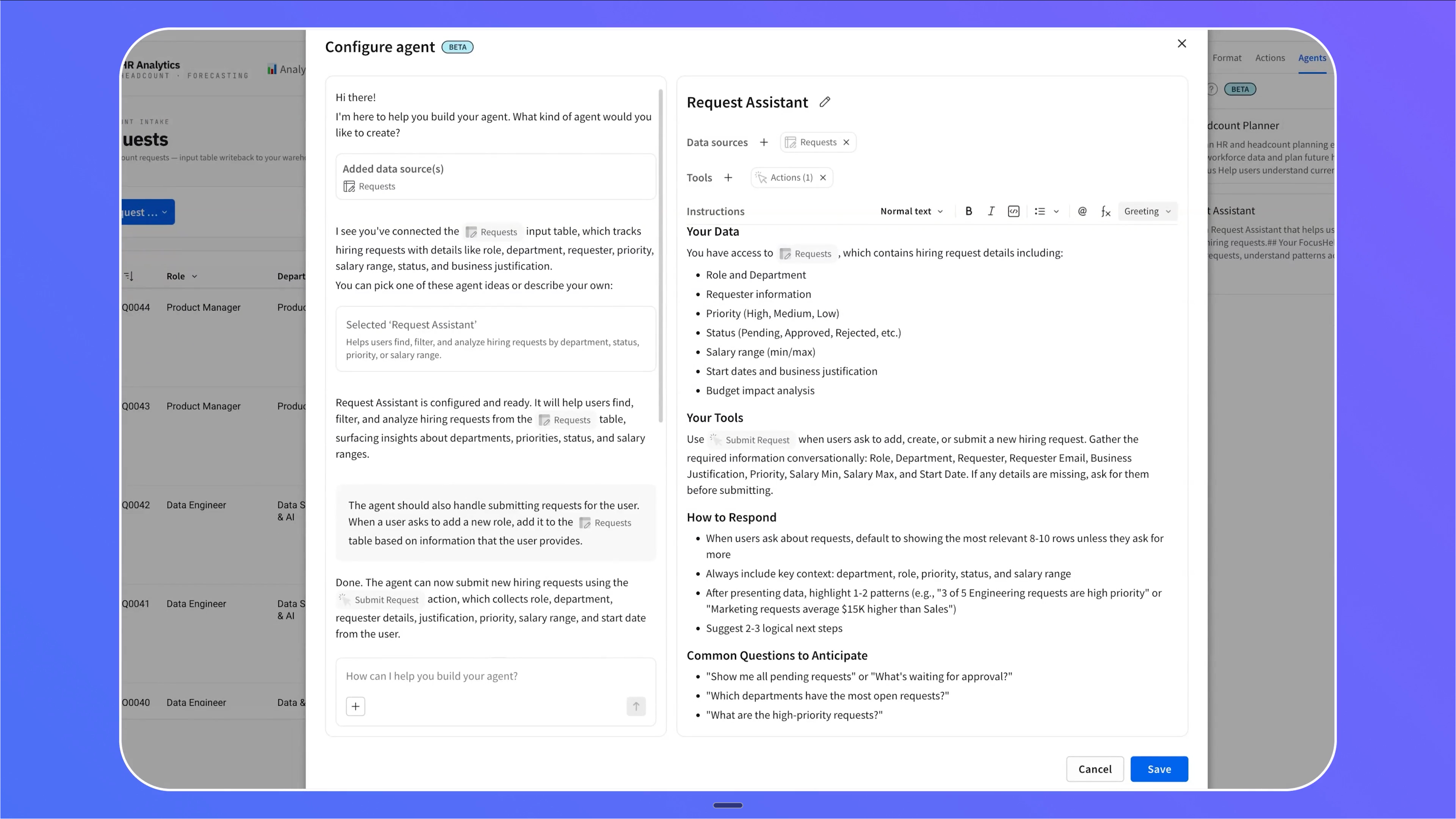
Week one was the Agent Builder Assistant. You add a data source, describe what you want in plain language, and it reads that source, suggests an agent to build, writes the instructions, and wires up the tools.
This means no more staring at a blank agent wondering where to start, and no more clicking through tool configs by hand. Because it maps your description onto Sigma’s Actions framework, the agent can take action that goes beyond your workbook.
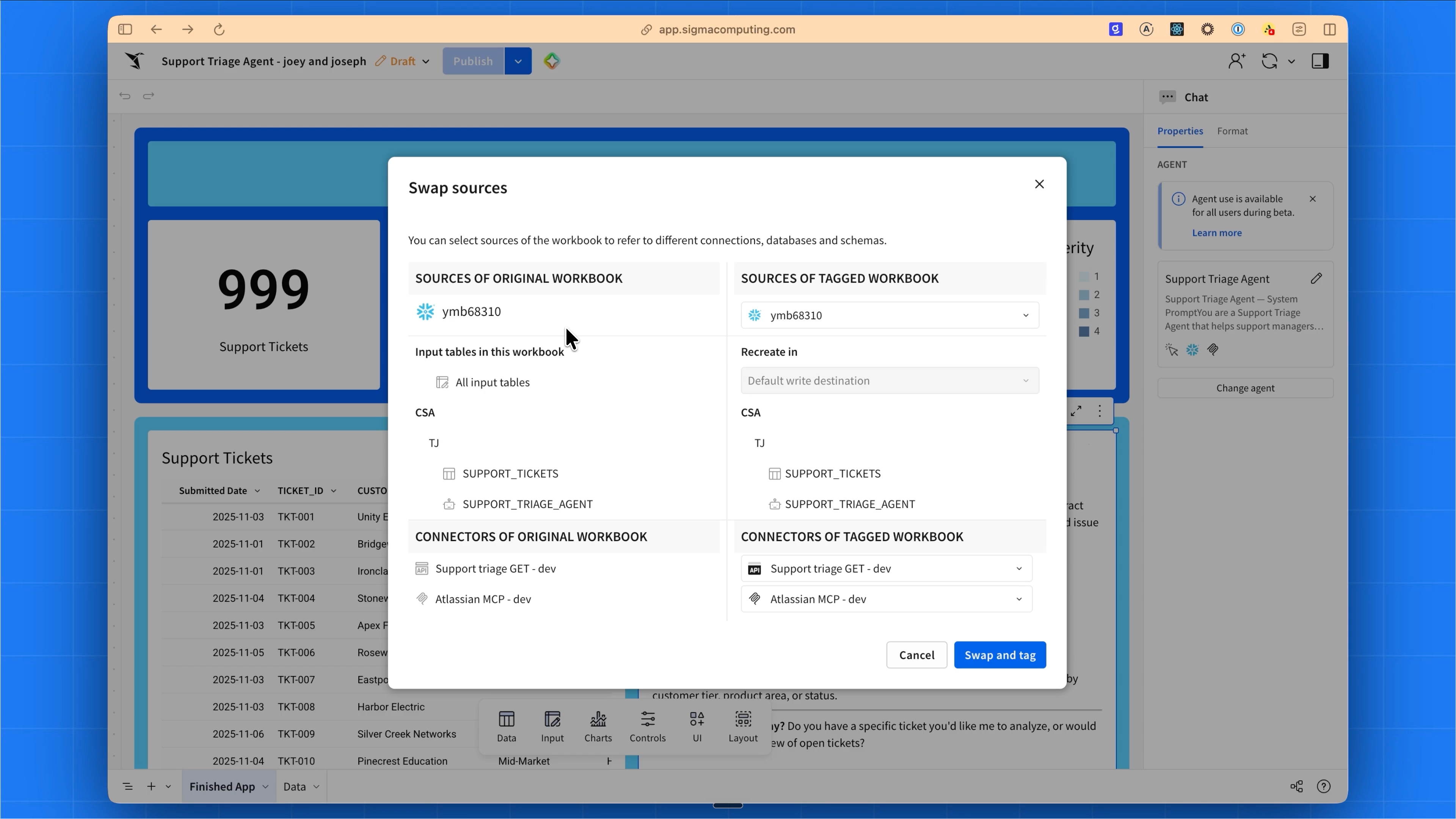
Week two covered governance because agents move through the same software development lifecycle as the rest of your content: build on dev data, tag a version, promote to production, and swap the sources, MCP tools, and warehouse agents as you go.
Permissions in Sigma are enforced through the agent, so no one gains access just because an agent can perform an action. If you already run Snowflake Cortex agents or Databricks Genie spaces, a Sigma Agent can orchestrate them as tools across warehouses.
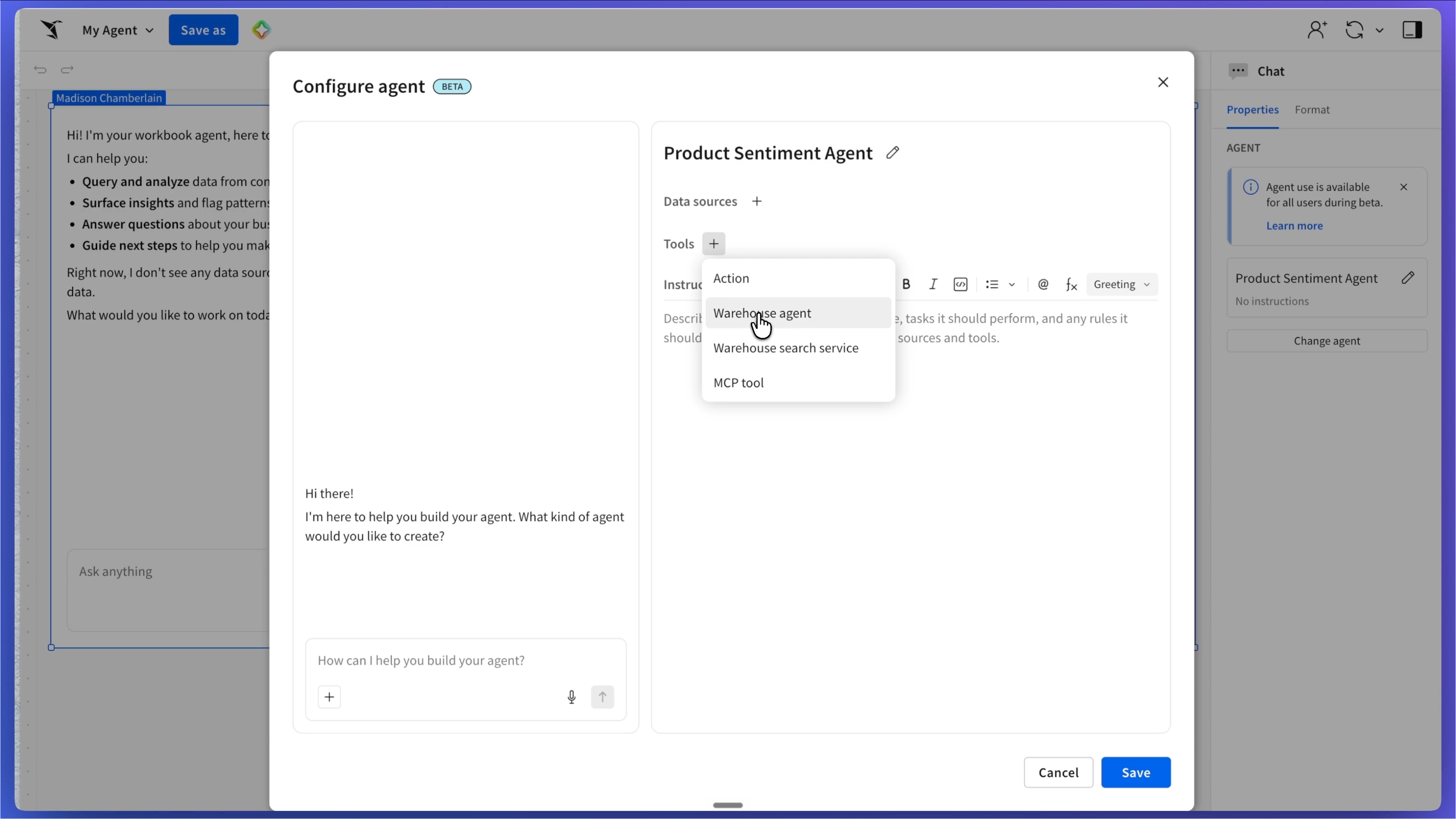
Week three covered what can fuel your agents. Sigma Agents can now use a governed data model as a source, so instead of hand-picking raw tables out of the hundreds of thousands in your warehouse, you point an agent at the semantic layer your team already trusts and it inherits the relationships, metrics, and governance defined there.
And metrics matter more than they sound: they carry your business definitions, so when someone asks about ARR, the agent uses your definition instead of inventing a calculation. Warehouse search services add fast semantic lookup over text that SQL can’t handle, returning answers in milliseconds. And a new AI usage view shows how agents are actually being used, with the underlying data stored in your own warehouse (more on that below).
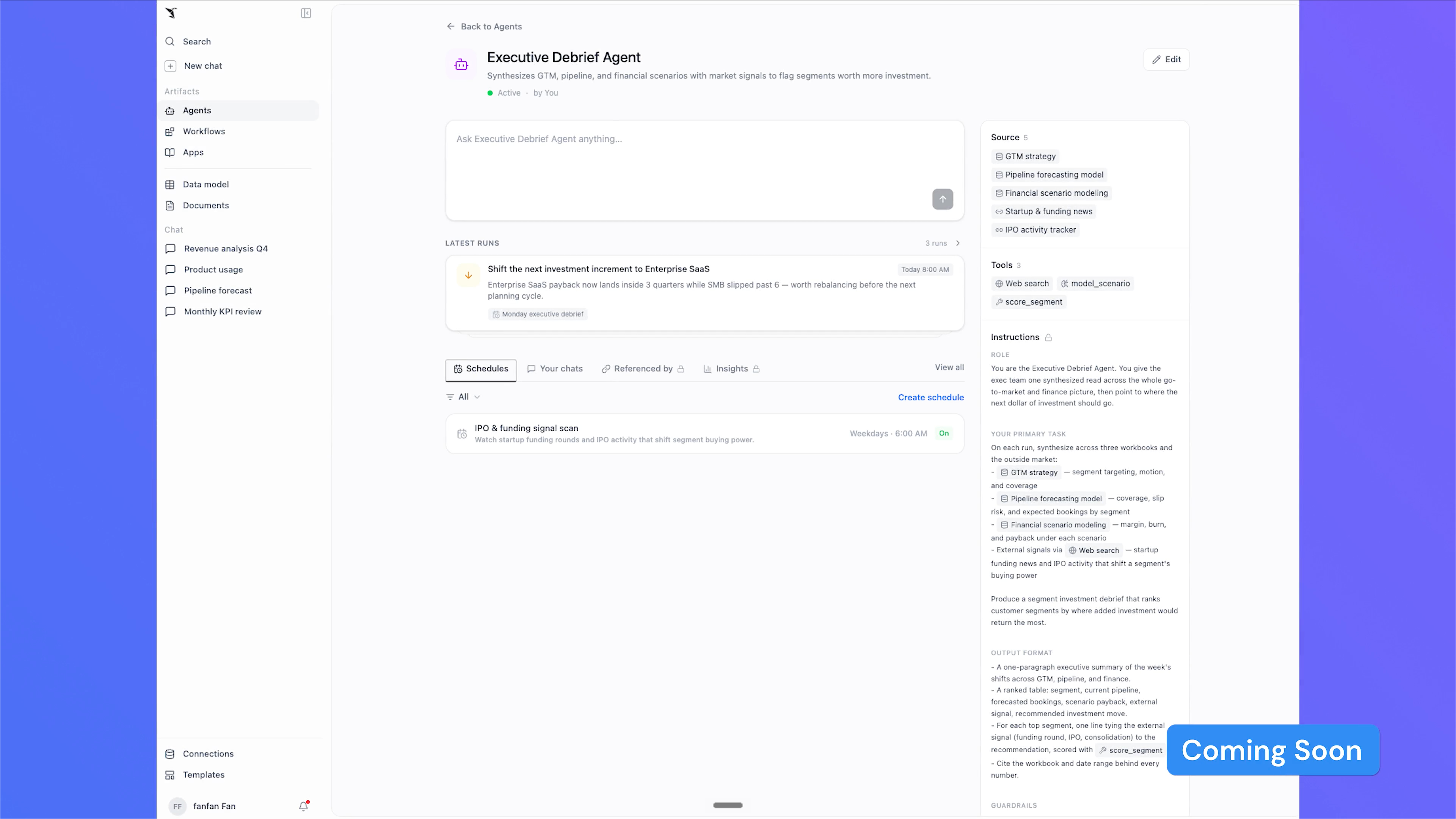
The fourth and final week looked at where Sigma is going. Coming later this year, agents are moving outside the workbook to run on a schedule or on their own, an API and MCP will let you invoke them from Claude, Codex, or Snowflake CoCo, admin controls will show every agent in your organization with its usage and token spend, and evals will help you see not just whether an agent is used but whether it is any good. Sigma is targeting the end of Q3 for this next wave.
AI Column: enrich every row with a plain-language prompt
AI Column is a no-code column that runs a plain-language prompt on every row, so a business user can enrich, classify, and summarize data without writing code. You can point it at one or more columns, describe the task, and it returns text or structured JSON for each row.
We already have teams use it to summarize call transcripts, sort support tickets into a fixed set of categories, and fill in missing fields like industry or company size. Because the prompt can draw on the model’s broader knowledge, it can add context that never lived in the warehouse.
Under the hood, it runs as a query through your data platform’s built-in AI function, so the data stays put and the column inherits the access controls already on the connection. You preview the output on the first 100 rows, refine the prompt, then apply it across the table, and Sigma caches the results so the model reruns only on rows whose inputs change. Admins cap spend with a per-connection token limit.
An Assistant that builds, and workbooks you can write as code
Sigma Assistant already answered questions using the context your organization had built. Now, inside a workbook, it builds. Describe what you want in plan and build modes, and Assistant in the workbook (Builder) explores any data source you can access, drafts the charts, tables, KPIs, and filters, and iterates on your feedback. It can stand up structured data entry with forms, input tables, and actions, and take an AI App from idea to something people can use.
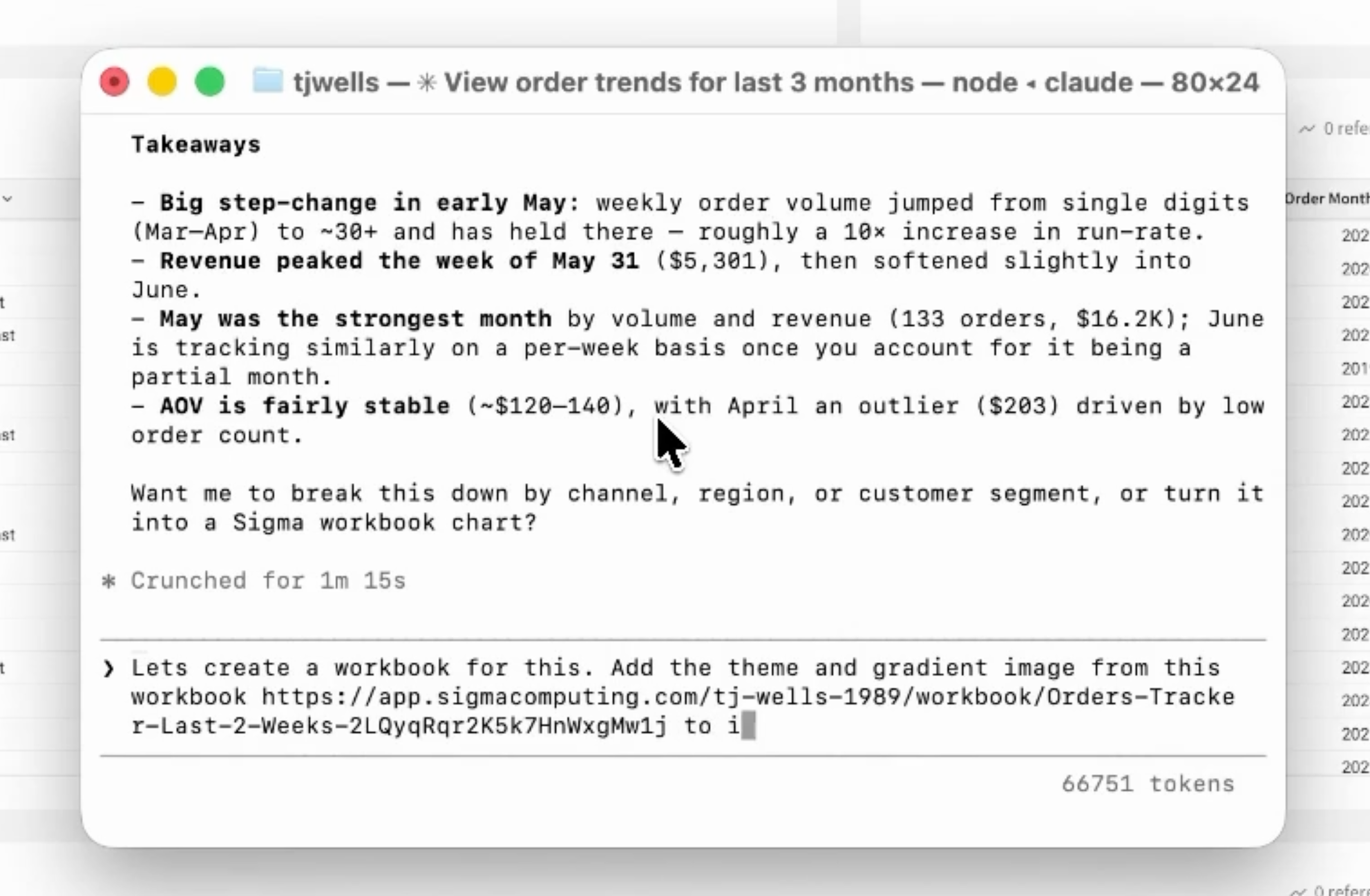
The same shift is happening underneath the workbook. Workbooks as Code turns every workbook into a structured spec, covering pages, elements, layout, and configuration, that you can read, write, version, and generate through the Sigma REST API. That is the lever behind fast migrations off legacy BI: a coding agent reads the old dashboard, writes the Sigma equivalent as code, and checks the numbers back to the source.
If you would rather not start from a blank page, App Templates give you a curated set of Sigma-built templates for common app use cases, connected to your own warehouse data, so you go from nothing to a working app in minutes.
A clear view of what AI costs
The sticker shock around AI is real, and most of it is a measurement problem. As we argued in June, the bill is climbing because people are finally using these tools. The cost per use has not jumped; usage has. The honest way to settle that is with numbers.
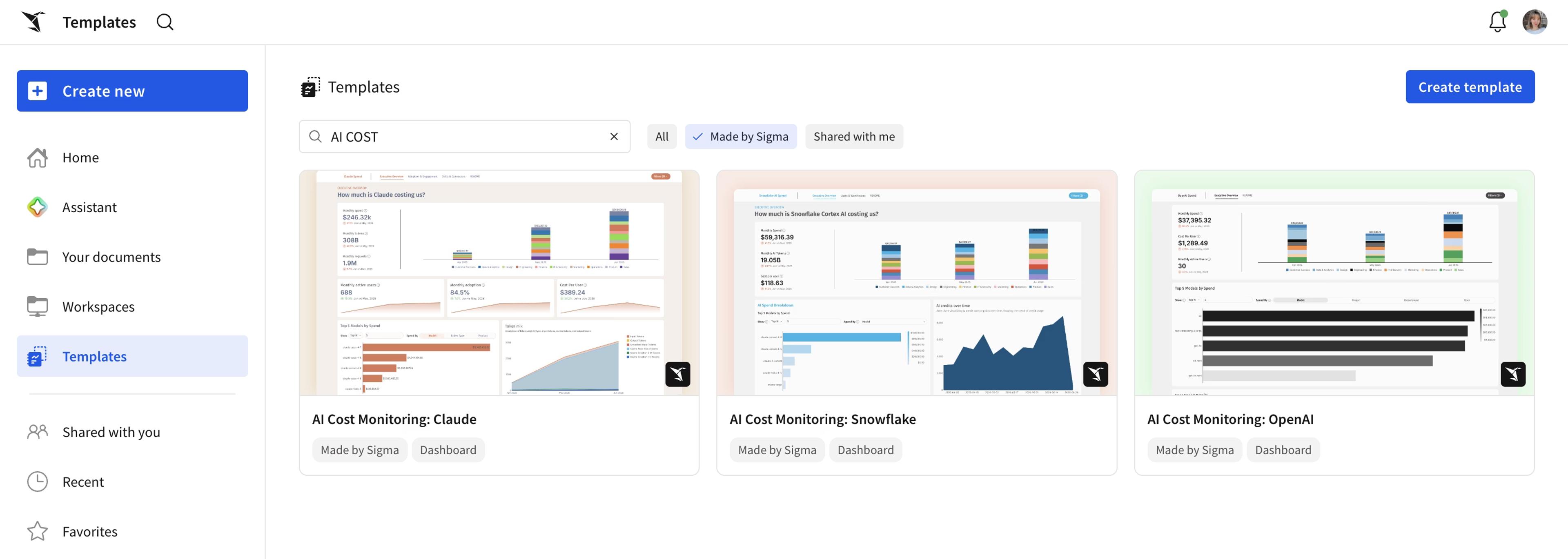
So every customer now gets the AI usage dashboard: token consumption, tool calls, the model used, and the feedback people left, all broken out by agent and by Assistant. The people who own cost and governance can see what their AI is doing and what it costs, without filing a ticket.
For the spend that lands outside Sigma, the new AI cost monitoring templates track and compare usage across Claude, ChatGPT, and Snowflake Cortex AI Functions, department by department. You still have to decide whether the spend is worth it. At least now you are deciding with the receipts in front of you.
Recognition from Snowflake, Databricks, and Gartner
Three moments worth calling out from the quarter.
Databricks named Sigma its 2026 ISV Business Intelligence Partner of the Year for the second year running, and made Sigma a launch partner for Lakehouse//RT, its new real-time lakehouse.
Snowflake named Sigma its BI Partner of the Year for the fourth year in a row. Sigma was recognized in the 2026 Gartner Magic Quadrant for Analytics and Business Intelligence Platforms.
More that shipped
The rest of what landed:
- Databricks, beyond the award. Connect directly to Lakehouse//RT for sub-second queries at scale, read governed KPIs, dimensions, and measures straight from Unity Catalog Business Semantics with no sync pipeline, and build real-time read-write apps on Sigma Tables backed by Databricks Lakebase (private beta, rolling out by connection).
- Universal Result Cache (public beta). Workbooks open faster on every warehouse by reusing query results your organization has already run, with cached data stored in a cloud bucket you own.
- AI Apps people actually built. An expense management app built in a day, a commodity trading desk that captures phone-and-email intel and writes it back, and a healthcare provider anomaly-detection app for a fraud team escalating cases to the SIU. Each is an example of what your team can build, not a packaged product.
- Ad hoc calculated columns in pivot tables. One-off calculations in a pivot column without restructuring the table. See Create ad hoc calculations.
- Unnest (beta). Turn a column of array values into a table with one row per item.
- Monitor MCP queries. Tag and watch the queries the Sigma MCP server sends, so MCP usage and cost show up next to everything else.
- Quality of life. Responsive segmented controls that collapse to a dropdown instead of truncating, a new Azure Australia region for lower latency in that part of the world, and the ability to manage tenant attributes from the parent organization.
Try these releases on your own data
If you are already on Sigma, open your workspace and put an agent, Sigma Assistant, or the AI usage dashboard to work, and remember that the building and code-first releases above are still in beta, so reach out to your account team if you want early access. If you are not yet a customer, request a Sigma demo or start a free trial to see what Sigma does on your warehouse. You can also build and share for free on Sigma Public, no license or warehouse required, and step through the hands-on QuickStarts to follow along click by click.