How a commodity desk turns fleeting intel into a shared edge

The most valuable information on a crude oil desk almost never arrives as data. It arrives as a phone call. A trader's contact in the port of Oman calls with an opportunity: a vessel carrying a set amount of cargo, for sale at a set price, is available right now. The intel is time-sensitive, and only the one trader who took the call has it.
The problem is that 20 to 50 other traders on the desk would want that same option in their scenario modeling and forecasting for the day's decisions. Instead, the rest of the desk trades the day without it, and the edge expires in a voicemail.
Capturing this intel used to be an offline process that never got recorded. No team could justify a software project to have full-stack engineers build an interface like this from scratch and then host and maintain it forever. A dashboard would not have helped either, because it can only show the desk as it was yesterday, and captures none of what a trader learns today.
This is where Sigma offers a solution. Using Sigma, traders read from live warehouse data and add notes, details, and updates to the data that write back to the same place, so the screen a trader reads from is the same screen they can act on.
6 ways to run your commodity desk on Sigma
Here's an example of how to run your commodity desk in a Sigma app, across a single trading day. The workflow reads live from the warehouse and writes back to it, so one trader's action updates the single governed source the whole desk works from.
Capture the intel the moment it lands
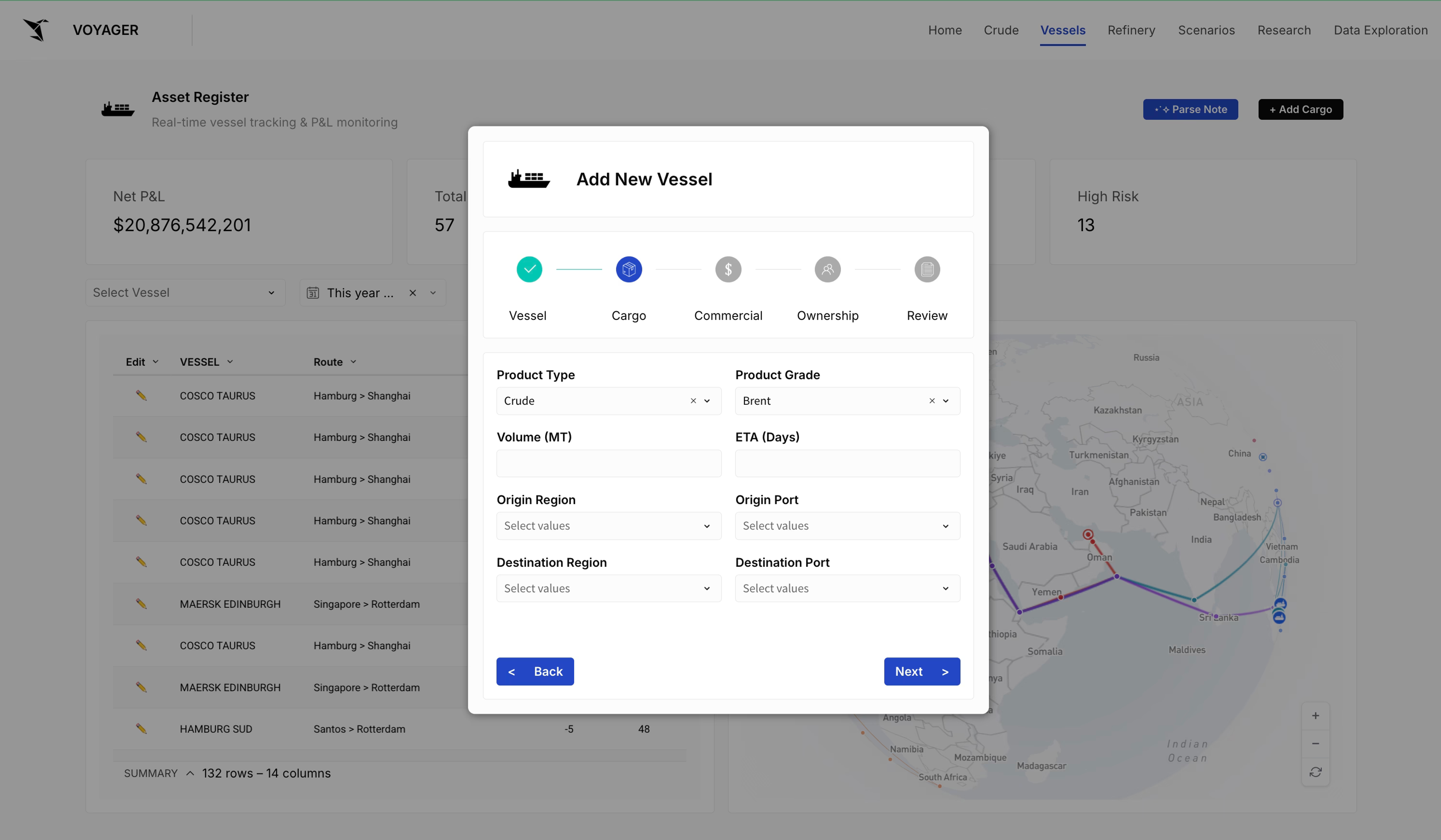
As soon as a trader gets the intel from a phone call, they enter it directly in the app: the vessel, the charter type, the cargo on board, and the details their models depend on. Because Sigma AI Apps are custom-built for each team's unique needs, you can customize which fields are captured.
That entry writes a new vessel record back to the cloud data warehouse, where the ML models pick it up for the day's P&L analyses. After a review-and-submit step, the record lands in the table, and the new ship appears on every trader's map instantly.
The intel is now shared across the desk and feeding the models, rather than locked in one trader's inbox or voicemail.
Turn an email into a record with AI
Some intel arrives by email instead. A trader can paste the email straight into a warehouse agent, which parses it automatically, pulling out the cargo volume, the origin and destination, the price, and the counterparty. On approval, the agent turns that into a record that integrates with the same data.
Ask the data a question in plain language
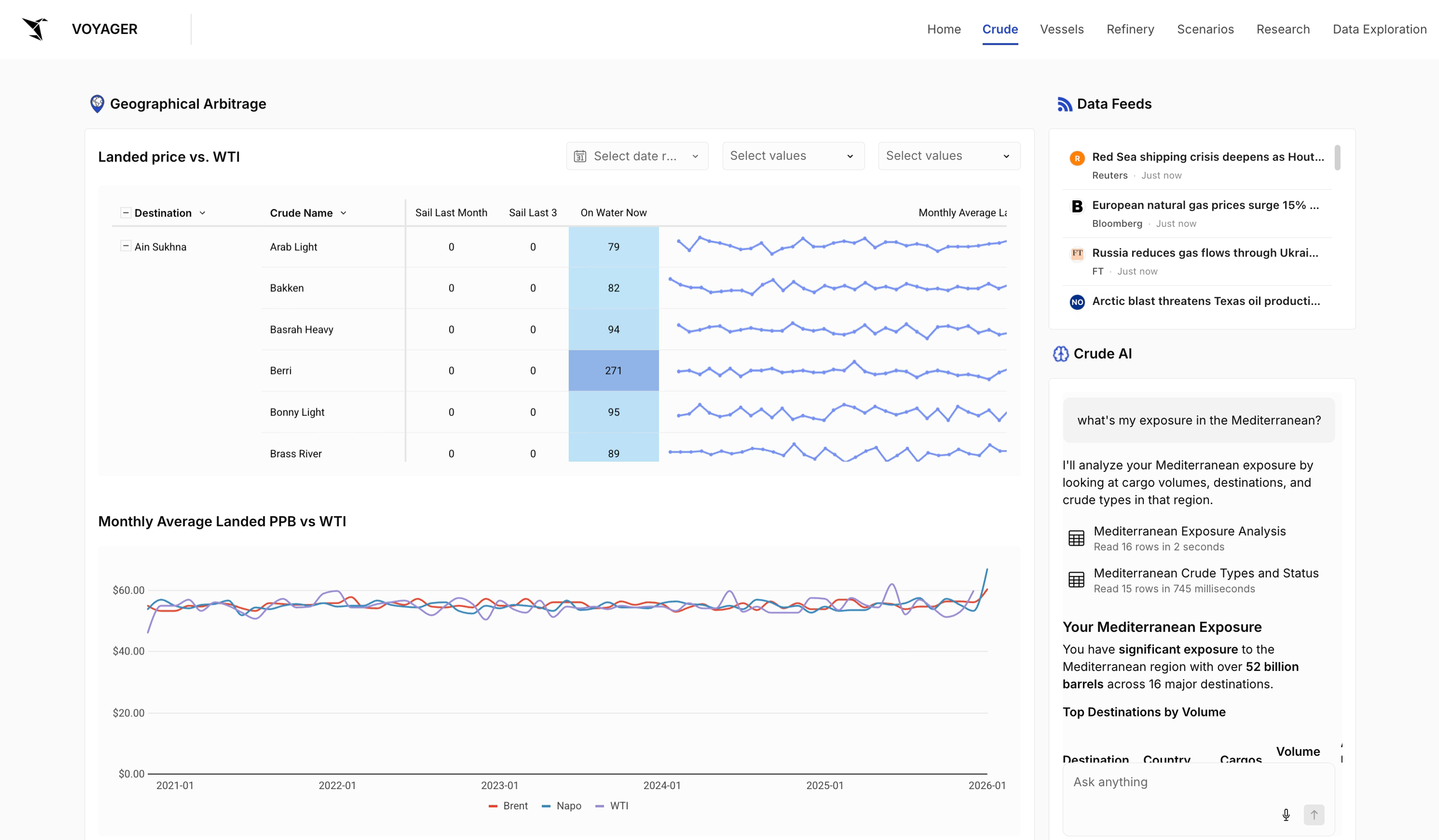
A warehouse agent powers a plain-language Q&A experience for any cargo-data question. A trader can ask, "What's my exposure in the Mediterranean?" and Sigma sends the query to the warehouse, which analyzes it against the rules, definitions, and tables that trader has access to and returns the answer. Because it draws on the trader's own governed data rather than a model's guess, it's an answer they can act on, and they can follow up from there.
Drill down to the record level
AI answers are useful, but sometimes a trader needs to get to the record level. To see exactly which vessels a trader has on the water right now, they drill into cargo statuses and move up and down through any field to reach the slice they need, as many times as they need.
Log a refinery outage the moment it's spotted
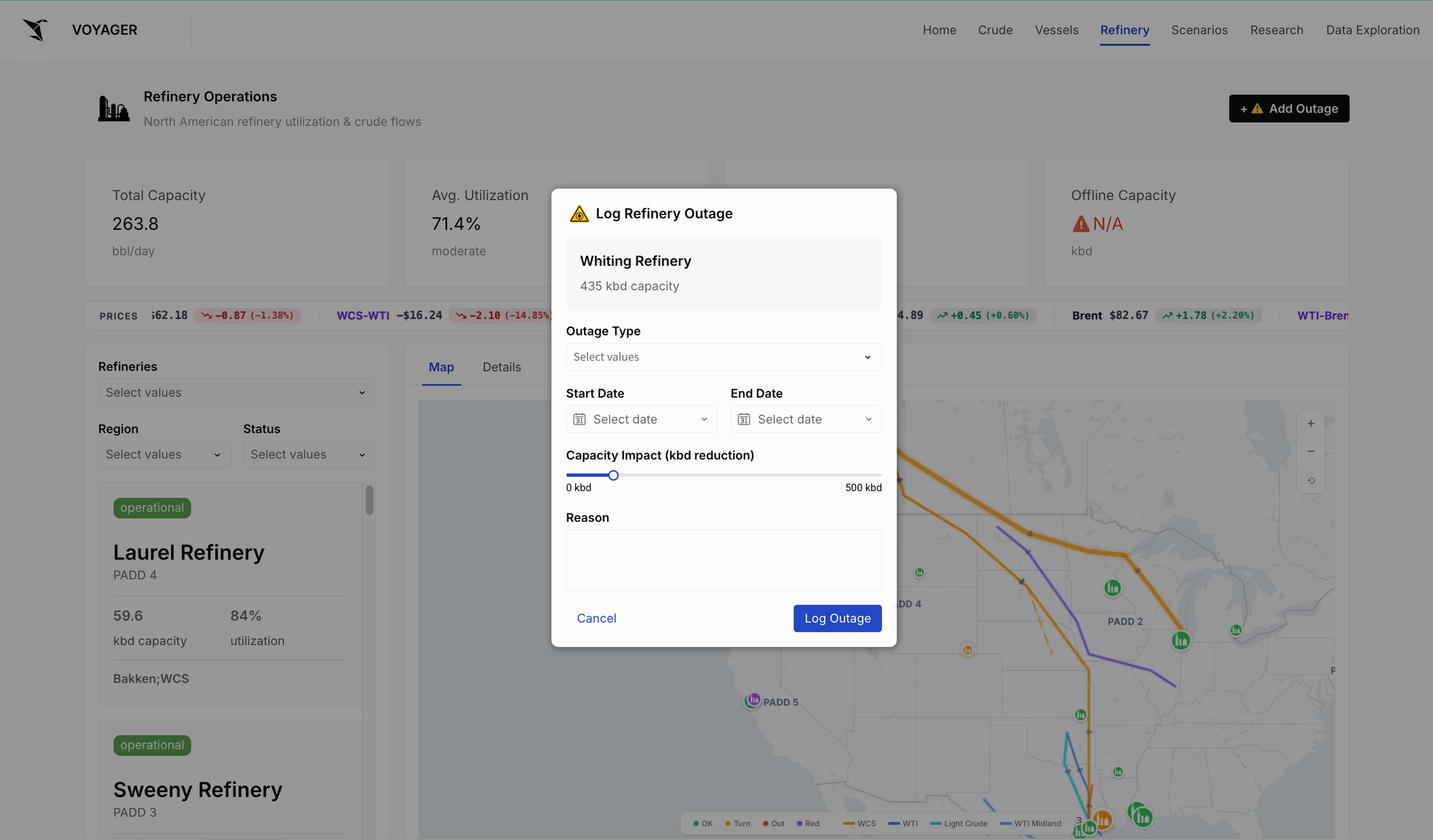
Refinery operations come down to monitoring flows from refineries to their destinations, with KPIs like capacity, utilization, and outages. When a trader learns of an outage, often before it's widely reported, they log it: where it is, the type, when it started, when it's forecast to end, and the impact on capacity and the reason. The outage is logged, the desk is alerted, and the same loop as the vessel intel repeats: a private read becomes a shared, governed record.
Model scenarios and exposure
All that captured intel is there to be used. On the scenario view, traders model option positions, check current exposure, and compare how different scenarios play out, with every input from the workflows above feeding the same models. The vessel a trader logged this morning and the outage they flagged an hour ago are already in the numbers.
Built by the traders
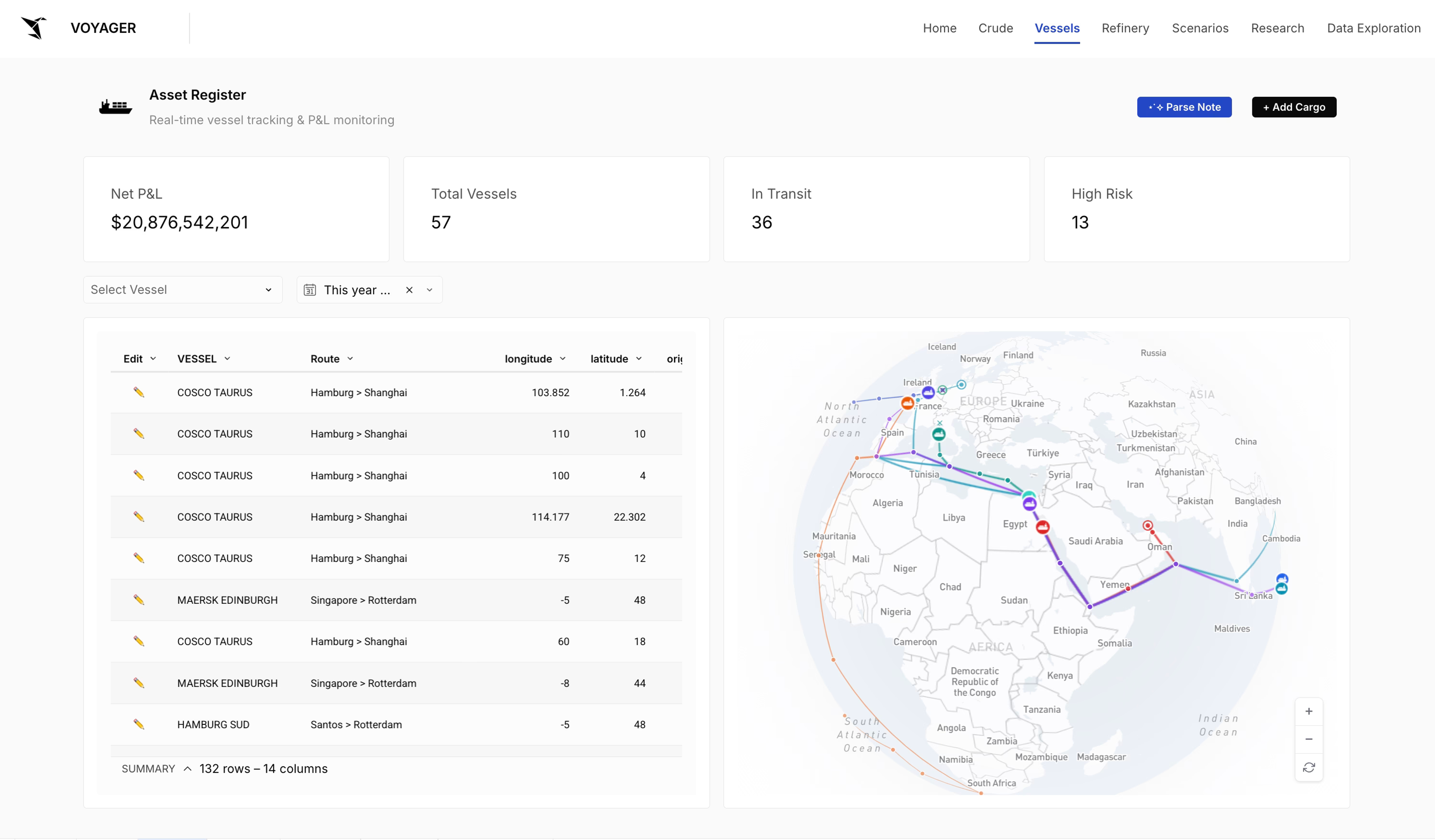
That is a day on a commodity desk running on Sigma: drilling into the data, asking AI for answers, and writing new intel back to the warehouse so the whole team can act on it, all in tools the traders built themselves without a line of code. The edge that used to expire in a voicemail is now a shared, governed asset the entire desk can trade on.
Bring this to your desk
Request a Sigma demo to see how your team can turn fleeting intel into governed records everyone can act on, and build the apps to capture it, directly on your warehouse.