Workbooks as Code Preview: Build, Version, and Generate Sigma Dashboards Programmatically

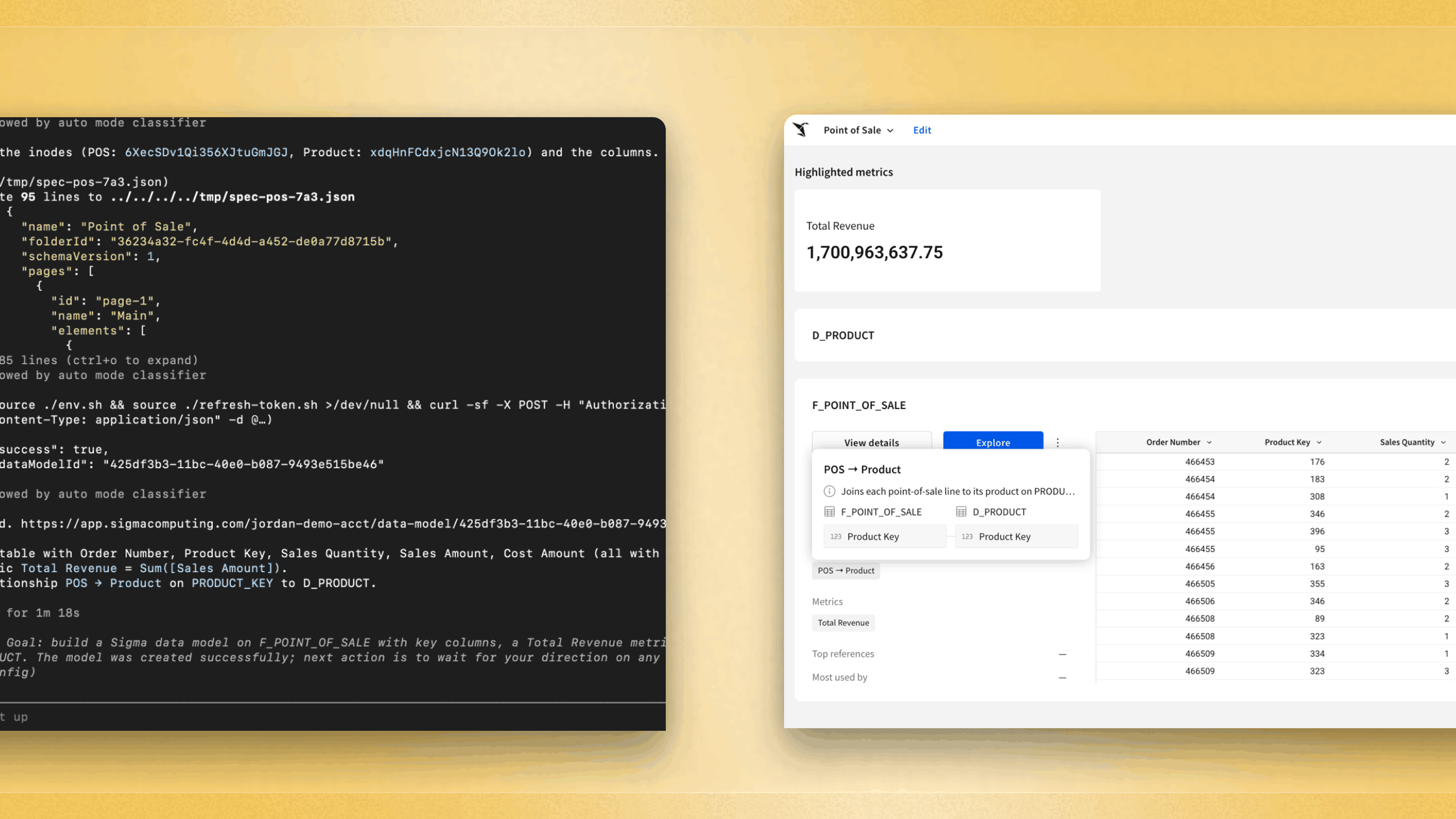
We're excited to preview Workbooks as Code for Sigma, also known as “code representation.” With this functionality, every Sigma workbook becomes a structured spec you can read, write, and version through the Sigma REST API. You can pull any workbook down as code, generate brand-new workbooks programmatically, review changes in a pull request (through GitHub actions), and test them in CI. It's the same way you already manage the rest of your data stack.
Workbooks as Code (aka code representation for Sigma) is currently available for select customers in private beta. Reach out to your Sigma account representative to get early access.
Why we built code representation for Sigma workbooks
For years, almost every layer of that stack learned to be code. Transformations became code with dbt. Infrastructure became code with Terraform. Pipelines, environments, and tests all got version control, review, and automation. The dashboard was the one thing left that you could only build by clicking, even though it's the most-shared artifact a data team produces. Workbooks as Code closes that gap.
Sigma is built API-first and directly on your warehouse, which means the workbook was never really a black box. It already had a precise, structured definition underneath the canvas. We're now exposing that definition for you to read and write. The spec isn't a separate export sitting next to your workbook. It is the workbook, expressed as code.
How can I use Workbooks as Code?
1. Treat your dashboards like software
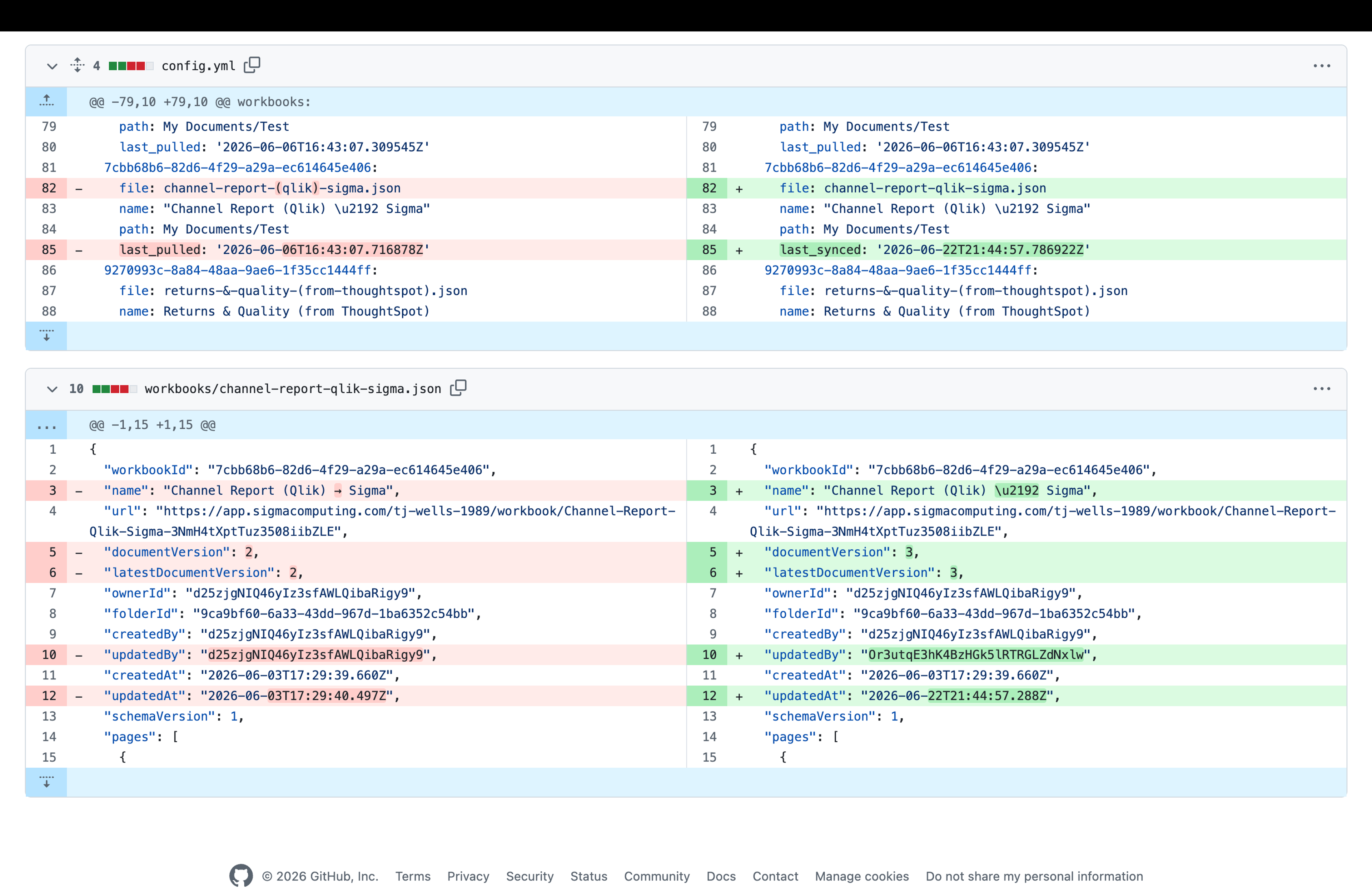
Pull any workbook down as a spec, and it becomes a reviewable, versionable artifact like everything else your team owns.
Check your workbooks into Git. Open a pull request to change a metric definition, and let a teammate approve the diff before it ships. Roll back a bad change with a revert instead of a frantic rebuild. And because the spec round-trips, none of this is one-directional: you can read a workbook someone built in the UI, change one formula or rearrange the layout, and write it straight back.
That also makes dashboards testable for the first time. You can generate or fetch a spec, post it to Sigma, query the resulting charts through the API, and assert the numbers are right. It all runs in CI, on every commit. A broken formula fails a check before it ever reaches an executive, instead of after.
2. Build systems that produce dashboards
When a workbook is code, you stop building dashboards one at a time and start building systems that produce dashboards.
Define a workbook once as a parameterized spec, then stamp out as many variants as you need: one per region, per customer, per tenant, generated from data rather than duplicated by hand. When the template changes, you regenerate. Nothing drifts out of sync. Building the hundredth dashboard costs the same as building the first.
The same idea applies to changes you'd never want to make by hand. Need to add a standard footer to 200 workbooks, swap a color scheme across a department, or repoint a batch of dashboards to a new data model? That's a script that reads each spec, edits it, and writes it back. Not a week of clicking.
3. Migrate from other tools, and build with AI
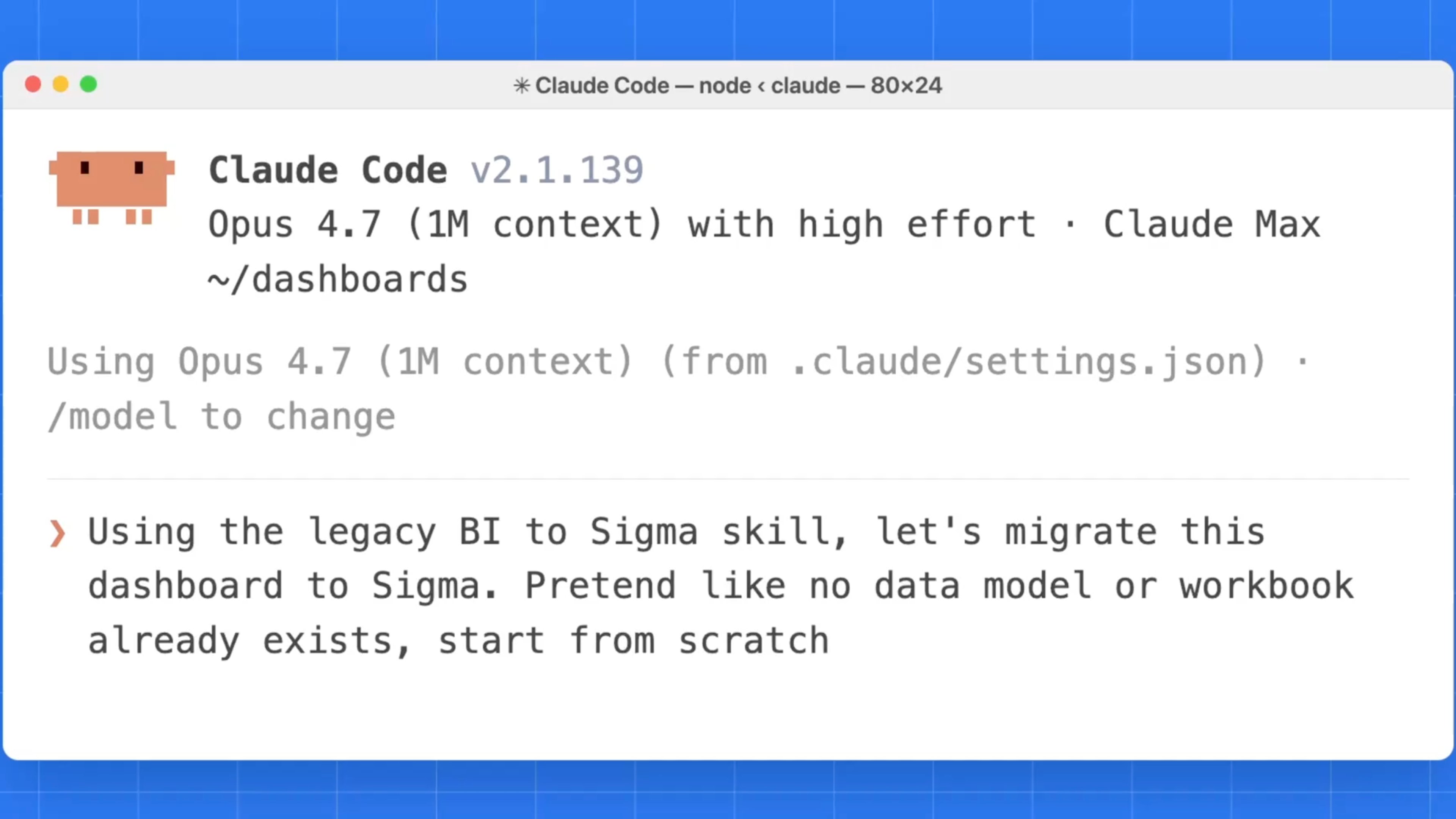
Because Sigma workbooks now have a code representation, getting into Sigma becomes a translation problem instead of a rebuild problem. Moving from a legacy BI tool used to mean a person recreating every dashboard by hand. Months of work, with a fresh chance for error on every chart. Now a source dashboard can be read, mapped to a Sigma spec, and posted: charts, layout, controls, formats, and all. And because the result can be queried and checked against the original, you can prove the migration is correct value by value, rather than hoping it is.
The same property that makes migration possible is what makes Workbooks as Code a natural fit for AI. Agents struggle to click reliably through a UI, but they're very good at writing structured specs against a clear schema. An agent can generate a real, working dashboard. Because the spec round-trips and validates, it gets a feedback loop: write, submit, read the error, correct. The model layer and the workbook layer are both code now, which means an agent can build an analytics application from the data model to the finished workbook.
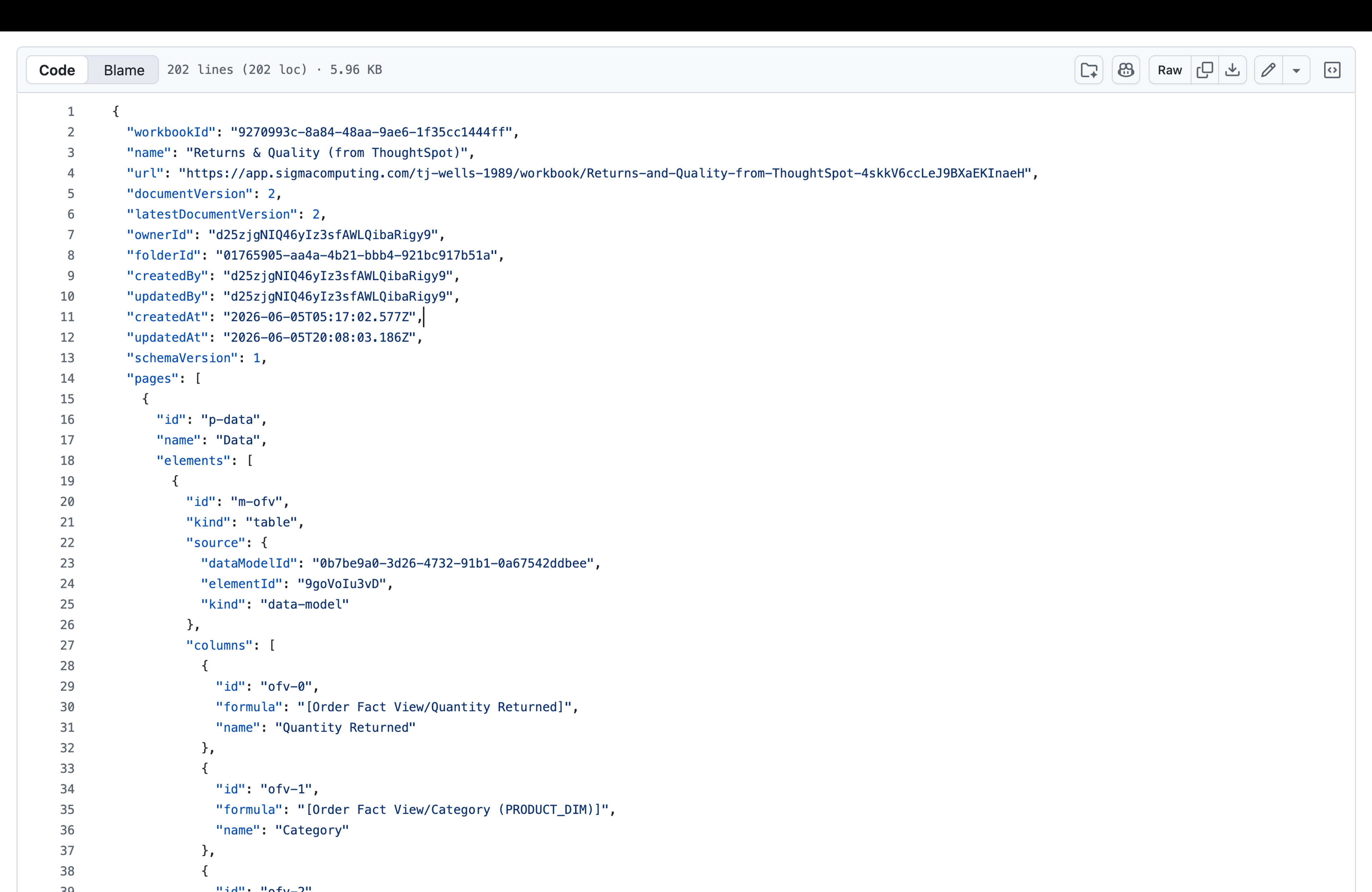
What a workbook looks like as code
The spec covers everything the canvas does: pages, elements, the formulas behind every column, the layout grid, and formatting. Here's a single chart, in spec form:
- id: revenue-by-region
  kind: bar-chart
  name: Revenue by Region
  source: { kind: table, elementId: orders }
  columns:
    - id: col-region
      formula: "[Orders/Region]"
    - id: col-revenue
      name: Revenue
      formula: Sum([Orders/Net Revenue])
      format: { kind: number, formatString: "$,.0f" }
  xAxis: { columnId: col-region }
  yAxis: { columnIds: [col-revenue] }
A person can read it, a machine can generate it, and Git can diff it. Because it's the same definition the product runs, what you write is exactly what you get.
It works with the workbooks you already have
Workbooks as Code isn't a separate way of working you have to commit to. It's the same workbook, available from a different angle.
The UI isn't going anywhere, and most people will keep building on the canvas. Workbooks as Code is additive. It's there when you want version control, bulk generation, testing, or programmatic editing, and it's invisible when you don't. A workbook built by clicking and one generated from a spec are the same object, and you can move freely between them.
Programmable, but still governed
Making workbooks programmable doesn't loosen the controls around them. Everything that governs a Sigma workbook still applies when you build one from code: permissions, your data model and its lineage, and the fact that every query runs live against your warehouse with no extracts to fall out of date.
This is by design. A spec you can write back to is powerful precisely because it's the real workbook, subject to the real governance. Not a copy that drifts away from the governed original. You get the openness of code and the guarantees of the platform at the same time.
How to get started
If you're already a Sigma customer, reach out to your account team to join the early access program for Workbooks as Code. If you're new to Sigma, request a demo and we'll show you what it looks like to treat your dashboards like the software they are.
The dashboard was the last layer of the stack you couldn't generate, review, or test. Now you can.