Sigma for manufacturing teams
Catch quality issues, adjust supply plans, and log field findings from one workspace, with changes approved and logged.
Hear about it first
A scheduled agent tells the engineer which machine is furthest below target.
Ask why
Ask follow-up questions in a chat, answered from the same live data as the dashboard.
Approve and record
Corrective actions are approved, written to the warehouse, and sent to the line supervisor.
Trusted by manufacturing teams



From alert to fix
The fix for what the dashboard shows still happens in email
Teams can see which machine is off target and even get suggested fixes. Who acts, whether it was approved, and whether anyone heard about it happens in meetings, inboxes, and spreadsheets.
| Today | With Sigma |
|---|---|
| Forecasts scattered across spreadsheets until the ERP load | Forecasts entered, reviewed, and approved where actuals already live |
| Engineers open the dashboard to find out something is wrong | An agent alerts the owner when OEE drops below target |
| Suggested fixes stop at the table | Follow-up questions answered in a chat on live data |
| No approval, owner, or due date on the action | Actions approved and written to the warehouse |
| Buyer comments exported and re-imported as open text | Comments saved on the row the buyer is looking at |
| Nobody can see who changed what | An audit history of every change and who made it |
From data to production efficiency
Each workflow starts with the problem and ends with the action someone takes.
Supply adjusted
Adjust material orders when supply moves
Shortages surface after the line is already waiting. Model demand scenarios in input tables on live inventory, then adjust the material order and write it back to the warehouse.
- Demand scenarios modeled on live inventory
- Forecast overrides signed off and locked
- Adjust a material order, with approval
Yield protected
Catch OEE losses before the shift ends
Losses usually show up in tomorrow’s report. Monitor OEE on live sensor and MES data, find the machine pulling the line down, and log a corrective action while the shift can recover.
- Live OEE by machine, shift, and hour
- Predictive maintenance signals
- Log a corrective action with an owner
Scrap reduced
Cut production waste
Deviations are found after the scrap is made. Correlate process parameters with quality outcomes live, drill into sensor logs, and place a hold before the next batch runs.
- Live process capability analysis
- Scrap root-cause detection
- Place a quality hold, approved and logged
Repairs logged
Log repair findings from the field
Technicians arrive without the asset’s history. Give them live warranty and repair data in a service app, and let them log a repair finding from their phone.
- Mobile asset history
- Open calls and time to close by region
- Log a repair finding, saved to the warehouse
Log what you found on PX-4410.
Open service calls · Region 2
Field Service
Open calls
2
Region 2
Time to close
2.4 days
−0.6 daysvs last month
HS-220 seal failures
2
This quarter
Service calls
| Asset | Customer | Issue | Status |
|---|---|---|---|
| PX-4410 press | Delmar Plastics | Hydraulic leak | |
| PX-3802 press | Orion Molding | Platen alignment | Scheduled |
| CN-2201 chiller | Delmar Plastics | Low flow | Closed |
Repair findings
| Asset | Finding | Part | Warranty | |
|---|---|---|---|---|
| 1 | CN-2201 | Clogged strainer, cleaned | — | No |
| 2 | PX-3802 | Worn platen shim | PS-118 shim | Yes |
| 3 | PX-2915 | Cracked seal, replaced | HS-220 seal | Yes |
| + | ||||
Root cause found
Trace warranty claims to the root cause
Sampling hides the pattern. Join warranty claims with billions of production records on live data, find the supplier issue, and flag the supplier for corrective action.
- Defect root-cause analysis
- Supplier quality tracking
- Flag a supplier for corrective action
Agents on the line
Agents that watch your lines and wait for your approval
Agents check your data on a schedule, answer questions in a chat, and record decisions in your warehouse. Nothing changes until a person approves it.
- 1Get alertedA scheduled agent checks scrap rate or machine OEE against a threshold and notifies the owner in Slack, Teams, or email.
- 2Ask whyAsk the agent in a chat which drivers changed, and get an answer from the same live data your dashboards use.
- 3Approve and recordThe agent drafts the action, such as a quality hold or a material order change. A person approves it, and Sigma writes it to the warehouse with an audit trail.
Trusted by manufacturing teams
 150 sales reps. 13,000+ hours saved.How This Global Manufacturer Ditched Cognos and Reclaimed 13K Hours with Sigma
 50% reduction in ad hoc requests. 50% faster discovery of design flaws. 50% more time to tackle new projects.How Sigma Helps Fictiv Strengthen its Digital Manufacturing Ecosystem with Real-time Insights
 100+ hours saved/month for planning teams. 80% of time reallocated to strategic, value-add work. 6 department use cases in year 1.When this furniture company needed business intelligence, it found Sigma on Databricks
Explore manufacturing apps built in Sigma
Working examples from the App Library. Open one to see how it works.
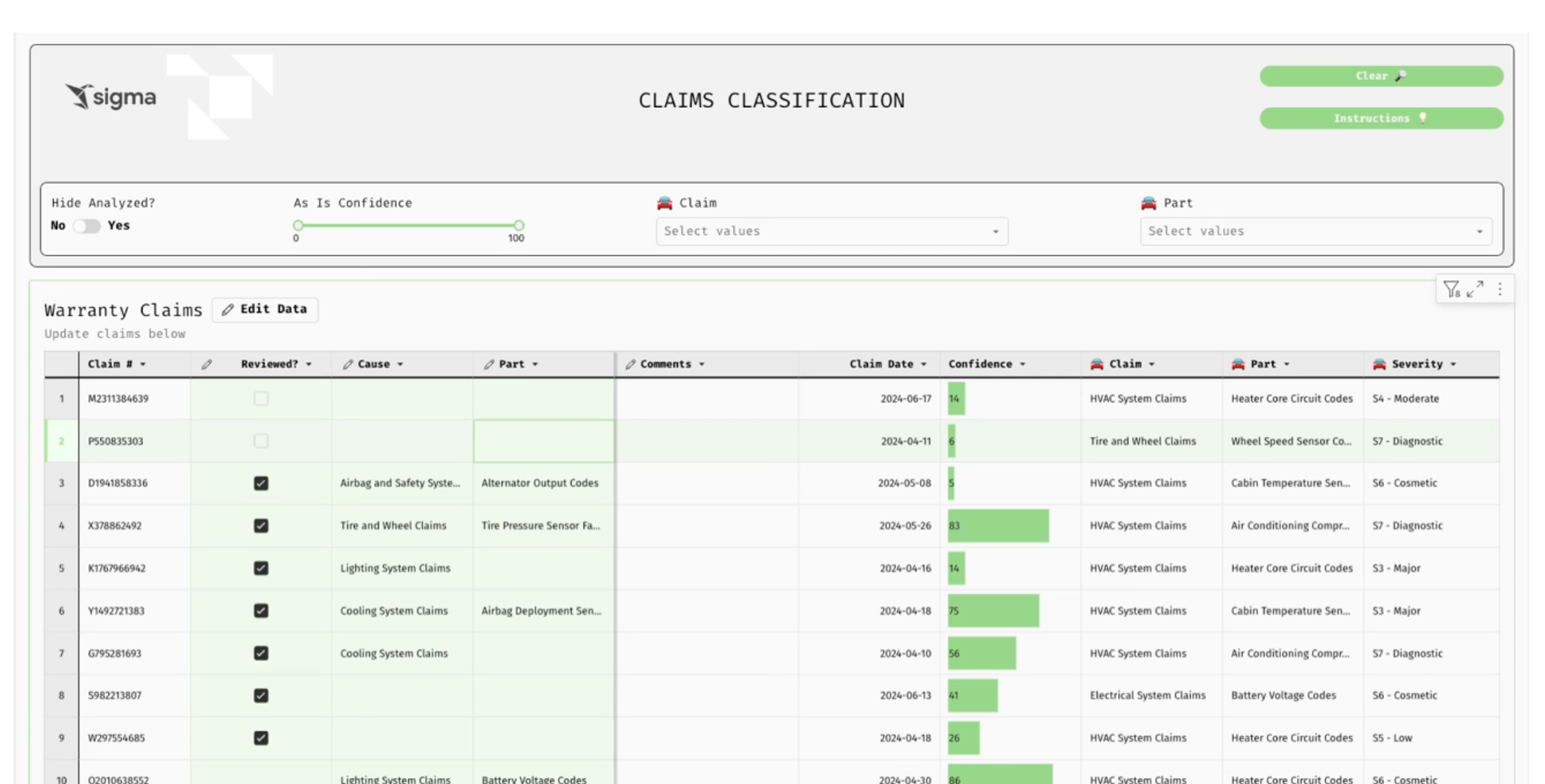
Warranty Claims Classification
Streamline warranty claims for manufacturing. Aggregate multi-source data, minimize risk, and accelerate resolution time.
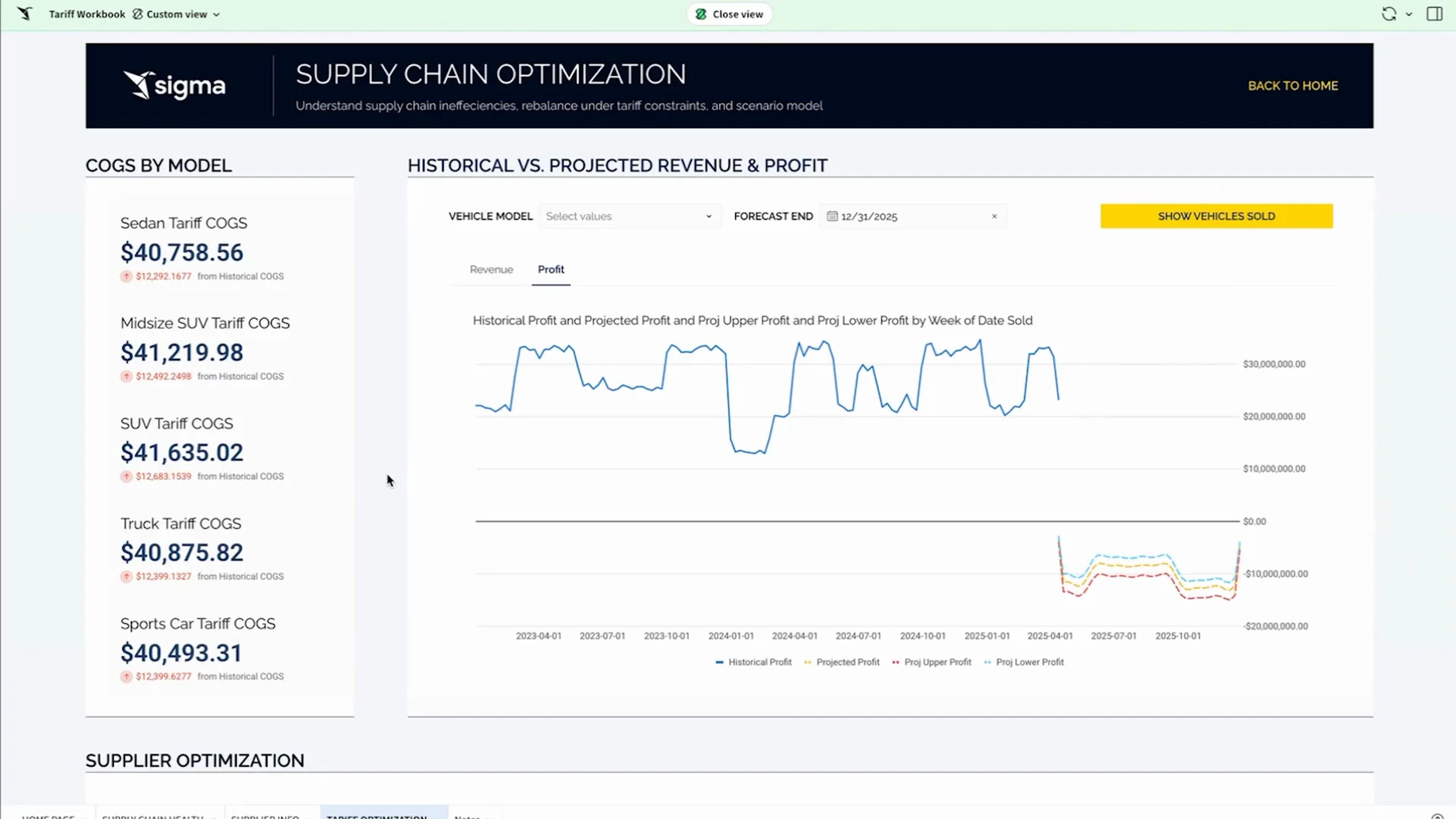
See the appSupply Chain Optimization
Optimize supply chain decisions on live data with AI forecasting. Model tariff impact, margins, and supplier re-sourcing with writeback.
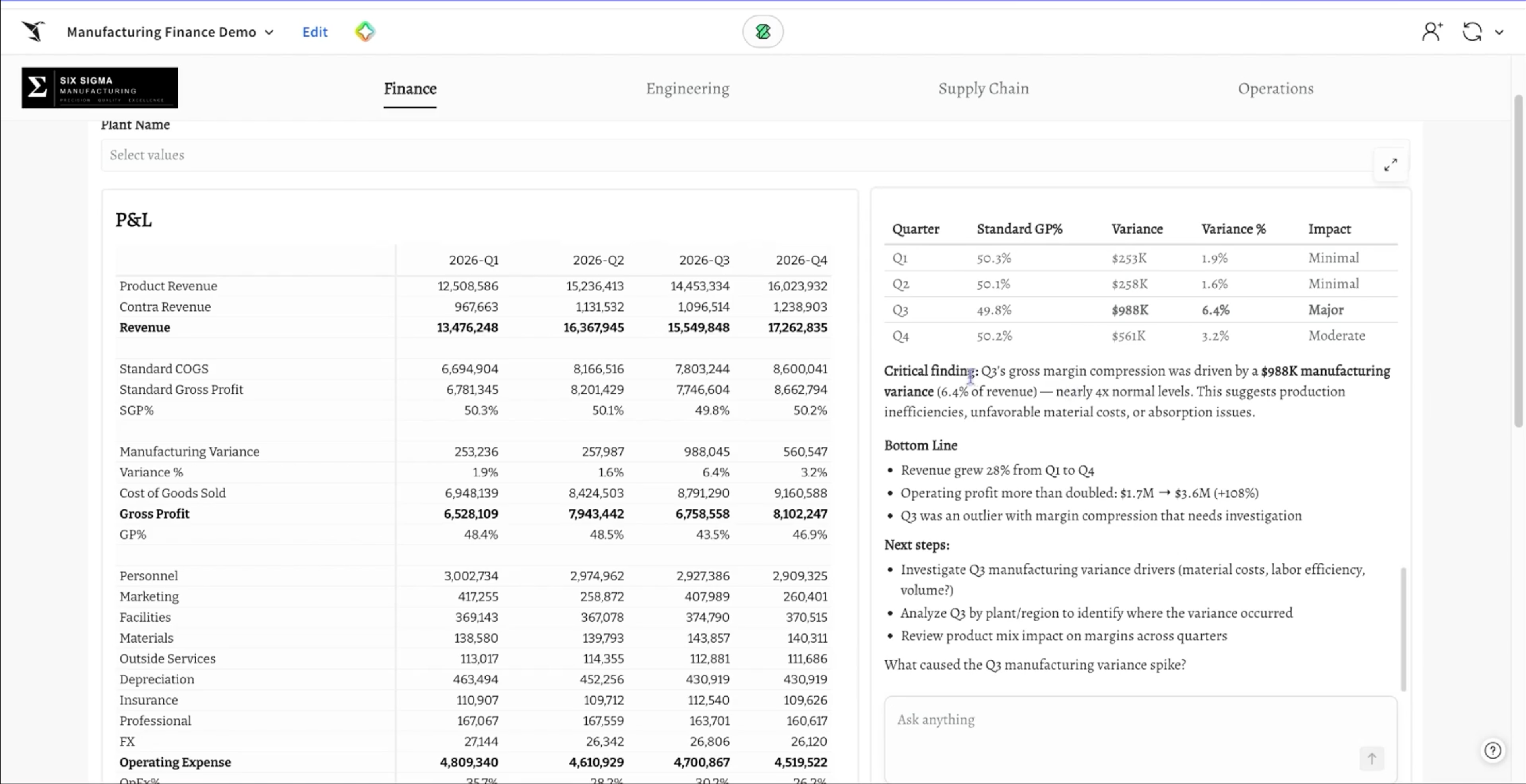
See the appManufacturing FP&A Portal
A finance portal for a manufacturer. Business partners enter expected relief, finance reviews gross margin and profit, and an agent runs the variance math on Databricks Genie.
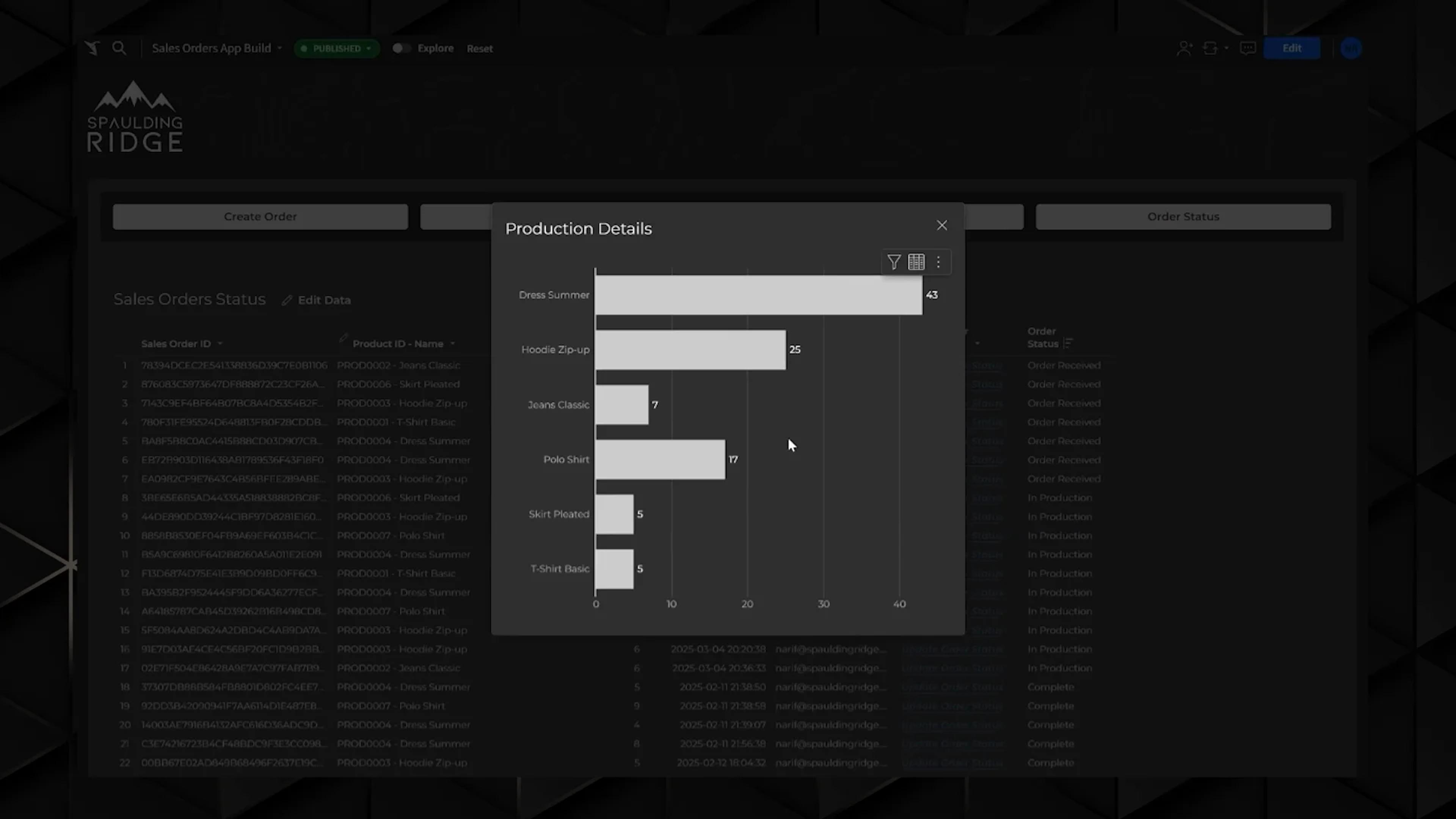
See the appSales Operations Tracking
Sales order and inventory app. Track order progress, prioritize production, and plan material purchases from live demand.
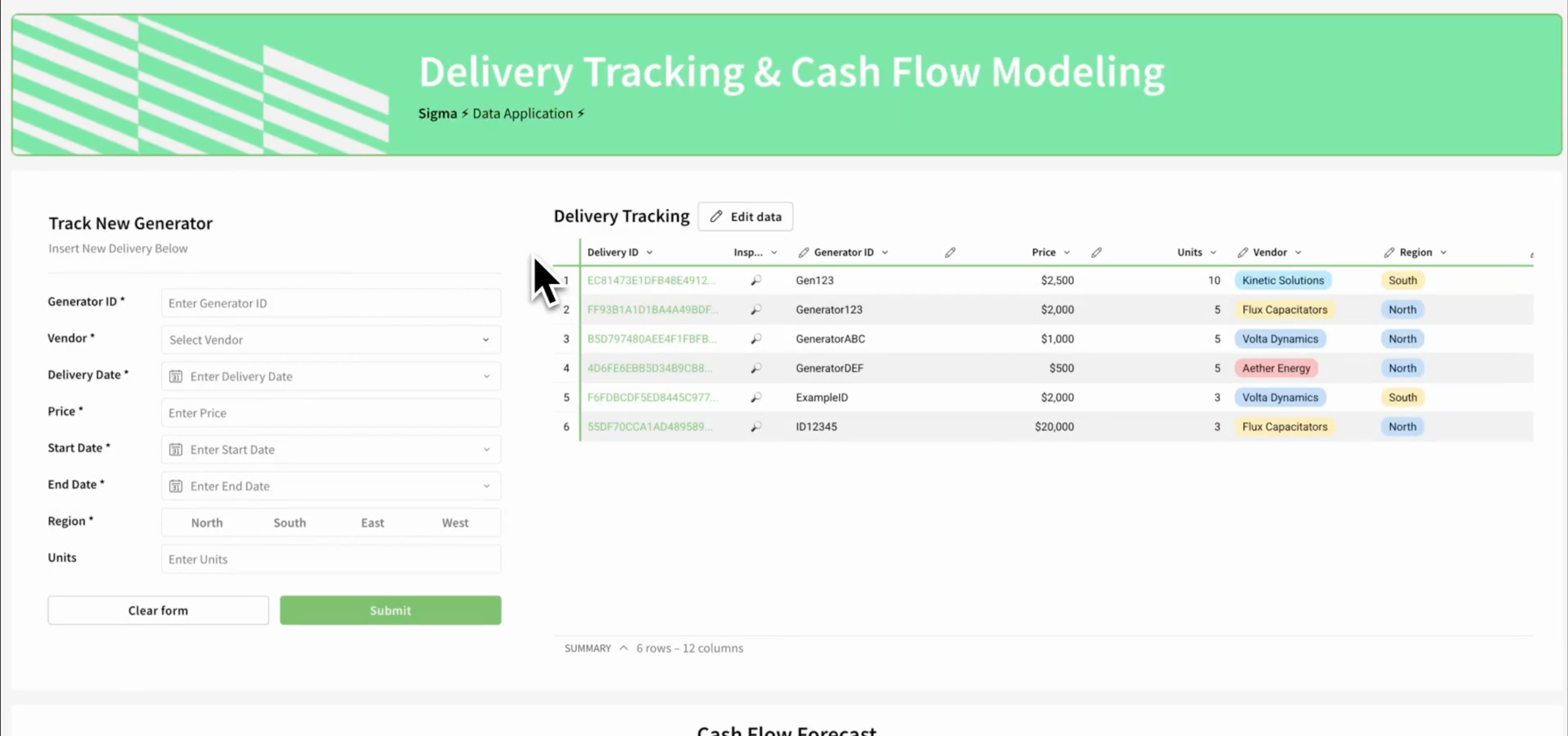
See the appDelivery Tracking & Cash Flow Modeling
Track high-value equipment deliveries and model cash flow impact on live warehouse data. Centralize inputs and analyze spend over time.
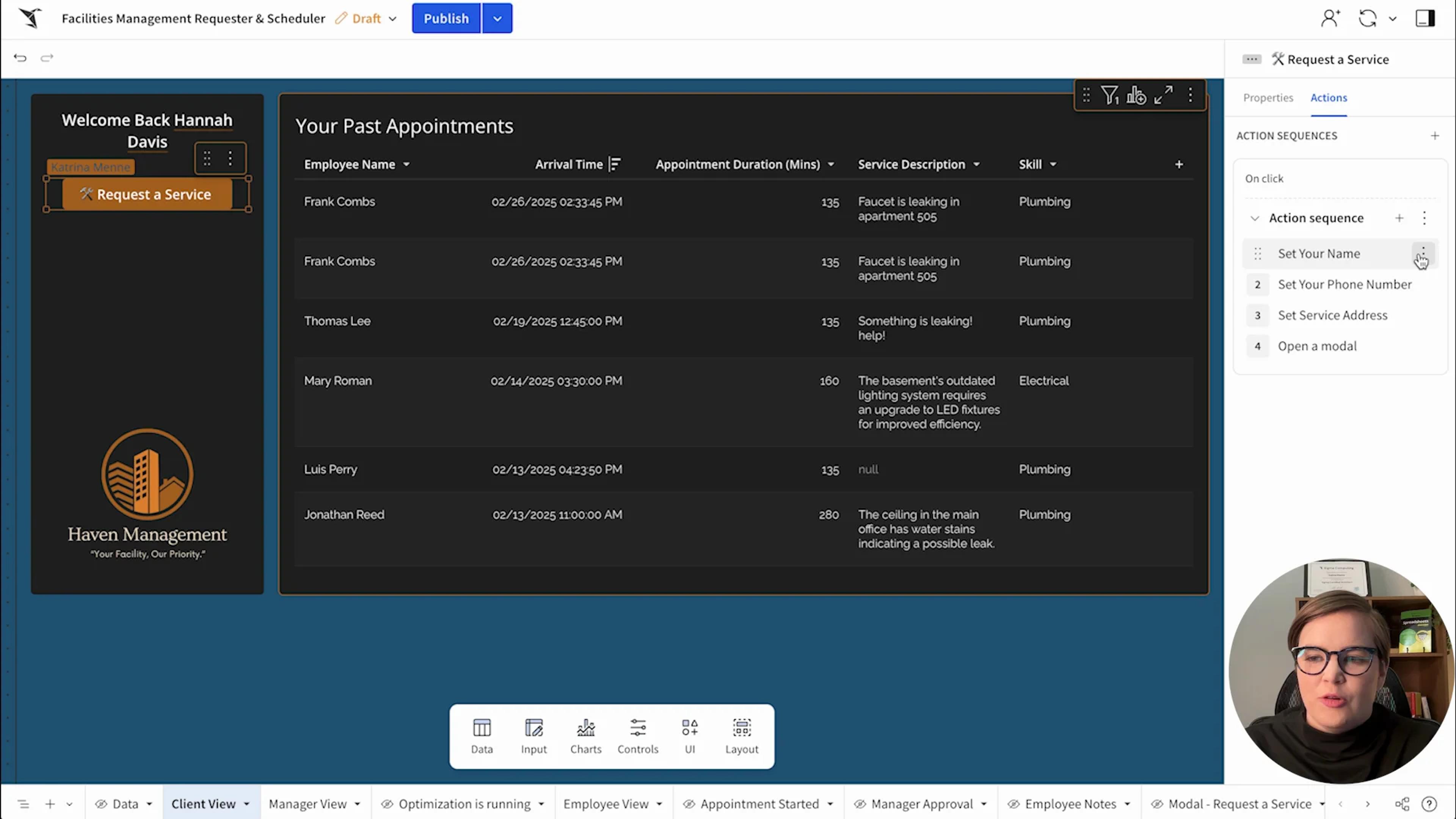
See the appFacilities Management
Match field technicians to service requests by skill and location. Reduce travel time and improve visibility into ops.
See the app
Enterprise-grade analytics for manufacturing scale
Built for plants where data spans ERP, MES, supply chain, and sales, and decisions are made on live data.
Partner portals with Sigma Tenants
Share with suppliers and distributors in portals, with each partner’s data isolated using Sigma Tenants.
Per-user OAuth
Connect with OAuth so queries run with each person’s own warehouse role.
Row- and column-level security
Reads and writes both inherit your table policies.
Audit trail
Audit logs record user activity, AI conversations, and input table edits, so you can see who changed what.
Your data stays put
Sigma queries your warehouse in place and never copies the data out.
Certified
SOC 1, SOC 2, SOC 3, HIPAA, GDPR, CCPA, and ISO 27001.
Manufacturing FAQs
Can we monitor equipment effectiveness and predict maintenance?
Yes. Monitor OEE at scale while engineers query live sensor data in the warehouse to predict maintenance needs and reduce downtime.
How do we trace product defects and reduce warranty costs?
Join warranty claims with billions of production records on live data to find supplier issues, without sampling.
How do we adjust material orders and plan for disruptions?
Plant managers model demand scenarios in input tables and write inventory adjustments back to the warehouse in real time.
How do we model tariff impacts and protect margins?
Model tariff, safety stock, and supplier changes in input tables on live data before they reach the P&L.
Can we require approval before an agent changes data?
Yes. Actions can require sign-off before an agent changes any data. For example, an agent watching material inventory can propose an order adjustment when stock falls below a threshold. The plant manager selects Approve or Skip before the adjustment is written back to the warehouse. Agent actions are recorded in the audit log. Sigma agents are in beta.
Can field technicians update repair logs from the field?
Yes. Technicians see live asset history in a service app and log findings from their phone, saved to the warehouse.
Can buyers and branch managers add input where they analyze the data?
Yes. Input tables let buyers, branch managers, and pricing analysts add structured comments and plan inputs on the same rows they’re analyzing. Entries are written back to your warehouse with an audit history, so nobody exports to a spreadsheet and imports it again.
Can finance enter and approve the forecast before it goes into the ERP?
Yes. Finance and business partners enter forecasts and comments in input tables, on the same live data as actuals, and submit them for approval in the app. Each change is saved to your warehouse with who made it, so the version you load into the ERP is the approved one.
Bring the machine that’s off target
We’ll show the path from alert to an approved, recorded corrective action on your data.