The MotherDuck connection for Sigma is now available in public beta


We’re excited to share that the MotherDuck connection for Sigma is now available in public beta. You can query MotherDuck data live in Sigma and use it to build workbooks, data models, and reports. Everything in your MotherDuck databases is available through the connection, including tables, views, and MotherDuck AI functions such as PROMPT and PROMPT_JEV.
The connection is available today to all Sigma customers. During the public beta, connections are read-only, and writeback is coming soon.
Setup takes a few minutes and needs no pipelines. Below, we cover what your team can do with MotherDuck data in Sigma, walk through a demo app built on MotherDuck’s AI functions, and show you how to connect in four steps.
Why build with MotherDuck data in Sigma?
MotherDuck gives data teams a fast, simple place to build analytical applications. Sigma puts that data in front of the rest of the business, with the governance and depth to support it.
In Sigma:
- Everyone works from live data. Sigma queries MotherDuck directly, so every workbook and dashboard reflects your data as it stands, with nothing extracted or copied along the way.
- Go deeper in your analysis. Explore MotherDuck tables in workbooks with Excel-style formulas, pivot tables, and charts, or start from a query with custom SQL.
- Give business users a governed starting point. Curate MotherDuck tables into data models with the metrics, relationships, and column descriptions your data team defines.
- Ask questions in plain language. Sigma Assistant answers questions about your MotherDuck data in natural language.
- Build agents on governed data. Add Sigma Agents to a workbook, point them at MotherDuck data, and give them instructions, so every answer comes from data you chose.
- Share and embed with permissions in place. Share a workbook with your team or embed it in your own application, and Sigma’s data permissions control who can access the underlying data.
If you use Sigma on another data platform, you already know how to use it on MotherDuck. MotherDuck now joins the data platforms Sigma connects to, such as Snowflake, Databricks, ClickHouse, and BigQuery.
Connect MotherDuck to Sigma in 4 steps
To create the connection, you’ll need the Admin account type, or an account type with the Manage connections permission, plus a MotherDuck account and database.
1. Gather your MotherDuck credentials
Sigma connects through your MotherDuck Postgres endpoint. Have the endpoint’s host and username ready, along with a MotherDuck Read Scaling access token.
2. Add the connection in Sigma
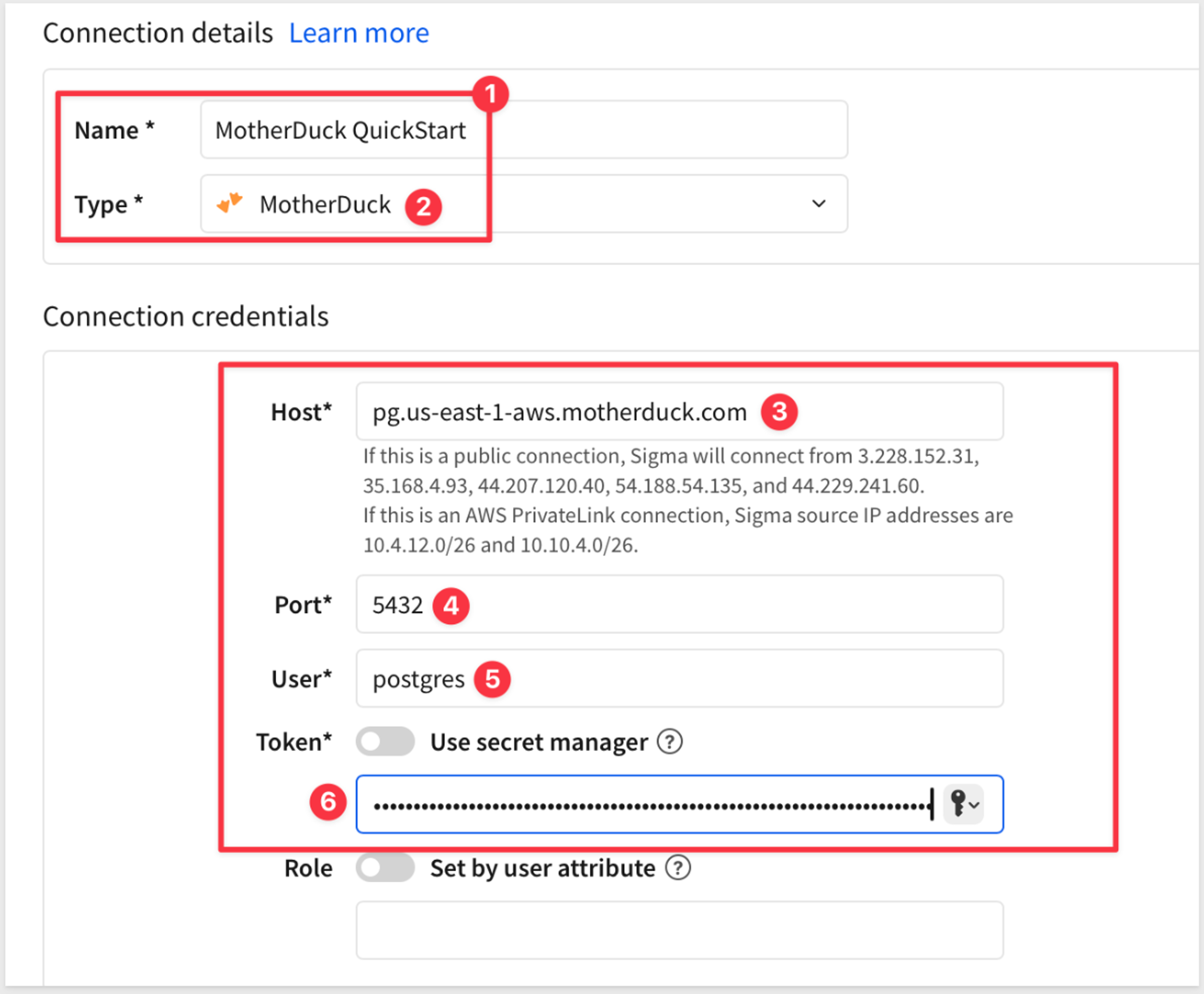
Select your user icon in the top right, then select Add connection. Name the connection and choose MotherDuck as the connection type.
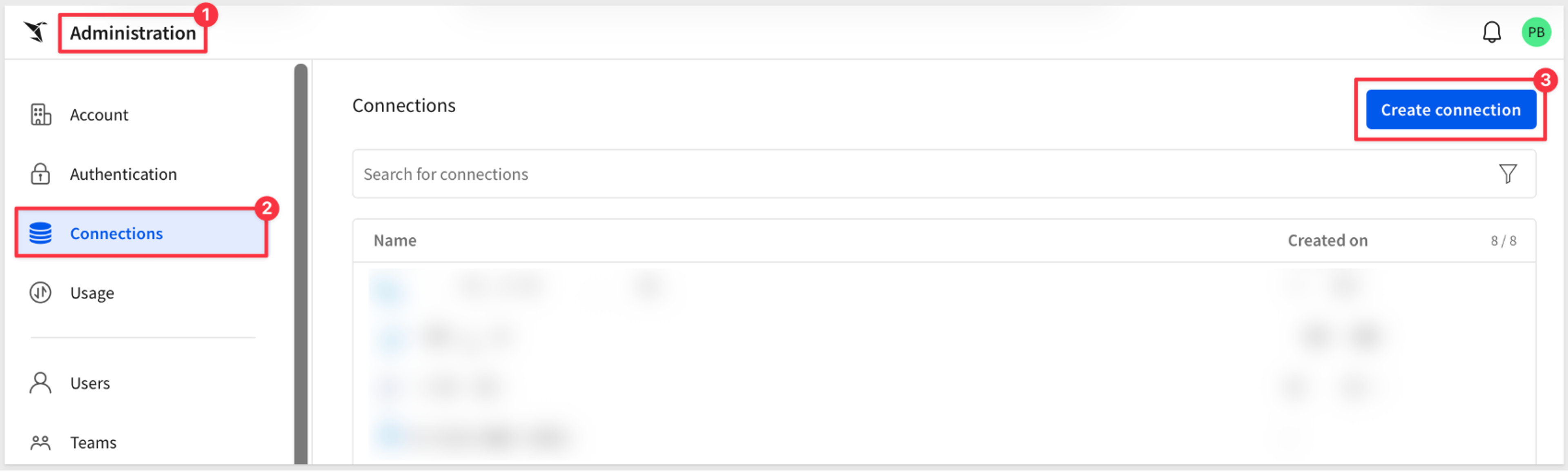
3. Enter your credentials
Enter the host, port (5432 by default), username, and token. You can also set a role and a connection timeout, then select Create.
4. Grant access and start building
Select Browse Connection, then Add permission to choose who can use the data. From there, your team can build workbooks and data models on MotherDuck tables right away.
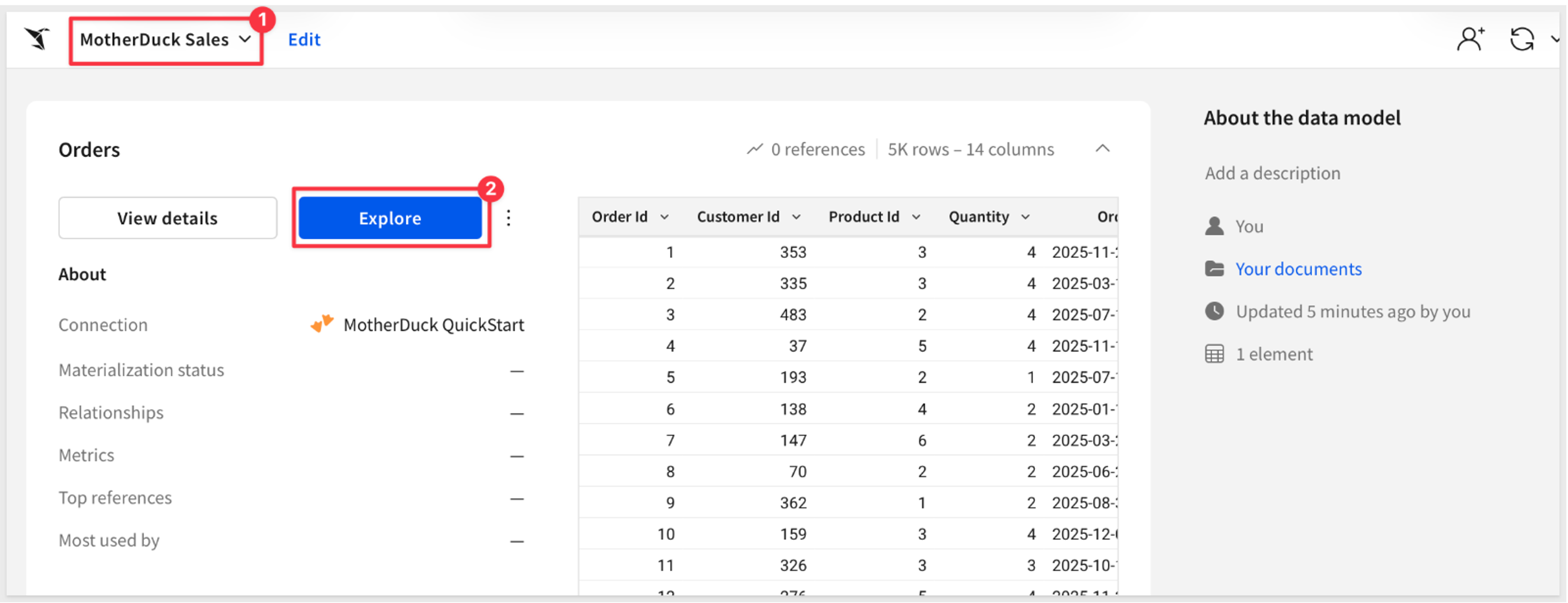
Start exploring MotherDuck data in Sigma
The MotherDuck connector is available in public beta for Sigma users today. The connection is currently read-only, with writeback support on the way. To start using the connector, explore the Sigma documentation and QuickStart guide.
New to Sigma? Request a Sigma demo to see your MotherDuck data in Sigma.
Frequently asked questions
How is the MotherDuck connection different from other Sigma connections?
It’s very similar. You can build workbooks, data models, and dashboards the same way you do on any other connection. Writeback is the main difference during the public beta program. The ability to write data back to MotherDuck from Sigma is not available yet, but will be coming soon.
What isn’t supported during the public beta?
Writeback, including input tables, CSV uploads, and Python code is not available during the public beta. Materialization and warehouse views, export to cloud storage, SSH tunnels, OAuth, user attributes for role and warehouse switching, geography functions, and sample connections also aren’t supported yet. The setup guide keeps the current list.
Does Sigma copy or extract my MotherDuck data?
No. Sigma queries MotherDuck live, so nothing is extracted or cached along the way.
Which permissions apply?
Sigma’s data permissions decide who can use the connection and its data. Sigma connects with a read-only Read Scaling access token, so nothing in Sigma changes data in MotherDuck.
What do I need to set up the connection?
You’ll need the Admin account type in Sigma, or an account type with the Manage connections permission. You’ll also need a MotherDuck account and database, your Postgres endpoint host and username, and a Read Scaling access token.
Can I use Sigma’s AI features on the MotherDuck connection?
Yes. Once your organization’s AI settings are configured with the appropriate credentials, all Sigma AI features are available on MotherDuck data.