Sigma for technology and SaaS teams
Build revenue and operations apps on your semantic layer with AI, ship them as code, and connect agents through MCP and APIs.
Build with AI
Describe the app to Sigma Assistant, or have a coding agent write the workbook.
Ship as code
Workbooks as Code live in git and move through review like the rest of your code.
Open in both directions
The Sigma MCP server, REST API, and API connectors link Sigma to the rest of your stack.
Trusted by technology teams












Analytics that act
Analytics that ends in action
In the BI paradigm, the work ends at a chart. Apps keep going: to another system, to a teammate, or out to Excel.
| The BI paradigm | The app paradigm |
|---|---|
| A question becomes a dashboard and then a screenshot in Slack | A question becomes an app that updates the CRM or opens a ticket |
| Each change is a request to the data team | Builders change the app themselves with AI |
| Business logic rebuilt in each tool | One semantic layer under every app and agent |
| Dashboards rebuilt in AI chats with their own math | AI answers from the same definitions as the board deck |
| Work exported to finish somewhere else | Actions call your APIs and write back to the warehouse |
| Customers export your dashboards to rebuild their own | Customers build their own views on only their data |
Where Sigma fits in your stack
Build inside Sigma, reach out to other systems, and let outside agents reach in.
Built with AI
Describe the app or write it as code
Describe what you need to Sigma Assistant, or have a coding agent write the workbook. Either way it runs on your governed semantic layer, with the same math as your reports.
- Sigma Assistant builds from a prompt
- Coding agents write the workbook YAML
- Everything runs on governed data
Reviewed like code
Ship apps through git
Keep workbook definitions in git, review changes in pull requests, and promote versions to production with version tags.
- Workbook YAML in your repo
- Changes reviewed before they ship
- Version tags for each environment
Same answer everywhere
Build apps on top of your semantic layer
Apps and agents read the same metric definitions as your reports, including semantic views your data team already maintains in the warehouse.
- Metrics defined once
- Shared by apps, reports, and agents
- Lineage from chart to source
Open both ways
Connect agents in and out of Sigma
The Sigma MCP server and REST API let Claude, ChatGPT, and your agents use the same numbers as your reports. Inside Sigma, API connectors bring in data and actions from other systems.
- Sigma MCP server for AI clients
- REST API and Sigma CLI for automation and coding agents
- API actions to systems like Salesforce, HubSpot, and Braze
Requests handled
Run internal requests as apps
Product requests, account lookups, and sales engineering work run as apps with intake, triage, and status, instead of spreadsheets, Slack threads, and re-keying between systems.
- Intake forms that write to the warehouse
- Triage and assignment in one queue
- Status everyone can see
Take the churn request.
Data and BI requests · this week
Request Intake
New requests
1
Product
In review
2
Sales eng., Finance
Median time to triage
4 hrs
−2 hrsvs last week
New requests
| Request | Team | Priority | Owner | Status | Action |
|---|---|---|---|---|---|
| Churn by plan tier | Product | — | Unassigned | New | |
| SE pipeline view | Sales eng. | P2 | A. Chen | In review | |
| Usage-based invoice check | Finance | P1 | R. Diaz | In review |
Request triage
| Request | Priority | Owner | |
|---|---|---|---|
| 1 | Usage-based invoice check | P1 | R. Diaz |
| 2 | SE pipeline view | P2 | A. Chen |
| 3 | Board metrics refresh | P3 | M. Ito |
| + | |||
No exports
Give customers analytics they can shape in your product
Embed Sigma under your brand, with row-level security keeping each customer to their own data. Customers explore live data, change views, and save settings to your warehouse.
- White-labeled in your product’s look
- Each customer sees only their own data
- Alerts and settings save to your warehouse
Agents across your stack
Agents that work with your other systems
Sigma agents run on governed data and can be called from the tools your team already uses.
- 1Call from anywhereCall a Sigma agent from Claude Code or your own app, and it works on governed data.
- 2Use your systemsAgents use actions that call your APIs, such as opening a ticket or updating the CRM.
- 3Keep a recordEach run is logged, so you can see what the agent did and why.
Technology teams running on Sigma
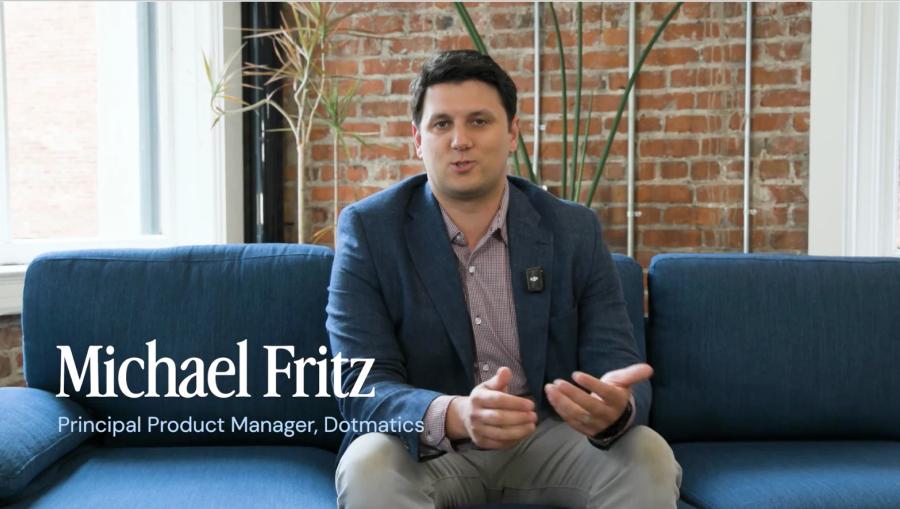
 Weeks to days to ship new workflows. 14K+ r&d orgs on luma. 2M+ scientists using the data.How Dotmatics ships new workflows in days with Sigma
 91% active user adoption. 300+ concurrent ab tests.How Duolingo Democratized Data Access While Protecting Sensitive Information
 3× better campaign outcomes.How Vanta's Customer Marketing Team Tripled Campaign Performance with One Dashboard
Explore technology apps built in Sigma
Working examples from the App Library. Open one to see how it works.
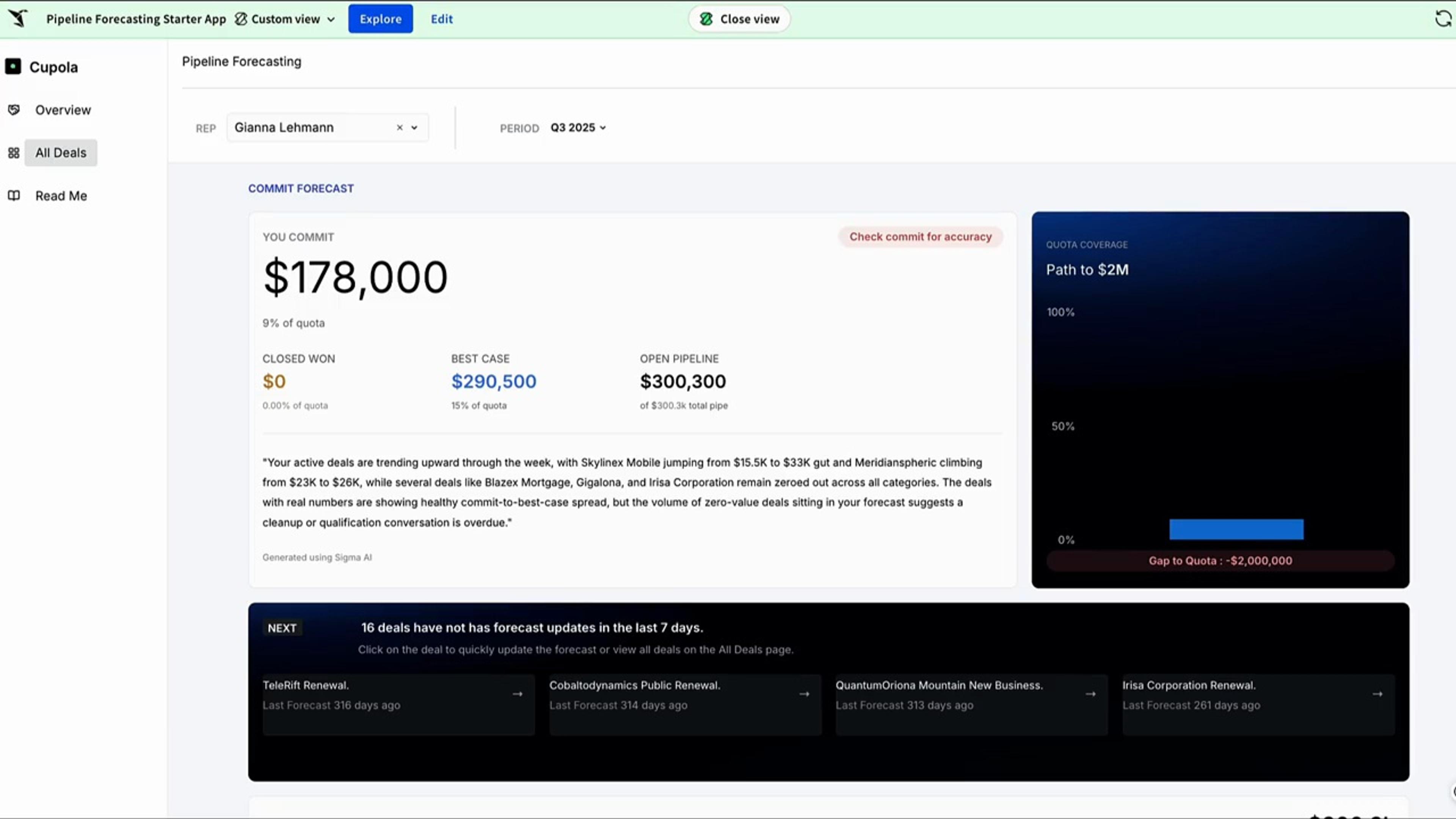
Pipeline forecasting
Reps call their number in one place, and it rolls up to the team forecast live, with the reasoning captured next to it.
See the appFivetran Usage
Analyze Fivetran connectors' costs, MAR, and performance. Set spending targets, diagnose connector health, and optimize integrations.
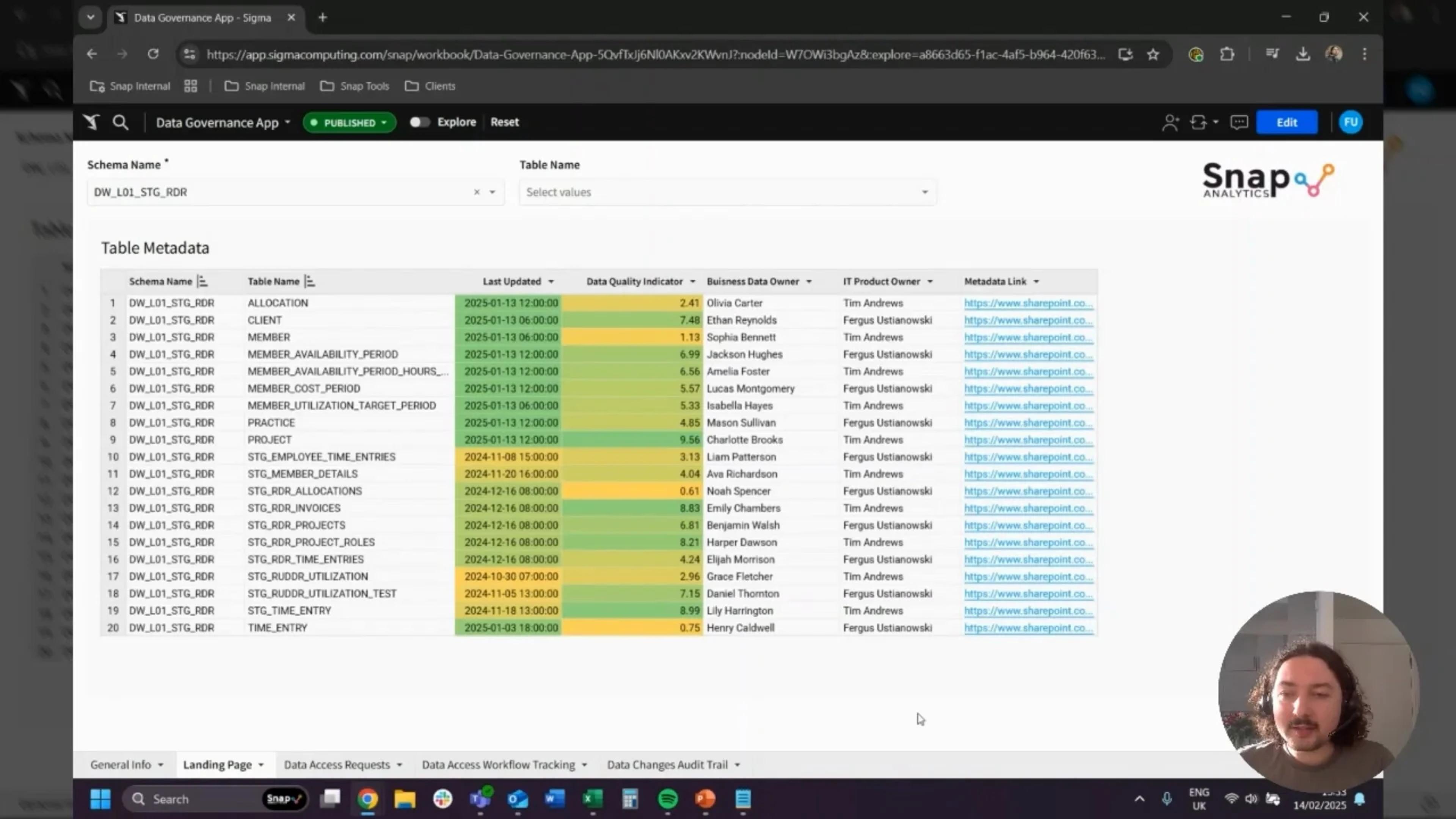
See the appData Catalogue & Metadata
Lightweight data catalogue and governance app. Asset catalog, documentation, quality reporting, audit trail, and access requests.
See the appHubspot Campaign Creator
Compare HubSpot campaign performance across datasets, then build and upload data-driven campaigns directly back to HubSpot.
See the app


Governance engineers can review
Apps and agents follow the policies already set in your warehouse.
Workbooks as reviewed code
Workbook definitions live in git, so changes get the same review and history as your application code.
Per-user OAuth
Connect with OAuth so queries run with each person’s own warehouse role.
Row- and column-level security
Reads and writes both inherit your table policies.
Audit trail
Audit logs record user activity, AI conversations, and input table edits, so you can see who changed what.
Your data stays put
Sigma queries your warehouse in place and never copies the data out.
Certified
SOC 1, SOC 2, SOC 3, HIPAA, GDPR, CCPA, and ISO 27001.
Technology and SaaS FAQs
Can we put analytics inside our product for customers?
Yes. Embed Sigma in your product with each customer’s data isolated by row-level security. Customers explore and build their own views on live warehouse data instead of exporting to rebuild them.
Does Sigma hold up at billions of rows?
Yes. Sigma runs queries as SQL in your warehouse, so apps and customer dashboards work on the full tables, with no extract to refresh and no in-memory limit.
Can we build Sigma workbooks as code?
Yes. Workbooks as Code keeps workbook definitions in files you can version, review, and deploy, and coding agents can write them for you.
Will AI answers match our reports?
Yes. Sigma Assistant and AI clients connected through the Sigma MCP server work from the same data models and semantic views as your reports, and each person sees only the data their permissions allow.
Do apps use our existing metric definitions?
Yes. Apps and agents read from Sigma data models and the semantic views your team maintains in the warehouse, so they use the same definitions.
Can Sigma apps call our APIs?
Yes. Actions can call external APIs through API connectors, so a button or an agent in a Sigma app can update another system.
What’s the difference between the Sigma MCP server and the Sigma MCP client?
The Sigma MCP server lets AI clients such as Claude and ChatGPT use governed Sigma data. The Sigma MCP client, coming soon, brings tools from other MCP servers into Sigma.
Bring the app your team keeps asking engineering for
We’ll build it on your semantic layer, with AI, and show it shipping as code.