Serve high-concurrency Sigma dashboards with Snowflake interactive analytics

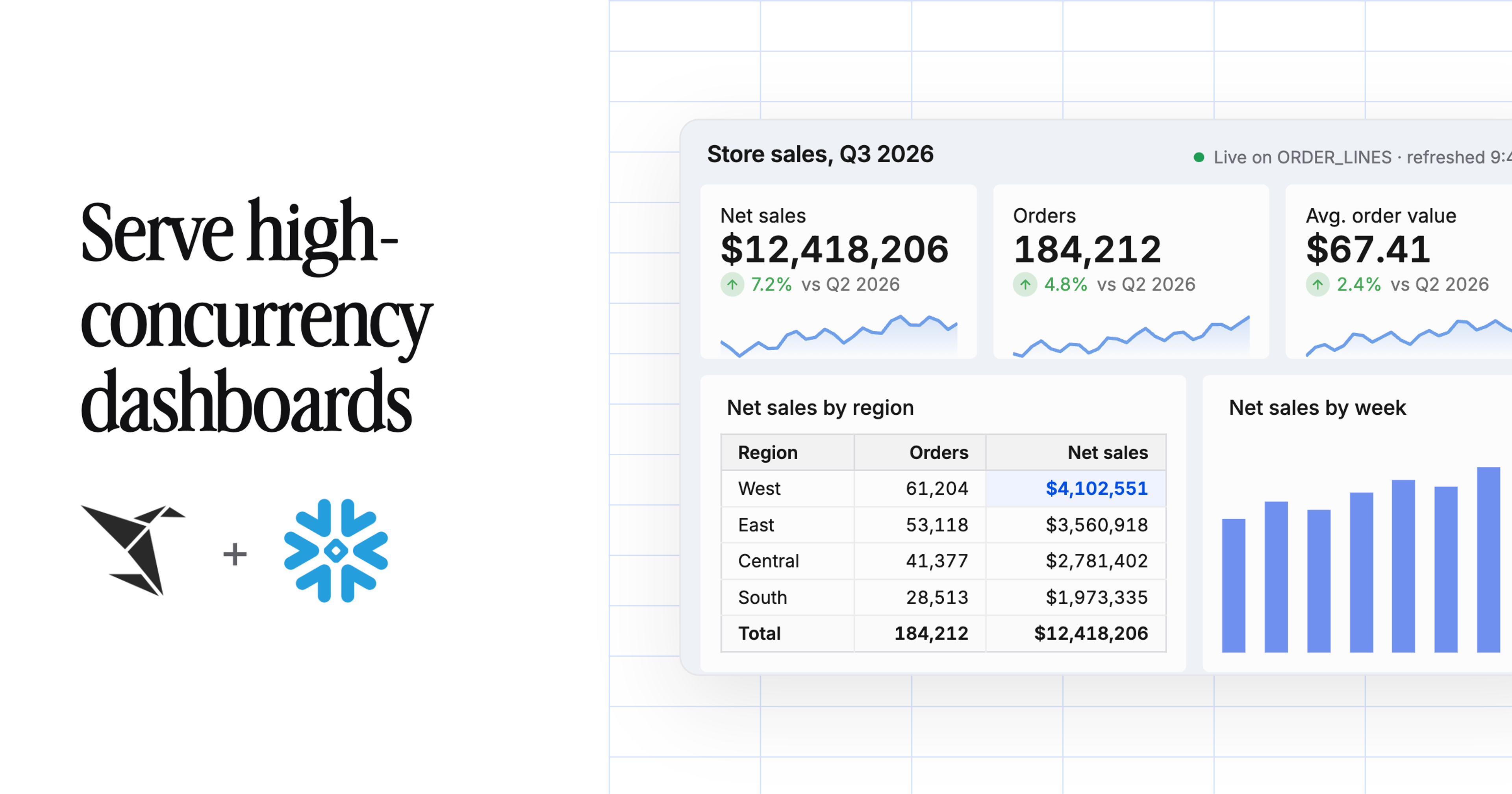
Sigma dashboards, embedded analytics, and apps can run on Snowflake interactive analytics, so thousands of people can filter, drill, and pivot on live Snowflake data with low latency and no extracts. It works through the Snowflake connection you already have in Sigma. An admin points a connection or a single workbook at an interactive warehouse, and Sigma keeps sending the same SQL.
Teams that want a dashboard to stay responsive at high concurrency have usually had two choices. They could query live, governed data and accept that response times climb when everyone opens the dashboard at once, or copy the data into an extract or acceleration layer and take on another system to secure, refresh, and pay for.
Interactive warehouses give Sigma a third path: compute built for short, selective queries, running on the same Snowflake tables and policies you already maintain.
TL;DR: Route your highest-traffic Sigma workbooks to a Snowflake interactive warehouse to serve low-latency, high-concurrency queries on live data, with Snowflake governance still in place. Start with one workbook, set a standard fallback warehouse for long queries, and benchmark against real usage before you expand.
Read on for how the connection works, which Sigma workloads fit, how to run a one-workbook pilot, and how to keep the warehouse warm.
To get set up:
- Create an interactive warehouse in Snowflake and assign it a standard fallback warehouse
- Point your Sigma Snowflake connection, or a single workbook, at the interactive warehouse
- If you connect with OAuth, grant each Sigma user’s role USAGE on both warehouses
How Sigma connects to a Snowflake interactive warehouse
Sigma uses its existing live Snowflake connection, so there’s no separate connector and no new query language. As users click through a workbook or app, Sigma generates Snowflake SQL and runs it on the warehouse configured for that connection. When that warehouse is an interactive warehouse, Snowflake changes how it serves the workload, and the workbook itself stays exactly as it was.
The data stays in Snowflake the whole time. Query results flow back to Sigma for exploration and visualization, and existing role-based access control, row access policies, masking policies, and OAuth identities keep applying. You speed up the serving layer under selected Sigma experiences instead of exporting data into another acceleration system.
3 Sigma workloads that fit Snowflake interactive analytics
Snowflake designed interactive warehouses for short, selective queries that need low latency at high throughput, such as real-time dashboards and data-powered APIs. In Sigma, that maps to 3 kinds of workloads.
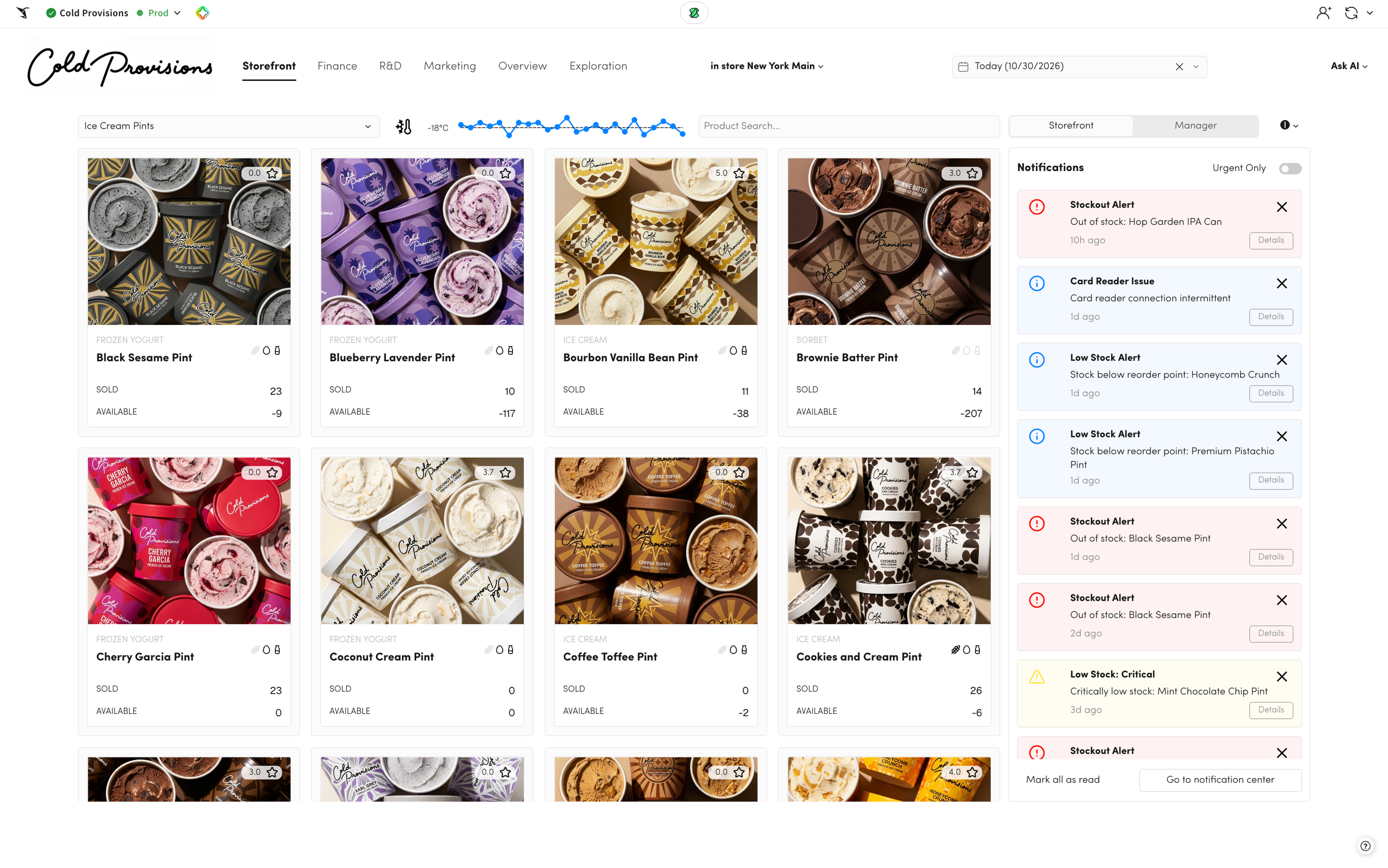
1. High-concurrency operational dashboards
Picture an operations dashboard that 2,000 employees open on Monday morning. Each regional manager applies a different filter, inspects a customer, or drills into a transaction. An interactive warehouse gives that traffic dedicated serving compute, while Sigma still lets each person explore past the fixed view.
2. Customer-facing embedded analytics
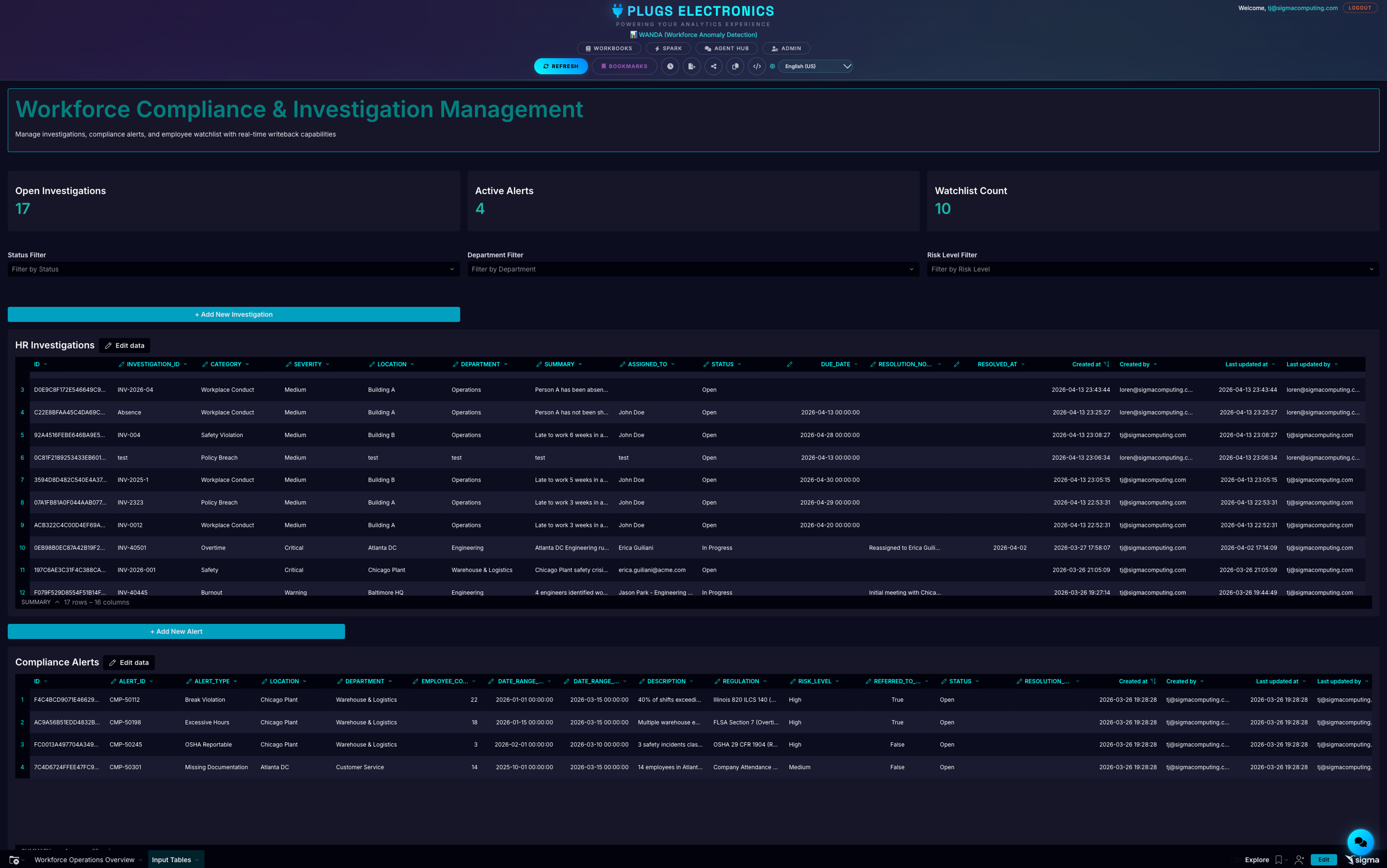
Embedded analytics has to respond like part of your product, because your customers don’t know or care which system renders the chart. Sigma provides the embedded interface, and the interactive warehouse handles the concurrent query traffic from every tenant behind it.
3. Sigma apps with a fast read path
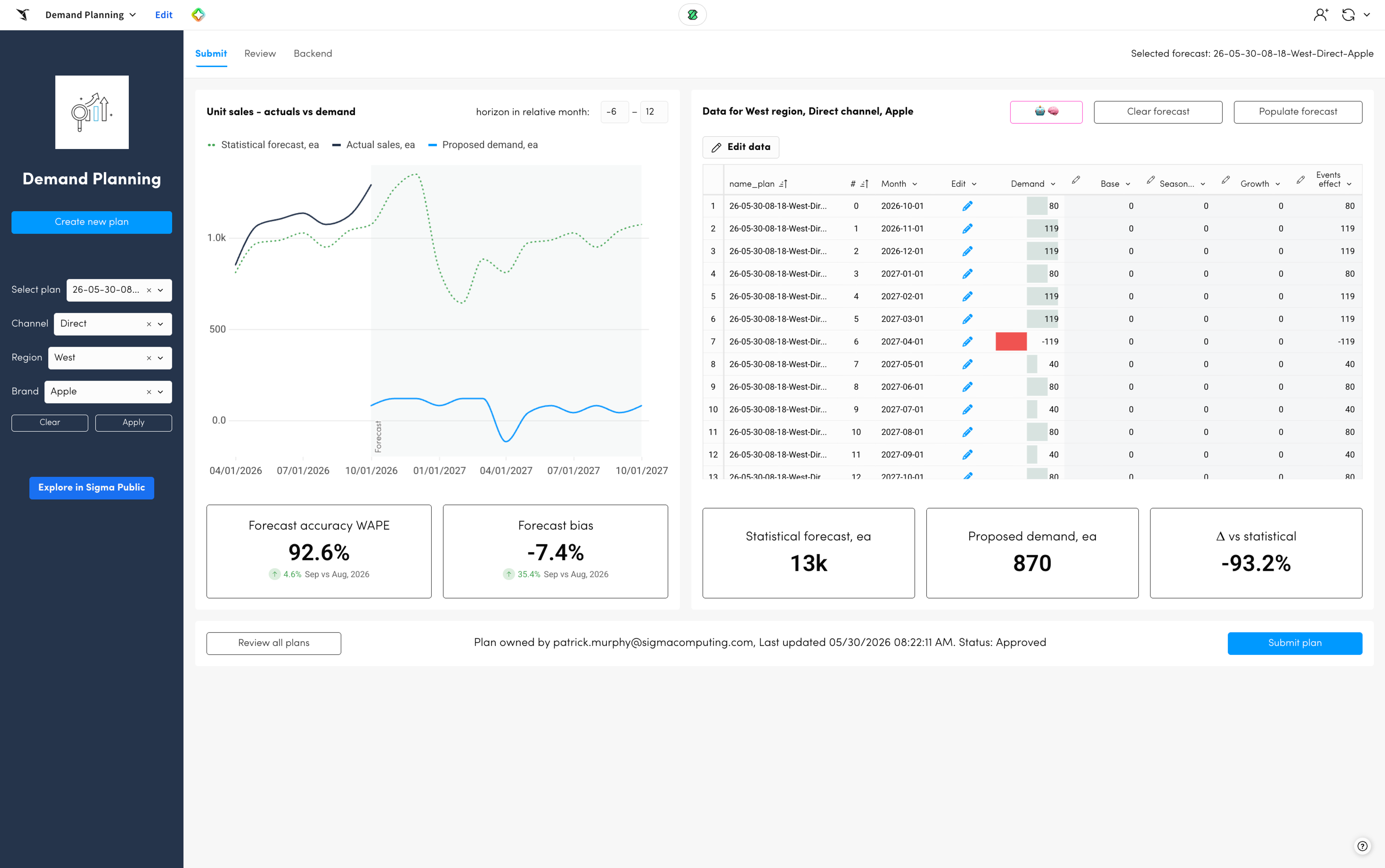
Sigma apps combine analysis with input tables, write-back, approvals, and other actions. The interactive warehouse can serve the selective reads, while writes, exports, Python, and heavier processing stay on standard warehouses. Architects can tune each part of the app without moving the governed data underneath it.
How to pilot Snowflake interactive analytics on one Sigma workbook
You don’t have to redesign your Sigma workbooks to try this. Sigma admins have 3 ways to route queries to an interactive warehouse:
- Connection default: set the interactive warehouse as the warehouse on a Snowflake connection.
- Workbook override: override the warehouse for a single workbook.
- User attributes: assign warehouses with user attributes to route by department, customer, or embedded tenant.
A focused pilot starts with one high-value workbook:
- Pick a workbook with frequent, selective queries and real concurrency.
- Capture representative interactions, including filters, drilldowns, and peak usage.
- Route that workbook to an interactive warehouse.
- Benchmark warm-query latency and concurrency against your current standard warehouse.
- Expand once the user experience and cost profile hold up on real workload data.
Interactive warehouses can query standard, dynamic, and Iceberg tables directly, so most teams can start without duplicating any data.
How to split fast and long-running Sigma queries across warehouses
Run interactive warehouses alongside standard warehouses rather than in place of them. Interactive warehouses cap query runtime at 5 seconds, and Snowflake transparently reruns any query that hits that limit on a fallback warehouse. A single long query can’t tie up the interactive warehouse and push up wait times for everyone else.
That gives Sigma deployments a clear pattern:
- Send high-volume filters, drilldowns, and other selective interactions to the interactive warehouse.
- Configure a standard fallback warehouse for the occasional long query.
- Keep scheduled exports, broad scans, Python, materialization, and write-back on standard warehouses built for those jobs.
The fallback is invisible to Sigma, but permissions still matter. With OAuth, each Sigma user’s role needs USAGE on both the interactive warehouse and the fallback warehouse.
Results depend on query shape, table design, data layout, warehouse size, concurrency, and cache state. Measure the latency distribution of real Sigma interactions under realistic concurrency, and use Snowflake’s performance guidance to tune any query that keeps timing out.
How Snowflake governance carries over to Sigma on interactive warehouses
Governance stays in Snowflake because nothing gets copied into another platform. With OAuth, Sigma runs each query with the user’s own Snowflake identity and role, so Snowflake access controls decide what each person can see. Row access and masking policies stay next to the data, and audit activity stays in Snowflake. You don’t have to rebuild your policy model in an extract store to get a responsive dashboard.
The same holds for embedded analytics. Snowflake policies, combined with Sigma’s connection and embedding controls, let you serve many customers from one governed foundation. Assigning warehouses by team or tenant also isolates workload and cost without another copy of the data.
How to keep a Snowflake interactive warehouse warm and responsive
Interactive warehouses rely on a warm cache, and suspending the warehouse clears it. Plan around 4 details from Snowflake’s docs:
- Auto-suspend can’t be set below 24 hours of inactivity.
- Billing has a one-hour minimum, then runs per second. Every resume starts a new one-hour minimum and a fresh cache warm-up.
- You can suspend and resume on a schedule with tasks, but each cycle costs you warm-up time.
- You can attach up to 100 tables per interactive warehouse for proactive cache warming, and you can still query tables you haven’t attached.
Attach the tables your Sigma workbooks hit most, then watch the remote-read percentage in the Snowsight query profile. A warm cache keeps that number close to 0%. Size the warehouse for both the working set and your expected peak concurrency.
Why run Sigma dashboards on Snowflake interactive analytics
The biggest benefit is architectural. Live analytics can feel like an application while Snowflake stays the governed source of truth.
- Live by default: Sigma queries Snowflake directly, so there’s no extract to refresh and no stale copy to explain.
- Governed by default: Snowflake roles, row access policies, masking, and audit apply to every query.
- Built on existing work: the interactive warehouse reads the tables, policies, and Sigma workbooks you already have.
Data teams get fewer systems to run and fewer security models to reconcile. Application builders get responsive embedded experiences on data they already trust. And business users spend less time waiting between one question and the next.
Start serving Sigma dashboards on Snowflake interactive warehouses
Sigma customers can try this on the Snowflake connection they already have. Create an interactive warehouse, set a fallback, route one busy workbook to it, and compare the numbers. For more on how the two platforms work together, see Sigma and Snowflake.
New to Sigma? Request a demo to see a workbook run on an interactive warehouse with your own Snowflake data.
Frequently asked questions
Do I need a new connector to use Snowflake interactive analytics with Sigma?
No. Sigma uses its existing Snowflake connection. An admin sets an interactive warehouse on the connection, on a single workbook, or through user attributes.
Which Sigma queries belong on an interactive warehouse?
Short, selective queries under high concurrency, such as dashboard filters, drilldowns, and embedded analytics. Keep long scans, exports, Python, and write-back on standard warehouses.
What happens when a Sigma query runs longer than 5 seconds?
Snowflake automatically reruns it on the fallback warehouse you configure. Sigma doesn’t see the retry, but the user’s role needs USAGE on both warehouses.
Do I have to copy data into interactive tables?
No. Interactive warehouses can query standard, dynamic, and Iceberg tables directly. Interactive tables are an option when you want the most consistent latency.
Does Snowflake row-level security still apply?
Yes. With OAuth, Sigma runs each query as the user’s Snowflake identity and role, so row access policies, masking policies, and audit all stay in effect.