Introducing App Templates: Skip the Blank Page

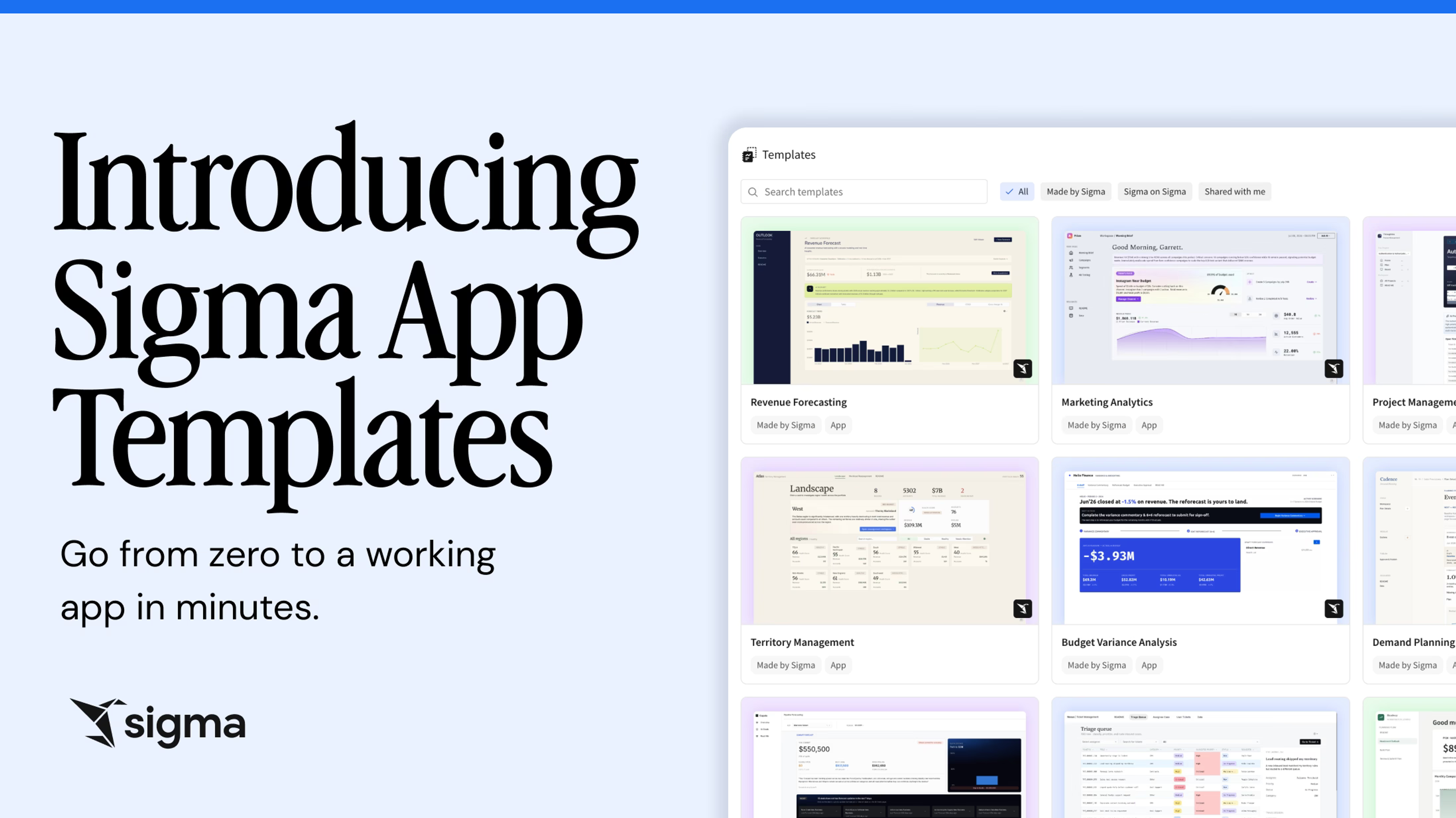
Today we're launching App Templates in public beta. App Templates are a curated collection of Sigma-built templates covering common app use cases. Go from zero to a working app in minutes, connected to your own warehouse data.
Starting from scratch is hard
Sigma gives teams everything they need to build powerful, AI-driven applications: Input Tables for writeback, Sigma Agents that take action, AI Columns to enrich and classify data, and action sequences that trigger external systems. But knowing how to structure those pieces for a new use case, or even knowing what's possible in the first place, isn't obvious from a blank workbook.
Most teams end up doing one of two things: spending significant time figuring out patterns that others have already solved, or not starting at all. A revenue operations team building a territory management app has to hand-wire the input table logic, the layout, the controls, and the agent workflows from zero. A finance team tackling demand planning does the same. The patterns exist — but until now, there's been no good way to see them in a working context.
That's what App Templates are for. Any time you're tackling a new use case, they give you a faster, better starting point than a blank canvas.
How App Templates work in Sigma
Choose a template for a common use case
Sigma's template system lets you start from a working example rather than an empty workbook. App Templates are a new collection of Sigma-built templates covering common use cases, starting with 10 today:
- Project Management
- Revenue Forecasting
- Demand Planning
- Pipeline Forecasting
- Budget Variance Analysis
- Territory Management
- Shift Management
- Ticketing
- Headcount Planning
- Marketing Analytics
Each template opens with sample data pre-loaded so you can see exactly how the app works before connecting it to your own warehouse.
Connect your own data
Once you've selected a template, connecting it to your own warehouse is a guided flow. Most of the sample data in each template is written directly to your warehouse using Sigma's writeback functionality — so swapping to your own data is largely a matter of pointing the connection to your own tables. A small number of common datasets, like users, will need to be mapped to your own equivalents.
Learn the patterns that make apps powerful
Each App Template is a working example of Sigma's most powerful capabilities: Input Tables, agent workflows, AI Columns, and action sequences.
Seeing these patterns in a working app is a fundamentally different experience than reading about them. For teams new to building in Sigma, App Templates are the fastest path to understanding what's possible. For experienced builders, they're reusable patterns — open a template, study the structure, and take what you need for your next build.
Some templates are close enough to production-ready that teams can open one, connect to their own data, and ship with minimal customization.
How Sigma Labs builds App Templates
Every App Template is built by Sigma's Labs team, a group of product experts who spend their time building real apps that can easily be adapted to meet each customer's unique needs. Each template is carefully crafted to reflect how a production app should actually be structured, and ships with a built-in ReadMe page and short video walkthrough so you can get oriented before you start customizing.
The Project Management template, called Throughline, is a good example of what that means in practice.
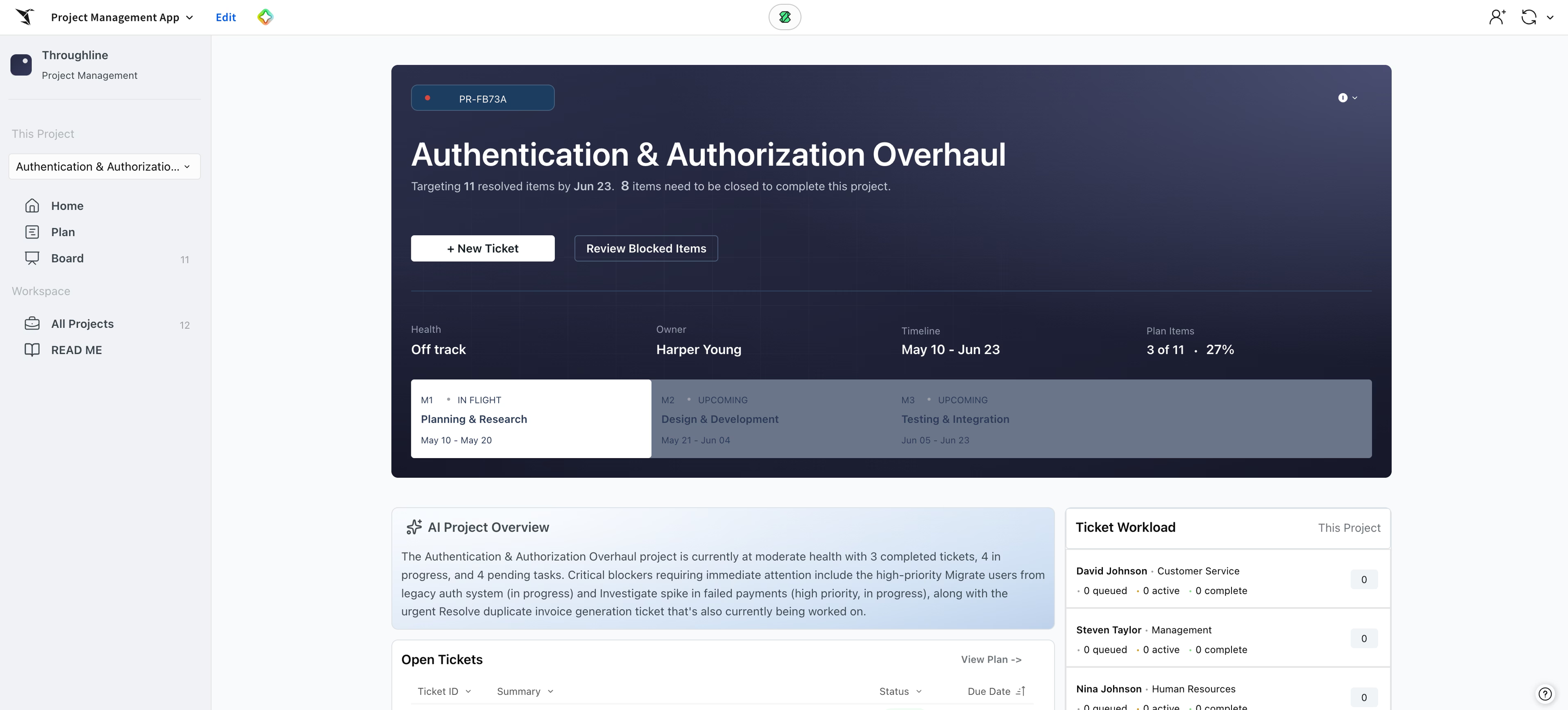
Throughline is a complete project management workspace, built entirely on Sigma Input Tables. It includes milestone planning, a Kanban board, ticket tracking, and a portfolio view across all active projects. A project manager can plan milestones, track execution, flag blockers, and communicate status to stakeholders, all from a single app where every page stays in sync. Update a ticket on the Board and it reflects immediately on the Home page and in the Plan.
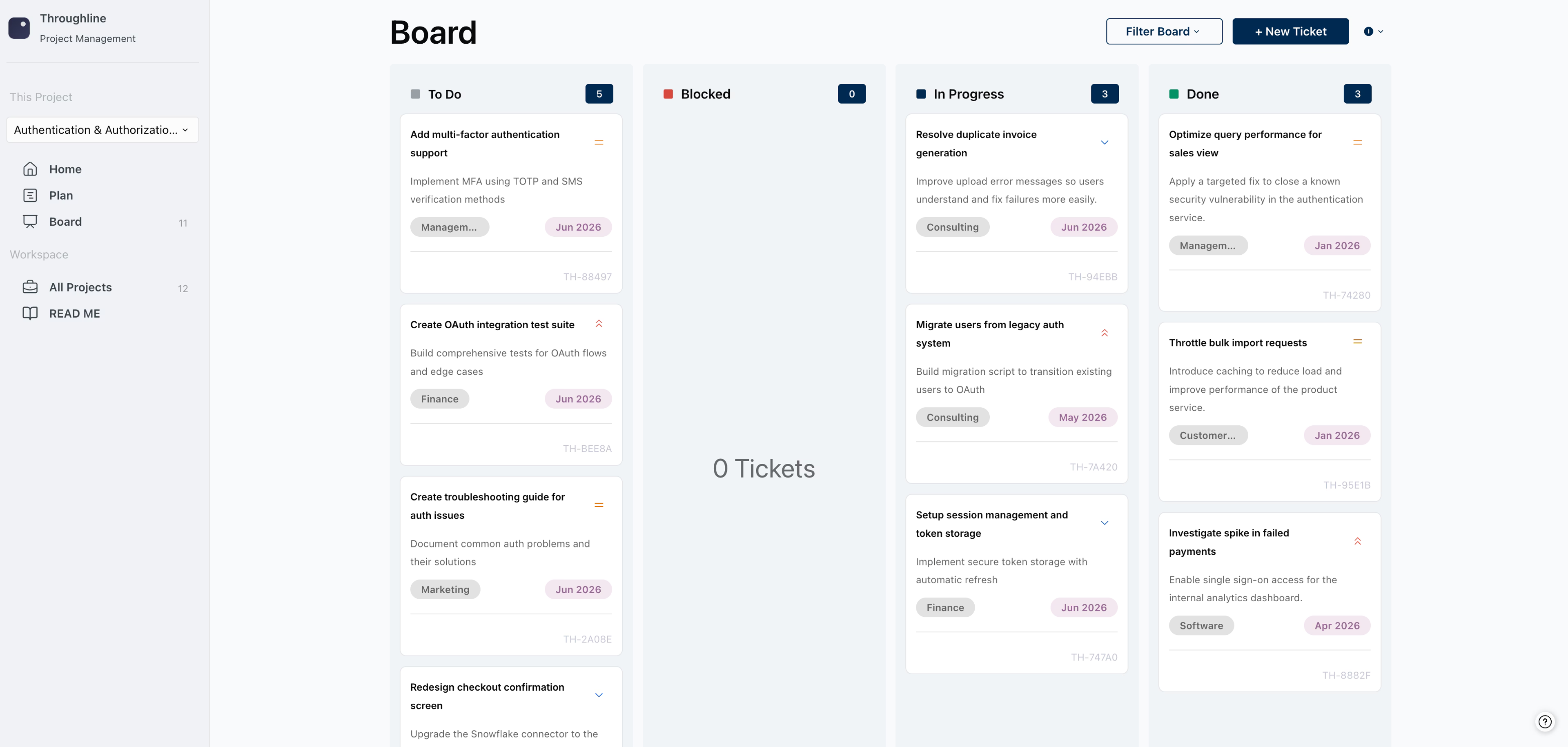
The Kanban board is one particularly strong example of the power of Sigma's app-building capabilities. It's a live, interactive board with columns for To Do, Blocked, In Progress, and Done. It's fully functional, built on Sigma's repeater element and Actions framework. Creating a new ticket triggers a multi-step flow that uses Sigma's AI capabilities to check for duplicate tickets before writing the new record to your warehouse.
That's the pattern App Templates are designed to surface: how to put the pieces together in a way that actually works.
Governed by default, warehouse-native throughout
App Templates are built on the same warehouse-native architecture as everything else in Sigma. When you open a template, Input Tables are created directly in your warehouse, so you're not working with copies or static files. Access controls, row-level security, and column masking you've already configured on your connection carry over automatically. There's nothing to re-govern when you go from template to production app.
Start building with App Templates
App Templates are available in public beta for all Sigma customers today. Open a new workbook and select a template from the gallery to get started, or reach out to your account team to learn more.
New to Sigma? Request a demo or start a free trial to see App Templates alongside the rest of the platform.
Frequently asked questions
Can I customize an App Template after opening it? Yes. Every template opens as a fully editable workbook. You can modify any element: add columns, adjust the layout, change the agent logic, or extend the app with new capabilities.
Can I still create my own templates? Yes. App Templates are a curated set of Sigma-built templates, but Sigma's template system supports custom templates too. Any workbook can be saved as a template and shared within your org.
How is this different from Sigma Public? Sigma Public is a public sandbox where anyone can explore Sigma-built demos and community examples without logging in. App Templates live inside your own Sigma org — you connect them to your own warehouse data and own the output.
What data platforms do App Templates work with? App Templates work with any warehouse connection in Sigma that supports writeback, including Snowflake, Databricks, BigQuery, and Redshift. See the documentation for details on source swap behavior by connection type.
Are there any requirements to use App Templates? To take advantage of all AI app features included in App Templates, enabling Sigma's writeback and Sigma Agents functionality is recommended. But all App Templates can still be viewed and explored in all Sigma orgs even without these features.