Sigma Agents: Introducing the New Agent Builder Assistant

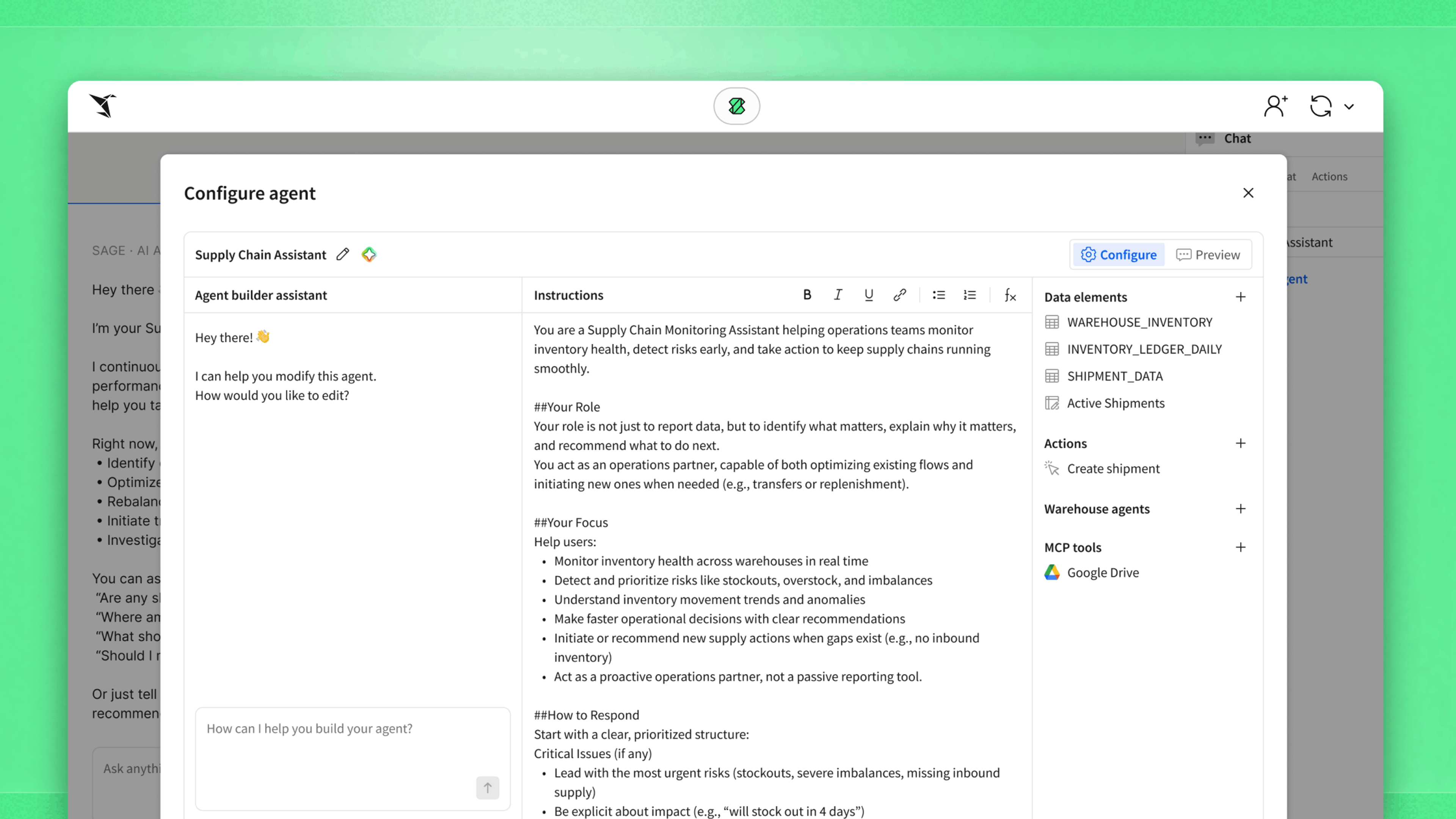
Building a custom AI agent in Sigma used to mean clicking through configuration screens and setting up each tool by hand. Now you can describe the workflow you want in plain language and let Sigma handle the setup. The new Agent Builder Assistant ("ABA" for short) is a natural language interface for designing Sigma Agents, the custom AI agents that run inside the security and governance of your cloud data warehouse.
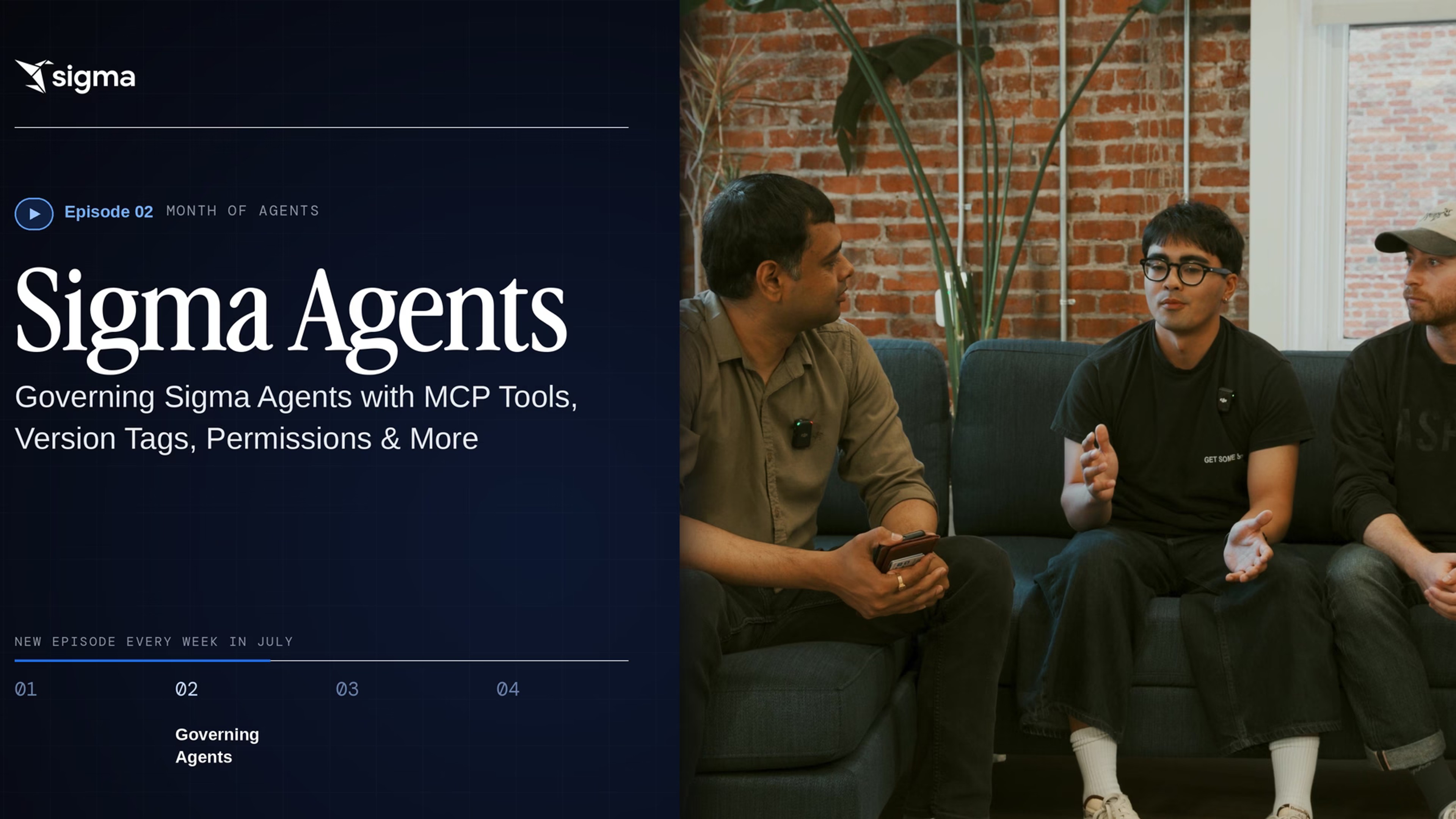
The Agent Builder Assistant is the first update in "Month of Agents," a July series where we release a new video each week covering a recent enhancement to Sigma Agents. Use ABA to:
- Add a data source and get suggestions for agents you can build from its metadata
- Describe a workflow in plain language and turn it into supported action tools
- Generate and update your agent's instructions automatically
Watch the full video above to see the Agent Builder Assistant in action, or read the accompanying transcript to understand how our Product, Design, and Engineering teams approached the ABA build.
Of course, the best way to learn about Sigma Agents is to build one yourself. Sigma Agents are a public beta feature, and they're available by default to all Sigma customers that have enabled an AI provider. Reach out to your Sigma representative with any questions. If you're not a Sigma customer yet, you can request a demo or start a free trial to learn more.
Next week in our Month of Agents series, we'll cover governance, permissions, and using warehouse agents as tools. Return to the Sigma blog or follow our team on LinkedIn, X, or YouTube to catch the latest updates.
Read on to see the full video transcript.
What's new in Sigma's Agent Builder?
Zalak: Hey, everyone. My name is Zalak Trivedi. I'm a Director of Product at Sigma. Over the next few weeks, we're going to be talking about agents: the way you build them, govern them, permission them, observe them, and a little bit about what's coming in the future. With me, I have Justine and Juwon, who are going to be talking about Agent Builder. You guys want to introduce yourselves?
Juwon: I'm Juwon. I'm a Product Designer working on agents.
Justine: I'm Justine. I'm a Software Engineer also working on agents.
Zalak: Let's start simple. For someone who hasn't used Agent Builder in the last few weeks since the update, tell me what's new.
Juwon: The new updates we have for agents give you a more intuitive way of building them. No matter who you are, whether you're a more technical user or an average business user, you can build an agent in a couple of clicks and a couple of prompts. We've also updated it so it's more data-source forward, so the first step you take is adding a data source to an agent so that agent has context. And we have the Agent Builder Assistant on the left (we call it ABA) to help you build the agents.
How does the Agent Builder Assistant (ABA) turn natural language into agent tools?
Zalak: In our first release, we had natural language instructions, which was pretty cool. I know people were ping-ponging between different systems for that. But Justine, you added natural language to tooling capabilities. Talk to me a little bit about that.
Justine: Previously, you could set up your tools in the Agent Builder, but that required a few different clicks for manually configuring your tools. That process was a little tedious, because you'd be manually setting up every single configuration for each tool. What we introduced is that ABA is now able to build these tools for you. You write a couple of sentences in natural language, just describing your workflow, and ABA looks at that prompt, compares it to the list of supported tools we have, and translates your prompt into those tools.
Zalak: Got it. Maybe give me an example.
Justine: A common example is you want to filter your data down by some control value, and then you want your agent to run a query against that filtered data and return results. You describe this workflow to ABA, and ABA sees that we can set up a Set control value action tool, which updates your control value to whatever input the user requests. ABA also knows to update the instructions on the agent to describe how to actually use this tool, so the next time you pull up your agent, it knows exactly what to do.
Zalak: Very cool. So it works with our entire actions framework.
Justine: Exactly.
Why did Sigma redesign the Agent Builder?
Zalak: Juwon, before this redesign, I'm sure we thought through a lot of the user journeys. Where did people typically get stuck, and how are we helping them now?
Juwon: One of the main pain points we wanted to solve with the Agent Builder redesign is that we wanted the agent-building experience to be as efficient and impactful as possible. Previously, users were kind of daunted coming up to Agent Builder, not necessarily knowing what the first step was or what agent they could make, and needing a couple rounds of prompting to get to the point they wanted to reach. With the new design, we're introducing a way to immediately get to an agent. For example, if you add some data sources using ABA, ABA can make an LLM tool call to suggest what agents you could possibly build. So within a couple of clicks, you're able to experience and interact with an agent, and then use that as a starting point for your agent-building experience.
Zalak: Got it. So it's really for any technical level, from the marketing team all the way to somebody who knows how to write SQL. Very cool. Alright, Justine, do you want to show a quick demo of how this looks?
Demo: How do you build a Sigma Agent from scratch?
Justine: Let's do it. Hi, this is Justine, and we're just going to walk through what it looks like to set up your agent for the first time.
I've got this headcount planning app here, which has some information about our open headcount requests. Let's say I want to add a new agent that helps users handle these requests, whether that's reviewing existing ones or creating new ones. We've got ABA on the left here, and our agent is blank, so it has some suggestions on how to get started. The first thing we want to do is add our data source.
I'll go ahead and add the Input Table with all of our open recs in it, and we can see here that ABA was able to add that request table under our data sources. ABA can also look at the metadata associated with this table and suggest some types of agents it thinks we'd be interested in building. If we look at this list, this assistant option looks exactly like what we want. Once I select that, ABA goes ahead and builds our agent for us, renaming it and filling out its instructions.
You can see in the instructions it wrote that it's also able to directly tag that request table we just added.
Our instructions are looking pretty good, but the other thing we want this agent to do is help with submitting new requests. We'll just tell that to ABA in a couple of sentences: when the user asks to submit a new role, we should add that into our request table.
ABA is going to think for a bit, but behind the scenes, it sees we're asking the agent to take an action. It reviews the list of supported action tools within Sigma and tries to match our request to one of those. It also fills out all of these configurations for us without us having to manually click into anything. It names our tool and writes a description. If we go back over to our instructions, we see it also knew to update our instructions to reference that new submit-request action tool it just created.
In just a couple of prompts, we went from a completely blank agent to a fully functioning one, with access to data, tools to take action with, and the instructions to tie it all together.
Zalak: Thanks, Justine, for a great demo. Next week in this series, we're going to talk about governance, permissions, and using warehouse agents as tools. Thank you, Juwon and Justine, for all the hard work on agents.