
Why teams choose Sigma vs Power BI
AI Ecosystem
Sigma is your OS for live data and AI. Securely unify external agents via MCP with warehouse LLMs and Sigma Agents for natural language discovery and action without vendor lock-in.
Closed-loop Execution
Collapse the insight-to-action loop. Safely write governed decisions to the warehouse via Input Tables and instantly trigger enterprise workflows from a single environment.
Secure Governance
AI security must be architectural. Sigma Agents and AI Apps automatically inherit your cloud data warehouse Row-Level Security (RLS) and Column-Level Security (CLS).
Enterprise SDLC
Get production-grade controls without the engineering overhead. Sigma isolates draft and live states using connection-aware deployment and version tagging.
AI Applications
Move beyond read-only dashboards. Empower all users to build interactive AI Apps so that they can take action and safely write decisions directly back to your cloud data warehouse.
Sigma Agents
Turn insights into automated work. Sigma Agents read, write, and trigger external workflows while inheriting warehouse security, ensuring every action is fully auditable.
AI, Apps, and Agents with all the BI that you expect.
We excel in the cloud
Analyze billions of rows of live warehouse data using spreadsheet formulas you already know. No stale extracts, row limits, or proprietary coding languages. Ask Sigma Assistant if you have a question.
Dashboards built the way you’ve always wanted
Use Sigma Assistant to help you build dynamic, interactive dashboards without writing SQL or waiting on data engineering. Drill down to the underlying row level instantly on live, governed data.
Write directly back to your warehouse
If you know how to use a spreadsheet, you can safely capture data, run live scenarios, and trigger downstream workflows. Deploy Sigma Agents to fully automate those actions with a complete audit trail.
Scale with unmatched performance
Securely embed live analytics and writeback capabilities into your customer portals. Automatically inherit warehouse security for strict multi-tenant data isolation without duplicate permission models.
Sigma is the enterprise leader in self-service analytics and operational workflows.
FEATURE COMPARISON
As of March 26, 2026
Sigma
Power BI
Spreadsheet Interface
Familiar spreadsheet UI for accessible analysis and no-code AI App building without added licenses or waiting on IT.
Does not offer a traditional spreadsheet interface; focuses on interactive visualizations and dashboards.
Required skills
Users build complex logic using familiar spreadsheet functions, standard SQL, or even Python on a single, governed canvas.
Users must learn M for data prep, DAX for modeling, and master the nuances of Power Query folding just to keep dashboards from breaking at scale.
Row Limits
No row limits. Analyze billions of rows of live warehouse data without intermediate failures or capacity upgrades.
Hard 1-million-row limit on intermediate results. Any query or operation exceeding 1M rows fails entirely unless the customer pays for Premium Capacity.
Drill Down
Right-click on any element to drill down further without added modeling set-up.
Supports drill-down with cross-filtering, but drill-through paths must be configured. Users lack granular control over targets without specific setup.
Schema Resilience
Columns dropped, added, or renamed in a Sigma data model are automatically detected without breaking downstream content.
Fragile schema management. Changes to the underlying warehouse schema require users to manually open Power BI Desktop and trigger a refresh to fix broken reports.
Pivot Table
Enables dynamic data summarization and complex analysis. Easy multi-level groupings and customization.
Pivot functionality relies on matrix visuals. Advanced calculations and custom aggregations require Power Pivot add-ins or DAX knowledge.
Write Back
Easy to gather user inputs and enrich with AI then trigger actions to build workflow applications on the cloud data warehouse in Sigma.
Does not natively support write-back functionality. Power Apps and Power Automate must be leveraged and even those are limited by refresh restrictions and API throttling.
Live Data Sources
Live, zero-copy execution. Query billions of rows on your cloud data warehouse without extracting.
DirectQuery struggles with large datasets and complex DAX. Users are constantly forced to choose between 7 different, complex deployment models (Import, DirectQuery, Hybrid, Direct Lake) based on scale and latency limitations.
Architectural Complexity
One architecture: Live query against the cloud data warehouse. Everything from ad-hoc analysis to Sigma Assistant and Sigma Agents run on this single, governed foundation.
Highly fragmented. IT must constantly triage whether to use Import, DirectQuery, Composite Models, or Aggregations—each with distinct limitations, security gaps, and performance penalties.
Query Performance
Executes performant queries directly on the cloud data warehouse using intelligent query generation, easily handling complex joins, CTEs, and advanced filters at billion-row scale.
Live query performance is severely throttled by DAX translation limitations. To achieve basic enterprise scale, users must bypass live data and rebuild logic into complex, static STAR schema extracts.
Data Caching
Utilizes warehouse caching mechanisms to securely enhance performance and reduce query times.
Power BI relies on extracting data into its proprietary engine to simulate caching. This creates stale data silos and forces admins to manually rebuild warehouse security policies from scratch.
Live Editing
Cloud-native architecture enables real-time, synchronous collaboration. Multiple users can build, edit, and explore the same live workbook simultaneously without locking files or overwriting work.
Offers shared workspaces and dashboards but lacks real-time collaborative editing capabilities.
SQL Editing
Full SQL editor lets analysts write queries, perform ad-hoc analysis, and share results in the same workbook.
Supports SQL queries through Power Query with limited flexibility and DAX for custom calculations.
Python Editing
Combine SQL, Python, and spreadsheet formulas in one secure canvas. Technical teams can build advanced Python logic that all users can easily pivot and explore.
Can create custom visuals with Python. Notebook-like experience not supported.
Lineage
Visual lineage traces data origin and transformations at data-element level.
Lacks native visibility into data lineage, making impact analysis difficult. Teams must rely on external developer tools like DAX Studio.
In-Product Customer Support
All users have access to live, in-product chat support averaging a 23-second initial response time from a real human, ensuring zero lost momentum.
No in-product support.
Sigma
Power BI
Spreadsheet Interface
Familiar spreadsheet UI for accessible analysis and no-code AI App building without added licenses or waiting on IT.
Does not offer a traditional spreadsheet interface; focuses on interactive visualizations and dashboards.
Required skills
Users build complex logic using familiar spreadsheet functions, standard SQL, or even Python on a single, governed canvas.
Users must learn M for data prep, DAX for modeling, and master the nuances of Power Query folding just to keep dashboards from breaking at scale.
Row Limits
No row limits. Analyze billions of rows of live warehouse data without intermediate failures or capacity upgrades.
Hard 1-million-row limit on intermediate results. Any query or operation exceeding 1M rows fails entirely unless the customer pays for Premium Capacity.
Drill Down
Right-click on any element to drill down further without added modeling set-up.
Supports drill-down with cross-filtering, but drill-through paths must be configured. Users lack granular control over targets without specific setup.
Schema Resilience
Columns dropped, added, or renamed in a Sigma data model are automatically detected without breaking downstream content.
Fragile schema management. Changes to the underlying warehouse schema require users to manually open Power BI Desktop and trigger a refresh to fix broken reports.
Pivot Table
Enables dynamic data summarization and complex analysis. Easy multi-level groupings and customization.
Pivot functionality relies on matrix visuals. Advanced calculations and custom aggregations require Power Pivot add-ins or DAX knowledge.
Write Back
Easy to gather user inputs and enrich with AI then trigger actions to build workflow applications on the cloud data warehouse in Sigma.
Does not natively support write-back functionality. Power Apps and Power Automate must be leveraged and even those are limited by refresh restrictions and API throttling.
Live Data Sources
Live, zero-copy execution. Query billions of rows on your cloud data warehouse without extracting.
DirectQuery struggles with large datasets and complex DAX. Users are constantly forced to choose between 7 different, complex deployment models (Import, DirectQuery, Hybrid, Direct Lake) based on scale and latency limitations.
Architectural Complexity
One architecture: Live query against the cloud data warehouse. Everything from ad-hoc analysis to Sigma Assistant and Sigma Agents run on this single, governed foundation.
Highly fragmented. IT must constantly triage whether to use Import, DirectQuery, Composite Models, or Aggregations—each with distinct limitations, security gaps, and performance penalties.
Query Performance
Executes performant queries directly on the cloud data warehouse using intelligent query generation, easily handling complex joins, CTEs, and advanced filters at billion-row scale.
Live query performance is severely throttled by DAX translation limitations. To achieve basic enterprise scale, users must bypass live data and rebuild logic into complex, static STAR schema extracts.
Data Caching
Utilizes warehouse caching mechanisms to securely enhance performance and reduce query times.
Power BI relies on extracting data into its proprietary engine to simulate caching. This creates stale data silos and forces admins to manually rebuild warehouse security policies from scratch.
Live Editing
Cloud-native architecture enables real-time, synchronous collaboration. Multiple users can build, edit, and explore the same live workbook simultaneously without locking files or overwriting work.
Offers shared workspaces and dashboards but lacks real-time collaborative editing capabilities.
SQL Editing
Full SQL editor lets analysts write queries, perform ad-hoc analysis, and share results in the same workbook.
Supports SQL queries through Power Query with limited flexibility and DAX for custom calculations.
Python Editing
Combine SQL, Python, and spreadsheet formulas in one secure canvas. Technical teams can build advanced Python logic that all users can easily pivot and explore.
Can create custom visuals with Python. Notebook-like experience not supported.
Lineage
Visual lineage traces data origin and transformations at data-element level.
Lacks native visibility into data lineage, making impact analysis difficult. Teams must rely on external developer tools like DAX Studio.
In-Product Customer Support
All users have access to live, in-product chat support averaging a 23-second initial response time from a real human, ensuring zero lost momentum.
No in-product support.
Trusted by 2,000+ leading enterprises around the world













Comparative Insights: Sigma and Microsoft Power BI
Choosing the right BI platform isn’t just a decision—it’s a turning point. Ready to unlock the full potential of your data? Download our free eBook and dive deep into how Sigma and Microsoft Power BI compare in performance, flexibility, scalability, and usability.
Don't take it from us, take it from our customers

“Sigma is a Game Changer — Ease of Use, Great Analytics Tool”
Darlina J.
Business Intelligence Manager Enterprise
Top teams choose Sigma.
See for yourself. Sigma is a G1 crowd favourite, backed by countless reviews.
Additional resources
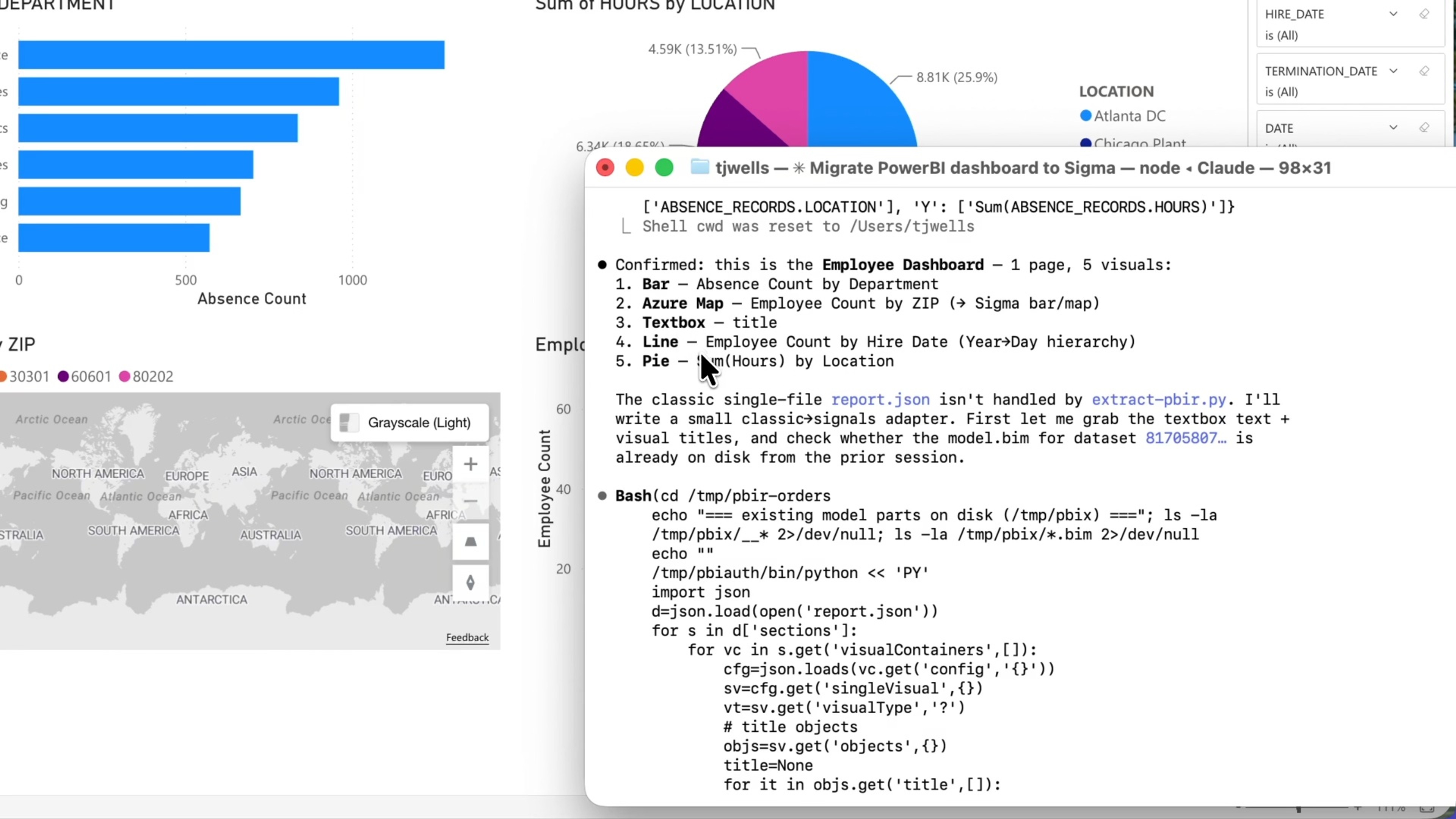
Migrate from Power BI to Sigma
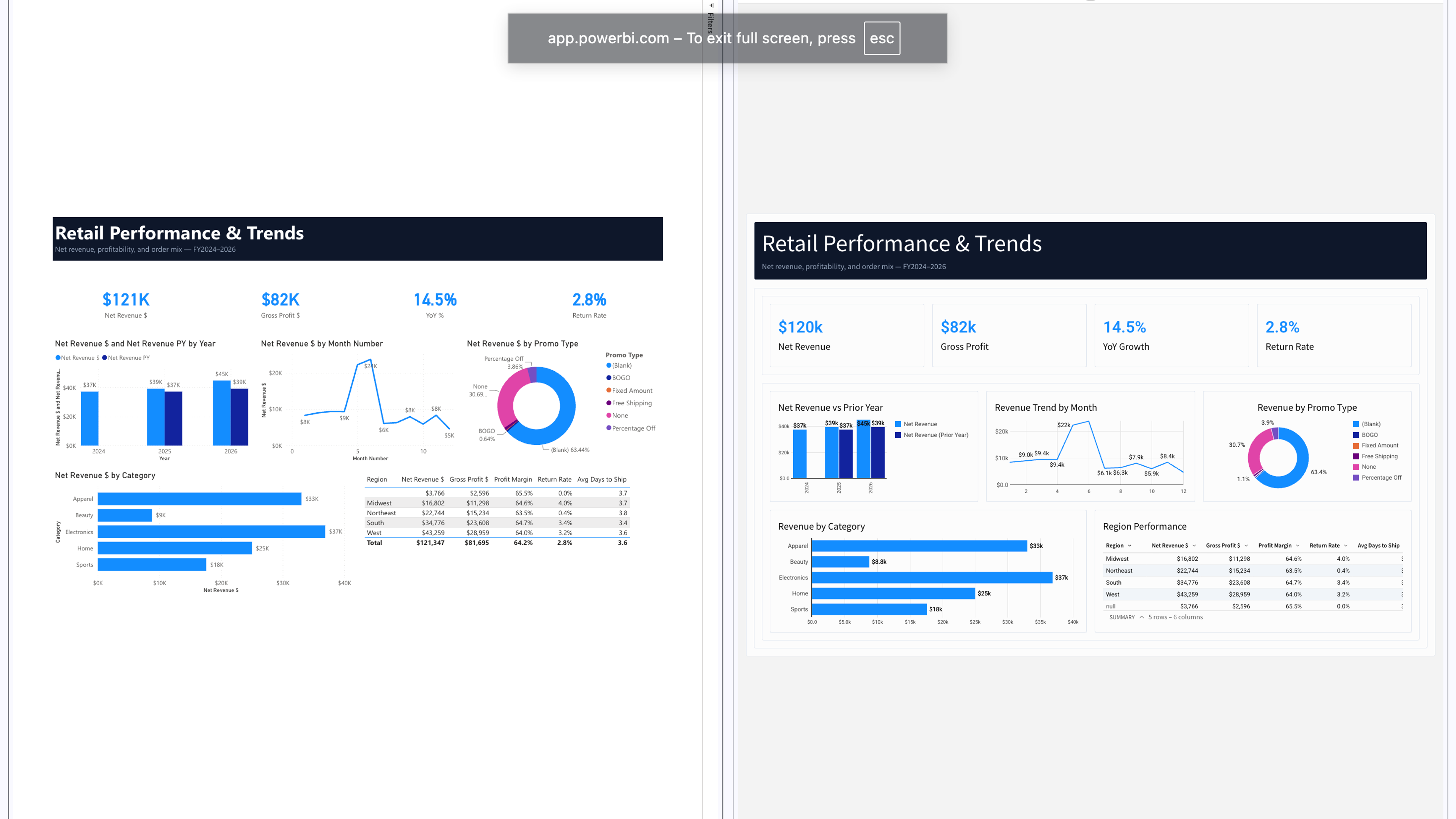
Migrate off Power BI with Coding Agents
Discover how coding agents help teams migrate from Power BI to Sigma faster by converting semantic models, preserving business logic, and rebuilding analytics workflows with AI.
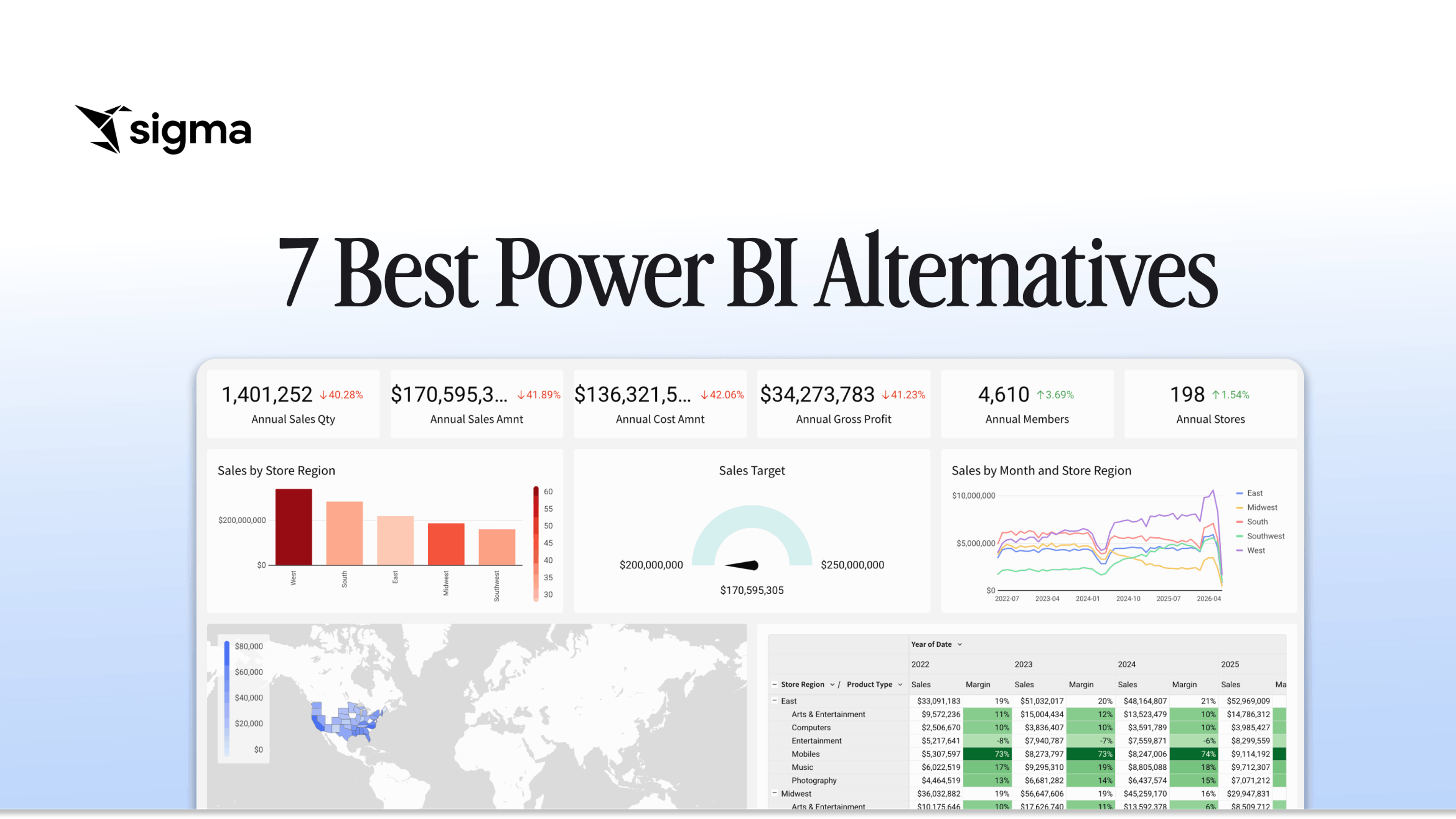
7 Best Power BI Alternatives in 2026
Compare the 7 best Power BI alternatives in 2026: Sigma, Tableau, Looker, and more. Find the right platform for your data architecture and team.
7 Best Power BI Alternatives in 2026
Compare the 7 best Power BI alternatives in 2026: Sigma, Tableau, Looker, and more. Find the right platform for your data architecture and team.
Why we went from Tableau to Sigma Computing
Join the Sigma data experts as they delve into the strategic decision to transition from Tableau to Sigma Computing.
Migrating from Tableau to Sigma: Writing Back Securely
See how to migrate from Tableau to Sigma and add secure writeback, so teams can act on governed warehouse data directly from their analytics.
Activate your data warehouse
Stop buying a new tool for every workflow. Build it once on governed data, then scale it across the business.