How healthcare payers can run provider anomaly detection on Sigma

A payment integrity team at a healthcare payer, such as a health insurer or payment facilitator, hunts through claims data for the few providers whose billing does not add up. In healthcare, that can mean 10 million claims at the line-item level, and only a handful of real outliers.
Traditionally, spotting those outliers was part art, part science. The judgment often lived in one analyst's head or a spreadsheet, and it never got captured. No team could justify a full software project to build an interface like this from scratch and then host and maintain it forever, and a static dashboard only shows the claims as they were yesterday.
The value now is in bringing AI into the work itself: helping analysts find anomalies, trends, and patterns faster, and, once they find them, letting them act in the same place they looked.
This is where Sigma is different. In an example app a healthcare payer could build on Sigma, analysts read from live warehouse data and write back to it, so the screen that surfaces an outlier is the same screen where they investigate it, act on it, and log it.
6 steps to run provider anomaly detection on a Sigma app
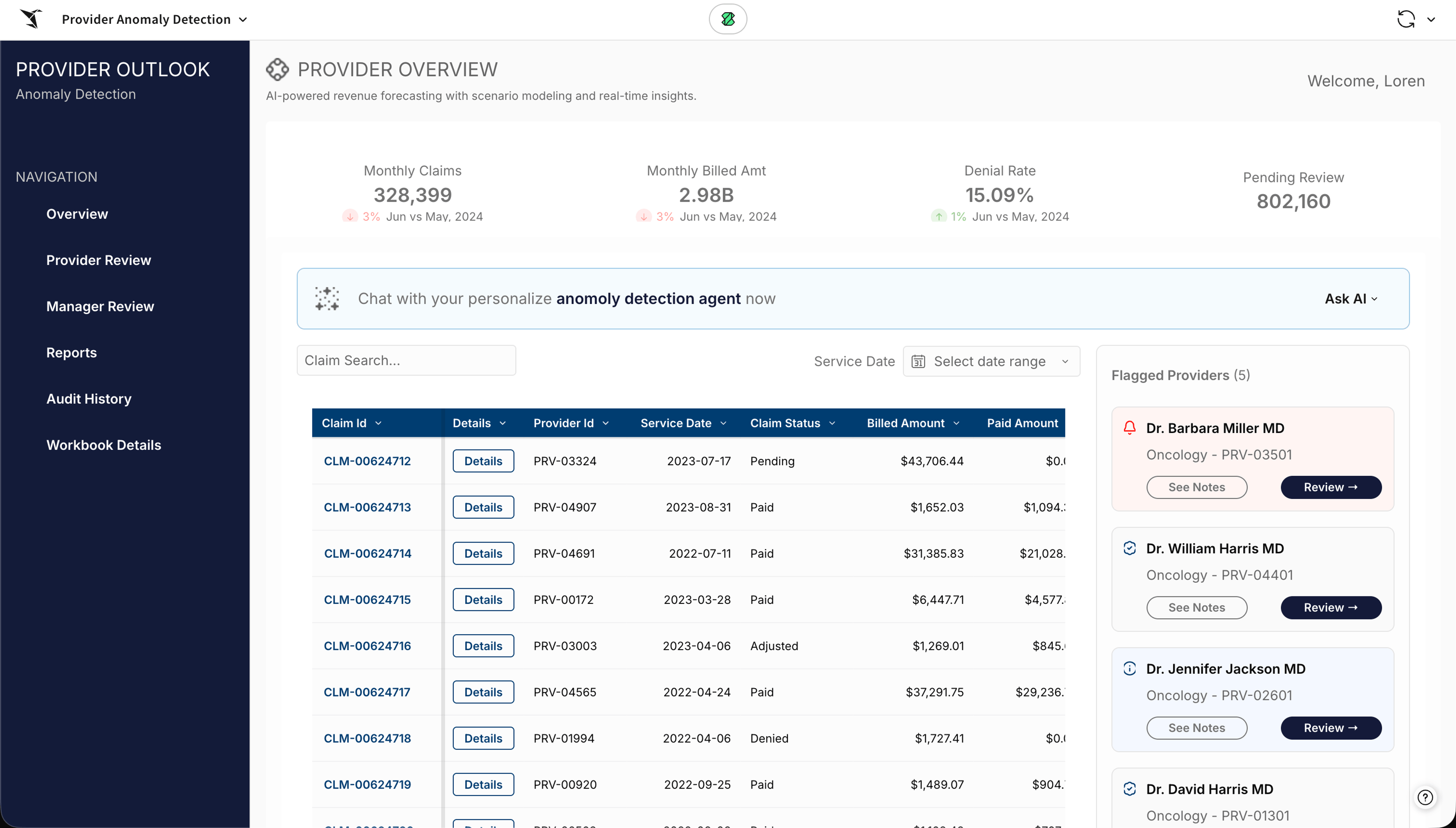
Here's an example of how a fraud team could run provider anomaly detection in one Sigma app, following a flagged claim from detection to escalation. Every step below reads from the same governed claims data and writes each action back to the warehouse, so a case is never separated from the record it belongs to.
1. Detect anomalies with AI agents
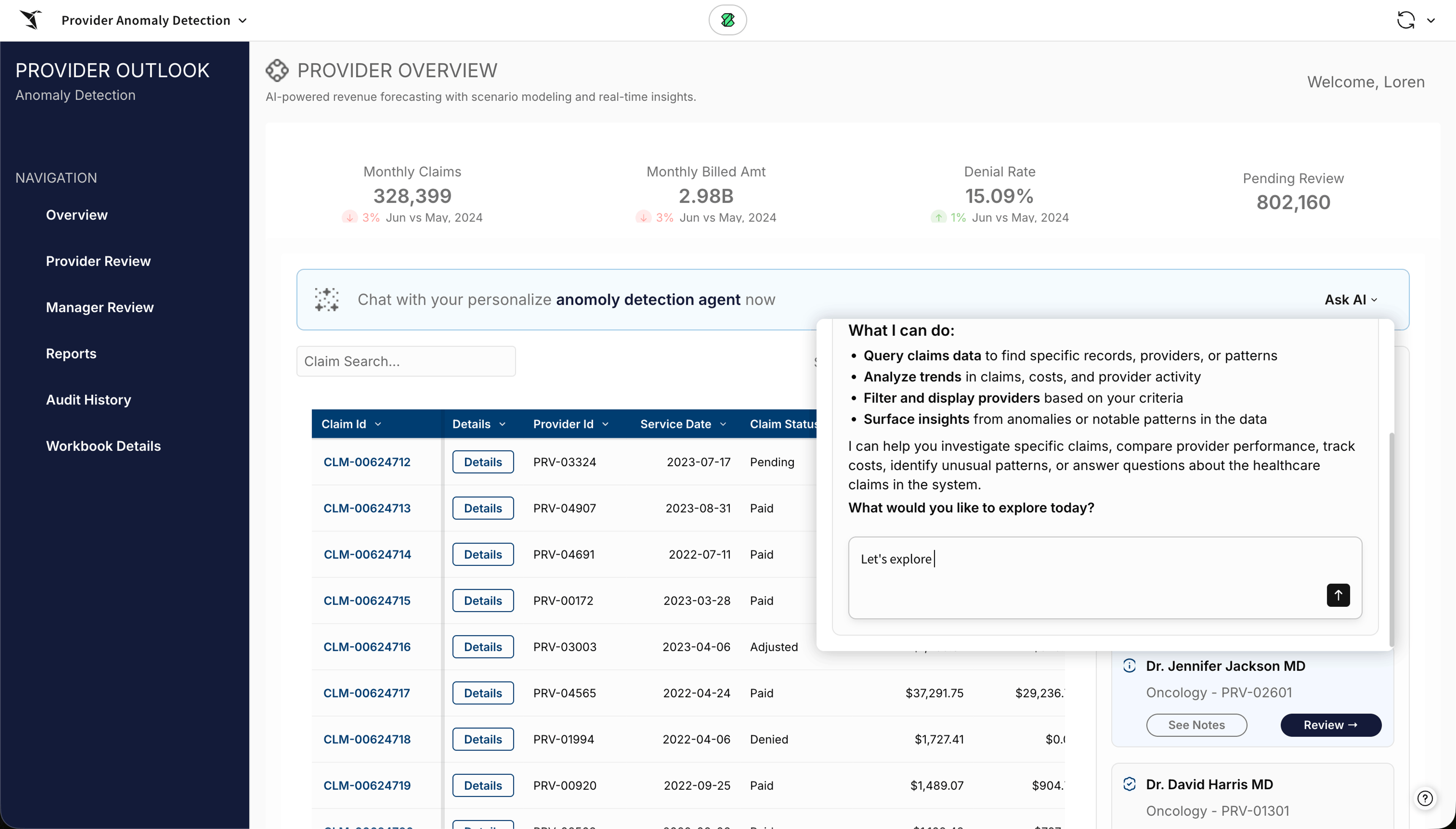
The agent lives inside the workbook itself. You give it instructions and access to the raw claims data and the elements on the canvas, so it reads the same view the analyst is looking at. As filters change and the logic shifts, the agent stays aware of what is actually being queried, so an analyst can ask about the data in front of them without re-explaining how they got there. Ask it to surface the providers with the most outlier behavior, and it works in the background and returns more than a list of IDs: the statistics, the z-scores and claim counts, and a narrative the team can keep questioning.
2. Take action on a flagged provider
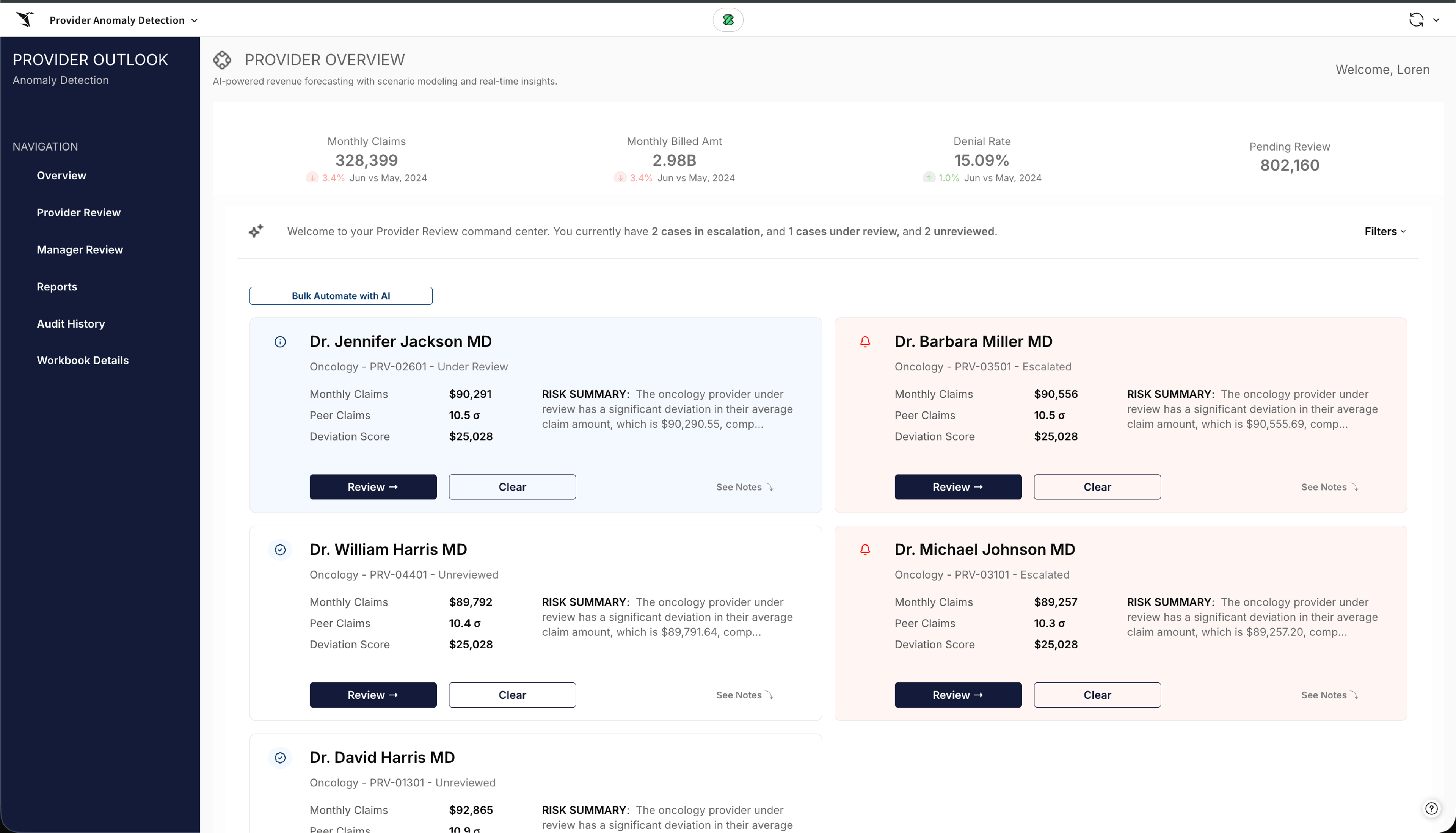
From there, an analyst moves from finding the anomaly to working it. In the provider review, cases sit in clear states: escalated, under review, and unreviewed. The analyst can open the ones already submitted and read the case notes and why each was submitted. Opening any flagged provider surfaces a card with an AI summary of why it was flagged, what is happening behind it, and the key statistics.
3. Draft case notes and escalate to the Special Investigation Unit
Writing the long-form narrative is the most tedious part of the job, and it is where AI helps most. Ask for a case note on a specific scheme, such as upcoding, and the agent drafts the narrative and writes it back to the record for the analyst to edit. A human-in-the-loop step means nothing is written until the analyst reviews and approves it. Once approved, the note updates the case, and the analyst can assign it to a teammate, upload a supporting file straight to the warehouse, and escalate the provider to the special investigations unit.
4. Scale reviews with autonomous AI
When there are many cases to work, the first pass can run on autonomous AI. Select the unreviewed providers and run the automation to populate those records at once. The same run can happen in the background overnight, so an analyst arrives to records that are already drafted and ready to review.
5. Route cases through a manager review
As cases are submitted, they move to a manager review. The manager sees the queue, opens the underlying notes, and approves the analyst's action, rejects it, or escalates it further, tagging a priority and adding notes of their own. Every decision stays on the same record.
6. Keep an audit trail in the warehouse
Every action lands in a change log, so the whole app is auditable. You can see who did what, when, and what changed, and if you ever need to revert or answer who changed a record and when, that history sits directly in the warehouse.
Built by the analysts, no code
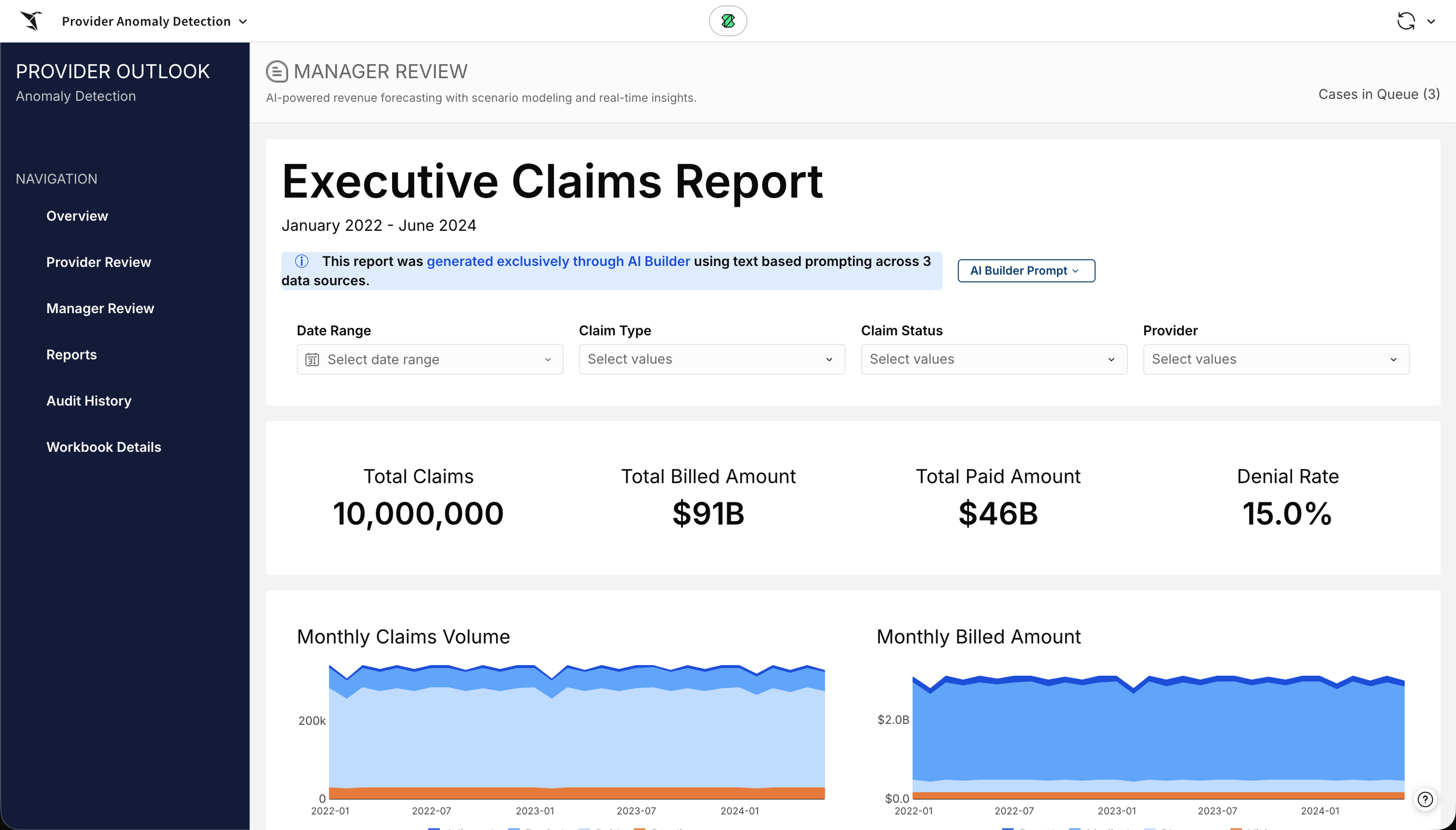
An app like this gets built by the analysts themselves, no code, reading live from the warehouse and writing back to a governed source. AI helps build the app, too, not only work inside it. An executive rollup like the claims report comes from a single prompt that describes the view and points it at the data. So a team like this runs on two kinds of AI: the agents that investigate, and an assistant that builds the views, both on the same governed data.
Close the gap between the flag and the action
Most payers already run models that can point to a provider and flag an issue, so finding the anomaly was rarely the problem. The trouble comes after the flag, in the distance between spotting it and doing something about it, where a case sits in a queue while the claims keep paying out. When the screen that surfaces the outlier is also where the case gets written, reviewed, escalated, and logged, run by the people who know the claims rather than a backlog of engineering tickets, the flag turns into an action before the money is gone.
See it on your own claims
Request a Sigma demo to see how your team can move from a flagged provider to a written, reviewed, and escalated case in one place, on your own warehouse, and build an app like this one yourself. You can also explore apps other teams have built and start building for free on Sigma Public.