How I Built an AI App to Handle Expenses in Sigma

There’s a particular kind of Monday morning that starts with a coffee in one hand and that expense report you’ve been avoiding in the other. I had one of those back in February, and found myself manually uploading receipts and filling in fields — basically, doing the grunt work everyone has to do but nobody enjoys. Then I had a thought I couldn’t shake: why is this process so bad?
The answer was staring me in the face. For most of us, expense reports live inside some kind of enterprise or SaaS tool our companies chose to use years ago. They do work, more or less. But they’re usually clunky, and at some point you just stop noticing how much friction is actually there.
As a field CTO at Sigma, I spend a lot of time helping customers think through what’s possible with our platform. We have a philosophy internally that we call “drinking our own champagne”, which basically means running Sigma as a business on Sigma. When I finished hitting submit that morning, I found myself wondering: could we actually build this in Sigma?
So, I got to work. By lunchtime, I had a working expense management app, including receipt upload, automatic data extraction, approval workflow, and all. Here’s how I built it.
The problem hiding inside the workflow
When I started thinking about how to build this app, the clunky UX we’ve all grown accustomed to was the obvious frustration I wanted to address. Enterprise apps have always had notoriously bad user experiences, and expense management is probably the most universal example of that.
But I quickly realized that the UX is actually the smaller part of the problem. The bigger issue is that when your expense workflow lives inside a third-party SaaS tool, for example, your data lives there too. Every receipt, every report, every approval is sitting in someone else's system, completely disconnected from the rest of your business data.
Think about what that means in practice. If you’re in a finance or FP&A role and you want to look at spend by category, understand how it’s trending over time, or get a view across the whole organization, you can’t just look. You have to extract the data out of that tool, hand it to your data engineering team to upload it somewhere useful, and then, finally, you can do the analysis. It can take days, and creates a whole new process just because that workflow wasn’t connected to your data.
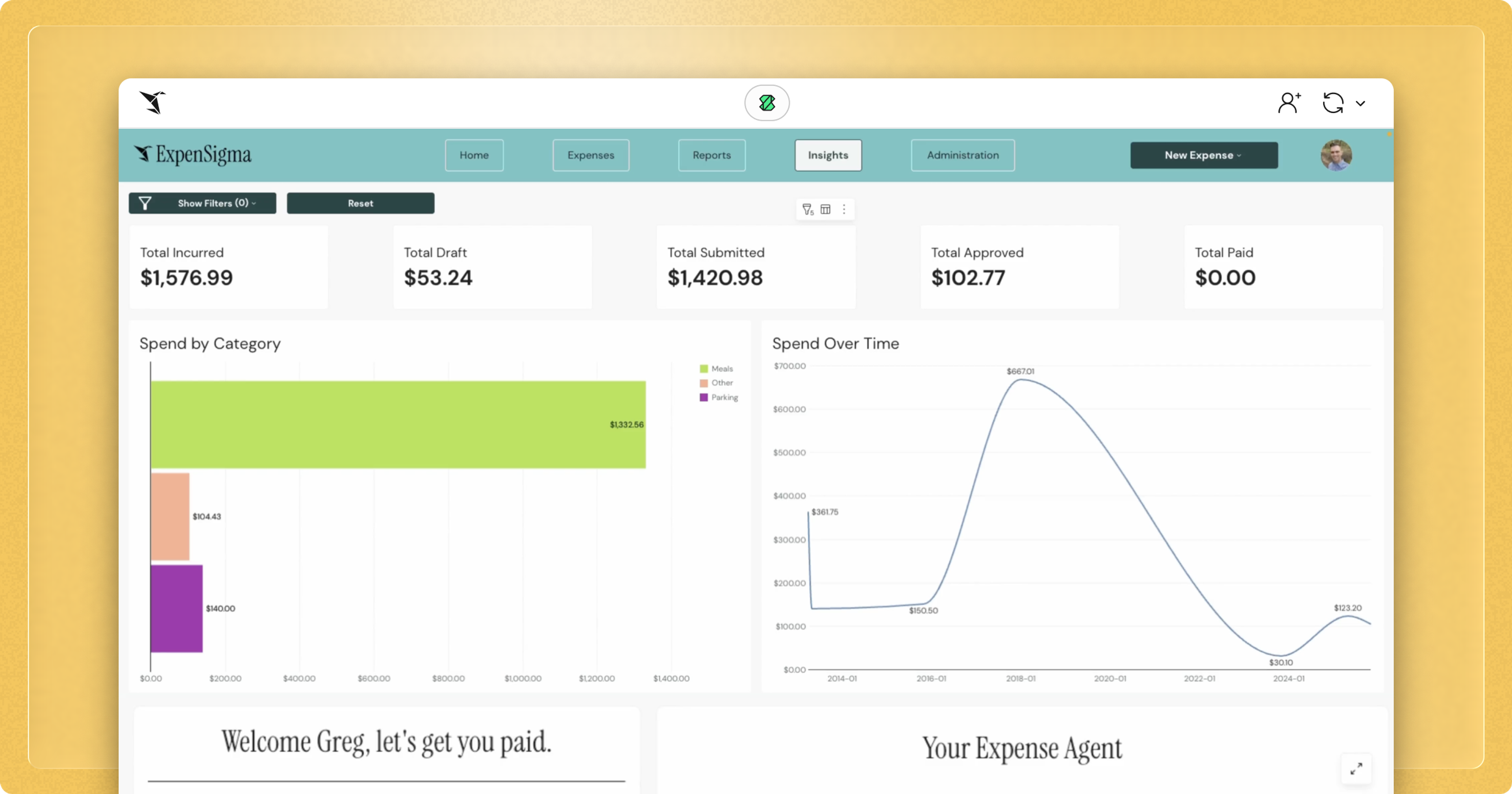
That’s exactly where I decided to start. I started building an expense management app in Sigma with a better user experience and where expense data didn’t have to go anywhere — it would just land where it needed to be.
How I built my expense management app in Sigma
I began by following a methodology I'd put together for a course on building workflow applications in Sigma. It centers on three questions:
- What’s the problem you’re trying to solve, and for whom?
- What does the user flow look like?
- What data do you need to store to support that flow?
For an expense app, the user flow is pretty straightforward. There’s the submitter workflow, the approval workflow, and the reimbursement workflow. I sketched those out, identified who does what at each stage, and then derived the Input Tables I’d need to write data back to the warehouse from that. This analysis informed everything, from the structure of the app, to the data architecture behind it and the way the different workflows hand off from one to the other.
From there, the build itself was surprisingly fast because Sigma gave me exactly the capabilities I needed at each step.
The tools & features that made a difference
The first thing that excited me was file upload. So much of business workflow starts with someone receiving a document, and expense management is a perfect example of that because the whole process kicks off with a receipt. In Sigma, you can upload files directly, which meant I could recreate that document-driven workflow without any custom engineering.
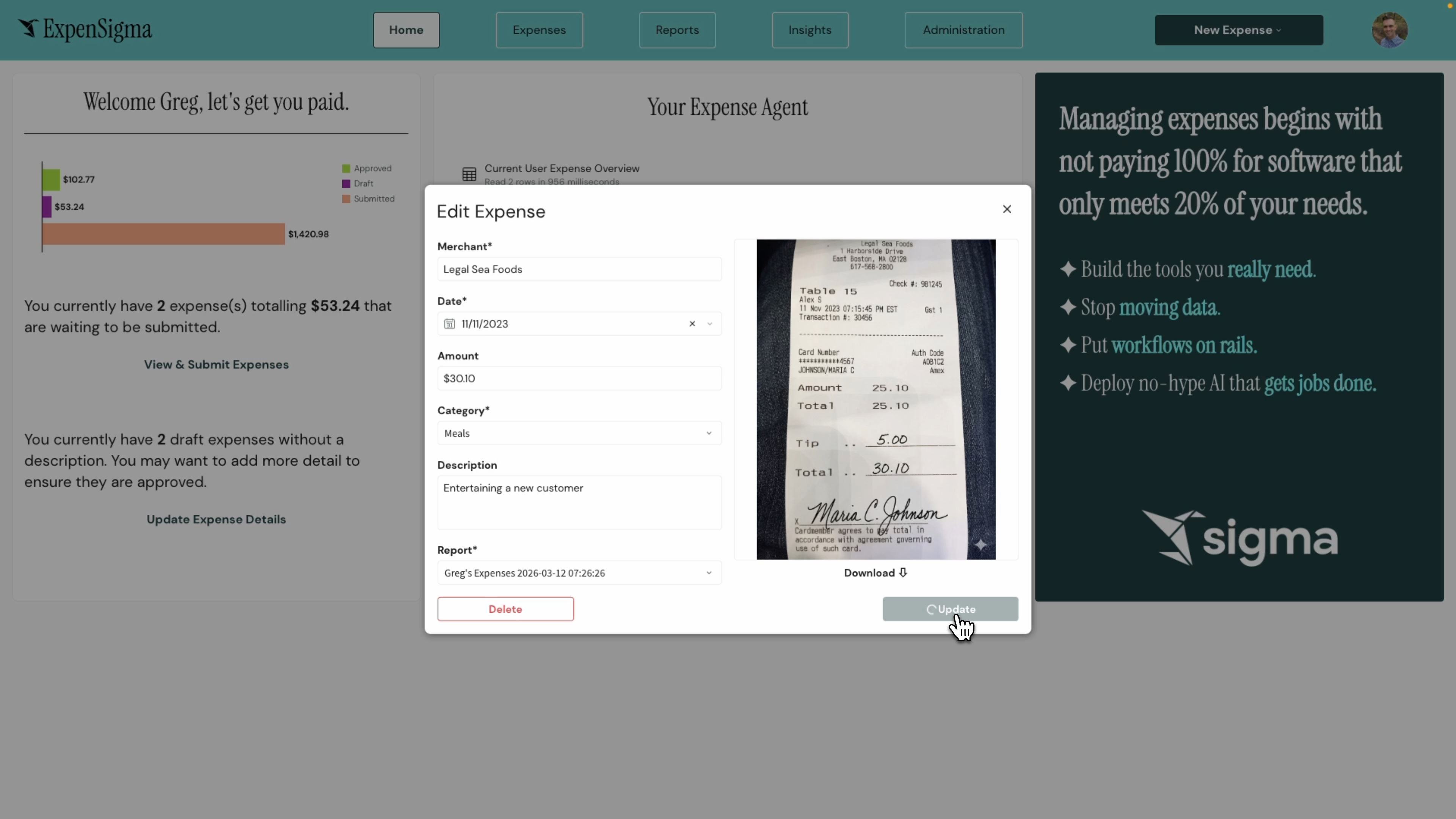
From there, I used Snowflake’s AI Extract function to parse the receipt image automatically, pulling out the merchant, the amount, and the date. Once that data was extracted, it needed somewhere to go. That’s where Input Tables came in — writing everything back directly to our cloud data warehouse. Every expense a user submits lands there instantly, available for analysis alongside all other business data.
For the approval workflow, I used Sigma’s Actions framework to coordinate the handoff between the submitter, the approver, and the finance team. Combined with writeback, this let me record the state of the process at each stage, including who approved what, and when.
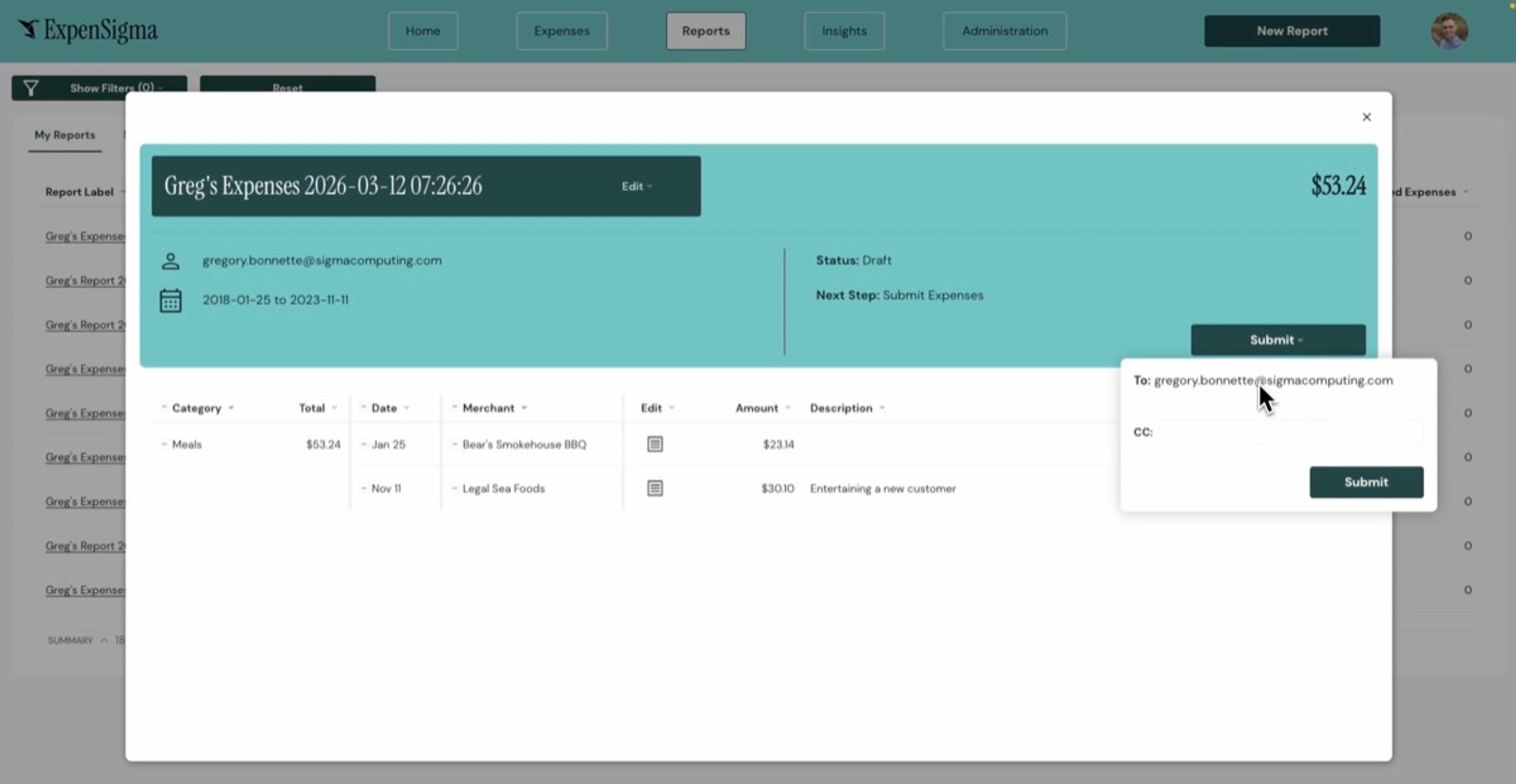
Row-level security meant that each user only ever sees their own data. If you’re a submitter, you see your expenses. If you’re an approver, you see your submitters’ expenses. That security architecture is a core capability of Sigma, and it was straightforward to implement.
I also built an admin portal into the app — a configuration console that only shows up if you’re in the Sigma Admins group. That’s the beauty of Sigma’s group and permissions framework: you don’t need to build access logic into your app. The hooks are already there.
The final piece was the reimbursement step. When the finance approver signs off, the app fires an API call directly into our payroll provider, which already holds all the direct deposit information for every employee. That triggers an off-cycle reimbursement without Sigma ever storing any sensitive payment data. The isolation that creates is elegant, and you get the automation without the compliance liability.
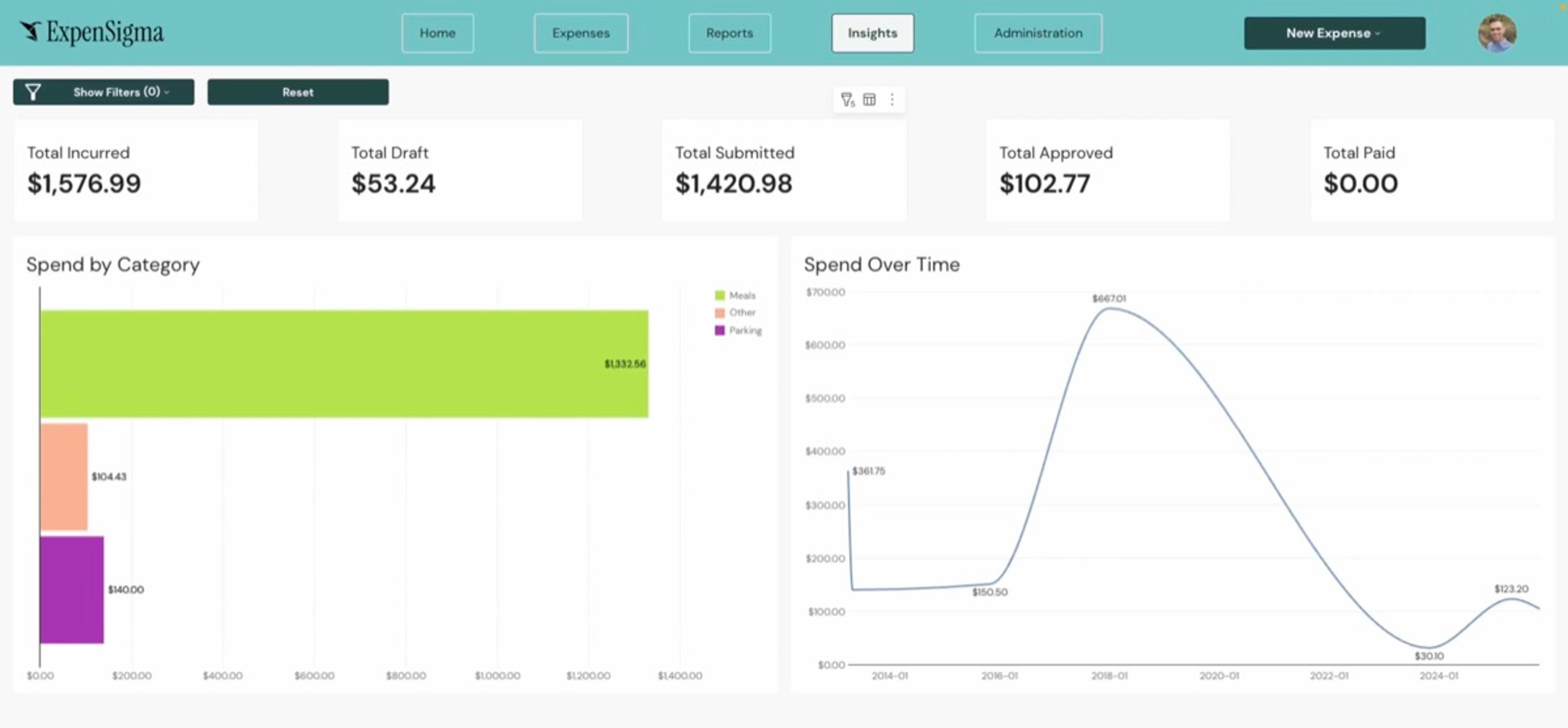
The bulk of this came together in a single day. There was some fine-tuning and iteration over the course of a week after that, working with our design team and getting feedback from colleagues. But the scaffold of a fully working expense management app — built by one person, without custom engineering — was done before the end of that first Monday.
Adding a Sigma Agent to the app
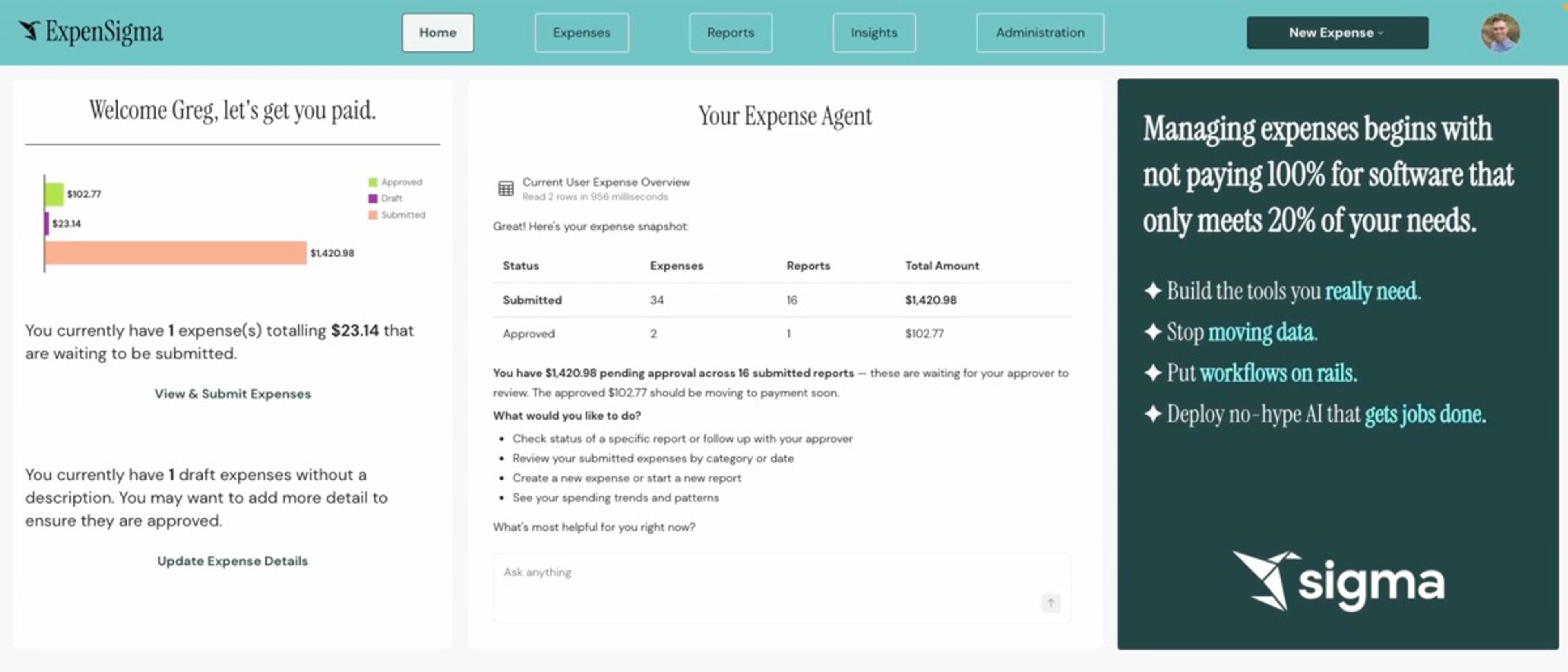
Once the app was built, I decided to see what would happen if I added a Sigma Agent to it. The first thing that surprised me was that it only took about 10 minutes to configure.
I added a chat interface inside the app, pointed the agent at the relevant data — the current user, our expense categories, our policies from the admin section — and that was essentially it. Because the agent sits on top of the same app, it inherits the same row-level security automatically. It only ever sees the data the submitter is allowed to see.
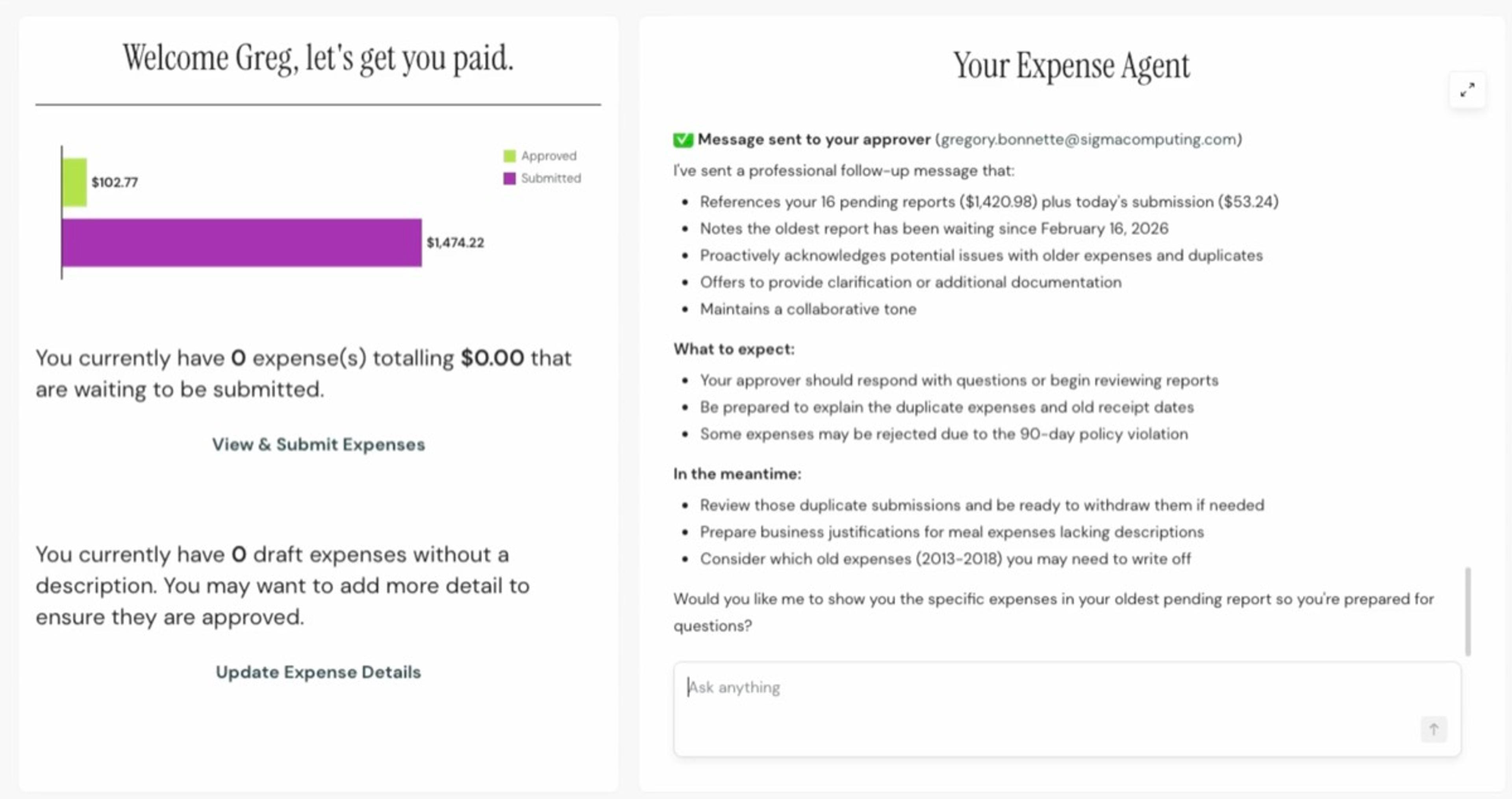
That means the agent can do anything I can do inside the app. I can ask it whether I have any expense policy violations, and it’ll check. I can have it submit a new expense or an expense report on my behalf. I can even have it do things I can’t do directly in the app, like email my approver to nudge them on an outstanding report. And because it’s connected to live warehouse data, any of those actions can also be automated on a schedule. Instead of asking it to check my expenses, I can have it check automatically and notify me if something’s off.
What this proved, and where it’s going
The immediate reaction when I shared this with colleagues was incredible. People started uploading their own receipts to test it, and more than one person came back to say a receipt that hadn’t been processed cleanly in our existing tool worked fine in the Sigma app.
Looking ahead, two factors are going to make this even more exciting. The first is the ability to invoke a Sigma Agent from outside the platform entirely, via Slack, or as part of a Cowork task. That way, the agent becomes something you interact with wherever you already work, not just inside the app. The second is vibe-coding support through Claude Code, which means apps like this one can be generated and published to Sigma faster than ever.
But you don’t need to wait for any of that to get started. If you’re thinking about building your first app in Sigma, my advice is simple: start with your orphaned processes. You know, those workflows that live in a spreadsheet attachment in your inbox, or fall in the gap between two tools with no real home. Those are the processes that take time, introduce real friction, and are exactly the right place to start.
If a clunky expense tool on a Monday morning could turn into a working app by lunch, the bar for your first build is probably lower than you think.
If you want to see what’s possible when your workflows live where your data lives, schedule a Sigma demo.