From question to process in one workbook
Explore, report, plan, and automate on live warehouse data in one governed workbook, so nothing gets rebuilt as the work grows.
Work that grows
The analysis you start becomes the dashboard, the app, or the automation, on the same canvas.
One place for the work
Dashboards, apps, planning, and automation take over from the side spreadsheets and one-off tools.
Governed from the first cell
Elements run on live warehouse data, under the permissions IT already set.
Trusted by 2,000+ leading enterprises around the world














Nothing rebuilt
Your work changes tools whenever the need grows
Work that moves between tools gets rebuilt and copied at each step. In a workbook it keeps growing in one governed place.
| Today | With Sigma |
|---|---|
| Analysis in spreadsheets, apps in code, automation in scripts | One canvas from question to dashboard to app |
| A rebuild, a data copy, and drifting numbers at each hop | Live warehouse data with nothing copied out |
| Access managed separately in each tool | One set of permissions for each element |
| No single place to see who changed what | Version tags and an audit trail for each change |
One canvas for every way your team works
Start with a question and keep building in the same workbook as the need grows: analysis, dashboard, app, and agent, on one copy of the data.
Answers on the spot
Explore all your data like a spreadsheet
Tables, pivots, and formulas work on live warehouse data, and Sigma Assistant explains what you’re looking at or builds what you describe.
- Spreadsheet formulas on live warehouse data
- Pivot, group, and drill without extracts
- Sigma Assistant in the workbook
Work gets done
Make it an app people act in
Add Input Tables, forms, and actions so people update records, approve changes, and write back to the warehouse without leaving the workbook.
- Input Tables and writeback
- Forms, modals, and approvals
Hands-free routines
The routine work runs before anyone asks
Schedule exports and alerts, run action sequences on a timer, and have an agent check the numbers each morning and post what changed to Slack.
- Scheduled exports and conditional alerts
- Action sequences that run on a timer
- Agents that report what changed and why
Expertise on call
Put an agent on the canvas
Add a chat element and connect a Sigma agent that answers, writes back, and takes the next step on the workbook’s data.
- Answers from the workbook’s governed data
- Writes back only after someone approves
- Works on request or on a schedule
Governed from the first cell
Workbooks, and the apps and agents built on them, follow your warehouse permissions and Sigma’s controls.
Promote with version tags
Changes move from dev to prod on tags, approval-gated if you want.
Per-user OAuth
Connect with OAuth so queries run with each person’s own warehouse role.
Row- and column-level security
Reads and writes both inherit your table policies.
Audit trail
Audit logs record user activity, AI conversations, and input table edits, so you can see who changed what.
Your data stays put
Sigma queries your warehouse in place and never copies the data out.
Certified
SOC 1, SOC 2, SOC 3, HIPAA, GDPR, CCPA, and ISO 27001.
Teams that put the work in one place
See how customers consolidate their work into Sigma workbooks
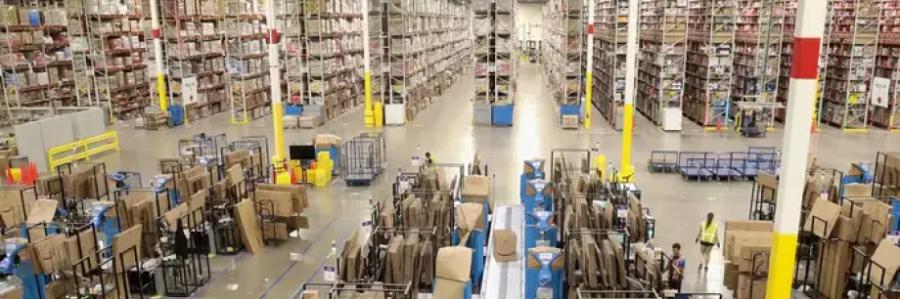 1,500 reports consolidated. 33,000 objects simplified.From 1,500 Reports to One Workbook: Inside Saddle Creek’s BI Reset with Sigma

 Weeks to hours per dashboard conversion. 12 dashboards in two weeks. 80% done by the agent before review.Double Wood Supplements cuts dashboard rebuild time from weeks to hours with Sigma’s code-backed Workbooks
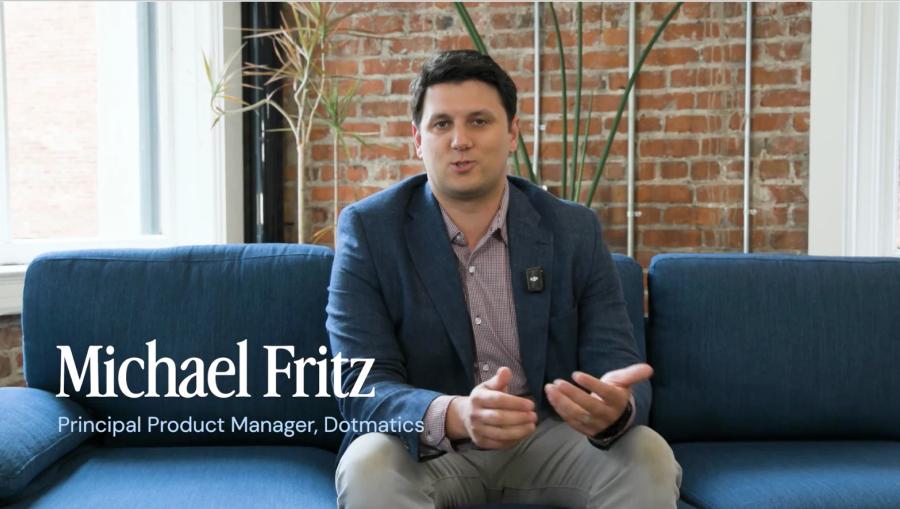
 Weeks to days to ship new workflows. 14K+ r&d orgs on luma. 2M+ scientists using the data.How Dotmatics ships new workflows in days with Sigma
Straight from the source
“I can go from a question to an answer quickly: I build a workbook, check it against real data, and share it without a handoff or rebuild.”
Ryan M.Mid-Market · G2 (opens in a new tab)“…Sigma's Excel-like interface meets users where they're at by enabling the use of Excel-like calculations. This increases usage and keeps data in one place.”
Director of Data and AnalyticsConsumer Goods · Gartner Peer Insights (opens in a new tab)“I like that it is truly a one-stop-shop for our business from a business intelligence tooling perspective. If the architecture is set up right, the same tables on the back end can be used in queries, data models, and workbooks.”
Analytics EngineeringSoftware · Gartner Peer Insights (opens in a new tab)“…Sigma has made it significantly easier to create, share, manage, and maintain dashboards and workbooks.”
Simon IdrisVP Engineering · Mid-Market · G2 (opens in a new tab)“Being fully cloud-based, Sigma is accessible from anywhere and enables seamless collaboration, allowing multiple analysts to build and refine the same report together in real time…”
Data AnalystSoftware · Gartner Peer Insights (opens in a new tab)“It bridges the gap between spreadsheets and BI, giving me the flexibility to explore data intuitively while connecting directly to our sources like Databricks Warehouse.”
Data AnalystManufacturing · Gartner Peer Insights (opens in a new tab)“More recently, input tables and actions allow us to build interactive data apps seamlessly.”
Senior Director, Data Strategy & AnalyticsMedia · Gartner Peer Insights (opens in a new tab)“The integrations with Snowflake and Claude as well as the recent releases of workbooks as code have enabled us to build faster.”
Product ManagerSoftware · Gartner Peer Insights (opens in a new tab)
Workbooks FAQ
What is a Sigma workbook?
A Sigma workbook is a governed canvas on live warehouse data where you explore, build dashboards and apps, and automate work, all in one document.
How is a workbook different from a dashboard?
A dashboard is one thing a workbook can be. The same workbook can also hold the analysis behind it, the forms and Input Tables people act in, and the automations that run on it.
Does the data get copied into the workbook?
No. Workbooks query your warehouse directly, so elements show live data under each person’s permissions.
Can a workbook become an app?
Yes. Add Input Tables, forms, and actions to a workbook and people can update records, approve changes, and write back to the warehouse from it.
Can we manage workbooks as code?
Workbooks as Code, in beta, lets teams define and update workbooks programmatically and keep them in version control.
Bring the process that lives in five tools
We’ll show you how it runs in one workbook on your live data.