
Sigma for dashboards
Dashboards that get to the answer
Hundreds of planners submit at once, approvals lock the numbers, and finance stops going dark for 3 to 4 weeks.
Schedule demoEach number here comes from the planning cycle customers run today.
Input Tables pre-fill every row from live warehouse data. Planners override instead of retyping.
Hundreds of contributors edit their own rows at once. Row-level security holds each to their scope.
Actions route each submission to its approver. Approved rows lock, and audit history logs the change.
Seed every row. Submit at the same time. Approve and lock
Row-level security decides what each person opens, so nobody works from a separate copy of the plan.
Planners type into the workbook the way they type into a spreadsheet. Input Tables write each edit back to the warehouse with the user, the timestamp, and the change type.
Actions route each submission to the right approver and set its status in place. Approved rows lock, and a later change lands as a new tagged version rather than an overwrite.
The planning spreadsheet moves back inside the perimeter. Every workbook inherits the warehouse roles and row-level security you already run, so hundreds of planners work at once, each seeing only their rows.



Sigma queries your warehouse live, so a workbook reads what landed a moment ago.
The plan moves back inside the perimeter, under the warehouse roles and row-level security you already run.
Sigma queries the warehouse directly, so no copy of the plan sits outside your controls.
Each planner sees the rows their warehouse role allows, and you maintain no second permission model.
Audit history records the user, timestamp, and change type on every edit. Approvals hold up at audit.
Every app here runs on live warehouse data, and headcount planning and territory management ship as App Templates.
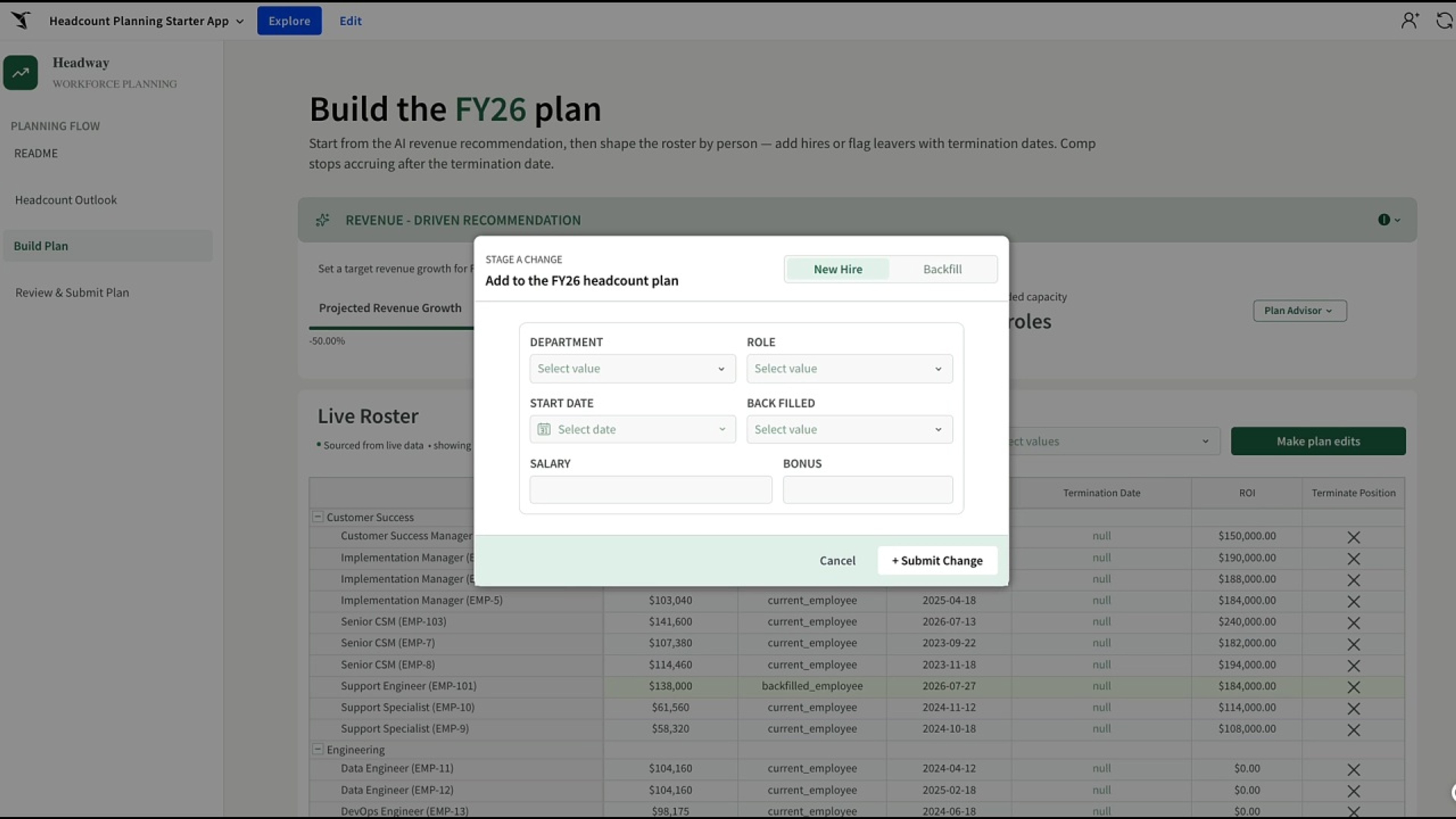
Build a headcount plan tied to your revenue goals, with AI hiring recommendations and approvals that update the roster live, instead of a spreadsheet that drifts from the plan.
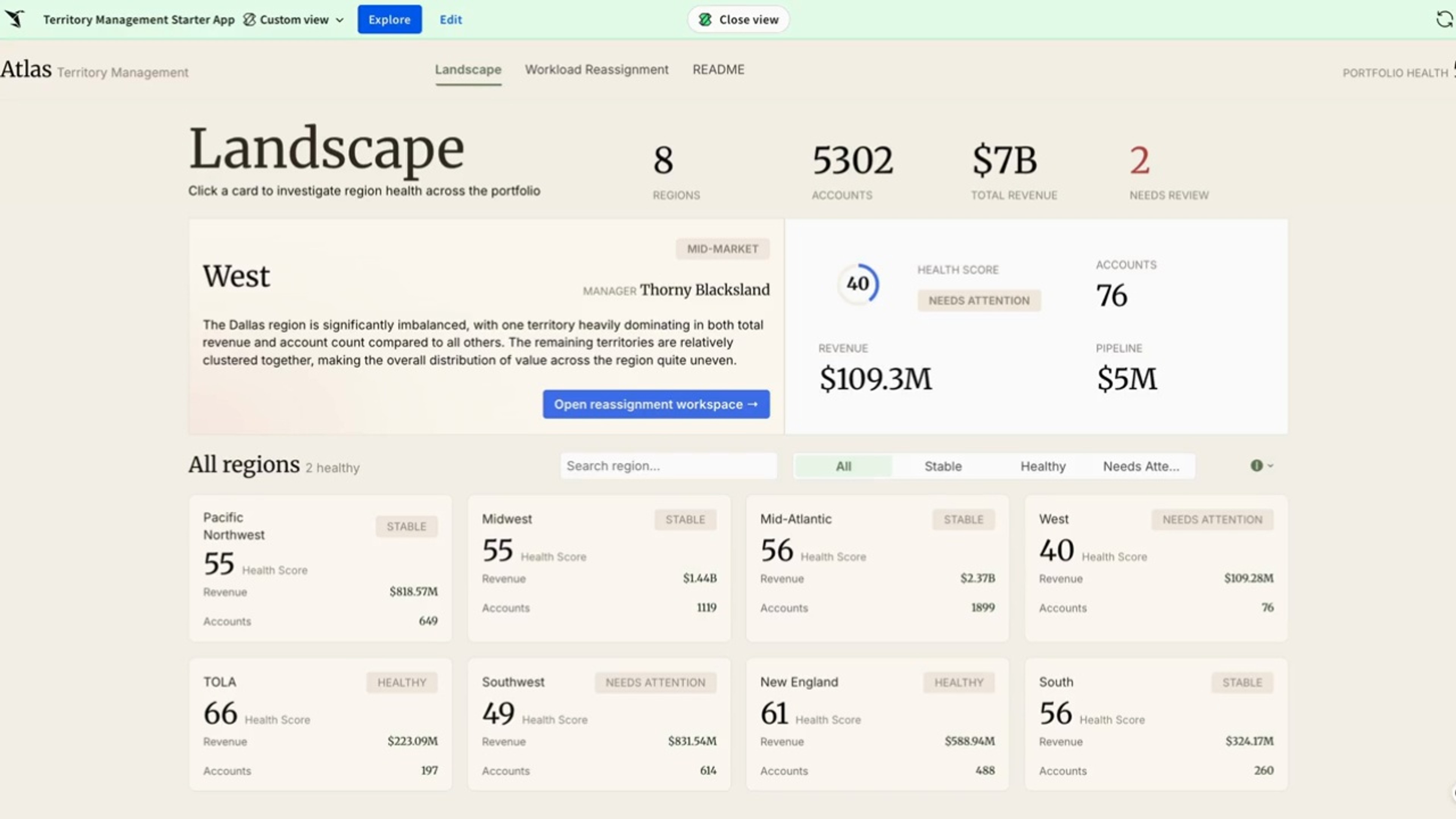
See territory health in one live view and rebalance coverage yourself, without piecing it together across spreadsheets or waiting on an analyst.
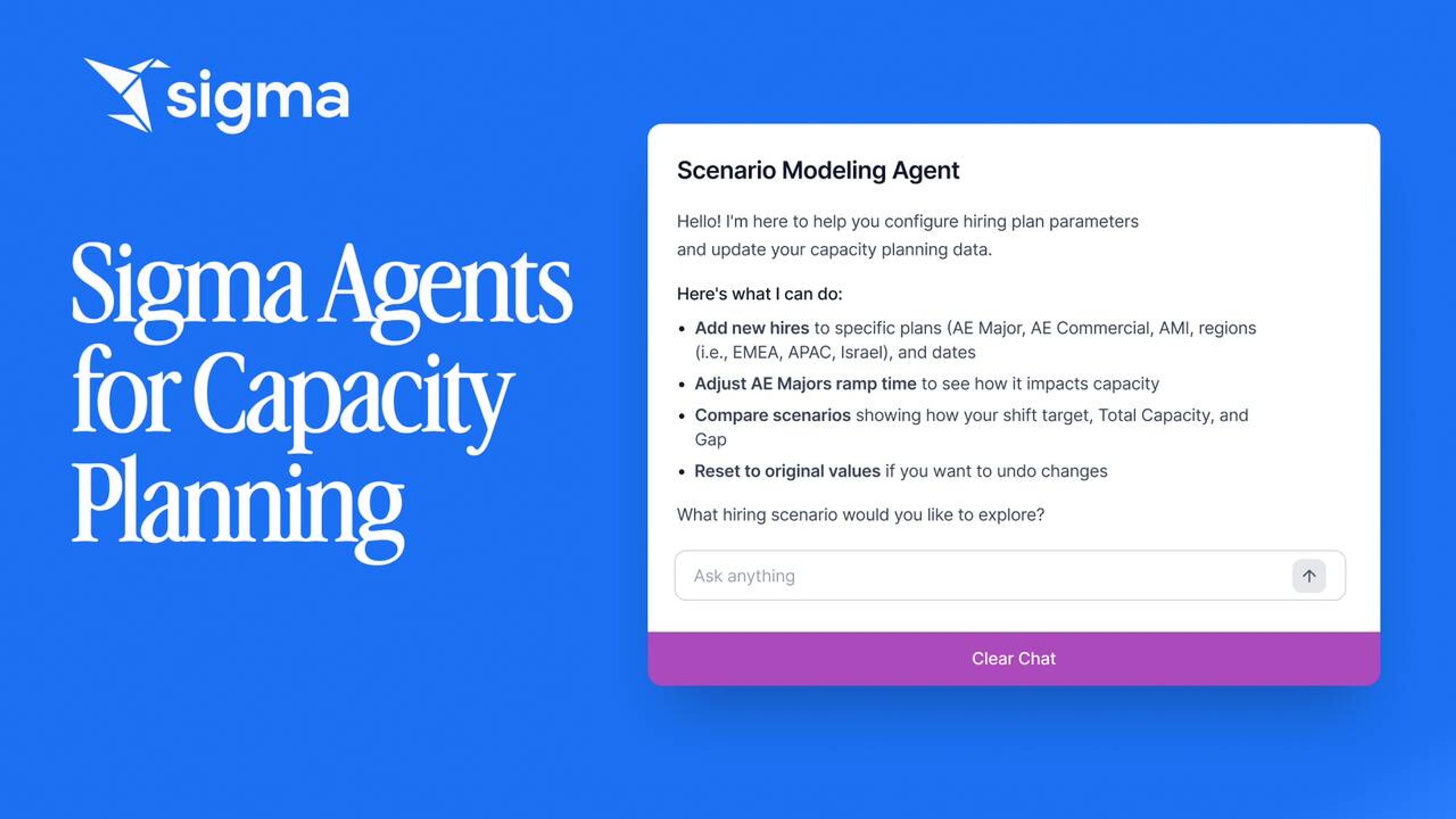
Model rep ramp, quotas, and territory changes on live data. A scenario-planning Sigma agent does the math, the workbook routes the approvals.
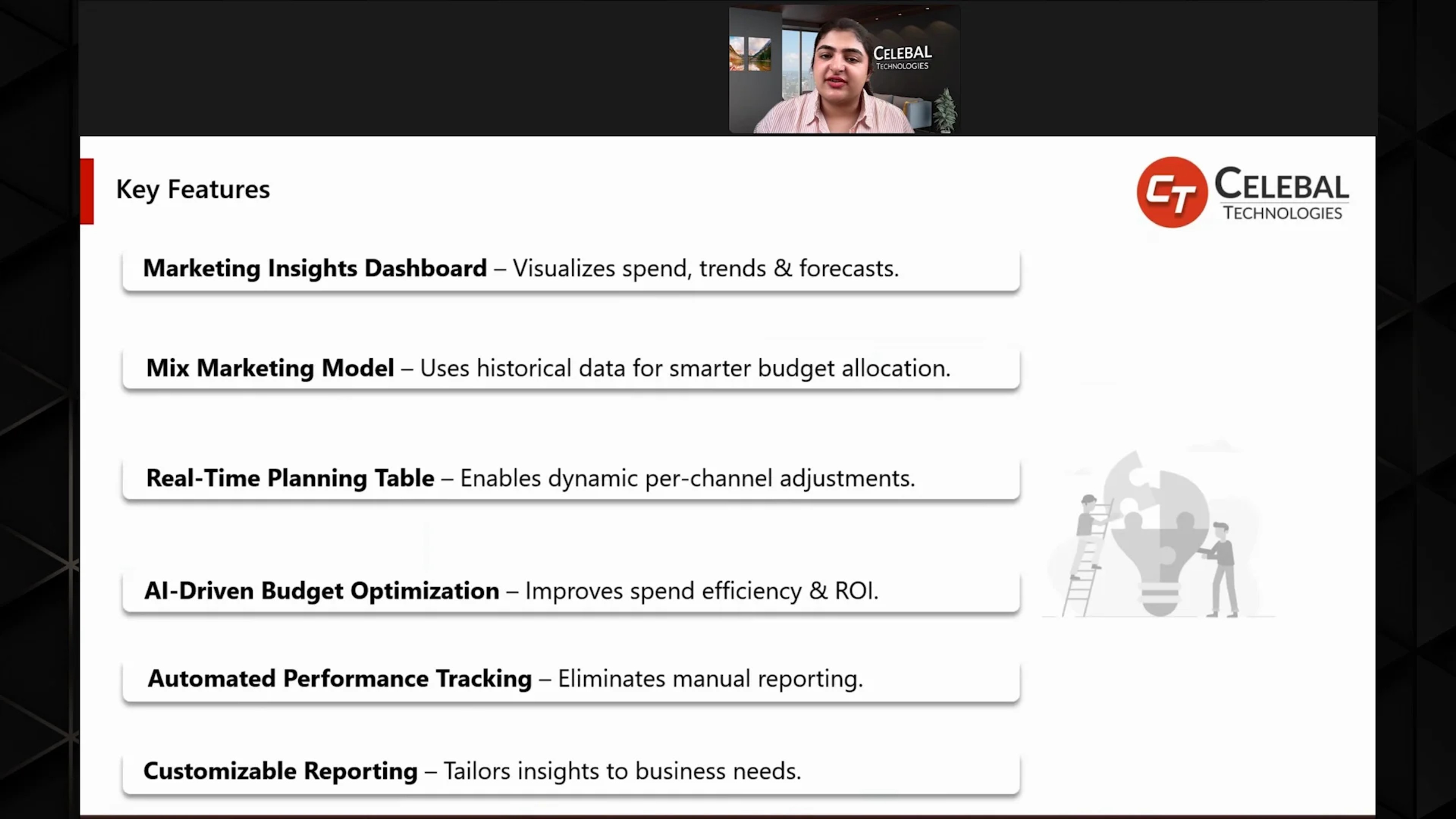
Allocate marketing spend across channels and campaigns. Live data, scenario modeling, and approval routing in one workbook.
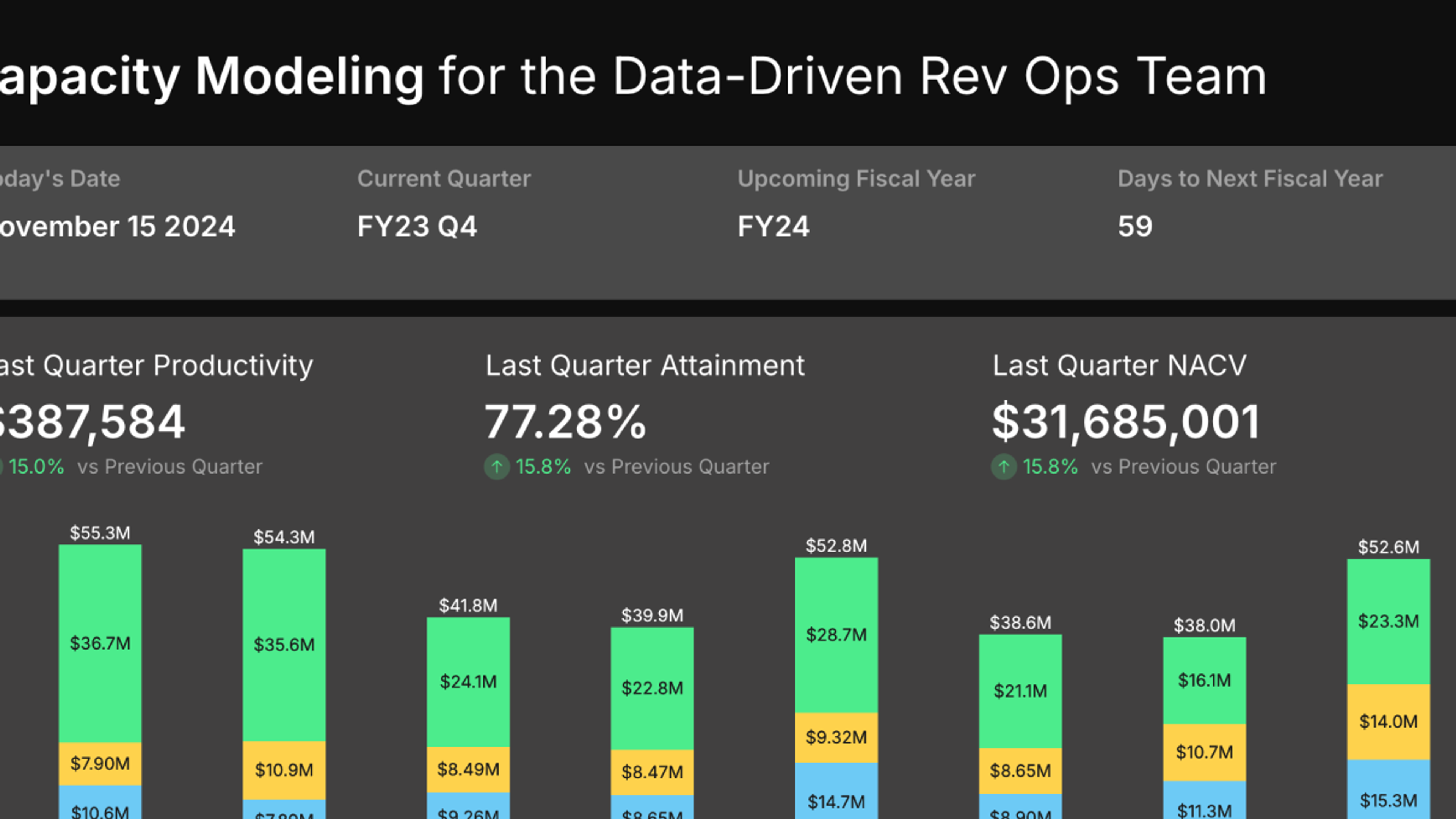
Granular yearly performance analysis with an interactive model for data-driven revenue planning.

Integrate S&OP data, automate planning workflows, and adapt forecasts in real time. Improves accuracy and capacity utilization.
All 7 build on the same live, governed platform.
Dashboards that get to the answer
Own every forecast version
Model every lever on live data
Project tracking you can act on
Reconcile every number in one place
Fix reference data without a ticket
Keep the plan and the approvals in one workbook, then reallocate budget while the quarter is still open.
Schedule demoStop buying a new tool for every workflow. Build it once on governed data, then scale it across the business.