
Sigma for dashboards
Dashboards that get to the answer
Before the next planning cycle locks in, finance and sales ops need to set the drivers, run the scenario, and stand behind every version the board sees.
Request demoFrom the hottest startups to the Fortune 100.












You'll pay for it again next cycle, and the one after that... and the one after that.
"Our forecast lives in 18 tabsone workbook, needs 8 to 15 rebuildszero rebuilds a year, and costs a full daya few seconds per new column."
Sigma holds the forecast inputs in Input Tables inside your warehouse, and adding a period or a driver is an edit rather than a rebuild.
What FP&A and accounting teams point to first.
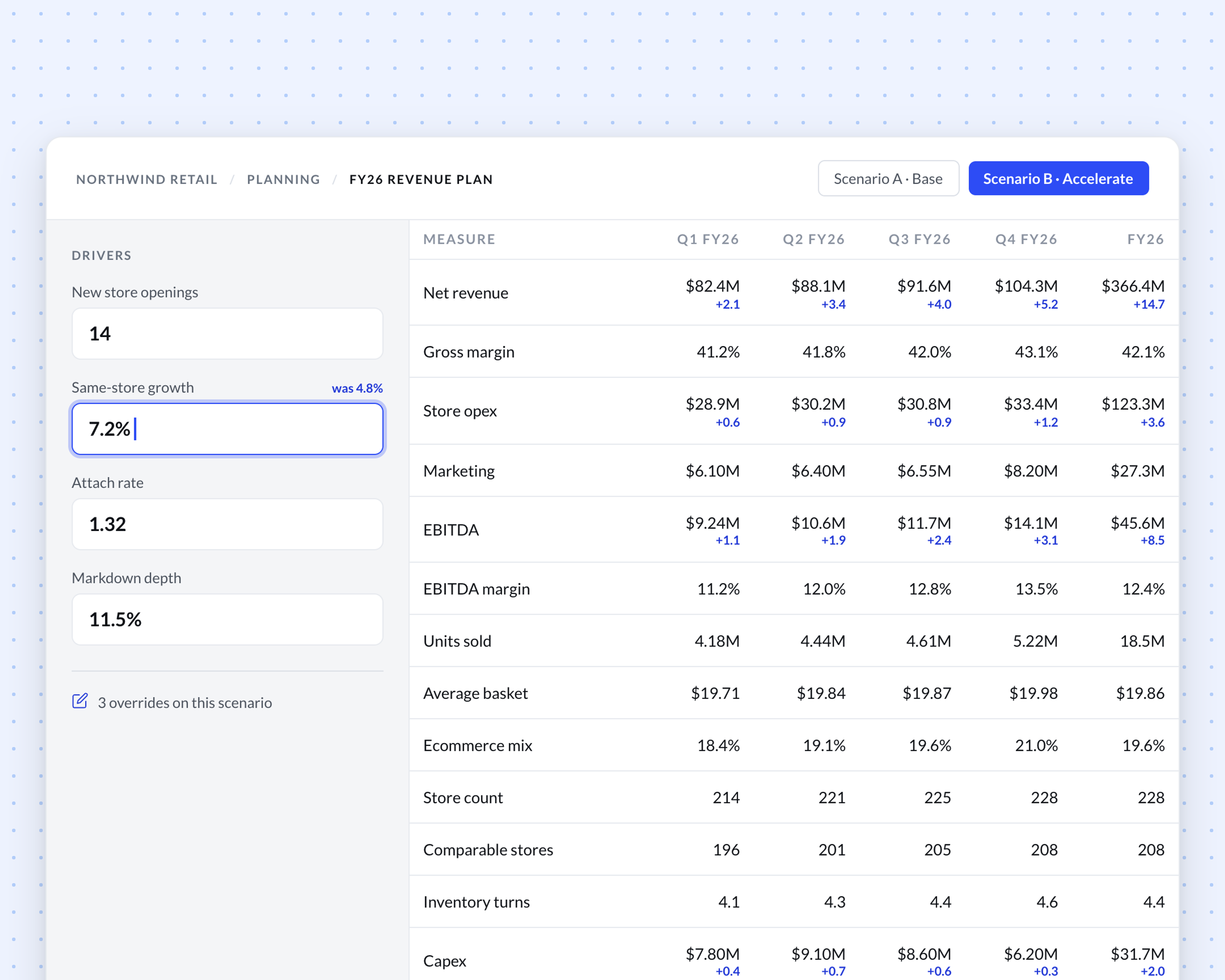
Change a driver and every downstream number updates at once, because it was never copied out to begin with.
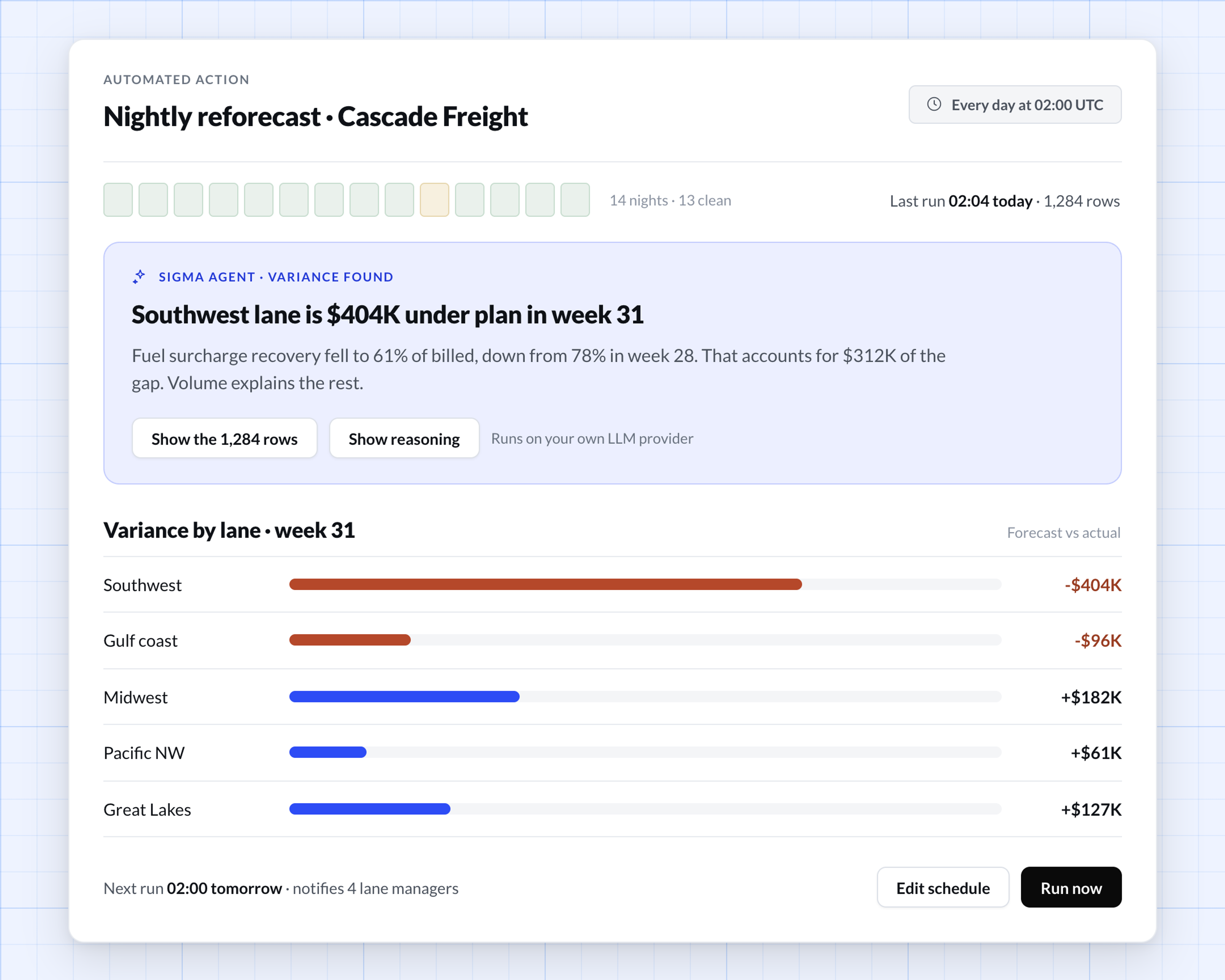
Sigma routes AI through the LLM provider you already run, and logs each request under your warehouse controls so you can open the rows behind any answer.
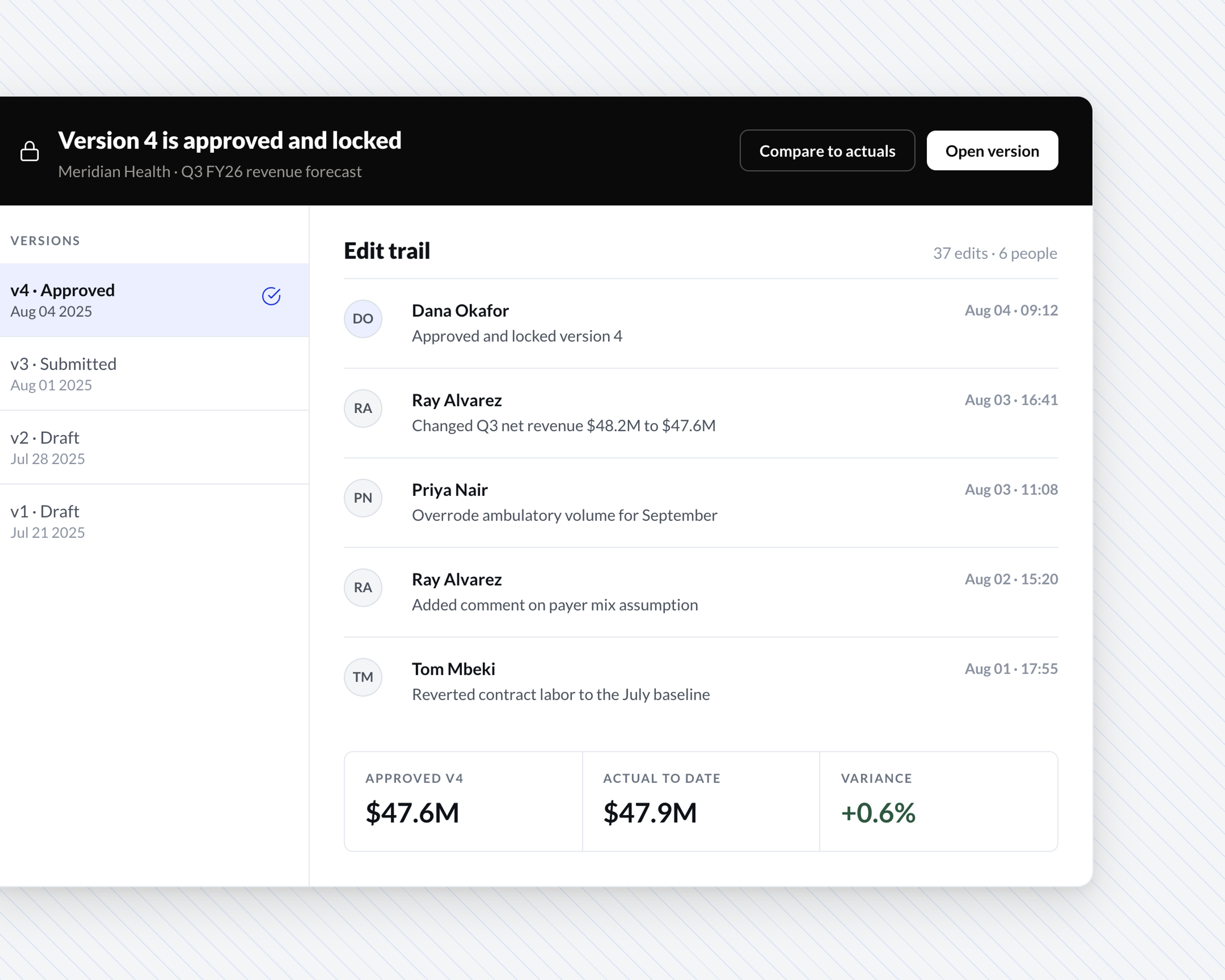
See who changed what and when, so you already know the story before anyone in the room asks.
The formulas, sorts, and pivots you already use run against warehouse tables, so the person who needs a new column adds it.
Query billions of rows live, at the same speed and detail as a handful, so you never have to simplify the model just to make it run.
See how they model scenarios, plan, and report on live data.
“What would potentially take us three weeks [with our legacy tool] is down to a day or two with Sigma—which is more than 90% in time savings.”
“Input Tables from Sigma gives our employees the ability to enhance their data by adding their commentary, conducting “what-if” analysis, and telling better data stories.”
Sigma empowers teams across Cowen to easily analyze historical data and take a holistic approach to their analytics.
“We’re working toward ensuring there’s a data model for every pod. That way, teams can self-serve answers through a consistent structure.”
Drivers and overrides live beside the data. Change a growth rate and every downstream period recalculates live, so the analyst who owns the number runs the scenario in one sitting.
Locking a version freezes it, so nobody overwrites an approved forecast. Every edit carries a user and timestamp, so when two numbers disagree the trail shows who submitted which.
Automated Actions rerun the forecast on a schedule, and Sigma Agents point at the driver behind a variance. If an agent gets it wrong, the reasoning and the rows are there to check.



Every number a planner types lands in the warehouse, governed by the roles and row-level security you already enforce.
Input Tables write to a designated write schema through an append-only write-ahead log. Production tables stay untouched.
Every query, action, and AI call carries the warehouse roles and row-level security. Each person sees their own data.
Audit history on the Input Table logs every edit by user, timestamp, and change type. Audit gets its answer without a ticket.
See these forecasting apps in action
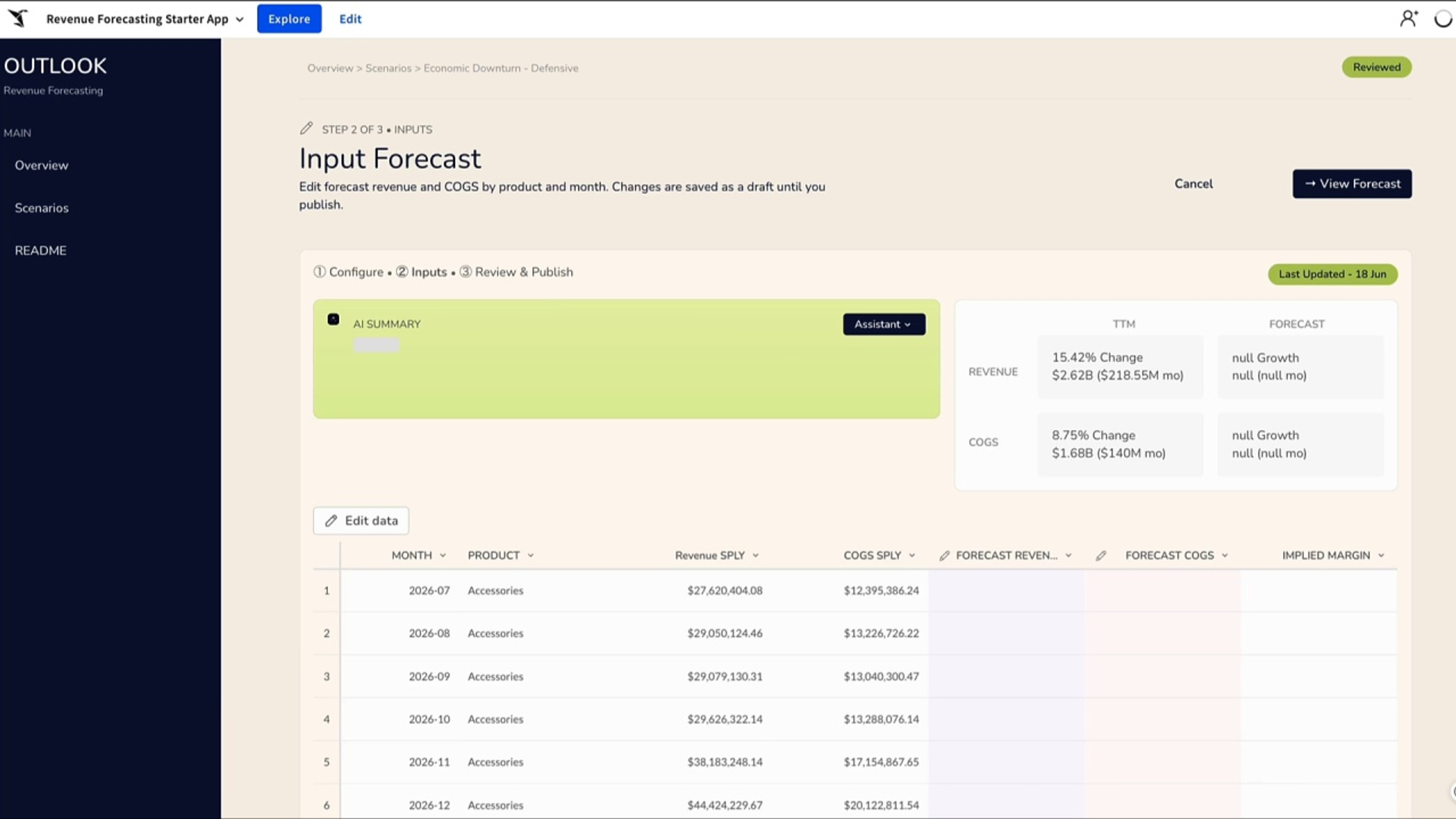
Spin up a revenue forecast scenario in minutes, adjust the inputs with AI guidance, and watch the impact update live, instead of waiting on a consultant or another spreadsheet.
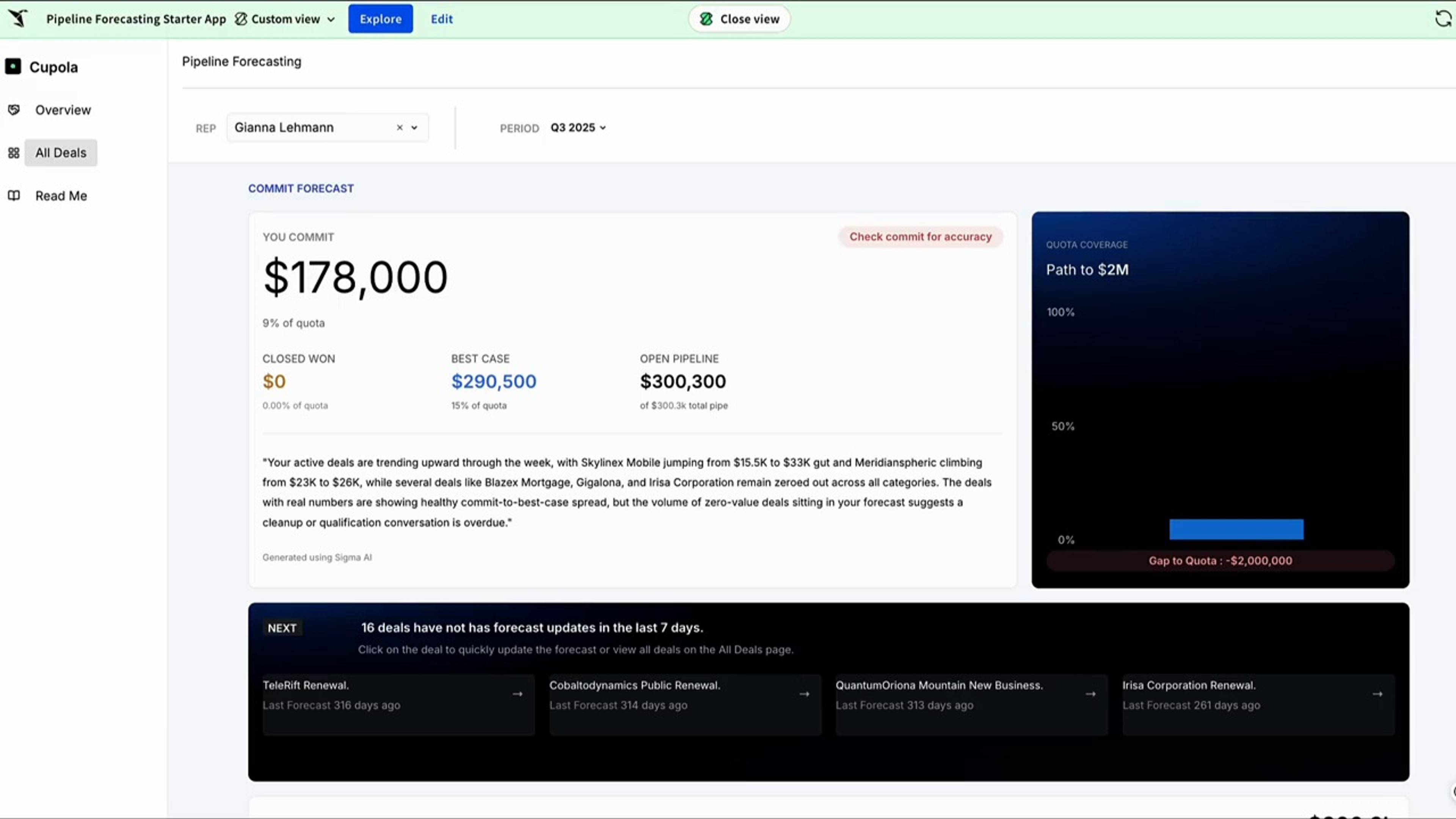
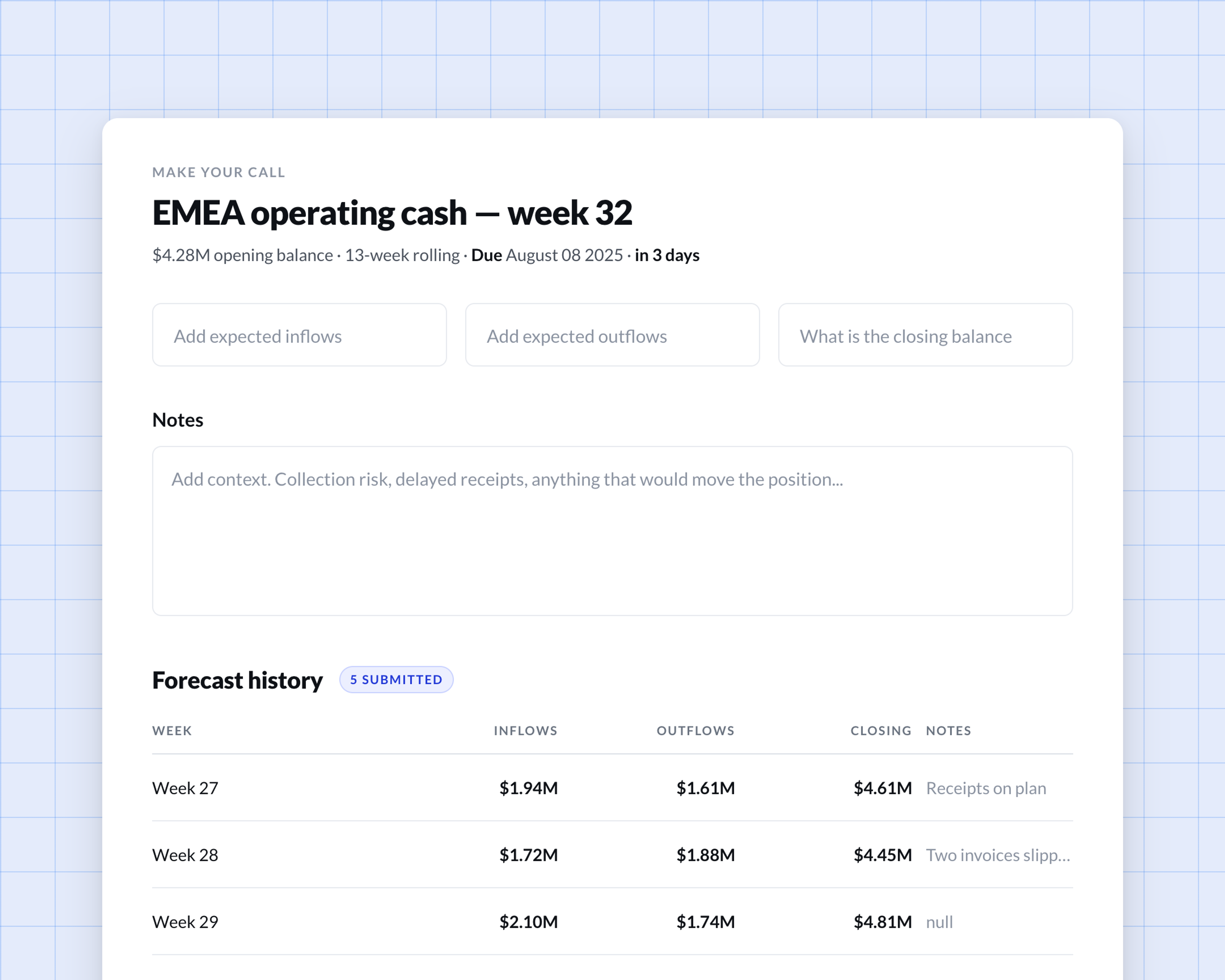
Give reps one place to call their number and have it roll up to the team forecast instantly, with the reasoning captured instead of lost in a side spreadsheet.
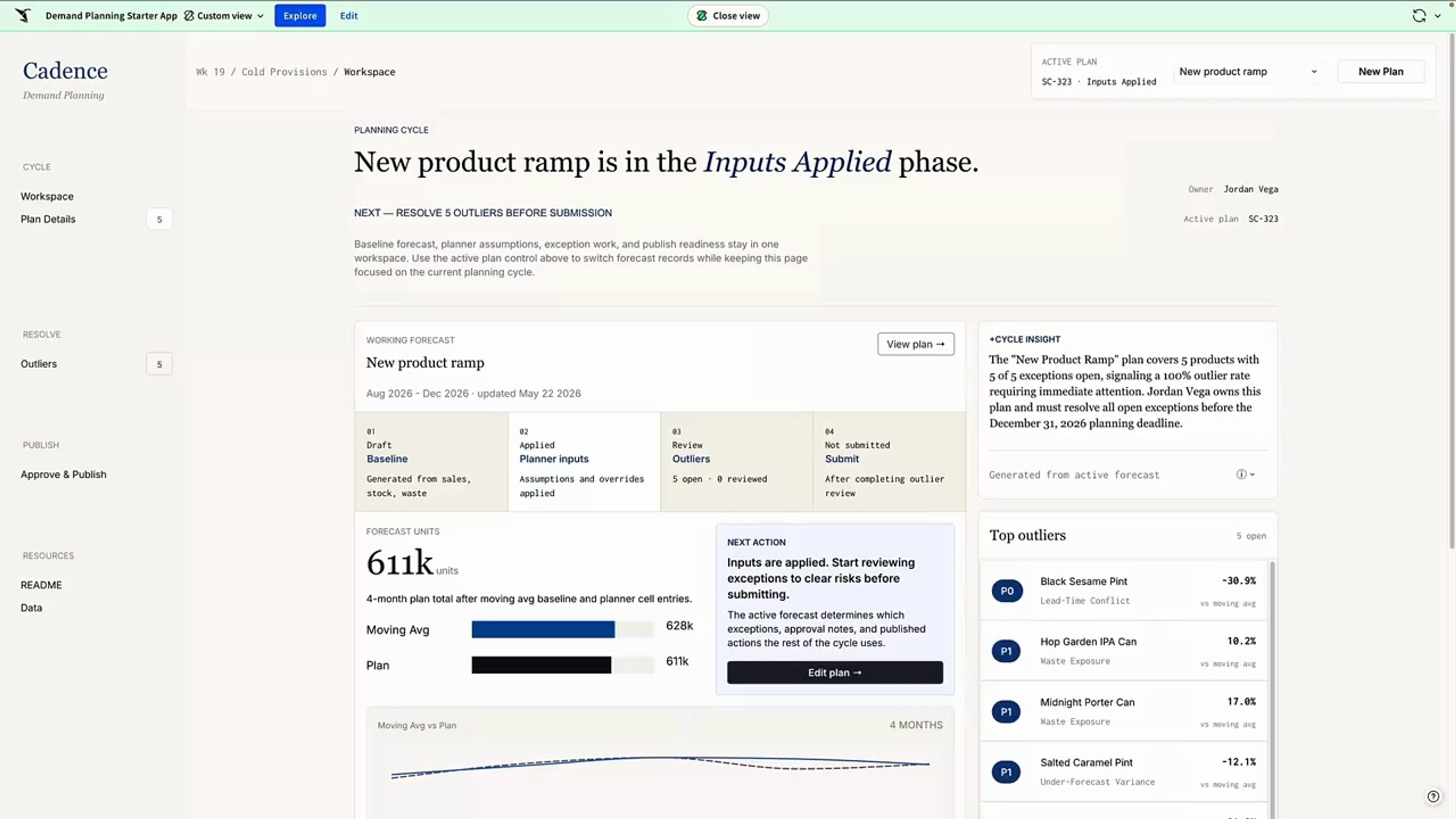
Run demand planning in one workflow, from raw forecast to a published plan, on live data your whole team trusts.
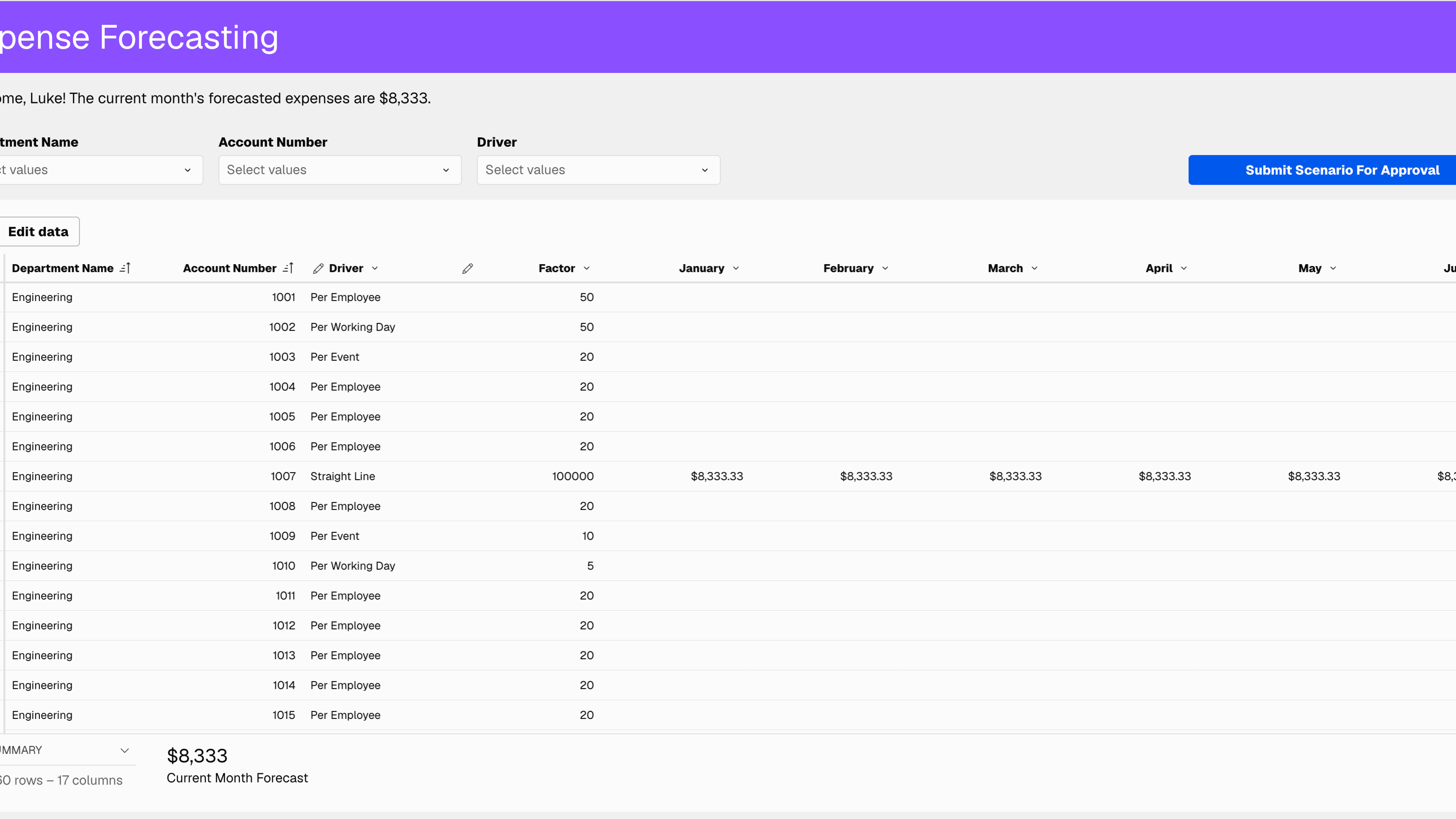
Build dynamic expense forecasts from operational drivers (per employee, per working day, per event). See cascading P&L impact instantly.
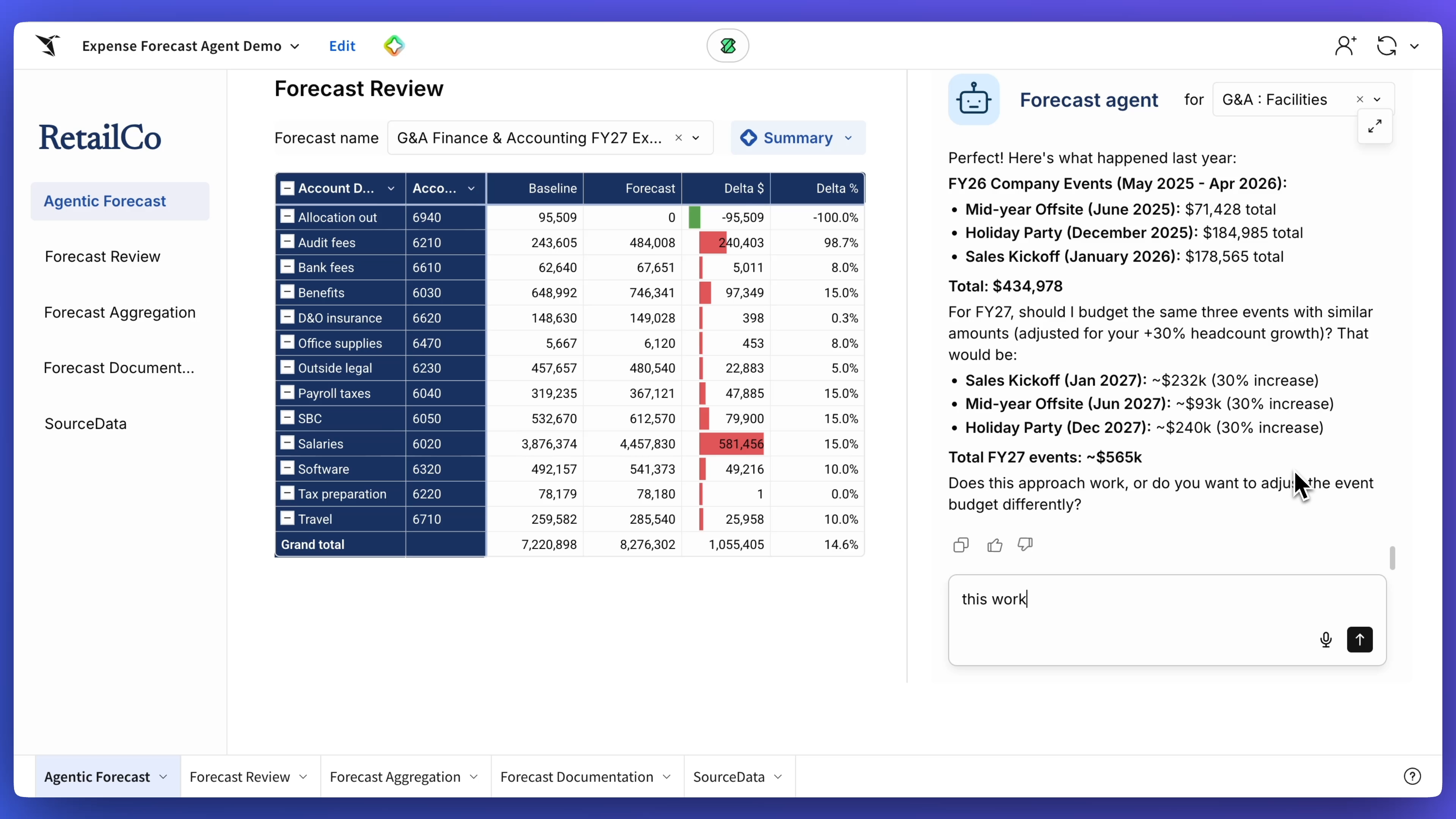
Automate budget forecasting on live data with an expense forecast agent that collects parameters, analyzes historical trends, and generates growth assumptions in one pass. The agent builds the forecast and documents the logic, while the workbook surfaces insights, breakdowns, and approval-ready memos.
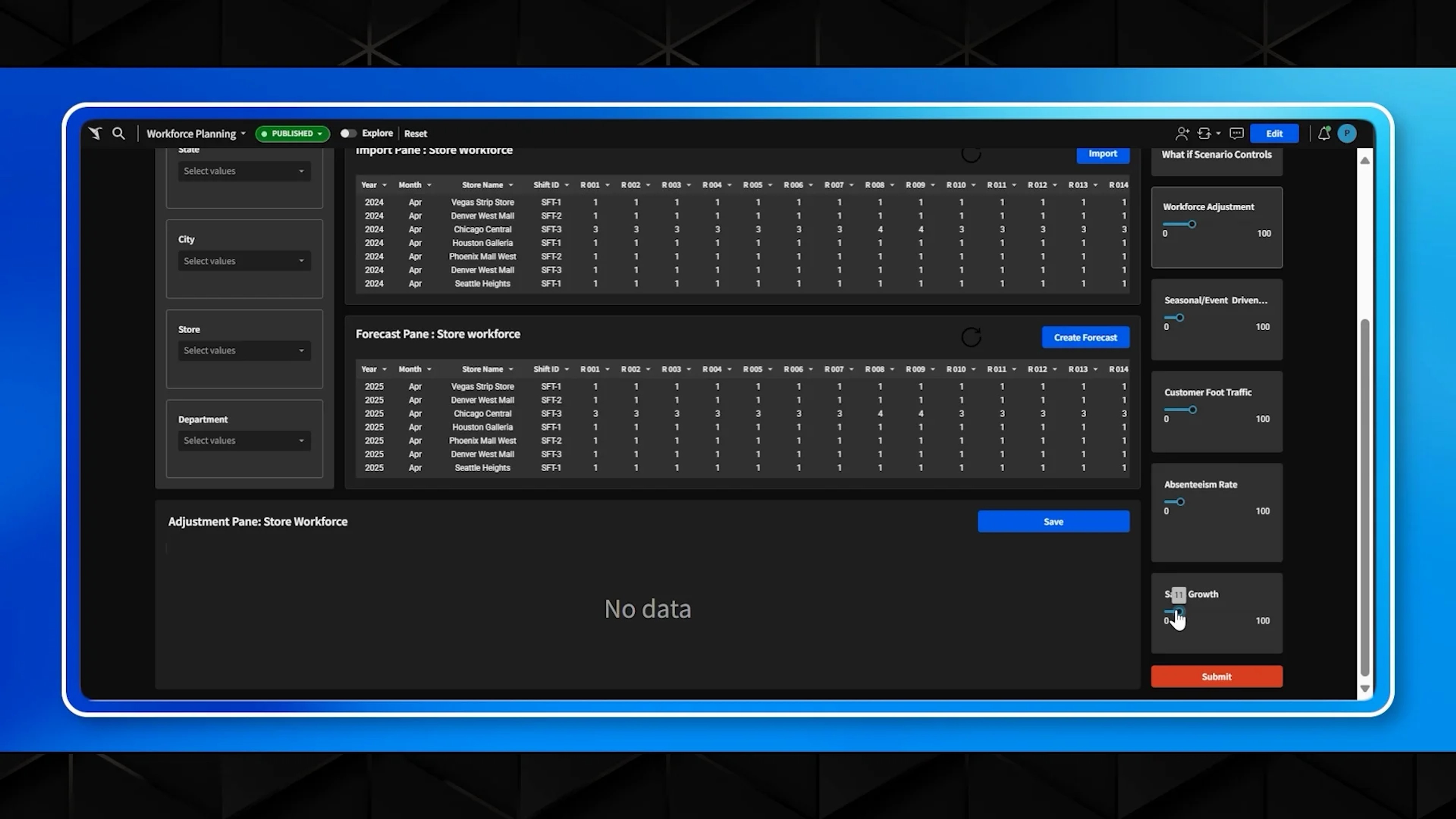
AI/ML workforce demand forecasting. Adapt to traffic fluctuations, seasonal swings, and unplanned events with real-time adjustments.
Change a driver and all 12 periods recalculate, so every scenario stays anchored to the same closed months.
Dashboards that get to the answer
Model every lever on live data
Own your plan in one place
Project tracking you can act on
Reconcile every number in one place
Fix reference data without a ticket
Bring one forecast cycle into Sigma and watch the versions, approvals, and audit trail hold up under review.