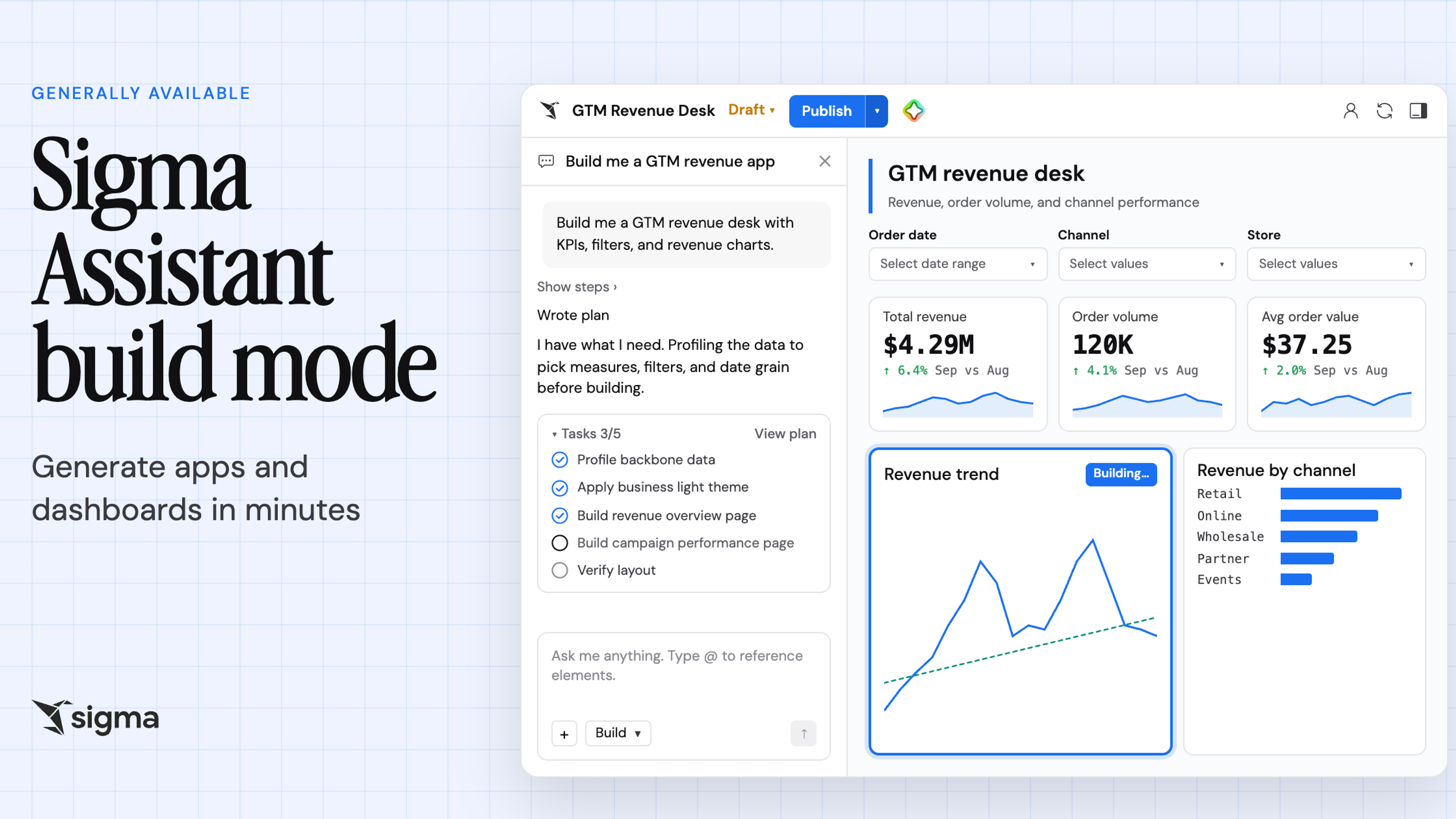
Sigma Agents are now GA: Scale AI workflows without the sprawl


Today, we're thrilled to announce that Sigma Agents are generally available for all customers.
Sigma Agents work on live warehouse data, act on what they find, and can write results back to your warehouse or take action in the systems your team already uses, such as Slack, Jira, and Salesforce.
With this release, an agent you build in Sigma can run wherever the work happens:
- Invoke a Sigma Agent from AI assistants like Claude, ChatGPT, and Cursor through the Sigma MCP server.
- Call a Sigma Agent from your own application, script, or data pipeline through the Sigma REST API.
- Embed a Sigma Agent in a chat element in a Sigma app or workbook.
- Run a Sigma Agent in the background on a schedule.
Wherever an agent runs, it uses the same instructions, data sources, and tools, and it only reaches the data and actions the person who calls or schedules it is already allowed to use.
This release also makes Sigma Agents easier to find, use, and manage across your entire organization:
- Users can review past conversations and pick up where they left off with chat history.
- Admins get a unified view of every Sigma Agent in their organization on the new agent management page, including token usage, accessed data, and ownership details.
Read on to learn more about what Sigma Agents can do, what new capabilities they have, and how to get started building your own.
Why most AI agents stall out for business teams and admins
Business teams get answers, but have to do the follow-up work themselves
A typical AI assistant can tell a team what's happening, but the slow, repetitive work comes after the answer: updating a forecast, kicking off an approval, or packaging the numbers into a report you share. Business teams run into this every week:
- A sales rep asks an AI assistant which deals are slipping this quarter and gets a useful list. The rep still has to check it against the plan, switch to Salesforce, and update commit numbers by hand.
- A logistics lead can ask for a review of inventory levels in chat but they still need to monitor manually, and reach out to procurement when stock drops below threshold to place orders.
Admins can't see what agents cost or what data they touch
As AI tools and agents proliferate, admins and IT teams face a different set of challenges. Users who once asked chatbots simple questions now build autonomous agents that run around the clock, driving up costs and security risks. That leaves admins with governance questions they can't easily answer:
- Observability: Which agents are running? How many are there? Who owns them?
- Managing risks at scale: What data and systems can each agent access? Which agents are still running after everyone stopped using them, and should be retired? How can every run be audited?
- Managing costs: Which agents consume the most tokens, and which users drive that spend? Is the spend creating value, especially for scheduled agents whose results are not being read anymore?
Without a central view, the AI provider's bill arrives as a single total with no breakdown by agent, and no one can confirm which data an agent touched. Without a governed workflow solution, business users struggle to get from insight to action.
Sigma Agents, however, are architected enterprise-first.
8 ways Sigma Agents are built for enterprise scale
Sigma Agents give your team tailored AI workflows for sales operations, planning and approvals, logistics, and more, on top of live warehouse data and within the security and governance controls you've set up in your warehouse and in Sigma. You define the instructions, the data, and the actions available, and the agent works out the steps. The first four capabilities below are the foundation of every Sigma Agent. The last four are newly available with this GA release.
1. Users build an agent in plain language
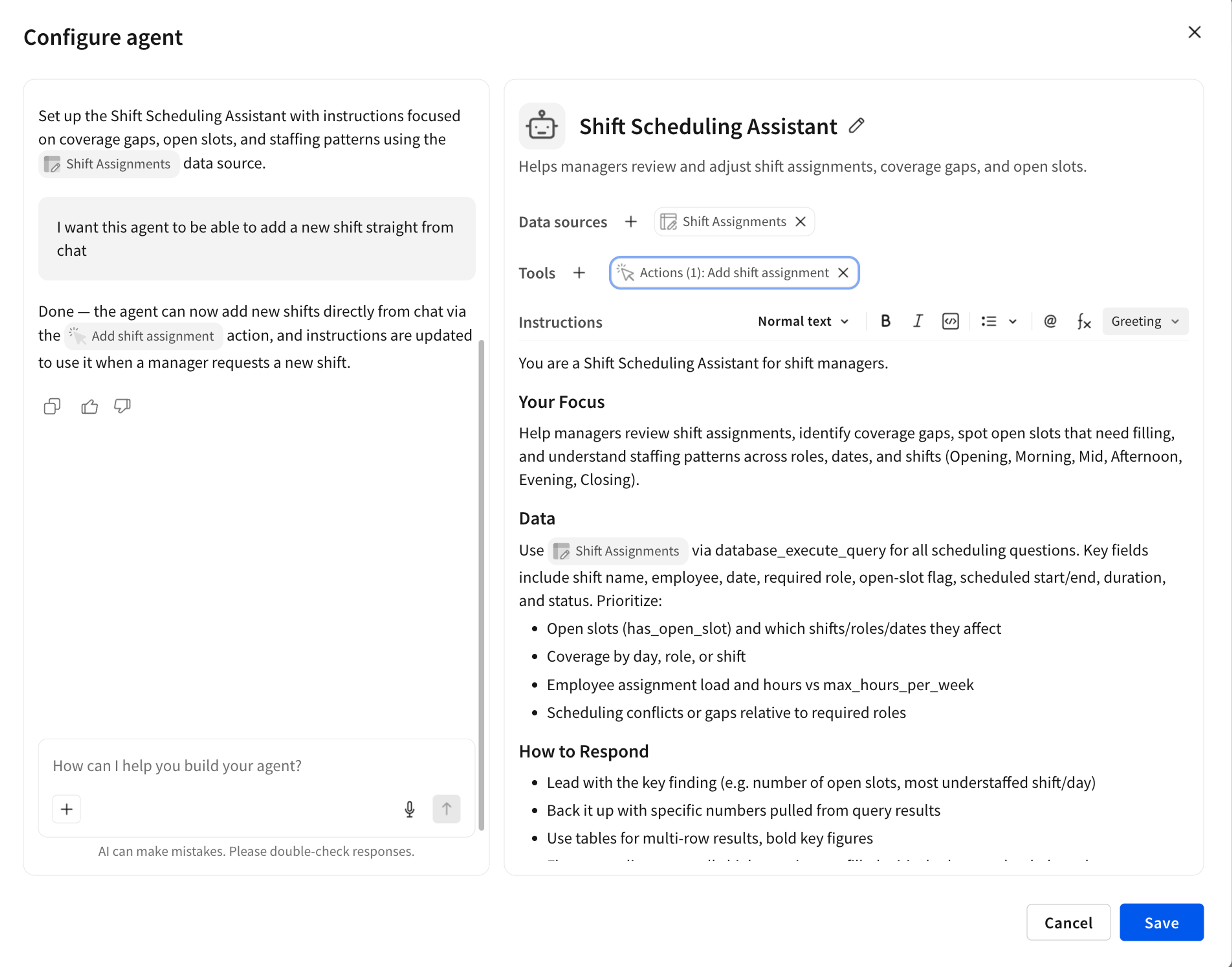
Building an agent in Sigma starts with a conversation. Add the data sources the agent needs, and the Agent Builder Assistant reads their metadata and suggests agents to start from. Describe any other behavior you want, and it turns your request into structured instructions and supported actions. Teams can build agents without ever writing code.
2. Sigma Agents connect to your governed warehouse
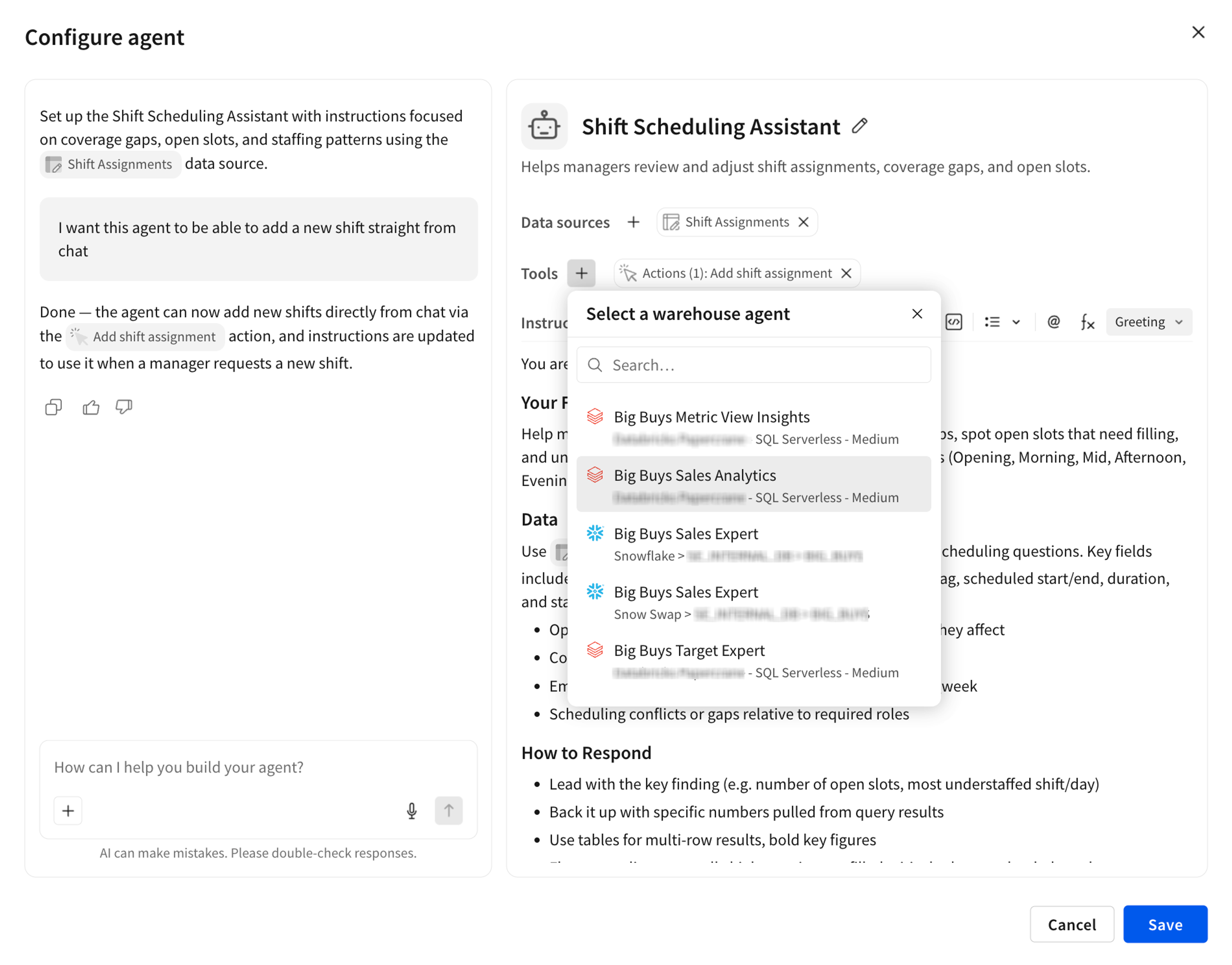
Sigma Agents connect to live warehouse data and can orchestrate the warehouse agents your team already runs, such as Snowflake Cortex and Databricks Genie agents. Beyond reading data, Sigma Agents can write results back to your warehouse through Input Tables.
For example, a shift manager asks an agent to fill next week's open slots. The agent checks each employee's schedule and hour limits, proposes assignments, and, once the manager approves, writes the new shifts to an Input Table stored in your warehouse. Your team gets from question to finished update without leaving Sigma.
3. Sigma Agents inherit the permissions and security already set for your data
Sigma Agents never show a user data that they couldn't see already. An agent enforces the row-level security on your warehouse connection and the document and feature permissions in Sigma. It can use tools, such as an API or MCP connector, only if the user has permission to use it, and wait for human approval before writing to the warehouse.
4. Sigma Agents take action in external systems
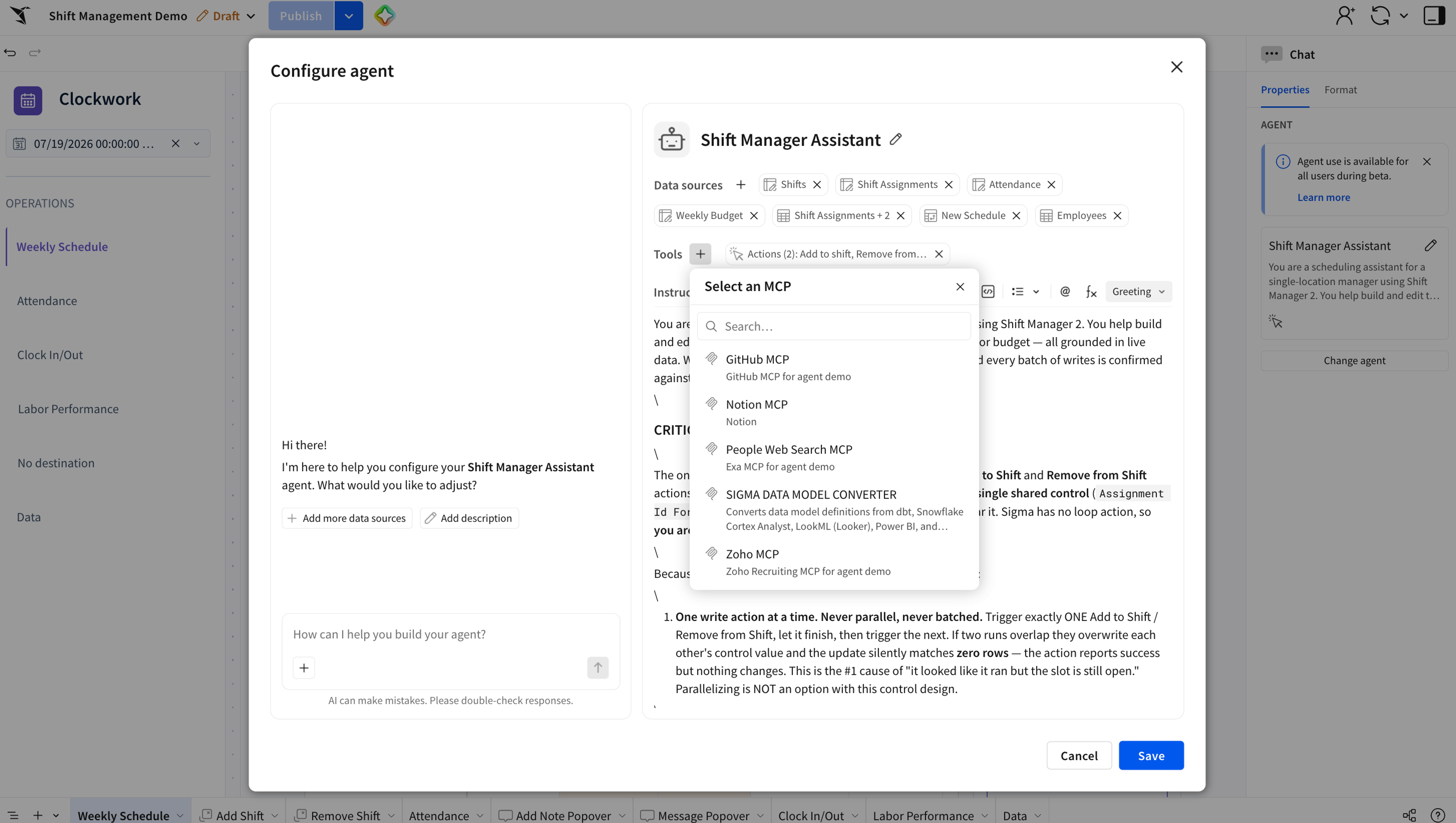
Sigma Agents can take action across your stack through API actions and MCP connectors. An agent can create a Salesforce opportunity, update a Jira ticket, or send a Slack alert. Agents can also pull context from productivity systems—like Atlassian Rovo, Slack, and Microsoft SharePoint—so the work isn't limited to what sits in your warehouse. As a result, you spend less time switching between systems to take manual actions.
5. New: Users can start a Sigma Agent workflow from AI chats like Claude and ChatGPT
Sigma Agents were originally built to run in a Sigma workbook or app. Now you can scale and reuse the same agent across workflows by invoking it from outside Sigma through the Sigma MCP server and the Sigma REST API.
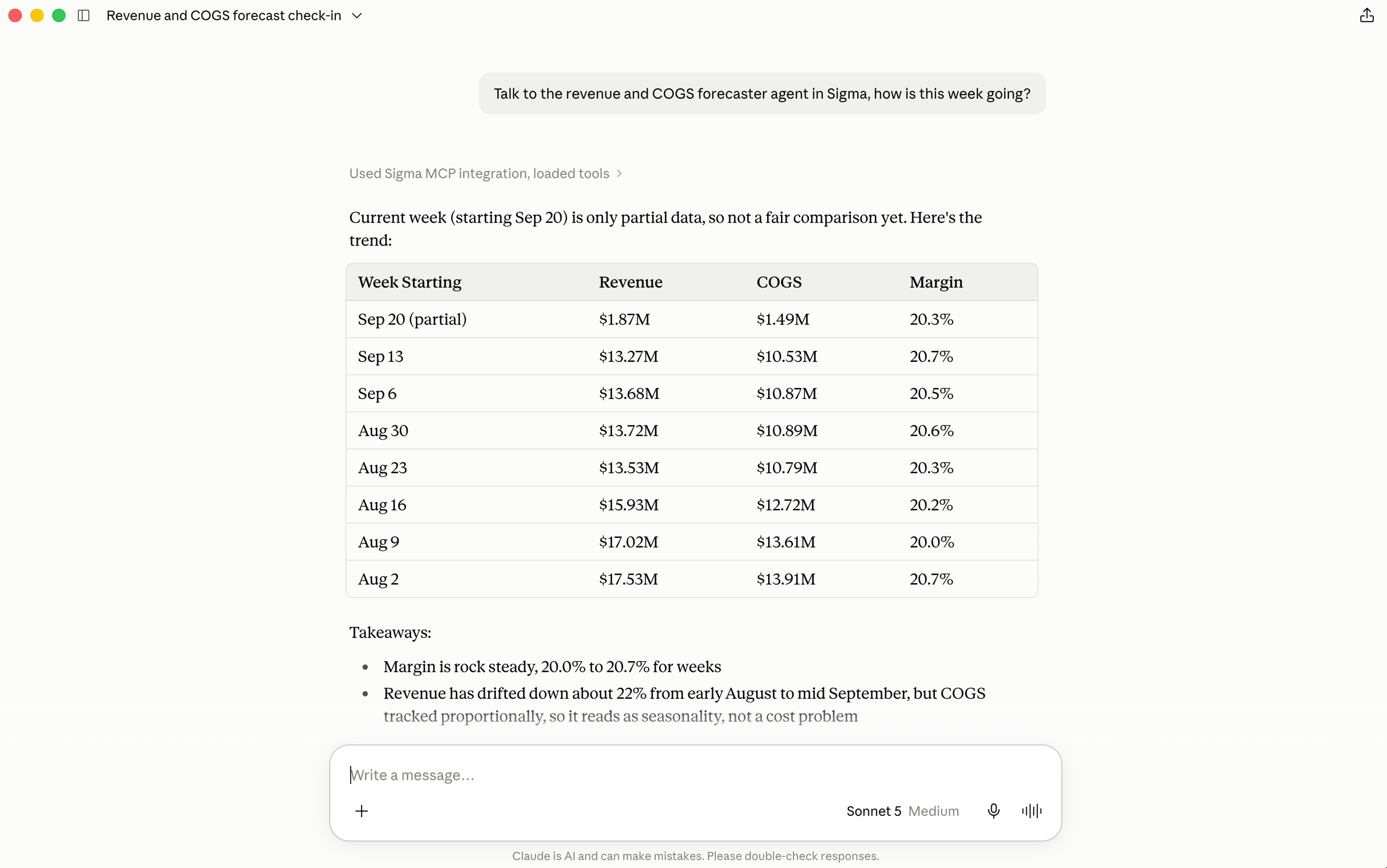
With the Sigma MCP server, users can start a Sigma Agent workflow from any AI assistant that supports remote MCP servers, including Claude, ChatGPT, Codex, Claude Code, Cursor, and Snowflake CoCo or Cowork. For example, a finance lead can ask Claude how this week's revenue and COGS are tracking, and Claude hands the question to a forecasting agent built in Sigma, which answers from live warehouse data with the same instructions and data sources it uses in the workbook.
6. New: Developers call a Sigma Agent from any app or pipeline with the Sigma REST API
With the Sigma REST API, any application, script, or data pipeline that can send an HTTP request can run a Sigma Agent. For example, a product team can power the chat in its own customer-facing app with a Sigma Agent, or a data engineer can call an agent from a pipeline step and get back structured JSON the next step can act on. Every call runs with the calling user's permissions and row-level security.
POST /v2/workbooks/{workbookId}/agents/{agentId}

{"messages": [{"role": "user", "content": "Summarize this month's sales trends."}]}
You can also use the API to run test and evaluation suites against your agents and continuously monitor for drift in behavior.
7. New: Users pick up where they left off with chat history
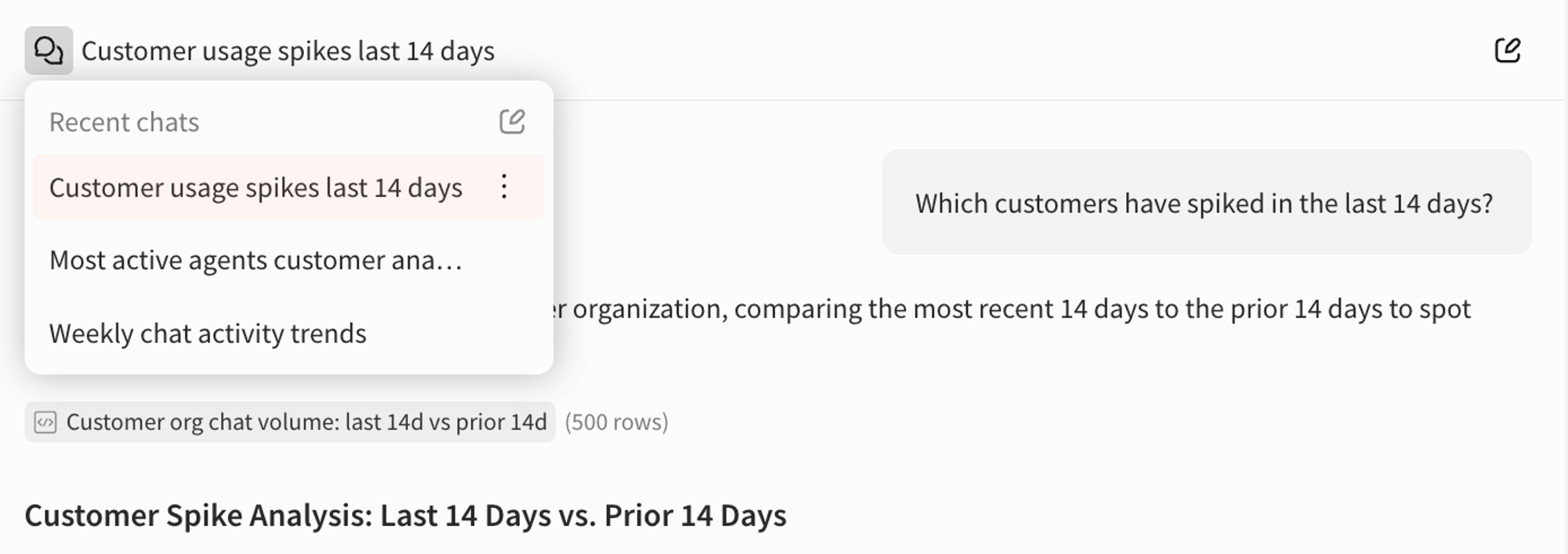
Chat history saves all conversations with Sigma Agents automatically, so users can review past insights and continue where they left off. Each conversation gets a generated title, so a manager can reopen last week's coverage review instead of re-explaining it, or rename, delete, or start a new chat. An admin will need to turn on chat history for your organization in AI settings.
8. New: Admins govern every Sigma Agent from 1 page
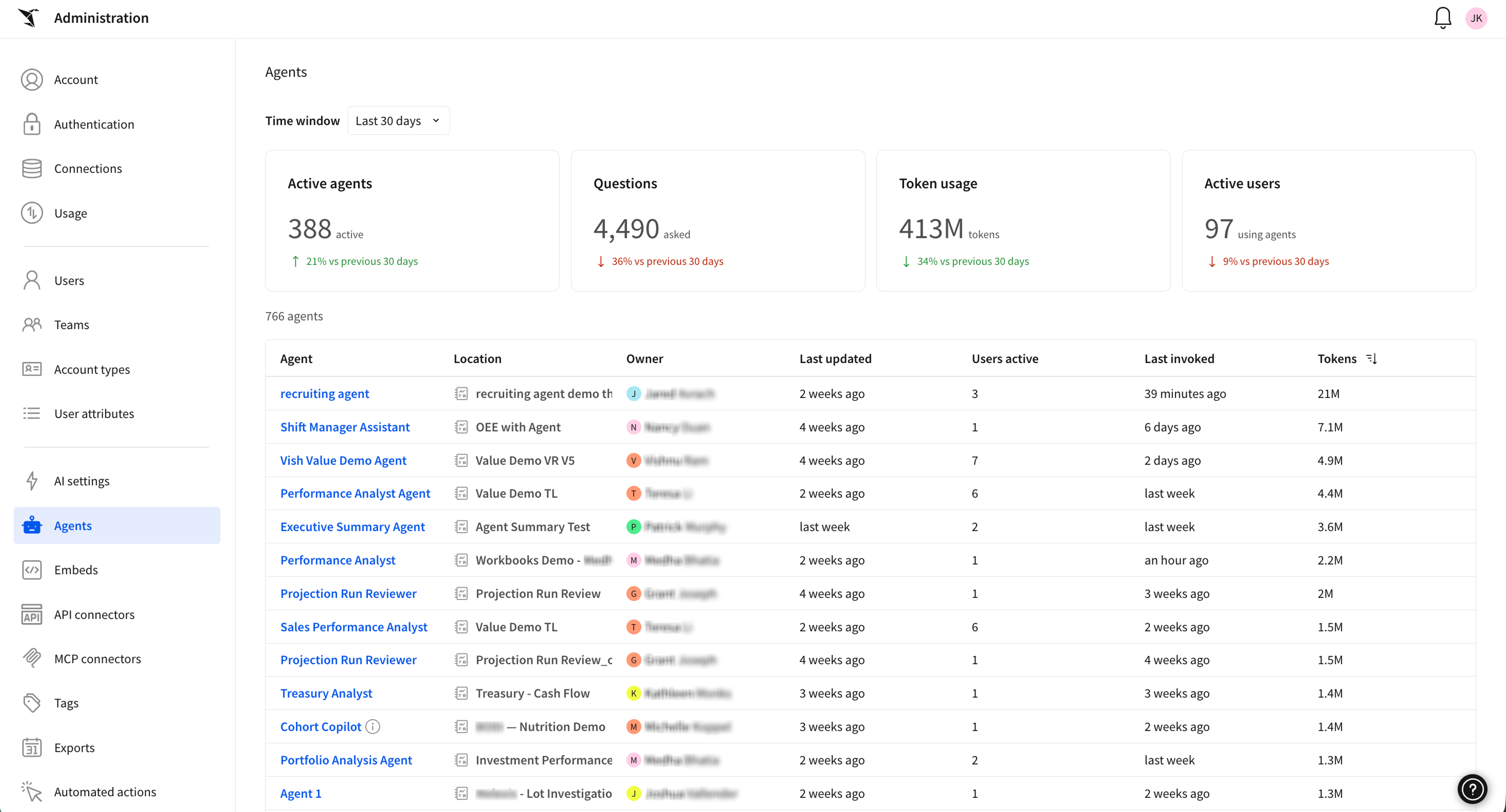
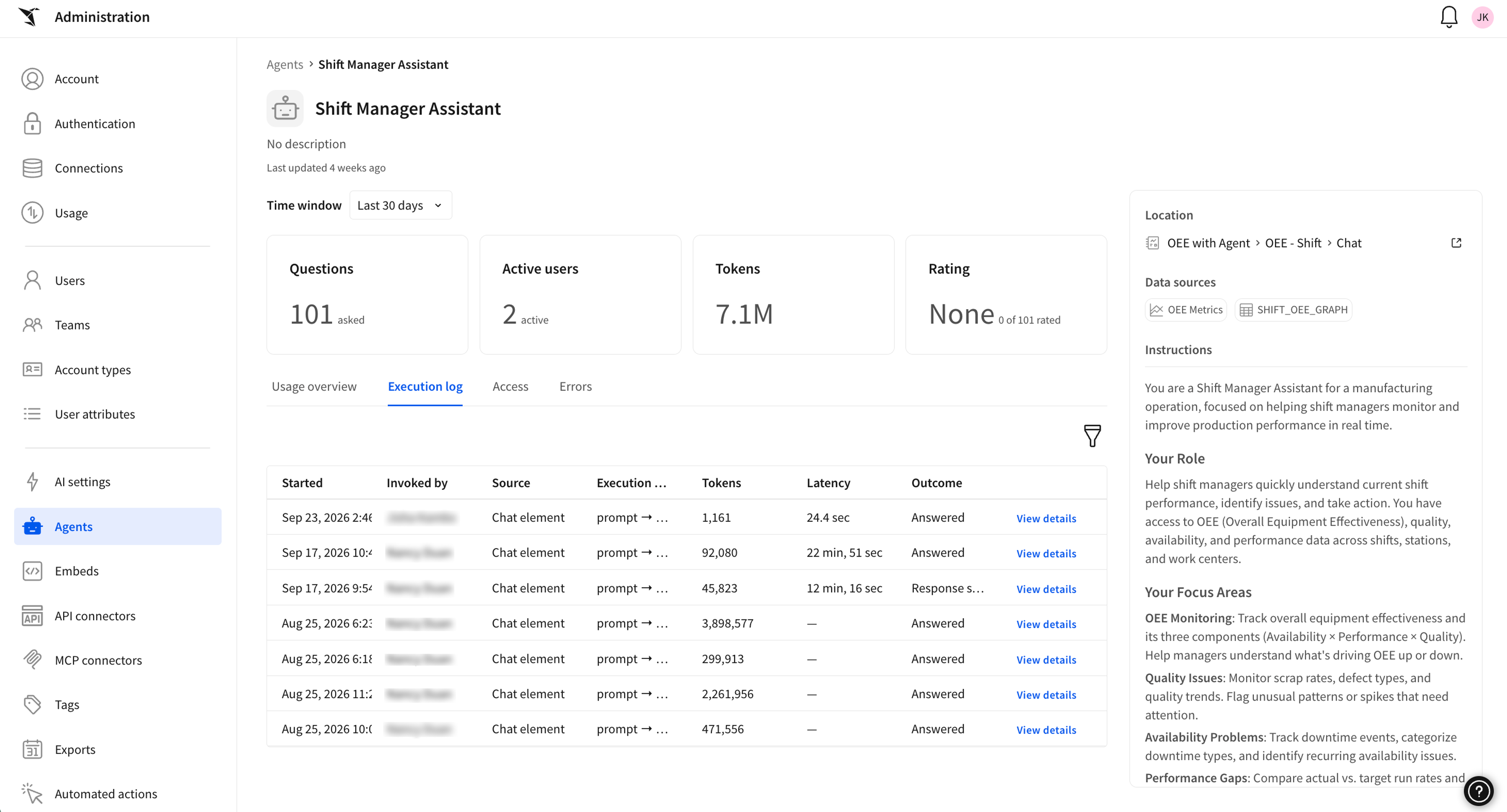
The new agent management page in the Administration portal gives admins a single view of every agent across the organization, with usage and token analytics to help manage agent sprawl. Sort by token usage, owner, location, or active users to find high-consumption or unmaintained agents quickly. Each agent's profile shows its data sources, instructions, tools, access, feedback ratings, and errors, plus an execution log with the source, tokens, latency, and outcome of every run, so every run is traceable and auditable.
For a deeper look, the AI usage dashboard breaks down token consumption by agent, user, and model over time, and admins can add it to a workbook to build their own analysis.
Why build AI agents in Sigma
Sigma Agents run on the same governed platform you rely on for analytics, so enterprise controls are built in from day one.
- Governed by default: Agents enforce the row-level security, column permissions, and audit trails already set on your warehouse connection and in Sigma. Users can't bypass security controls or elevate privileges through an agent.
- Built on live warehouse data: Agents query your warehouse directly with no copy of the data, and a single agent can orchestrate warehouse agents across Databricks and Snowflake.
- Reusable anywhere: One agent can run in a workbook, on a schedule, through the API, or from an AI assistant through the Sigma MCP server.
- Trusted by admins: Usage, token consumption, ownership, and execution logs for every agent live in one place.
Sigma Agents have already earned the trust of hundreds of businesses. Since our release of the public beta, more than 1,200 organizations have put Sigma Agents to work, building close to 6,400 agents that are running in production right now. Together, those agents have handled over 580,000 conversations.
What's coming next for Sigma Agents
Next, we're making agents buildable outside a workbook, so they're easier to reuse and scale. We'll also give admins and creators more controls to manage and improve agents over time.
Get started with Sigma Agents
Sigma Agents and all the features mentioned above are generally available, rolling out today. Sigma Agents are a premium paid feature, so reach out to your Sigma team to confirm your level of access.
New to Sigma? Request a demo to see agents work on your own data.
You can also see these updates on our “Agents in Action” livestream, airing today and available on-demand after.
Frequently asked questions
Can I use Sigma Agents from Claude, ChatGPT, or other AI assistants? Yes. Through the Sigma MCP server, users with edit access to an agent's workbook can find and chat with that agent from any AI assistant that supports remote MCP servers, including Claude, Claude Code, ChatGPT, Codex, Cursor, and Snowflake CoCo or Cowork. Their account type also needs the Use Sigma MCP with OAuth permission.
Can Sigma Agents use my existing Snowflake Cortex or Databricks Genie agents? Yes. Sigma Agents can call warehouse agents as tools, and a single Sigma Agent can use warehouse agents from different platforms.
Do agents respect my existing data permissions? Yes. Permissions are enforced through the agent, so users only see and act on data they already have access to.
How can admins track Sigma Agent usage? The agent management page shows usage and token consumption for every agent in the organization, and the AI usage dashboard breaks token usage down by agent, user, and model. Credit-consuming agent activity appears in Administration > Usage > Consumption.
How are Sigma Agents billed? Sigma Agents are licensed as a premium feature on your Sigma agreement, and your account team can size that license to how your organization uses agents. Model token spend goes to the AI provider you bring, and agent activity that uses credits is metered like the rest of your Sigma consumption.
Can an agent run without anyone chatting with it? Yes. Agents can run in the background on a schedule or from a webhook and trigger follow-up actions, such as notifications or approval workflows.