The Sigma plugin is live for ChatGPT Work and Codex


We’re excited to share that the Sigma plugin is now available for ChatGPT Work and Codex, and is part of OpenAI’s new Data agent for ChatGPT Work.
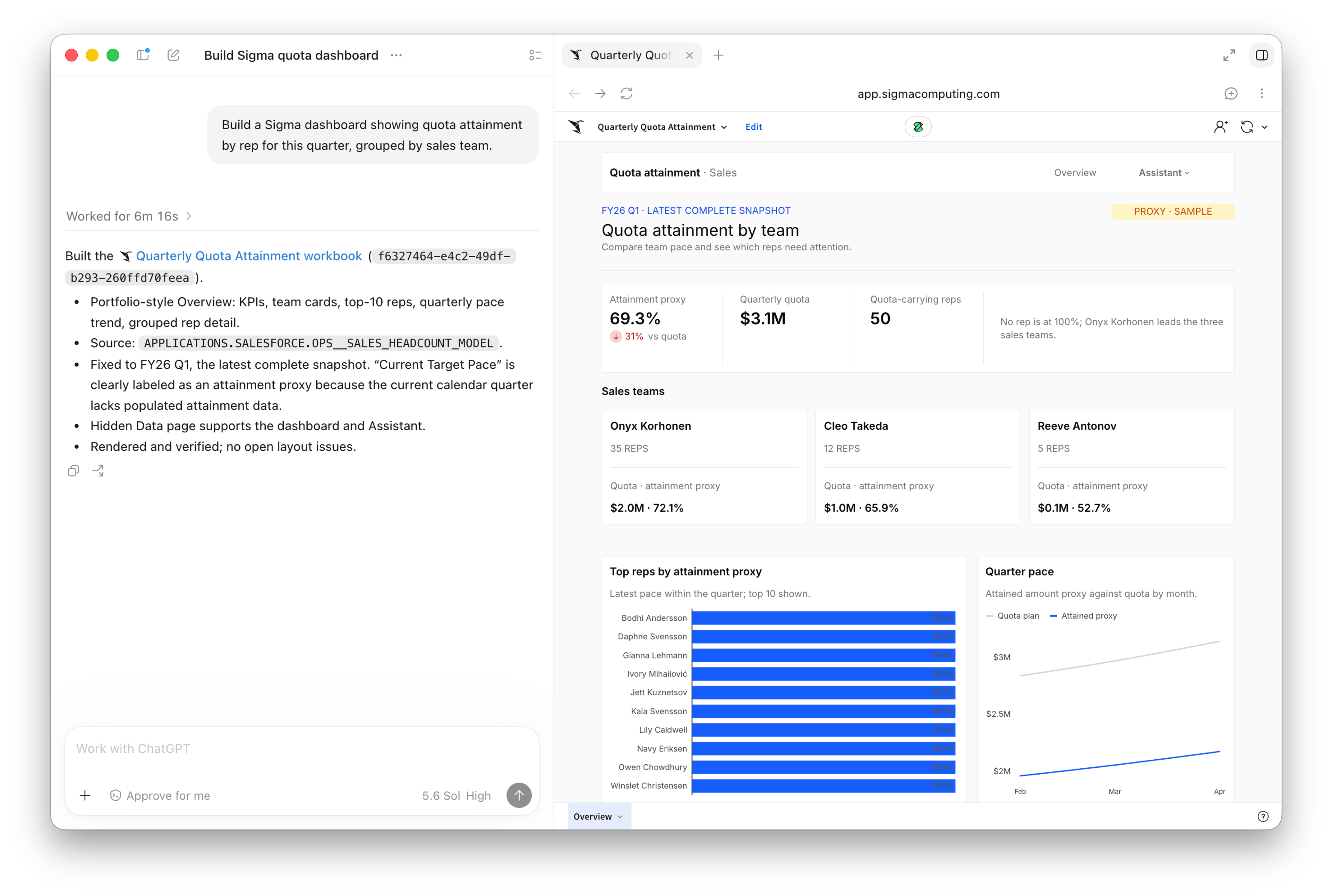
You can now use the Data agent via ChatGPT to receive answers from Sigma in response to data questions, or even build interactive dashboards in Sigma from a prompt in the ChatGPT interface.
This update builds on the existing Sigma plugin, which allows users to query, search, and explore data from Sigma—with the benefit of additional context and governance from Sigma—directly in ChatGPT Work conversations.
The updated plugin adds the ability to build a fully interactive dashboard in Sigma straight from a ChatGPT prompt. This means employees can drill deeper into governed data, design and publish a dashboard, and easily share insights with teams. The plugin inherits Sigma’s governance and permission settings, so you never have to worry about data access.
The Sigma plugin is available today for ChatGPT Work, and Codex to all enterprise OpenAI customers with Sigma Act, Analyze, or Build licenses. The Sigma plugin is also available via the Data agent in the ChatGPT Work Marketplace.
Now everyone can put data to work
ChatGPT revolutionized how business teams interact with data, and lowered the bar to performing advanced data analysis. At the same time, it’s crucial for every business to make sure that data analysis remains secure, governed, and accurate—and that’s exactly what ChatGPT Work and Sigma provide together.
It starts with curiosity. Anyone with a paid Sigma license can ask a data question in ChatGPT Work or Codex, and get an answer built from the metrics and workbooks their company already trusts. With another prompt they can turn that answer into an interactive dashboard, complete with custom branding and additional controls to filter, publish, and share the dashboard.
This workflow covers the everyday requests that used to start with a ticket:
- A product manager preparing a product adoption review
- An operations leader analyzing revenue, churn, and net revenue retention
- A regional sales manager standing up a live view of quota attainment by rep
With the Sigma plugin in ChatGPT, building those dashboards is as easy as hitting “enter.”
“Connecting Sigma to the Data agent in ChatGPT Work gives teams a conversational way to build on their existing metrics and workbooks. That helps more people understand what’s happening in their business and decide where to focus next.”- Arpan Shah, General Manager, Technology Vertical, OpenAI
How the Sigma plugin in ChatGPT builds a customized, interactive dashboard
The whole flow runs inside the ChatGPT Work or Codex interface, from the first question to a published dashboard in Sigma.
1. Ask a question and get a dashboard
Ask a business question in plain language. Sigma finds the relevant data and builds an interactive dashboard, styled to match your company's brand.
2. Refine it in the same conversation
Adjust chart types, colors, and layout by describing what you want changed, without leaving the chat or starting over.
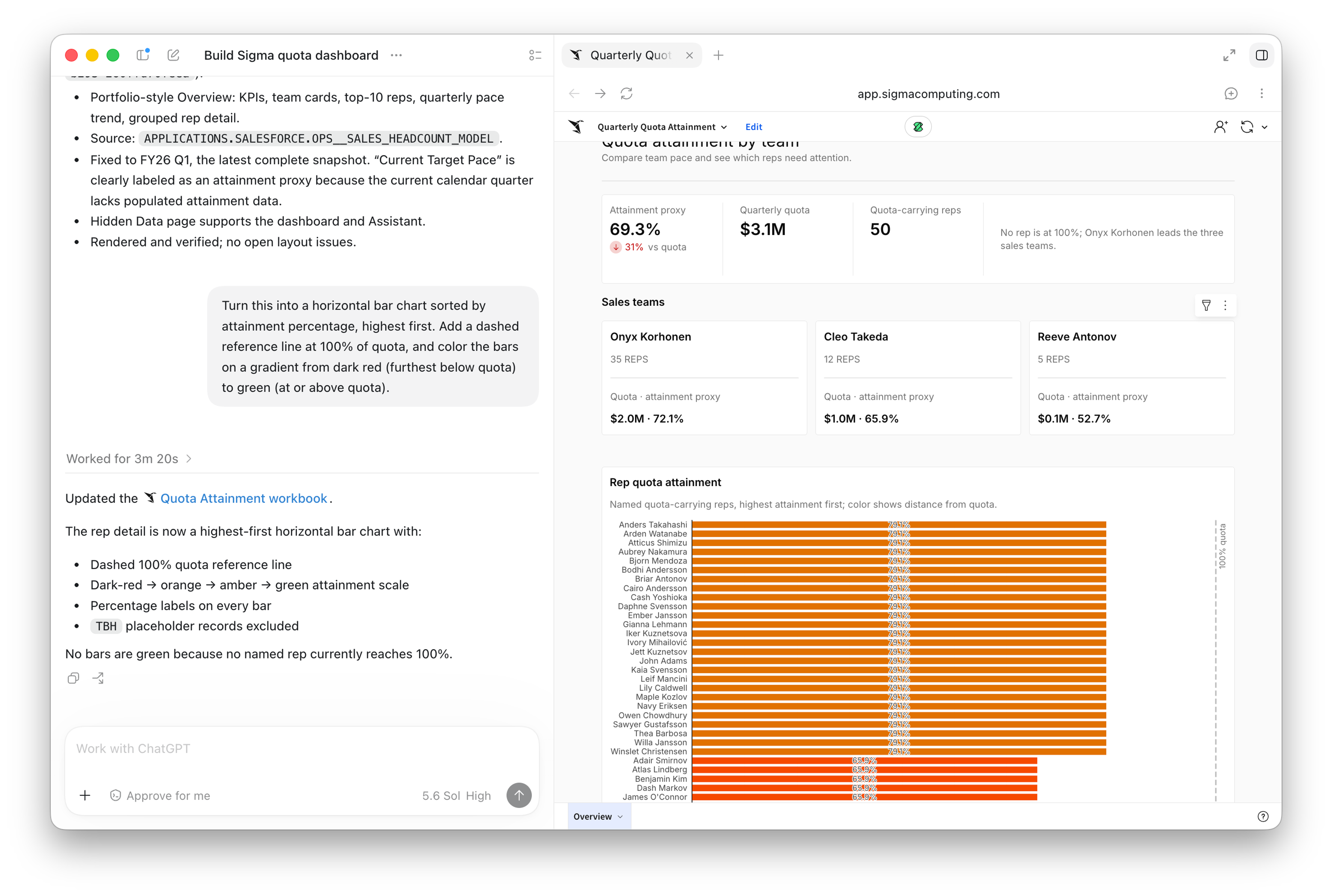
3. Add filters that make it useful
Add date ranges, segments, or other controls so the dashboard supports repeat analysis rather than a single snapshot.
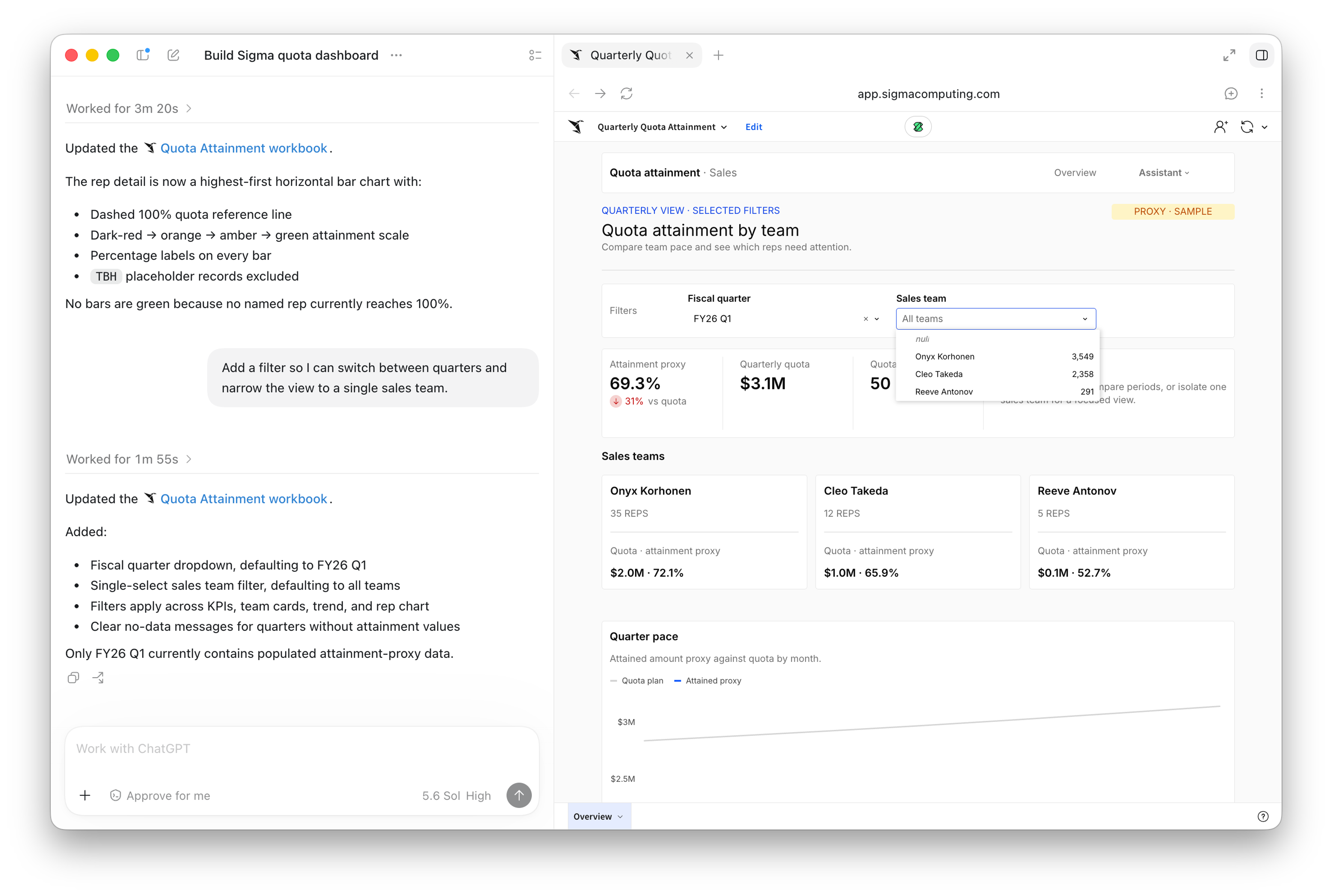
4. Publish it, governed by default
When the dashboard is ready, publish it straight to Sigma, where it runs on live data with your existing account permissions applied.
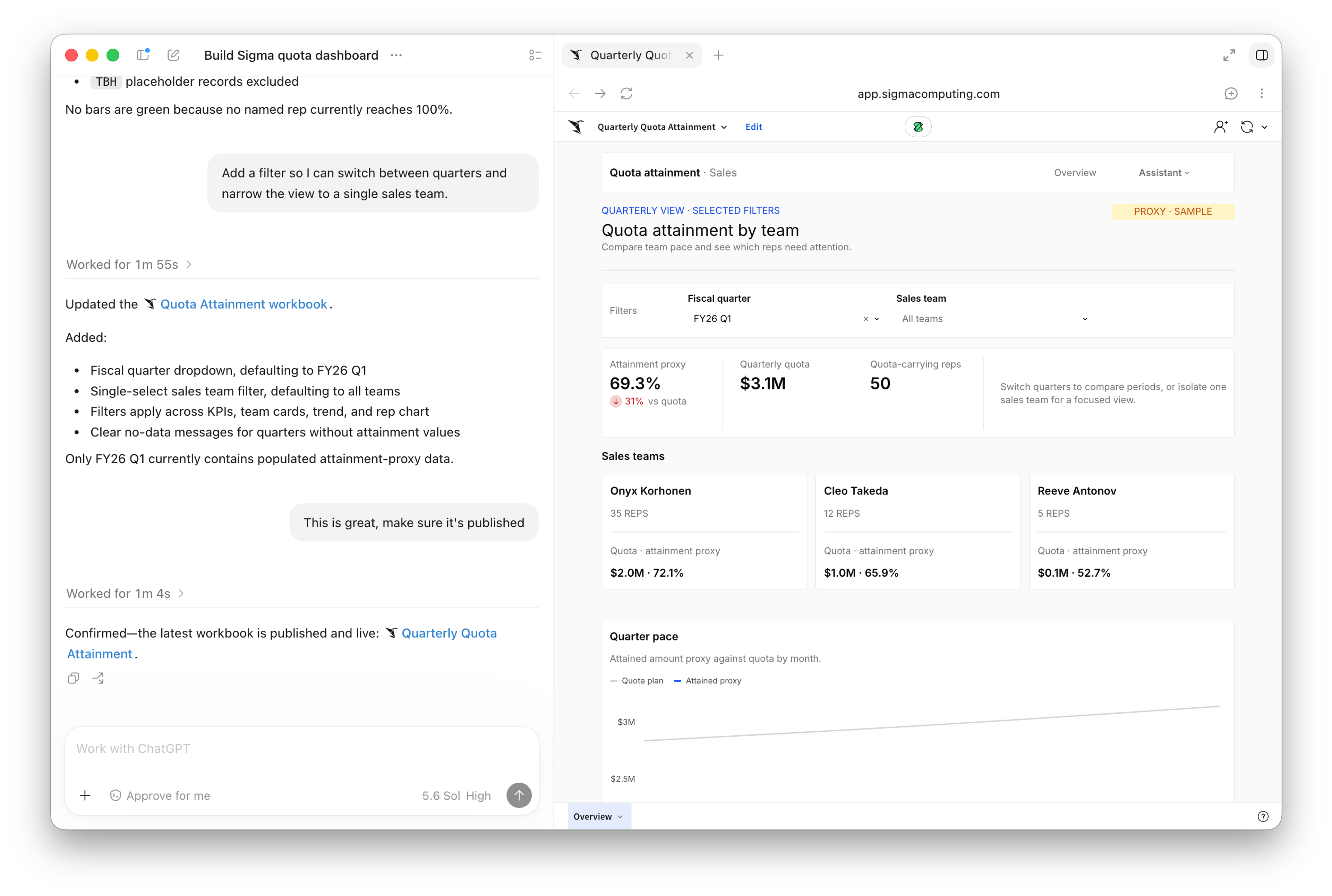
Why build the dashboard in Sigma?
Sigma runs directly against your data platform: no extracts, no cached copies, no separate security model to keep in sync. When ChatGPT Work builds a dashboard through Sigma, it inherits the same governance, the same metric definitions, and the same live data as anything built inside Sigma itself. You can share and authenticate access to the dashboard while retaining peace of mind that each user only sees the data they’re allowed to see.
That's what keeps “everyone can build a dashboard” from turning into another version of shadow IT.
Start building dashboards from ChatGPT Work
Existing Sigma customers have two ways to activate the workflow, depending on where your team works:
- In ChatGPT Work, Sigma is included in OpenAI's Data agent. If a workspace admin has already enabled the Data agent, Sigma is there.
- In ChatGPT or Codex, search for Sigma in ChatGPT's plugin directory and connect. The Sigma plugin is also listed through the Data agent in the ChatGPT Marketplace.
Either way, sign in with your existing Sigma account. An Act, Analyze, or Build license and the permissions attached to it carry over, the same way they do with the Sigma MCP server.
The dashboard building capabilities are available to Sigma users with the Build license, while the ask and query capabilities are available to all Sigma users. Learn more about using the Sigma plugin for ChatGPT in the Sigma documentation.
New to Sigma? Request a demo to see the plugin build a dashboard on your own data.
Frequently asked questions
What's different from the Sigma plugin I've been using in ChatGPT? Dashboard building. Search, exploration, and question-answering already worked. The update adds the ability to go from a question to a full interactive dashboard, then refine, filter, and publish it.
Do I need a specific ChatGPT plan? Yes. This capability ships as part of OpenAI's Data agent update in ChatGPT Work, which requires a ChatGPT business, enterprise, or education workspace.
Does my data leave Sigma's governance boundary? No. Permissions inherit from your existing Sigma account, so nothing bypasses the access controls already set on your connections, data models, and workbooks.
What data can the plugin use? Anything you already have access to in Sigma: connections, data models, and workbooks where you have at least “Can view” or “Can use” permission.
Can I keep editing the dashboard in Sigma after I publish it from ChatGPT? Yes. A dashboard published from ChatGPT is a full Sigma workbook. Open it in Sigma any time to keep building.