How we rebuilt Sigma’s AI agent to be cheaper and faster for customers


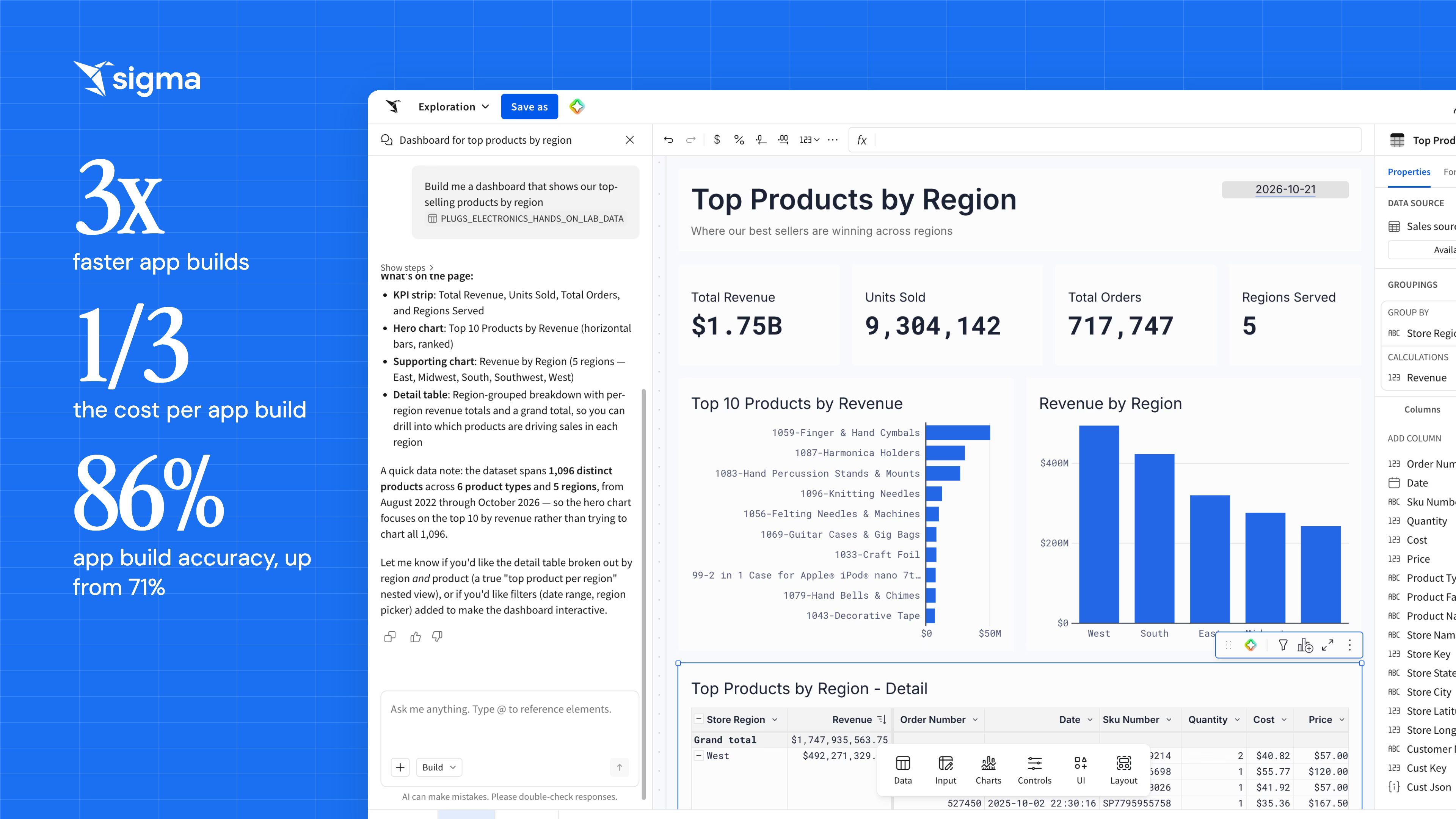
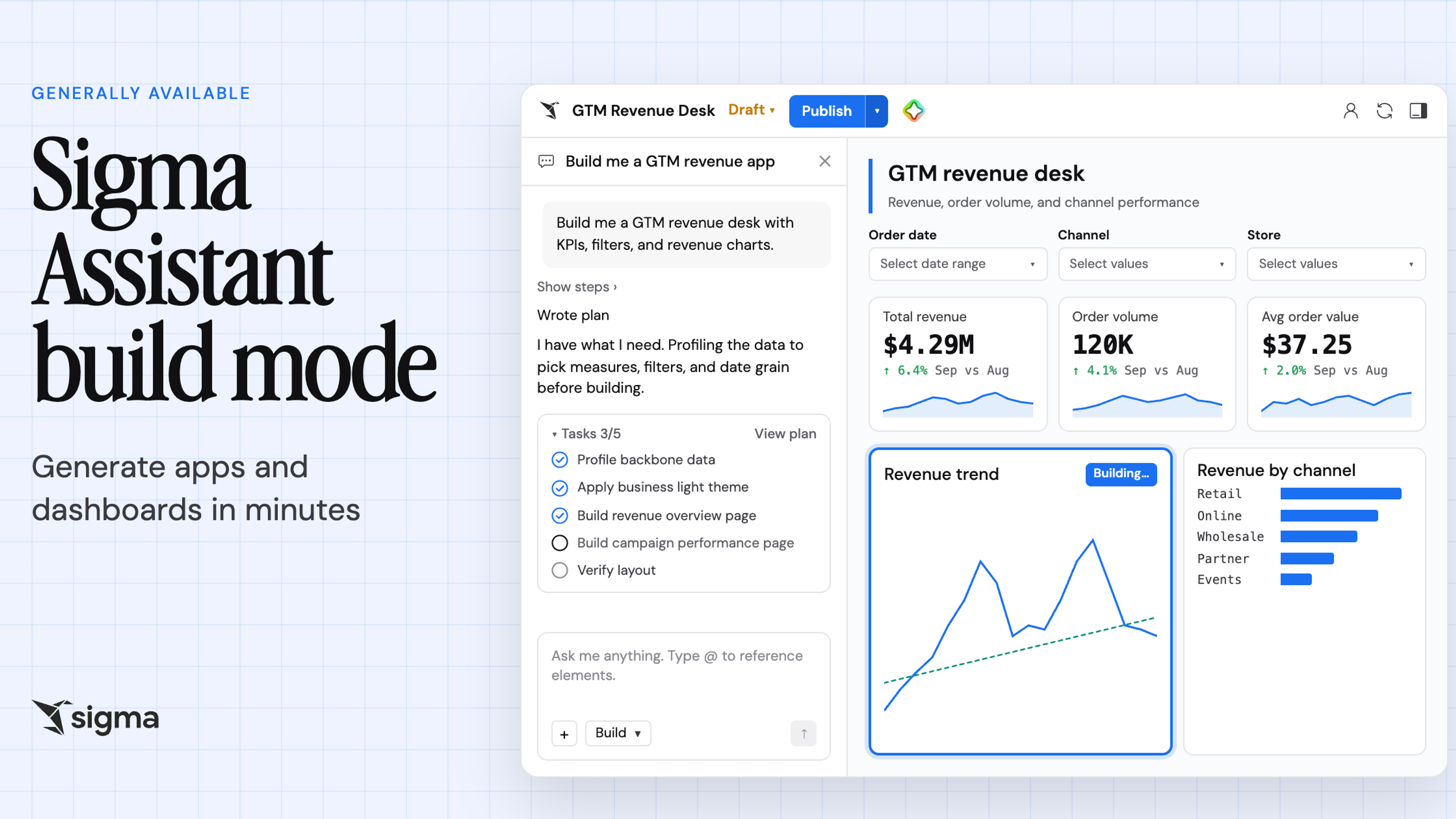
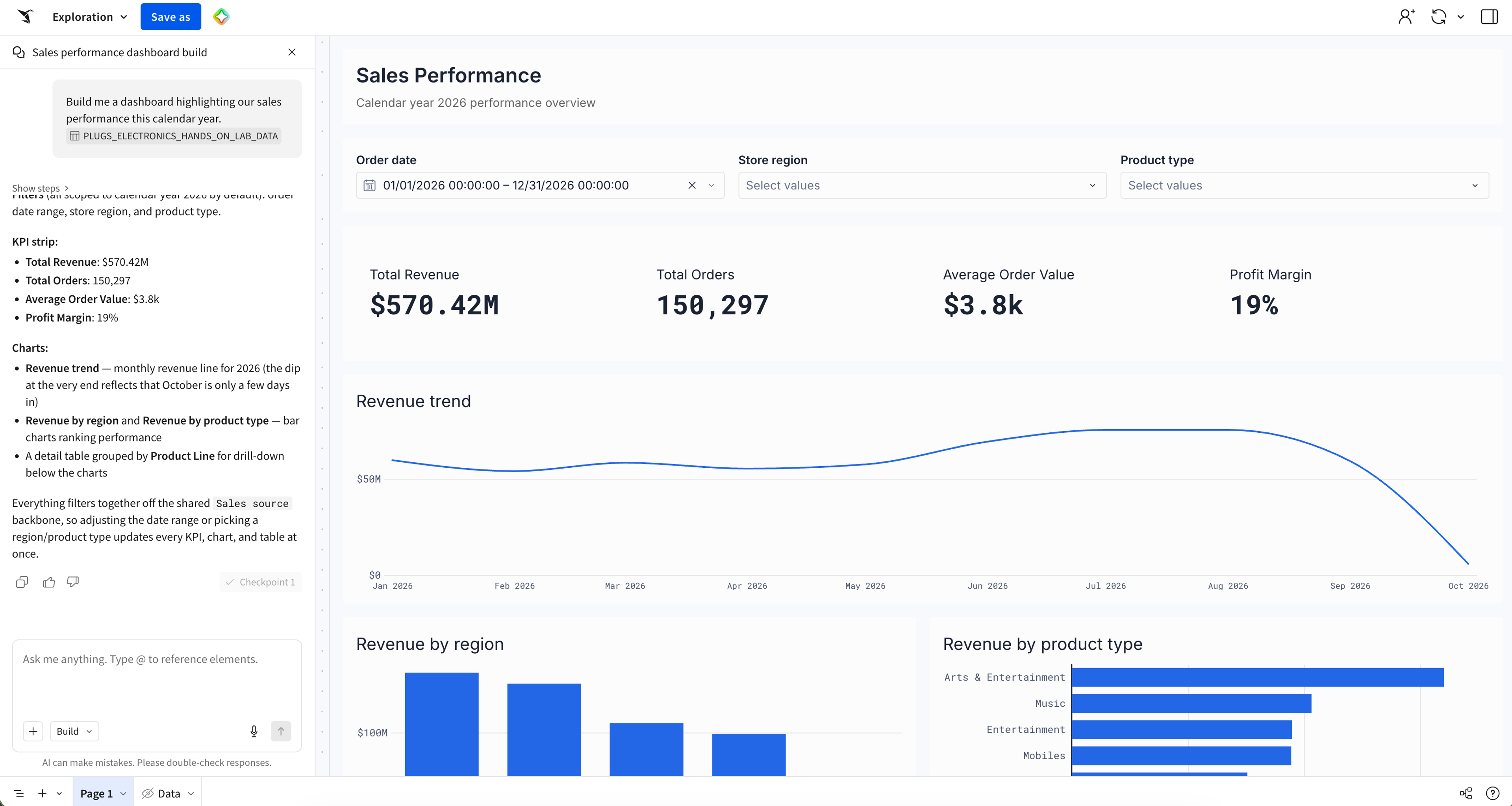
Sigma Assistant is an AI agent with a chat interface that helps our customers analyze data and build Sigma workbooks—canvases for data, writeback, and actions—all through natural language. We recently launched an entirely new version of Sigma Assistant’s build mode as part of its general availability release. Previously, build mode was an orchestrator that delegated work to a hierarchy of specialized subagents. The biggest change is that it’s now a coding agent that builds and edits workbooks by writing Python against a typed SDK. In our internal building evaluation, which covers a range of incremental edit functionality and app building across 130 tasks in 30 suites, the new agent completed app builds in a third of the time at a third of the cost, and its accuracy on those builds rose from 71% to 86%.
The result is faster, cheaper, more accurate, and more visually polished builds. Because Sigma Assistant runs on the AI provider each organization configures, lower build costs mean lower token spend for our customers. Read on for why we moved build mode to a coding agent, how the two versions compare, and the five design principles behind the new agent and its SDK.
Sigma Assistant: From delegated subagents to a dedicated coding agent
The biggest decision we made was rearchitecting build mode to be a coding agent. To explain why, we’ll start with how the previous build agent worked.
The previous build agent was an orchestrator that relied heavily on a hierarchy of specialized subagents. To build an application such as a dashboard, it would first search data sources, execute queries, and read pages, elements and documentation. To make changes to a workbook, it mostly wrote short plain-English instructions, delegating to subagents to generate charts, input tables, formulas, and other complex workbook elements. Each subagent saw only its own request and a prompt-tuned instruction set for producing a proprietary representation of a workbook element, such as a bar chart, a Sigma formula, or a table’s column formatting. It was the orchestrator’s responsibility to compress context according to user intent and piece together the results of these subagents to learn what had been built.
Let’s take an example of a fairly complex user prompt that requires many modifications to a table:
“On this table, add a column 'Share of units' showing each Product Family's share of the total Quantity across all product families. Filter to the last 12 months. Highlight Share of units in bold red when below 0.05.”
The previous build agent handled it through the following sequence of subagents:
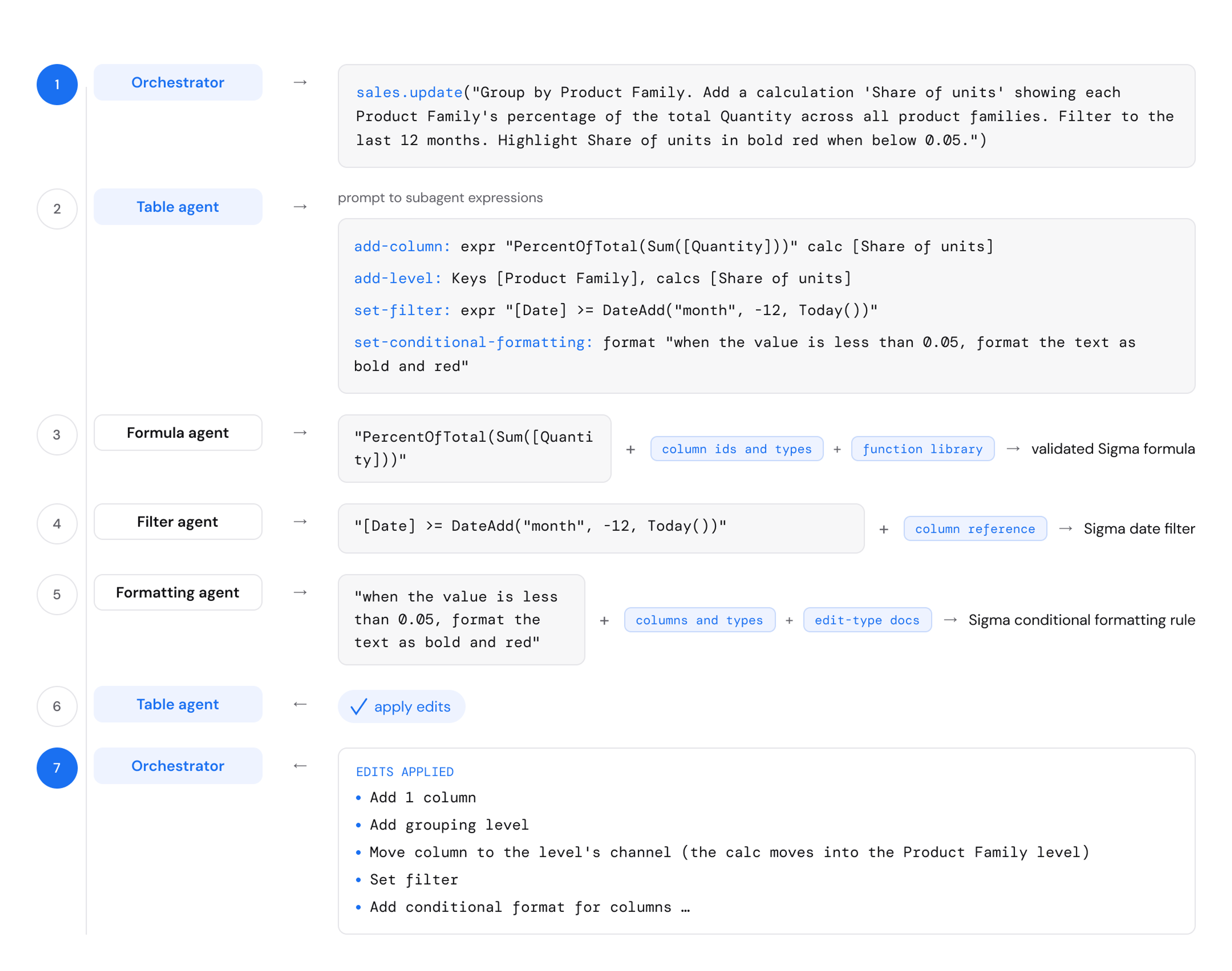
This strategy worked well because it scoped down the responsibilities of the orchestrator, allowing many LLM calls to complete the work in pieces. During the build mode beta, 2,300 users built with Sigma Assistant in August alone, creating 3,300 workbooks in total.
But this approach also had drawbacks. Context was lost at every handoff, both on the way down as each agent distilled instructions to lower subagents, and on the way up, if an error occurred or, even more subtly, a particular interpretation of the request was chosen amongst many “correct” outcomes. Without full knowledge of what exactly is difficult or what context was missing for its subagents, Sigma Assistant sometimes made consistency errors it later had to recover from, and recovery was sometimes difficult because of incomplete knowledge.
For example, if it wanted to filter two elements to “the last day,” there could be multiple interpretations: one subagent could filter a table to yesterday’s calendar date, while the other could filter a chart to the last 24 hours, and a correction would need to be made after the orchestrator reread its work and identified a divergence that it could attribute to its own vague directives. The burden is on the orchestrator to author precise instructions, without full knowledge of the reasoning its subagents may perform in interpreting those instructions.
We thought we could do better. What if there were no handoff? If Sigma Assistant could write code to interact with the workbook, it could create every chart and every table itself, all within a single LLM generation. In this scenario, complex tasks are chained together in one program using shared types and objects. Arguments are type-checked. Runtime is validated. The agent would only read the classes and methods it needed to accomplish a task, and once it did, it could apply them over and over. That would mean no subagents, no context lost between handoffs, fewer LLM calls, and fewer round trips between tools.
That same execution chain would simply look like this, executed in a single tool call:
# Get the source columns used in the calculation
quantity = table.get_column_by_name("Quantity")
product_family = table.get_column_by_name("Product Family")

# Group by product family and calculate its share of all units
grouping = table.set_groupings([product_family])[0]
share_of_units = grouping.set_calculation(
    "Share of units", formula.percent_of_total(formula.sum(quantity), "grand_total")
)

# Limit the analysis to the last 12 months
table.get_column_by_name("Date").set_filter(filter.date_relative("last", 12, "month"))

# Highlight product families below a 5% share
table.add_conditional_format(
    share_of_units,
    conditional_format.less_than(0.05, text_color="#C10007", bold=True),
)
Each commented block replaces a subagent hop from the diagram above, and nothing has to be repeated as subagent context between them: the calculation hands back an object share_of_units, which the subsequent formatting step uses directly.
To do this, we needed:
- An SDK for interacting with the workbook, geared for agent consumption.
- A coding agent harness: the tools, skills, and environment the agent uses to write and run programs.
Before we get into how we designed each half, we’ll look at how the new build mode performs.
Sigma Assistant build mode: Faster, cheaper, more accurate
We evaluated both agents against our internal build evaluations—130 tasks, three trials each, across 30 suites that range from individual requests for controls and input tables, to multi-turn conversations, to end-to-end builds of entire dashboards and writeback-enabled applications. The new build mode is faster, cheaper, and more accurate than the previous one in both major buckets of workflows we evaluate on: building complete apps and making incremental edits.
| Apps | Incremental edits | |
|---|---|---|
| Speed | 3x faster (across 8 app-building cases) | 17% faster (across 122 cases) |
| Cost | 1/3 the cost | 43% cheaper |
| Accuracy | 15 points higher (71% → 86%) | 4 points higher (85% → 89%) |
Evaluations run with Claude Sonnet 5, with effort set to low.
The largest gain is in accuracy on complete app builds, which rose 15 points, from 71% to 86%. Across the trials for these tasks, the new agent’s best results for each task scored higher, averaging 88% compared with 77% before, and its results were more consistent: the gap between the best and worst trial was 6 points on average, compared to 15 points for the previous builder. Where the old agent sometimes left gaps between pieces of a workbook it orchestrated, the new build mode consistently writes programs that string together complex logic.
We found the improvements to be the greatest in complex, multi-step workflows, where our move to a programming environment affords execution of many dependent steps in a single pass. For example, building an app means producing dozens of elements in a lineage: an input table wired up to a dozen questions in a form, a chart that plots a column added in the previous line, a row of KPIs that share consistent formatting. The previous agent had to build these piece by piece, each going through its own chain of subagents. In code, a column is an object that can be referenced later in the same program. Repeated patterns become loops instead of distinct instructions. Conditional decisions can be if/else statements instead of requiring the agent to reason about the intermediate result.
Beyond the numbers, our internal users also reported increased satisfaction in the look and feel of results and their experience in using the agent.
What a coding agent buys you
Making build mode a coding agent meant building two things at once: code for the agent and an agent for the code. We designed a coding interface for the agent: the classes, the methods, the types. The classes represent workbook objects like tables, columns, and charts. The methods are the operations the agent performs on those objects, like set_filter and add_conditional_format, and the types define what each method accepts. But we also built a new agent to write code: the tools, the skills, the environment. Here are some of the core ideas behind the design of these two halves of execution:
1. Program execution means fewer LLM calls
The new agent interacts entirely with the Sigma workbook by writing Python programs for a generic “execute” tool. Many tool calls become flexible programs. Program execution replaces the hierarchy of subagents of the previous architecture, and it can also express chains of tool calls without LLM round trips for processing of outputs and wrangling of inputs. Agent execution becomes faster and cheaper.
2. Progressive disclosure keeps context lean and focused
The entire SDK isn’t loaded into the agent’s context window—this would consume tokens describing available functionality the agent may never use within a session. Instead, it’s split across a file system that the agent can search and read, one file, one class, one method at a time. This means the agent’s context window stays focused, and customers pay only for the tokens it needs to accomplish its task.
sigma/
├── data/
│   ├── source.py
│   └── sql.py
├── chart.py
├── column.py     ← read
├── filter.py     ← read
├── formula.py    ← read
├── kpi.py
├── table.py      ← read
├── theme.py
└── …
For example, files read for the table modification described above. Relevant classes and functions of column, filter, formula, and table files are read by the agent.
Progressive disclosure goes the other way too. The new agent uses print statements in programs to produce output for itself to read. This means that instead of relying on coarse tool calls to retrieve entire descriptions of tables and charts, it can choose relevant properties of the workbook to consume when only a particular property is relevant to a user’s request.
3. Types and interfaces encode capabilities
In our previous architecture, a lot of work lived in plain English instructions, such as a prompt asking a subagent to conditionally color a column in a table. A sentence can’t be type-checked, so nothing can guarantee that the downstream subagent can do what its prompt requests until it tries. The mechanics of execution lived in agents’ system prompts and output schema descriptions. In the new design, types and interfaces carry knowledge: a method that needs a column takes a column object and a line chart interface exposes methods that describe exactly what can be modified.
One side effect of this shift in knowledge and execution pattern is the front-loading of agent learning. In the previous architecture, the orchestrator waited on subagents to execute tasks, but invoking a subagent required less knowledge of its domain. In the new architecture, the agent spends some time upfront learning the domain through the SDK, but execution is fast because there are no subagents to wait on.
4. Code execution creates tight feedback loops
The new agent gets feedback at every step of a run. Each program is checked three times: when it’s parsed, when it’s typechecked, and when it runs. Each check reports the line that failed. For example, a type error appears as a result for the agent:
typecheck-error:
  - line 10: Table.add_conditional_format() argument 'columns' expects Column | list[Column] but got str
Programs are edited in place. When one fails, the agent only needs to fix the broken line and rerun. Invalid programs have no side effects. Warnings and errors provide Sigma Assistant a full picture for a path to recovery.
Still, loops from failed type and runtime checks increase task time and cost. It helps to establish patterns in the grammar of the agent’s SDK—inconsistency invites mistakes. As an example: every page, element, and container in a workbook has a name property. Early in development, parallel workflows inadvertently created an inconsistency by authoring a rename function for pages, when every other element and container used set_name. As a result, the agent would often incorrectly generalize and incur a typecheck error and a program correction loop attempting a page.set_name call. Shared grammar for set_* and add_* methods, type names, and parameter ordering is good API design for people and agents alike.
5. Code means we can show instead of tell
The previous orchestrator build mode agent relied on plain English instructions for subagents for most of its work, so its skills (reusable instructions that teach the agent how to handle a type of task) told the agent how to give instructions to accomplish a task. Our skills for the new coding agent can show the agent directly how to do it through example programs and code snippets. We found the agent very effective at generalizing complex behavior from worked examples.
## Let the data pick a container's color

A container's background can follow the data rather than being fixed: give it a
rule pairing a boolean condition with the color to paint while that condition
holds. Rules are checked in order and the **first** one that holds wins, so add
the narrowest rule first, or put it ahead of a broader one with `before=`.

```python
healthy = card.add_conditional_format(
    formula.gt(total, formula.const_num(1000000)), '#E6F4EA'
)
card.add_conditional_format(
    formula.lt(total, formula.const_num(250000)),
    '#FCE8E6',
    before=healthy,
)
```
A snippet of an internal style skill, teaching the agent how to conditionally color containers.
What’s next for Sigma Assistant build mode
The new Sigma Assistant build mode is available to all our customers today. Use it to build dashboards and simple apps from a single prompt, or to add pages and elements to workbooks you’ve already built. Code for agents is an exciting interface to build on. We’re proud of the strides we’ve made so far, and we’re committed to making Sigma Assistant even more accurate, cheaper, and faster for our customers.
Start building with Sigma Assistant build mode
Already using Sigma? Open a workbook and ask Sigma Assistant to build the dashboard or app you need. New to Sigma? Request a demo to see build mode work on your own data.
Like what you see in this blog, and interested in building the future of AI at Sigma? Explore open roles on our product and engineering teams.