Introducing Sigma Assistant: One Contextual Interface for AI Analysis & Building


Today we're launching Sigma Assistant, a single governed AI interface in Sigma for analyzing data and building apps with natural language. Sigma Assistant is an evolution of our Ask Sigma and AI Builder capabilities, now unified for teams that need AI to work with their actual business data, in the context of the workflows they already run, without creating data risk.
Business teams want to move faster, solve more problems, prototype ideas against real data before committing to a direction, and AI makes that feel possible. The problem is that most AI leads teams outside the governed environment. Data gets copied into external tools that have no connection to your access controls. Queries run against exports, not live sources, so the answers may already be wrong by the time they inform a decision. There's no audit trail, no row-level security enforcement, and no visibility into what data was accessed or by whom. Sensitive data moves through platforms your security team never approved. This speed without control creates data risk fast. Sigma Assistant is built to change that: AI analysis and building stay inside the governed workspace where your data already lives.
What Sigma Assistant can do today
Explore and analyze your data
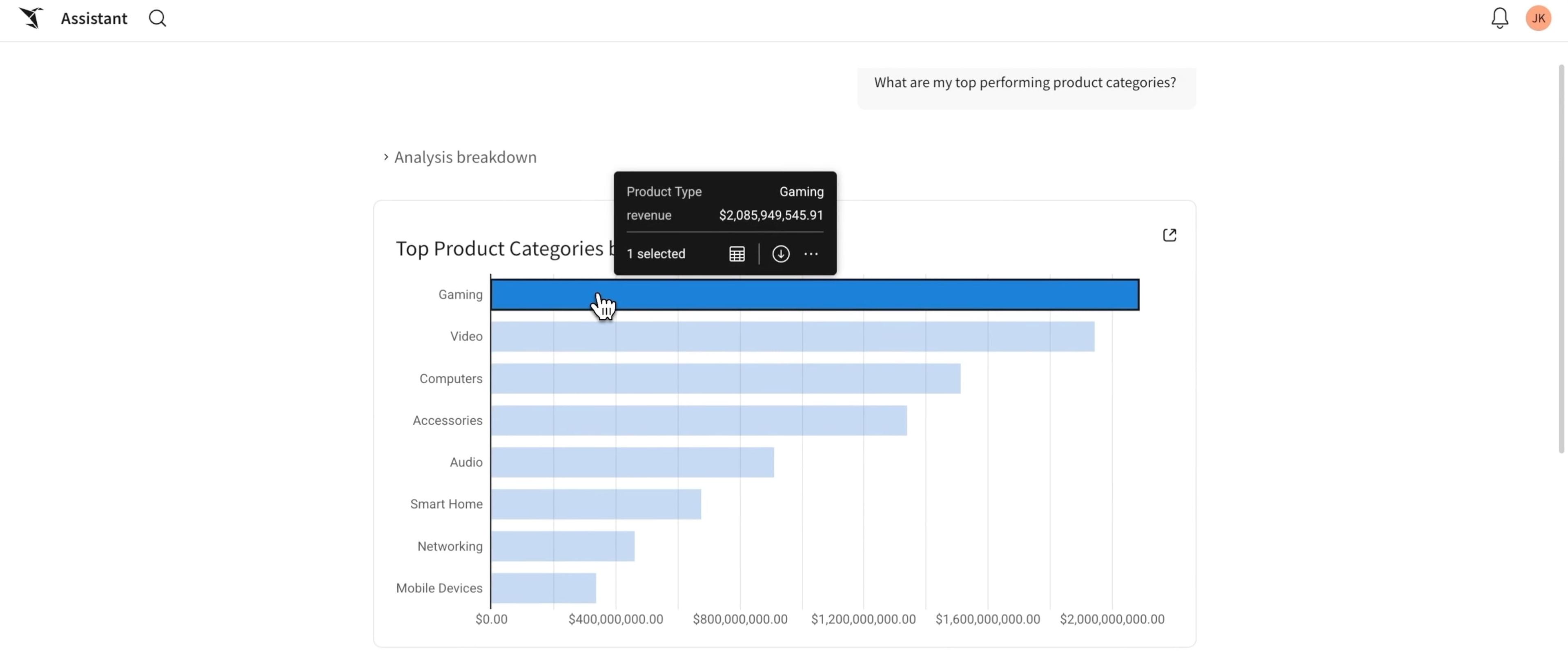
Sigma Assistant is a natural language interface for exploring and analyzing data. It answers questions using the data and context of your organization: your data models, certified metrics, endorsed workbooks, and usage patterns. You can ask a question like, “What are my top performing products?” then drill down using the Sigma UI or continue in natural language. This is useful when you don’t know where the data lives; you can ask what's been built around customer retention, what sales data is available to you, and get an answer right away. There’s no time lost trying to track down the exact dataset or owner. Sigma Assistant points you in the right direction.
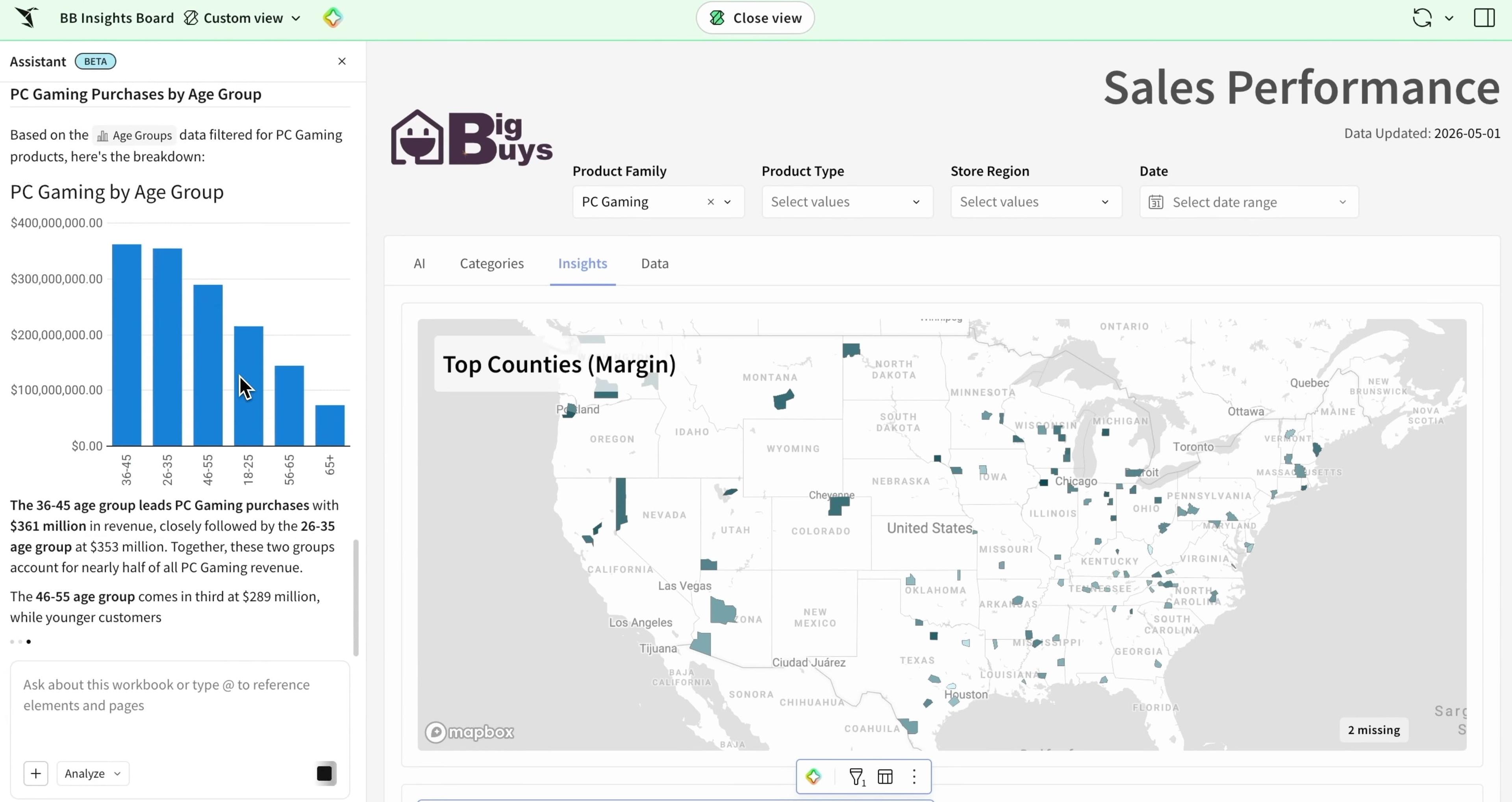
Sigma Assistant is also directly available in every workbook. Simply select the Sigma Assistant icon at the top of your screen to open a panel, and start asking questions. It is aware of the elements on the pages in front of you and the data sources underlying them. It can summarize what you’re seeing, explain what changed, why a metric dipped, and answer follow-up questions in context.
Every AI-generated answer is verifiable. You can inspect Sigma Assistant’s query, trace it back to the underlying table, and audit the analysis in a workbook.
Build dashboards and applications
Sigma Assistant lets you build in natural language. Describe what you want and it builds an application or a dashboard per your use case. You can build in one-shot or in an iterative manner with no pre-requisite knowledge of Sigma or understanding of the data you have access to.
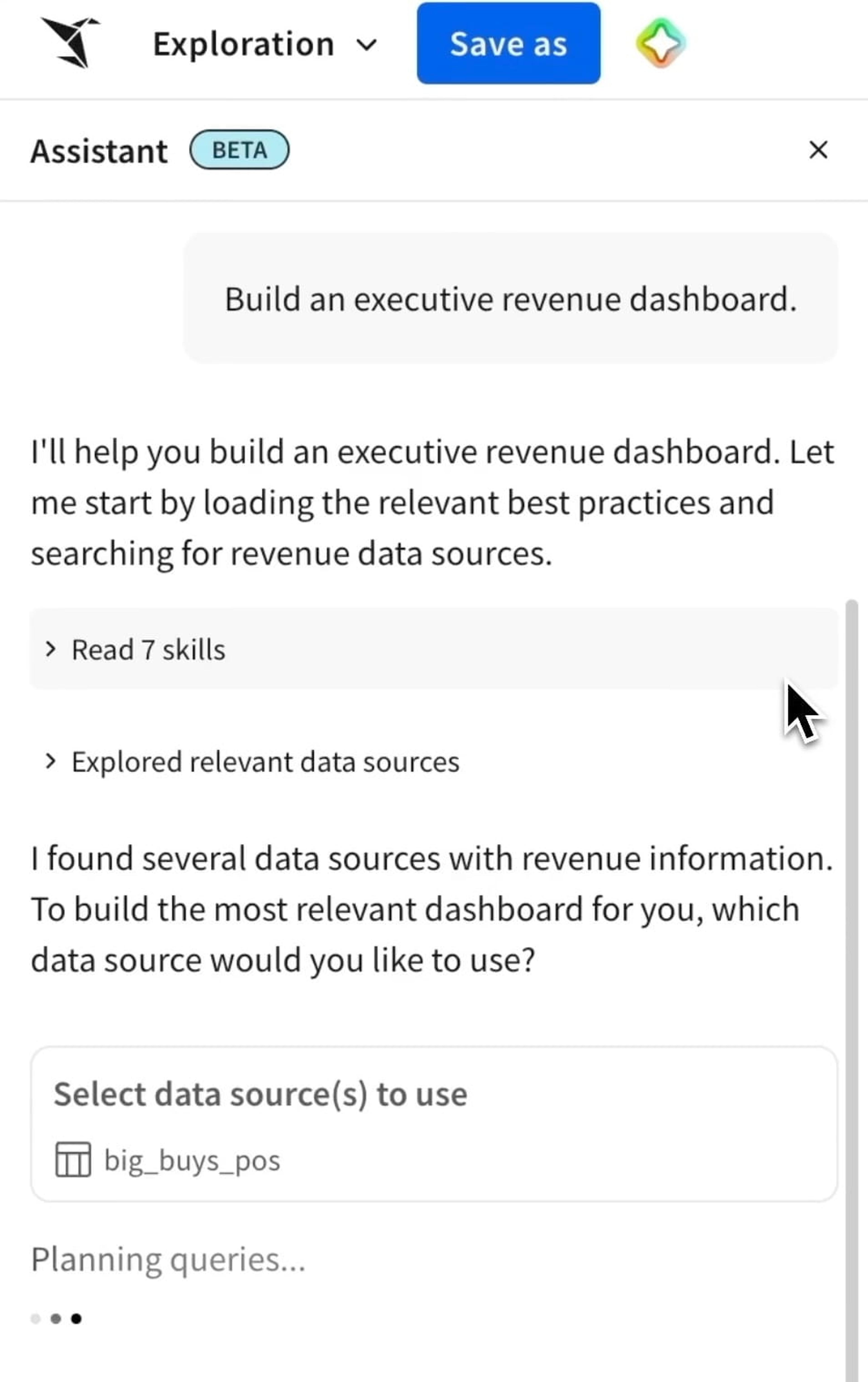
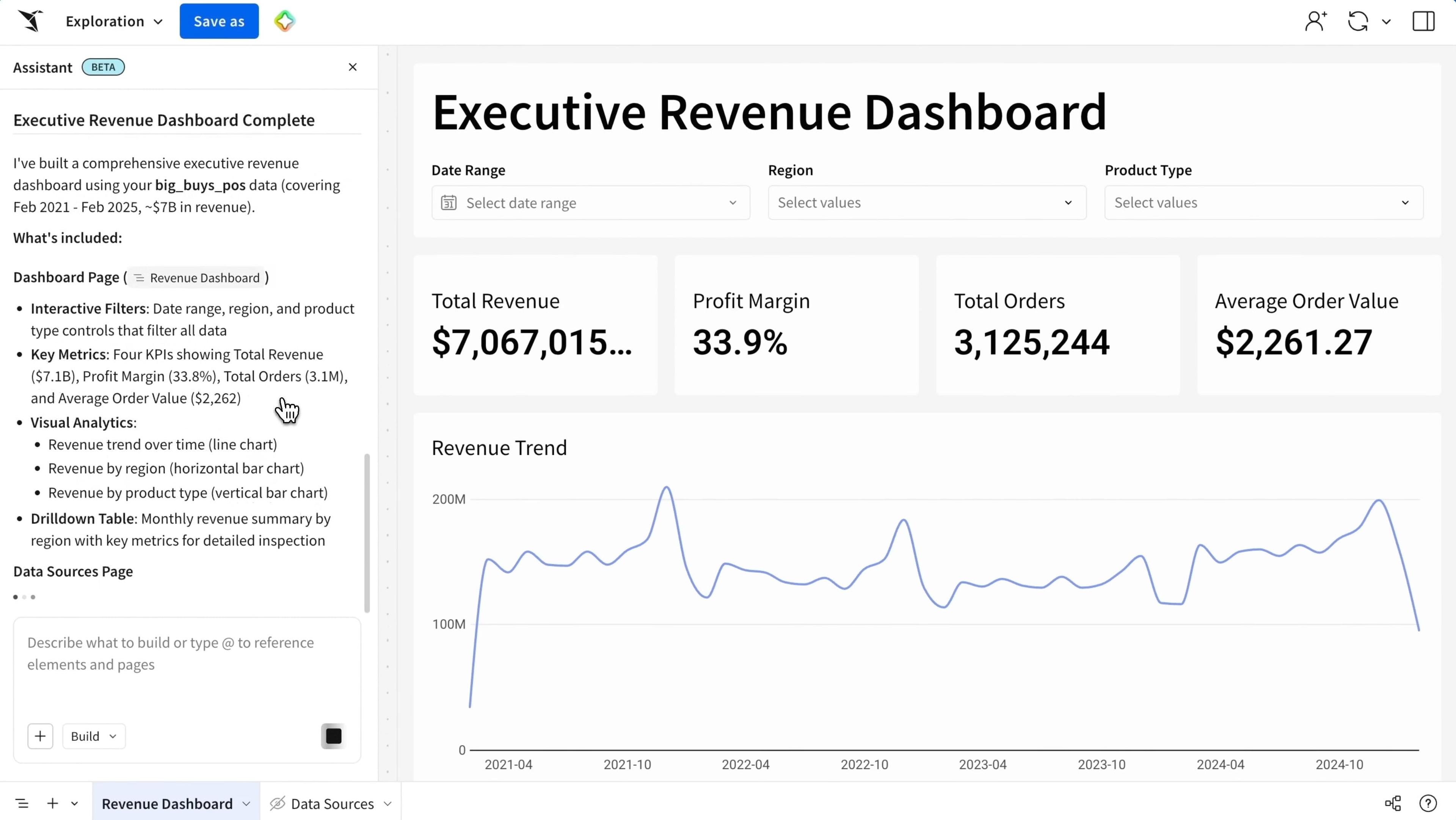
Based on your prompt, the assistant selects the right data sources, prepares the data needed for the workbook, builds the necessary UI components and layout, and wires up the components with the data sources. If you choose to do this in a turn-by-turn fashion, you can iteratively add or alter charts, tables, KPIs, Input Tables, actions, and more to a new or an existing application or dashboard. You can also seamlessly switch between natural language and the drag-and-drop UI of Sigma to build toward your use case.
From first question to finished dashboard
Sigma Assistant works safely across every stage of data work, from a question you don't know how to answer yet, to a finished AI App your whole team can use. Here’s what one typical path can look like:
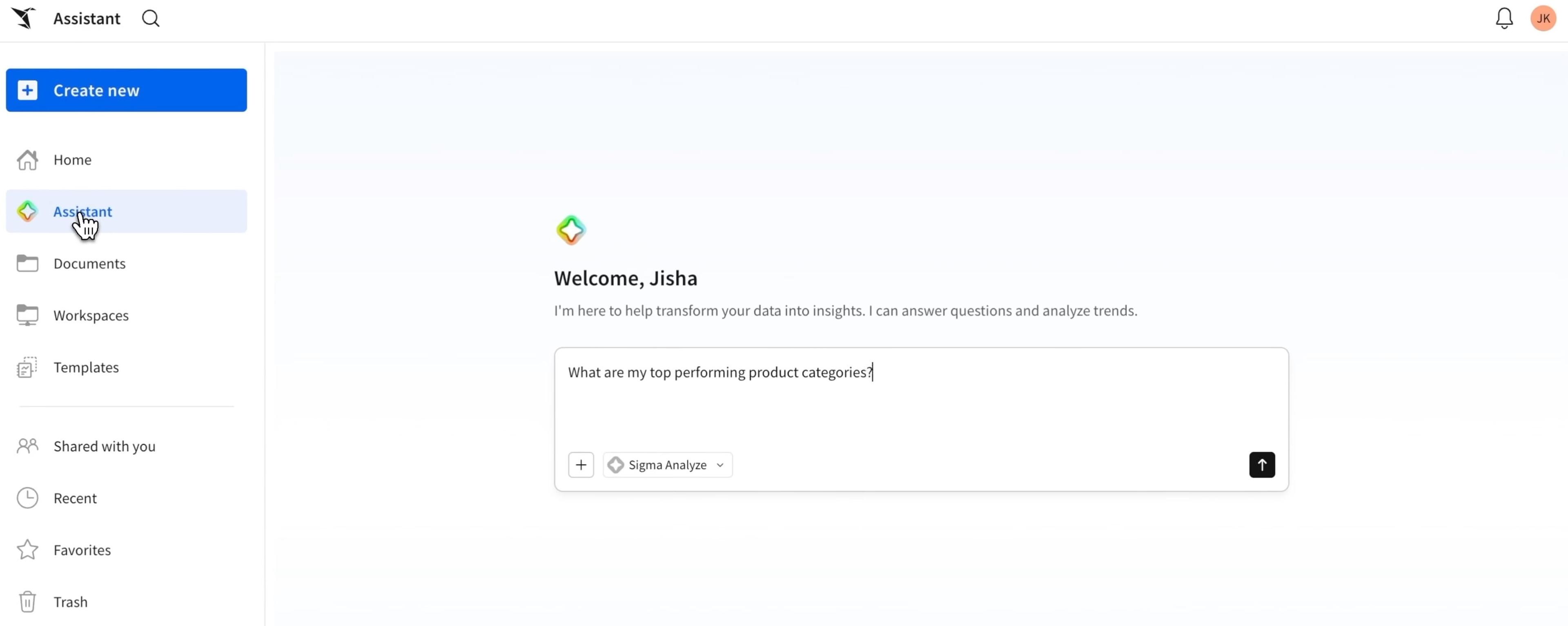
1. Ask a question from the home page
Type a plain-language question about your data. Sigma Assistant returns an answer drawn from your actual warehouse data
2. Follow up on questions
Ask to break the number down by segment, filter by region, or compare across time periods.
3. Continue the analysis in a workbook
Open the workbook and Sigma Assistant is available in the workbook too to explore the data behind the insights or extend the analysis.
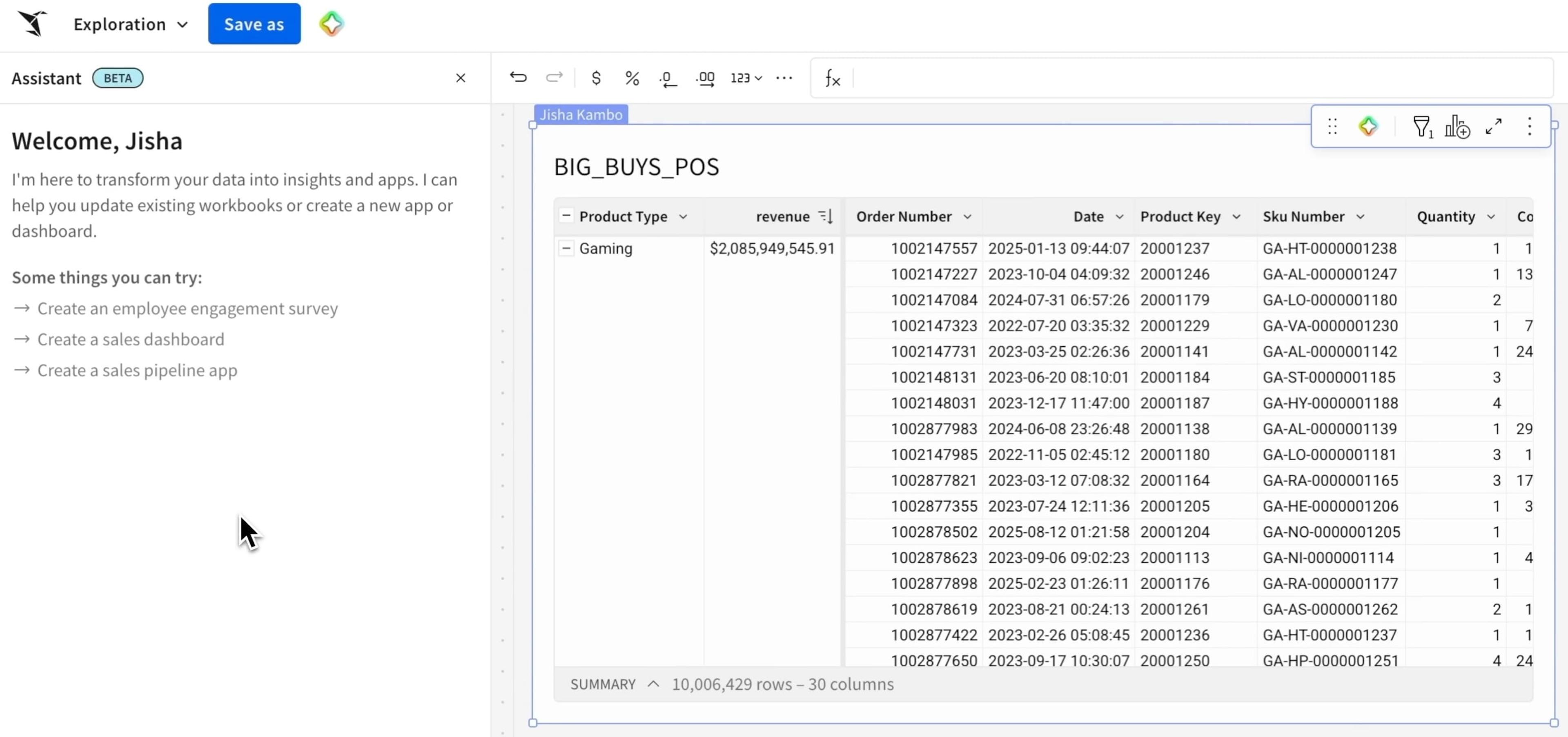
4. Build from the conversation
Ask Sigma Assistant to create a dashboard or an application based on what you've explored. It generates the initial layout in one shot. Continue editing, adjust the structure, and publish when it's ready.
5. Support every viewer
When a colleague opens a dashboard, Sigma Assistant is available to them too. It summarizes what they're looking at, surfaces what's changed, and answers follow-up questions without them needing to start from scratch.
The Sigma difference
Why build with Sigma Assistant rather than any other tool? Because AI that works within a single governed workspace for analysis and building means governance, flexibility, and previous work are features of every interaction, making every team more productive.
Sigma Assistant is:
Governed by default
Sigma Assistant runs on your authoritative warehouse data, as a native capability in the workspace and data environment where analysis and action already happen. That means you can scale AI adoption to every business team without creating new data silos, shadow AI infrastructure, or ungoverned agent deployments. Specifically:
- Sigma Assistant respects your existing warehouse permissions, including row-level security and column masking.
- Every workbook Sigma Assistant builds is automatically governed by Sigma's permissions model.
- Queries are validated before they run, so randomly generated or malformed SQL doesn't reach your warehouse. There's no path for prompt injection to bypass your security controls.
Flexible
Sigma Assistant works with any AI provider, any semantic layer, and any warehouse agents your technical teams have already set up. You can also access it through Claude and ChatGPT via Sigma's MCP server, with Slack and Teams support coming soon.
Transparent, with editable output
Sigma Assistant produces outputs you can verify. It returns real Sigma workbook elements: the same charts, formulas, Input Tables, filters, and actions you'd build by hand. Every step is visible on the canvas and every element is editable.
Built on your existing work
Your data models, endorsed workbooks, dashboards, and apps all become context for Sigma Assistant. It builds on the patterns your team has established and the metrics your data team has certified. Prior work makes every new analysis and every new build better.
What's coming next
Sigma Assistant is built to take every team from the first question to a finished app, always on data your organization already governs. Next, we're adding richer business context, support for more data types, and a broader range of complex app elements you can build with natural language.
Get started
Start using the Analyze functionality with Sigma Assistant today. Build with Sigma Assistant is available in beta. If you're already using Sigma, reach out to your account team to get immediate access.If you're new to Sigma, request a demo and explore what's possible.