How we keep track of OpenRouter costs in Slack with a Sigma report built in dbt

Many companies are entering an era where keeping track of AI costs is part of the job. I now work with agents every day, and saw how quickly that impacted my AI usage and spend. OpenRouter bills by the token, so a new agent, a heavier prompt, or a different model changes the spend right away. I wanted to check those costs every morning, so that any spike is flagged and handled immediately.
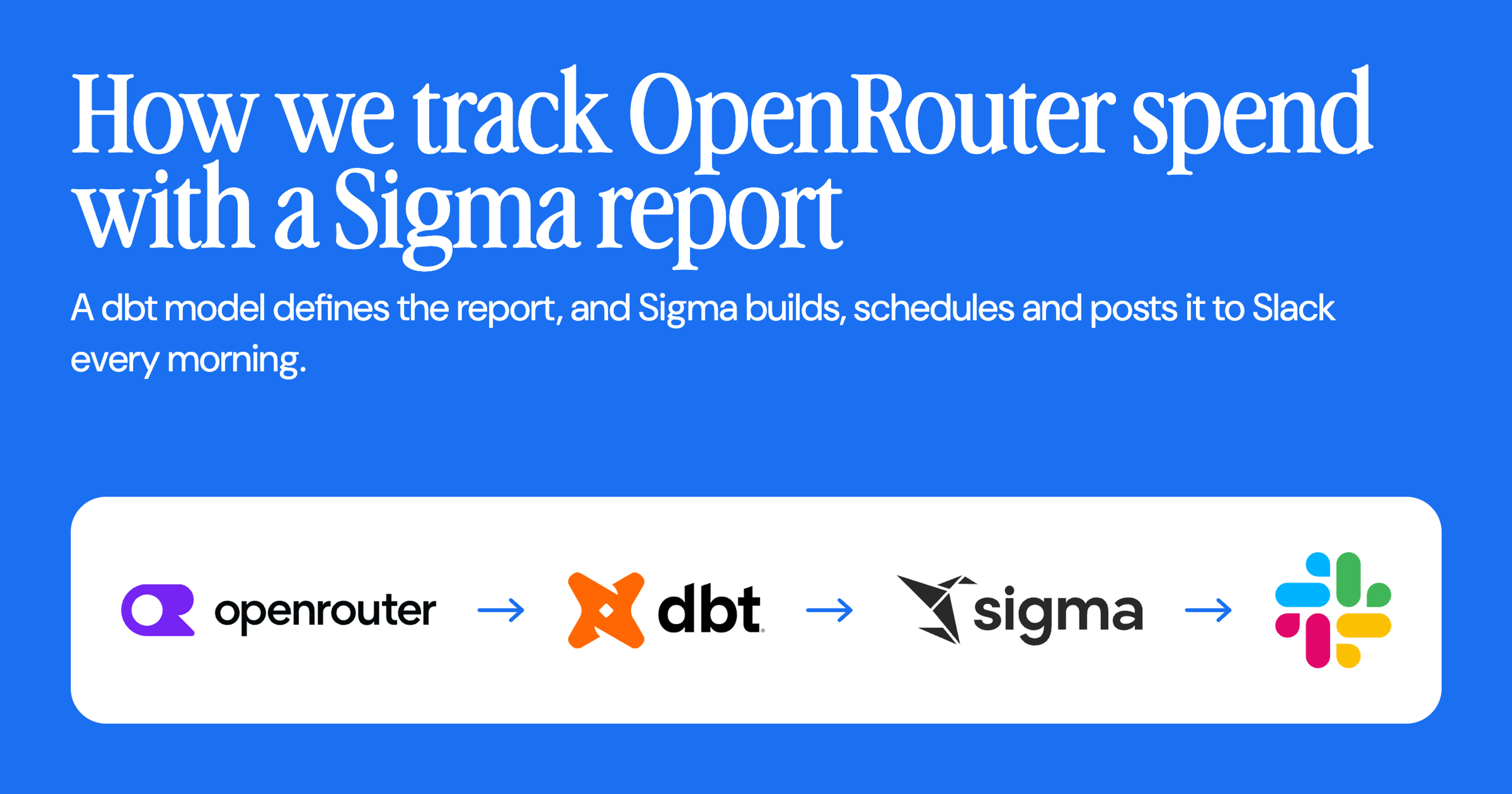
I built a daily OpenRouter cost report that arrives in Slack every morning, where our Data team is already used to receiving various daily automated reports. The OpenRouter usage data lands in Snowflake, dbt models it, and the same dbt project defines a Sigma report that Sigma builds, schedules, and posts at 8 a.m. every weekday morning.
Read on to see what our Data team learned from tracking OpenRouter costs through this method. Plus, get tips to automate your own AI spend report through dbt, your cloud data warehouse, Slack, and Sigma.
Why build a Sigma report from dbt instead of clicking one together
A Sigma report is a paginated document with fixed pages, built to be exported and scheduled. A Sigma workbook is the interactive canvas. For a daily cost check, you’ll want the paginated document, and Sigma can manage reports as code through the Sigma REST API, so the report can live in your repo like everything else.
The dbt-sigma-report package makes this process straightforward. A report becomes a dbt model that can ref() your other models, get reviewed in a pull request, and show up in your lineage. Change a KPI and the diff is three lines.
Landing OpenRouter data in Snowflake with dbt
A report is only as useful as the data behind it, so we start with the OpenRouter feed. OpenRouter exposes a per-key activity feed, and that feed lands in Snowflake. A dbt model turns it into a mart, a finished table ready for analysis, with one row per date, API key, model, and endpoint, plus spend, requests, and token counts. It covers the last 30 or so completed UTC days.
Nothing about the model is report-specific. Any dbt model with a date column and a spend column works the same way. That keeps the report layer thin, and it is why the next step is a single model.
Define the Sigma report in a single dbt model
With a clean mart in place, the report itself is one model on top. Install the package from the dbt Package Hub in packages.yml, pin a version, and run dbt deps. Then set sigma_connection_id and sigma_folder_id as project vars so the report knows where to live. Read more about the dbt package here.
# packages.yml
packages:
  - package: sigmacomputing/sigma_report
    version: 1.0.1
The model below is the plain version, with no theme and no styling. It is enough to track cost.
-- models/presentation/sigma_reports/sigma_report__openrouter_cost.sql
{%- set spec = sigma_report.simple_dashboard(
    name='OpenRouter Cost',
    source=sigma_report.from_ref('openrouter__daily_api_keys'),
    date_column='activity_date',
    kpis=[
      {'value': 'Sum([Usage Usd])', 'name': 'Total spend', 'format': sigma_report.format_currency()},
      {'value': 'Sum([Usage Usd])', 'name': 'Spend past day', 'format': sigma_report.format_currency(), 'last_days': 1},
      {'value': 'Sum([Usage Usd])', 'name': 'Spend past week', 'format': sigma_report.format_currency(), 'last_days': 7},
    ],
    charts=[
      {'type': 'line', 'x': 'activity_date', 'y': 'Sum([Usage Usd])', 'name': 'Daily spend (USD)'},
      {'type': 'bar', 'x': 'model_id', 'y': 'Sum([Usage Usd])', 'name': 'Spend by model, last 7 days', 'horizontal': true, 'last_days': 7},
    ],
    report_args={
      'folder_id': var('sigma_folder_id'),
      'report_id': var('sigma_openrouter_cost_report_id', none),
      'schedules': [
        sigma_report.schedule(
          'OpenRouter Cost (daily)',
          cron='0 8 * * *',
          timezone='America/Los_Angeles',
          to=[{'slackConversationId': '<your-slack-channel-id>'}],
          message='Daily OpenRouter spend, tokens and requests.',
        ),
      ],
    },
) -%}

{{ sigma_report.materialize(spec, materialized='ephemeral') }}

select 1 as report
Cross-compiling a Sigma report from dbt into Sigma's formats
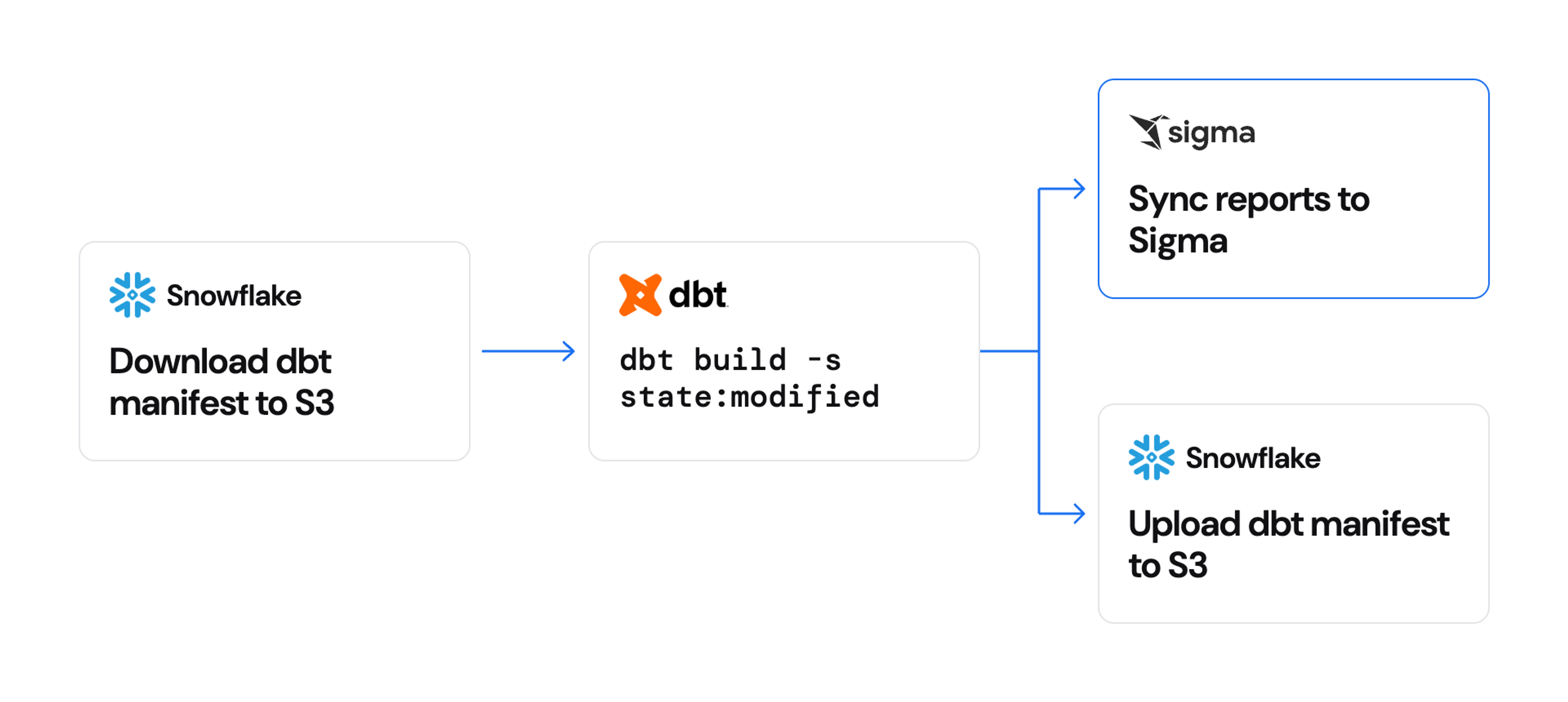
That model does not talk to Sigma directly. Instead, a dbt parse composes the report JSON and stores it in manifest.json, with no warehouse connection required. A separate script reads the manifest and talks to Sigma.
If that shape feels familiar, it should. It is the same compile-then-deploy pattern behind how we manage the semantic layer with dbt and Dagster to turn a dbt definition into a Sigma data model.
Deploying the Sigma report from dbt and scheduling it in Slack
Once the manifest holds the report JSON, one script ships it to Sigma. It comes with the package and needs only the Python standard library. Set SIGMA_BASE_URL, SIGMA_CLIENT_ID, and SIGMA_CLIENT_SECRET, then run it.
python dbt_packages/sigma_report/scripts/export_reports.py --push --dry-run   # validate against your org
python dbt_packages/sigma_report/scripts/export_reports.py --push             # create or update
The first push creates the report. Copy the reportId Sigma returns into the sigma_openrouter_cost_report_id var. Every push after that replaces the report's contents in place, so the URL, sharing, and schedule survive. Skip that step and each run creates a duplicate report. Our CI refuses to create one without an id for that reason.
In our project, a Dagster operation named sigma_report_sync runs after each merge. It finds the report models that changed, validates each spec locally, and pushes the update through PUT /v2/reports/{reportId}/contents, then applies the schedule. The operation only deploys the report. Sigma itself sends the 8 a.m. Slack post.
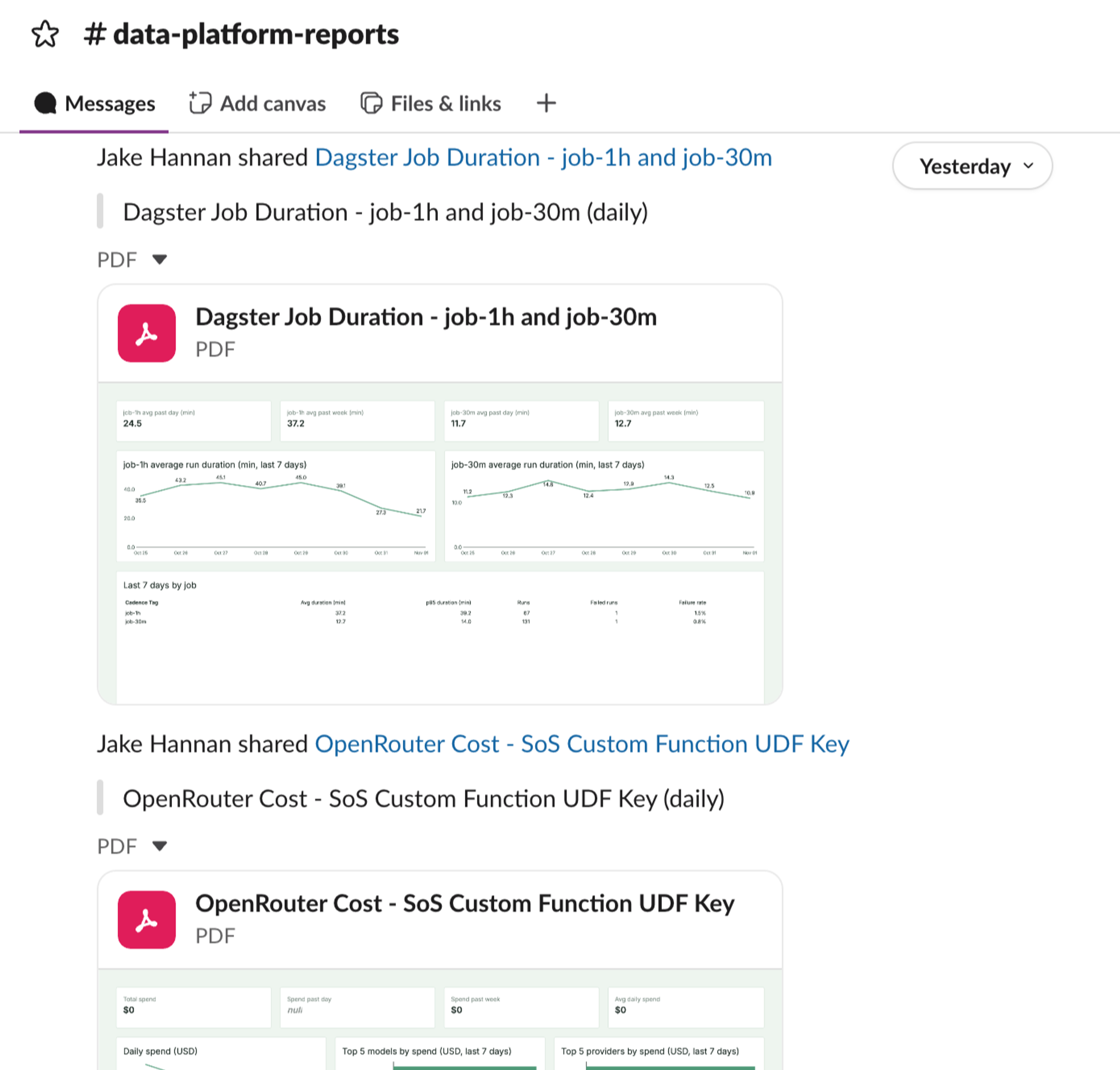
Sigma needs a few things on its side for the Slack post to land. The Slack integration has to be enabled for your organization, your account type needs the Export to Slack permission, and a private channel needs the Sigma bot added first. Sigma exports the latest published version of the report, so a draft never goes out by accident.
What changed when the report lives in dbt
Every day, the cost number now shows up without anyone opening a dashboard. A change to the report is a pull request. CI catches a broken formula before it reaches Slack at 8 a.m.
Reports as code is in public beta, so expect the API to move. Pin the package version and run --dry-run after any change.
See it in your own warehouse
To get started managing your reports as code and deploying straight into Sigma, request a demo or start a free trial.
FAQ
Does dbt-sigma-report need a warehouse connection?
No. The macros compose JSON at parse time, so dbt parse is enough to produce the report. Only the push step talks to Sigma.
Can I use it with a warehouse other than Snowflake?
The package works with any dbt adapter, because it emits JSON and not SQL. The Sigma connection you point it at decides where the data comes from.
How do I stop it from creating duplicate reports?
Pin the reportId from the first push in a dbt var and pass it as report_id. Later pushes update that report instead of creating a new one.
What is the difference between a Sigma report and a workbook?
A report is a paginated document built for export and scheduling. A workbook is an interactive canvas. They have different code representations, and this package targets reports.
What does Sigma need before it can post to Slack?
The Slack integration enabled for your organization and the Export to Slack permission on your account type. The Slack export docs cover private channels and the rest.