How we built a game storefront in Sigma with payments and multiplayer mode


Most AI apps built in Sigma are made to solve specific business problems. Someone has a workflow that needs fixing, or a report that needs creating, and Sigma makes it possible to build a tool for those exact needs and specifications. But at the annual Sigma Hackathon this August, we weren’t trying to solve a problem. We were trying to create something that hasn't been done before.
At this year’s Hackathon, we joined forces to test the limits of building in Sigma. We landed on the idea of building a game storefront, where users could browse a library of games, buy them, and play them without ever leaving Sigma. Using Sigma’s plugin and repeater elements, we created a platform where users could browse games, buy them with real Stripe transactions, and play against each other in real time, all without ever leaving Sigma.
We called our app “SigmaVerse.” The hackathon judges voted it “Best Application,” a win that came down to two achievements:
- Getting Stripe payments working inside Sigma
- Getting real-time multiplayer working through our writeback capability.
It was a great experiment to explore the art of the possible with Sigma, and to this day our colleagues are using SigmaVerse to play each other in games like Sigmopoly.
Read on to see how we built the app, and the Sigma tricks we learned along the way.
How we built SigmaVerse, a gaming storefront in Sigma
The easiest way to explain what we built is to compare it to Steam. Steam is a platform where you can buy individual games made by different studios, load money onto an account, and then play those games, often online against other people. We built the same basic idea, but inside Sigma, and with our own games instead of licensed ones.
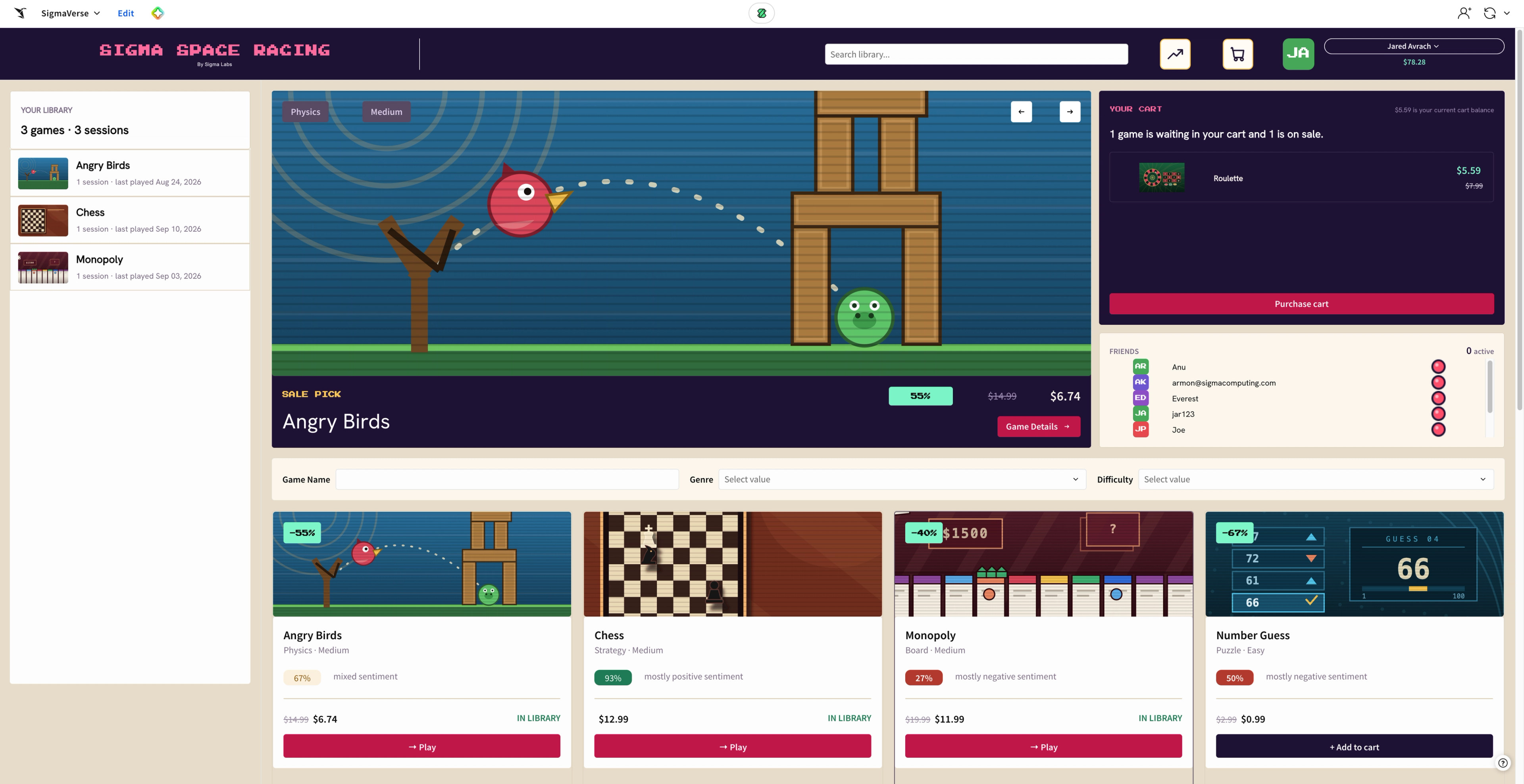
SigmaVerse is a storefront. You browse a library of games, each tagged with a genre and a difficulty level, and some running a sale with a visible discount. But, instead of buying titles made by outside studios, you are buying familiar games we created ourselves.
We built all these games in React with Claude Code, then hosted them for free on Netlify. From there, we relied on Sigma's plugin element to surface these games directly into the app. That same plugin also lets user actions update Input Tables, which is how we save each game's progress and host multiplayer sessions.
To simulate the act of buying a game, the user needs funds in their account. So, we opened a Stripe sandbox account and built a Netlify site with an HTML frontend that calls the Stripe API. Then, similar to how we embedded the games, we built a Sigma plugin that links to that Netlify site.
So now, when a user adds funds, they enter a fake credit card on the Netlify site, which simulates a real payment through the Stripe sandbox. The plugin then sends a trigger back to Sigma, which runs an action sequence that updates an Input Table with an “Update Row” action, adding the funds to the user's in-game wallet. The balance updates immediately, and the user can then purchase a game and add it to their library.
From there, they launch it and play, either on their own or against someone else in real time, all within Sigma.
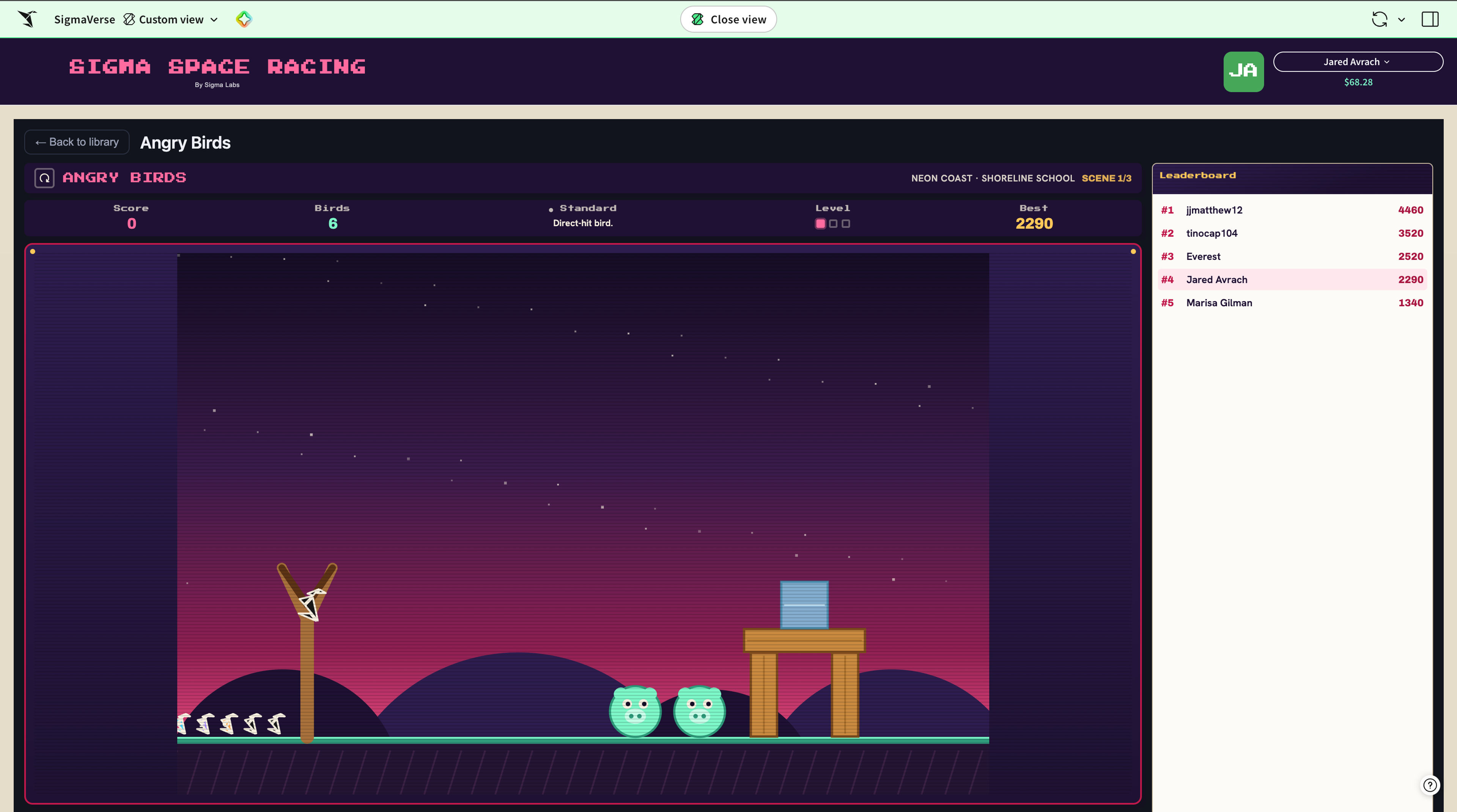
Rewriting what writeback can do
SigmaVerse wouldn’t be possible without data writeback. In Sigma, writeback is normally used to update or insert data into the warehouse through an Input Table. Someone edits a value in Sigma, and it saves back to the source. This time, though, we used writeback to let two people communicate with each other inside the same app, in real time, with an Input Table as the element both of them are reading from and writing to.
That's really the trick behind our multiplayer. When two people are in the same game, they’re both connected to the same Input Table, and that table is acting like a server. Every move one player makes writes back to that table, and the other player sees it update.
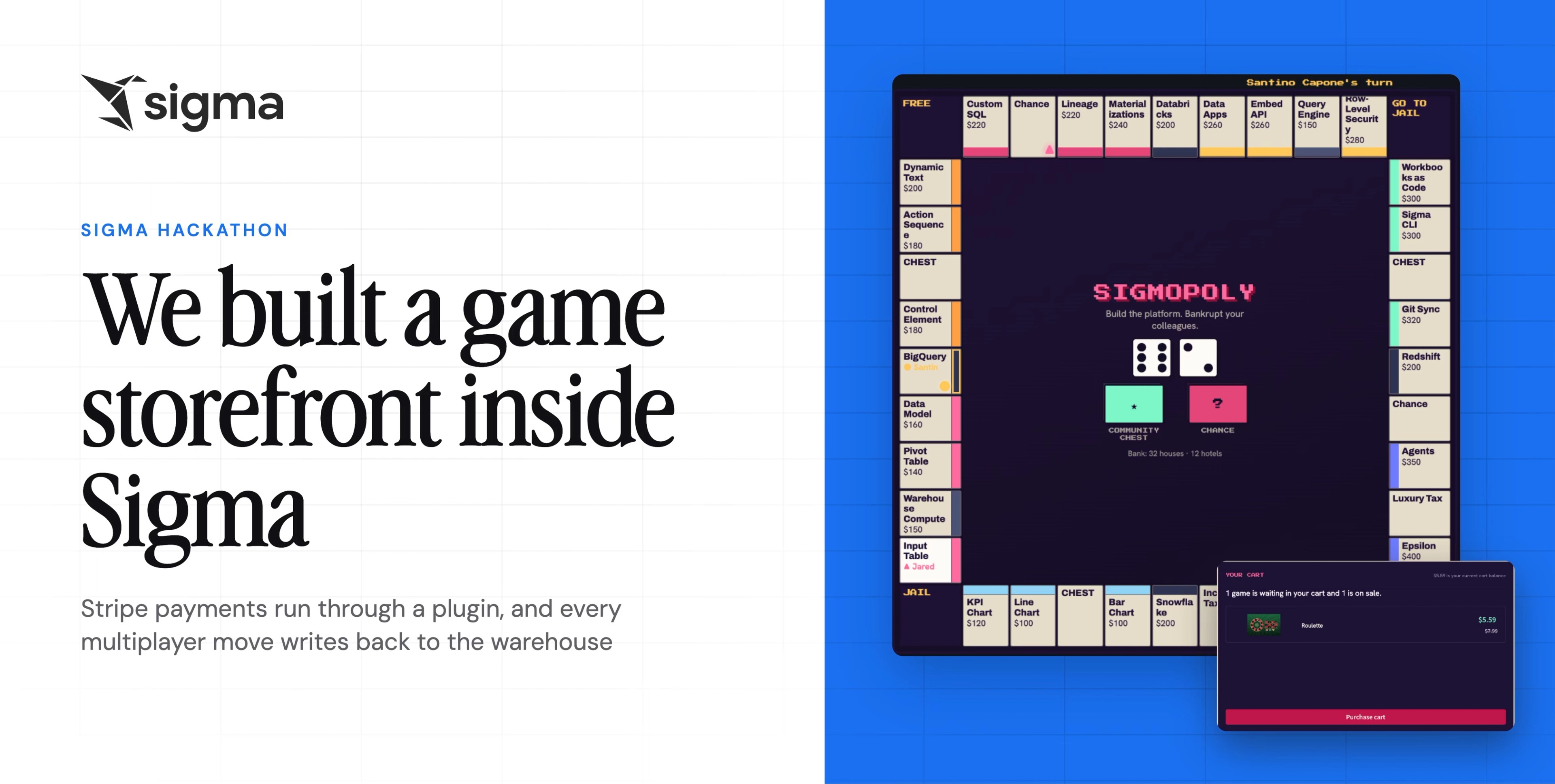
This is what lets two users sit down and play a game like Sigmopoly. Each player logs into Sigma, navigates to the SigmaVerse app, and clicks on the option to play Sigmopoly. They see a live board built entirely from Sigma elements, as the game itself is a Sigma plugin that acts as a passthrough to a Netlify site, which displays the game's frontend.
Each time a player takes an action, like rolling, buying a property, or making a trade, the plugin calls an action sequence that inserts a new game state row into an Input Table. Every player in the game can see that same Input Table, so as soon as a new row lands, everyone's screen updates to reflect the latest state. That game state row carries a JSON payload with everything needed to reconstruct the game in progress: each player's balance, properties owned, trades sent, and more. Every action, every roll, every trade, gets written back to the Input Table as it happens, so both players are always looking at the same live state. The leaderboard next to the game works the same way, where scores get written back and stay updated for anyone checking in.
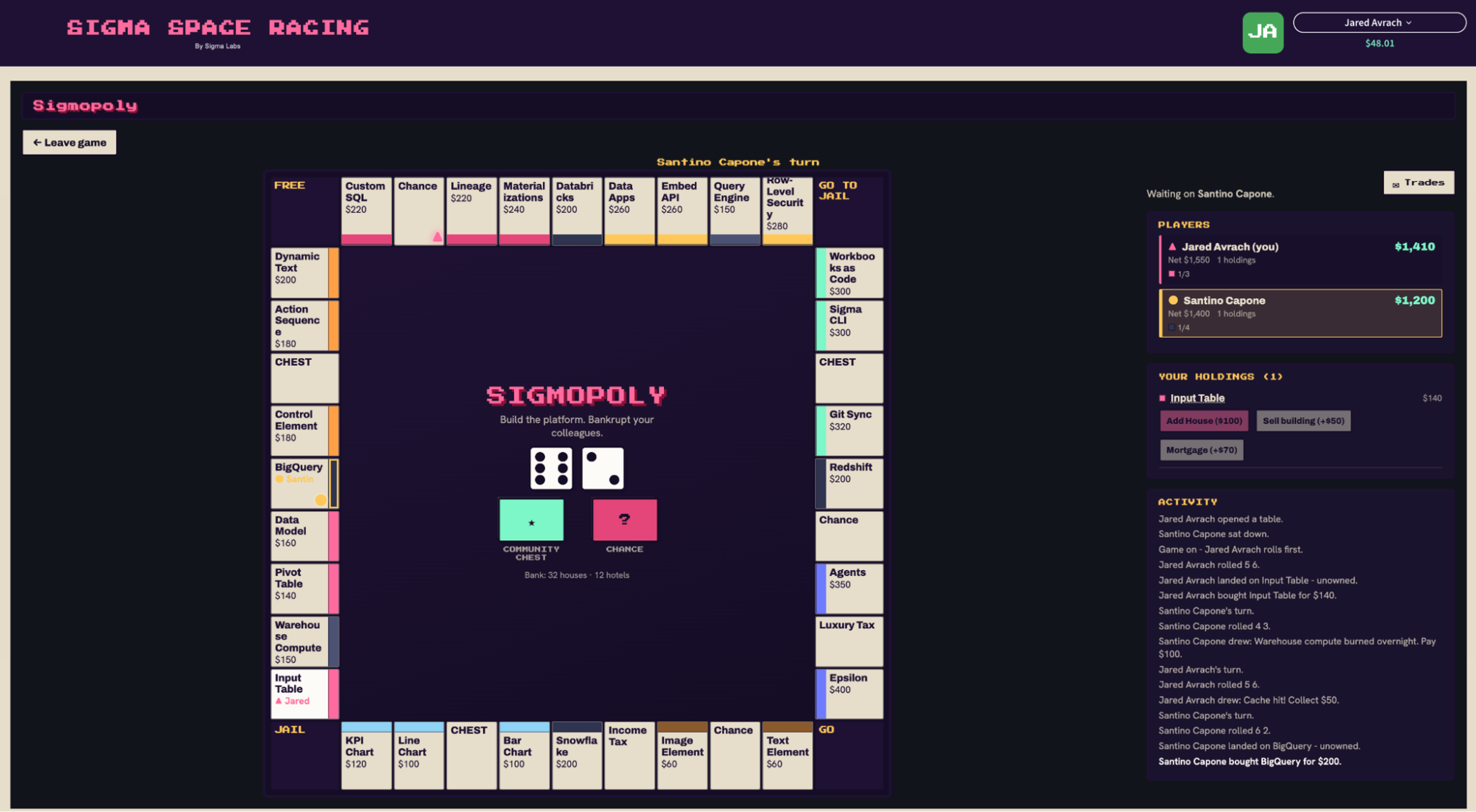
What's useful here isn't limited to games. Any time you need two or more people acting on the same live data inside an app, this pattern applies. You can use writeback to power real-time chat, or enable turn-based collaboration where each person's progress needs to be visible to the others as it happens.
Bringing Stripe payments into Sigma
Once we had the multiplayer dimension sorted, we needed to figure out a way for our app to handle real transactions. To make the storefront work, we used a plugin to embed Stripe's API and Checkout UI, then built our own HTML site around it. Sigma plugins are an easy way to embed a specific piece of functionality into an app, like a calendar, a map, or a custom chart.
When a SigmaVerse user adds money to their wallet using a fake credit card, the plugin notifies the Stripe API to add funds to the sandbox account. At the same time, the plugin notifies Sigma to run the action sequence that updates the user's balance in the app. It's not a mockup of a payment flow. It's Stripe, running inside a plugin, inside Sigma.
In the SigmaVerse app, users can top up their wallets through the Stripe flow, update their balance, and complete a purchase. The game lands in their library, ready to play. We paired that payments plugin with a Sigma repeater element to lay out the storefront, games, prices, sale tags, and difficulty levels, all in a grid that behaves less like a Sigma workbook and more like a shopping app. That pairing, a real transactional backend plus a marketplace-style layout, is what gives the whole thing its shopping-hub feel.
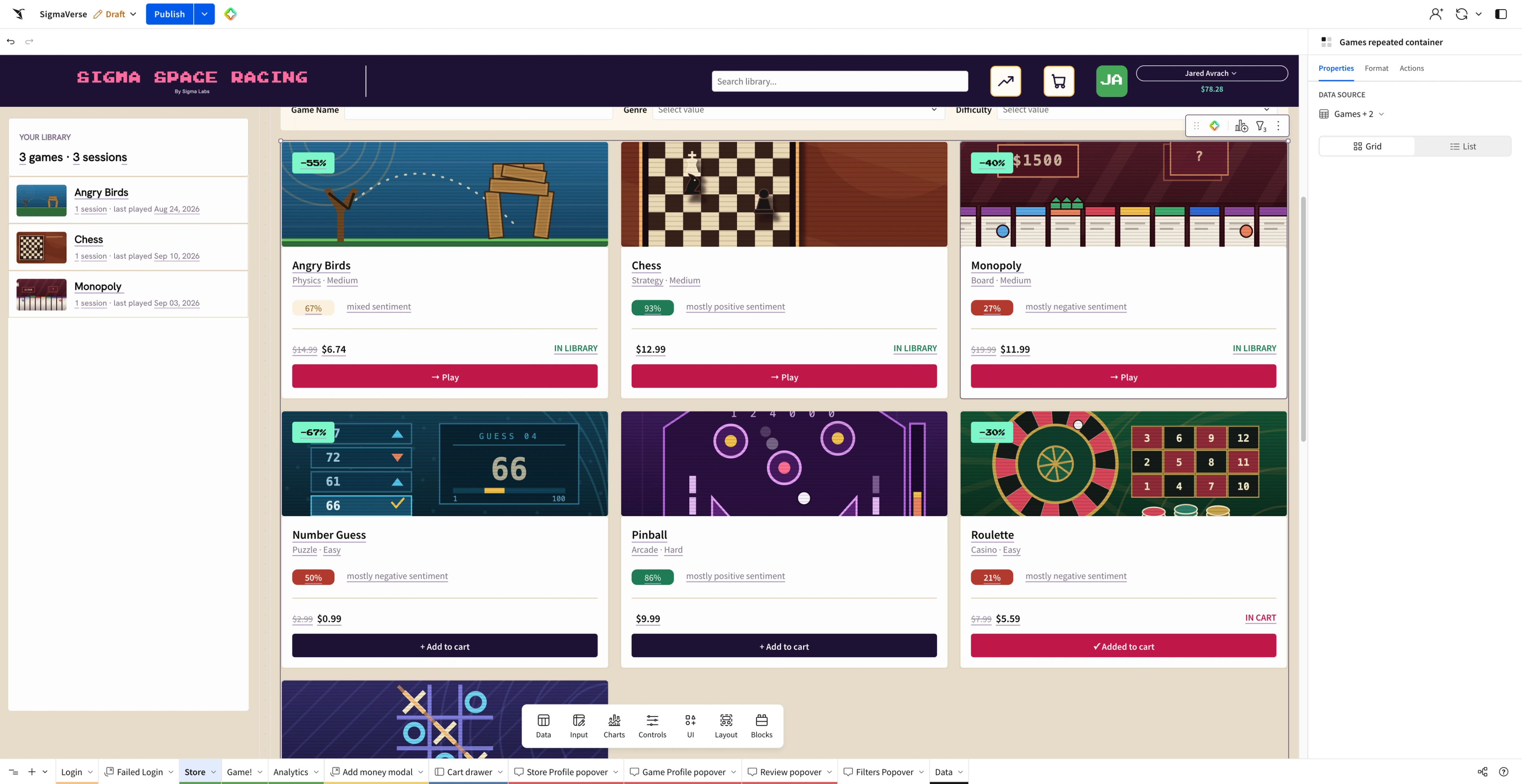
Strip away the games, and what's left is a pattern that applies to a lot of real business problems. Any app that needs to track transactional or payment data, an expensing tool, a billing dashboard, or anything with a Stripe account behind it, can use this same setup. And because the transactional data is flowing through Sigma, it's available for analysis the same way any other data in your warehouse is. The marketplace layout on top of it works for more than games, too. Think of anything with a DoorDash or Airbnb feel that features a catalog of items people can browse and buy, with real transactional analytics sitting right underneath. That’s what we created inside Sigma.
The art of the possible, built in Sigma
By the time we wrapped up, we had a working payments flow, live multiplayer, and a browsable storefront. All of it lived inside Sigma.
We built our app around a game because that's what a hackathon gives you room to do. The same tools are sitting there for whatever comes next, whether that's a payments flow, a live collaboration tool, or something we haven't thought to try yet.
Start building your own Sigma app:
- Explore popular apps and build for free in Sigma Public
- Request a Sigma demo
- Start a Sigma free trial