Connect Sigma to your systems, AI assistant, and AI models


Regardless of your team or position, your work spans a handful of core systems. For someone in customer support, this might mean Sigma for data, Slack for communication, and Salesforce or ServiceNow for everything else. Just a few years ago, traditional workflows across these systems meant pulling numbers in one place, pasting them into a message, waiting for a response, then updating a system of record by hand.
Each time you move from system to system, you create a risk of error. This happened because platforms weren't built to integrate easily. This manual work generated errors from mistyping. The only way to avoid manual mistakes was to automate those connections, which traditionally meant hiring engineers to build custom integrations and keep them running.
Over the last year, however, AI tools and MCP have changed how we fundamentally think about these problems. You can now work from wherever you already are, without toggling between systems yourself. You can ask Claude a question and get a governed Sigma workbook back. You can have Sigma send a result to Slack, then automatically write the decision back into Sigma.
Today we're going to share with you three new capabilities that connect Sigma to the rest of your stack, and we'll show you how you can build workflows inside Sigma or outside it:
- [Preview] Upgrades to the Sigma MCP server (Sigma MCP Server is generally available, but the upgrades are in development)
- Webhook triggers (Available now in Public Beta)
- Direct connections to Anthropic models (Available now in Public Beta)
These features allow external systems to send results back into Sigma, turn an AI assistant's answer into a governed workbook, and power AI features with the models you choose. They build off our previous MCP, AI, and plugin releases—and are all a part of our commitment to making Sigma interoperable with your selected stack.
3 new ways Sigma interoperates with your software stack
Sigma MCP server: start in chat, finish in Sigma
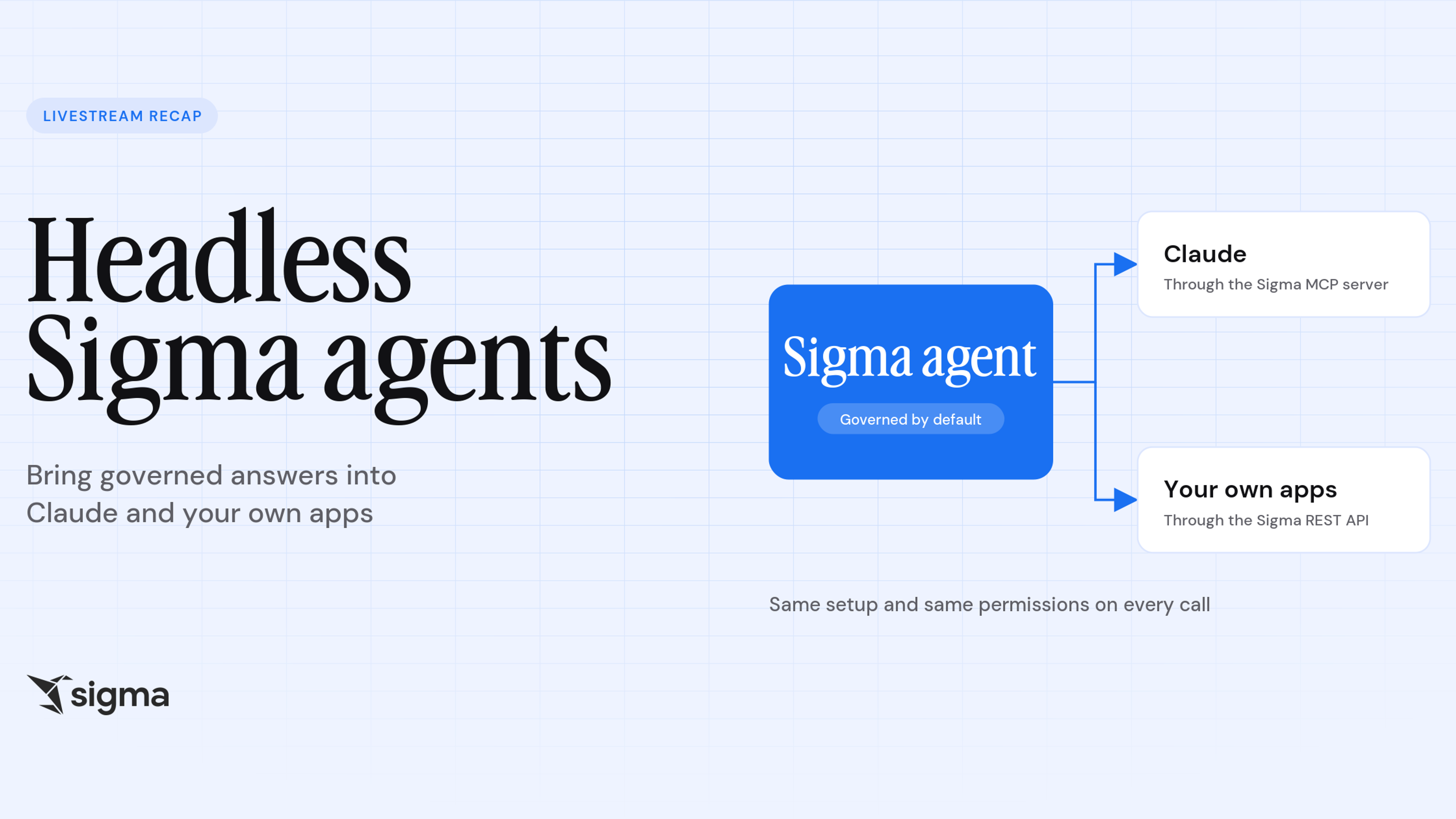
The Sigma MCP server already lets you search, describe, and query the Sigma documents and data you have access to from AI tools like Claude, ChatGPT, Codex, CoCo, or Cursor.
Now we’re upgrading the Sigma MCP server to do more than just answer questions. Soon, you’ll be able build Sigma workbooks from any tool that supports MCP. For example, you can design a workbook in Claude Design, upload the screenshot to Claude Code, and with one simple prompt (“turn this design into a Sigma dashboard”), Claude will build you the workbook in Sigma. This functionality is still in development, but launching soon.
We're also building the Sigma plugin for Claude, Codex, and Cursor, which pairs the Sigma MCP server's tools with AI skills to streamline your ability to build workbooks outside of Sigma. This includes migration skills to move you from Looker, Tableau, Power BI, or Excel into Sigma. The plugin is still in development, and we'll share more as it's ready.
Webhook triggers: let outside systems talk back to Sigma
Webhook triggers, currently in public beta, allow an external system to call a Sigma endpoint with a POST request to start a sequence of actions.
Webhook triggers make Sigma's AI Apps bidirectional—you can update information in Sigma from an external system like Slack, Salesforce, or ServiceNow. Plus, they keep automation, writeback, and workflow logic in Sigma instead of scattering it across scripts and custom services.
Here's what that looks like in practice:
- Update a record in the source tool. If a customer replies in Intercom or a deal moves in Salesforce and the change lands in a table in Sigma, you can run an action that writes the update straight back to Intercom or Salesforce.
- Add a record without opening the other system. Sigma can also be used for approvals. You can send a notification to Slack for approval, and when someone approves it, that decision can come back into Sigma and power a webhook to create a new Jira ticket.
- Point an automation tool at Sigma. If you already run a flow in n8n or Zapier, and it ends with data you want in Sigma, it can post to the webhook URL and the sequence takes it from there.
Direct Anthropic model selection: bring your own AI providers to Sigma
We're adding Anthropic as an AI provider for Sigma, now in public beta. Once you set up your Anthropic API key, you can use Claude models to power AI features like Sigma Assistant, Sigma agents, Formula Assistant, and Explain this Chart.
When you point Sigma to your own Anthropic key, your AI spend and security stay on your Anthropic contract, and not on Sigma's.
Note: Anthropic models are not available for embedding configurations.
Get started with Sigma's new connections
Webhook triggers and Anthropic as an AI provider are available now in public beta. If you're already a Sigma customer, reach out to your Sigma representative to get started. The Sigma MCP Server is available to all customers, with the upgrades currently in development.
New to Sigma? Request a demo to see how Sigma fits into the workflows you're building.
Frequently asked questions
What can trigger a webhook? Any external system that can send a POST request to the endpoint you define, once you've published the workbook and set the request-body schema and its parameters.
Which AI tools does the Sigma MCP server work with? Tools that support MCP, like Claude Code and ChatGPT.
Does the assistant create workbooks on its own? It depends on your settings. Explore in Sigma asks permission every time, so Sigma only saves a workbook when you approve it. But if you turn on auto mode, it can create a workbook without asking.
Do I need the CLI to use the Sigma plugin? No. The plugin brings endpoints that used to require the CLI into a regular chat. It's still in development.
Can I use a different provider for search than for my other AI features? Yes, and with Anthropic you have to. Anthropic doesn't provide an embeddings model Sigma can use, so semantic search needs its own provider: OpenAI or Gemini through an external connection, or a warehouse-hosted model. For other AI providers the separate embeddings configuration is available but optional.