Operational reporting at scale: Burst exports to 20,000 recipients

In Sigma, you can now burst personalized reports to up to 20,000 dynamic recipients. This functionality is available out of the box, making Sigma the only vendor that provides cloud-based report bursting at enterprise scale. It takes minimal setup and no extra code, because Sigma handles the complexity of the data underneath.
Bursts run on your existing workbooks and warehouse, deliver every export that succeeds even when a few fail, and give admins one place to manage them. Along with Pixel Perfect Reporting, it’s another way Sigma is modernizing operational reporting.
Why don’t other platforms offer report bursting at enterprise scale?
A burst with 20,000 recipients runs 20,000 separate queries against a live warehouse, each filtered to a different slice of data. Every one has to finish correctly, outputs have to stay consistent, and failures have to recover cleanly. Making that configurable in a few clicks is a second hard problem.
That’s why most high-volume bursting still runs on reporting servers built for on-premises data, which have changed little in two decades. Cloud reporting tools that do offer bursting cap how many recipients a single send can reach, so teams split large sends into batches or build files by hand.
But with Sigma, cloud-based bursting at enterprise scale is available completely out of the box. All you have to do is set up your report, select the recipients, and schedule the export.
Sigma delivers scale and governance for export bursting
Bursting splits one workbook or report by the values of a single control and sends each recipient their filtered version. At 20,000 recipients, bursts also have to tolerate failures, stay visible to admins, and share the warehouse with everything else.
1. Burst up to 20,000 reports from one schedule
Pick a list control to split by, such as employee ID, account number, or store, and a column of recipient email addresses. Sigma renders a separate export for each value and emails it to the matching recipient.
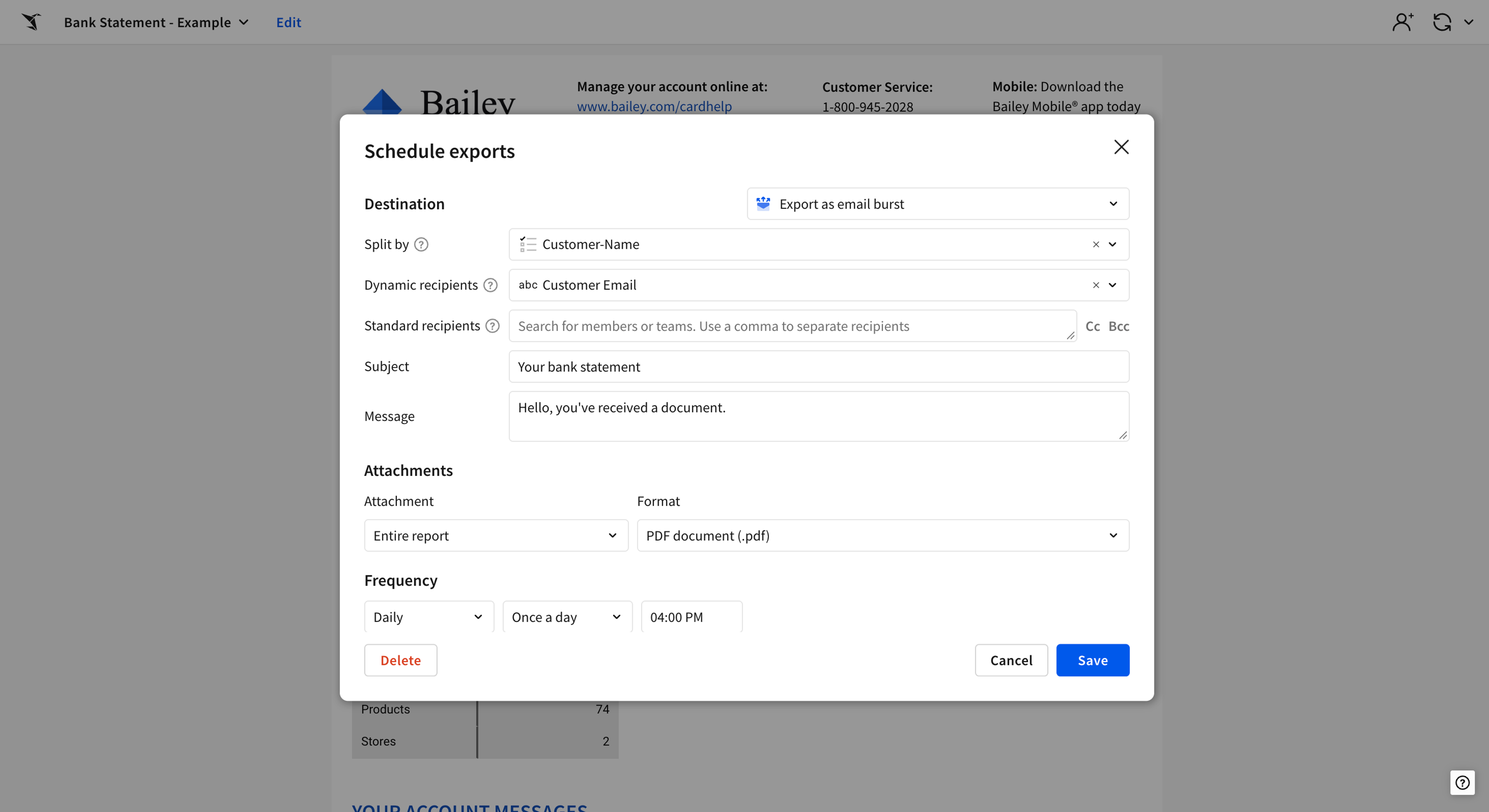
Thousands of personalized reports go out from one schedule, with no pipeline to maintain.
2. Deliver every export that succeeds, and rerun the ones that fail
When one slice fails, Sigma still delivers every export that succeeded. Admins see failed bursts in the Administration portal, rerun just the failed slices without resending the whole burst, and notify the recipients who were affected. Filters for workbook name and schedule time make any run easy to find.
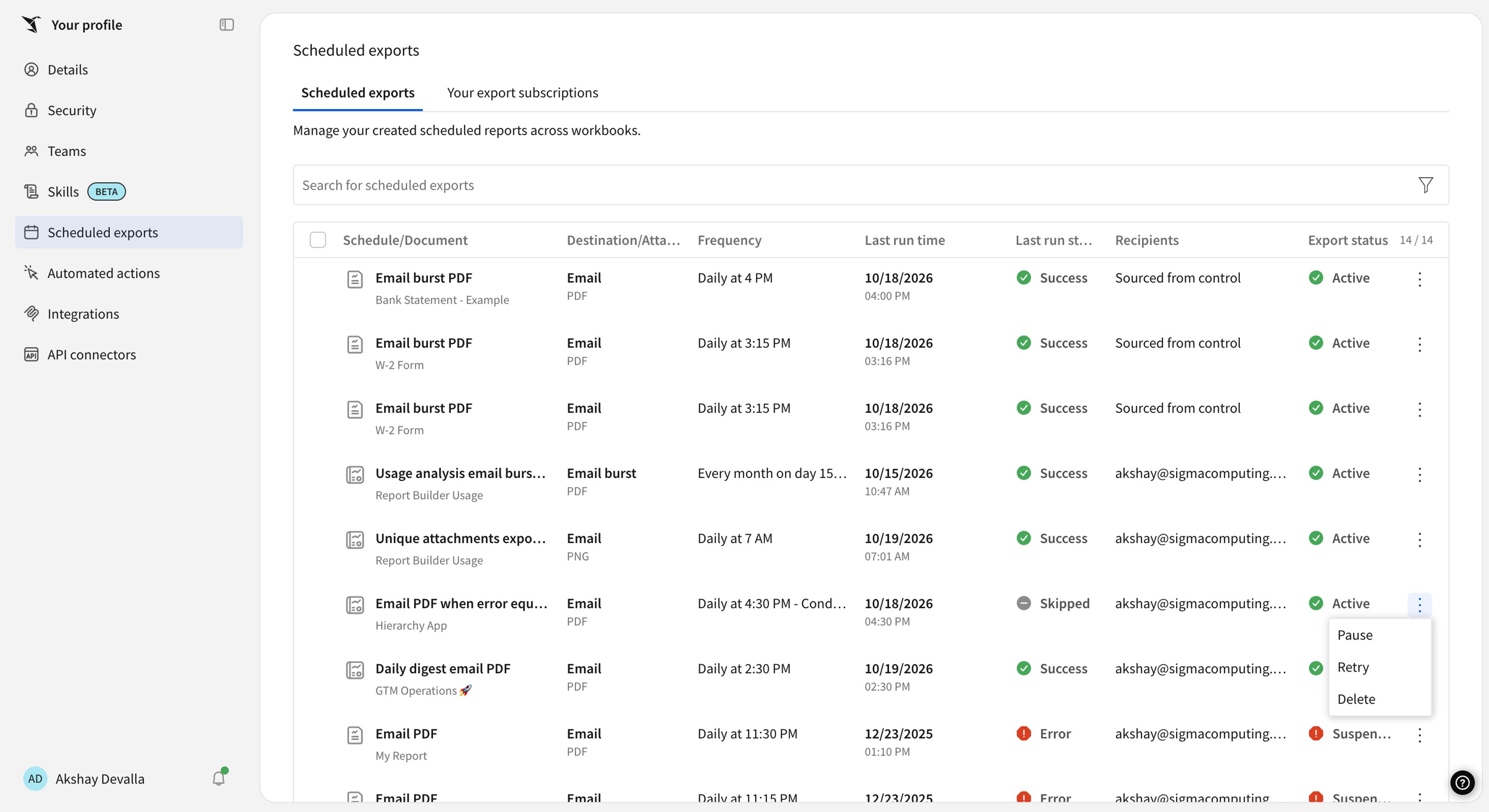
One bad record doesn’t hold up thousands of reports, and admins can fix a failed run before anyone asks where theirs is.
3. Spread burst load so your warehouse keeps up
Set a time window for large bursts, and let Sigma queue them automatically. Alternatively set up the burst with a different warehouse connection so your day to day queries aren’t affected.
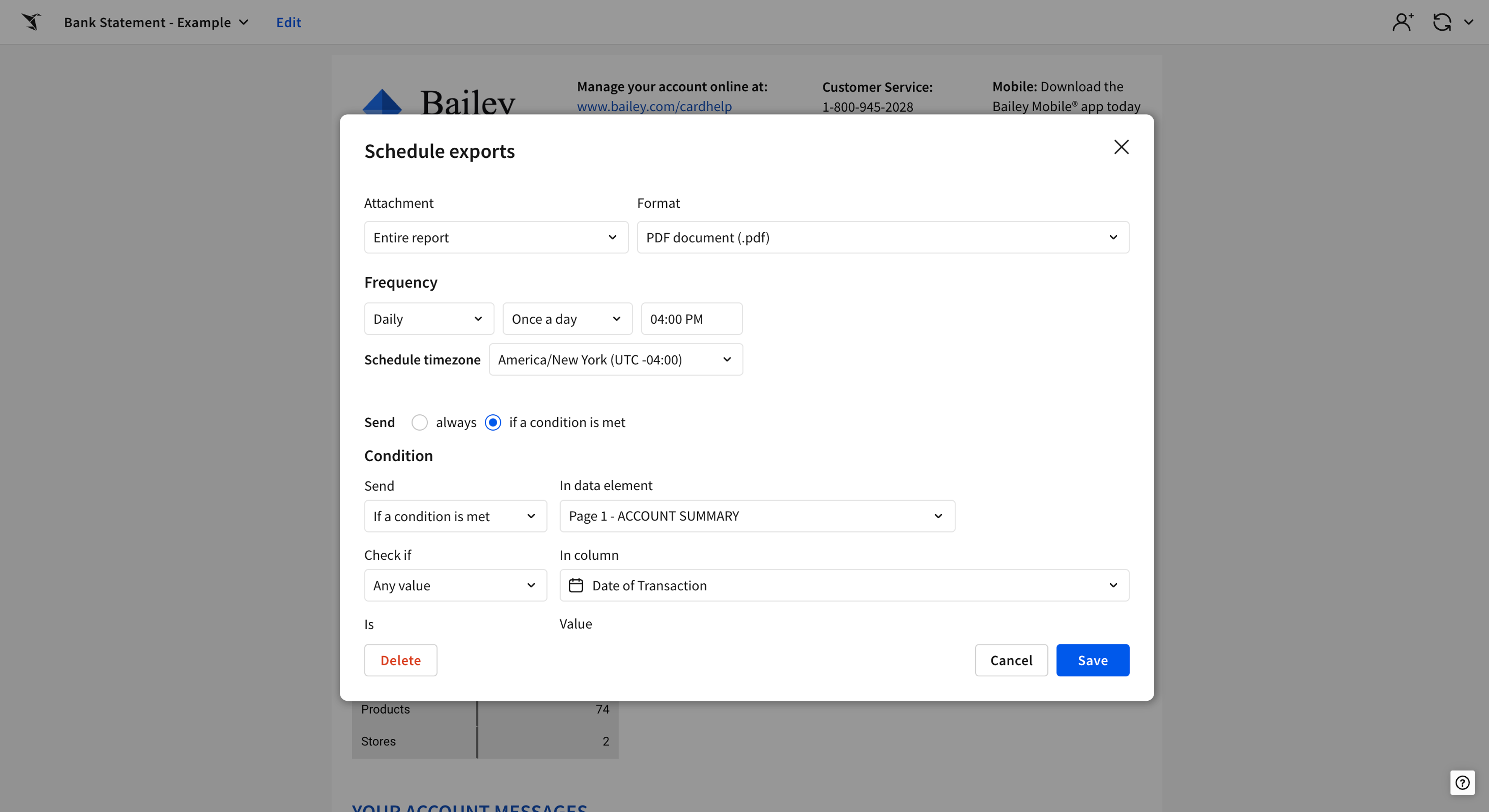
High-volume sends run predictably alongside everything else in your warehouse.
Use cases for enterprise-scale report bursting
Each of these high-volume workloads now runs as a single burst:
- Claims operations at an insurer. Approval and denial letters across many insurance products used to take days to reach customers. With bursting, they arrive minutes after the decision.
- Store operations at a retailer. Every store manager gets a daily inventory report for their own store on a schedule, with no manual work.
- Compensation letters in HR. HR sends every bonus and compensation letter from one burst instead of building and checking each by hand, and each employee receives only their own letter.
- Compliance at a sports betting operator. Every account holder must get an end-of-day transaction statement, and Sigma sends them without a statement system to build or maintain.
Why run your operational reporting via Sigma?
Sigma is cloud-native, so one schedule can send 20,000 different slices of data with no report server to maintain, pipeline to build, or SQL to tune.
Bursts run on the same governed workbooks and reports your team already trusts:
- Governed by default: Only account types with the Export as email burst permission can create bursts. Admins can restrict which domains receive exports, and each recipient gets only their own rows.
- Live from your warehouse: Every slice queries current data in your warehouse, such as Snowflake or Databricks, so no one gets a stale extract.
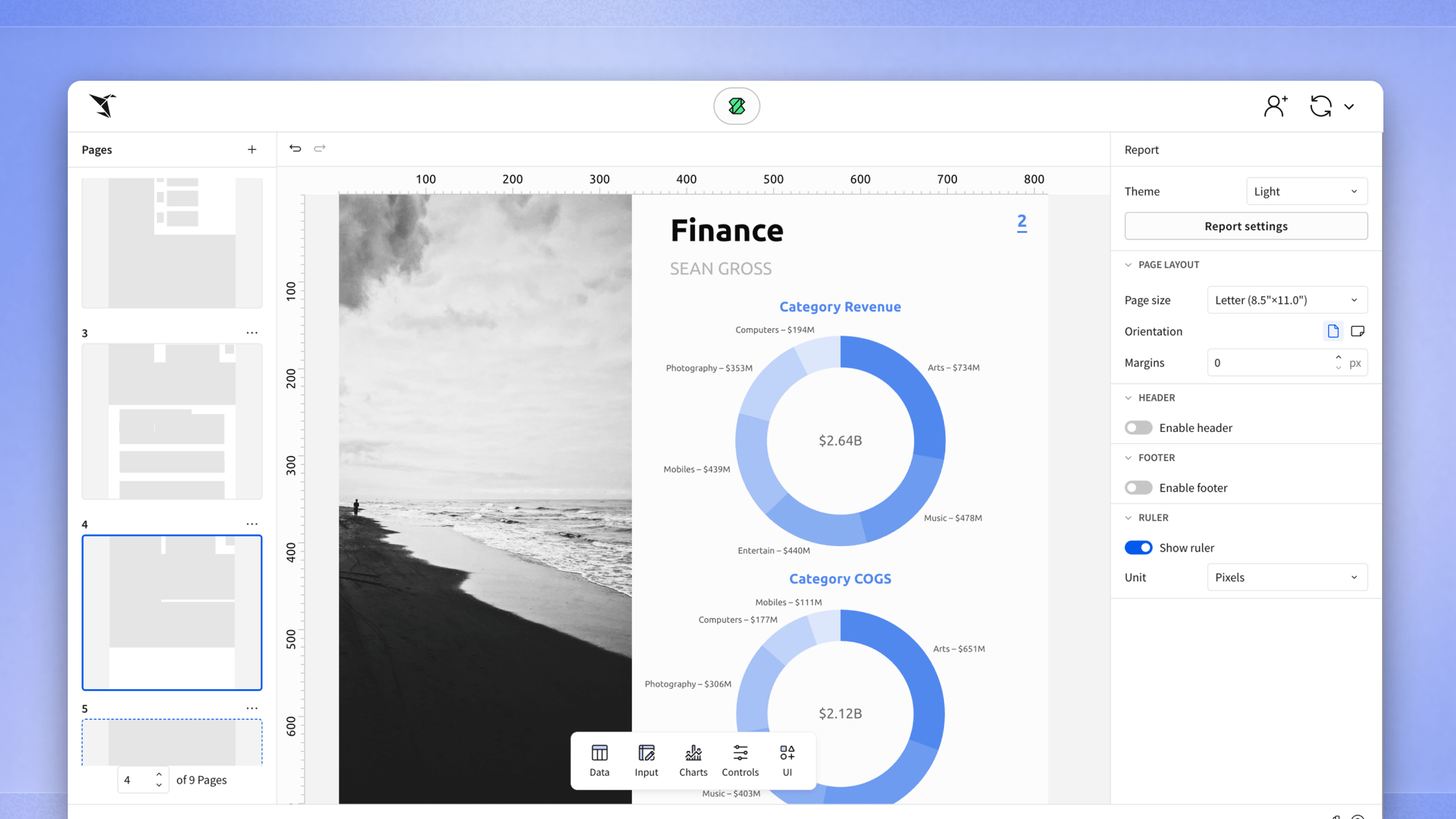
- Pixel-perfect or spreadsheet-ready: Burst workbooks as PDF, Excel, or CSV files, or burst pixel-perfect reports as PDF or PowerPoint with branding and page layout intact.
- Built your way: Burst an existing workbook, convert it to a report, or build a new report in Sigma's report builder interface, by hand or with Sigma Assistant.
Teams are already moving operational reporting to Sigma. Since Pixel Perfect Reporting became generally available in March 2026, weekly exports of pixel-perfect reports via have grown 100x, from about 1,000 exports a week in March to 100,000 exports a week in October. Enterprise-scale bursting gives the largest reporting-server workloads the same path.
What's next for report bursting in Sigma
Enterprise-scale report bursting is generally available today for email. Soon, you'll be able to send bursts to other Sigma export destinations and trigger them through the API, so a burst can drive workflows beyond the inbox. Coming soon, “reports as code” will let you author the reports you burst with an AI assistant like Claude, Cursor, or Codex.
Start sending report bursts at enterprise scale
Bursts of up to 500 recipients are available to any account type with the Export as email burst permission. To send to as many as 20,000 recipients, ask your account team to turn it on, then build your first burst with the report bursting QuickStart. New to Sigma? Request a demo to see it on your own data.
Frequently asked questions about report bursting
What's new in Sigma report bursting? Bursts can now reach up to 20,000 dynamic recipients from a single schedule, up from a previous limit of 500. Your account team can turn on the higher limit.
Can I run report bursts on my regular warehouse? Yes. Bursts use the connection your workbook already uses, and Sigma can queue large bursts so they don't crowd out other work. For very large or complex bursts, you can also use a separate, larger warehouse.
Can recipients open burst files from a link? Recipients get their file as an email attachment. If you want every file yourself, download bursts (public beta) bundle the files into one zip and email you a download link.
Which file formats can I send in a burst? Reports burst as PDF or PowerPoint. Workbooks burst in formats including PDF, Excel, and CSV.