What Is Writeback in Embedded Analytics?

Most embedded analytics offer a very simple view of the data: “Here’s what happened.” If you’re lucky, they’ll give you the option to filter and sort the data so you can find the insights you actually need to do your job.
But if you need to modify the data—say you have an updated number, spotted an error, or want to add human context—you’re out of luck. Most embedded analytics platforms don’t allow the reader to actually interact with the data and add more value.
That’s where Sigma is different.
Sigma provides native writeback capabilities in embedded analytics, which allows end users to go beyond basic analysis by writing new information back to the cloud data warehouse. This capability unlocks the ability to run “what if” analyses, model scenarios, and develop workflows based on data inputs.
If you’re a product manager who’s looking to enhance your digital product with embedded analytics, the choice between giving your end users flexibility to edit a dashboard versus a read-only experience could very well be the difference between renewal and churn.
What is writeback in an embedded analytics context?
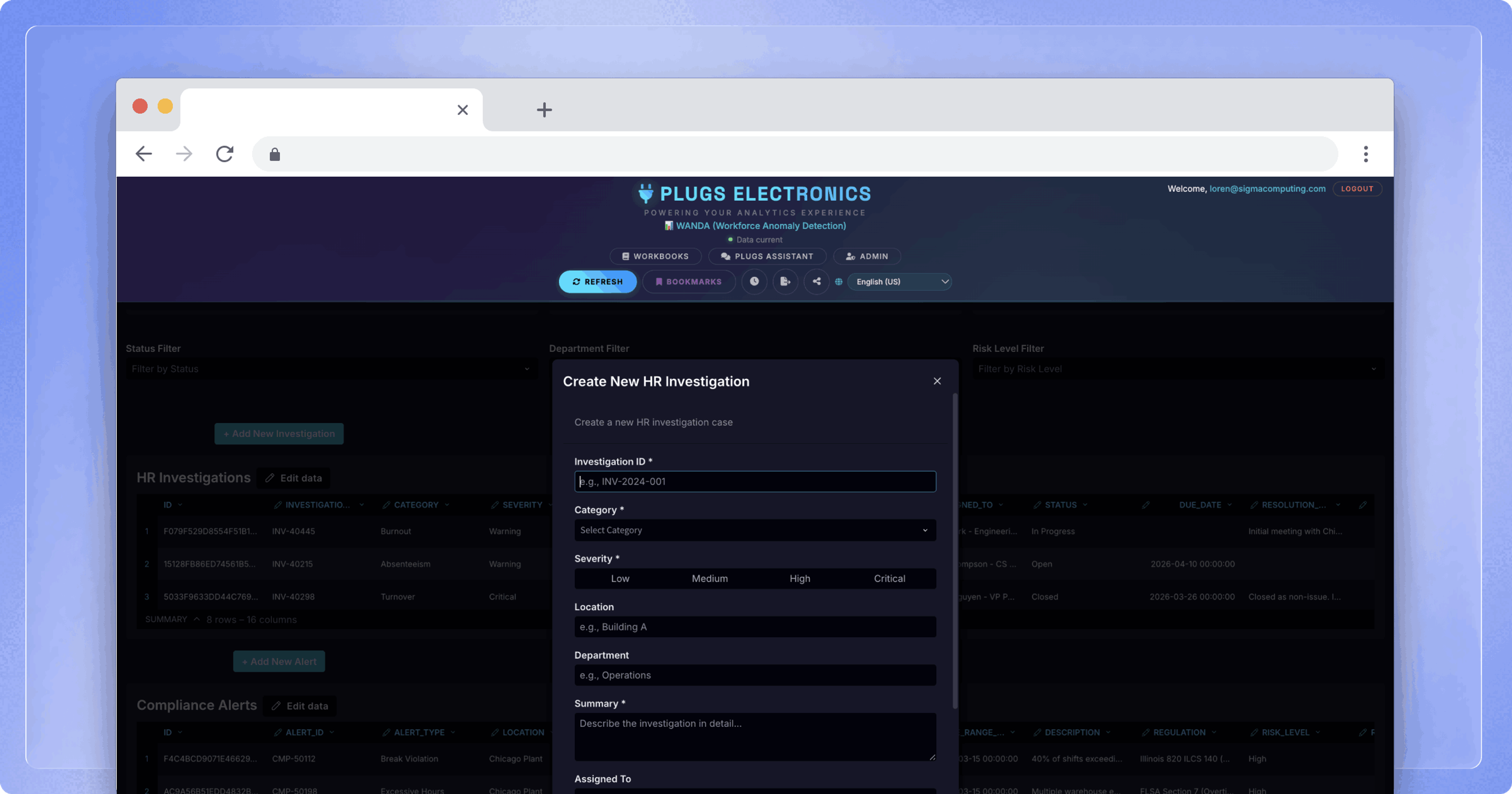
Writeback is a capability that allows end users to enter or modify data directly within an embedded dashboard, with changes written back to the underlying cloud data warehouse. Users can adjust a forecast, flag a record, or submit a structured form without leaving the host application.
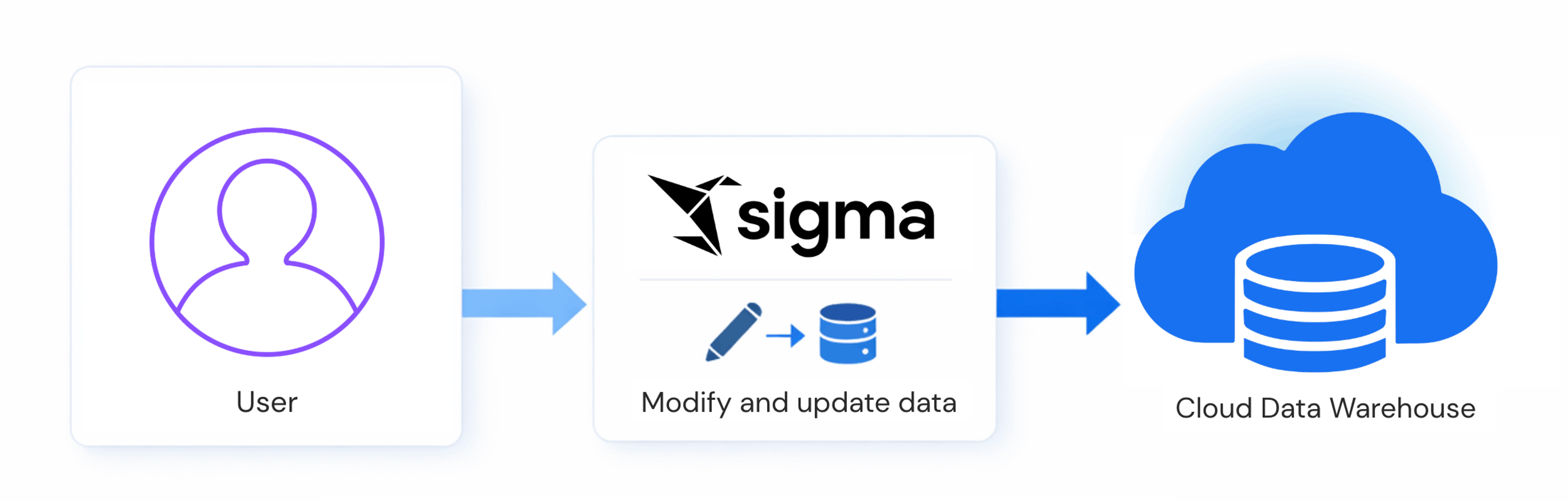
In a standard analytics setup, data flows in one direction: from the warehouse to the dashboard to the user. Writeback reverses part of that flow. Critically, it doesn't create a separate data store, so changes go directly to the warehouse, which remains the single source of truth and the foundation for any downstream analysis.
Sigma implements writeback through Input Tables, a native mechanism for capturing user input directly within an embedded workbook and writing it back to the connected warehouse. Source data is never written over in this process; the new data is appended to a separate schema.
How does writeback work?
At the implementation level, there are two primary patterns for delivering writeback in embedded analytics with Sigma:
- Linked Input Tables combine warehouse data with user-editable columns in a single interface. A Linked Input Table pulls specific columns from an existing warehouse table and adds editable columns alongside them, giving users a familiar spreadsheet-like surface for data entry while keeping warehouse data visible for context.
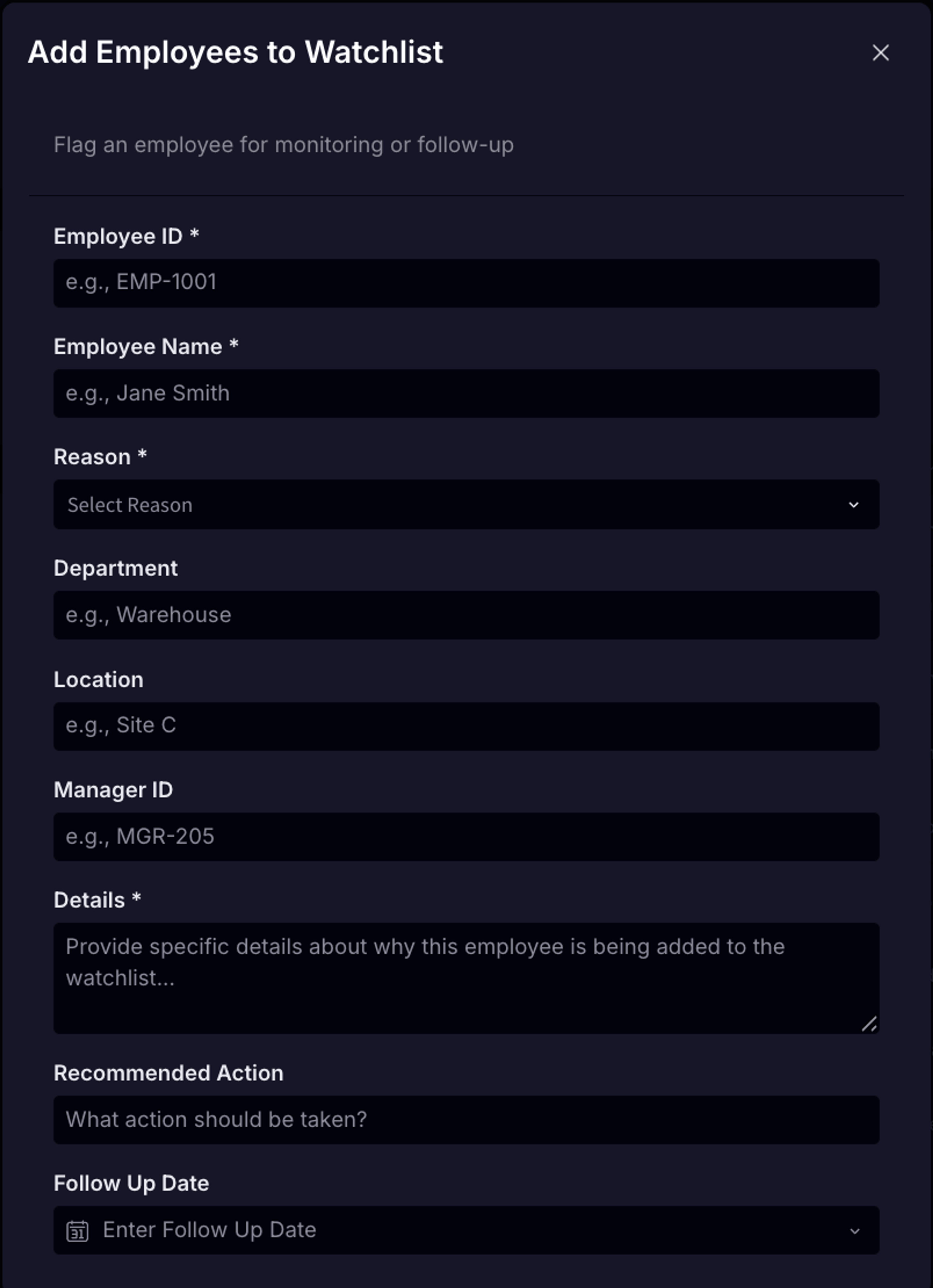
- Forms work by eliminating table visibility entirely. The Input Table lives on a hidden or secured page; users interact only with a form surface. It’s like adding a row to a table, but instead of adding one row with multiple cells, a user submits one form with multiple fields. Data submitted through the form flows into the same warehouse destination, but the underlying table remains inaccessible to end users. This pattern is especially effective for structured data collection workflows where visibility into other users' entries would be inappropriate.
Beyond data entry, writeback enables downstream automation. Input Tables can trigger actions such as sending an email notification when a forecast is submitted or posting a Slack alert when a record status changes. A single data entry event becomes a trigger for multi-step workflows across stakeholders.
What are the most common use cases for writeback?
Writeback is most valuable in workflows where users regularly need to add context, correct records, or submit information that feeds directly into analysis. The most common patterns include the following:
- Demand planning and forecasting. Teams can enter target figures, adjust projections, and submit forecasts directly within the analytics interface. Managers with the appropriate permissions can review, comment on, and approve submissions from the same workbook, with no back-and-forth across email or separate tools.
When teams can submit forecasts, flag updates, and log inputs directly within the analytics interface, the data powering those visuals stays current without any manual consolidation — what you see reflects what's actually happening, as it happens.
- Structured data collection via forms. Consider an investment firm managing hundreds of portfolio companies, each expected to submit periodic operating reports. With embedded forms, each portfolio company submits a standardized report through a form interface, and all responses land in a single warehouse table ready for cross-portfolio analysis. There is no consolidation step, no version reconciliation, and no data lost in translation between email and spreadsheet.
- Status updates and approval workflows. As users update record statuses, whether marking an order as processed, approving a budget line, or flagging an exception, those changes generate structured data that can be queried, tracked, and acted on downstream. Because each change writes directly to the warehouse, the full history of updates is also auditable.
- Consumer and health applications. Writeback also applies outside enterprise back-office contexts. Apps that require user-provided inputs, such as health metrics, personal preferences, or self-reported data, can use writeback to capture that information and feed it into the models that power their core product.
How do you secure writeback in embedded analytics?
Security is more complex in writeback contexts than in read-only dashboards because the data being protected does not exist in the warehouse yet at the moment of entry. Standard row-level security (RLS) policies govern access to existing rows; writeback requires applying those controls to data as it is being created.
Row-level security via Linked Input Tables is the primary mechanism for controlling who can see and write to data in an embedded context. By anchoring the Input Table to warehouse-sourced columns that carry existing RLS policies, you inherit the same access controls that govern the rest of your data model. A user sees only the rows they are permissioned to see, and can only write into those rows.
Forms remove user access to the underlying table entirely. Users see only the form surface; the underlying table is never exposed.
Audit trails operate at three levels. Schema changes to the Input Table, such as adding columns or changing data types, are captured in workbook version history. Those changes, along with broader workbook-level events, are also captured in native audit logs. At the most granular level, every individual data entry and edit is passed to the warehouse as a write-ahead log, giving administrators a complete record of who entered what and when.
This layered approach, combining RLS for access control, forms for exposure management, and write-ahead logs for auditability, is particularly important in multi-tenant environments where multiple customers share underlying infrastructure. Data isolation—ensuring each tenant can only see and write to their own data—is a baseline requirement in these deployments, and RLS is the mechanism that enforces it. Without it correctly configured, the same flexibility that enables ad-hoc data entry also creates exposure risk across tenants.
Writing directly to the warehouse, rather than to an intermediate data store, means all entered data falls immediately under your existing access controls and governance policies. There is no shadow copy sitting outside the security perimeter. This matters more than it might seem: IBM's 2024 Cost of a Data Breach Report found that more than one-third of breaches involved data stored in unmanaged sources outside organizations' primary systems, or what IBM terms "shadow data." Keeping user-entered data in the warehouse from the moment of entry removes one significant source of that exposure.
What is the business case for adding writeback?
Writeback addresses the "so what" problem: users can see that something needs attention, but acting on it requires leaving the application. Keeping that action in the same interface removes a meaningful source of friction and eliminates a category of tool-switching that adds up quickly.
A Harvard Business Review study found that employees toggled between applications roughly 1,200 times per day, adding up to just under four hours per week spent reorienting after each switch, or roughly 9% of their time at work. In one consumer goods company, executing a single supply-chain transaction required switching between 22 different applications about 350 times. Writeback reduces that overhead by keeping analysis, data entry, notification, and approval within a single embedded interface.
There is also a data quality argument. A 2024 peer-reviewed literature review published in Frontiers of Computer Science, synthesizing 35 years of spreadsheet research, found that approximately 94% of spreadsheets used in business decision-making contain errors. Centralizing data entry in the warehouse, rather than routing it through ad-hoc spreadsheets and email, removes a significant source of downstream data quality risk.
The business case also includes a build-versus-buy consideration. Building writeback in-house has a calculable upfront cost, but the ongoing maintenance burden is harder to estimate: keeping pace with warehouse API changes, security requirements, and new analytics capabilities is a sustained investment that most product teams are not well-positioned to absorb. For teams whose core product is not analytics infrastructure, that capacity is generally better directed toward the product itself.
The embedded analytics market is projected to grow at an 11.46% CAGR through 2030, according to Research and Markets, reflecting broad adoption of the idea that analytics belongs inside the products where work happens. Writeback takes that a step further, giving users the ability to act on data within those same products rather than just view it.
Getting started with writeback
For product teams evaluating this capability, the central question is whether to build the underlying infrastructure or adopt a platform that already provides it, including the security model, audit infrastructure, and warehouse integrations that enterprise deployments require. For teams moving forward with implementation, security configuration is the right first focus. Getting row-level security correctly configured before exposing writeback to end users is the step most teams underestimate. Learn in-depth implementation details in our whitepaper, “Sigma Input Tables: Building data applications with Writeback and Input Tables.”
Frequently asked questions
What is writeback in analytics?
Writeback is a capability that allows end users to enter or modify data directly within a BI or analytics interface, with those changes written back to the underlying data source in real time. Rather than simply displaying data, it gives users a way to respond to what they see within the same interface.
What BI tools support writeback natively?
Native writeback support is still relatively uncommon among mainstream BI platforms. Sigma offers it through Input Tables, which write directly to cloud data warehouses such as Snowflake, Databricks, Amazon Redshift, Postgres and BigQuery. Most other tools require third-party extensions or custom development to enable writeback functionality.
Can writeback be secured for multi-tenant environments?
Yes. Row-level security is the primary mechanism for tenant-level data isolation. When correctly configured, RLS ensures that users in one tenant cannot see or write to rows belonging to another tenant, even when both share the same underlying table.
Does writeback provide an audit trail?
In well-implemented writeback systems, audit coverage operates at three levels: schema changes to the input structure are captured in version history; workbook-level events are captured in native audit logs; and every individual data entry and edit is passed to the warehouse as a write-ahead log, recording user identity and timestamp for each change.
Is writeback the same as a two-way sync?
No. Writeback is a deliberate, user-initiated action that writes specific data to a warehouse table. A two-way sync typically refers to automated, bidirectional data replication between systems. Writeback puts the user in control of what gets written and when.