What Is Embedded Analytics? How It Works, Benefits and What to Look For

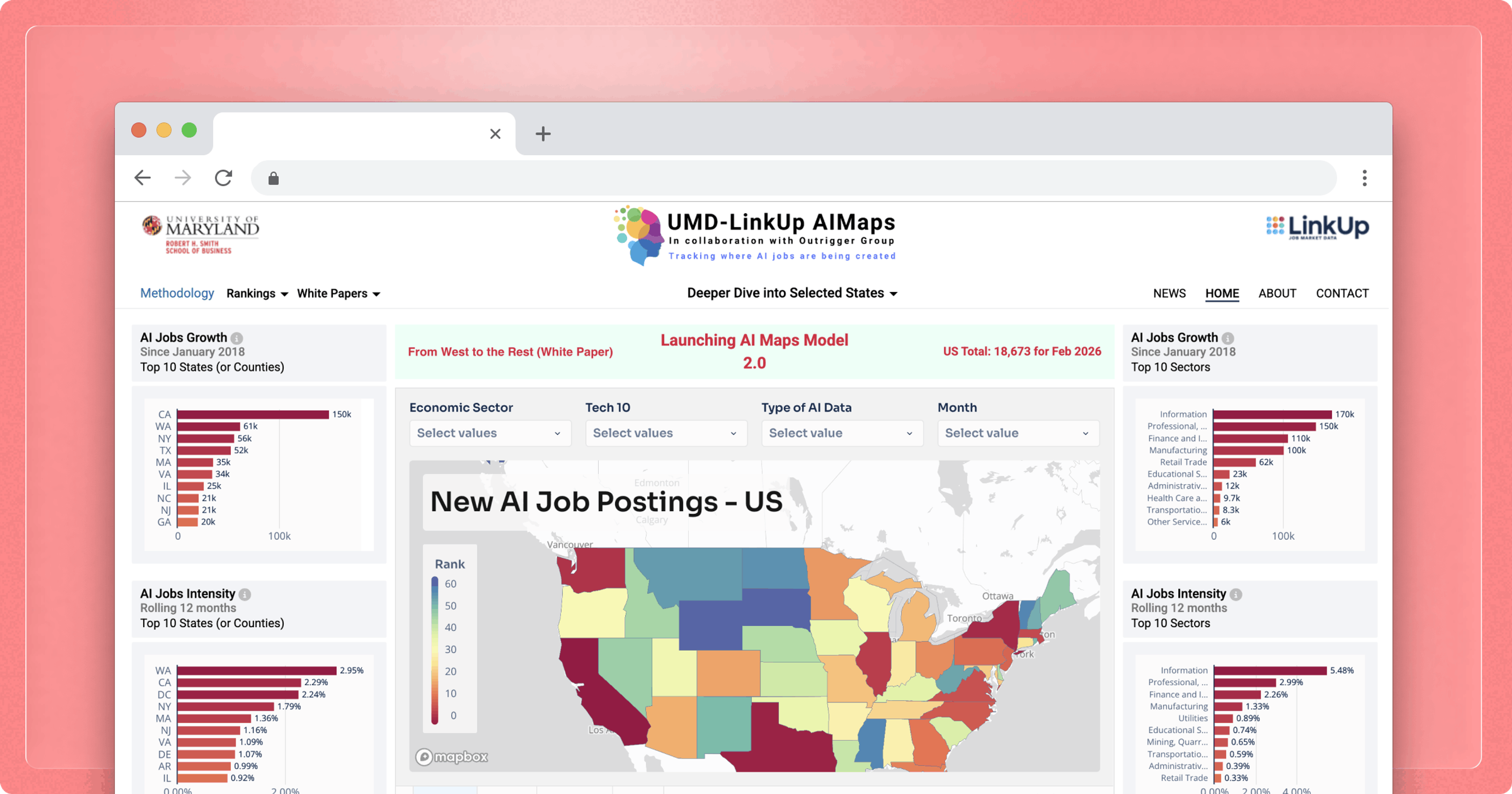
Software products generate massive amounts of data. Every transaction, session, workflow, and decision leaves a record. But for many of the businesses using those products, that data is only accessible by exporting it, taking it elsewhere, and reassembling the context in a tool that knows nothing about where it came from.
Embedded analytics solves the export-and-reassemble problem by building analysis, visualization, and self-serve querying directly into the product itself, so the people using it can make sense of their data without ever leaving it.
Key takeaways
- Embedded analytics puts data analysis inside your product, so your customers can answer their own questions without exporting CSVs or switching to a separate tool.
- It runs on three interdependent layers (data, presentation, and security), and decisions in each one shape what your customers can do.
- Embedded analytics anchors retention and creates new revenue, from B2B SaaS dashboards to white-labeled partner portals and premium analytics tiers.
- Choosing a platform comes down to four criteria: deep white-labeling, platform-level multitenant isolation, governed self-service, and security inherited from the warehouse, all of which Sigma delivers in a single warehouse-native platform.
What is embedded analytics?
Embedded analytics is the practice of building data analysis, visualization, and self-serve querying capabilities directly into your product, so your customers can answer their own data questions without leaving it or opening a separate analytics tool.
In practice, it's the dashboards, charts, reports, and interactive data exploration you ship as part of your product, scoped to each customer's data, styled to match your brand, and accessed through the same login your customers already use.
How embedded analytics differs from legacy BI
Legacy business intelligence (BI) tools are often proprietary reporting and analytics platforms that require users to log in to a separate system, import data from elsewhere, and make sense of it while disconnected from the business context.
Embedded analytics flips the legacy BI mode in four ways:
| Dimension | Legacy BI | Embedded Analytics |
|---|---|---|
| Deployment and authentication | Requires a separate login and interface with its own identity system. | Ships via SDK, API, or iframe, so your customers don't have to re-authenticate. |
| User experience (UX) intent and adoption | Built for data analysts or anyone willing to invest the time to learn them. | Strips away that complexity, making it easy for your customers to run analysis on their own business context. |
| Data access | Often relies on batch processing and scheduled refreshes. | Can query live warehouse data tied to your customer's current workflow. |
| Multitenancy | Assumes trusted internal users on a corporate network. | Must enforce tenant isolation on every query, so customer A never sees customer B's data. |
Without embedded analytics, your customers are stuck exporting data, juggling separate BI tools, and reconstructing context every time they need an answer.
4 benefits of embedded analytics
Embedded analytics earns its place in products because it makes them feel more valuable to their users. When customers can answer their own questions inside your product, they stay longer and get more done without leaving.
1. Product stickiness and expansion revenue
Embedded analytics can reduce churn by making your product more useful in your customers' day-to-day workflows. Analytics features create habitual usage patterns, and the platform that generates the board report is the platform the customer renews.
2. Reduced engineering cost versus building in-house
Building embedded analytics from scratch is often a significant engineering investment, with ownership costs that can extend well beyond the initial release as you maintain, scale, and iterate on the feature over time.
Buying a platform shortens the path from planning to launch and avoids the ongoing engineering drag that in-house builds tend to put on core product work.
3. Faster insight-to-action loops
Embedded analytics collapses the distance between seeing data and acting on it by keeping analysis inside the workflow where decisions happen, instead of forcing your customers to leave, log into a separate tool, reconstruct context, and return.
4. New monetization paths through tiered analytics offerings
Analytics becomes its own revenue line. Once you embed it, you have a new pricing surface to package across free and paid tiers, bundling basic insights with the base subscription while reserving deeper exploration, custom views, and writeback for a premium tier.
3 core components of embedded analytics
Embedded analytics is a stack of three interdependent layers that connect your warehouse to your customer's screen, and decisions in each layer constrain the others.
1. The data layer
At the data layer, you choose whether the analytics engine queries data live against a cloud data warehouse or copies data into a proprietary cache.
Warehouse-native embedded analytics runs every query against the warehouse, which stays the single source of truth. Extract-based approaches copy data into a separate store that the analytics vendor manages. That creates a second data perimeter, and the perimeter must enforce tenant isolation independently.
2. The presentation layer
The presentation layer is how analytics appears inside your product. Four integration patterns sit on a spectrum from simple to deeply controlled:
- iframes embed a dashboard URL inside an <iframe> tag, which is easy to set up but offers limited customization.
- JavaScript SDKs provide tighter integration, pixel-perfect precision, and responsive design.
- Web components offer Shadow DOM isolation and framework-agnostic behavior.
- APIs (headless) query the analytics engine directly for fully custom frontends.
Increasingly, the presentation layer also includes an AI surface, where embedded agents let customers ask questions in natural language and get answers scoped to their own data, governed by the same tenant rules as the rest of the experience.
3. The security layer
Multitenant security is an architectural constraint you must address from day one. Every query path, export mechanism, and cache layer must enforce tenant isolation so each of your customers only ever sees their own data.
Row-level security (RLS) restricts access at the query level. Relying on application-layer filtering alone increases the risk of exposing data through a missed code path. Short-lived JSON Web Tokens (JWTs) minted server-side, plus SSO integration via SAML and OpenID Connect (OIDC), complete the trust chain.
3 use cases for embedded analytics
Some of the strongest use cases for embedded analytics arise when the product already generates data, the data answers questions your customers actively need to act on, and a separate BI tool would force a context switch that defeats the purpose.
1. Customer-facing analytics in B2B SaaS products
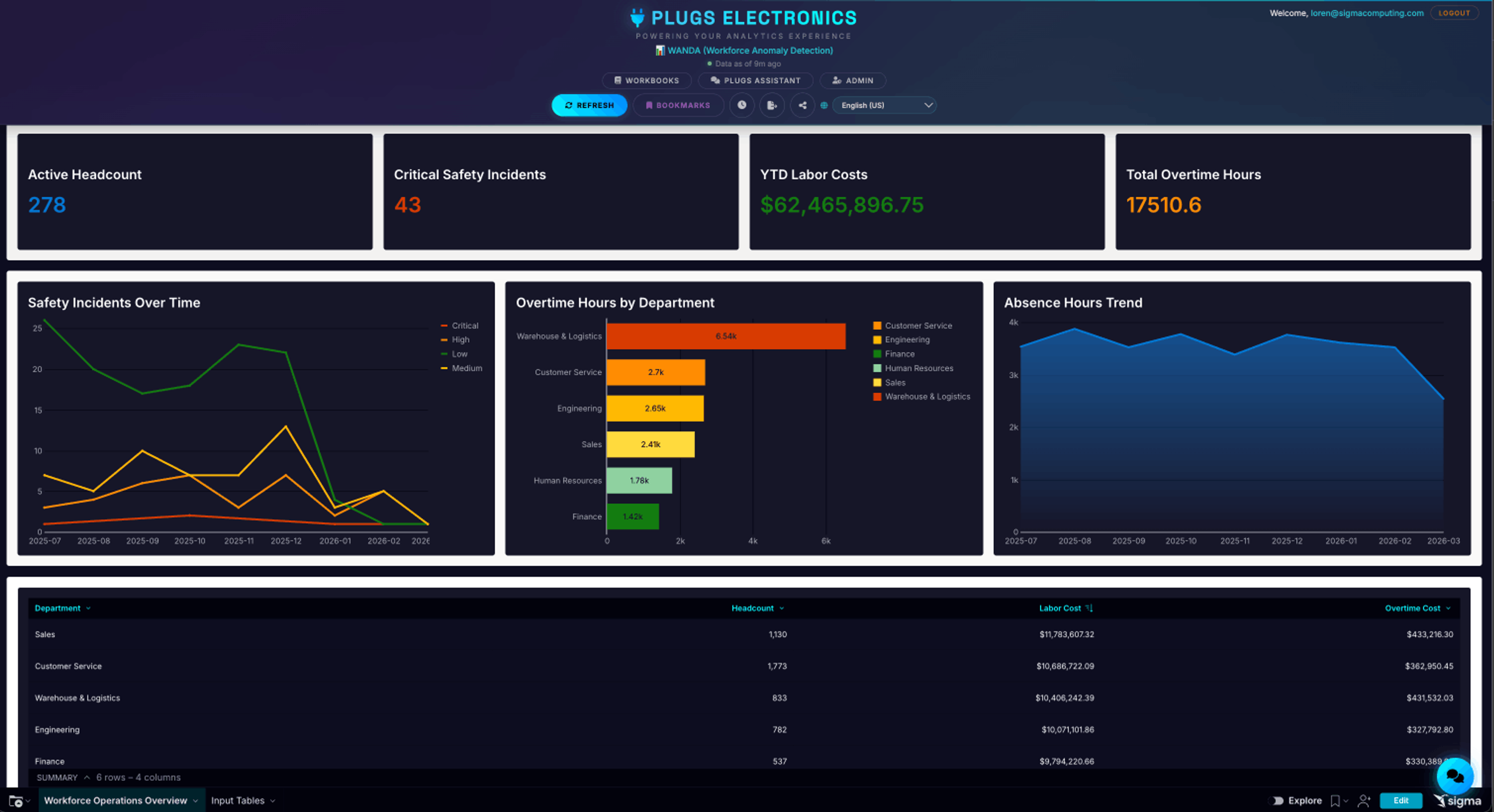
SaaS companies embed analytics so their customers can self-serve insights without leaving the product. For example, a marketing automation platform might replace static periodic reports with live dashboards that track each customer's campaign performance in real time.
That kind of always-on visibility is what drives renewals for the product team: the platform that generates the numbers your customer reports to their own leadership is the platform they keep paying for.
2. Operational analytics inside vertical and industry software
Vertical SaaS products, such as electronic health records (EHRs) for clinics, practice management for law firms, and dealer management for auto retailers, embed analytics tuned to the workflows of their respective industries. Because the analytics target a specific domain, they can ship with prebuilt metrics, benchmarks, and visualizations that a generic BI tool typically wouldn’t provide.
For the vendor, domain-tuned analytics is what separates the system of record from a replaceable tool, and it's typically the foundation for a premium analytics tier that expands annual recurring revenue (ARR) per customer.
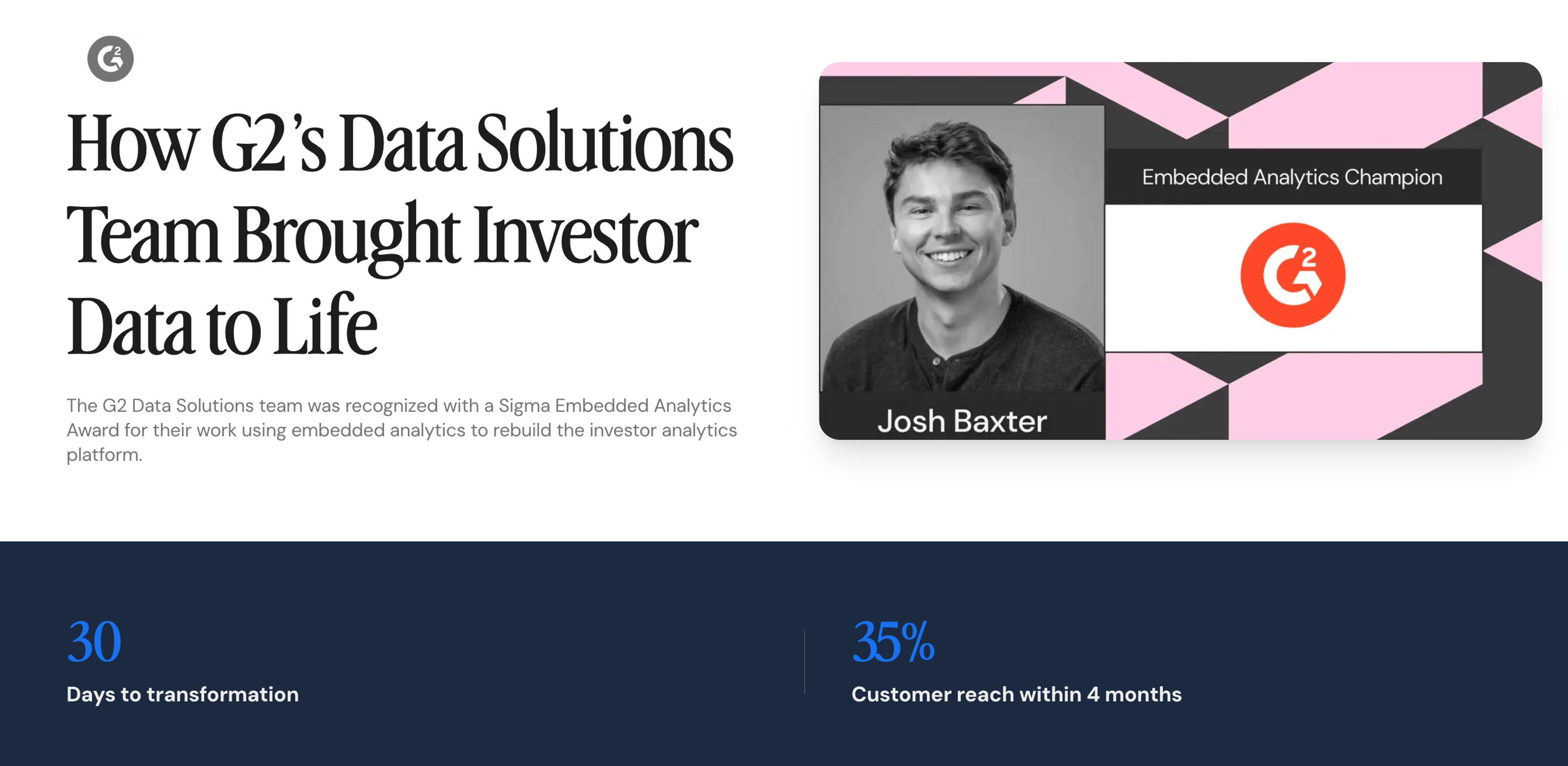
For example, G2, the world’s largest software marketplace, recognized an opportunity to improve how institutional investors, private equity firms, and consultants interacted with its software market intelligence. While G2’s underlying data was highly valuable, customers often had to export data into spreadsheets and build their own analyses to answer investment questions, creating friction and slowing time to insight.
To address this, G2’s Data Solutions team rebuilt its investor analytics platform using Sigma’s embedded analytics. In just 30 days, the team transformed a static reporting experience into a dynamic, interactive analytics environment that enabled customers to explore data visually and uncover insights without leaving the platform. By rolling out updates rapidly and incorporating customer feedback in near real time, G2 reached 35% of its customer base within four months of launch.
The impact extended beyond usability improvements. The new embedded analytics experience helped investment teams move faster from data collection to hypothesis generation, enabled more engaging customer conversations, and allowed G2’s sales and data teams to iterate on product improvements at a much faster pace. By turning raw data into an interactive decision-making experience, G2 increased the value customers derived from its platform while strengthening differentiation in a highly competitive market.
3. White-labeled analytics in partner and marketplace ecosystems
Platform operators provide external partners with access to analytics scoped to their own data via white-labeled, multitenant architectures. A food delivery platform embeds live order analytics into restaurant partner dashboards, where each restaurant sees only its own data.
For the operator, embedded analytics is what keeps partners on the platform. The more decisions partners make inside your analytics surface, the harder it is for them to leave for a competing marketplace.
Instead of building from the ground up, embedding an existing analytics solution into your application can significantly accelerate time-to-market and deliver immediate results.
What to look for in an embedded analytics platform
The right embedded analytics platform blends into your product and scales with your customer base. The wrong one creates a second product you have to maintain for years to come. Four criteria separate platforms that survive a procurement review from platforms that don't:
- White-labeling and theming depth: The vendor must disappear across every surface, including the embedded interface, scheduled report emails, export headers, tooltips, loading states, and error messages. The platform should also support per-tenant theming at the SDK level. If theming stops at a logo upload and color picker, the experience will feel bolted on.
- Multitenant data isolation: The platform must enforce tenant scoping server-side, including in scheduled reports and exports, and fail closed when a tenant filter is misconfigured. Treat multitenancy as a first-class platform concern, with isolation enforced once at the platform layer rather than reapplied per dashboard.
- End-user experience beyond static charts: Your customers should be able to filter, drill down, group, and export within governed boundaries without pulling your developers in for each use case. Governed self-service is what keeps customers from outgrowing the experience and churning to a competitor that lets them go deeper.
- Inherited security from the warehouse: Warehouse-native platforms inherit row-level security policies from the warehouse without re-implementation. Apply an RLS policy at the warehouse, then verify the platform respects it for end users. Platforms that claim to be warehouse-native but don't inherit warehouse-level access policies fail this test regardless of marketing.
Whatever a platform can't do elegantly on day one, your team will most likely end up patching around for years. Choose accordingly.
How Sigma powers embedded analytics in your product
Sigma is the runtime layer for building and scaling analytics, apps, and agents on live cloud warehouse data. Workbooks, dashboards, apps, or agents built in Sigma can run on the warehouse your team already secured, with permissions, row-level security, and audit trails carried through automatically.
Embedded in your product, Sigma's analytics surface provides your customers with filtering, drill-down, custom views, paginated reports, natural-language queries, and writeback. All of these features are governed by row-level security that Sigma inherits from the warehouse at query time.
1. Tiered embedded experiences from view-only to full edit
Sigma’s embedded experience offers three levels of functionality, matching Sigma’s View, Explore, and Edit workbook modes.
- View (view-only): surfaces charts and KPIs filtered to each customer’s data, with the ability to sort and adjust existing filters.
- Explore: lets users create new filters, drill into the unaggregated data behind those charts, and run ad hoc analysis in an isolated view without affecting the published version other customers see.
- Edit (full edit): lets your customers build and edit elements and pages, and, with the right permissions, enter data through Input Tables to write back to the warehouse.
The Sigma interface can also provide a familiar spreadsheet-like experience that business users already understand, so adoption typically requires only light training.
2. Writeback to scoped warehouse locations through Input Tables
Sigma Input Tables let embedded users edit data in the workbook user interface (UI) and send those changes to a new schema in the warehouse, with an audit trail capturing every change: the original record, the new record, who changed it, and when. Input Tables allow permissioned users to modify data and add important context, but within guardrails. Input Tables never write over original data in the warehouse.
This writeback closes the insight-to-action loop inside your product. Instead of exporting a list, updating it elsewhere, and pushing changes back to the warehouse through a separate process, your customers can act on what they see the moment they see it, with governance and accountability preserved end-to-end.
3. Embedded AI with the same governance as the internal experience
Native AI runs inside the embedded surface, so your customers can query in natural language and get governed answers grounded in their own scoped data. Sigma Agents let builders configure agentic workflows scoped to a specific workbook, with custom instructions, defined data access, and configured actions such as writeback, notifications, and scenario generation.
The answers inherit the workbook's existing security model and warehouse row-level security, with queries validated before they execute so malformed SQL never reaches the warehouse.
4. Multitenant data isolation with cross-region provisioning
Sigma Tenants delivers enterprise multitenant isolation, cross-region provisioning, and content deployment with source swapping — so you can build content once and deploy it across tenants, with each tenant automatically pointed at its own data source. Sigma treats tenant isolation as a platform-level concept, with automatic user assignment and permission-based access controls for embedded users.
The outcome is that each of your customers only ever sees their own data, no matter how your engineering team configures the embed or how many tenants you onboard. Isolation is enforced once at the platform layer, so your team doesn't have to reapply it per dashboard or worry about a misconfigured filter leaking data across accounts.
5. White-labeling with a React SDK and SSO
Sigma's React SDK and SSO integration help your engineering team embed a white-label analytics experience inside your product, with per-customer theming so the surface your customers see carries their brand, not Sigma's.
The SDK gives developers fine-grained control over layout, components, and styling, so the embedded experience feels like a native part of your product rather than a bolted-on dashboard. SSO ties authentication into the identity system your customers already use, so they move from your product into the analytics surface without a second login or a separate set of credentials.
Power embedded analytics in your product with Sigma
Your customers are already exporting CSVs and asking account managers for reports. The decision is whether to give them embedded analytics in your product or leave them stuck with the workaround.
Sigma ships warehouse-native and governed by default, with a React SDK, SSO, multitenant isolation, writeback, and embedded AI agents included out of the box. With Sigma, your team ships an embedded analytics experience that looks like your product and inherits the security policies your data team already trusts, without setting up a second analytics stack to maintain indefinitely.
To see what embedded analytics looks like in your product, get a demo or try Sigma free.