Workflow Recap: Bridging LLMs and Analytics with Sigma AI Query

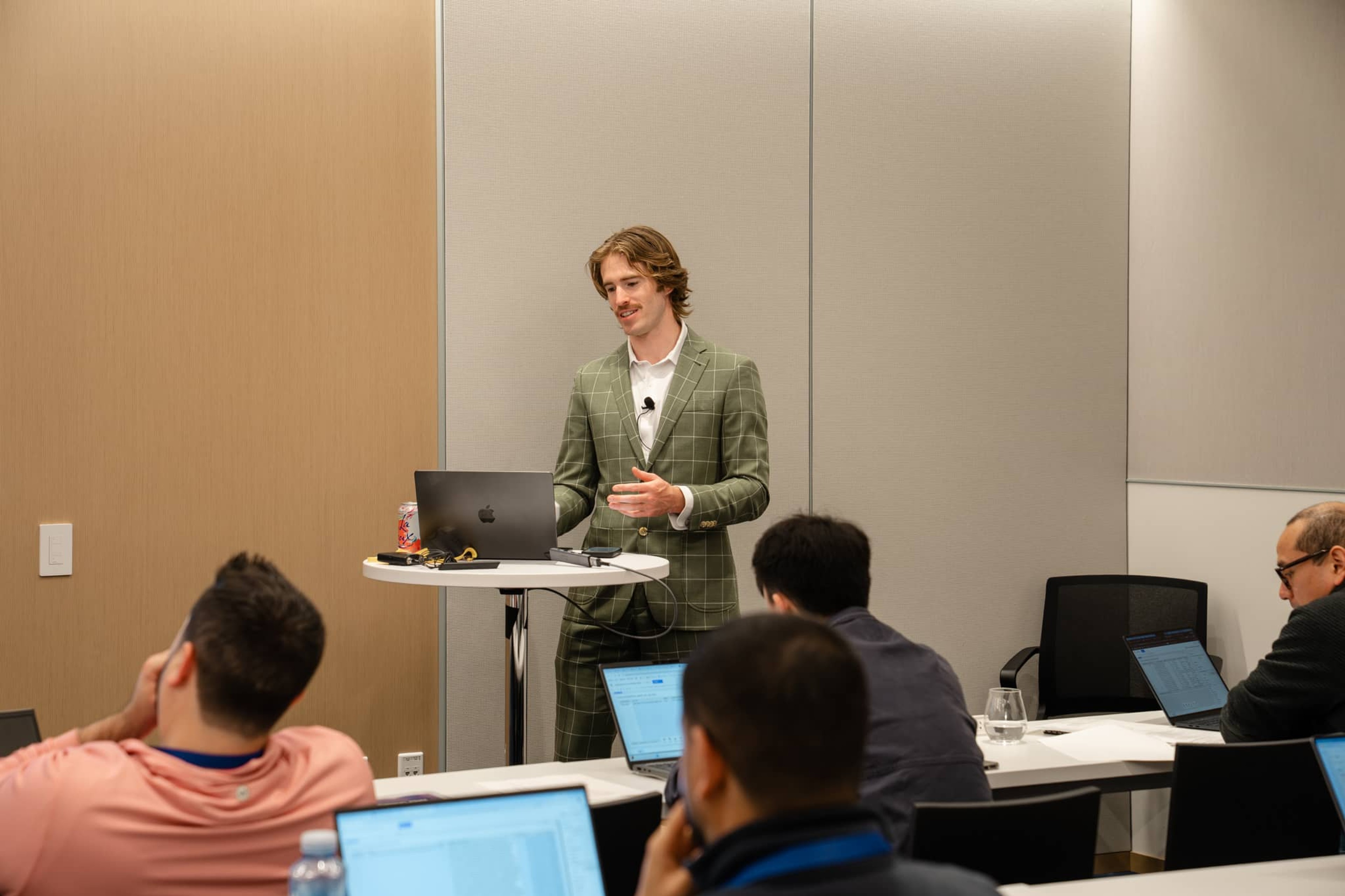
At Workflow 2026, I led a session that focused on a problem I think every team is running into right now: the gap between how LLMs are designed to operate and how analysts actually interact with data.
→ LLMs are built for freeform text.
→ Analytics is built on structured, tabular data.
My session, “Integrating AI into Your Workflows with AI Query”covered how to bridge that gap by using AI Query effectively and responsibly inside Sigma workbooks.

The shift from deterministic to probabilistic systems
Traditional analytics systems are deterministic. Run a function twice, get the same answer twice. The logic is mathematical, and you can trace exactly why a result occurred. Large language models break that paradigm. Ask an LLM the same question twice and you might get two slightly different answers. That's not a bug, that's just how they work. They operate probabilistically through neural networks that aren't explainable the same way analytical functions are.
When we introduce AI into analytics workflows, we are intentionally giving up some predictability. What we get in return is the ability to summarize, categorize, and interpret messy or ambiguous data in ways that would be extremely hard to build with deterministic logic. But we are not replacing traditional analytical functions. We're adding a probabilistic layer on top of them. That tradeoff matters because it changes how you should design workflows. AI belongs where variability is acceptable. It does not belong where errors compound.
Why warehouse-native AI matters
When using AI with data, it’s also important to consider where that AI functionality is coming from and how it fits within your larger security and governance infrastructure.
Sigma’s approach to working with AI reflects the same architectural philosophy as working with data: it belongs in the warehouse. AI Query runs inside the warehouse using services like Snowflake Cortex or Databricks AI, so we are not copying your data into external systems to process it. This matters because right now, organizations everywhere are copying sensitive data into external AI tools. Every time that happens, it introduces risk. Running AI inside the warehouse means teams can experiment without breaking their security model. The compute and governance controls are already there.
Where AI Query helps
The best use cases for AI Query aren't complicated. They're places where humans are currently forced to read and interpret large volumes of text. One of the simplest examples is dynamic summaries for dashboards. Analysts spend a lot of time building dashboards that stakeholders still struggle to interpret. AI Query can generate dynamic headers that explain what the data is showing.
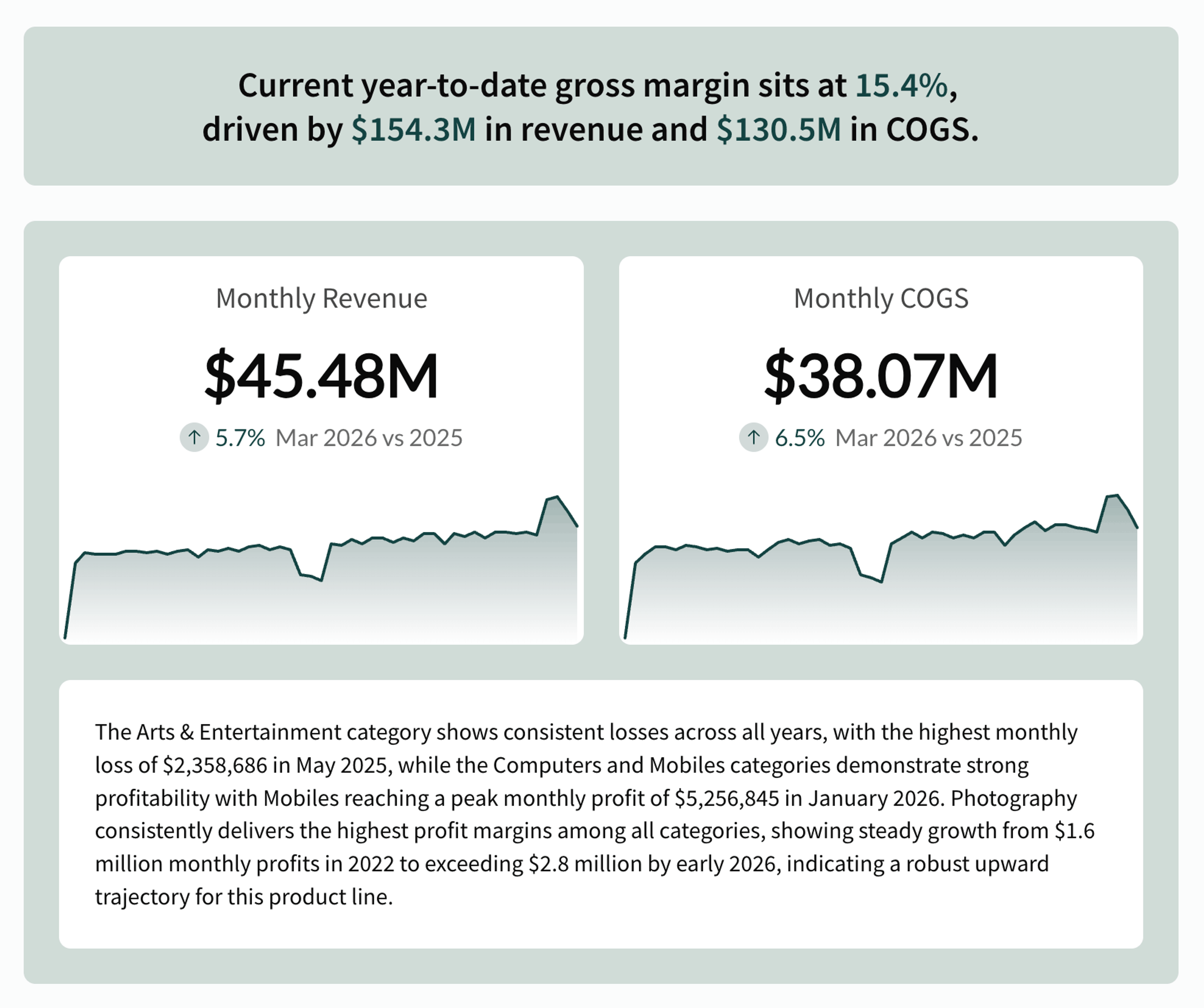
Instead of presenting a chart and expecting an executive to figure it out, the workbook generates a sentence like "The current year-to-date gross margin sits at 15.4%, driven by $154.3M in revenue and $130.5M in COGS." It additionally can provide quantitative context to explain the charts further. Summarization is something LLMs are genuinely good at, and something deterministic systems struggle to replicate.
An example of a detailed AI Query
In the example above, you can see that below the dynamic title, we also included an AI-generated summary of the data. Here is the exact prompt we used to generate that dynamic text output in paragraph form:
CallText(
“SNOWFLAKE.CORTEX.COMPLETE”,
“claude-3-7-sonnet”,
"You are a precise AI agent invoked from a data warehouse LLM. Your responses will be consumed in a table column and must be:
Direct: Return only the requested content, no explanations or extra text.
Concise: Limit to 1–2 sentences, or a short list if explicitly asked. The output should always be formatted in a way that they could be filtered or used in further deterministic SQL-based columnar calculations.
Consistent: Match the requested format exactly (e.g., number, category, JSON, comma-separated list).
Conclusive: Do not hedge, speculate, or add filler.
Always return output that is minimal, clean, and immediately usable in an analytic workflow. Here is the user prompt:" &
[user_prompt] & ": " & [data]
)
TIP: Instead of sending a raw table to the model, you use functions like ListAgg([Support_Notes], "\n") to transform rows of structured data into a single narrative text block the LLM can actually work with.
Examples of AI Query
The use cases outlined above — summarization, dynamic headers, and structured output — are just the starting point. Because AI Query runs natively in the warehouse and integrates directly into Sigma's workbook logic, teams can build purpose-built applications that embed AI exactly where decisions get made.
The following examples show how two different teams used AI Query to move from raw data to context-aware answers, without copying data outside their environment or asking users to change how they work.
Build an AI Deal Assistant for Sales Reps in Sigma
A more advanced pattern is using AI Query to power a pipeline forecasting application built for sales reps. In this example, rather than exposing complex LLM logic directly to users, a custom Sigma function acts as a wrapper — so interacting with AI feels as simple as calling a standard math function. AI Query handles the call to the warehouse AI service, passing two arguments: a natural language question from a text input control, and the opportunity ID of the deal being analyzed.
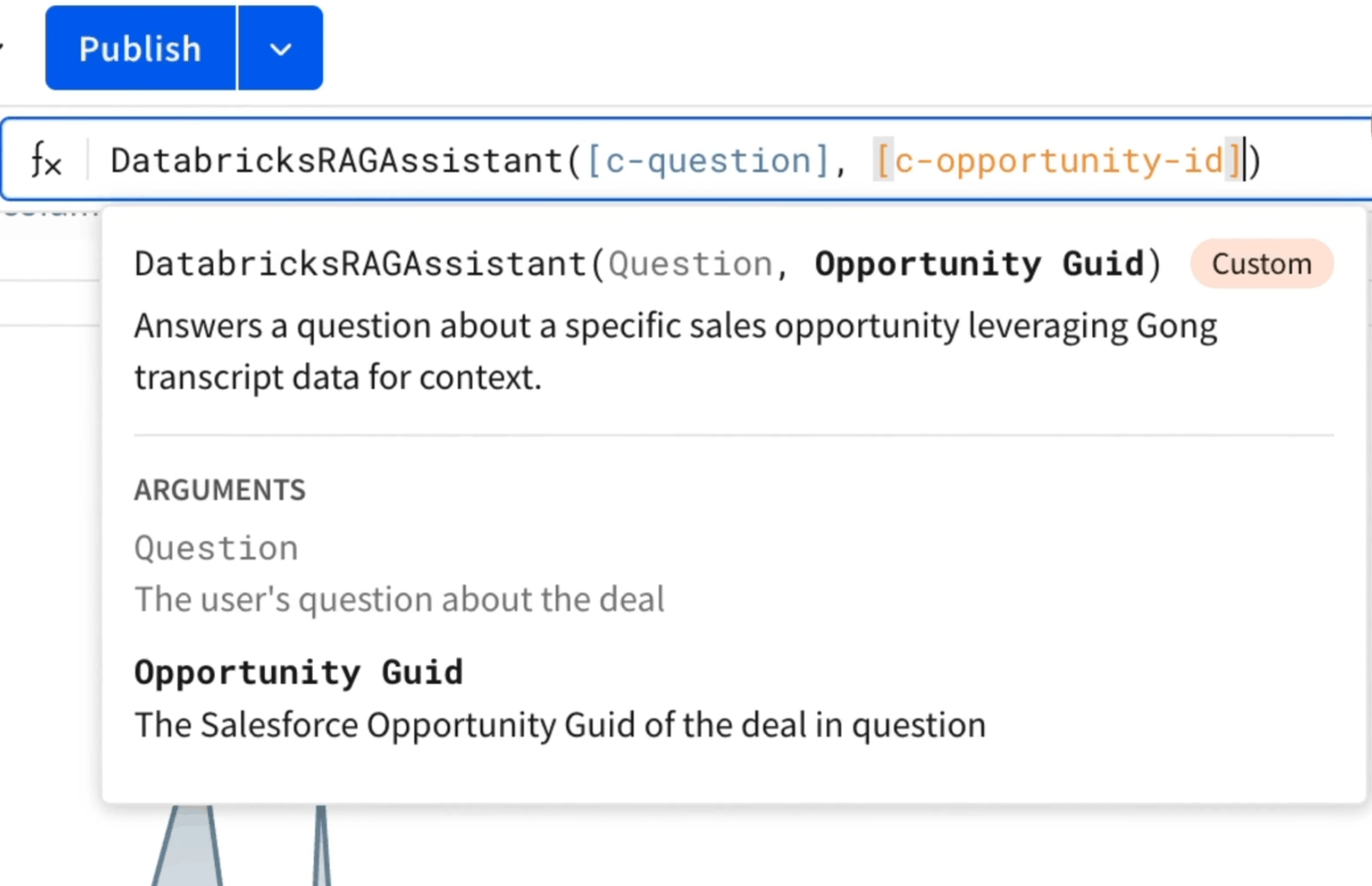
The result comes back inline, giving sales reps context-aware answers about specific deals — pricing discussions, security risks, competitive dynamics — without writing code or switching platforms.
Building a Portfolio Modeling App with AI in Sigma
A different approach uses Sigma's Action framework to trigger AI analysis on demand. In this example, clicking on a specific security kicks off a sequence of actions: the application captures the relevant record details, sets them as control variables, and uses them to build a structured prompt that specifies the desired output format.
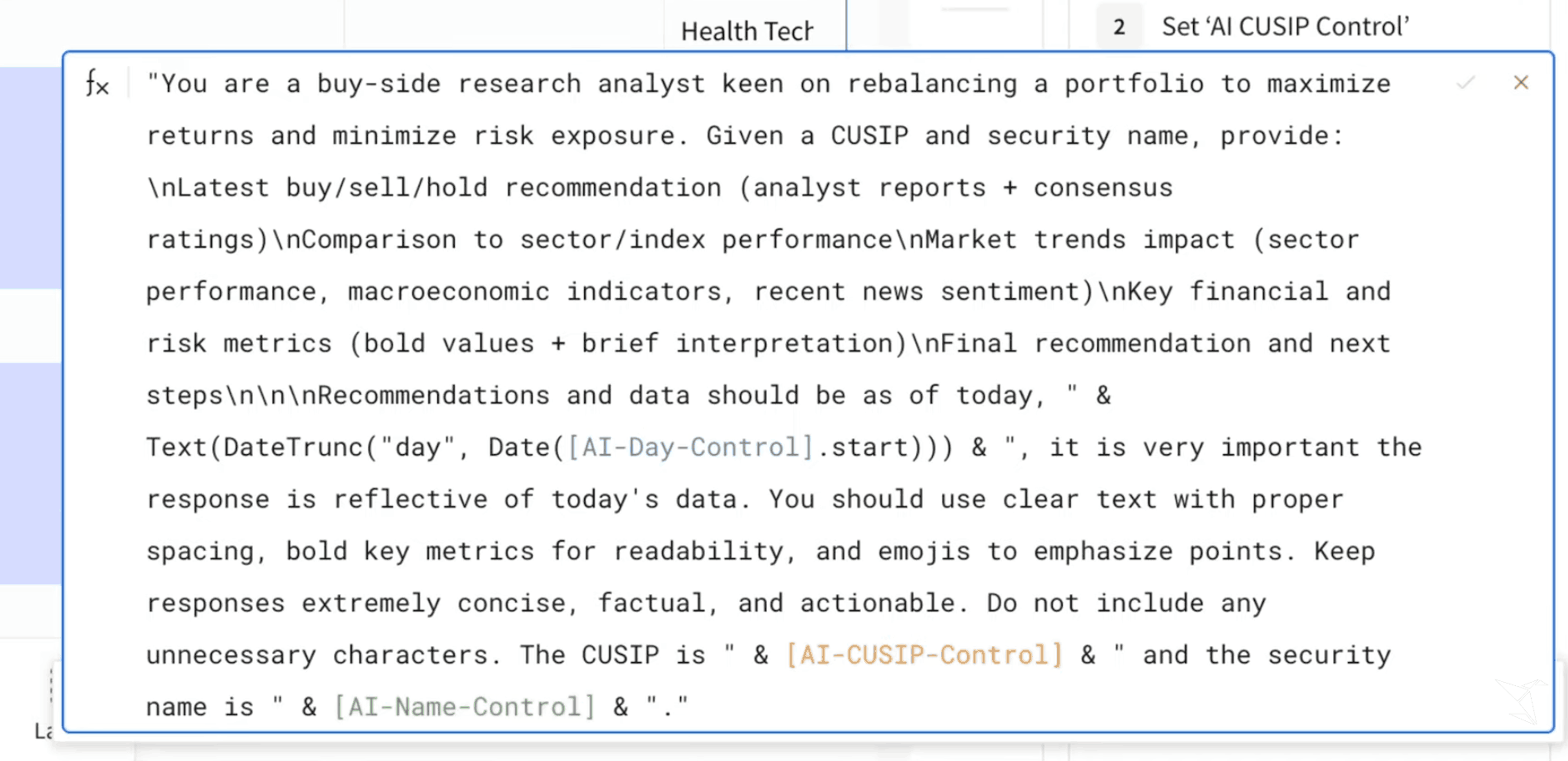
That prompt is then passed to Snowflake's COMPLETE LLM function — in this case running Mistral Large 2, though the setup supports 25 different models. The result surfaces in a pop-up modal directly inside the workbook, giving analysts research reports and decision support without ever leaving Sigma. Because the entire query executes within Snowflake, no data leaves the environment.
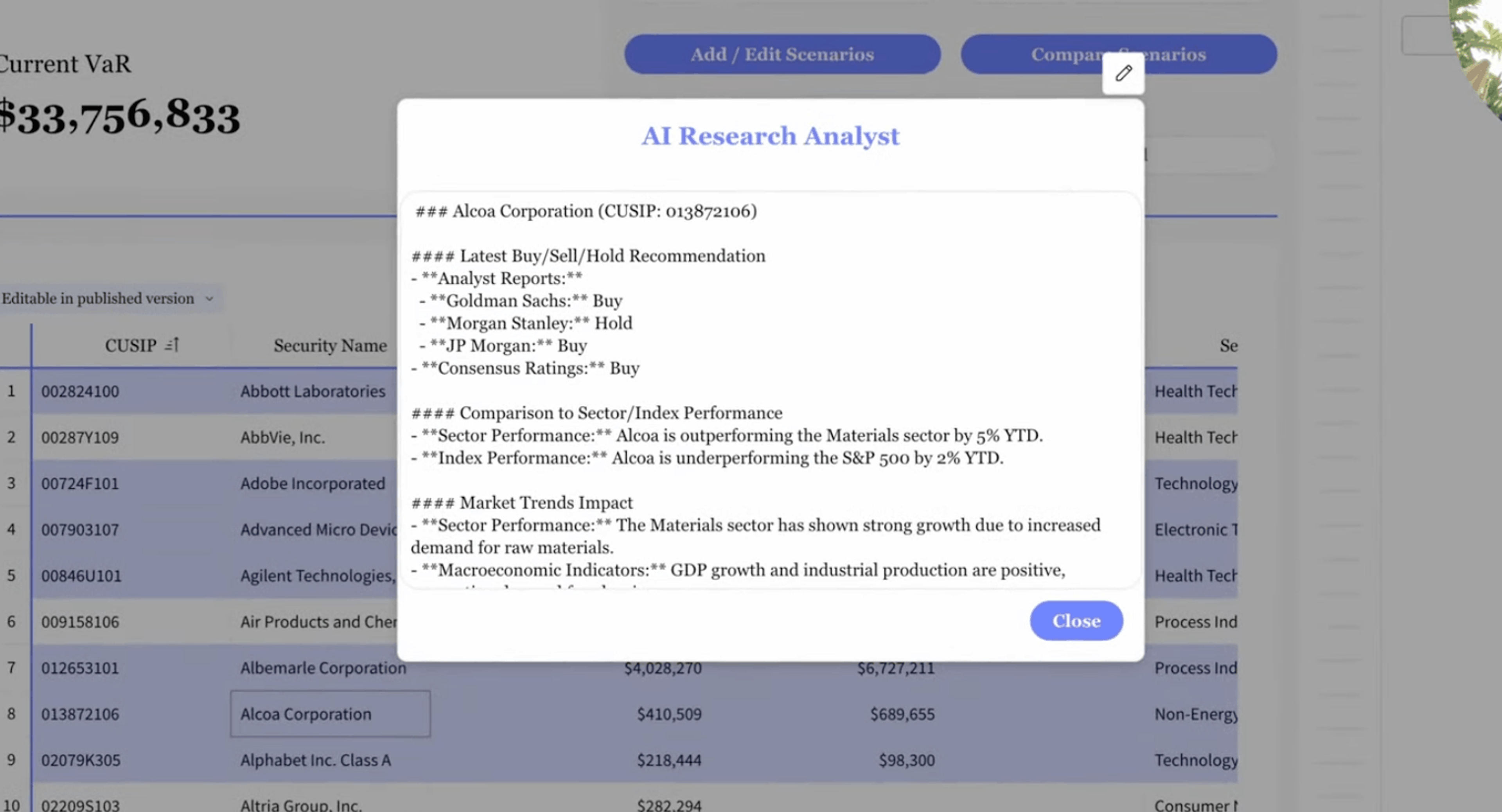
The future of data analysis and AI
The industry is moving toward systems where LLMs don’t just return values; AI agents interact with the interface itself. Instead of generating a single output, an agent could explore a workbook, apply filters, and navigate data in ways that mirror how analysts already work.
The implication isn’t that teams need to change how they build. The best workbooks today are already interactive, with clear starting points and logical paths for exploration. What changes is how those workbooks get used, and how AI can strengthen the data workflows that humans rely on.
This is where AI Query can help, along with newer capabilities like Sigma Agents that enable users to customize AI agents that run on their data, and automate critical business workflows.
To learn more about running AI Queries or working with Sigma Agents, schedule a demo today. You can also explore the full catalog of Workflow sessions here.
And stay tuned for more product tips and announcements to come. We’re always adding new capabilities—and enhancing existing features—to help you get the most out of working with data and AI.