Introducing Sigma Tables: The Next Evolution of Writeback for Building Complex Applications in Sigma


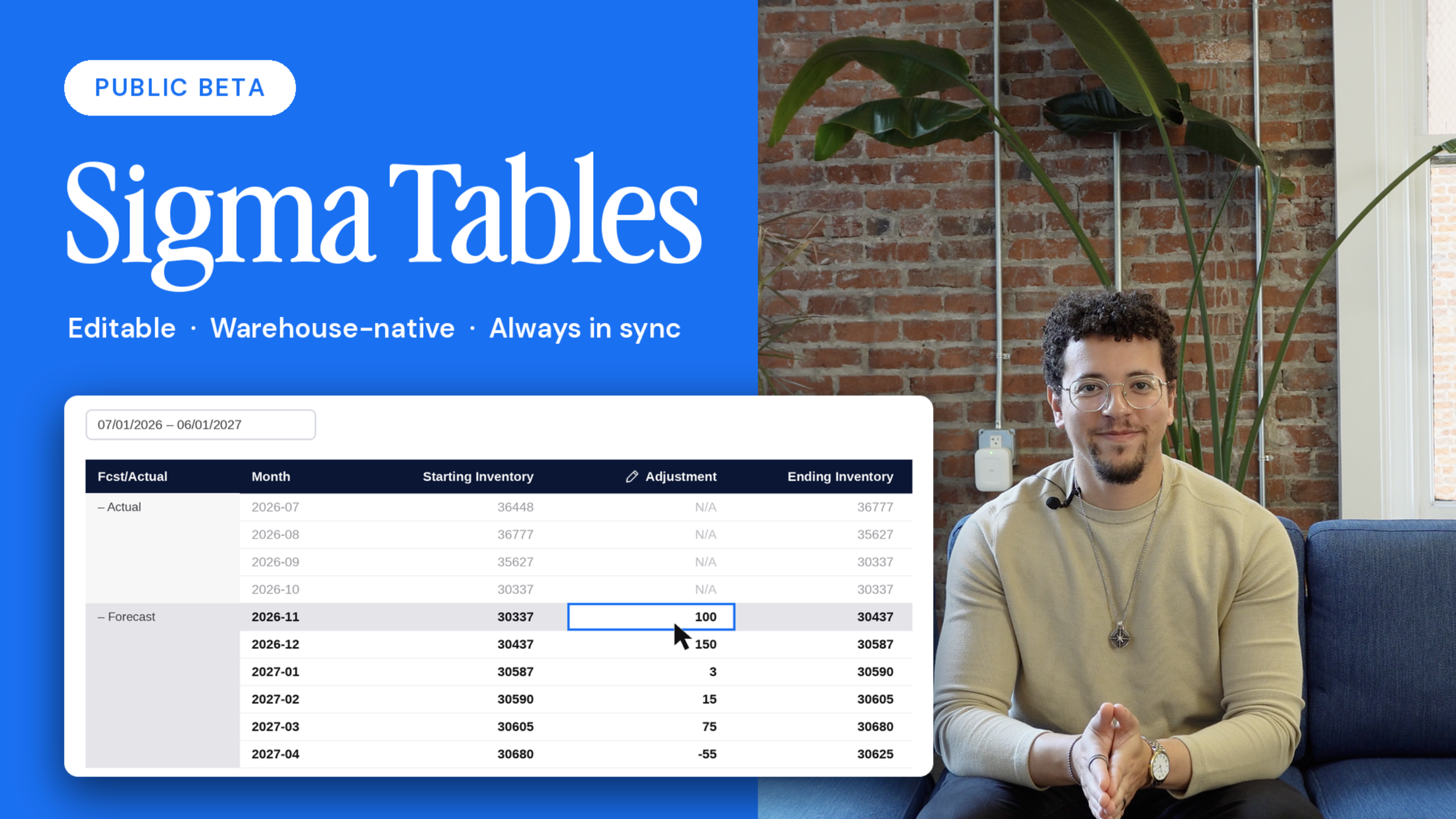
Today, we are introducing Sigma Tables: shared writeback tables that live in your warehouse, and that any number of workbooks, applications, or external systems can read from and write back to with the right permissions. That means a family of applications can transact with a single shared table.
Sigma Tables are available to select accounts in private beta today, and coming soon to all Snowflake, Databricks, and Postgres customers.
Three years ago, we launched Input Tables and made Sigma the first analytics platform to enable data writeback to the cloud data warehouse, allowing business users to enter data into a governed area of the warehouse via a spreadsheet interface. Since then, teams have used Input Tables to replace spreadsheet workflows, power what-if analyses, and ship the first generation of AI Apps directly on Snowflake, Databricks, Redshift, BigQuery, and Postgres. Input Tables were purpose-built for the Sigma workbook, and that's exactly what made them work so well.
As our customers have built more ambitious applications on Sigma, we realized that applications are no longer isolated to individual Sigma workbooks. Rather, they represent complex workflows that require a set of connected applications and agents that read and write from a common set of tables in the database.
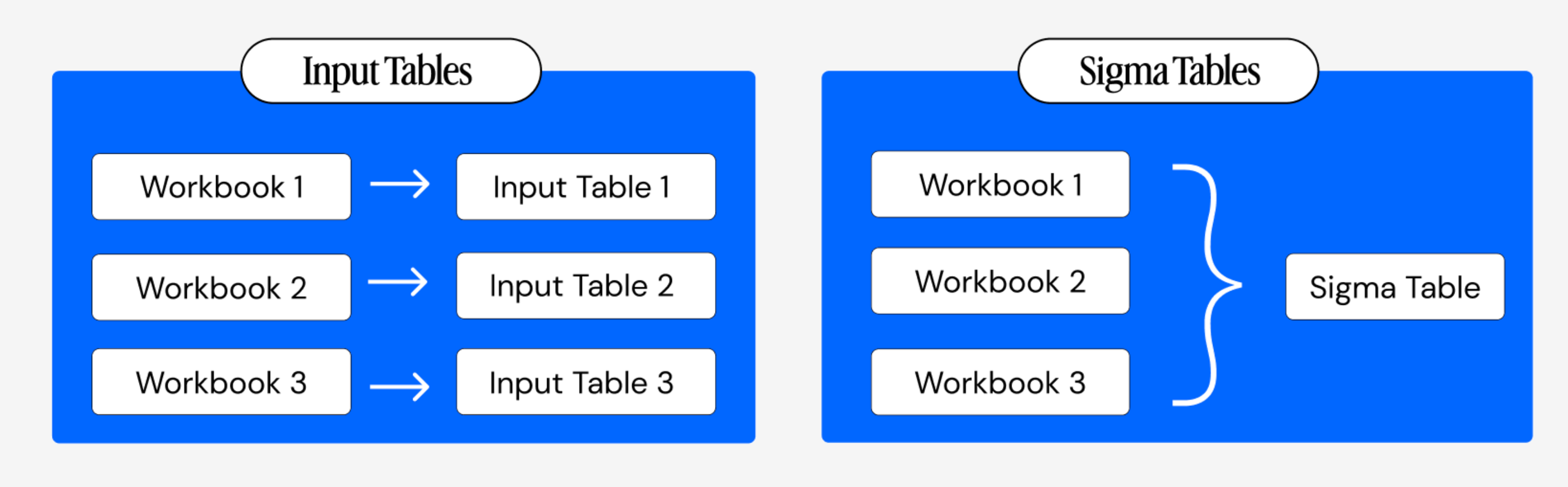
Sigma Tables keep the best of Input Tables—the spreadsheet UX, the warehouse-native storage, the inherited permissions—and remove the constraint of a table only being editable through a single workbook.
How can I use Sigma Tables?
By turning Input Tables into Sigma Tables and making those tables editable across workbooks, it unlocks new ways of working with data. Here are a few ways our beta customers are already using Sigma Tables:
1. Build connected applications on shared Sigma Tables
Because Sigma Tables are connection-level objects that can be written to from multiple different Sigma applications, you no longer have to cram every workflow into one app or rely on custom SQL and warehouse views to share data. This means a business leader can enter targets in one application, a Customer Success leader can annotate risk in another, and an Operations team can manage exceptions in a third—and all are writing to the same table in the warehouse and operate as connected applications around a single source of truth.
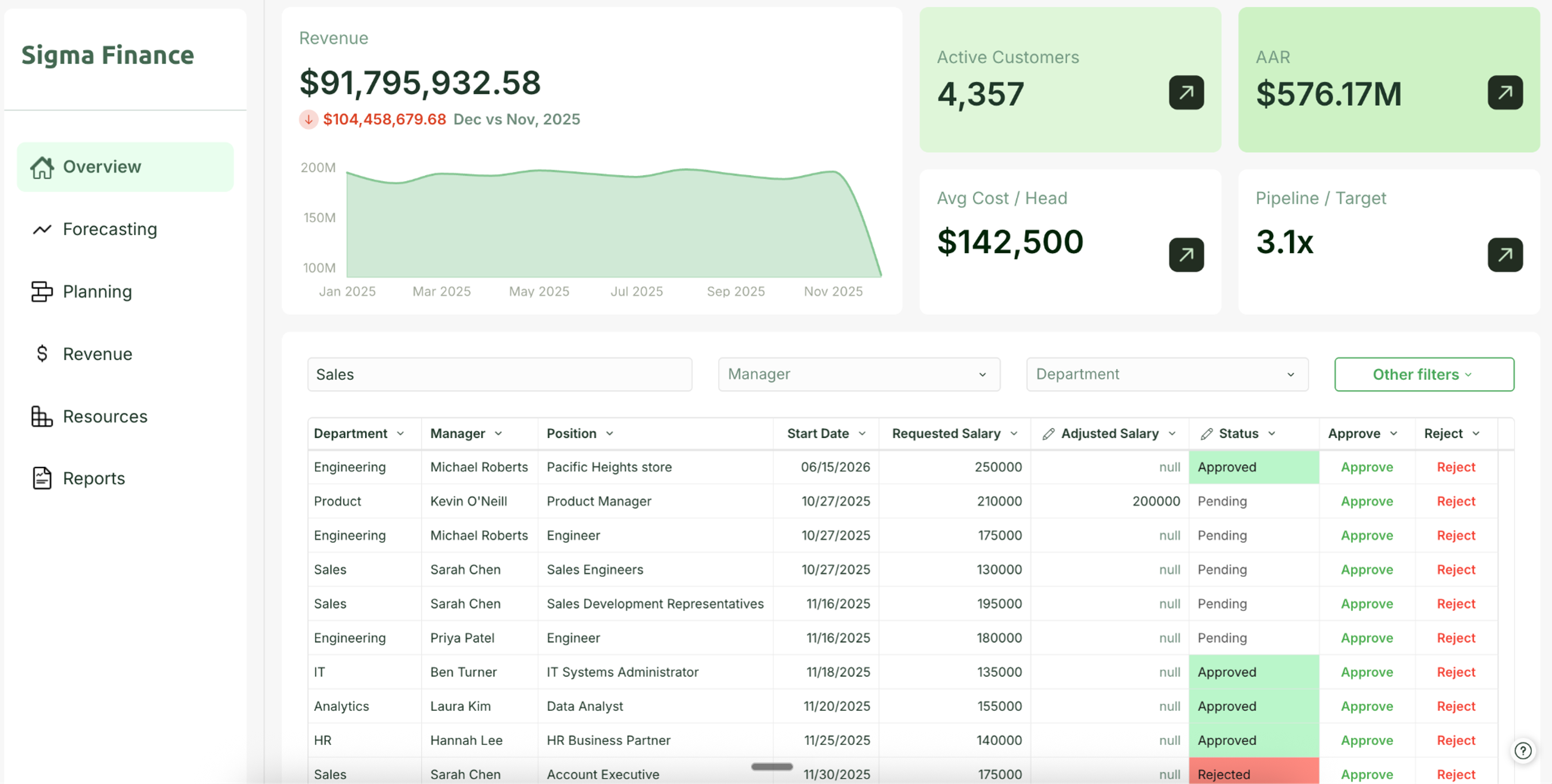
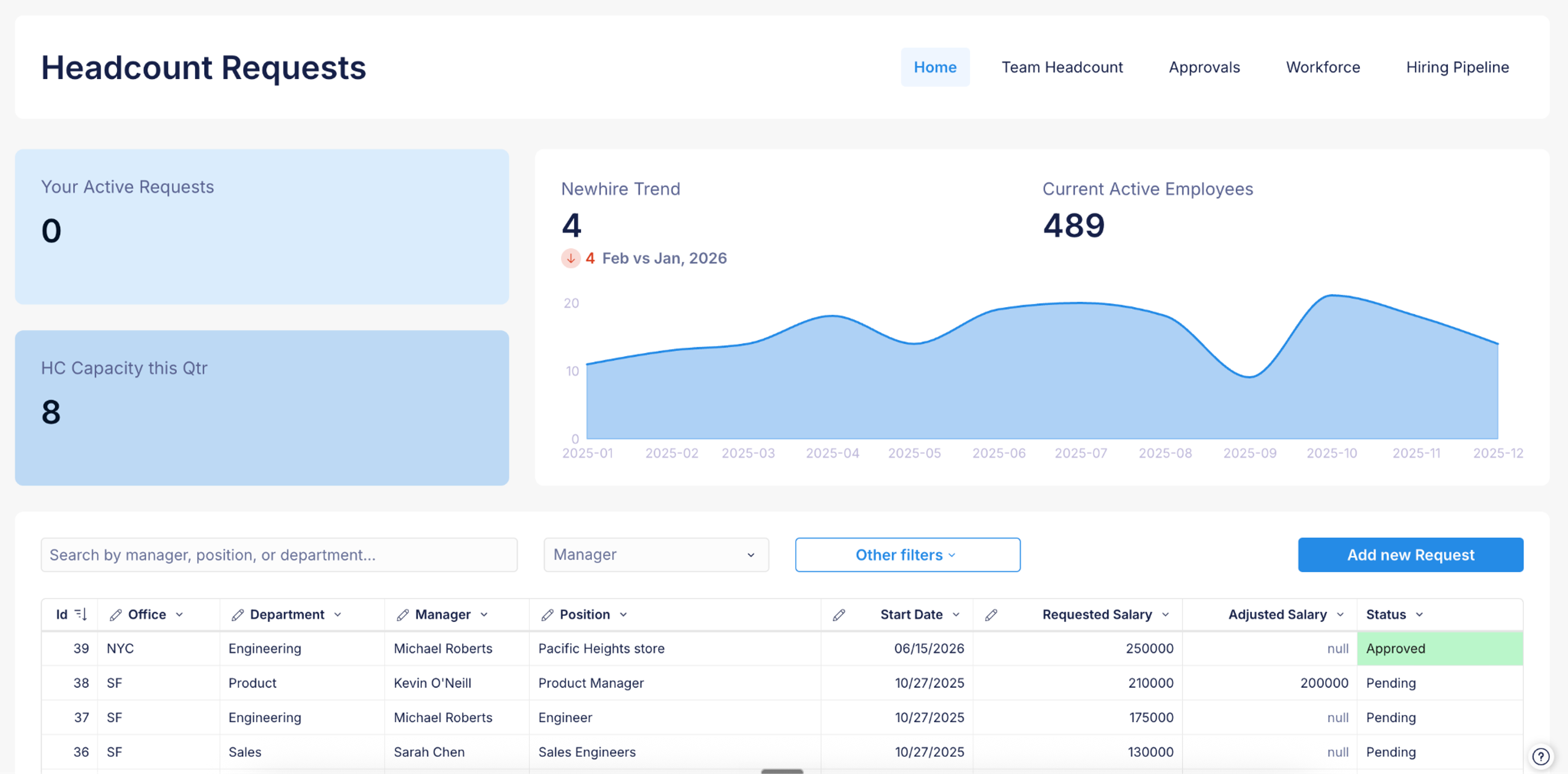
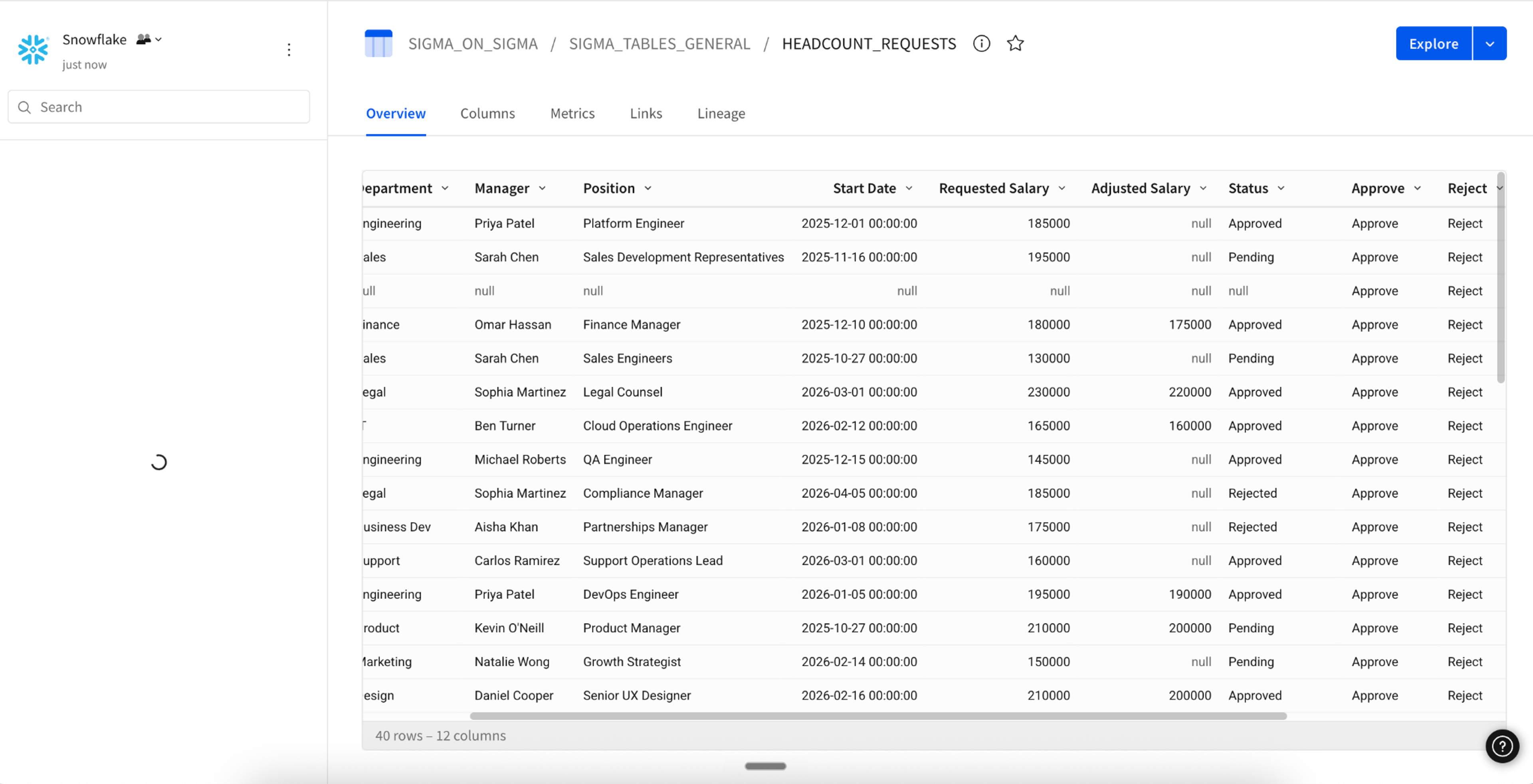
Below are images of two connected applications:
- The first is an application for the Finance team, which gives them a view into the headcount plan, allows them to see requests, and lets them make approvals.
- In the second application, departmental managers can make headcount requests.
- The third image shows the Sigma Table that connects the two business applications.
2. Connect Sigma applications to external systems
Sigma Tables are flat tables in the data warehouse, allowing external systems to read and write to them using standard database CRUD patterns. An application, upstream service, ETL job, Python script, or agent can update the same table that a Sigma app uses, so operational workflows move directly between operational systems and Sigma. For example, a market data API writes live stock prices to a Sigma Table, and analysts open Sigma to an app already updated with the latest figures. This is what makes Sigma Tables a fit for connected applications, where people and apps all need to work from the same live operational data.
3. Migrate SaaS and proprietary applications onto Sigma
Most business applications already run on transactional tables. Sigma Tables can be created directly from those existing tables, so a team can migrate the application into Sigma without rebuilding them. This will enable customers to consolidate their workflows into a single, governed interface and save significant costs associated with SaaS subscriptions and internal development and maintenance.
Sigma Tables are available on the warehouses you already run
We are rolling Sigma Tables out across our different warehouse connections as they are completed. First, we will have Sigma Tables available on Snowflake, then on Databricks and Postgres.
Sigma Tables are governed by default
For data leaders, the same architecture principle that has always applied in Sigma holds: governance is inherited from the warehouse, not bolted on after the fact.
Warehouse permissions carry through
Row-level and column-level security, as well as data access policies on the underlying table, are enforced at query time. A user who can't see a column in Snowflake can't see it through a Sigma Table either.
Every write is auditable
Whenever you use Sigma to read and write to a Sigma Table, you gain automatic and granular auditability, with a sequential record of who changed what and when.
No shadow database
There is no Sigma-managed data plane sitting next to your warehouse. Your warehouse remains the system of record.
Account-level controls for account-level tables
Because Sigma Tables are workbook-agnostic, admins can govern them centrally by deciding who can create, write, and read them, without chasing permissions across hundreds of documents.
For builders, that means you can ship faster without having to negotiate new security exceptions every time you build an app. For data leaders, it means a new class of operational applications can land in your warehouse without expanding your governance surface area.
How to get started
Sigma Tables are coming soon to Snowflake, Databricks, and Postgres. If you're already a Sigma customer, reach out to your account team to join the early access program. If you're new to Sigma, request a demo and see what your team can build.