How to Manage Your Data Backlog: A Practical Guide

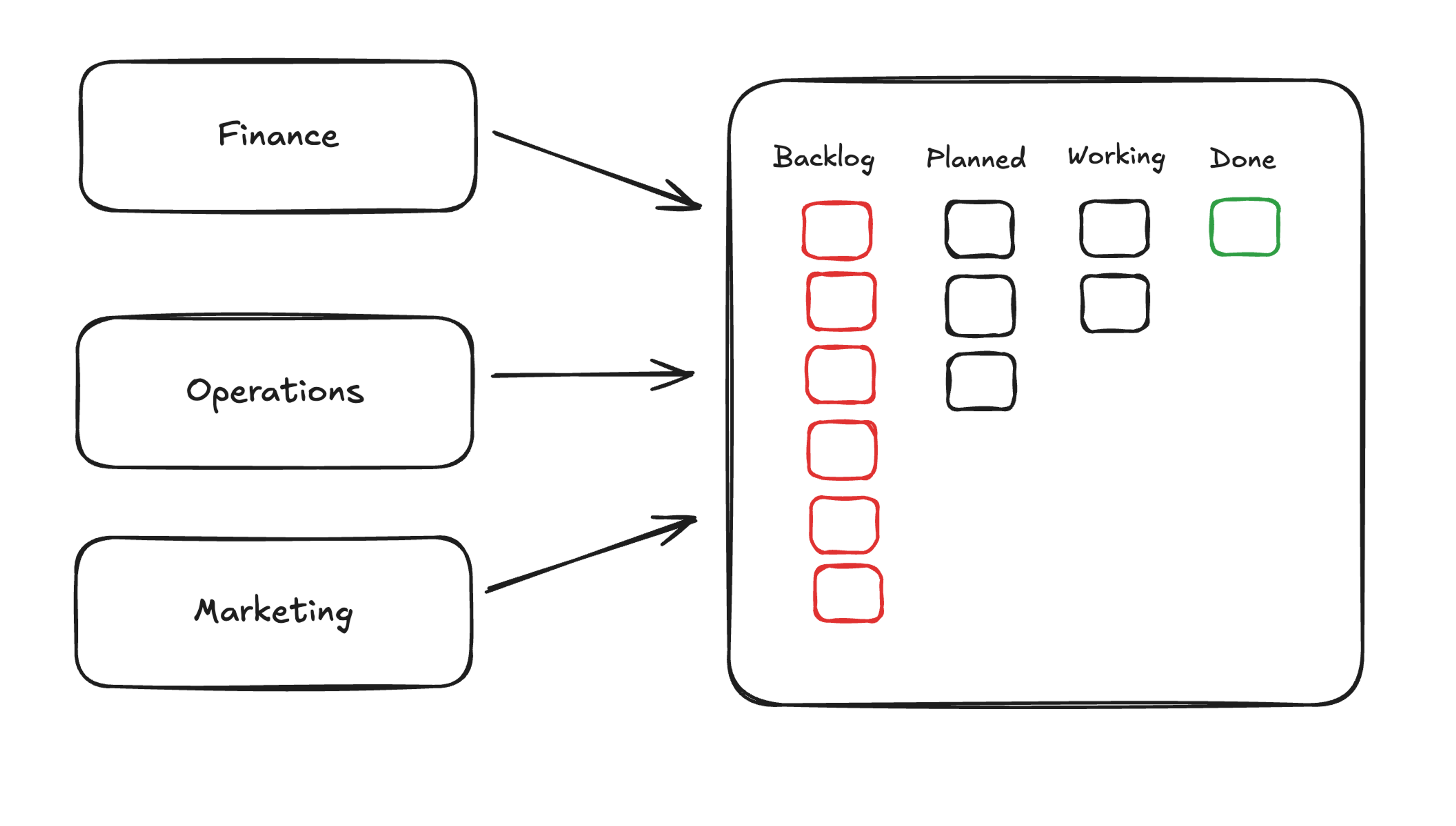
Finance wants churn numbers. Marketing is waiting on attribution. Product’s feature-usage request is three weeks old. A four-person data team cannot outrun that.
That queue is your data backlog: the work waiting on a central team that can no longer keep pace with incoming requests. Managing it means triaging requests by frequency and source, certifying the trusted datasets users rely on, converting recurring requests into governed self-service assets, and sustaining the work with a weekly triage cadence.
Key takeaways
- Convert recurring requests into governed self-service assets and the queue shrinks permanently, not just for the week.
- Start by sorting open requests by frequency and source; each recurring conversion pays back every time someone would otherwise have to re-ask.
- Self-service only works on top of certified datasets with locked-in metrics, dimensions, filters, and named owners.
- Backlog management is an ongoing process: a weekly triage cadence and a standing flag for repeat requests keep the queue from rebuilding.
What is a data backlog?
A data backlog is the queue of unfulfilled data or analytical requests that outpaces the data team’s capacity to process them.
Every new dataset, ad hoc report, pipeline change, or question a business stakeholder submits but has yet to be processed adds to the backlog. Analysts submit requests to data engineers, engineers add them to the backlog, and delays stretch to weeks or months.
How an unmanaged data backlog affects your business
Left alone, a backlog changes how decisions are made, how data is used, and how your most expensive talent spends their week.
When the queue delivers answers in weeks, stakeholders either wait or move forward on numbers that no longer reflect the business. That second option tends to win, and when it does, decisions get made on data that predates the last product release, the last pricing change, or the last quarter’s churn spike.
Shadow spreadsheets are the direct consequence. When the queue is too long, business users export to CSV and build their own copies. Every new copy adds another set of numbers to reconcile, another place sensitive data sits outside any governance model, and another version-of-the-truth conversation your team gets pulled into.
The least visible cost is the most expensive: your most experienced engineers and analysts end up spending their weeks answering the same recurring questions. Every hour spent re-running a familiar query for a stakeholder is an hour not spent on the strategic work only they can do. None of these problems stays isolated. The longer the queue, the more shadow spreadsheets, and the more reconciliation work the data team inherits later.
The benefits of managing your data backlog
When the backlog comes under control, the changes are felt across the organization.
The most immediate shift is that business users get answers without filing a ticket. When the analyst who needs a churn cut can open a governed workbook and get the answer themselves, the submit-and-wait cycle disappears entirely. Follow-up questions stop becoming new requests: a marketing analyst who can pivot from campaign performance to channel attribution without re-entering the queue stops spawning three tickets from one conversation.
The less obvious benefit is where decisions happen. When the finance manager running scenario analysis can reach the data themselves, the decision combines the numbers with the domain expertise that triggered the question in the first place. That combination is hard to manufacture when data lives behind a ticketing system. And the data team recovers time for the work only they can do. With recurring requests rerouted, the calendar opens up to new models, more complex analyses, and data quality investments. The backlog clearing is not the point. Building the models, running the quality checks, and doing the analysis that nobody has figured out how to ask for yet: that is the point.
Key requirements for managing your data backlog
To manage your data backlog effectively, some prerequisites need to be in place first.
The most foundational is a single trusted source users can reach directly. The warehouse stores the data. The trusted source is the standardized layer on top, with agreed definitions for the metrics people rely on. Without it, self-service just moves the inconsistency problem closer to the business. Governance needs to travel with the data too. Who can use it, under what rules, for what purpose: that needs to be resolved at query time, not bolted on afterward. Bolt governance on after the fact and you spend the rest of the year chasing down who sent what to whom.
Self-service only works if business users can operate the interface themselves. A tool that requires training, a new query language, or an IT ticket to change a date range is not self-service. It is a different queue. Behind all of this sits an intake process that triages requests before they pile up, and shared metric definitions documented with plain-language formulas, inclusions, exclusions, and named owners to keep self-service answers consistent across teams. These prerequisites are not a checklist you tick off in parallel. They are the substrate on which the conversion work runs.
How to manage your data backlog step by step
Draining a backlog is a sequence of decisions about which requests deserve a permanent home, which datasets you are willing to stake your name on, and where the line sits between work the business should own and work that genuinely belongs to the data team.
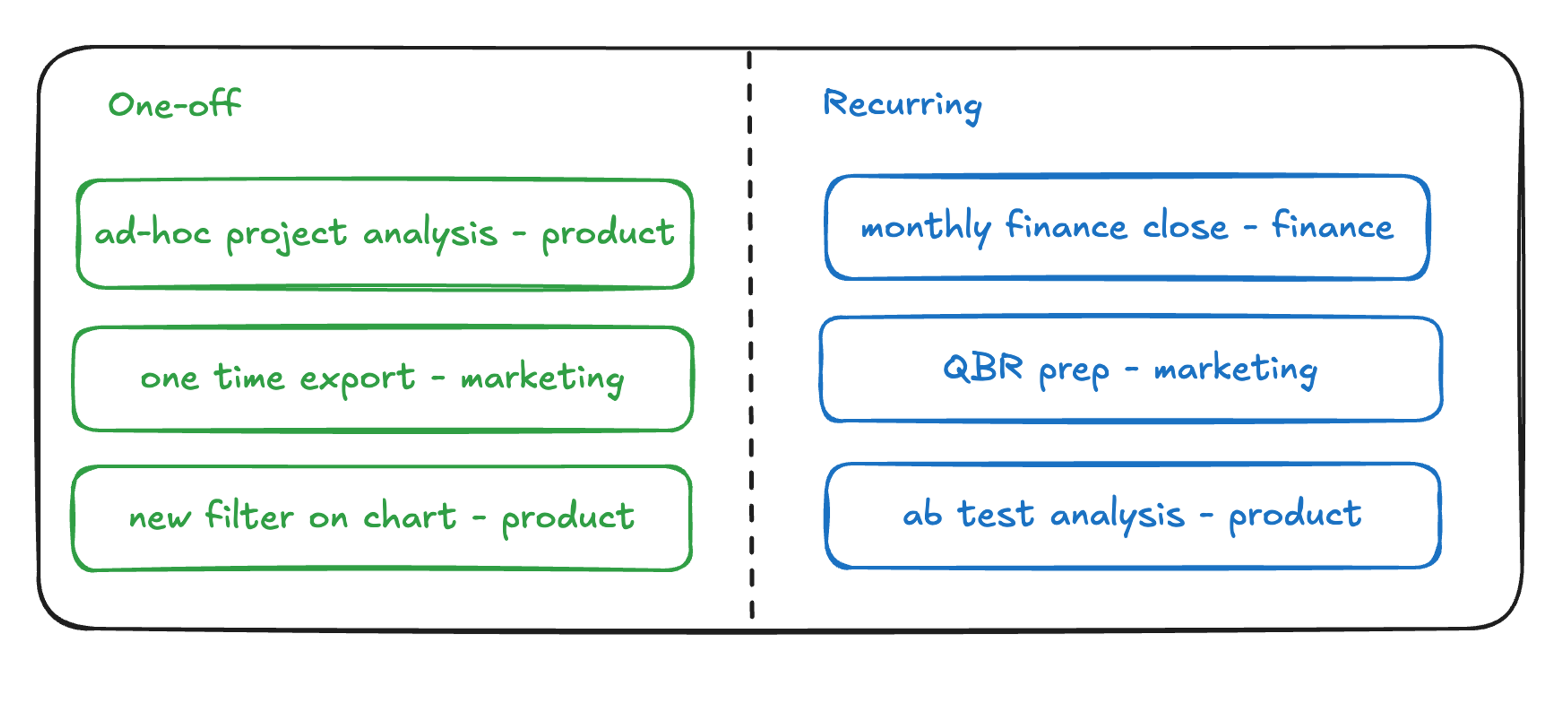
1. Separate one-off questions from recurring ones
Pull all open requests into a single list, regardless of where they came from. Slack messages, email threads, Jira tickets, the spreadsheet your director keeps: get them all in one place.
Then tag each request along two dimensions. The first is frequency: is this a question someone asks once, or one that comes back every week, month, or quarter? The second is source: which team does it come from, and does it tie to a recurring reporting cycle like board prep, month-end close, or QBR? Recurring requests are usually the best place to start because each one you convert to self-service pays back every time someone would otherwise have to re-ask. Prioritize one-off requests by business impact and complexity, taking the highest-impact, lowest-complexity work first.
2. Certify the trusted datasets and metrics users will build on
Before you can move requests to self-service, users need certified datasets they can trust. Self-service without that certification just moves the inconsistency problem closer to the business and lets it spread before anyone notices.
For each recurring request type, define and lock in the underlying assets: the exact metric formula with its inclusions and exclusions, the canonical dimension names users can slice by, standard filters with agreed definitions, and a named owner for each metric and dataset. Then document change control. A simple rule requiring sign-off from the owner and a note in a shared changelog is enough to keep the trusted layer trusted six months from now. Without it, a well-meaning fix to the churn formula breaks every workbook built on top of it.
3. Drain the recurring requests by moving them to governed self-service
Take every tagged recurring request and build it into a self-service workbook, report, or application the requesting team can use directly. The goal is an interface where users can answer today’s question and the next ten variations of it without filing a new ticket.
Build with the requester, not for them. Cover the follow-up questions deliberately, since a self-service asset that only answers the literal question someone asked will route every follow-up back into the queue. And confirm that governance carries through: row-level security, column masking, and access controls need to apply to the self-service asset the same way they apply to the underlying data. Converted requests should no longer appear in the queue. If they come back, the self-service asset missed either the follow-up questions or the governance requirements.
4. Free your data team for the analysis only they can do
Once recurring requests are out of the queue, the calendar opens up. Redirect that recovered time deliberately toward new data models that surface questions the business has not yet figured out how to ask, data quality investments that reduce the cost of every downstream analysis, and complex work that integrates multiple sources or informs strategic decisions. These are the projects that stall when your most experienced analysts spend a morning re-running the same monthly churn query. If the team quietly reabsorbs recovered time into the same reactive cycle, the backlog will re-form. Make the reallocation explicit. Name the projects. Assign the time.
5. Put a process in place so the backlog stays managed
Managing your data backlog is ongoing work. Without a recurring process, the queue rebuilds.
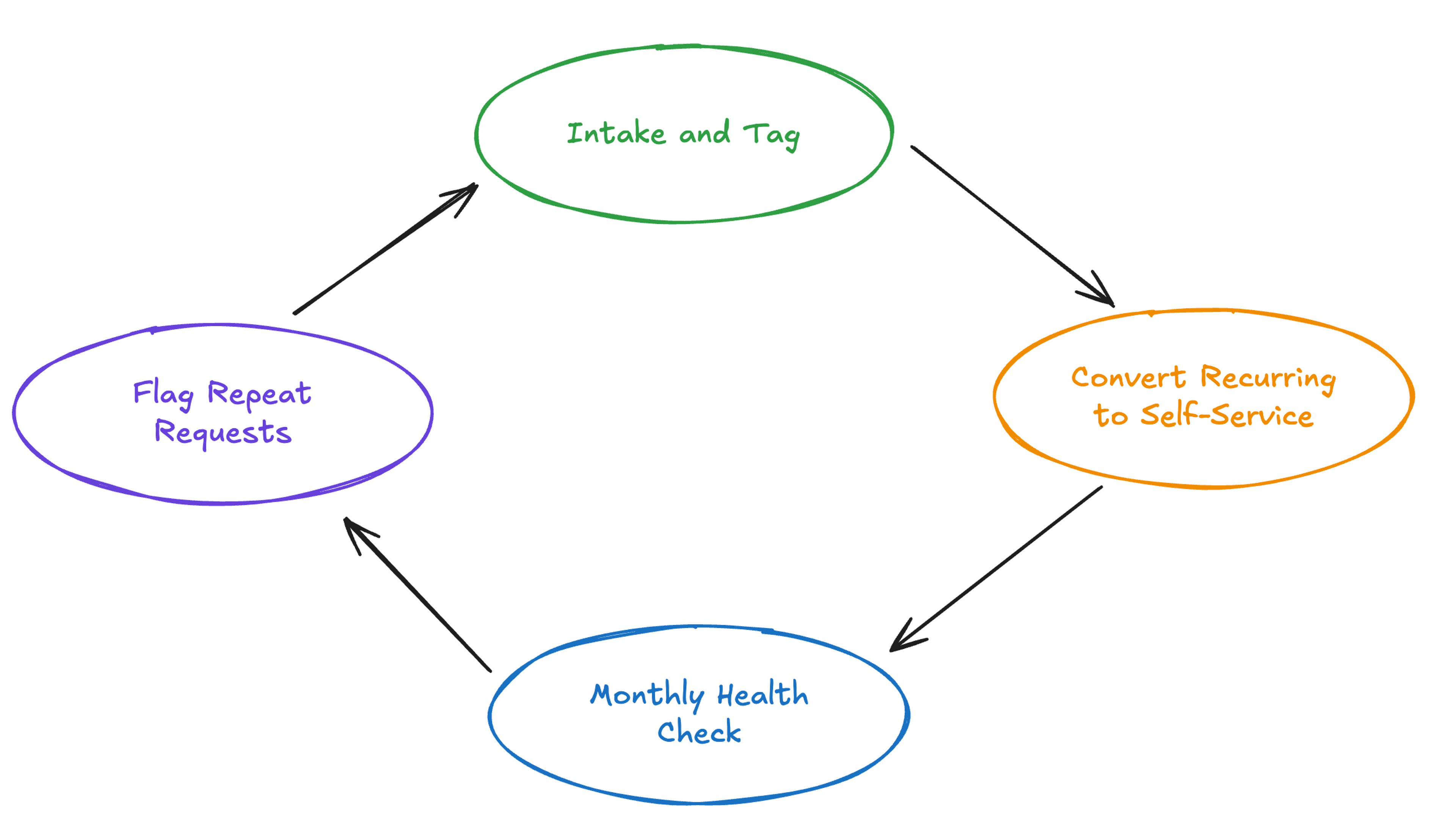
The minimum viable version is a short weekly triage where the team categorizes new requests using frequency and source tags, a standing rule that any request asked a second time gets flagged for self-service conversion, and a monthly health check on which self-service assets teams actually use versus which ones they ignore or work around. Track request volume, resolution time, and the share of work handled through self-service versus the central queue. If a request the team fulfilled in March reappears as a new ticket in May, the self-service asset built for it either does not exist, is not discoverable, or does not cover the follow-up the requester actually needed.
How Sigma helps you manage your data backlog
Sigma sits between your warehouse and the business users filing tickets. The conversion step, turning a recurring request into a governed self-service asset, is the motion it is designed for. For a data team draining a backlog, Sigma makes that step repeatable and something the business can participate in directly, not just consume.
A familiar spreadsheet interface on live warehouse data
Self-service initiatives stall most often because the interface looks nothing like what business users already know.
Sigma’s core canvas is a spreadsheet. Formulas, pivots, filters, and cell references behave the way an Excel user expects, with 200+ calculation functions and live multi-user collaboration. Underneath, every action compiles to SQL and executes inside the connected cloud data warehouse, with no row-count ceiling and no extracts.
Governance and row-level security inherited from your warehouse
Sigma queries the warehouse directly every time. It inherits row-level security, column masking, and query-time access controls from services like Databricks, Snowflake, BigQuery, and Amazon Redshift without creating extracts and without requiring a separate governance configuration to maintain. Warehouse-enforced controls stay intact at query time.
Native writeback through Input Tables
Many backlog requests are really workflow requests in disguise: update a forecast, mark a record reviewed, log a status change. Sigma’s Input Tables let users edit data in the workbook UI and write it back to the warehouse via INSERT and UPDATE operations, with a full audit trail that records the original and new values, who changed them, and when. The boundary between data consumption and data entry collapses.
Build with Sigma Assistant for natural-language analysis and building
Sigma Assistant is a single governed AI interface for both analyzing data and building apps in natural language. Users can ask plain-language questions of warehouse data and inspect the query behind the answer. Builders can describe a dashboard or application and use the generated workbook elements as an editable starting point.
Sigma Agents for the workflows that keep coming back
For recurring requests that span multiple questions, Sigma Agents allow a builder to configure an agentic workflow within a workbook with defined data access, custom instructions, and a set of actions the agent can run. Those actions include writeback to Input Tables, notifications, REST API calls, webhook triggers, stored procedure execution, and calls to other external systems. Agents act on human-configured instructions and inherit the running user’s permissions, so they cannot access data the caller does not have access to. A business user can configure a recurring forecast review, an expense approval flow, or a scenario-planning loop once and let it run.
Get started managing your data backlog with Sigma
Sigma delivers an interface your business users already know, inherits governance from the warehouse infrastructure you already have in place, and gives teams an AI surface to build new self-service assets faster. When recurring questions live inside it, the queue stops being the central team’s problem to clear.
Try Sigma free or get a demo.