7 Agentic AI Use Cases Transforming Business Intelligence in 2026

Across enterprise business intelligence, the same scenario keeps repeating: the dashboard answers the question, but a human still has to do everything that comes after. The same handoff-heavy dynamic runs through finance, sales analytics, operations monitoring, marketing reporting, and FP&A.
Agentic AI use cases in business intelligence range from live data analysis to completed actions under human instruction. At the start of 2025, fewer than 5% of enterprise applications ran task-specific AI agents; that number is projected to hit 40% by the end of 2026.
Key takeaways
- Teams that ship performant AI agents often have their agents inherit warehouse-level row security, role permissions, and audit trails automatically, instead of running on extracts.
- The agents that produce measurable results run on live, governed warehouse data with every writeback captured as an audit record.
- Agents bolted onto extracts and copied datasets tend to get stuck in pilots because the outputs are hard to trust, audit, or operate at production scale.
What is agentic AI?
Agentic AI completes multi-step work on your data under human instruction. You set the goal. The agent reads live data, reasons over what it finds, acts on the result, and repeats that cycle until it finishes the task.
The loop has three components:
- Read. The agent perceives across live data sources, APIs, and prior execution state. In infrastructure contexts, agents continuously correlate logs and metrics to identify anomalies and emerging patterns.
- Reason. The agent proposes or updates a plan based on the current goal, constraints, and what it has already validated. This persistent, goal-decomposing reasoning layer has no functional equivalent in earlier AI categories.
- Act. The agent executes by writing data, triggering a notification, generating a report, or calling an external system. After execution, it updates its state and re-enters the read-reason cycle until it resolves the goal.
The category is broad by design. It covers everything from a single agent that investigates a metric change and writes a summary to more complex workflows in which the agent coordinates analysis, forecasting, output generation, and alerts across multiple steps.
How agentic AI differs from AI assistants, copilots, and rule-based automation
Agentic AI is often conflated with three other categories: AI assistants, copilots, and rule-based automation. All three can analyze data. The contrast across the four categories looks like this:
| Dimension | AI Assistant | Copilots | Rule-based automation | Agentic AI |
|---|---|---|---|---|
| Interaction model | Reactive, turn by turn. Responds to each prompt. | Reactive, turn by turn. Responds to each prompt. | Runs the same path every time a predefined event triggers it. | Ongoing task execution. Breaks down objectives and coordinates steps. |
| Human role | The human asks, the assistant answers. | The human accepts, rejects, or edits the suggestion at each step. | The human configures the rule once. | The human sets the goal. The agent plans and executes within the instructions. |
| Workflow scope | Conversational support within a single turn. | In-flow assistance across a single tool. | A fixed sequence of steps. | Multi-step processes from analysis to completed action. |
| Tool use | Limited or absent. | Tied to the host application. | Connects systems through preconfigured integrations. | Orchestrates APIs, databases, warehouse queries, and transactional systems on demand. |
| Memory | Stateless or bounded by the current context window. | Bounded to the session. | None. State lives in the rule engine. | Persistent. Maintains state across steps. |
| Outcome | An answer you still have to act on. | A draft you finish. | A completed task on a known path. | A finished action under the instruction you gave it. |
Put plainly, an AI assistant answers, a copilot suggests, an automation executes, and an agent decides what to do next within the goal you set. Agentic AI handles reasoning and action together across a workflow that the human did not pre-define step by step.
7 agentic AI use cases in business intelligence
The use cases of agentic AI in business intelligence often have the agent carry a task from live data analysis to a completed action under human instruction, without requiring an export, a handoff to a second platform, or a wait for someone else to run the next step.
1. Building dashboards and AI Apps
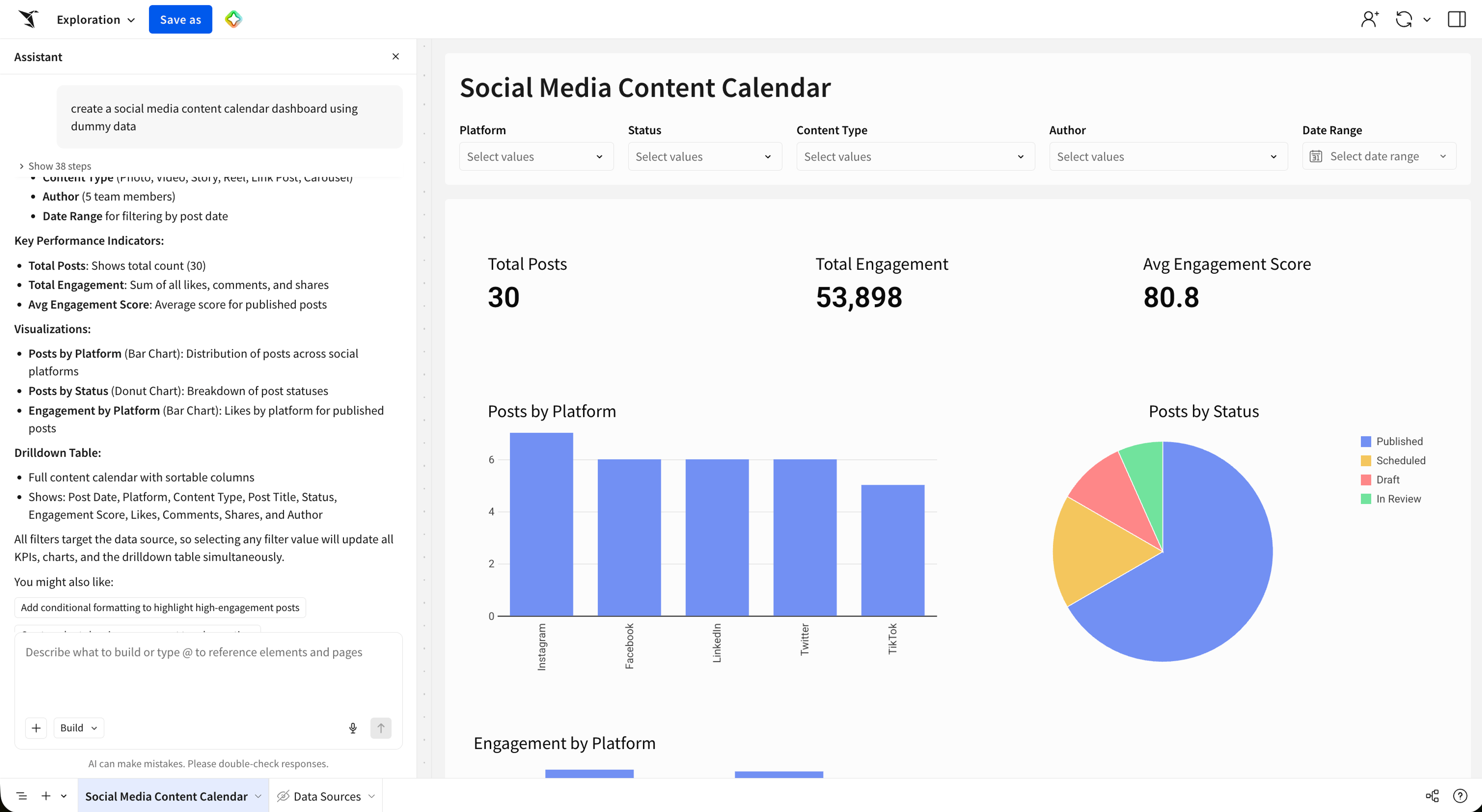
A user describes what they need in plain language. The agent selects the right data sources, prepares the data, builds the UI components (charts, tables, KPIs, input forms), and positions them on the canvas. The output is a working application, ready to use without a developer handoff.
Affirm built a compensation audit AI App that puts this into practice. Compensation is one of the company's largest expenses, and the manual review process consumes hours per cycle in spreadsheet work and email threads chasing approval rationale.
Compensation Analyst Josh Cho used Sigma to combine live data, approvals, and budgets into a single interactive surface. The app added writeback-driven comment and sign-off history, pop-up modals for instant employee detail views, and embedded logic that guided reviewers through each decision.
The static dashboard became an active approval system. Every compensation decision now carries a permanent, auditable record, and reviewers spend their time on judgment rather than reconstructing context.
2. Investigating metric changes
An agentic workflow turns metric investigation from a ticket-and-wait process into a single, instructed loop. It detects the movement, runs cohort analysis and variance decomposition across contributing factors, ranks the likely causes, and delivers an explanation to the right stakeholder, all without a human queueing the data team.
Let's say revenue dropped in one of your market regions; instead of just showing the drop on a dashboard, the agent explains it. The agent can explain it because it runs the read-reason-act loop inside a single workflow: pull the live numbers, segment by likely drivers (region, channel, cohort, product line), test which decomposition explains the most variance, and write a narrative summary back to a shared workbook or a Slack channel.
3. Analyzing variance between metrics
Variance analysis is the backbone of FP&A, and it's also one of the most manual workflows in enterprise analytics. Actuals versus budget, this quarter versus last, and Region A versus Region B all require the same fundamental work.
An agentic workflow does that work in a single run: it pulls live actuals from the warehouse, compares them against forecast or budget targets, decomposes the variance into contributing drivers, and writes the results into a structured summary.
The manual version can consume days of analyst time, much of it spent pulling data across systems and reconciling spreadsheets. The agentic version compresses that into a single instructed workflow that the team can rerun on schedule or on demand.
4. Modeling scenarios and forecasts
Agentic AI compresses scenario modeling and forecasting from a multi-day, multi-tool analyst process into a single instructed workflow that a finance lead can trigger in plain language.
A lead asks: "What happens if we reduce marketing spend while raw material costs rise?" An agentic system cleans and ingests the latest data, selects the appropriate forecasting approach, generates the output, and triggers alerts or proposes budget reallocations as part of one instructed workflow.
The workflow holds together because the agent operates on the same governed warehouse data that the FP&A team already uses, rather than an exported snapshot. It can write what-if scenarios directly to Snowflake or Databricks via Input Tables without changing the source data, simulate different assumptions, score outcomes against forecast targets, and route the results into downstream CRM and ERP workflows. The analyst no longer drives each iteration by hand. The agent runs the scenarios autonomously, writes the recommended actions back to the warehouse, and queues them for finance approval.
5. Monitoring live data and responding
Agentic monitoring closes the loop between a dashboard alert and a resolution. The agent detects the movement, diagnoses the cause, applies a fix if one exists within its defined boundaries, and escalates to a human with a full context package if it can't resolve the issue autonomously.
The volumes are the reason a human watching dashboards can't do this. A single oilfield fleet, retail network, or SaaS platform can generate billions of telemetry rows per day. A team scanning charts or chasing Slack alerts can't keep up. An agent monitoring the same live warehouse data can detect anomalies as they happen, apply a known remediation, and only pull a human in when the situation is outside its defined boundaries, with the supporting analysis already attached.
6. Automating approval and exception workflows
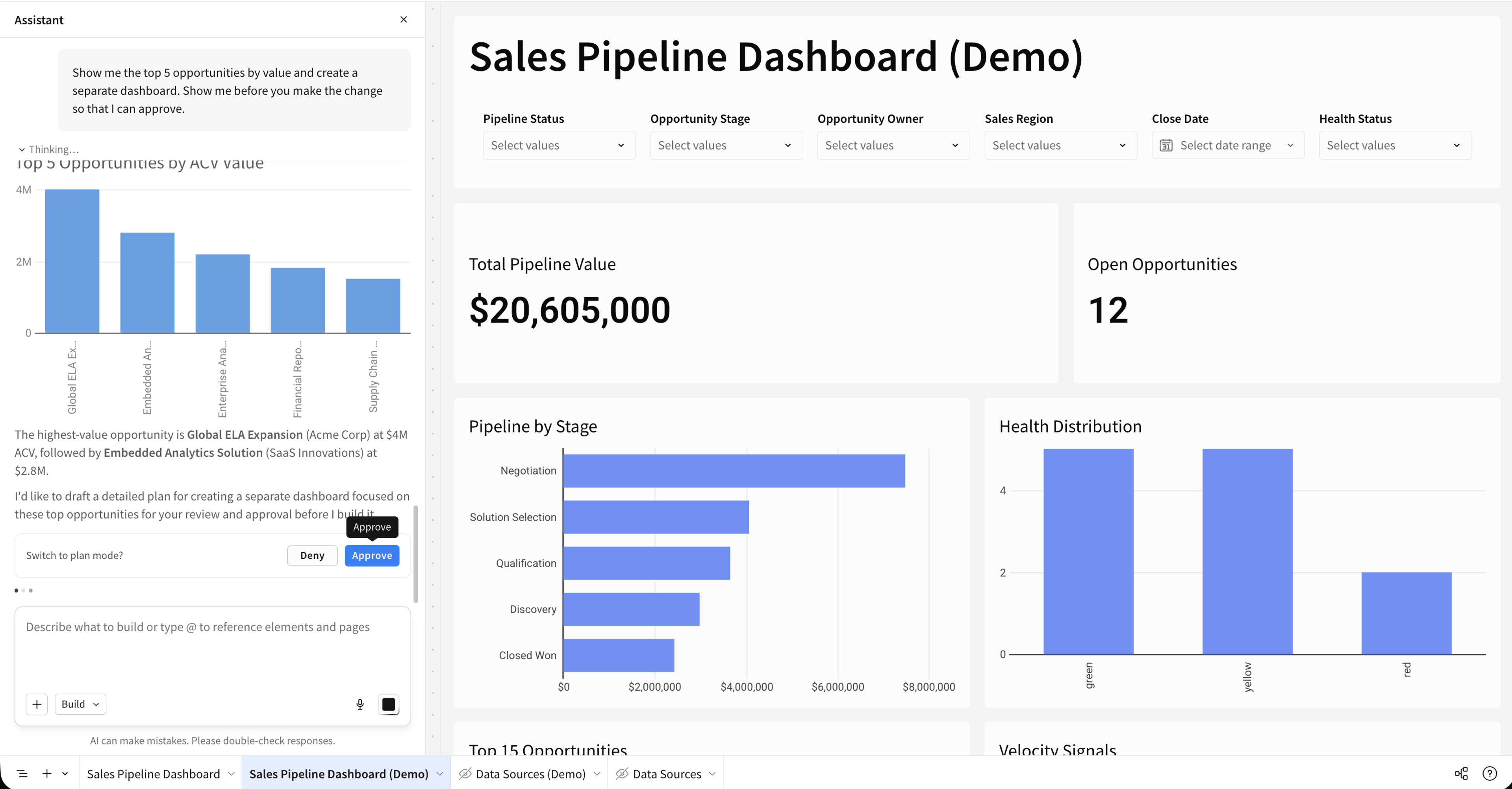
Routine cases execute autonomously. Genuine exceptions escalate with context, a recommended resolution, and an audit trail that the agent has already assembled. A procurement requisition enters the system. The agent validates it against policy rules, budget data, and supplier records. If everything checks out, it approves and logs the action. If a policy violation or budget overrun is detected, it routes the exception to the designated human approver with the full analysis already attached, so the approver can start with the decision rather than reading through the record from scratch.
7. Preparing scheduled briefings
Scheduled briefings are one of the clearest wins for agentic AI in BI: the agent runs a complete reporting cycle on a schedule, pulling live data, analyzing it, generating a narrative summary, and distributing the finished briefing before anyone asks for it. The analyst doesn't have to worry about assembling the deck or copying numbers between systems at late at night.
Abnormal AI compressed this kind of workflow for its CRO's weekly forecast. Senior Sales Analytics Manager Jessie Alibozek owned the weekly forecast prep. This process consumed roughly two hours every Monday night, pulling pipeline data, summarizing changes at each level of the forecast, and assembling a ready-to-review briefing.
Her team configured Sigma Agents to run on a schedule against live warehouse data, surfacing changes, flagging deals worth a closer look, and writing the briefing back into the workbook. Forecast prep dropped from two hours to five minutes per week, with the same governance posture as the rest of the analytics stack.
How to put agentic AI to work with Sigma
Many use cases of agentic AI need three things working together to run in production:
- Live warehouse data that the agent can read
- A writeback path that lets the agent act on what it finds
- A governance layer that makes every step inspectable
Sigma brings those three requirements together in one place, so the agentic workflows that work in a demo also work for IT, audit, and the line of business.
Sigma is the runtime layer to build and scale analytics, apps, and agents on live cloud data warehouse data. It sits between your cloud data warehouse and the AI tools generating against that data, making the artifacts they produce safe to operate: governed, auditable, permissioned, and traceable.
Sigma Assistant lets anyone build apps and analyze data in plain language
Describe a dashboard or application in plain language, and Sigma Assistant generates it. It selects the right data sources, prepares the data, constructs the UI components, and wires everything to live warehouse data.
Ask a question, and Sigma Assistant returns an answer drawn from your organization's data models, certified metrics, endorsed workbooks, and usage patterns. You can verify every answer by inspecting the underlying query, tracing it back to the source table, and auditing the analysis in a workbook.
Sigma Agents analyze your data and write the results back
You can configure instructions, data access, and actions in plain English. Sigma Agents then analyze live warehouse data, act on what they find, and write results back without a separate AI platform or bolted-on tooling.
Three pieces close that loop inside Sigma:
- Input Tables for native writeback. The agent can draft results, scenario rows, or recommendations directly into governed warehouse tables, and Sigma captures every change as the original record, the new record, who changed it, and when.
- Sigma Actions for downstream execution. The agent can trigger notifications, update statuses, call external APIs, or chain into another workflow.
- AI Apps are the surface that wraps it all. They combine analytics, data entry, sequenced actions, and embedded agents in a single workspace, replacing the patchwork of dashboards, forms, and point tools that used to sit between questions and actions.
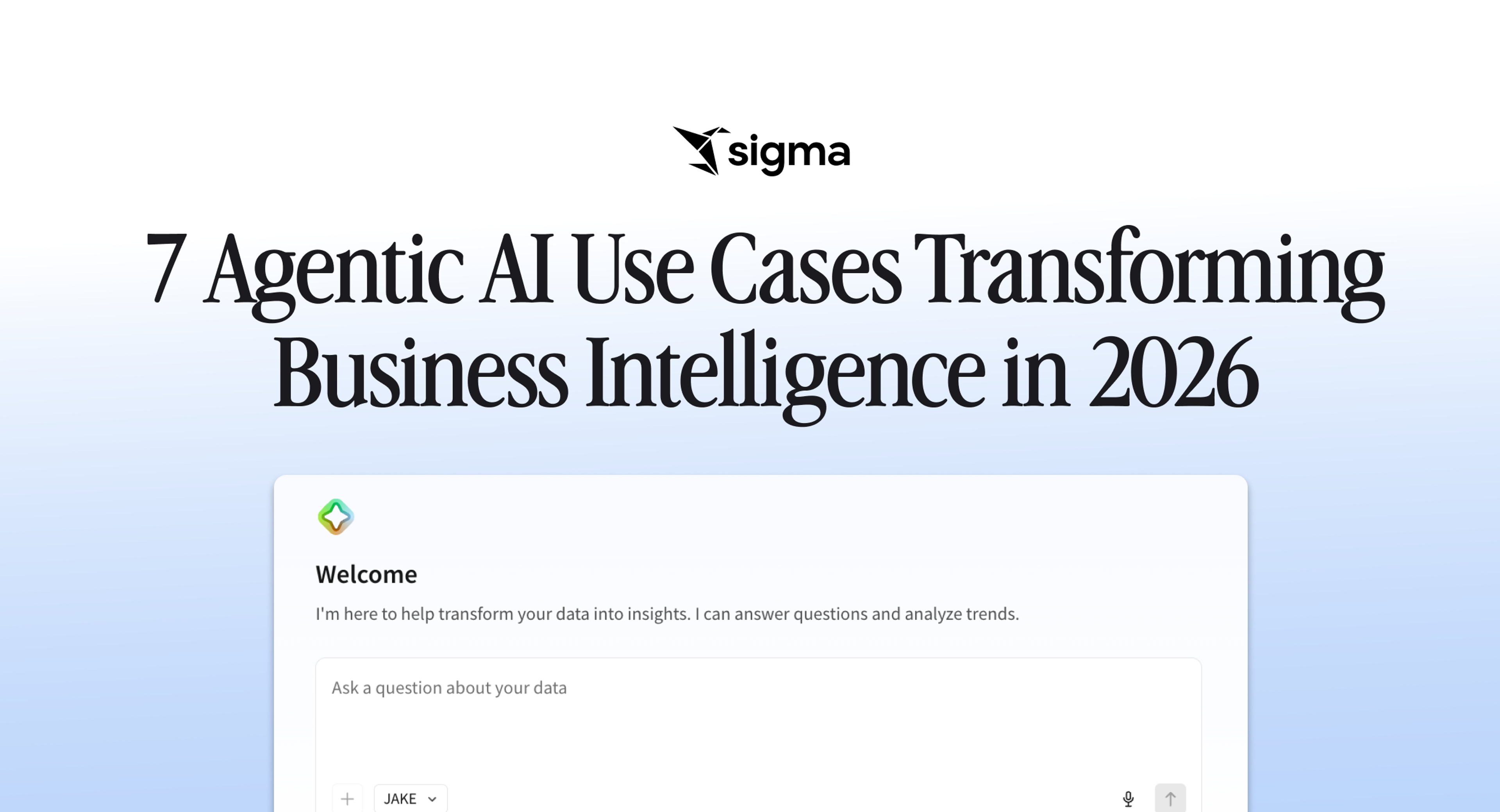
Viewers interact through a chat interface on the canvas. Three interaction patterns cover the full spectrum: conversational, human-in-the-loop, and autonomous on a schedule.
With human-in-the-loop (hybrid agents), the agent performs the analysis, assembles structured output into an Input Table, and holds it for approval before pushing it to an external system like Salesforce or HubSpot.
Agents inherit your warehouse governance
Sigma Agents inherit the same row-level security, column masking, and role-based permissions that your warehouse already enforces, so IT does not need to configure a parallel governance model to deploy them.
On top of that inherited baseline, Sigma Agents pick up three more layers of control: Sigma data model governance, workbook-level grants, and in-agent scoping, where the builder defines exactly what data the agent can see and which tables it can write to.
Agents run on the customer's choice of approved LLMs or warehouse-native models through Sigma's native integrations with platforms such as Snowflake Cortex and Databricks. There is no shadow AI layer, and the agent inherits the running user's permissions, so if you can't see the data, neither can the agent acting on your behalf.
Your data stays in the warehouse, and Sigma audits every action
Sigma never extracts, copies, or moves data out of the warehouse to operate, and every agent action is recorded in an audit trail that compliance teams can read without translation.
Queries push down to the warehouse and run there, and AI calls flow through the customer's governed AI and warehouse stack. Every writeback through Input Tables captures the original record, the new record, who changed it, and when it was changed. An agent built on extracts and bolt-ons is hard to audit and hard to trust. An agent that runs on the same governed warehouse data the business already relies on is one that the team can actually put in production.
Put agentic AI to work on your own data
The question for 2026 is no longer whether agentic AI belongs in BI; it is which workflows your team builds first, and whether the platform you build them on can carry them all the way to production.
Most teams will run into the same constraint: a working prototype that nobody trusts with live customer data because the governance, audit, and writeback layer beneath the agent isn't in place.
Sigma delivers live warehouse data, inherited row- and column-level security, writeback through Input Tables, and an audit trail that compliance teams can read without translation. These capabilities make the difference between an agent that demos well and one your business can actually operate.