





00
DAYS
00
HRS
00
MIN
00
SEC
AI AGENTS ON YOUR WAREHOUSE · LAUNCHING APRIL 2ND
arrow right

Ask, Build, and Act with Sigma AI.

From asking questions and building AI Apps with Sigma Assistant to deploying Sigma Agents, give your teams the freedom to explore and automate, natively grounded in your warehouse's security and semantic models.
Discover with Confidence
All users can ask questions and immediately verify the logic, formulas, and filters the AI used to ensure complete accuracy.
Create without Coding
Use conversational prompts to reason through application logic, enrich data, and assemble AI Apps in Sigma's spreadsheet interface.
AI You Can Trust
Build data products that inherit your enterprise security. Sigma ensures every action is restricted by warehouse permissions.
Trusted by +2000 leading enterprises around the world


The AI Toolkit for Enterprise

Integrate AI across discovery and analysis workflows to build AI Apps faster without context switching across tools.

Ask questions, review reasoning, and build

Query governed data using natural language. Every answer includes the logic used, and converts to an explorable workbook where Assistant stays by your side to help you dig deeper.
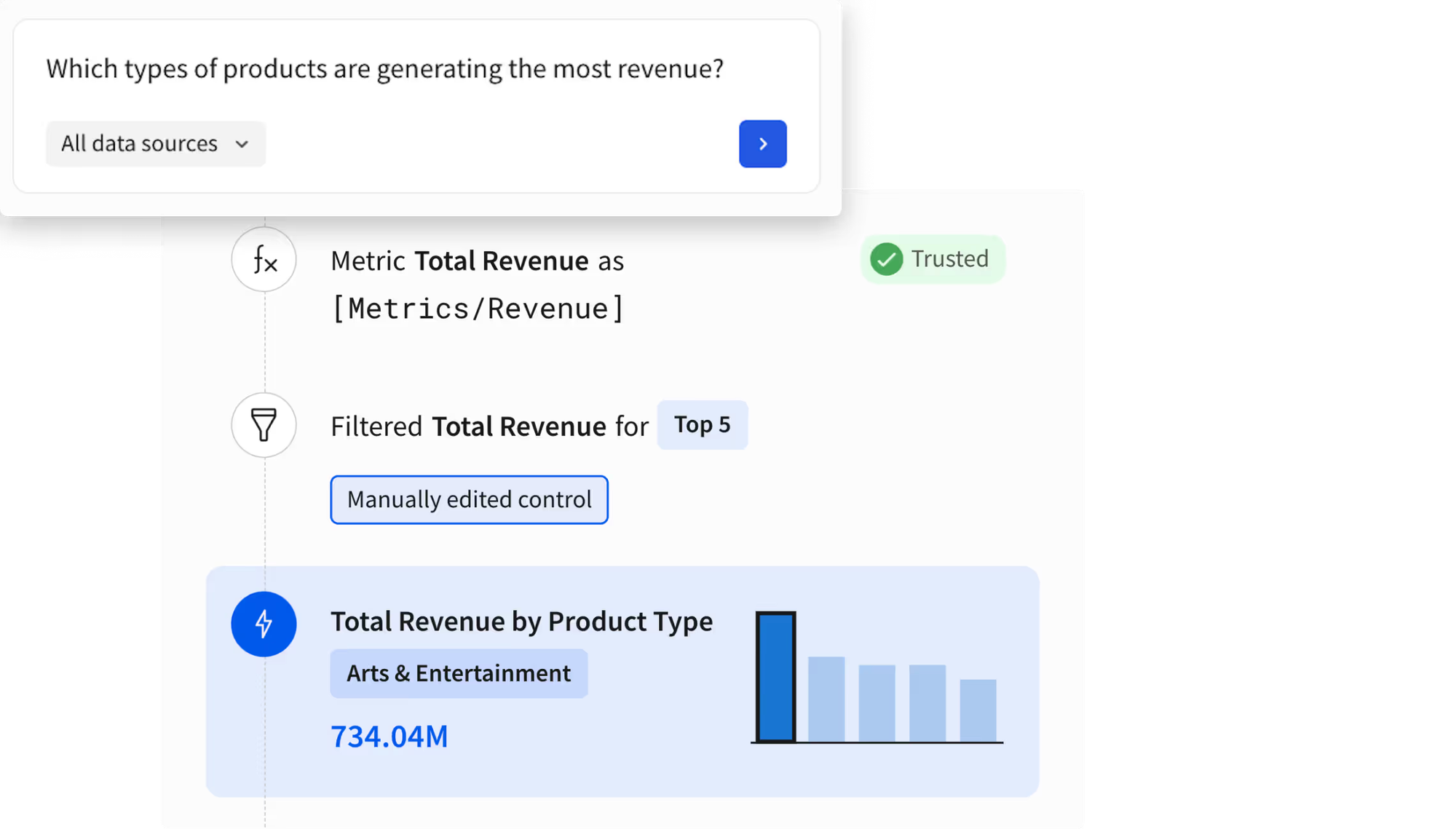
Natural language access to modeled metrics
Transparent lineage with fully visible formulas and filters.
One-click from chat into a live, customizable workbook.
Get a demo

Enrich your data by applying AI directly

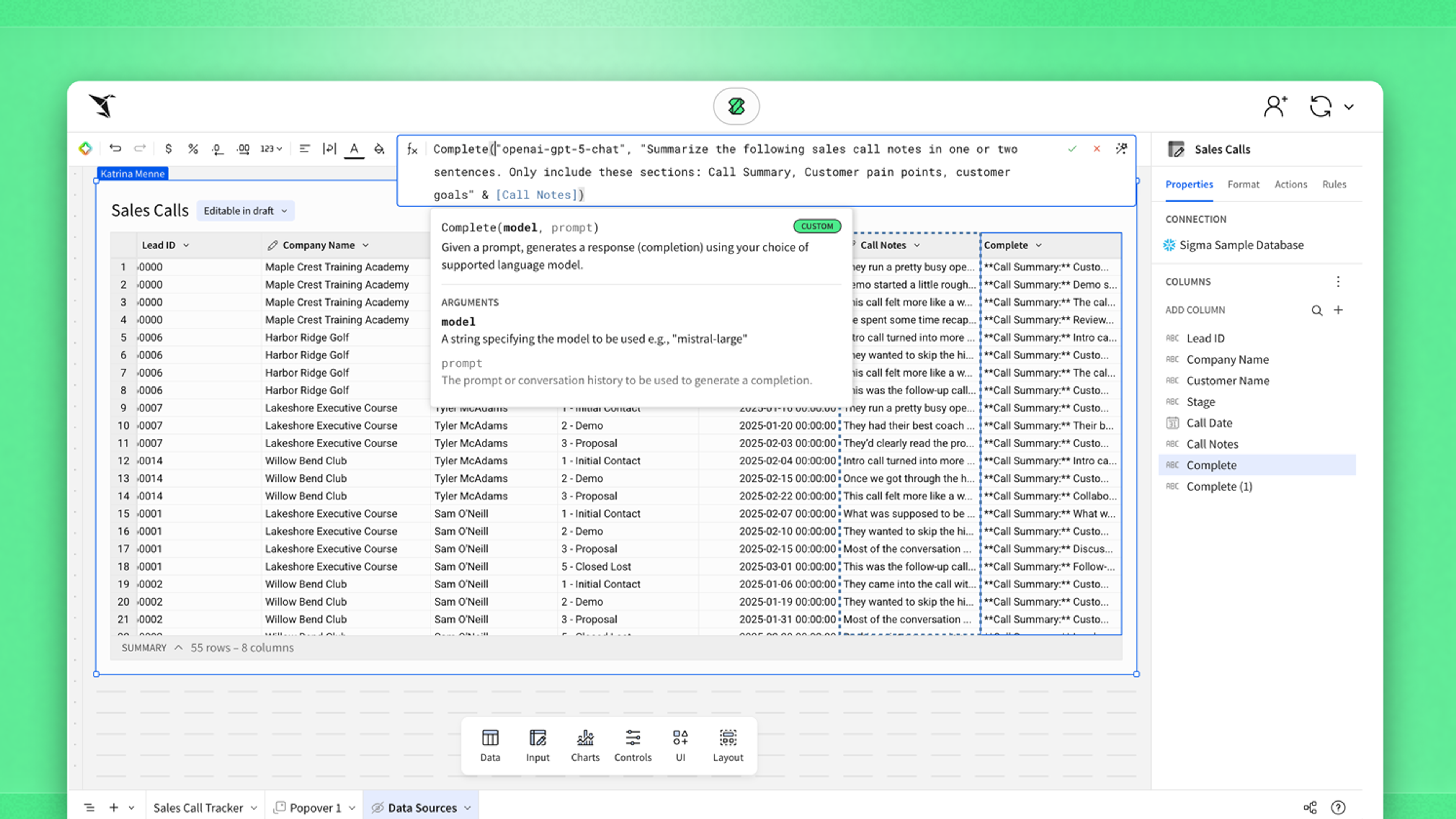
Bring LLM capabilities directly into your spreadsheet columns. Extract, classify, and summarize unstructured data at warehouse scale without moving data or writing custom Python scripts.
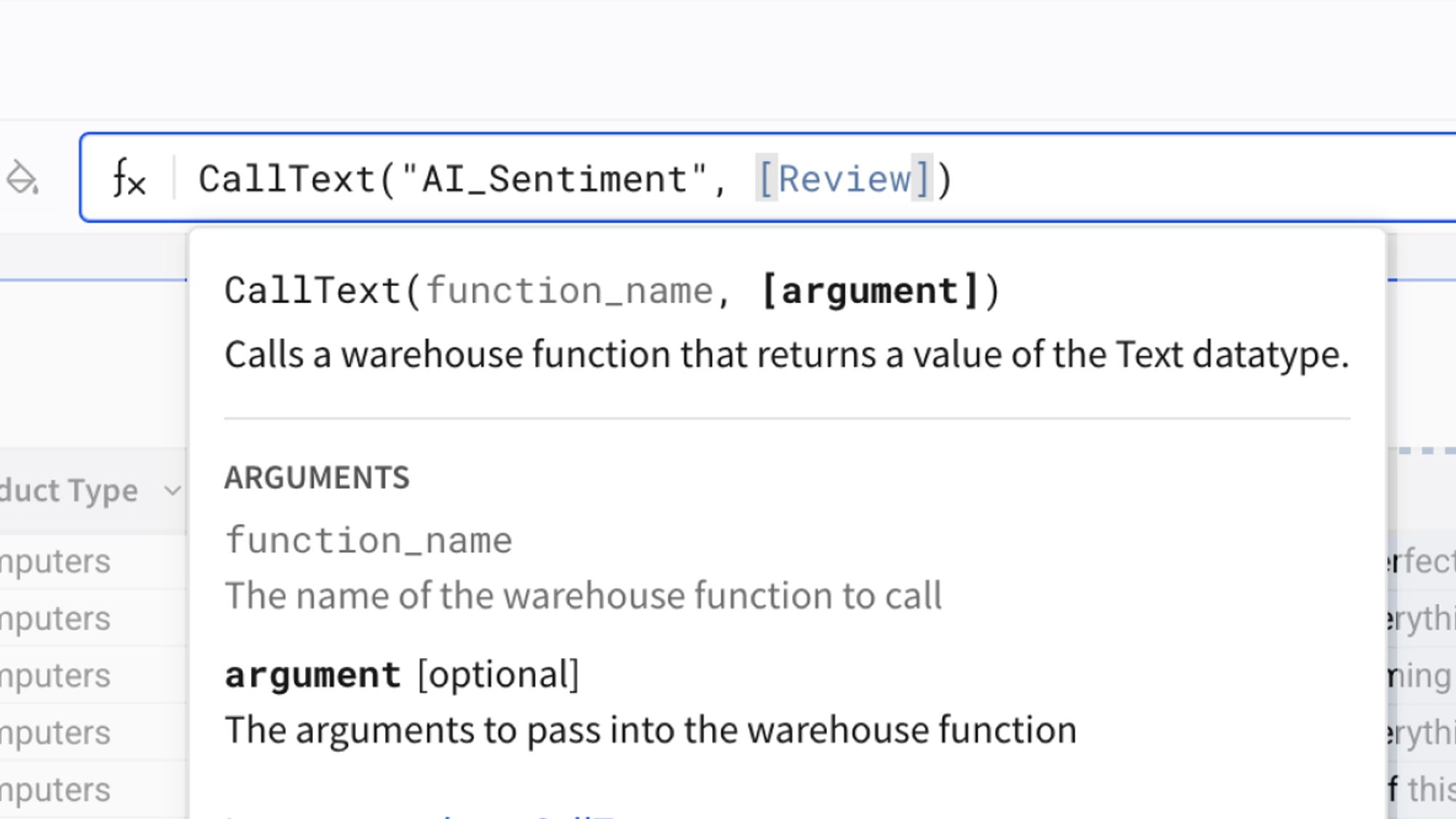
Call LLMs directly in table columns for classification, extraction, and transformation
Run AI on live warehouse data without external services or infrastructure
Govern execution through existing warehouse permissions
AI Query Documentation

Evolve from insights to automated action

Deploy agents to monitor data thresholds, trigger cross-platform workflows, and execute decisions. Every action natively inherits warehouse security and writes back with an immutable audit trail.
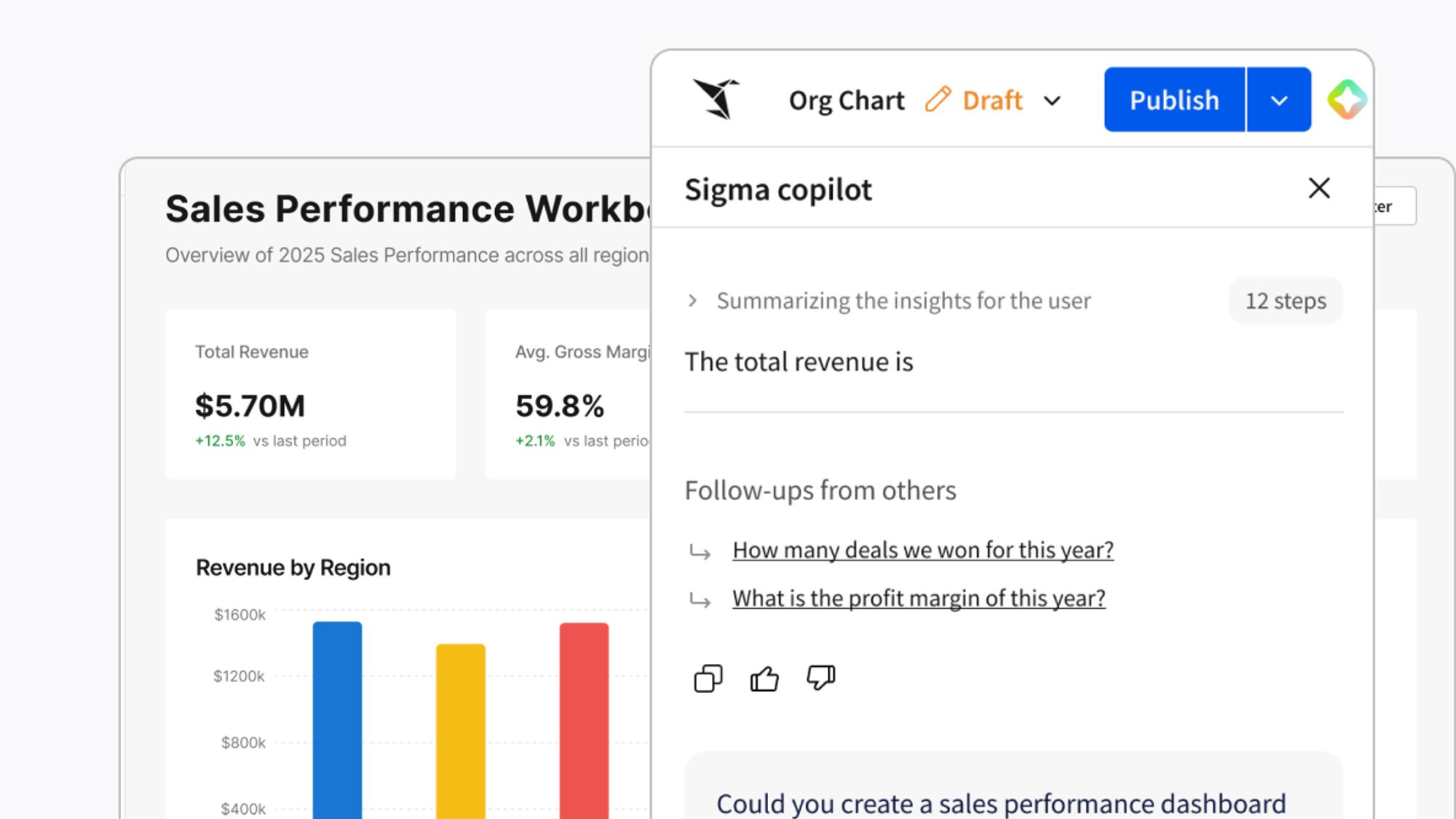
Write agent actions directly back to your warehouse
Run agents autonomously on a schedule or interactively
Trigger actions across Salesforce, Slack, or custom APIs
Watch our latest product launch

Securely connect Sigma AI to your stack

Turn your warehouse into a governed Agentic Hub. Sigma acts as a bidirectional MCP client and server, securely bridging the gap between external enterprise tools and your trusted business logic.
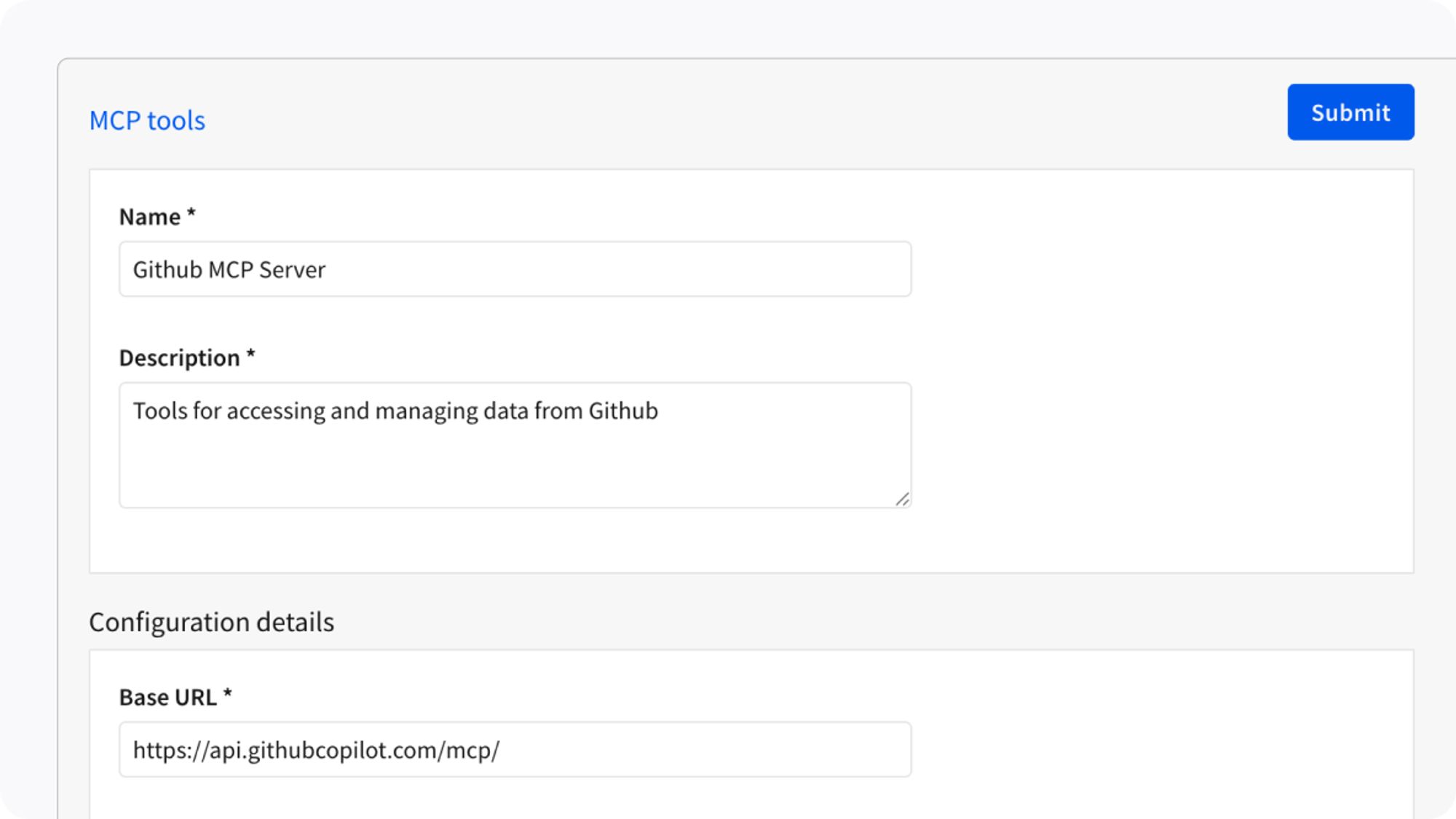
Use MCP to share context between Sigma and external AI
Pull domain knowledge into Sigma from external systems
Expose Sigma data to trusted agents without bypassing enterprise governance.

Build AI Apps with Sigma Assistant

Move from discovered insight to a functional AI App in seconds. Sigma Assistant acts as your continuous partner inside the workbook to help you build on a governed, secure platform.
Sigma Assistant generates Input Tables, charts, layouts, and UI components to accelerate prototyping
Reason through application logic with an assistant that understands your data to assemble a real workflow
Lower the barrier to entry by allowing all users to build with natural language
START BUILDING

From insight to autonomous action

01

Ask

Instantly explore fully transparent answers grounded in your IT-approved semantic models.

02

Create

Move from chat to AI App in a click. Use Sigma Assistant to instantly assemble operational workflows.

03

Automate

Build agents that autonomously detect, trigger workflows, and write with full auditability.

04

Govern

Grow your AI footprint without scaling risk. Every app and agent inherits your warehouse permissions.

AI That Runs Where Your Data Lives

Orchestrate Sigma Agents, accelerate workflows with AI tools, and build AI Apps directly on your warehouse.
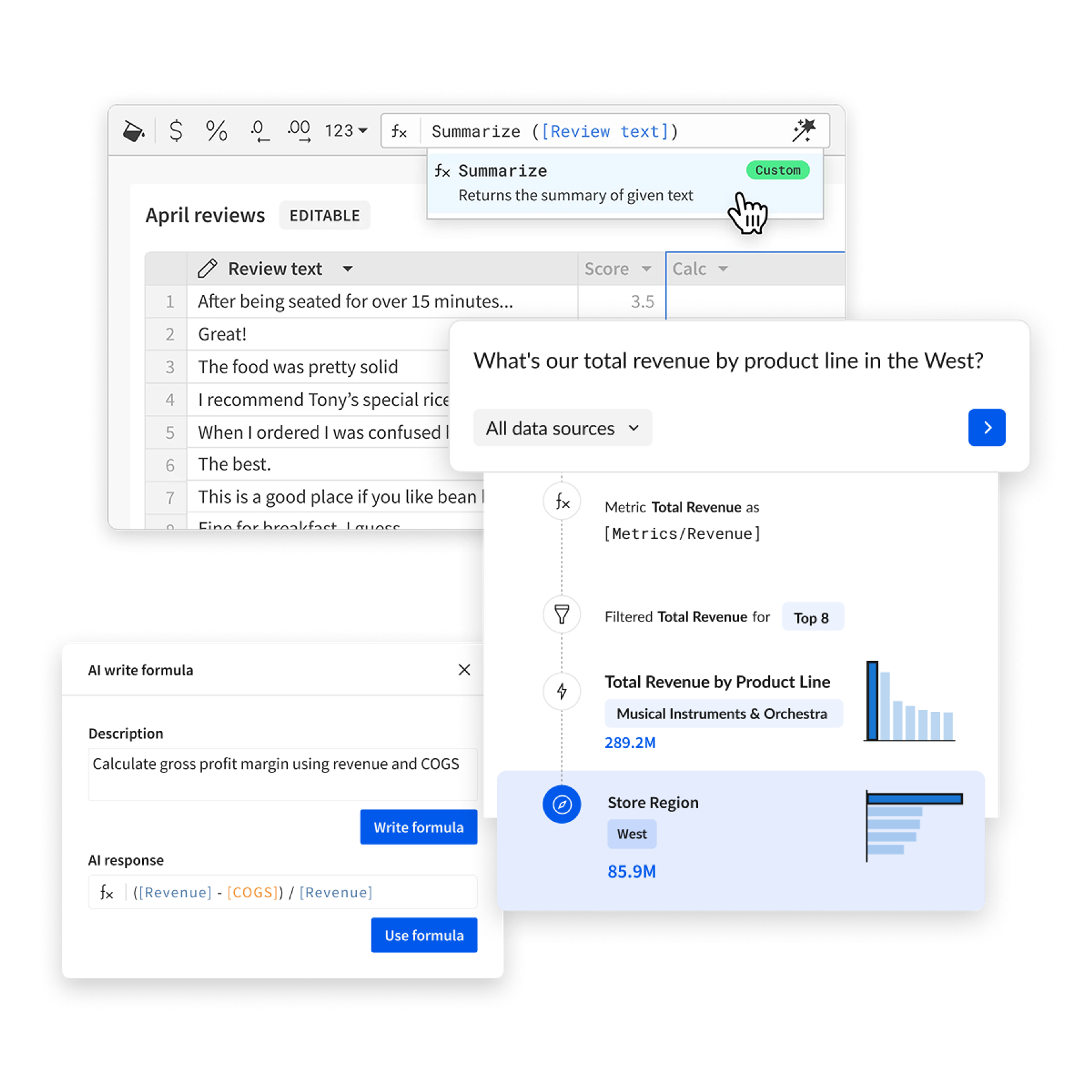
Sigma operates directly on cloud data warehouses using their compute, security, and governance without copying data or introducing new AI systems.
Warehouse-native execution
All AI processing runs on your cloud data warehouse compute.
Inherited security
AI respects existing warehouse roles, permissions, and row-level security.
Governed results
AI operates within defined logic and permissions, producing consistent outcomes.
End-to-end lineage
Maintain full visibility into how AI interacts with and transforms your data.
Extensible via MCP
Connect external systems and tools while keeping access permissioned and auditable.

LLM Superpowers in
a Spreadsheet Cell

Select the right model for the job. Write a prompt.
Get results in a column. No code, no engineering queue.
Prompt
Generate custom AI responses with flexible prompts
Classify
Categorize text into predefined or AI-suggested categories
Sentiment
Analyze emotional tone and sentiment in text data
Summarize
Condense long text into concise, actionable summaries
Translate
Convert text between languages instantly
JSON Extract
Extract structured data from unstructured text
Web Search
Augment analytics with real-time web data
Image
Analyze and extract insights from images

Built for the Builder

Reclaim productivity and safely scale business user output with AI Apps
A black and white logo for Blackstone.
flogistix logo
vanta logo

Sigma AI FAQ

The questions that we think enterprises should be asking about AI.
Why should we trust Sigma Assistant’s answers over standalone AI chatbots?

Most standalone AI tools force your team to manually validate every output. Sigma Assistant and Sigma Agents reason over the business logic already defined in your workbooks and dbt semantic models while providing complete transparent lineage so you can view the exact formulas, filters, and tables the AI used to build its answer.

What's the difference between Sigma Assistant and Sigma Agents?

Sigma Assistant is how you learn and build. Ask a question, explore your data, generate a chart, and assemble a full application with natural language. Sigma Agents are how you deploy intelligence. They are configured by your team, scoped to specific data and instructions, and embedded directly in workbooks and apps to run on your behalf. They answer questions, monitor metrics, trigger API calls, write data back to your warehouse, and push alerts to external systems like Salesforce or Slack.
Sigma Assistant creates the product. Sigma Agents power it after it ships.

Can Sigma Agents take action in external systems, not just answer questions?

Yes. Sigma Agents call external APIs and can act. Common examples include creating Salesforce opportunities, posting Slack or Teams alerts, triggering Zendesk tickets, and writing enriched rows back to your warehouse. Actions can be user-initiated within the conversation or scheduled to run automatically. Human-in-the-loop approval steps can be added wherever sign-off is required.

How do I know when an agent's output is high-confidence vs. uncertain?

Sigma Agents are scoped to specific data sources and instructions your admins define so that responses are grounded in approved context, not open-ended inference. Every response surfaces the data behind it, so users drill down instead of taking answers on faith. For higher-stakes workflows, configure inline response feedback and pair it with a Q&A audit log written back to your warehouse to ensure a continuous signal for improving the models underneath.

Do users need to know Python or SQL to build AI Apps?

No. Sigma Assistant lives directly inside our familiar spreadsheet interface, empowering non-technical users to build full applications conversationally. Using simple text prompts, users can instantly generate complex spreadsheet calculations, structure dashboards, and assemble workflows. If your team knows how to describe their business rules, Sigma Assistant can write the syntax.

What's the difference between an AI App and a regular dashboard?

A dashboard shows data. An AI App acts on it. The difference is functional: AI Apps combine data visualization with write and actions functionalities. Users can input, update, or approve data and trigger conditional actions to external workflows or API calls. Integrate a Sigma Agent into your AI App for maximum value and automation potential.

Does Sigma's AI respect row-level security (RLS) and column-level data masking?

Yes. Sigma’s AI inherits your existing warehouse row-level security (RLS) and column-level masking. The AI can only query data the specific user is authorized to see. There is no shadow AI or secondary permission model to manage, even in embedded deployments. This applies across all surfaces whether it's Sigma Assistant or Sigma Agents so no AI pathway bypasses your existing warehouse access controls.

Can we use Sigma AI to analyze unstructured text directly in our datasets?

Yes, using AI Query. You can call LLM functions directly within your workbook columns to classify, extract, and summarize unstructured data at warehouse scale. Because this processing runs natively on your cloud data warehouse compute, you can enrich your data without extracting it, standing up external infrastructure, or writing custom Python scripts. Furthermore, enrichment runs as a warehouse function so your standard column-level permissions and audit logs apply. Unstructured AI analysis stays within your existing data governance framework.

Why are Sigma Assistant's answers more useful than other AI chatbots?

Sigma Assistant gives you a live, interactive data product. When you ask a standalone chatbot a question, it returns static markdown text or a disconnected chart. If you want to drill down into those numbers, you have to start over. Sigma Assistant instantly generates a fully functional, explorable workbook connected directly to your warehouse.

What is the path from asking AI a question to deploying an AI Application?

Start by asking a question in natural language with Sigma Assistant. One click turns the chat into a production-ready, live application. From there, you can deploy agents to monitor the app's metrics and automate actions—moving from question to enterprise workflow on one governed platform.

Does Sigma send our data to an external AI provider? Does data leave our cloud?

You control this. Sigma is completely model-agnostic. If you choose a warehouse-native model like Snowflake Cortex, your data never leaves that environment. If you opt for external providers like Azure OpenAI, Sigma only sends the minimum required inputs under your secure enterprise agreement.

Are our prompts or data used to train public AI models?

When using warehouse-native models, your data stays entirely within your cloud environment and is never used to train public models. When using external providers like Azure OpenAI or Anthropic, your enterprise agreement with that provider governs data usage. Standard enterprise contracts often explicitly prohibit using customer prompts or data for model training. Sigma itself never stores, retains, or uses customer data beyond generating your requested AI outputs.

Which LLM does Sigma use? Can we use our own model?

We don't force a specific LLM. Administrators can configure Sigma to use your existing enterprise AI contracts—whether that’s Anthropic, Azure OpenAI, or warehouse-native models—ensuring total alignment with your already-approved corporate AI strategy. Sigma integrates with the model your security team has already approved so you're not forced to adopt a new AI vendor or negotiate a new contract.

If we already use Claude to ask about our data, what's the value of Sigma?

Claude and Sigma serve two complementary halves of your AI strategy. Claude helps with conversational intelligence, while Sigma provides a secure enterprise execution layer and AI Applications platform. By connecting them, your teams can use Claude's reasoning capabilities and still rely on Sigma to enforce row-level security, guarantee accurate calculations, and turn text answers into production-ready, automated workflows built for enterprise scale.

What is MCP (Model Context Protocol) and does Sigma support it?

Sigma operates as a bidirectional Model Context Protocol (MCP) hub. As a client, Sigma Assistant and Sigma Agents can pull context from external systems like your CRM or document stores. As a server, Sigma securely exposes IT-approved semantic models and workflows to trusted external AI tools. MCP support is currently in private beta. Contact your account team for more detail.