Apply Warehouse Models to Data with Sigma’s AI Query

Today’s conversations have shifted from "Can we use AI?" to "How do we use AI effectively in our day-to-day workflows?" The novelty of large language models (LLMs) is giving way to a focus on tangible returns. For many organizations, the challenge isn’t what LLMs can do—it’s making their capabilities accessible in governed, practical contexts without adding complexity.
At Sigma, we believe AI should augment human ability, not replace it. In practice, that means keeping people firmly in the loop, while using AI as an accelerator to empower users to explore, validate, and act on insights. This aligns with our broader vision of making complex data work accessible to everyone. AI Query is the core capability that brings this philosophy to life, delivering the power of LLMs directly into your workflows while maintaining the security and scale of your cloud data warehouse.
What is AI Query in Sigma?
At the most basic level, AI Query lets users interact with live warehouse data using natural language, all within the formula bar inside a Sigma workbook or AI App. It brings the familiar prompt structure from a tool like ChatGPT directly to your tabular warehouse data, handling everything from tedious cleanup to orchestrating multi-step, AI-powered operational workflows. With AI Query, anyone regardless of skillset can get answers from their data, enrich datasets, streamline day-to-day processes, and even build AI-powered applications.
And because Sigma works with any connected warehouse, the same AI Query workflows can run seamlessly across Snowflake, Databricks, BigQuery, or Redshift.
Why AI Query Matters
AI Query extends beyond simple analysis, becoming the engine behind AI-powered applications.
By combining AI Query with Sigma’s unique actions and writeback capabilities, customers are building end-to-end solutions that keep humans fully in the loop. For example:
- Insight Generation: AI Query analyzes data (e.g. customer reviews) and recommends an action (e.g. “This product needs an update.”)
- Human Review: Recommendations are presented in an interactive AI application for contextual decision making.
- Action & Writeback: The human clicks a button to approve the recommendation, and the result (e.g. "Action: Approved") is written back to the warehouse, triggering a downstream process.
The Mechanics: Connecting Sigma to LLMs
Unlocking the full value of AI for your end users requires bridging the gap between data and LLMs. Sigma supports this through two main mechanisms: passthrough functions and custom functions.
Passthrough Functions
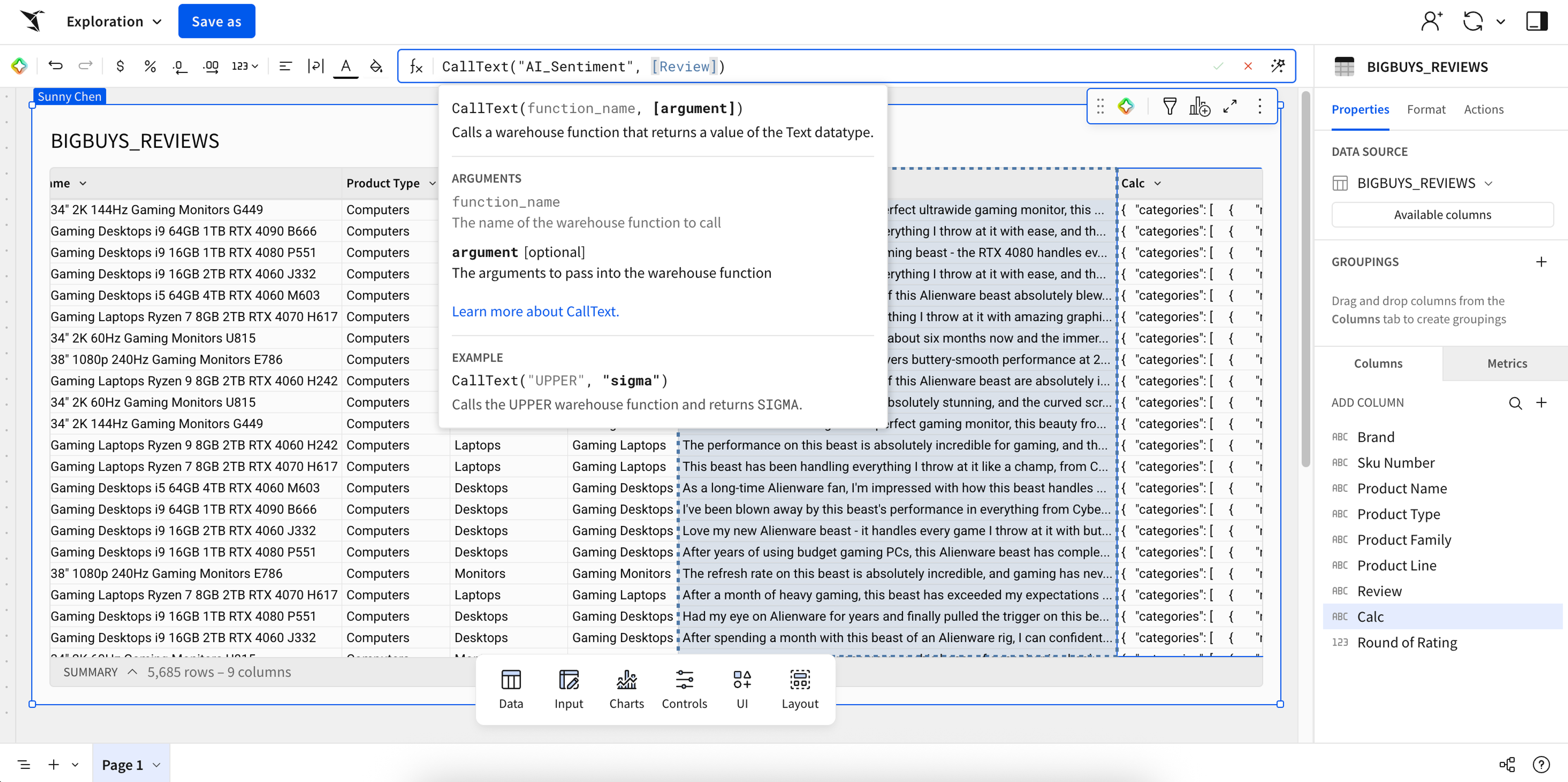
Sigma has always been like a window into your cloud warehouse, generating the SQL necessary based on your interactions with the UI. Because of this, any calculation or function available in your underlying warehouse can be referenced in Sigma through a certain function category. We call this category passthrough functions because Sigma passes the necessary data and arguments through to your warehouse and then surfaces the result back to you.
Learn how to use Sigma's passthrough function (CALL_TEXT) to execute Snowflake's powerful AI_TRANSLATE function and convert text between languages.
For example, let’s walk through using the warehouse’s AI_TRANSLATE function to convert a column of French text to English:
- Determine syntax: Identify the exact function name and arguments required from your cloud data warehouse documentation (e.g.,
AI_TRANSLATEneeds the text to translate, the source language (FR), and the target language (EN).) - Choose a passthrough function: Based on the desired output, choose the corresponding Sigma passthrough function. Since translation returns text, we use
CALL_TEXT. - Construct formula: In the Sigma formula bar, combine the passthrough function with the warehouse function name and its required arguments.
- Translation example:
CALL_TEXT("AI_TRANSLATE", [French_Column], "fr", "en")
- Translation example:
- Execute and surface results: Sigma sends this request to the warehouse, the warehouse then runs the AI model, and the translated text is returned directly into the new column.
This mechanism extends to more advanced capabilities like AI_COMPLETE, which enables users to leverage warehouse LLMs by including a model and a custom text prompt to perform more complex tasks like summarization or sentiment analysis.
Custom Functions
While passthrough functions offer maximum power, they still require technical knowledge like understanding the correct warehouse function name, argument order, and data types. Custom functions solve this complexity by democratizing AI Query for all users. An admin can create a pre-packaged function that wraps a complex passthrough function into a simple, business-friendly “easy button.”
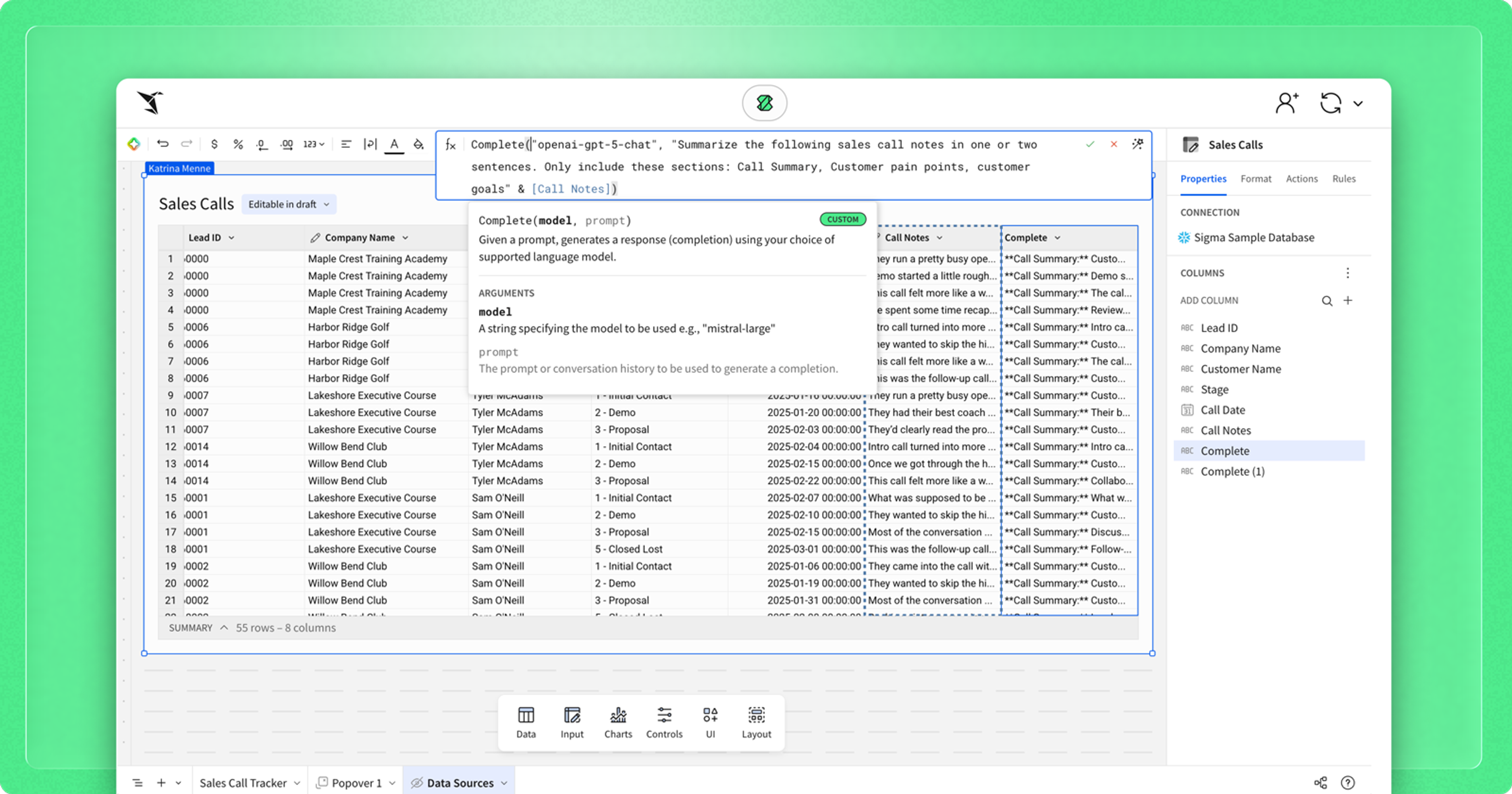
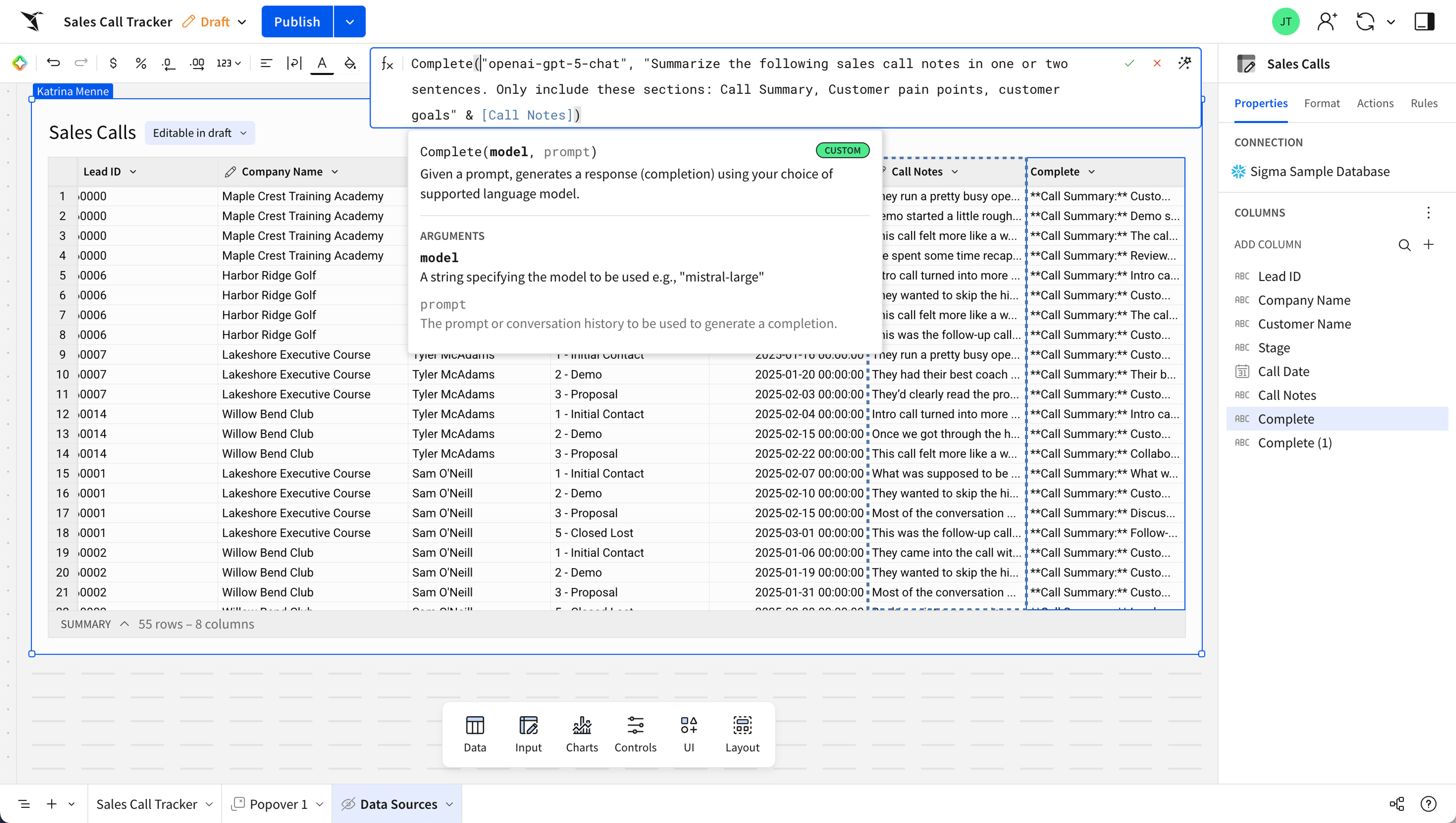
See how administrators can simplify AI access by creating a custom function like Complete() to empower all users to easily prompt LLMs for summaries or answers.
Let’s use the translation example again, but this time apply it to custom functions:
- Admin Setup: Navigate to the admin panel to create a new custom function, naming it
TRANSLATE_FRENCH_TO_ENGLISHin this example. Then, hardcode the passthrough formula, includingCALL_TEXT, the specific function name (AI_TRANSLATE), and the source/target languages (“fr”, “en”). - User Argument: The admin defines the function to require only one argument: the column of data that needs to be translated. All other technical components are hidden to the end user.
- User Experience: The end user simply types the new, intuitive function name (
TRANSLATE_FRENCH_TO_ENGLISH), and only inputs the column of data in French. This process turns the complicated syntax into an intuitive, fewer-step experience.
Whether it’s a simple translation or a complex AI_COMPLETE prompt, custom functions make AI Query accessible to everyone in your organization.
AI Query is the engine for augmented insight. By leveraging passthrough functions to utilize your cloud warehouse's existing capabilities and custom functions to democratize access, Sigma ensures that every user from the analyst to the executive can leverage AI. This unique approach means you can build high-impact, AI-powered applications that streamline operations and deliver measurable results.
For more resources to get started with AI Query, check out our community posts, AI Query 101 and AI Query 201. You can also see examples of building apps with AI Query in our "Build with AI" video series.