A Guide to Operational Analytics: Why It Matters and How It Works in 2026

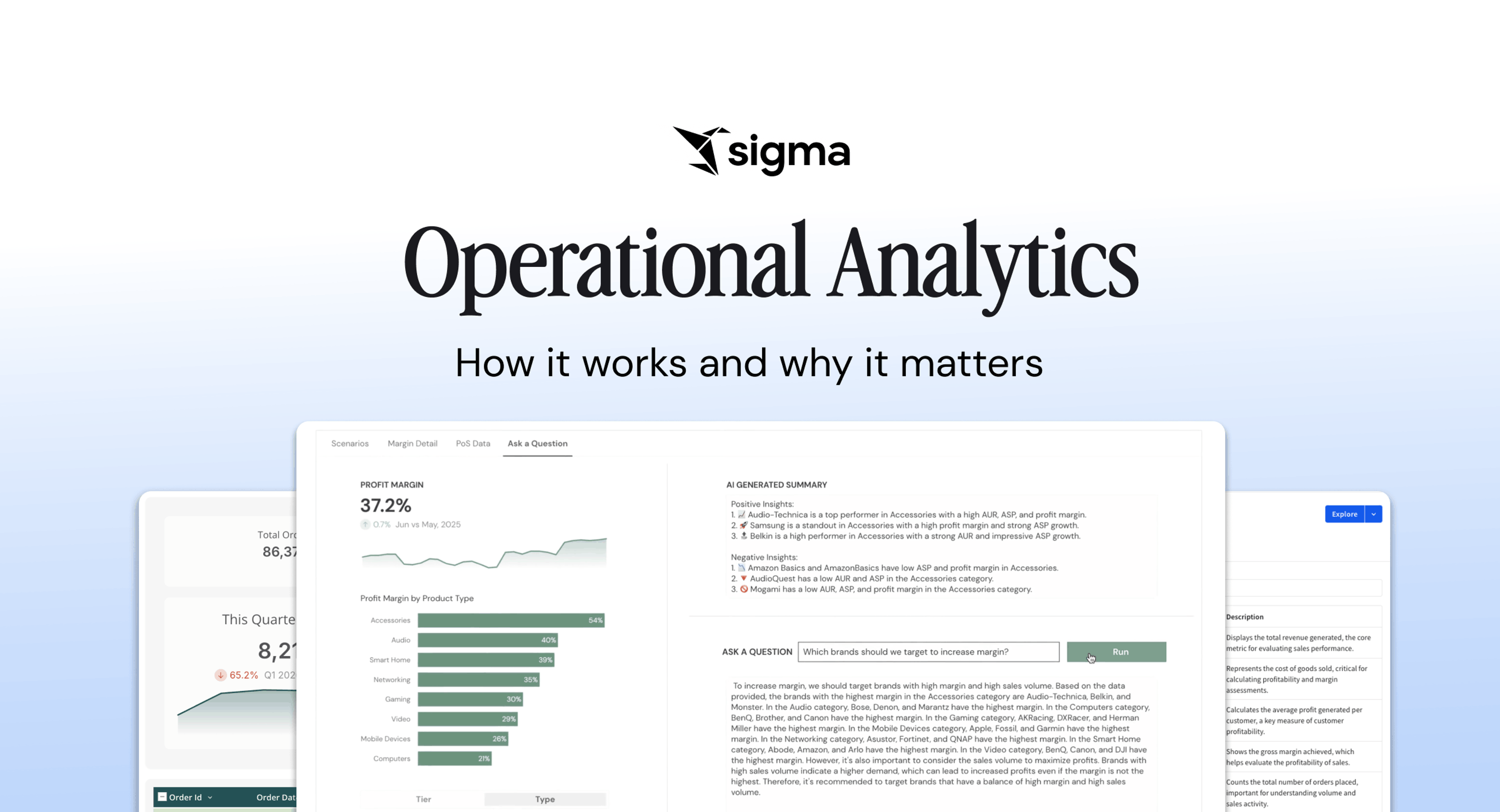
Operational analytics closes the delay between asking a question of the data and acting on the answer.
Consider this: your company has invested heavily in building a solid data foundation, collecting business activity data in the warehouse, cleaning it, modeling it, and governing it.
The problem is that the people across the business who need to make on-the-spot, data-driven decisions still can’t reach that data on their own terms. Their options are limited to filing a request with the data team and waiting, or pulling exports into a BI tool or spreadsheet and stitching the answer together themselves. By the time the insight lands, the moment to act on it has passed.
Key takeaways
The right operational analytics platform reads the warehouse live, supports writeback (sending updated data back to the warehouse), and applies governance to every workflow. Bonus points for a spreadsheet UI that matches how Operations teams are used to working with data.
- Operational analytics can function like AI-assisted workflows or applications. For example, a Manufacturing team could build a dashboard that shows current inventory. When the inventory goes below a certain threshold, a pre-defined agent or action sequence is triggered to order more supplies via an API connection to a third-party service.
- Operational analytics delivers a compounding payoff: faster decisions on the frontline, fewer one-off requests for the data team, and more value from the warehouse investment you’ve already made.
What is operational analytics?
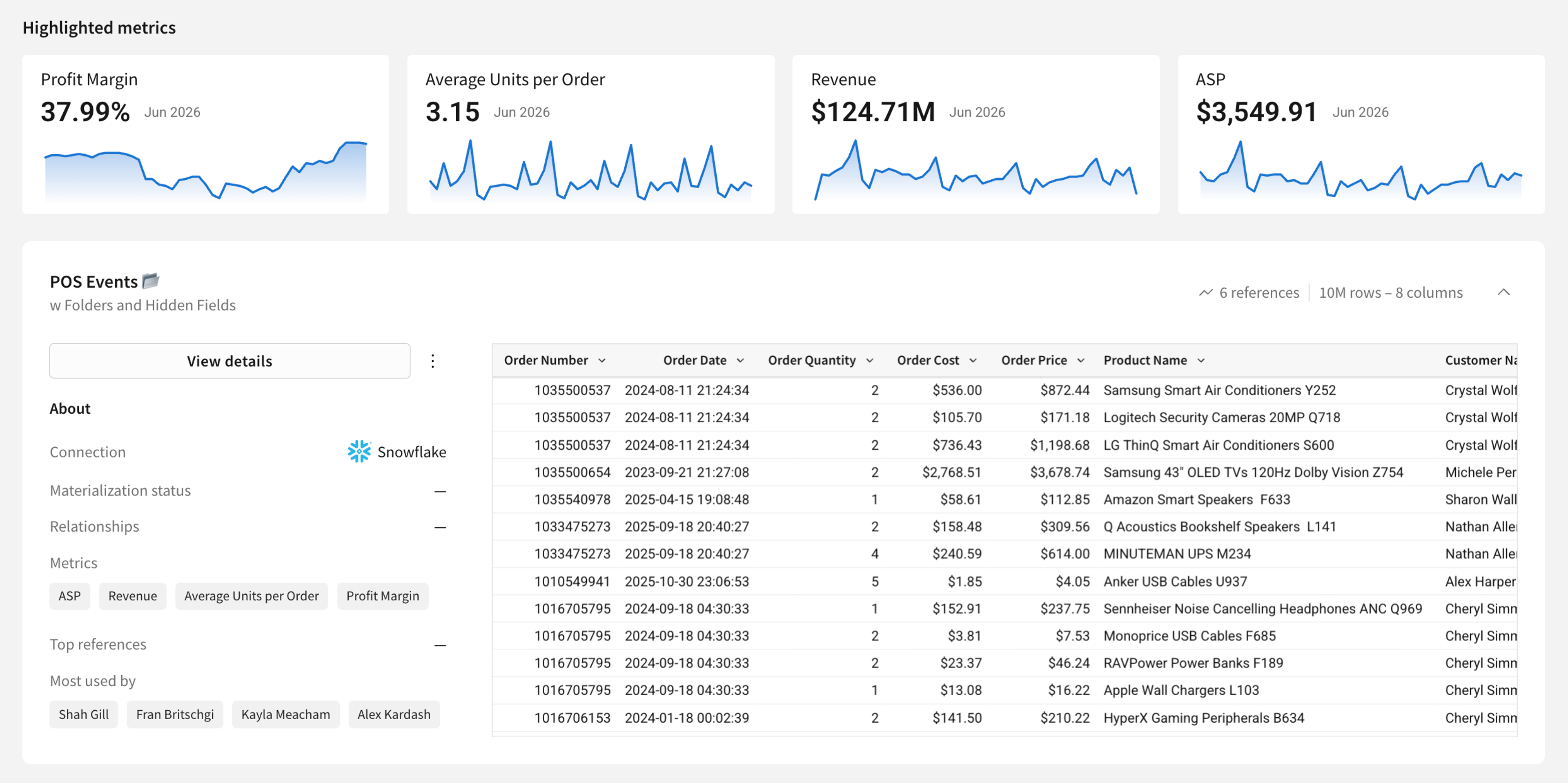
Operational analytics is the practice of delivering modeled warehouse data directly into the tools and workflows where frontline teams make decisions, so they can act on current data without waiting on a central analytics team. Legacy BI usually stops at reporting. Operational analytics carries the work into the system, where the decision gets made.
In practice, it means a sales rep seeing an up-to-date account health score inside their CRM, a buyer reordering inventory from a workbook that reflects last night’s sales, or a finance team adjusting a forecast against live actuals, without anyone exporting a CSV.
How it differs from related categories
Operational analytics is often confused with three adjacent categories. The distinctions matter when scoping a project and choosing tooling.
- Operational analytics vs. traditional analytics. Traditional analytics answers “what happened?” with a dashboard or report that a human reads and deliberates over. Operational analytics answers “what should happen next?” and routes the output directly into the system where someone acts. Or, depending on the software, gives the user the option to act on directly in the dashboard where they view it.
- Operational analytics vs. reverse ETL. Reverse ETL is the pipeline that takes modeled data out of the warehouse and pushes it into the tools where work actually happens. Operational analytics is the broader practice of giving frontline teams live data within those tools, so they can read it, decide on it, and act on it without leaving their workflow.
- Operational analytics vs. embedded analytics. Embedded analytics places dashboards and reports directly within a product or internal portal, so users can view data without opening a separate BI tool. Operational analytics, by contrast, is aimed at frontline business teams who need to read current data, make decisions, and act on them within their own workflows.
Why operational analytics matters now
Operational analytics has existed as an idea for years, but three shifts in the data stack have made it practical to deliver at scale.
1. Cloud warehouses made live queries practical
Modern cloud warehouses now return results fast enough to sit inside an operational workflow. For example, Snowflake’s production query runtimes hit a median of 0.7 seconds across 667 million queries. Public benchmarks suggest that the major warehouses are broadly competitive on speed for typical analytical workloads, though results vary by workload and configuration. That performance envelope makes it realistic to query the warehouse at the moment of decision, not the night before.
2. Reverse ETL and embedded analytics moved data into workflows
Warehouse data used to stay stranded in dashboards. Reverse ETL changed that by syncing transformed warehouse records back into the operational tools where work happens, including CRMs, ad platforms, marketing automation, and support systems.
Embedded analytics advanced in parallel, bringing warehouse-derived views into SaaS products and internal portals instead of leaving them in separate BI environments. The result is that modeled data now reaches the surface where the user already works.
3. AI agents reduced the manual work of acting on data
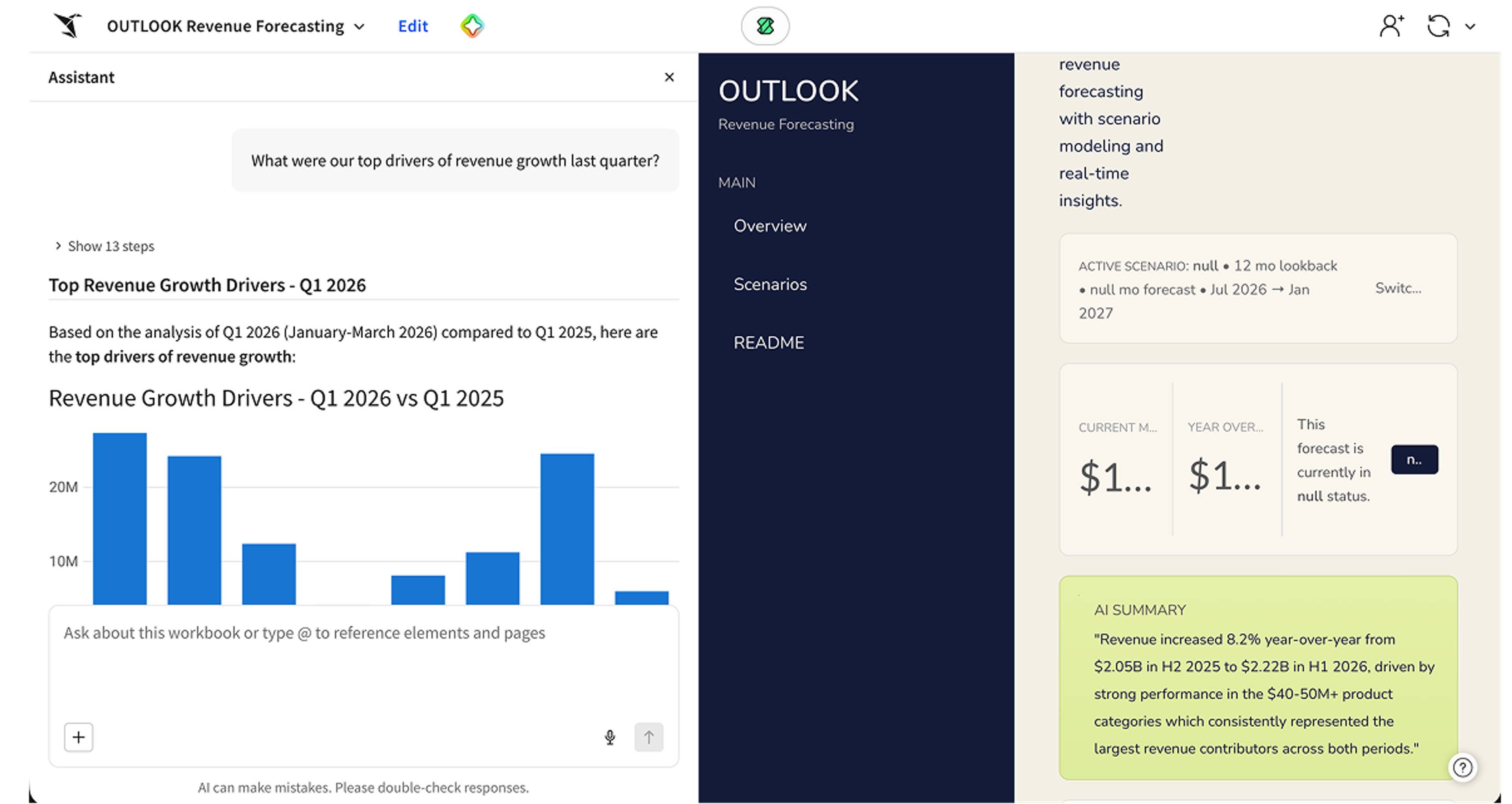
Agentic workflows can now read warehouse data, reason over it, and take action, whether that means flagging an at-risk account, adjusting a routing rule, or triggering a notification. Adoption is still early, with 23% of organizations scaling agentic AI somewhere in the enterprise, but the trajectory is steep. 40% of enterprise apps are expected to ship with task-specific AI agents by the end of 2026, up from less than 5% in 2025.
Benefits of operational analytics
When done well, operational analytics changes how the business runs day to day. The most direct gains:
- Decisions on current data. Frontline teams act on live numbers instead of waiting for a reporting cycle.
- Fewer handoffs. Reading the data and acting on it happen on the same surface, cutting out the export-to-spreadsheet-to-email loop.
- More value from existing data investments. The work already done in the warehouse and modeling layer reaches the people who can turn it into outcomes.
- A single source of truth in motion. Teams across functions act on the same governed numbers, so KPIs don’t drift across tools.
- Less analyst toil. Central data teams stop fielding one-off requests and spend time on higher-leverage work.
Taken together, the business stops paying the tax of stale data on every decision, and the warehouse investment your team has already made starts showing up in outcomes instead of dashboards.
3 components of an operational analytics stack
Operational analytics requires three elements to be in place, regardless of which vendor you pick. Together, they form the foundation on which the read-decide-act-record loop runs.
1. A cloud data warehouse as the source of truth
Operational analytics starts with a cloud data warehouse such as Databricks, Snowflake, BigQuery, Postgres, or Redshift. Without the warehouse as the single source of truth, operational teams end up acting on conflicting numbers, and metric disagreement across teams becomes inevitable.
2. A modeling layer that turns raw data into operational concepts
Raw event logs don’t help a sales rep or a supply chain planner. A transformation layer like dbt, models raw data into operational concepts such as accounts, orders, inventory levels, and health scores. Without that modeling step, operational systems receive raw data that frontline teams can’t actually work with.
3. A delivery surface that puts the data in front of operators
The delivery surface turns modeled warehouse data into something a team can use inside their workflow. Three patterns dominate:
- Reverse ETL syncs enriched records to CRMs, ad platforms, and marketing automation on a scheduled or real-time cadence.
- Embedded analytics and AI Apps render warehouse data inside internal tools or customer-facing products, where operators can read, decide, and often write back.
- AI agents continuously read warehouse data and take automated actions, such as flagging accounts, adjusting routing, and triggering notifications.
The delivery surface determines whether operational analytics becomes part of how a team actually works or just another dashboard nobody opens.
How operational analytics works
Operational analytics operates as a continuous read-decide-act-record loop on live warehouse data, running within the workflow where the operator already works.
Read: live query against modeled warehouse data
The first step is pulling current data from the warehouse into the operator’s working area. The mechanism that matters here is the query architecture. Warehouse-native pushdown, where the platform pushes SQL directly to the warehouse and returns results, keeps the read live and governed.
Extract-based architectures, where the platform copies data into its own engine and queries that copy, introduce staleness and break governance, because the copy lives outside the warehouse’s permission model.
Decide: reasoning over the current state at the point of work
The second step is the operator (or an agent) turning what they see into a decision. The mechanism varies by use case. For a buyer, it’s pattern recognition over velocity, lead times, and stock levels, with judgment applied at the margins. For a CSM, it’s reading a composite health score and deciding whether to intervene now or wait.
What matters is that the decision happens on current data, at the point of work, by the person or system that owns the outcome.
Act: in-workflow action without leaving the surface
The third step is executing the decision. The mechanism that distinguishes operational analytics from BI is that the action happens inside the same surface where the data was read. The CSM triggers the outreach from the same workspace that surfaced the health score. The marketer adjusts the budget split inside the same app that displayed the spend-to-performance ratio.
The action can take several forms: a writeback row committed to a warehouse table, a record updated in a downstream SaaS tool via reverse ETL, an API call to a billing or routing system, or a notification sent to a downstream owner. The constant is that the operator doesn’t leave the surface to execute.
Record: governed writeback closes the loop
The fourth step is committing the decision and the action back to the warehouse, with a full audit trail. Writeback captures the original record, the new record, who changed it, and when, then writes that history to the warehouse alongside the operational table. Governance, lineage, and observability follow the writeback all the way through, so the same controls that protect the read protect the action.
That four-step loop makes operational analytics operational. Read-only dashboards stop at step one. Spreadsheets break the loop at step four. Operational analytics keeps all four steps within a single governed surface, so the business runs on live data rather than stale exports.
How to choose an operational analytics platform
When evaluating operational analytics platforms, look for:
- Direct queries against the warehouse, with no extracts or snapshots. Extract-based platforms tend to introduce staleness as soon as the copy is created, with freshness depending on the refresh cadence. For time-sensitive workflows like fraud detection or inventory routing, that lag can invalidate the decision before the operator makes it.
- Familiar interface for frontline operators. Spreadsheet-style interfaces generally see stronger adoption outside the data team than proprietary query languages, since most business users already work in Excel or Google Sheets every day. If using the platform requires learning a new query syntax, frontline operators are likely to fall back to exporting data or screenshotting dashboards.
- Native writeback. Operators need to record decisions back to the warehouse in the same workspace where they read the data. Read-only platforms force a return to email and spreadsheets, which is the loop operational analytics is supposed to close.
- Governance that follows the data into the workflow. Row-level security, audit trails, and access controls should apply equally to the operational surface as they do to the warehouse. When governance stops at the warehouse boundary, teams calculate the same KPI differently across tools, and trust erodes fast.
- A path to AI Apps and agentic workflows. The platform should let teams build operational AI Apps on top of governed warehouse data instead of bolting agents on as a separate product.
A short way to test a shortlist is to pick one workflow your team currently runs in spreadsheets and test how an operator would read, decide, act, and record the result in each platform.
How Sigma supports operational analytics
Sigma is the runtime layer for building and scaling analytics, apps, and agents on live data in your cloud data warehouse. It sits between the warehouse and AI, making everything generated against the data safe to operate: governed, auditable, permissioned, and traceable. For operational analytics specifically, that means frontline teams get a familiar spreadsheet interface to read, decide, act, and record against live warehouse data, while IT keeps the governance and audit trail it already trusts.
Live queries against the warehouse, no extracts
Sigma queries Databricks, Snowflake, BigQuery, Postgres, and Redshift directly through a warehouse-native pushdown architecture. There are no extracts, no snapshotting, and no separate in-memory engine. If the warehouse can run it, Sigma can display it. Data freshness matches the warehouse, not the last time someone refreshed an export.
A spreadsheet interface that frontline teams already know
Frontline operators don’t need to learn SQL or a proprietary query language to work in Sigma. The workbook interface uses familiar spreadsheet formulas and pivot tables, then compiles them down to warehouse SQL underneath. That puts Sigma directly in the hands of the people who actually own the operational decision, alongside the analytics team supporting them.
Native writeback through Input Tables
Input Tables let operators edit data directly in the workbook and write it back to the warehouse. Sigma captures every change in an audit trail, including the original record, the new record, who changed it, and when. Reading the data and acting on it happen in the same governed workspace, which closes the export-and-email loop most teams are stuck in today.
AI Apps that run the operational loop on a single canvas
For operational workflows that need more than a workbook, Sigma’s AI Apps let teams package the entire read-decide-act-record loop into a low-code application built on governed warehouse data. Each app combines analytics, Input Tables for data entry, sequenced actions, modals, and notifications into a single canvas, so an operator can read live data, make a decision, write the result back to the warehouse, and trigger downstream notifications without ever leaving Sigma. The whole loop runs on a single dataset, within the same governance model, and on a single surface.
Sigma Agents that run a configured operational loop inside a workbook
When parts of the operational loop can be automated, Sigma Agents perform that work within a specific workbook, in the same governed environment. A builder configures three elements for each agent: plain-English instructions describing its role, the tables and columns it can read, and the Sigma actions it can take. The agent then runs the configured loop within those bounds, so business teams get hands-off execution within a defined scope while IT maintains the same visibility, governance, and audit trail as with every other workflow on the platform.
Put operational analytics in place with Sigma
The value of warehouse data only shows up when frontline teams can read it, decide on it, act on it, and record the result without leaving their workflow.
Start with one workflow in which your team currently exports warehouse data to a spreadsheet, takes action there, and reconciles later. That workflow is your first operational analytics use case. Sigma connects it back to your warehouse so the pattern compounds, without forcing your team to learn new tools or your data team to give up governance.
Request a demo to see how Sigma delivers operational analytics or start a free trial.