How Sigma’s Data Platform Team Manages Snowflake Semantic Views

Over the past year, we have been reworking the upstream pieces that feed our internal analytics, and Snowflake Semantic Views became an integral piece of the semantic layer that gave us more to work with in Sigma.
The push was practical. We needed metric definitions that ship through version control, plug into Snowflake Cortex without duplicating logic, and land inside Sigma cleanly enough that stakeholders can self-serve. Semantic Views gave us one shared definition in the warehouse. dbt gave us a way to manage those definitions in code. Sigma is where they earn their keep, and that is where this post spends most of its time.
What follows is how we manage Snowflake Semantic Views in dbt, the two patterns we use to bring them into Sigma, and how the Sigma API has changed how we collaborate with non-technical partners.
Why we use Snowflake Semantic Views to support our Sigma platform
A semantic layer is only worth maintaining if the metrics get reused. Three factors pushed us toward Snowflake Semantic Views:
Snowflake Cortex compatibility
A Semantic View is queryable by Snowflake Cortex Agents and Snowflake Cortex Analyst with no extra plumbing, and the same definition is reachable inside Sigma through Cortex functions. Read here how you can set your Snowflake Cortex Agent as your default AI provider for Assistant
Sigma data model interoperability
Snowflake Semantic Views map cleanly into Sigma data models. We can pull a Semantic View into Sigma natively, or generate a Sigma data model from the same definition and push it through the API.
Context setting for different domains
We keep a separate Semantic View per domain: sales, support, product, etc. Each has their own context metadata that gets populated for specific analyses against the domain. With Sigma’s rising AI context functionality in data models, we are able to leverage these already defined pieces in our Sigma data models. Read here how you can manage AI context for a Sigma data model.
Defining Semantic Views in dbt
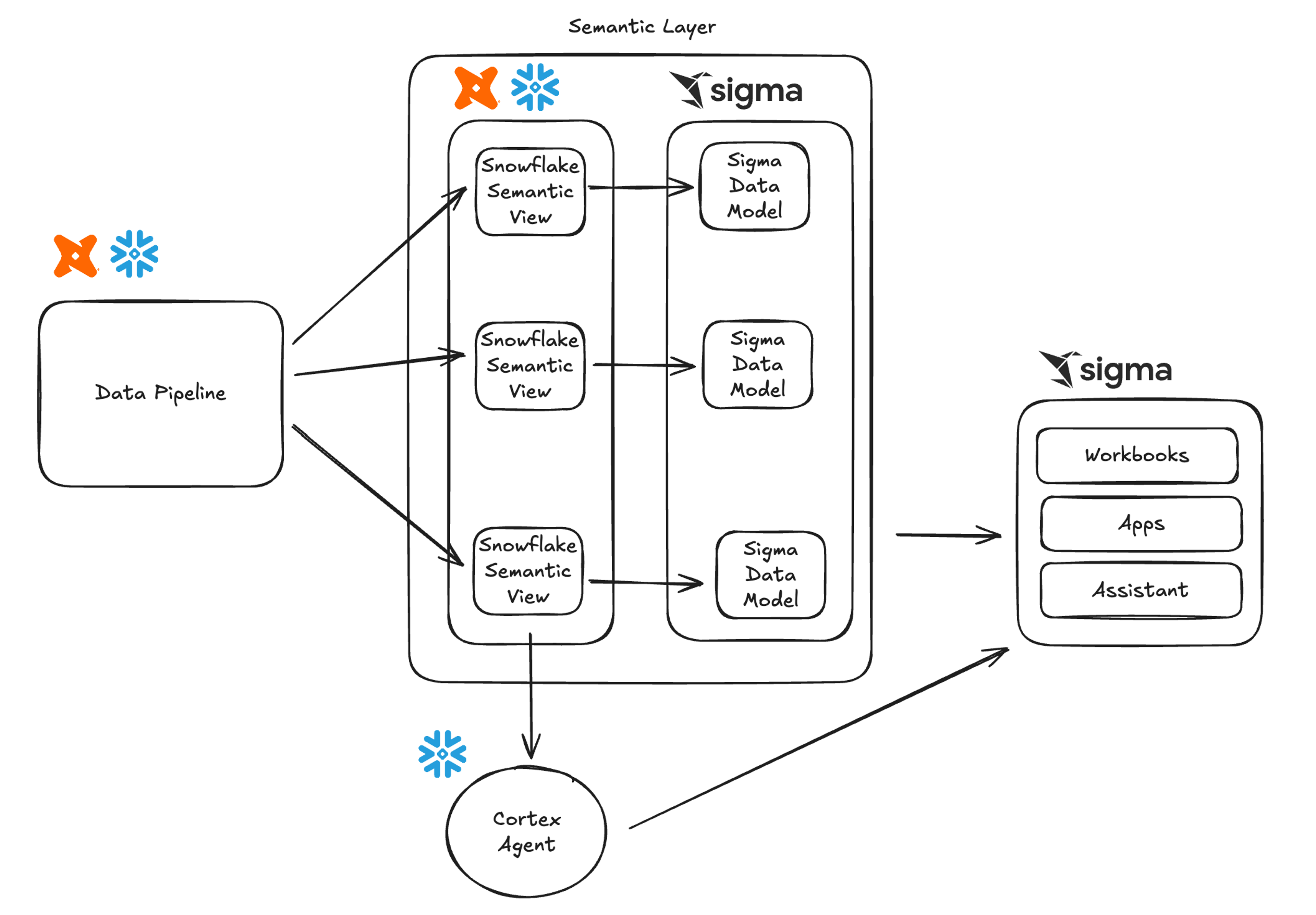
Our dbt project holds Snowflake Semantic View definitions. We use the dbt_semantic_view package to handle materialization, which means the views move through the same CI checks, code review, and lineage as every other model in the project.
Two properties matter more than any specific syntax. First, the Semantic View sits inside the dbt DAG, so we can see which upstream models feed it. Second, every change to a metric definition runs through a pull request. If somebody adjusts the ARR formula, the diff is reviewable and the history is queryable.
By version controlling Snowflake Semantic View definitions in our dbt repository, managing their syncing to Sigma becomes easy.
Bringing Snowflake Semantic Views into Sigma
We use two patterns for getting Snowflake Semantic Views into Sigma. Neither replaces the other. The right pattern depends on how much of Sigma's modeling surface we want to use.
Option 1: Native integration
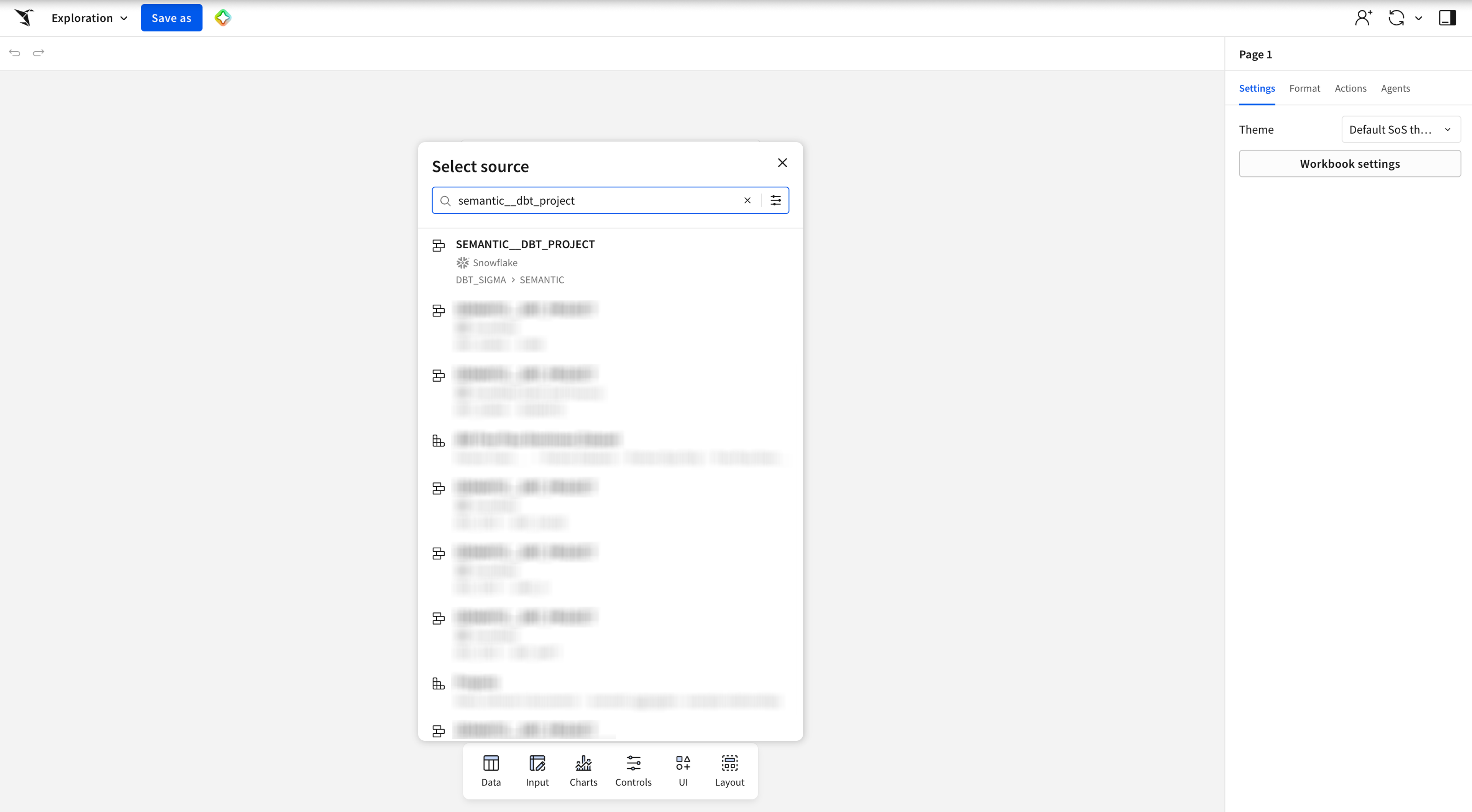
Sigma reads Snowflake Semantic Views directly. A Semantic View becomes a data model in Sigma with the metrics and joins already populated. Stakeholders point a workbook at it and start building. There is no intermediate translation layer, no extra job, and no second source of truth to keep in sync.
This is our default for domains where the Semantic View definition is rich enough on its own to get the job done. The work happens upstream in dbt, and Sigma reflects it. Learn more in this documentation on querying Snowflake Semantic Views natively in Sigma.
Option 2: Integration via the Sigma API
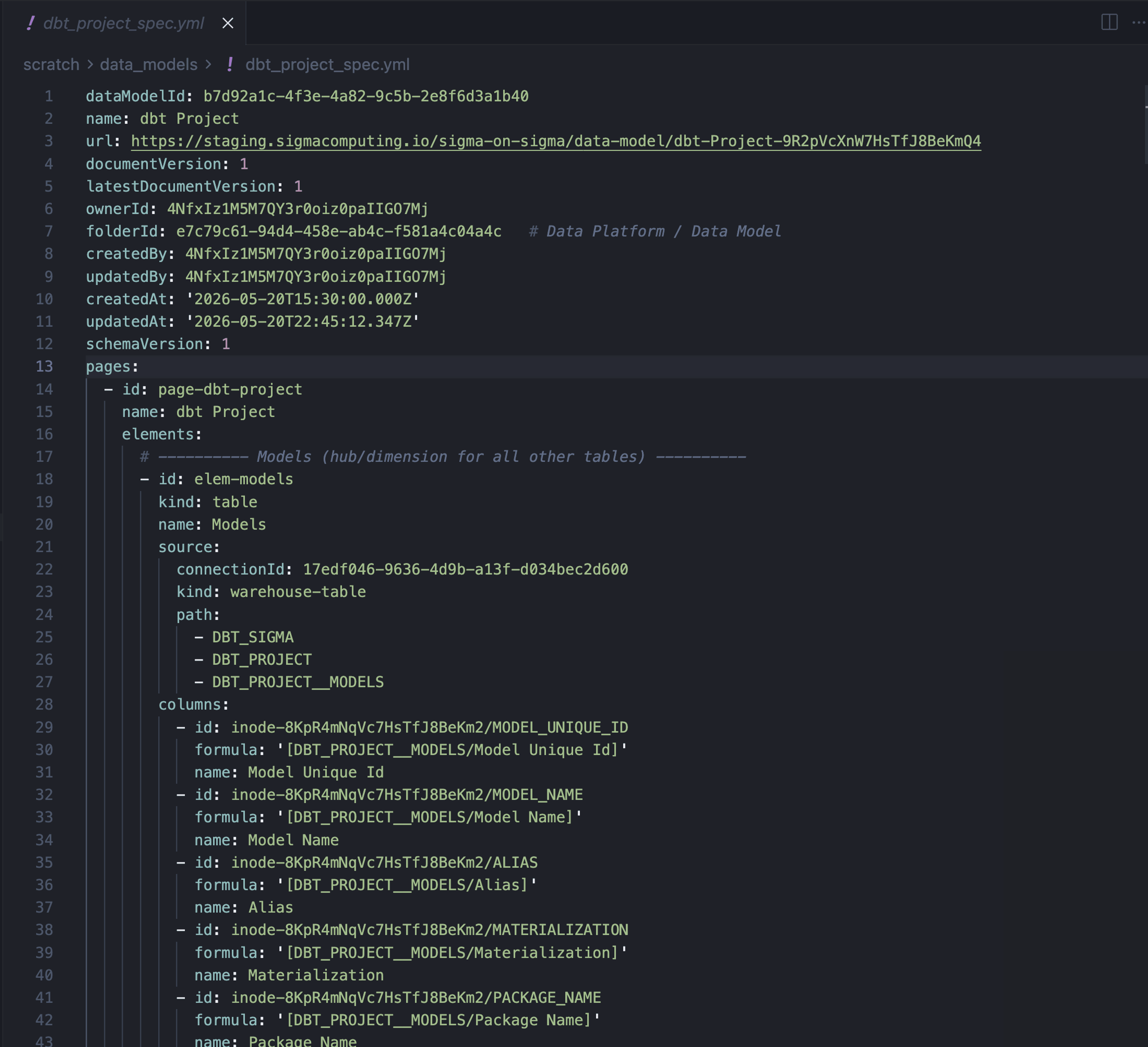
The native path is excellent at exposing metrics, but Sigma data models can carry more than metrics. They can carry custom calculations, organized relationships across multiple datasets, and Sigma-native content that sits outside the scope of any single Semantic View. For domains where we want that extra surface, we use the Sigma API to generate Sigma data models as code from our Semantic View definitions.
The Semantic View syntax maps cleanly to Sigma's data model syntax. We have a small generator that reads a Semantic View's metadata, emits the corresponding Sigma data model definition, and posts it to Sigma through the API. The result is a versioned, code-defined data model that we can extend with Sigma-specific elements without losing the link back to the Semantic View upstream.
This pattern is heavier than native integration, and we use it deliberately. When a domain needs Sigma-specific functionality layered on top of what can be expressed in a Snowflake Semantic View, this is the route we choose.
Working with stakeholders inside Sigma
A semantic layer earns its keep when the rest of the business uses it to ask questions without filing tickets. Getting there required more than correct metric definitions — it required putting those definitions in the tools and workflows people already use. Here’s how we made sure that our semantic layer—composed of Sigma assets, dbt models, and Snowflake Semantic Views—offered the most value to our business stakeholders:
Collaborative model definition
We worked with stakeholders to define what each domain's semantic model should look like, iterating on dimensions and metrics together inside Sigma before landing the definition in dbt. Sigma Agents accelerate that conversation: a CSM or finance partner can ask the agent to extend a metric or surface a new cut of the data, and we review the suggested change upstream before it lands in the Semantic View. Read this post to learn how to build Sigma Agents on top of data models.
Workbook-as-code feedback loop
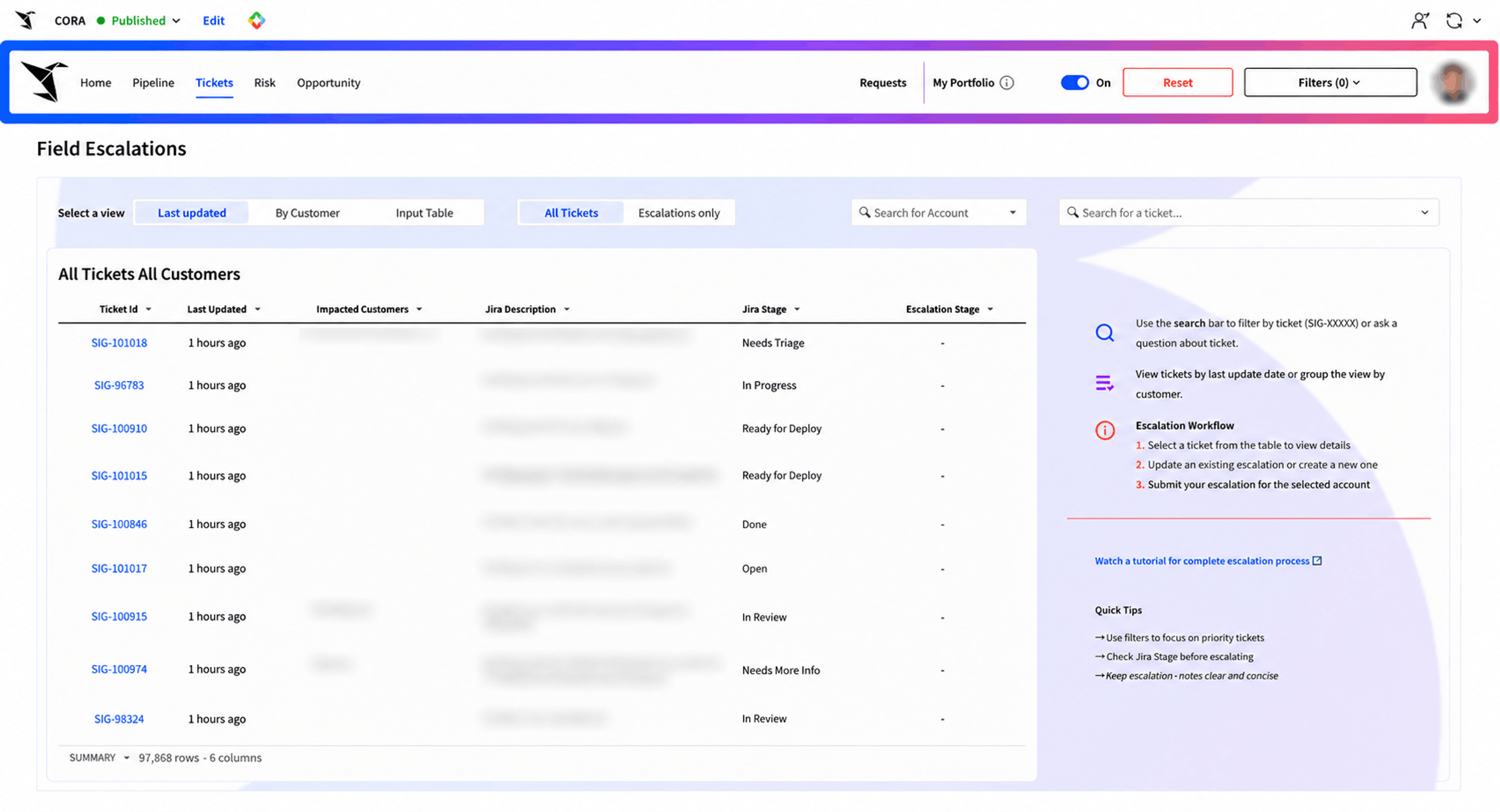
Stakeholders build workbooks, apps, and explorations on top of the published data models. We can pull those workbooks as code through the Sigma API and read them as a signal of where the semantic layer falls short. Repeated patches at the workbook layer are the cue to push the definition upstream into the Semantic View. See the Sigma API docs on how to pull workbook code through the API.
Cohesive domain representation
Each stakeholder team now has a coherent picture of their domain at the modeling layer, with the same dimensions, metrics, and definitions across every workbook that touches that data. Customer Success does not see different ARR than Finance, and product usage does not get redefined per dashboard.
The outcome is a semantic layer that stakeholders treat as their own. They flag missing dimensions. They request new metrics. They use the Sigma Agent to handle the easy questions and bring us the structural ones.
The foundation is set — now the organization scales it
We do less ad-hoc modeling work now than we did before consolidating on Snowflake Semantic Views. The metric definitions live in one place. Snowflake Cortex, Sigma data models, and direct Snowflake queries all read from the same source. The two integration patterns let us pick the right surface for each domain without locking the team into one path.
From here, the work shifts toward coverage:
- More domains land on Snowflake Semantic Views
- More agent-assisted exploration with stakeholders
- More cases where someone in Customer Success or Finance extends the layer themselves and we approve the upstream change instead of writing it
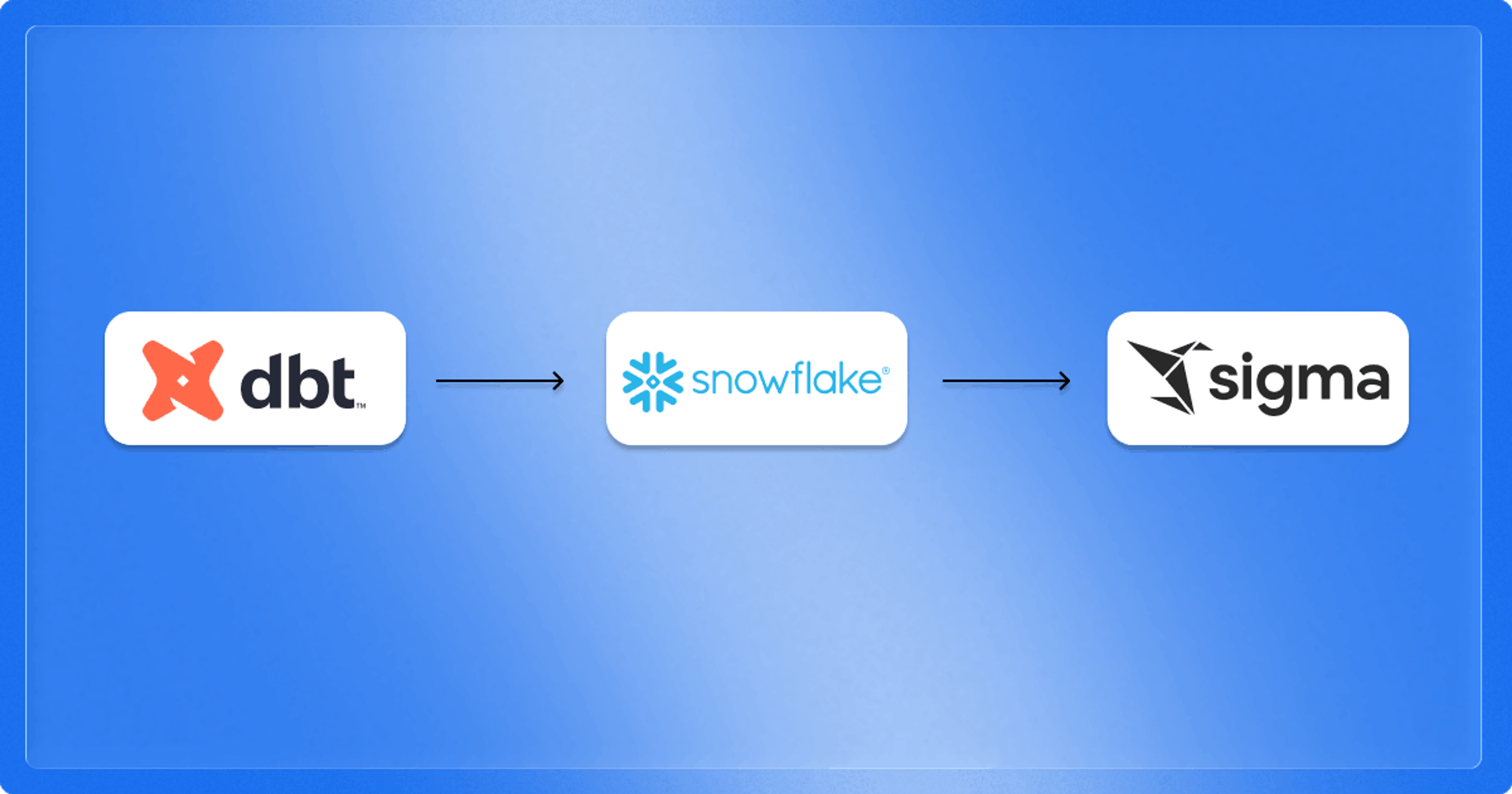
The pipeline between dbt, Snowflake, and Sigma is in place, and it’s working effectively. We encourage your team to implement this flow and see how it works in your organization.
Explore the Sigma documentation for native Snowflake Semantic View integration, or read the Sigma API getting started guide to see how Data Models as Code fits into a data team workflow.
If you’d like to learn more about the semantic layer, attend my Snowflake Summit talk!
Frequently Asked Questions
What is the difference between Sigma's native integration and the API path?
Native integration reads a Snowflake Semantic View directly into a Sigma data model with no intermediate step. The API path generates a full Sigma Data Model from the Semantic View definition and pushes it through the Sigma API, which allows additional Sigma-specific calculations and content on top.
Do I need both integration patterns?
No. Most domains only need native integration. The API path is useful when you want to extend the semantic layer with Sigma-specific functionality that sits outside the Semantic View definition. A common example is a nested metric.
Why manage semantic views in dbt instead of directly in Snowflake?
dbt offers version control, peer review, and DAG lineage. Managing Semantic View definitions in dbt means every change to a metric goes through code review, runs through CI, and shows up in the dependency graph alongside the upstream models the SSV depends on. This version controlled approach allows us to build a consistent semantic layer.
Can business stakeholders contribute to the semantic layer?
Yes, indirectly. Stakeholders work inside Sigma against the published data models. Their feedback, agent interactions, and metric development in Sigma inform what the data team adds upstream in dbt, which then flows back out through the integration patterns described above.
How does this work with Snowflake Cortex?
Snowflake Semantic Views are first-class inputs to Snowflake Cortex Agents and Snowflake Cortex Analyst. Because Sigma also supports Snowflake Cortex functions inside workbooks, the same semantic definition powers natural-language querying, agentic workflows, and traditional BI exploration without a separate translation step. Additionally, your Snowflake Cortex Agent can sit behind Assistant to power answers from your data warehouse.