Introducing Automated Actions: Build Workflows that Run on Autopilot

Most recurring data workflows are still manual processes, depending on someone to intervene and run them. Finance rebuilds and emails weekly reports. Ops triggers a stored procedure that refreshes SLA metrics. Planners update the replenishment data that drives downstream ordering rules.
These are exactly the kinds of workflows that should run themselves, and Automated Actions now makes this possible. Sigma Actions — the steps that send reports, update tables, or call external systems — have always been powerful for building logic into Sigma workflows. Automated Actions extends that power to recurring workflows, so they run reliably on a fixed cadence whether or not anyone is watching.
What Are Automated Actions?
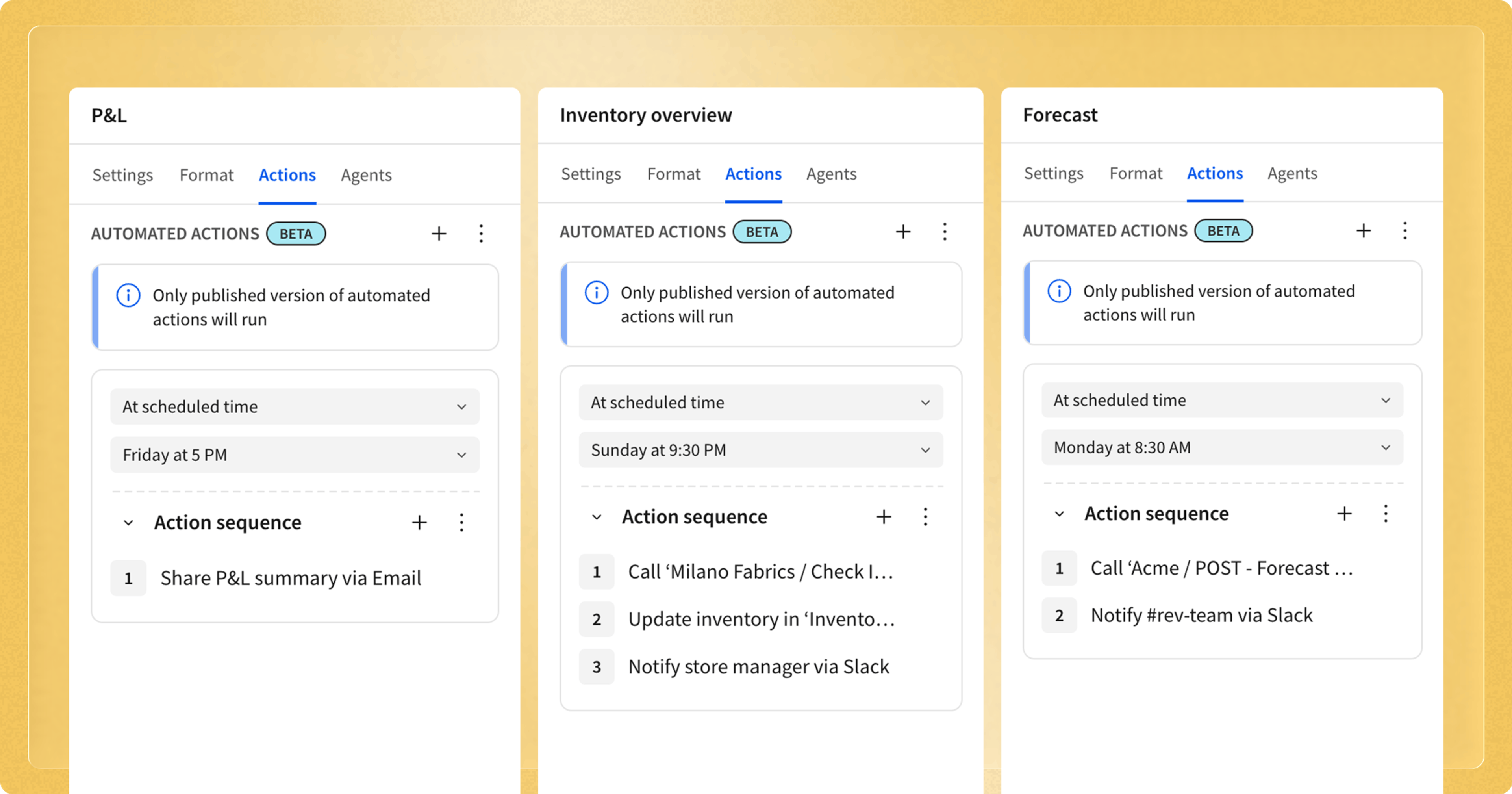
Automated Actions let builders configure action sequences that run automatically on a recurring cadence - even when the workbook is closed. Set a schedule such as hourly, daily, weekly, monthly, or a custom cron expression, attach it to any supported action sequence..
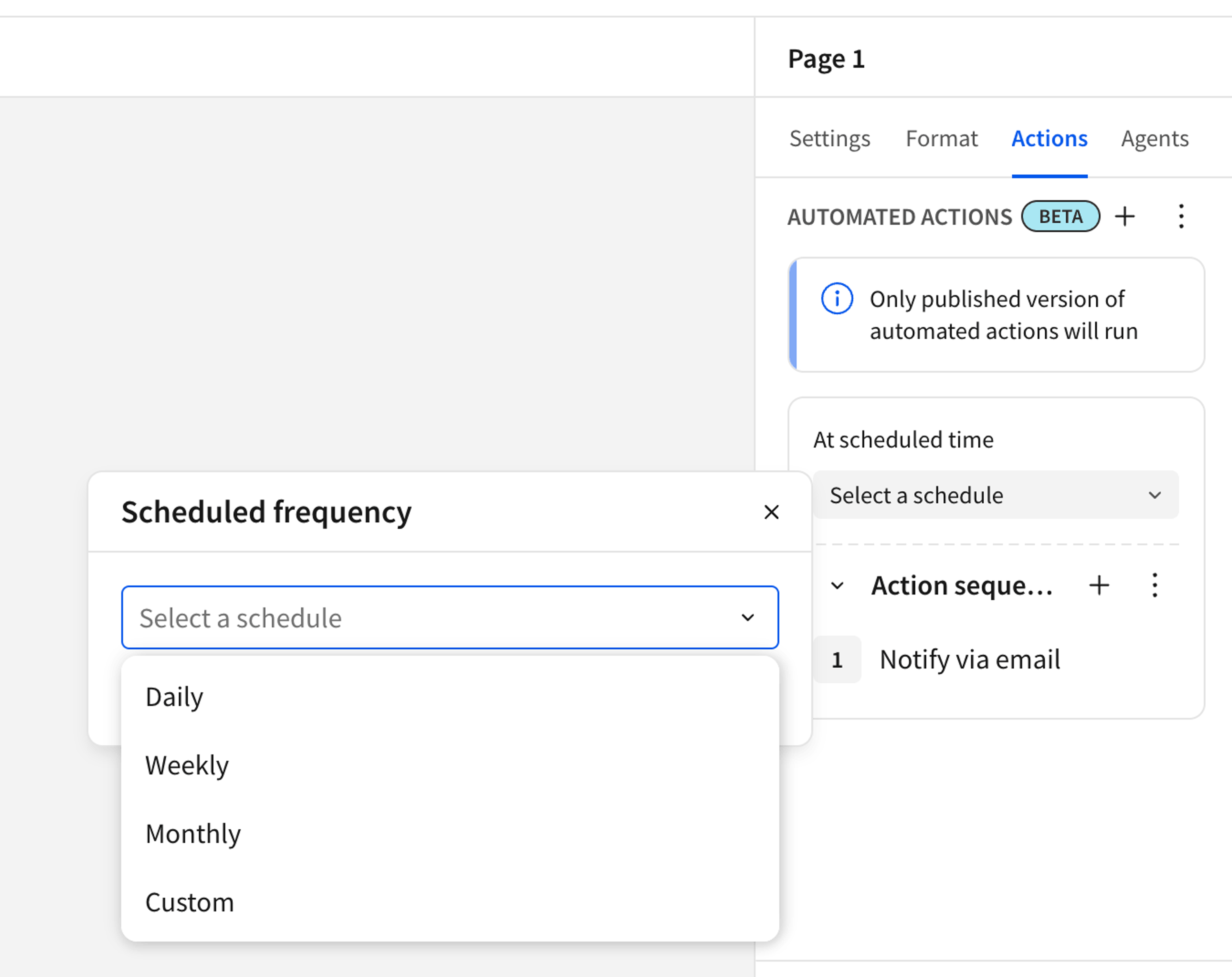
Any backend action that currently requires a manual trigger in a workbook — like clicking a button to send a report, update a table, call an API, or run a stored procedure — can now be configured to run automatically:
- Notifications and exports: distribute formatted reports to stakeholders automatically, on time, every time.
- API and stored procedure calls: refresh external systems, kick off warehouse jobs, or sync data to downstream tools on a cadence.
- Input table operations: insert, update, or delete rows in tables editable in publish mode, keeping operational data current without manual intervention.
- Python element execution: run custom Python logic on a schedule for advanced transformations, scoring models, or data enrichment workflows
Builders configure and manage schedules directly from the actions panel inside the workbook. Every schedule across your workbooks is visible in the Automated Actions table, giving you a single view of what’s running and when. Admins get an org-wide management view to monitor and control all scheduled workflows from one place.
Where This Matters in Practice
Scheduled Actions are most useful where work is repetitive, timing matters, and waiting on a person introduces risk:
- Recurring reporting and distribution: Send consolidated reports (P&L, KPIs, SLA dashboards) on a fixed schedule without manual exports.
- Operational monitoring and alerting: Refresh metrics and trigger notifications when SLAs, thresholds, or anomaly conditions are breached.
- Automated data operations: Recalculate and write back operational values (reorder points, budgets, assignments) based on the latest data.
- System synchronization: Push approved data (forecasts, plans, reference tables) into external systems like ERPs, CRMs, and ticketing tools on a cadence.
Together, these patterns shift routine, manual work into reliable, automated workflows that run in the background.
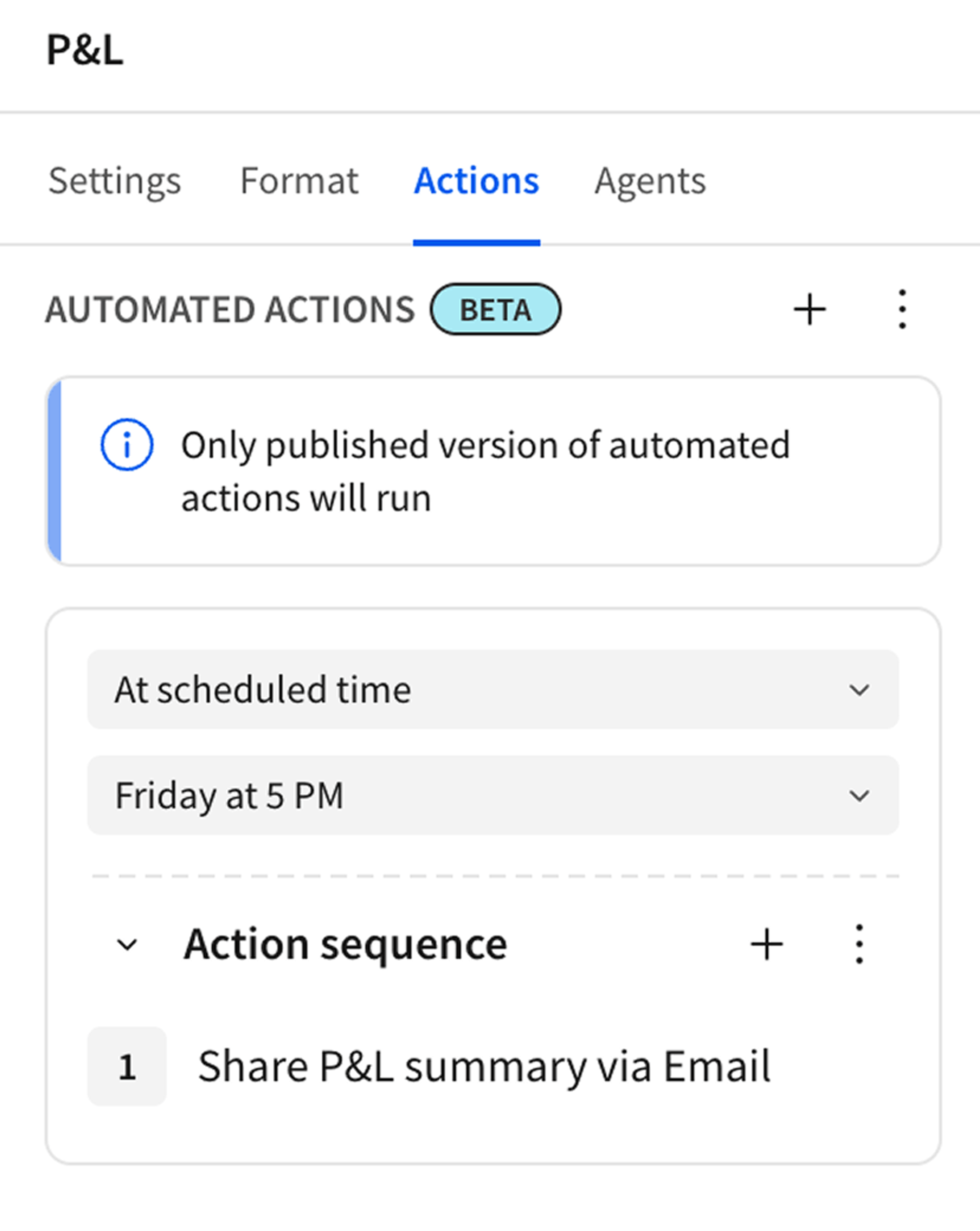
How Automated Actions Make Workflows Autonomous
With Automated Actions, you can leverage Sigma Agents for repeatable AI workflows instead of one-off chats. Teams can schedule agents to review live warehouse data on a cadence, generate summaries or recommendations, and feed those results into follow-up steps like notifications, exports, API calls, or input table updates.
Governed by Default
Like everything in Sigma, Automated Actions inherit the security and governance model already in place. Schedules run with the permissions of the user who created them, respecting row-level security, connection-level access controls, and workspace permissions. Admins have full visibility and control over every schedule in the organization. Nothing runs outside the governance framework your team has already built.
Get Started
Automated Actions is available now in public beta.
If you’re already building action sequences in Sigma, adding a schedule is as simple as opening the actions panel and setting a cadence. If you’re new to actions, this is a great reason to explore what’s possible when your analytics platform does more than just analyze. Get started with the documentation.
Not a Sigma customer? Request a demo today.