Introducing Repeated and Single Row Containers: Turn Rows of Data into App-Ready Layouts

In analytics, tables are a common way to view data, but most data-driven business processes are workflows that require teams to communicate and take action. This includes reviewing a pipeline, prioritizing tickets, approving budgets, dispatching a driver, or updating a status. In those moments, scanning a table is not the fastest path to a decision—seeing a clear recommendation or next step is.
With the recent release of Repeated Containers and Single Row Containers, Sigma brings an intuitive app UX directly to your warehouse data. You can browse a visual gallery of records, click into a focused detail view, and take action, like reordering stock or updating a status, without ever leaving the workbook. In other words, the same surface that revealed the problem is where you resolve it to bring business value.
From static screens in analytics to app-like experiences
Historically, even the best “self-service” tools have felt static in traditional analytics. If you wanted something that looked and behaved like an app, you had two bad options: manually copy a card layout 20 times and wire filters and actions by hand. Or give up on layout and fall back to a table layout that forces users to hunt for the right data, and resolve the task in another system.
Repeated containers and single row containers are built to solve that gap. They let you design once, then scale that layout to thousands of records, and focus user attention on exactly one record when it’s time to review, approve, or act. Exposing this pattern in Sigma’s no-code UI means both builders and end users gain efficiency. Authors can assemble workflows faster, and teams can move from insight to action with far less friction.
Build once, repeat infinitely with Repeated Containers
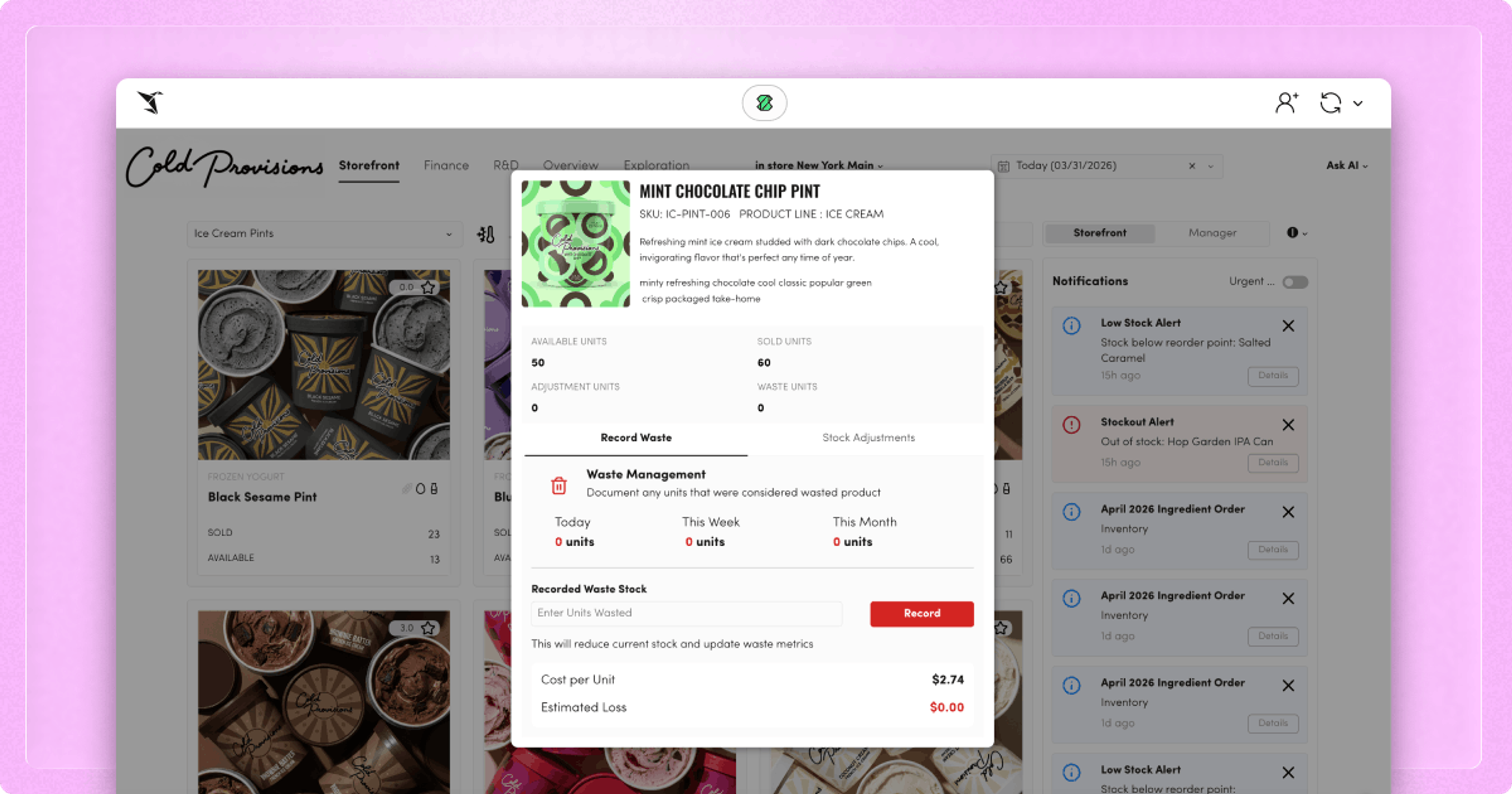
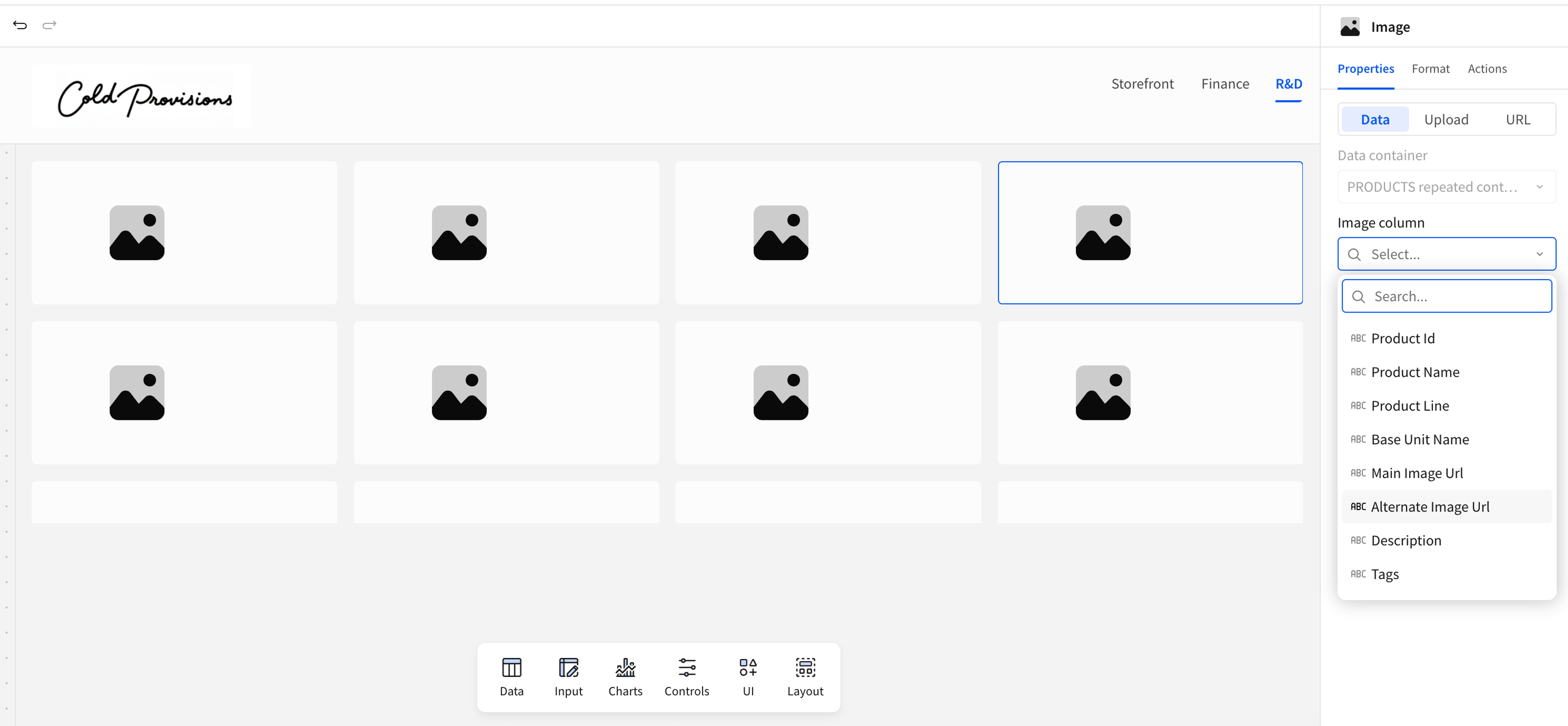
Repeated containers change how your data interacts with the UI. Instead of building every card—a compact panel that represents a single record—you connect to your data source and design one card, telling Sigma which columns of data to reference. Add a repeated container, choose your source, and Sigma automatically generates a card for every row that you can then design. Whether you have 10 rows or 10,000, every line of data is represented in a readable, filterable, sortable, and scrollable format.
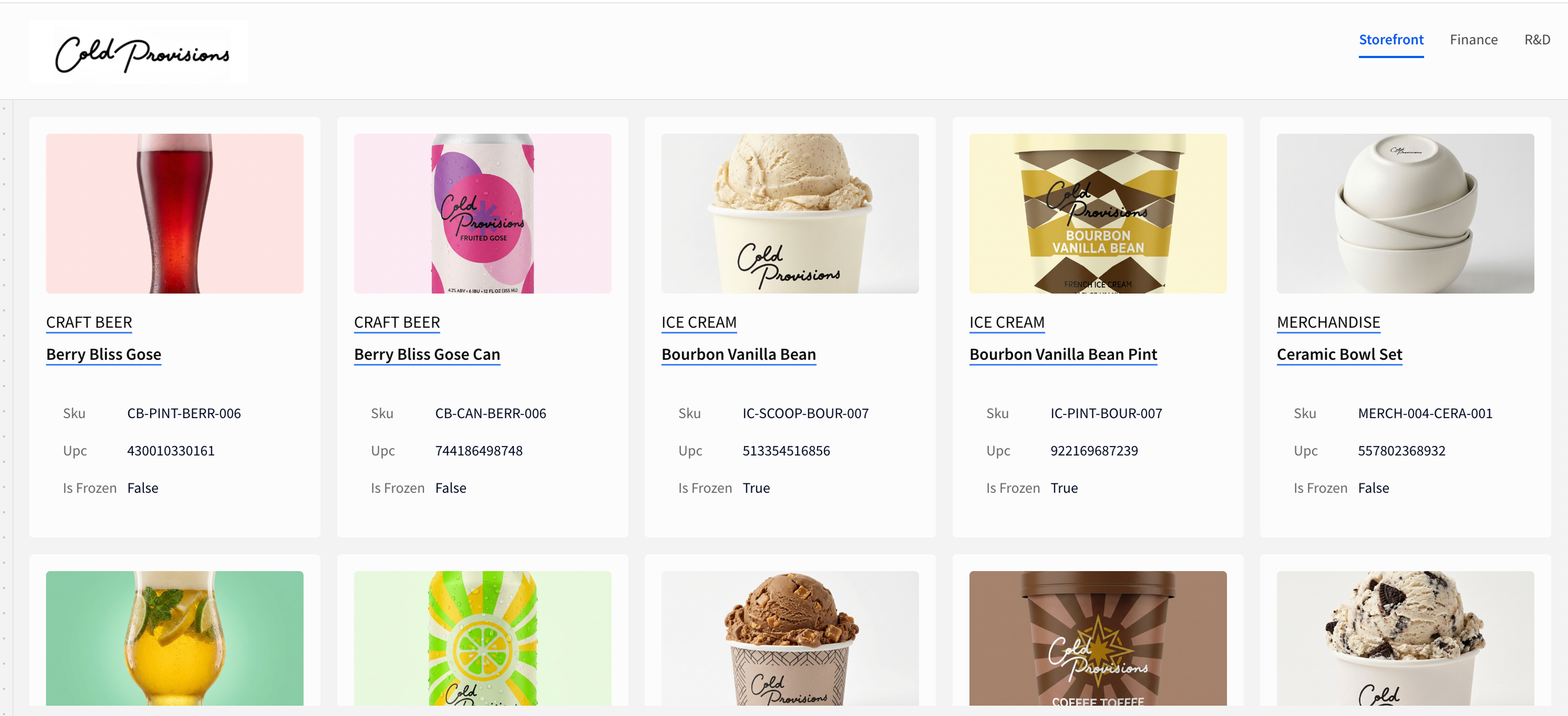
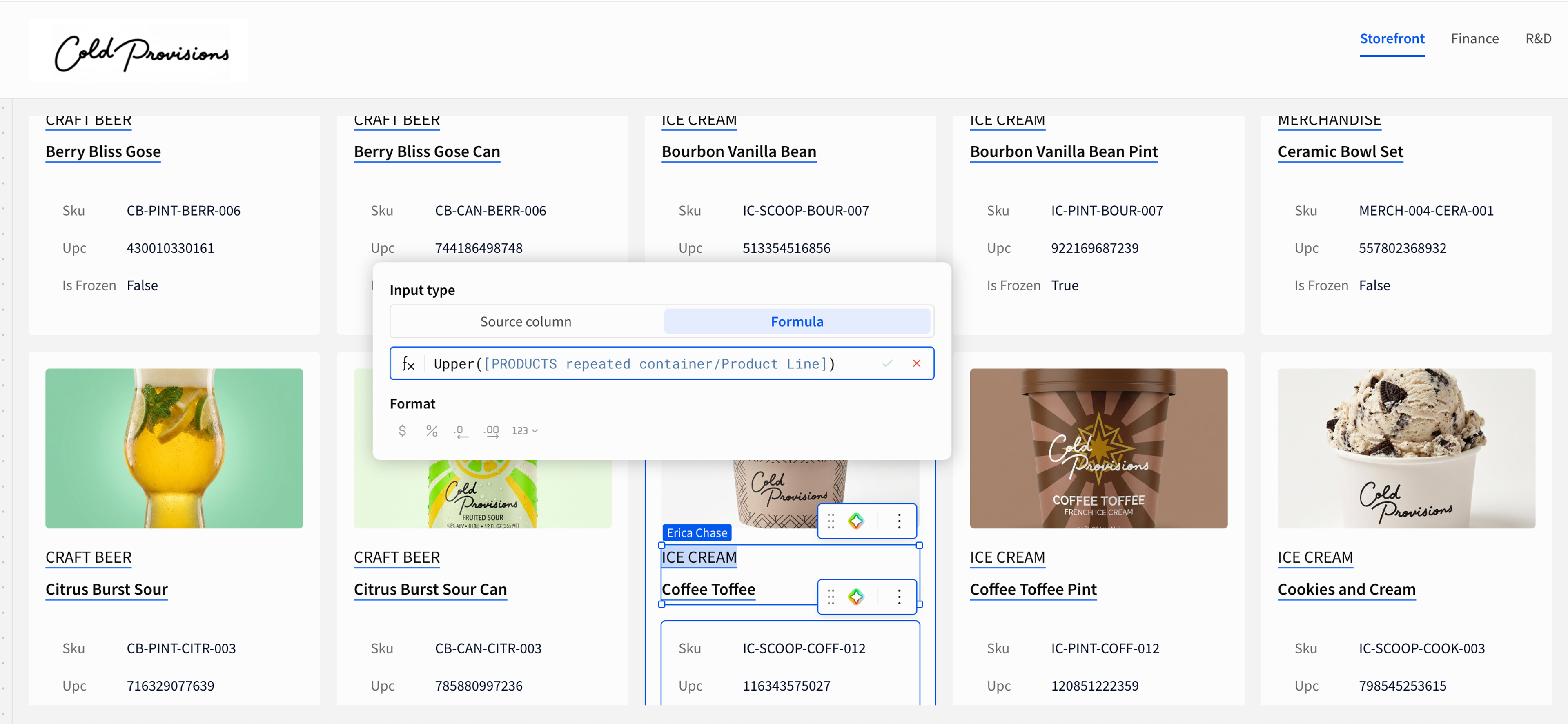
Your card can mix text, images, status badges, and buttons. Actions on the repeater card can contextually reference the data in the card, so you can set up specific and powerful workflows on a visual representation of that row of data. A dense inventory table becomes a visual product catalog, and a flat shipments export becomes a gallery of route summaries with 1-click actions. This is where Sigma starts to feel less like “BI” and more like a no-code app platform: business teams assemble these views visually, without thinking in terms of joins, schemas, or front-end frameworks.
Focus on the record that matters with Single Row Containers
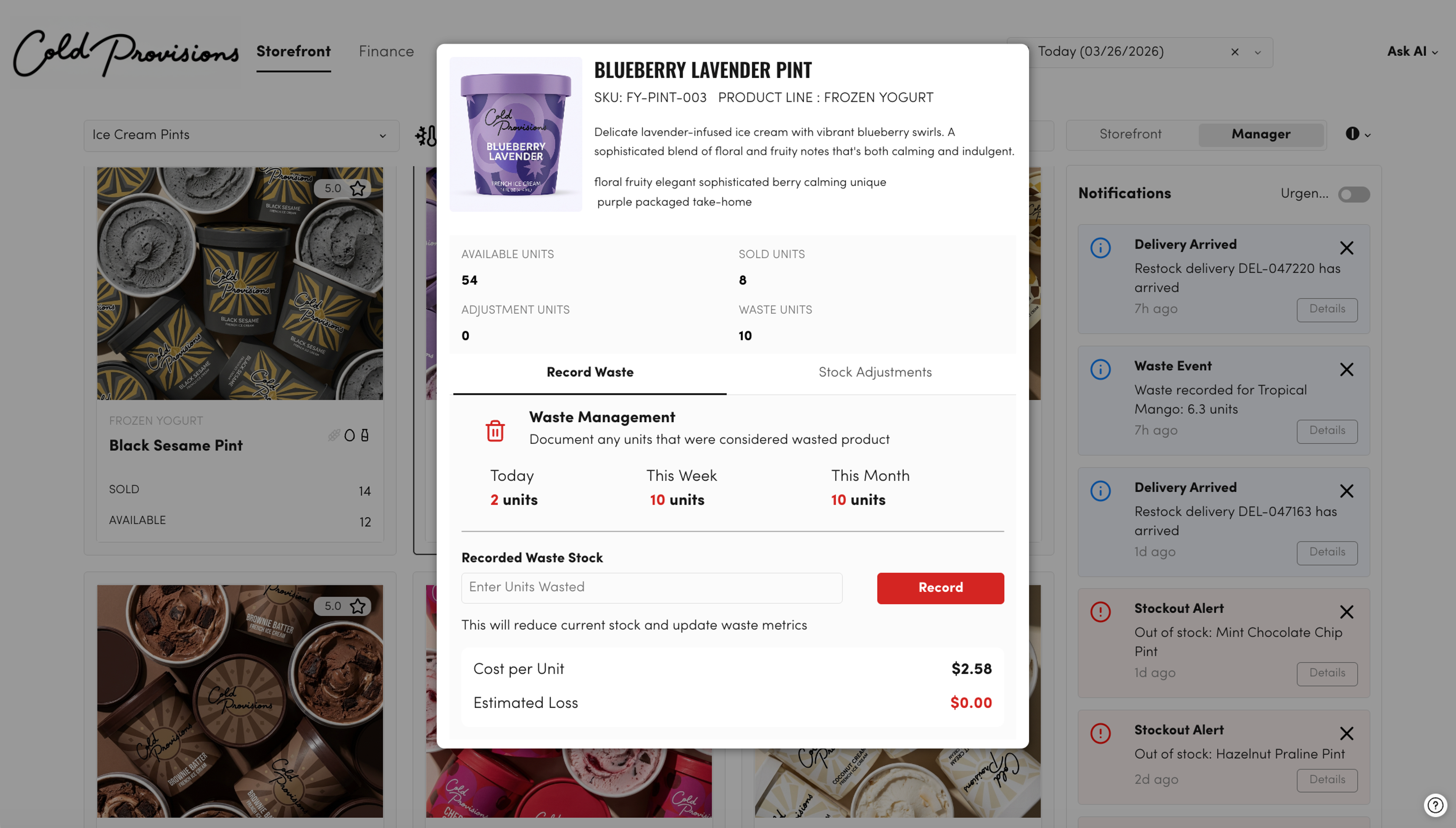
Single Row Containers provide you a way to zoom in on a single row of data, and provide a visual layout. Create a styled view of data for any table, and easily scroll through all of the records. When combined with the Repeated Container, the possibilities only increase.
If you’ve ever used a real estate app, email client, or project management tool, you already know the pattern: a gallery or list where you browse items, and a detail pane or modal where you see the full story and take action.
Repeated Containers give you that gallery; Single Row Containers give you the deep-dive. Your “master” view is a card or list view layout that Sigma clones for every row, perfect for fleet monitoring, customer lists, backlogs, or product catalogs. Your “detail” view focuses on one record at a time, with richer information like metrics over time, linked records, notes, or forms. Because this is all built on warehouse data, you’re not just mimicking an app surface—you’re connecting directly to the systems that power your business, with all the governance and scale that implies.
Instead of bouncing between tools, or trying to parse a single row in a busy table, users get a dedicated record page they can understand at a glance.
Drag-and-drop app UX—without code
Both container types are designed so non-technical teams can build real workflows, not just reports. You still use the grid layout you know in Sigma, but with row-aware behavior:
- Automatic data mapping: Select a data source for your container and Sigma handles the rest. When you place elements (text, images, value lists, buttons) inside the container, they automatically reference the correct row.
- Formula-powered layouts: Reference your data directly in formulas to create dynamic labels, conditional formatting, badges, and button states. Every card or detail view is powered by live logic, not hard-coded text.
With Sigma, App layout becomes a visual exercise rather than a schema design project, and you can evolve interfaces quickly as workflows change. The result is higher builder productivity and innovation through a UX that feels like custom software, but is assembled via no-code.
A seamless workflow: from list to insight to action
The real magic happens when you connect these patterns into a workflow your teams can actually run every day.
Imagine an inventory management app:
- The view: An ops manager opens a workbook and sees a visual gallery of low-stock products in a Repeated Container.
- The interaction: They click on a specific product card that looks off.
- The detail: A Single Row Container opens in a modal, showing lead times, supplier reliability, historical demand, and regional performance.
- The action: Right inside that view, they choose a reorder amount and click a button that calls an external API or writes back to an input table—updating the system of record.
No one leaves Sigma. No one asks for a new dashboard or a custom front-end. The same surface that revealed the problem is where they resolve it. This is the heart of Sigma’s product direction: empowering non-technical teams to own their workflows on top of a repeatable, governed data architecture, instead of waiting in line for engineering. All thanks to being natively built for the cloud data warehouse.
Designed to scale like your data, and democratize access to AI
These layouts also pair naturally with Sigma AI. Instead of running expensive queries across a large dataset, users can click a single product or record and fetch AI insights scoped to that row. Because the Repeated Container and Single Row Container make the context visible, it’s easy to see exactly what’s being sent to AI. And with Single Row Containers, you can create focused work surfaces for human-in-the-loop AI review: step through each record, inspect the AI’s recommendation, and approve or override it in one place.
Best practices for your first app
A few simple patterns can help your first build feel polished and familiar:
- Use modals for detail views
- House your Single Row Container in a modal so the main gallery stays visible in the background. This keeps users oriented and makes switching between records feel natural.
- Map with intent
- Use the Single Row Container for information that’s too dense for a card but critical to making a decision: historical data, related records, notes, or approvals.
- Keep it interactive
- Don’t stop at read-only views. Add buttons inside your containers to trigger actions such as “Send notification,” “Update status,” “Create task,” or “Reopen case.” This is where you cross the line from reporting into true app behavior to bring business value.
As you get comfortable, you can layer in more advanced patterns—like linking multiple containers together or combining these layouts with Input Tables and writeback to fully operationalize a workflow.
Start building warehouse-native apps with Repeated and Single Row Containers
Repeated Containers and Single Row Containers are core building blocks in Sigma’s evolution from “next gen BI” to a warehouse-native app platform that makes it possible for non-technical teams to design, run, and iterate on their own workflows directly on warehouse data.
Get started building with these features today: Explore the documentation or sign up for a Sigma free trial.