3 Ways to Monetize Embedded Analytics in Your B2B SaaS Product

For most B2B SaaS companies, embedded analytics began as a checkbox feature — something to satisfy the procurement questionnaire rather than drive revenue. Customers expected dashboards to be included, no one was paying extra for them.
That's shifted, and the growth numbers reflect it. Mordor Intelligence projects the embedded analytics market will grow from to $169.18 billion by 2031 at a 13.65% CAGR, driven largely by demand for in-application, workflow-level integrations rather than standalone reporting tools. The companies leading that growth treat analytics as a product line with its own monetization strategy.
How that works depends partly on what kind of product you're building. Some companies offer analytics as one capability within a larger platform, such as wellness management, retail intelligence, or project management software. For others, the data is the product, and analytics is how customers access and act on it. The three strategies below apply to both, moving from simpler to more complex. At each stage users do more with their data, and the value of the next tier becomes easier to justify.
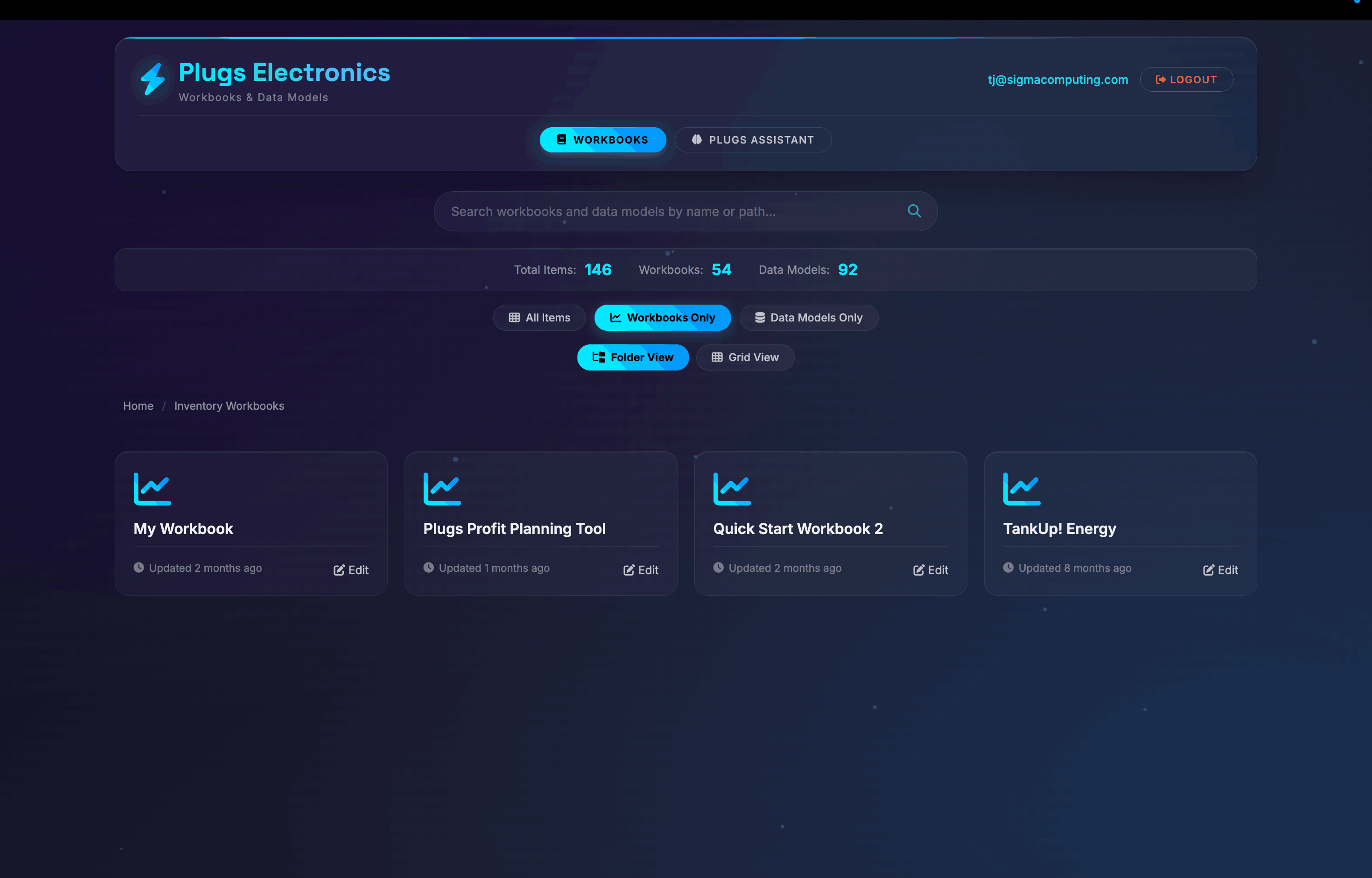
The groundwork: Embed at the base tier first
Before any of the revenue-generating strategies below become available, there's a prerequisite: analytics has to be genuinely part of the product, woven into the workflows where users spend their time.
Mindbody, a wellness business management platform, illustrates what this looks like in practice. The company embedded Sigma as the analytics layer of its core product, white-labeled so that it appeared native. In the words of Alex Klein, Director of Product, the richness of their data products moved them "from a laggard in the market to a leader," with value showing up in both new customer sales and reduced churn.
Emerson Group, a retail services company that delivers insights to brand and retail partners, took the same approach, embedding more than 20 customized dashboards directly into its partner platform. Most partners whose reports are now embedded use those dashboards as part of their daily workflow, without waiting on analyst-generated reports.
Analytics at the base tier builds the usage patterns and user expectations that make the paid upgrade legible. It also creates a security obligation worth taking seriously early: in multi-tenant environments, row-level security (RLS) ensures each customer sees only their own data. Product teams often underestimate this configuration step, and getting it wrong limits how far the strategies below can scale.
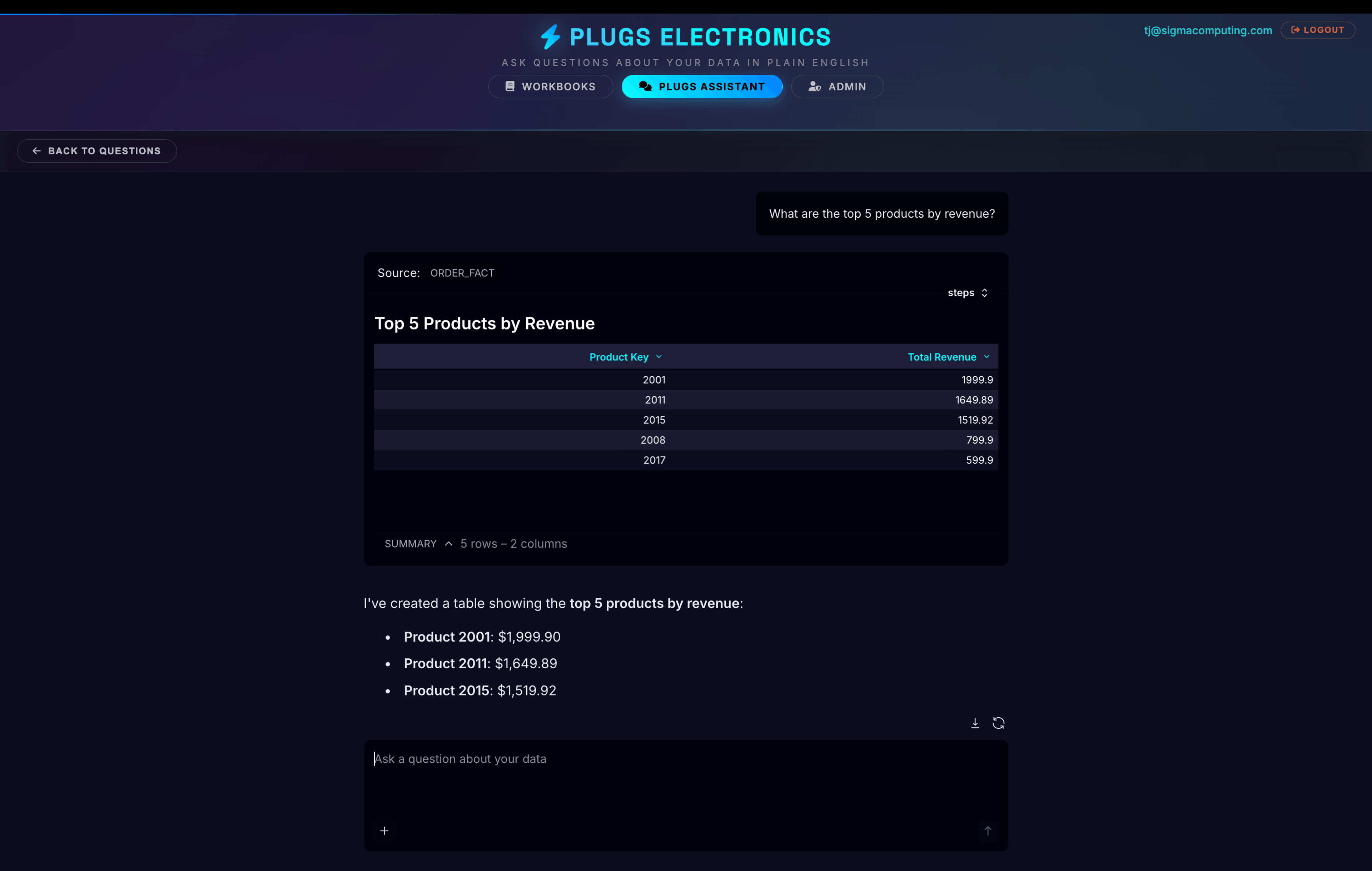
Strategy 1: Gate self-service exploration behind a paid tier
A static dashboard tells end users what you, the embedding company, decided mattered. Self-service exploration lets them ask their own questions: filter, pivot, drill down, build their own charts, and slice data around the specific things their business cares about.
This is consistently the biggest upsell lever for companies embedding Sigma. The demand behind it is well-documented: research published by Harvard Business Review Analytic Services found that 86% of business executives believe their frontline workers need better technology to make data-driven decisions, and named self-service analytics as a top capability they planned to adopt. The base tier shows customers what you think matters to them. The paid tier lets them decide for themselves. For users already generating meaningful activity in the platform, that distinction sells itself.
AI-assisted querying extends this tier further. When end users can ask questions in plain English and get answers without learning a new interface, the ceiling on what's justifiable to charge rises because the product is delivering more.
HyperFinity, a decision intelligence platform for retailers, is a concrete example of how far this can move the revenue line. "Before Sigma, we weren't selling measurement as a module within our platform," said Damon Bryan, Co-Founder and CTO. "But Sigma has allowed us to do that as a completely new revenue stream." The company projects 30% year-over-year revenue growth, with the analytics module as a major contributing factor.
Strategy 2: Meter usage with consumption-based pricing
Feature tiering and consumption metering are two different monetization levers, and they aren't mutually exclusive. Several companies embedding Sigma have implemented usage-based pricing through JavaScript events that fire when a workbook loads. Those events are captured in the embedding company's system and mapped to a credit balance; once the balance hits zero, access stops until more credits are purchased. The model works particularly well for data-as-product companies selling discrete, high-value outputs, like a neighborhood market report for a real estate agent or a competitor analysis for a brand, where each report has clear standalone value.
Pricing calibration depends on what end users get out of each interaction. For premium products at enterprise price points, basic analytics access tends to be included as a baseline expectation. For lower-ticket products where the data itself is the draw, even modest per-report pricing adds up. The relevant question is what a given insight is worth to the person acting on it.
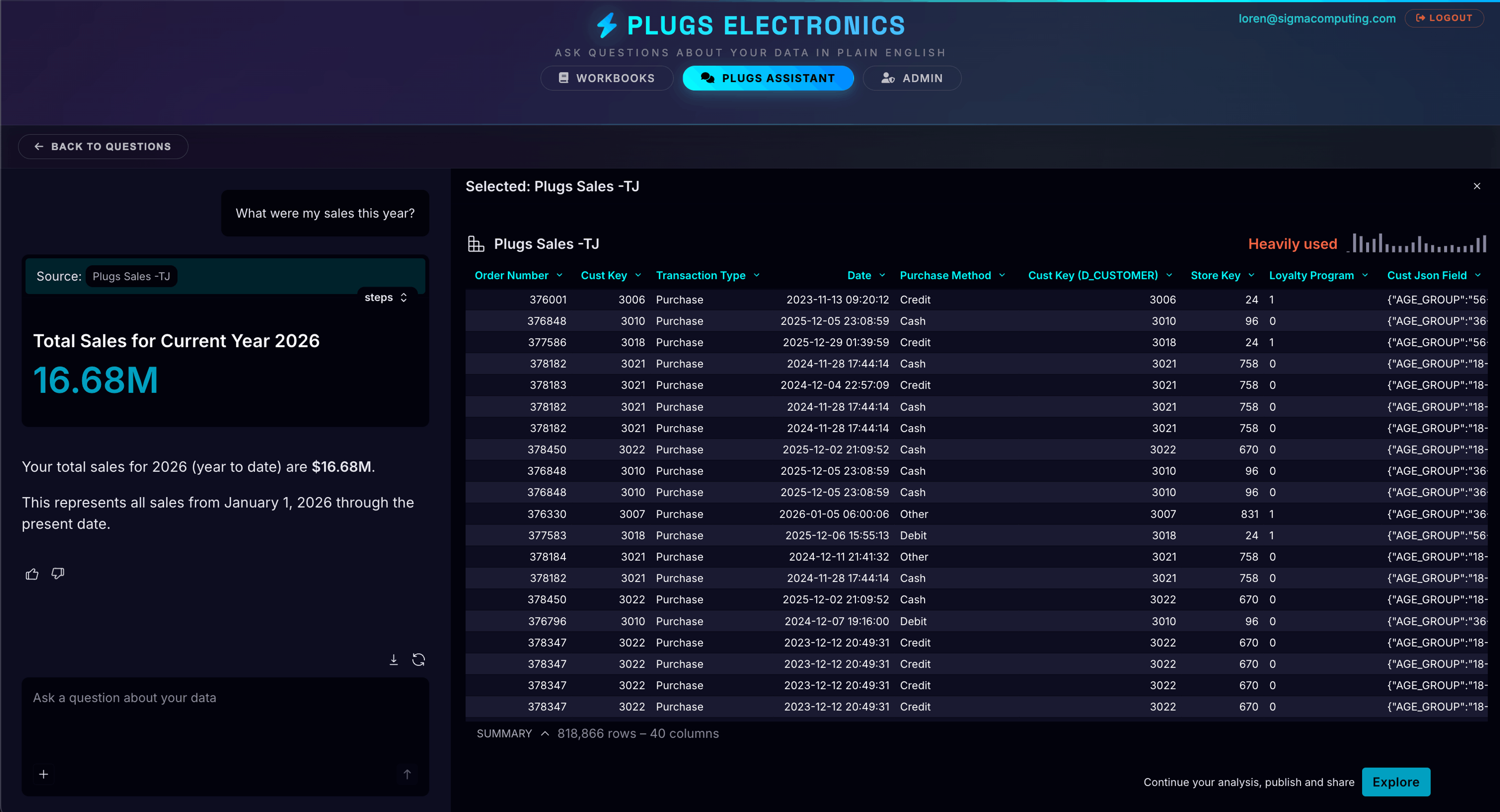
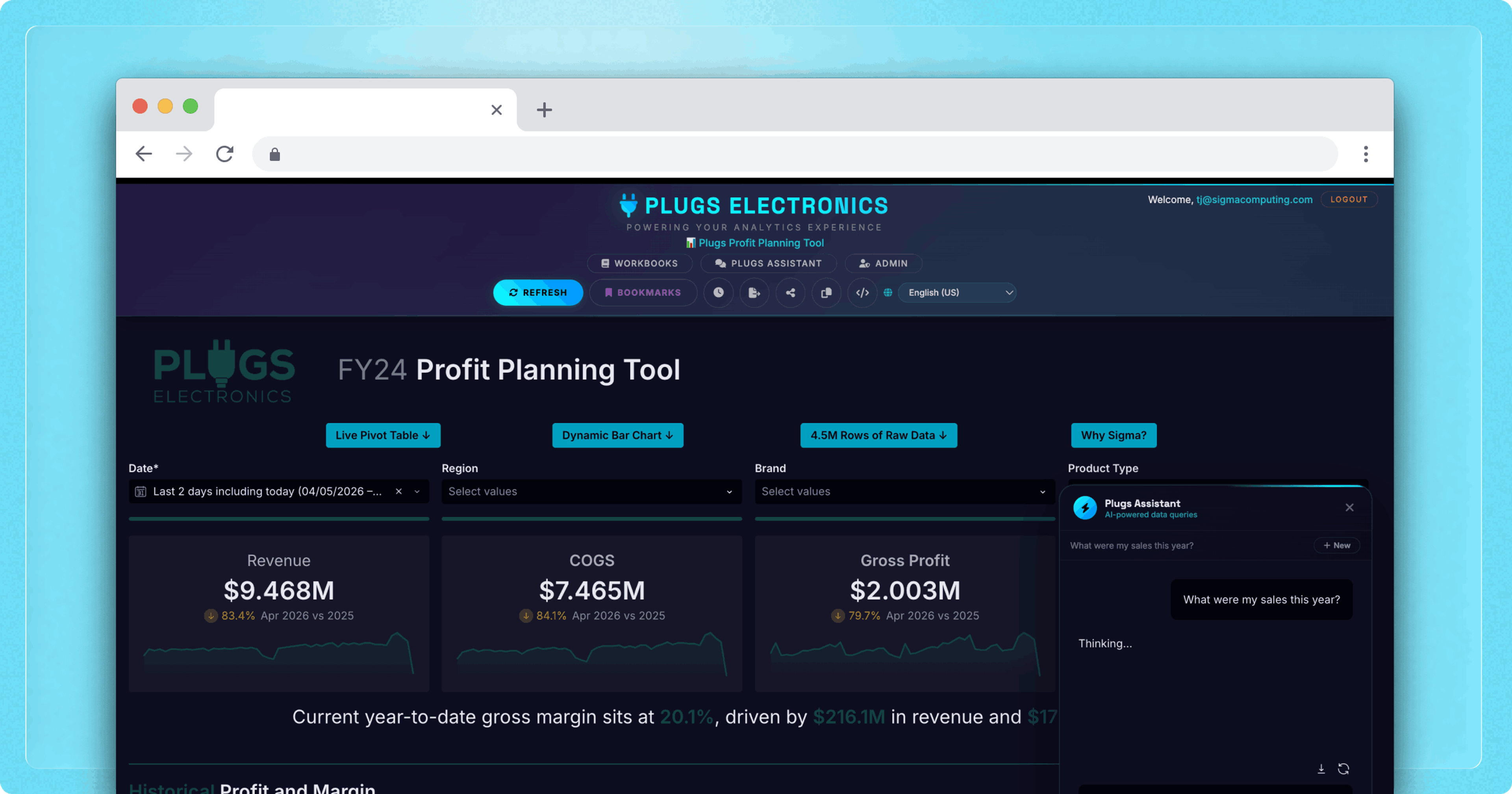
Plugs AI agent powered by Sigma, on the right, scans workforce data for anomalies and surfaces actionable insights directly within the product.
Strategy 3: Charge for app-based interactivity and workflows
The question every analyst faces after looking at a dashboard is, “So what?”
Viewing the data identifies a problem or an opportunity, but it doesn't resolve it. App-based features close that gap by letting users take an action without leaving the application, like submitting a forecast, approving a budget line, updating a record status, or triggering a downstream notification. Every action generates queryable, auditable data rather than an email thread or a spreadsheet.
For example, a demand planning workflow built on this infrastructure lets a regional manager submit a forecast, automatically notify their director, and surface the pending approval in the same workbook. The forecast data lands directly in the warehouse alongside everything else.
According to a study published in Harvard Business Review, workers toggle between applications roughly 1,200 times per day, spending nearly four hours per week reorienting after each switch. Keeping the analyze-decide-act sequence inside a single interface eliminates that overhead for the workflows it covers.
This level of interactivity typically sits at the highest license tier, and commands the highest price, because the product has stopped being a reporting tool and started being operational infrastructure. Companies offering it are selling fewer systems to maintain, not a better dashboard.
Turning the progression into a roadmap
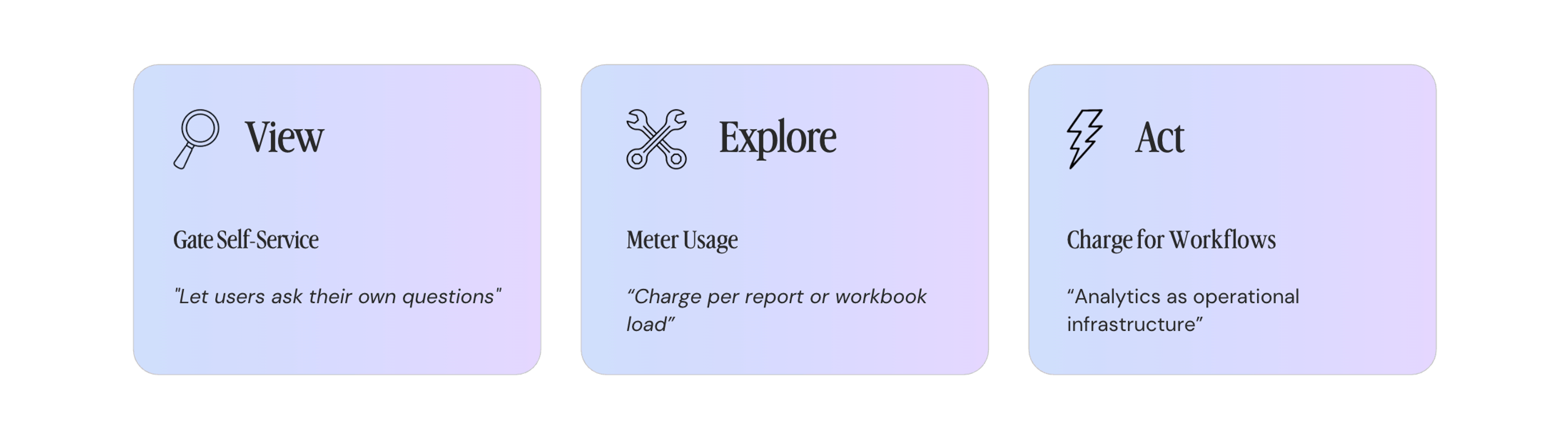
The view → explore → act progression is a monetization roadmap as much as a feature description. Each stage creates a natural upgrade trigger: a moment where a user's needs outgrow the current tier and the next tier's value is obvious enough to justify the price.
The companies capturing that value treat embedded analytics as a product they actively iterate on, which means staying current with what the analytics industry is doing. That's a real and compounding maintenance burden for any team whose core product isn't analytics infrastructure. Mindbody, HyperFinity, and Emerson Group each resolved it the same way: own the product experience, buy the infrastructure underneath it.
Learn more about embedded analytics and AI-powered workflows: try a Sigma free trial.
Frequently asked questions
What is embedded analytics monetization?
Embedded analytics monetization means generating revenue from analytics capabilities built into a software product, rather than treating them as an included feature with no separate price. Common approaches include gating advanced features like self-service exploration behind a paid tier, charging per report or workbook load through usage-based pricing, and pricing app-based interactivity such as writeback and workflow automation at a premium. Which model works best depends on the type of product and the value end users derive from the data.
What's the difference between feature tiering and usage-based pricing in embedded analytics?
Feature tiering controls which capabilities a customer can access. A free tier might offer view-only dashboards while a paid tier unlocks self-service exploration or AI-assisted querying. Usage-based pricing controls how much a customer can consume, typically by metering workbook loads or report downloads against a credit balance. The two models aren't mutually exclusive: a product can tier by feature and meter usage within each tier, creating more granular expansion revenue as customers grow.
How do you decide what to include in a free vs. paid analytics tier?
Anchor the decision in what your customers' reservation price actually is for the analytics you're offering. For premium products where analytics is one component of a high-ticket offering, basic dashboard access is often a baseline expectation. For products where data is the core value proposition, almost everything can be monetized. A useful starting principle: include enough in the free tier to demonstrate value and create stickiness, and put capabilities behind the paid tier that users will meaningfully miss once they've experienced them.
What analytics features drive the most upgrades in B2B SaaS products?
Self-service exploration, meaning the ability for end users to filter, pivot, drill down, and build their own views rather than consuming pre-built dashboards, is consistently the biggest upsell driver. AI-assisted querying extends this tier further. App-based interactivity, including writeback and workflow automation, commands the highest prices because it replaces operational tooling rather than adding a reporting layer. Each capability corresponds to a natural upgrade moment when users outgrow what the current tier lets them do.
Is it better to build or buy embedded analytics?
For most B2B SaaS companies, buying is the better decision, and the reason is maintenance rather than initial build cost. Building an analytics layer has a calculable upfront cost, but keeping it current with warehouse API changes, new AI capabilities, and evolving security requirements compounds over time. For teams whose core product is not analytics infrastructure, that capacity is better directed at the product itself. Embedding companies that buy get the infrastructure, the security model, and ongoing innovation without owning the roadmap.
How does embedded analytics reduce churn?
When analytics is genuinely embedded in a product's core workflows, it becomes part of how users do their jobs daily. That creates switching costs that a standalone reporting tab never does. Users who rely on an analytics experience built into their existing platform are less likely to leave because replicating it elsewhere requires real effort. The retention effect is strongest when analytics moves beyond passive dashboards into exploration and action, since the more a user does inside the product, the harder it is to walk away from.