Workflow Recap: Use the BUILD Framework to Design Better AI Apps in Sigma


Most data teams know how to build dashboards. Far fewer know how to design applications.
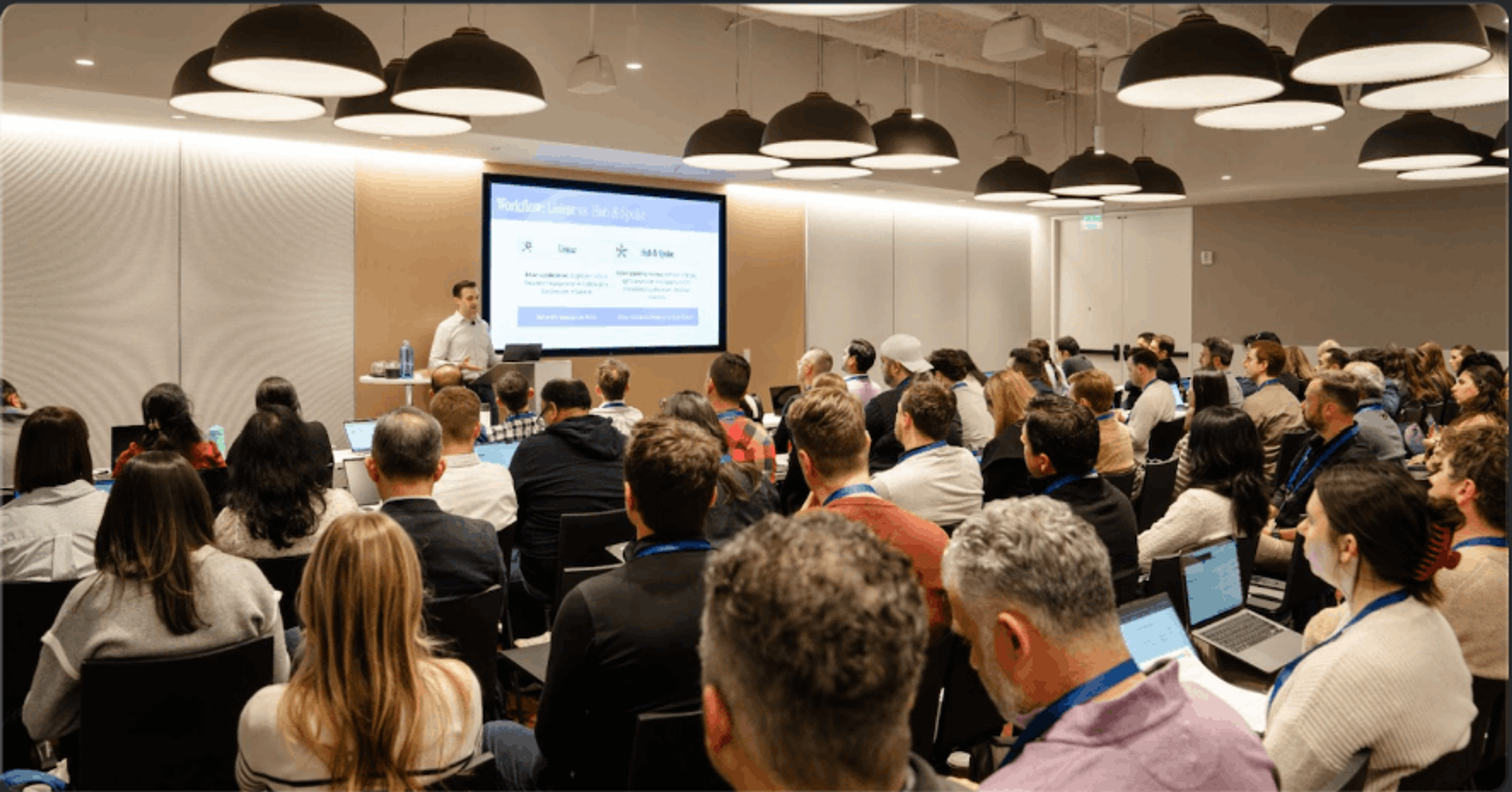
At Sigma’s first in-person conference, Workflow, we hosted a session to help users move beyond dashboards and start building AI Apps. This reflects a greater shift happening across analytics teams: data practitioners are no longer just measuring business processes, they’re expected to facilitate them.
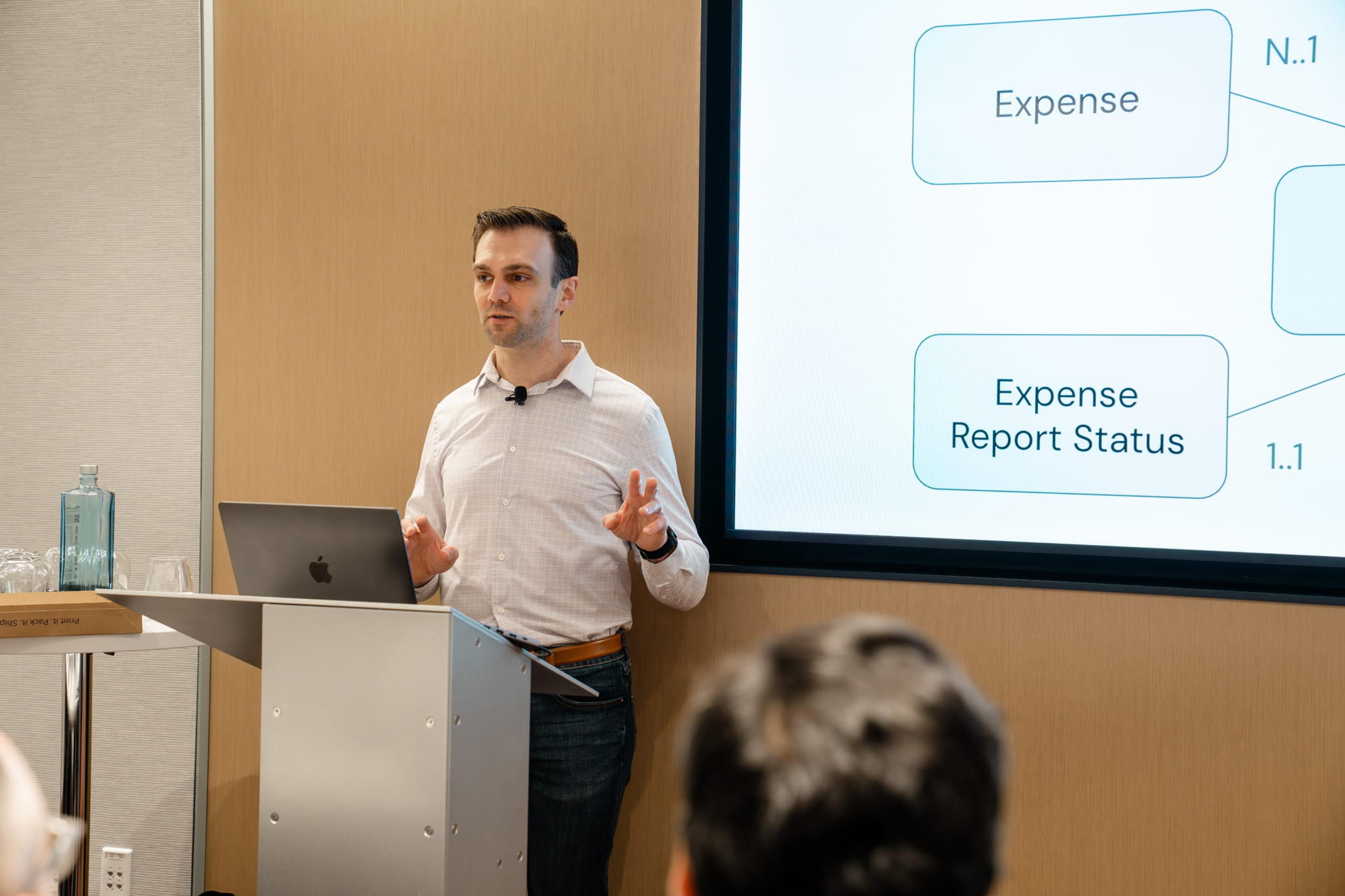
Sigma makes this possible because analysis and action live in the same place: the workbook.
In our session, we introduced the BUILD framework, a step-by-step guide on how builders should think through workflow app design.
Here’s a breakdown of what we covered:
What is an AI Application?
A Sigma AI App is a workflow built directly on your live data warehouse where users can see what’s happening, make decisions, enter data, and trigger real actions. Think of it this way: a dashboard tells you what happened, while an AI App helps you to do something about it. The difference is that insight and action now live in the same place, on the same live, governed data.
What is the BUILD framework?
The BUILD framework is Sigma’s recommended approach to designing workflow applications that actually drive real outcomes in production. It gives builders a simple way to move from a vague idea to a fully adopted application by focusing on how work gets done, not just how data is displayed.
At a high level, BUILD breaks application design into five core components:
- B — Business Objective
- U — User Workflow
- I — Input Design
- L — Logic & Data Model
- D — Distribution & Adoption
Each layer represents a critical decision point in the development process. Instead of starting with dashboards or tables, BUILD forces you to begin with the outcome you’re trying to drive, then work backward into how users interact with the application, how data flows through it, and how it ultimately gets used.
[Download the BUILD session take-home guide.]
By following this framework, teams can avoid common problems like overbuilding unused features, creating disconnected experiences, or shipping tools that never get adopted. Instead, you’re able to create applications that are aligned to business goals, intuitive for end users, and designed to scale across teams.
Watch Katrina Menne explain the BUILD framework for designing AI Apps with Sigma Partner Solutions Director Donny Alfano.
B — Business Objective: Start with the outcome, not the interface
Great apps start with a clear understanding of the business outcome they’re driving—not only what the app looks like, but how it will facilitate a process.
Shifting your starting point changes everything. Instead of asking “What should we build?” the better question becomes: “What workflow are we improving, and how will we know it worked?”
In practice, the most effective apps are tightly scoped. They focus on a single, well-defined outcome tied to something measurable, whether that’s speed, accuracy, or revenue impact. They’re often built around existing workflows that are held together by spreadsheets, Slack messages, or manual tracking.
Having a clear Business Objective defined first provides a primary objective to guide the rest of the application development. It ensures an application has a purpose and will improve the business outcome.
U — User Workflow: Design how work actually happens
Dashboards have traditionally been only one of a handful of layers of insight. They help you understand what’s happening, but they stop short of action. Workflows shift the user experience from drill-down and exploratory insights to insights and action combined in a single spot.
Many data teams are familiar with designing for exploratory analysis and user flows; application workflows add an additional layer of action-oriented design. Although every workflow may differ, there are some key questions to help designers think through this shift. For example:
- Who will be driving action based on this insight? Is it all users or only certain users?
- What information do they need to start or end an action workflow?
- In what order do the workflow steps need to take place?
- Does each user path look the same? (e.g., a request submitter vs approver)
- Are there automations or tools in Sigma to improve this process? (e.g., Would a conversational Sigma Agent remove some of the exploratory views?)
A good application maps how work actually moves—from initiation to completion, across different people and stages. And a good User Path marries each user persona with their business objectives to provide clear data-driven actions.
I — Input Modeling: Make it easy to take action
Even the most impactful application will fail if users can’t easily take action within it. Input Modeling covers what interface users will make inputs (e.g., bulk or single entry) and how those inputs will be recorded (e.g., all new records or overwrite records).
There are two key steps to consider in Input Modeling:
- The input interface
- Whether the input appends to or updates existing information
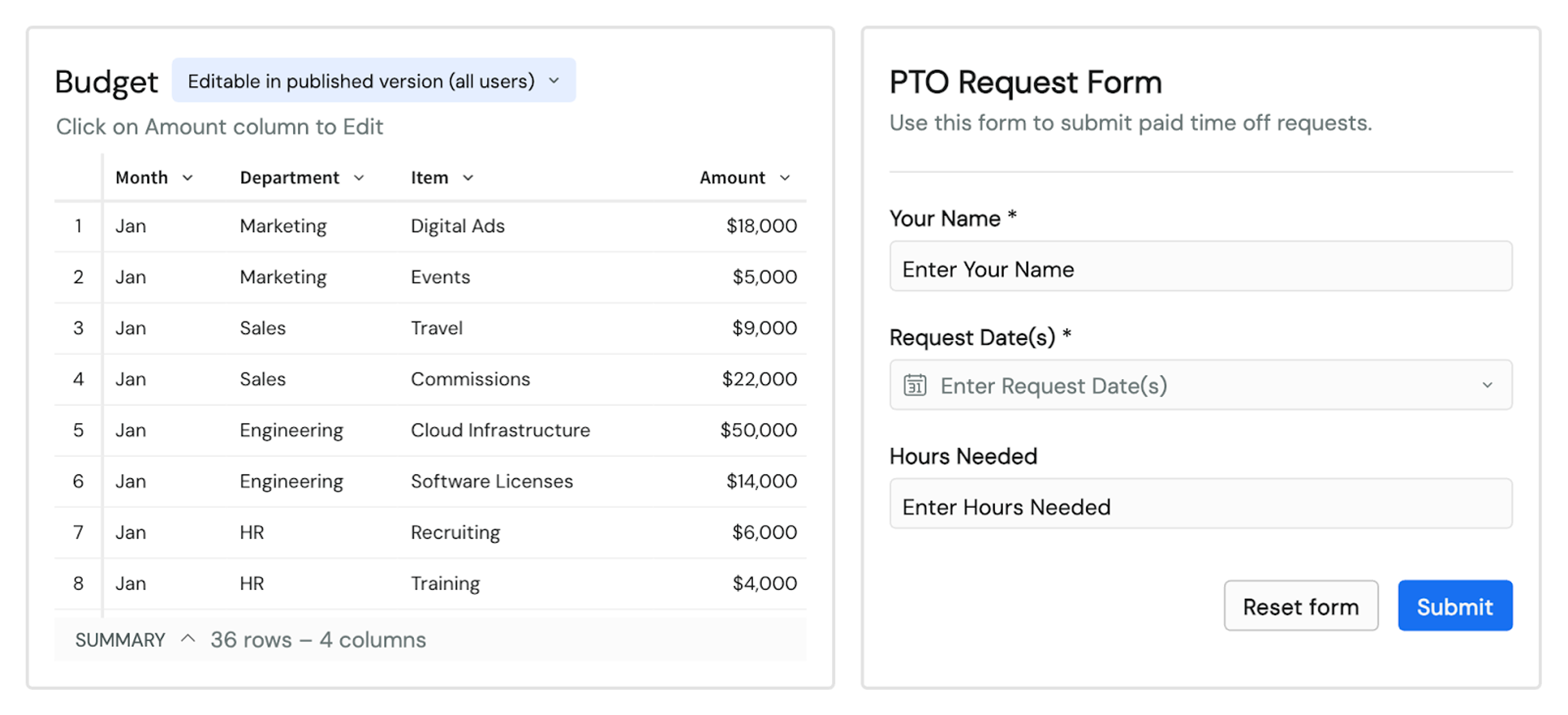
Step 1: Decide which input interface best matches the required input volume and context. Imagine submitting a PTO request. Most of the time, users submit one request at a time, so the interface can be a simple form that asks for a few key pieces of information. Now, contrast this with a manager approving dozens of PTO requests. They would most likely want to see multiple requests at the same time, so a tabular view is most likely best here to make the information skimable.
Step 2: Determine if the new input should append or overwrite the existing records. Appending is generally the recommended option because it offers the most flexibility for historical records and recall within the application. Overwrite is best used for stable operational parameters. For example, each new PTO request would need to be appended to or added to the entire list. Whereas the status of that request (Approved or Denied) could overwrite the field as it changes, and any auditing needs could be facilitated through the warehouse audit trails.
Sigma is flexible enough to build applications that balance data structure needs with end-user experience to deliver a powerful, data-rich, and pleasant user experience.
L — Look and Feel: Design for clarity and navigation
The final design step addresses the application's presentation layer. In the same way, the Input Modeling design should be married to the use case. The instructions and additional components on the page should strike the right balance between insight and complexity.
Some example design questions are:
- Does this record require additional context, like other records or supplementary information?
- Does this flow follow a clear step process, or should users be able to jump in at any point?
- How many users are involved in the process at any given step?
- Are instructions clear and easily understood?
- Are best practices for accessibility being met?
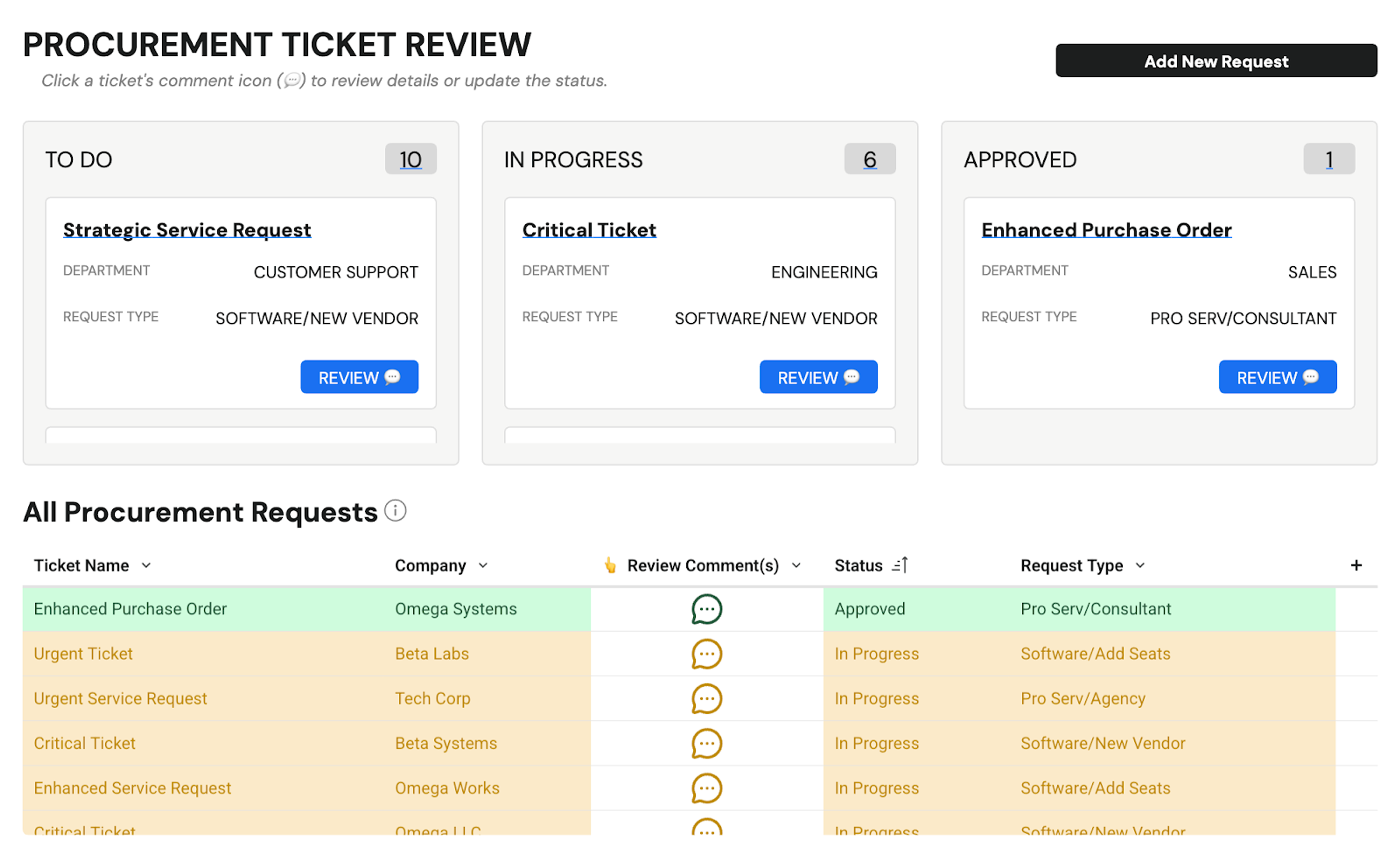
Most applications will include multiple design patterns to support diverse processes and personas. Sigma’s UI elements should be combined and layered to ensure the click path and context are balanced, for example adding a “Click for additional details” action to a table that opens up a modal with the full context.
D — Development Cycle: Plan for the future
Even a well-built app won’t last if it doesn’t adapt and continue to provide value for users. That means builders need to think beyond immediate functionality and plan for what comes after the release.
It is important to consider the continuous development of an application, as 1) users use the application and discover pain points or come up with new ideas, and 2) the maturity of the application and data organization increases.
Here are some example considerations:
- Which users need to test and provide early feedback?
- Who will be the ongoing owner of the application, responsible for onboarding, support, and feature requests?
- How will success and efficacy be measured?
- Where can AI be layered in to support users?
- What new developments from Sigma can be added?
AI Apps have the potential for a massive impact on an organization as they become central to day-to-day operations. Builders should be thoughtful and prepared for the ongoing support and improvement needs as the organization and application mature and grow.
BUILDing the future of data
Data has always been influential in business decision-making, and data teams have been a key driver of an organization’s success. AI Applications are the natural evolution of the traditional responsibility of a data team (providing insight) into an operational team, facilitating action.
The BUILD Framework is a guide for anyone to identify and understand the decisions to consider when designing powerful, impactful applications in Sigma. If you're interested in the other sessions shared at Workflow 2026, recordings are now available on demand here.
Or, if you're interested in building your next AI App, request a demo from the Sigma team today.