App Development Made Simple with Sigma Actions

For decades, a gap has existed between tools like BI that provide insights and the spreadsheets or software used to execute work. This fragmentation forces teams to manually transfer data across siloed systems, creating friction and stalling productivity. Sigma is the only platform that eliminates this gap by enabling business users to build governed applications on the cloud data warehouse, connecting data insights directly to execution.
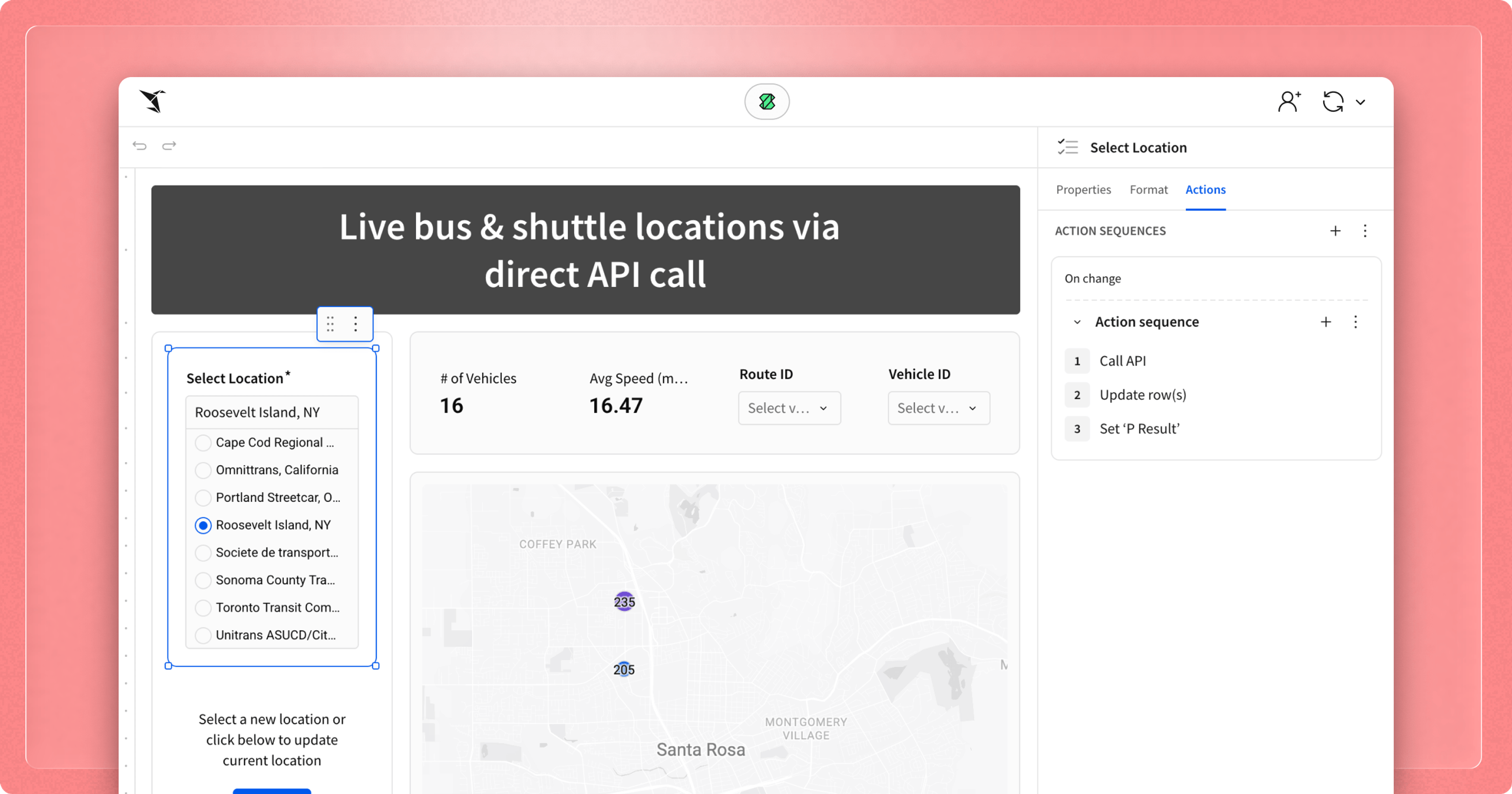
Sigma Actions are the mechanism for this transformation of complex workflows. Actions allow users to automate responses to specific events—like a button click or a value change—directly within Sigma. When paired withInput Tables for secure writeback, Actions turn processes into functional AI Apps where users provide the context and Actions trigger the workflow. This creates a frictionless UI where teams can move from discovery to action.
Understanding Sigma Actions: The core components
An individual Action serves as the fundamental building block of any interactive AI App in Sigma. The process begins with a Trigger, a user interaction such as clicking a button, selecting a cell, or changing a control value that initiates a specific Action. This leads to the Effect, which is the defined response to that interaction—whether it’s updating a row, navigating to a new page, or calling an external API.
To refine the workflow, builders can add an optional Condition, a rule based on a custom formula or control value that must be met for the sequence to execute. These steps can also be Sequenced, chaining multiple actions in succession to execute a sophisticated, multi-stage business process. By automating these responses to specific user interactions, you can create efficient workflows that eliminate manual spreadsheets and even avoid custom software.
Powerful actions released in 2025 that redefine your workflows
Actions are the backbone of how teams move data, trigger logic, and finish work directly inside Sigma. Our latest releases have significantly improved the ease of building by automating repetitive manual steps and bridging the gap between the warehouse and external business systems.
To eliminate the manual entry and repetitive calculations typical of legacy workflows, Sigma automates decision-making and high-volume data tasks:
- If/Else Action:This introduces branching logic to automate decisions within a sequence based on specific conditions. For example, if a warehouse manager sets a stock level below a safety threshold, the Action triggers an "Urgent Reorder" API call; if the item is marked "High Demand," it sends a procurement alert via Slack; otherwise, it simply logs the update.
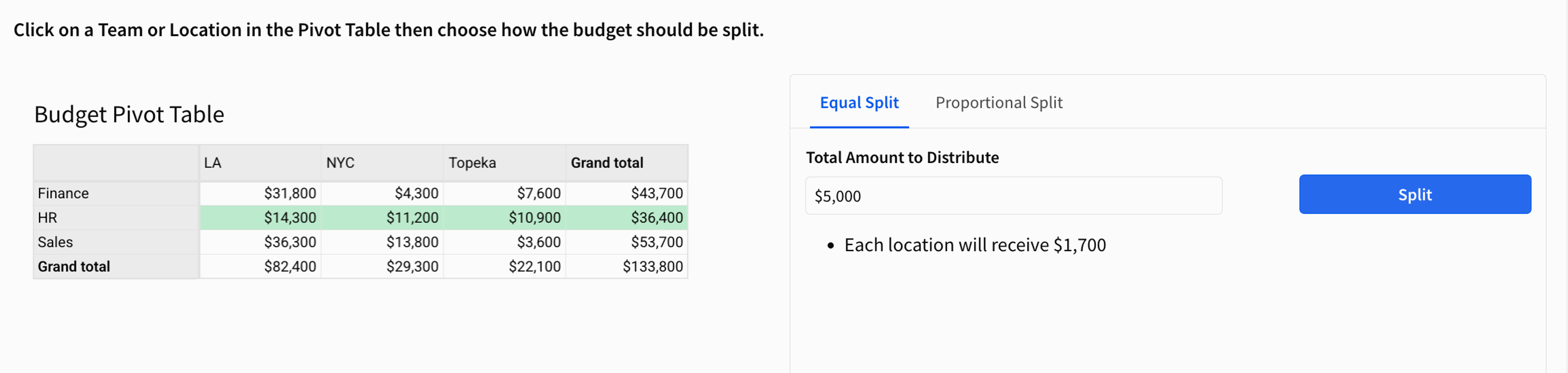
- Update Rows: Allows users to apply the same change to many rows at once. For instance, you can use a button to bulk approve a batch of expense reports selected by a filter, updating the status of 50 records simultaneously. You can also take a single budgeted number for a new project and use spreading to automatically distribute that value across different cost centers or months based on a proportional split.
Other Actions centralize fragmented workflows, and connect Sigma applications to external systems for end-to-end process automation:
- Call Stored Procedure: This advanced Action allows any user to trigger complex, predefined logic that already exists in their cloud data warehouse, preserving centralized data governance. In practice, a user can click a button to call a stored procedure that calculates and returns budget estimates or product pricing recommendations, leveraging custom Python code based on user-entered values in the app.
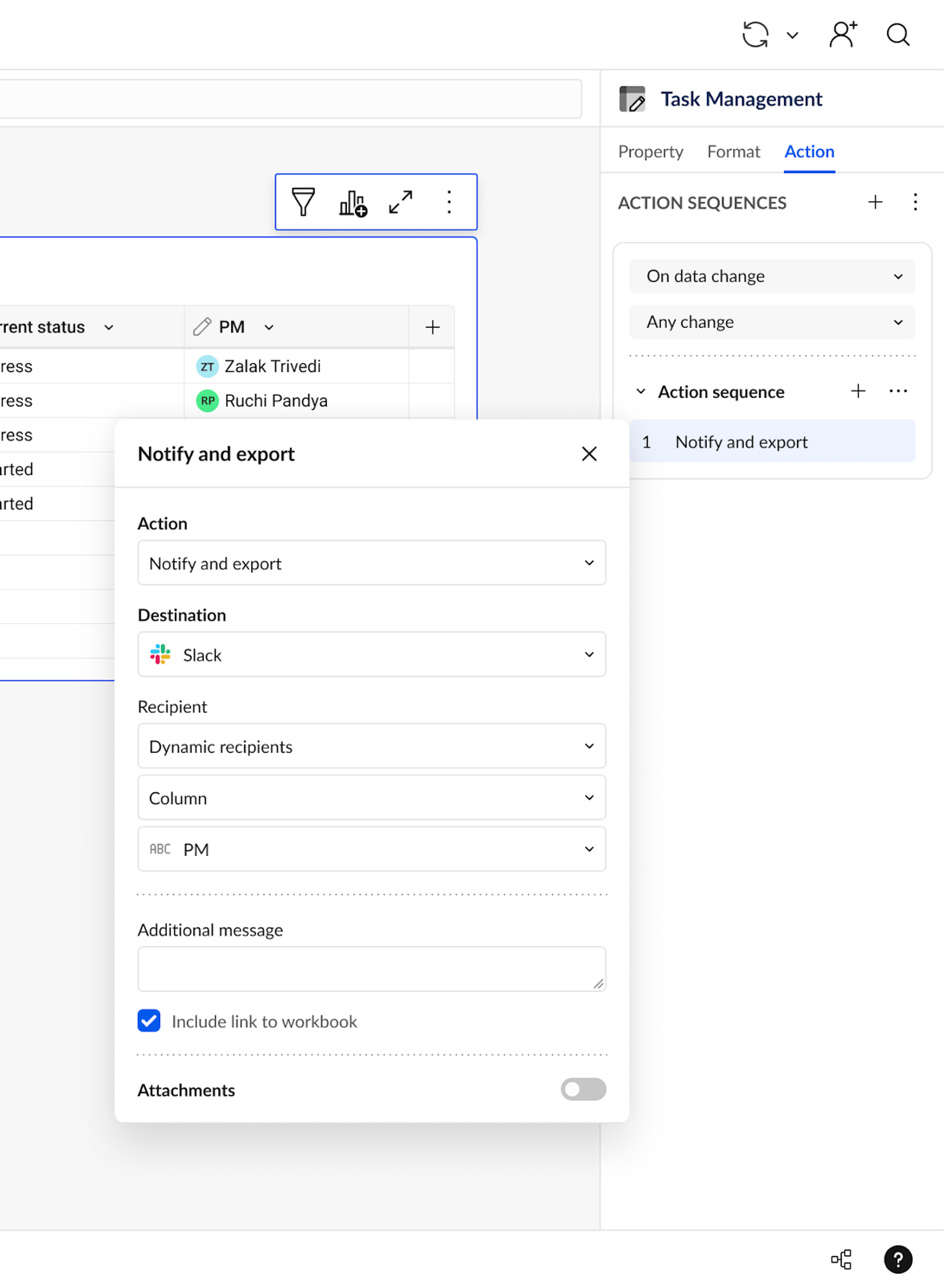
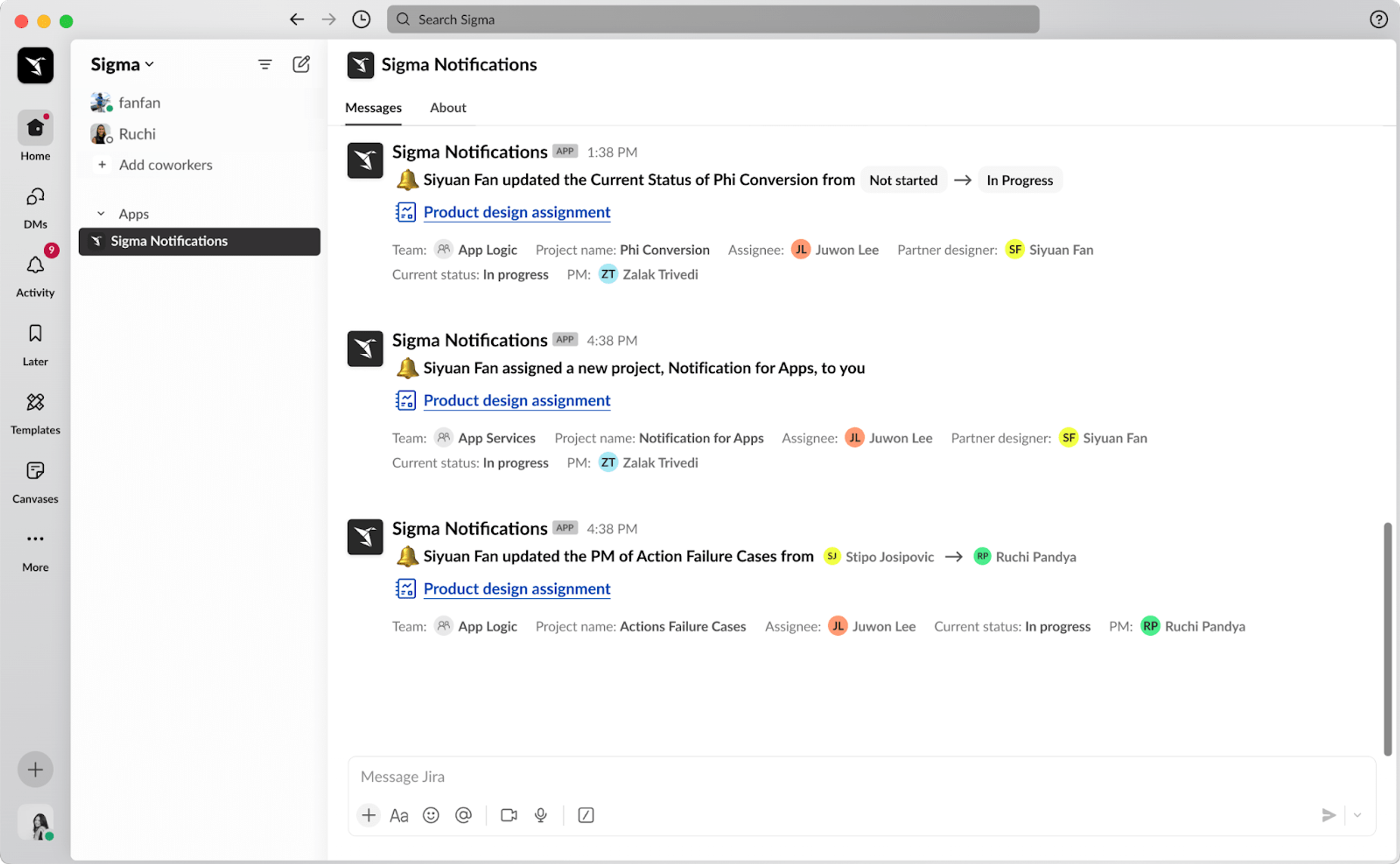
- Notification Action: Connect Sigma to collaboration tools (like Slack or email) to trigger alerts directly from your workflows. For example, a user can automatically notify the regional manager via Slack after a lead status is changed to "Closed Won," with all relevant data attached.
Building made simple
The true power of Sigma Actions is that they enable the consolidation of the fragmented, custom-coded, or spreadsheet-driven systems that slowed your business down.
With Sigma, your business teams gain the agility to build apps to execute complex work, and your data team gains 100% visibility and governance over all data and workflows. The future of your business runs on Actions and Sigma AI Apps. Get started building your own AI Apps with these training videos.