Introducing API Actions: Connect your AI Apps to External Systems

Every enterprise runs on a web of systems. Your forecast lives in Sigma, but the official number needs to land in NetSuite. Your support team triages in Sigma, but the ticket has to exist in ServiceNow. Your demand planners make decisions in Sigma, but the reorder signal needs to reach your supplier portal.
Until now, bridging that gap meant exporting data, switching tools, or building custom integrations. API Actions—a powerful new feature now available in Sigma—improves the builder and user experience by transforming Sigma from an analytics tool into a warehouse-native app platform. With API Actions, we are unlocking a new class of sophisticated, proprietary applications that were previously impossible to build without more engineering team members.
Unlocking new workflow complexity
By allowing Sigma to communicate with external systems, you can now build end-to-end applications that orchestrate complex business processes. There are two primary patterns for how builders can leverage API Actions in Sigma:
- Trigger an action in an external system
- Fetch live data from an outside source to give the user more context in their Sigma workflow
Pattern 1: Outbound actions
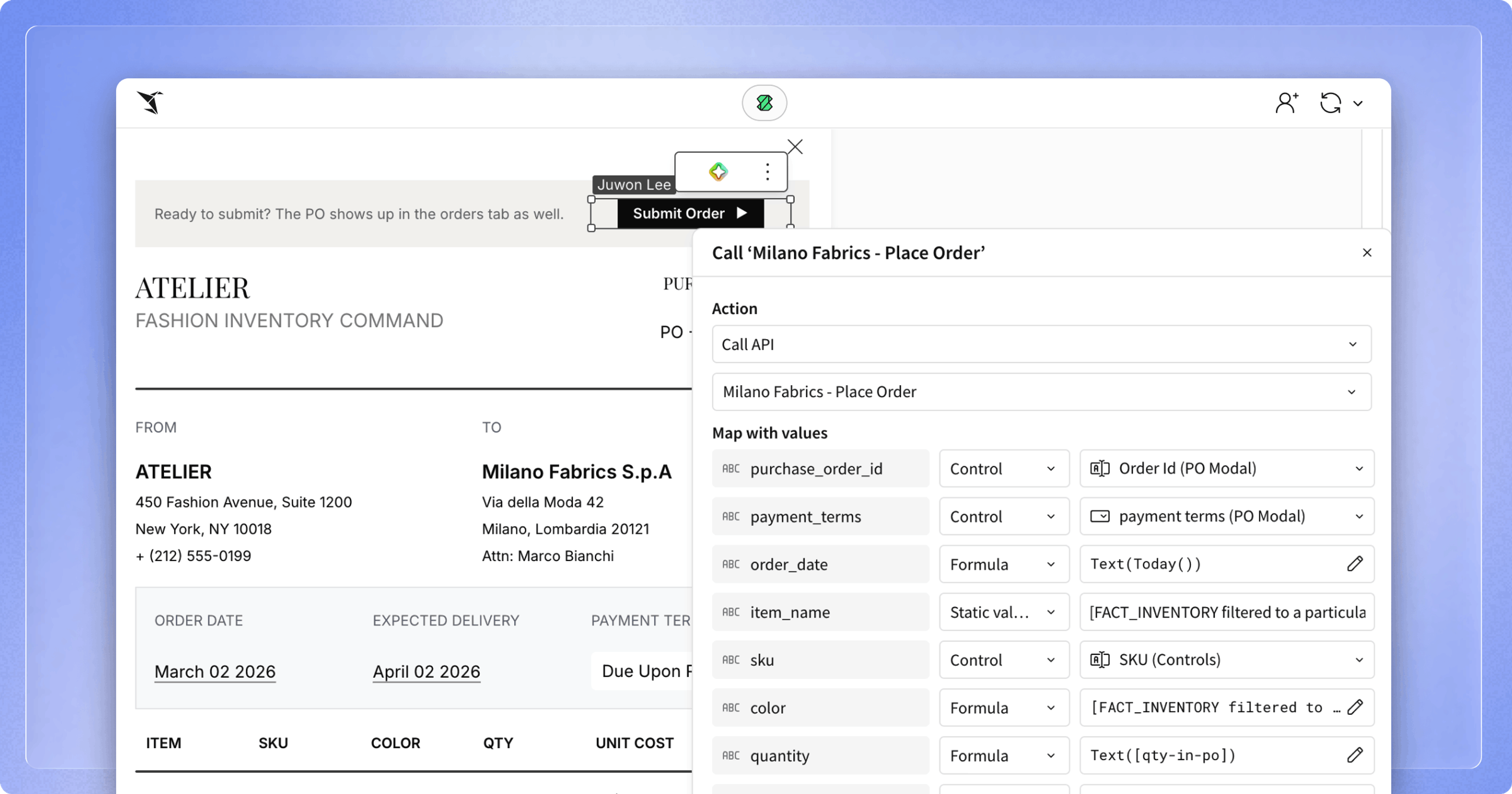
The first pattern for working with API Actions is straightforward: your Sigma app makes an API call to an external system, gets a success or failure response, and proceeds. The goal is to push a decision, a signal, or a record outward, without pulling the user out of their workflow.
This sounds simple, but it unlocks workflows that previously required context-switching between three or four tools. Consider what this looks like in practice:
- A finance team finalizes a quarterly revenue forecast in Sigma and pushes the approved numbers directly to NetSuite with a single click.
- A customer success analyst spots an at-risk account while reviewing health scores, and opens a ServiceNow ticket without leaving the dashboard.
- A marketing manager finalizes a new product announcement in Sigma and pushes the post directly to X to automate corporate social promotion.
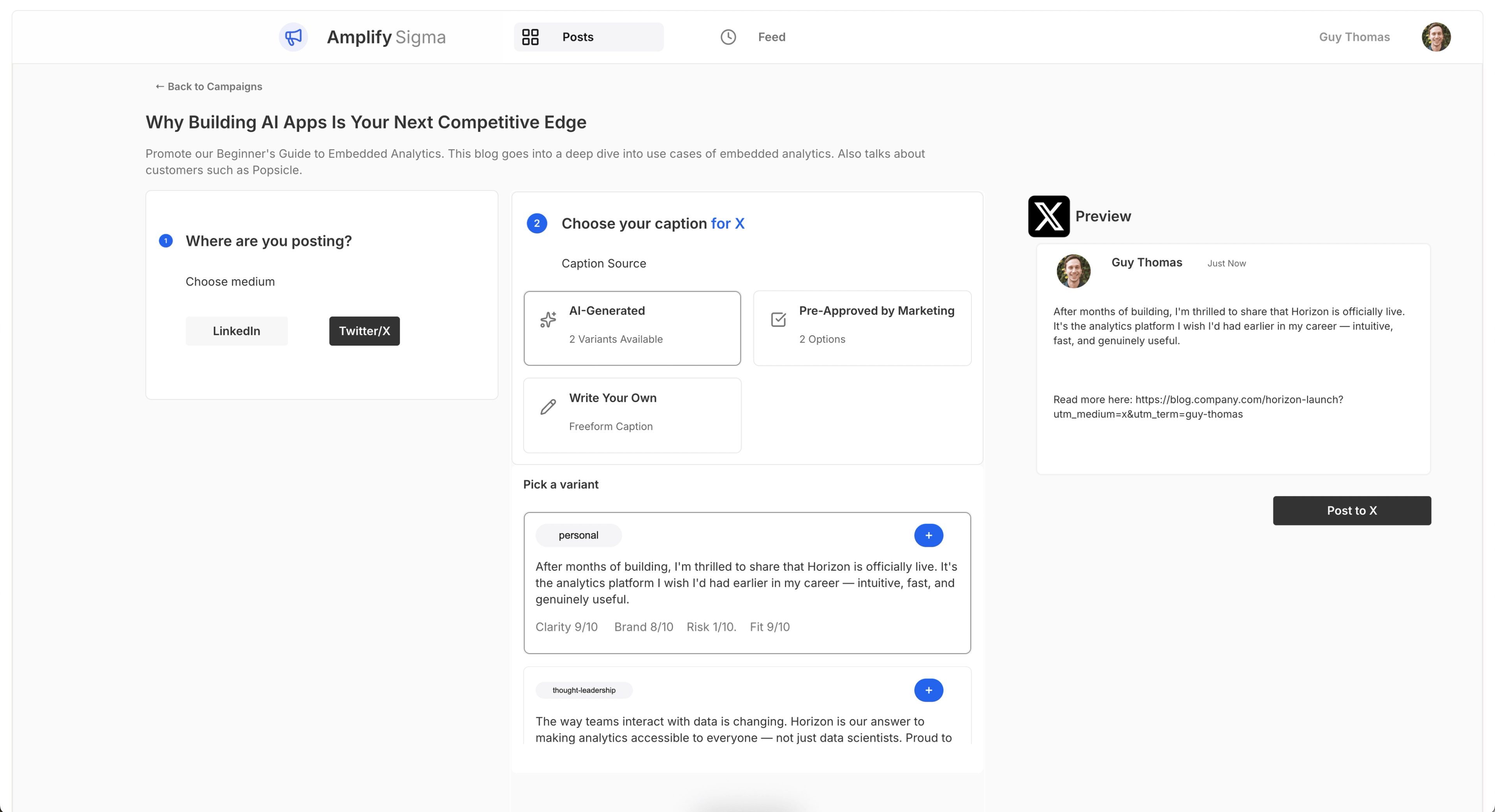
If these seem like small moments, they compound. Every time a user stays in Sigma instead of switching to another tool, you eliminate latency, reduce errors, and keep the decision-maker productive in one UI.
Pattern 2: Fetch data to pull context inward
The second pattern for working with API Actions goes the other direction. Instead of pushing data out, your AI App pulls a single record from an external system and brings it into the user's current view.
This is about enrichment, giving your users the context they need to make a better decision without asking them to go find it themselves. Here’s what it could look like in action:
- A demand planning team reviewing forecasts can pull live commodity spot prices from a market data API and see them right alongside their projections.
- A revenue operations team working territory assignments can fetch the latest CRM pipeline data from Salesforce and overlay it onto their territory map.
- An inventory planner identifies a projected stockout in Sigma, enriches the view with live warehouse metrics, and triggers a reorder directly to the supplier portal with a single click.
The pattern extends beyond simple lookups. You can make a POST API request to post deal attributes to an internal ML scoring endpoint and display the returned probability score inline. You can make a GET API request to get the latest task status from Jira and merge it with the financial tracking data your team already manages in Sigma.
In every case, the user gets a richer, more complete picture—without stitching the workflow together manually.
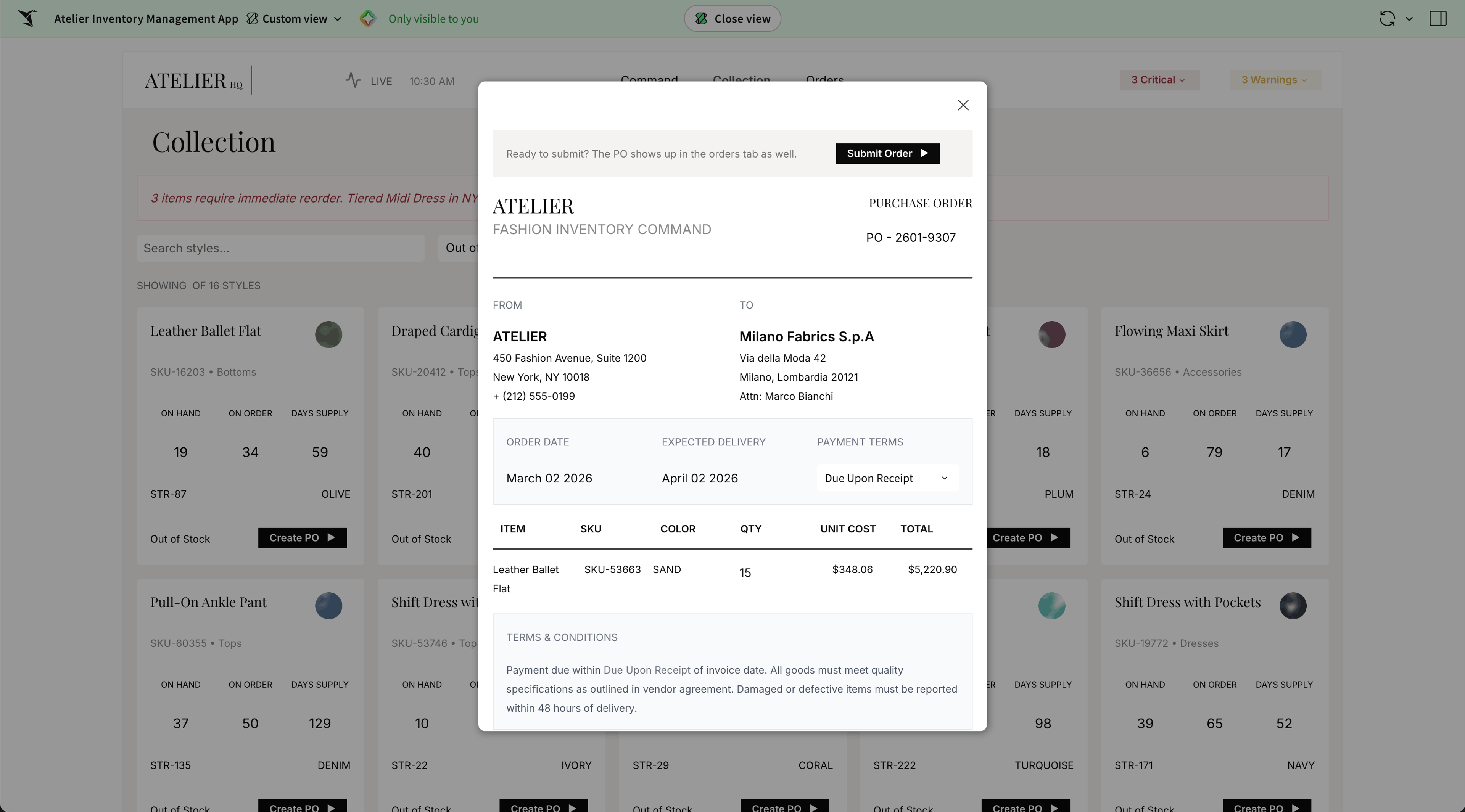
How API Actions work in Sigma
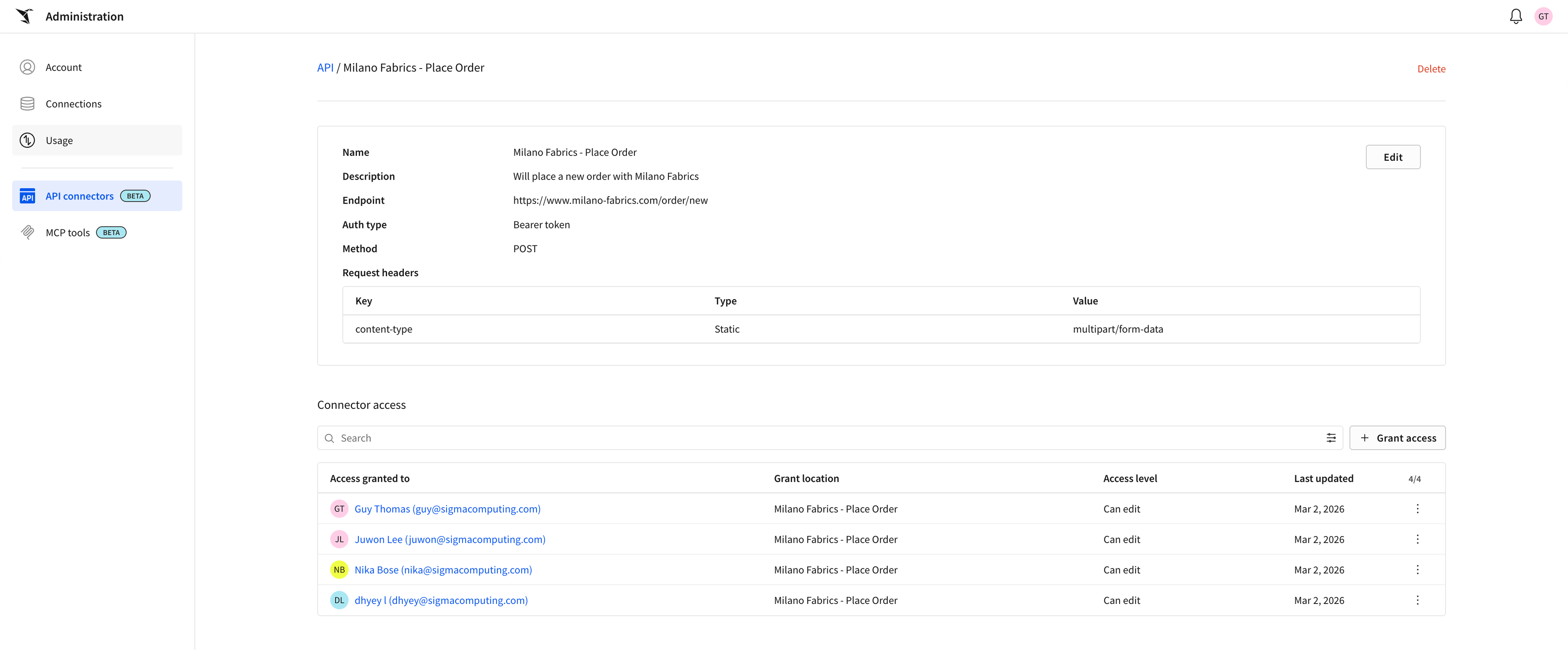
Sigma users configure API connectors through the admin panel. The admin can configure each connector with the endpoint URL, set up appropriate authentication, build the request body, and parse the response. Once configured, these connectors become available as actions that app builders can wire into buttons, schedules, data triggers, or workflow steps within any Sigma application.
Authentication credentials are managed centrally and never exposed to end users. App builders choose which connectors to surface and in what context. End users simply see a button that does something useful.
This separation of where the admin configures, the builder designs, and the user acts is intentional. It keeps governance tight while keeping the app-building experience flexible.
Why building with API Actions matters
API Actions reflect a broader shift. For too long, the applications we use to plan and decide have lived in isolation from the broader software ecosystem. API Actions makes Sigma a warehouse-native AI application platform, offering a powerful alternative to expensive low-code tools and custom software development.
By replacing fragile spreadsheets and disconnected middleware with a single UI, you can significantly simplify your software footprint. Unlike traditional platforms that force you to replicate data into new silos, Sigma keeps your workflows governed by your existing warehouse security policies. This ensures that the teams who use Sigma to analyze and plan can finally execute their decisions in the same environment where they do their best thinking.
API Actions is available now. Head to the admin panel to configure your first connector, or visit our documentation to get started.