




Architected for live warehouse data
Sigma is a spreadsheet UI on top of your cloud data warehouse. Filters, group-bys, pivots, and formulas compile into SQL in your warehouse's dialect, run where the data lives, and return results to the browser.
Live query only (no extracts)
Run directly on your warehouse, not a separate data store. Control caching and refresh so teams get speed without losing freshness.
Spreadsheet actions compile into SQL
Work in a spreadsheet UI while Sigma generates optimized SQL behind the scenes. Inspect the SQL, execution path, and timing details when you need to troubleshoot.
Governance stays at the warehouse boundary
Access is enforced at query time with warehouse roles like OAuth or service accounts. Add platform permissions plus audit logs for who changed what.
Architecture at a glance
Execute everything inside the warehouse boundary.
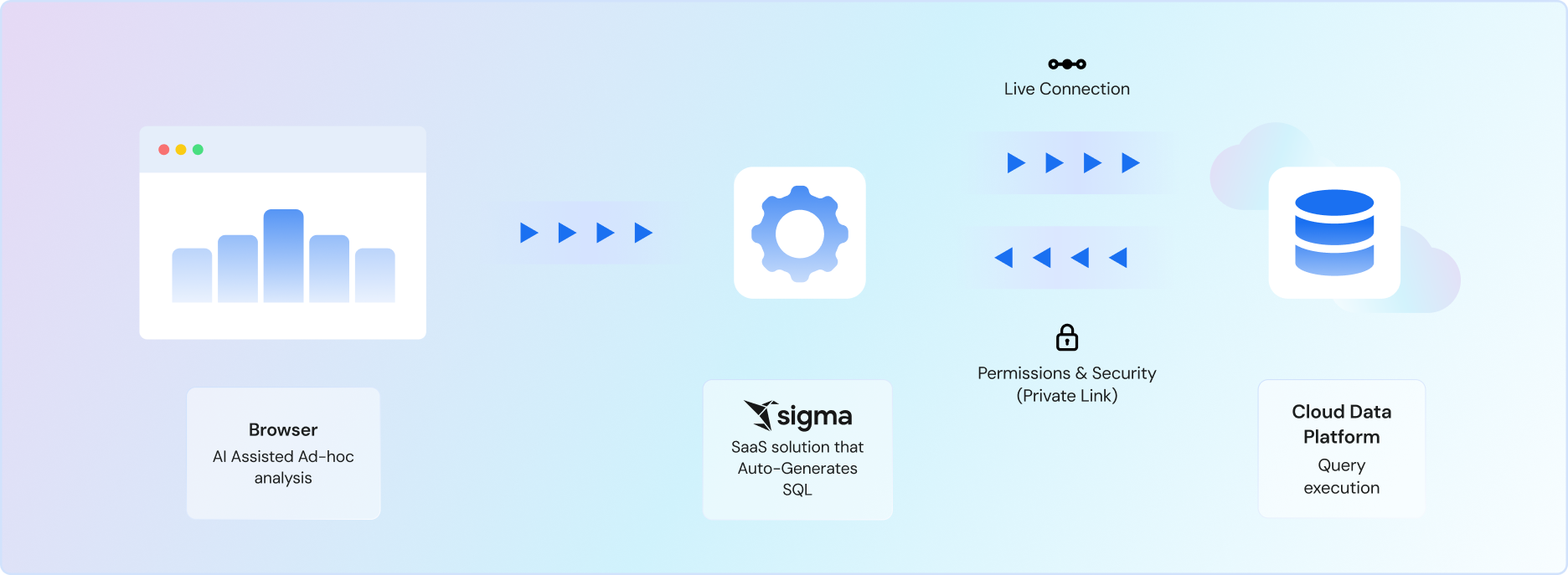
When anyone opens a workbook, Sigma plans what data needs to be fetched and compiles operations into machine-optimized SQL.
Sigma then decides the best execution path, whether it's cached results, in-browser calculations, or pushdown to the warehouse.
Warehouse-native execution
All AI processing runs on your cloud data warehouse compute.
Inherited security
AI respects existing row-level security and permissions.
Deterministic outputs
Reproducible results with consistent behavior.
End-to-end lineage
Full visibility into data transformations and AI operations.
Under the hood
See the parts architects ask about: compilation, execution paths, governance boundaries, and what you can measure.
Workbooks generate warehouse-optimized SQL
Sigma translates spreadsheet operations into SQL on the fly. Switch statements become CASE logic, moving averages become window functions, and pivots compile to your warehouse's dialect.
Query History shows the generated SQL for every element, with timing breakdowns and request IDs for warehouse tuning.
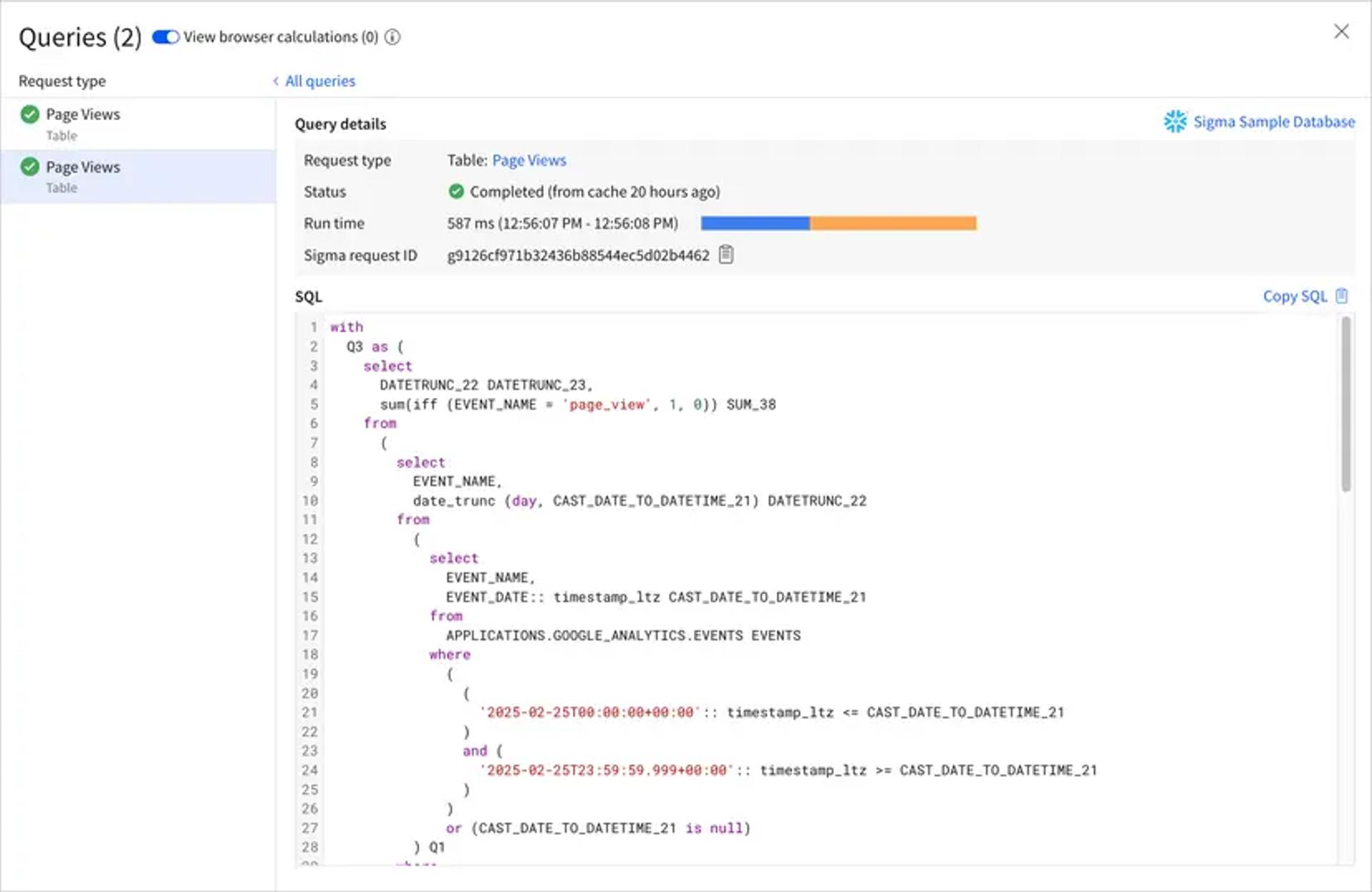
You can attribute spend and tune from real usage.
Sigma exposes query behavior including queue time, Sigma runtime, warehouse runtime, and result fetch time, plus admin usage dashboards and audit logs.
Drive access from the warehouse, Sigma, or both
Sigma can run as the user (OAuth) or as a service account, and optionally map users/teams to warehouse roles. Or you can define access rules in Sigma.
You pay for queries. Not curiosity.
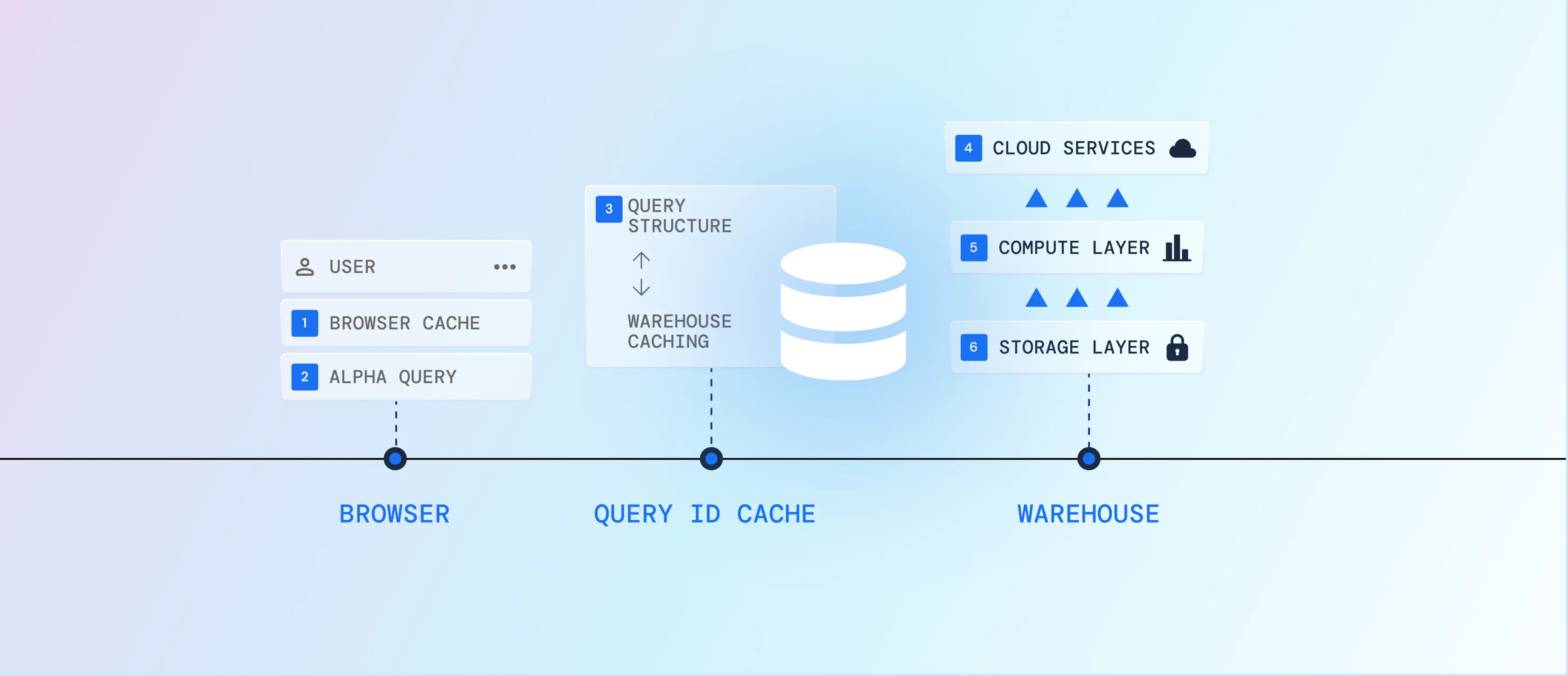
Not every click should wake your warehouse. Sigma's hybrid query engine finds the cheapest path that still returns the right answer, starting in the browser and escalating to the warehouse only when it has to.
- 01
Reuse what's already in the browser session. If the result is in hand, there's no roundtrip and no warehouse work.
- 02
Recombine data already loaded in the browser. Re-sorts, filters, and pivots run locally, still no warehouse hit.
- 03
Fingerprint the query structure and map it to a warehouse query ID. If it's run before and your platform caches results, Sigma fetches the cached result by ID, without storing your data in Sigma.
- 04
Back at the warehouse, its own result cache can still answer without recomputing. Most platforms hold cached results up to ~24 hours, depending on determinism and changes.
- 05
Only now does compute run. Sigma pushes optimized SQL and merges work, so a full page of tables, charts, and pivots takes fewer warehouse hits instead of one per element.
- 06
Your data never leaves your warehouse. For repeat-heavy logic, materialize expensive datasets into reusable tables and refresh on a schedule, so fresh doesn't have to mean expensive.
From Data to Revenue and Operational Outcomes
Sigma supports the core workflows where sales performance, capacity, and execution determine growth.
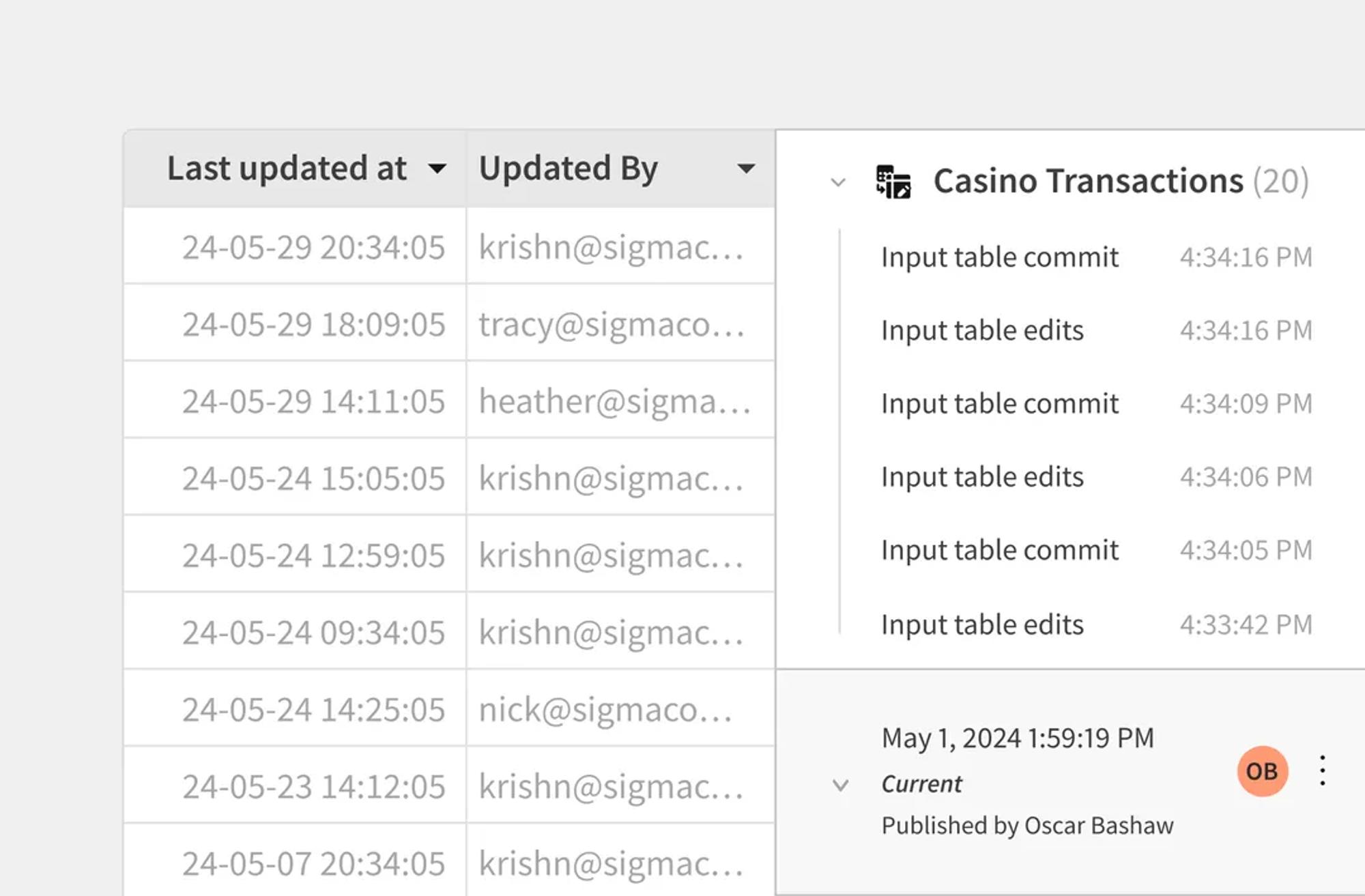
Write back to the warehouse to annotate, adjust, or contribute data.
Edit data in Sigma. Write it back to the warehouse.
- Add rows or update values in a Sigma table UI
- Persist changes to a warehouse table (INSERT / UPDATE / DELETE)
- Downstream models and dashboards reflect updates immediately
Precompute expensive logic when it makes sense.
Precompute expensive transformations and query the output table.
- Persist results as a warehouse table instead of recomputing each query
- Speed up downstream dashboards and app workflows
- Keep logic consistent anywhere it’s reused
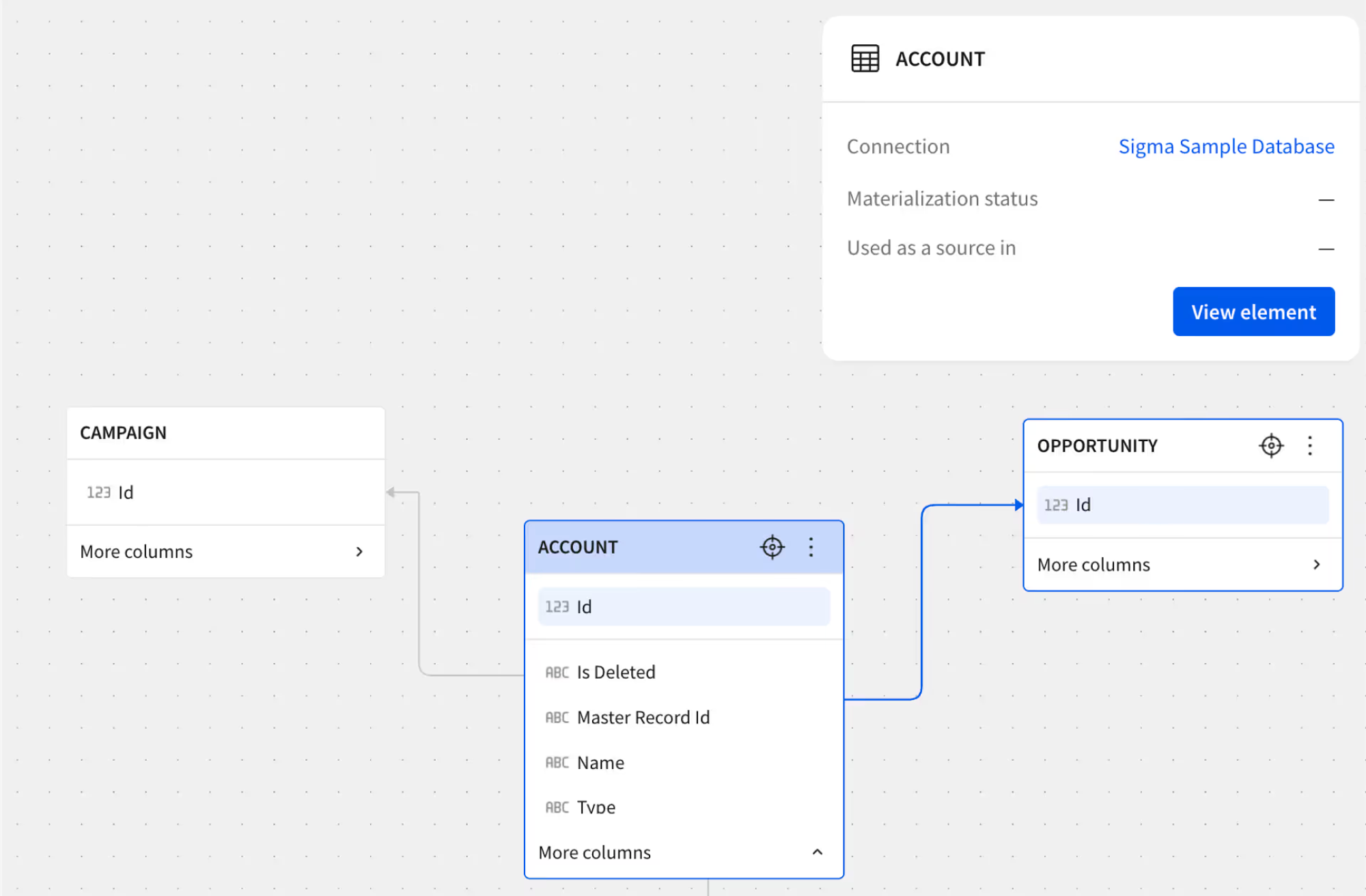
Reuse metrics you already define.
If your team standardizes metrics in dbt, Sigma can query the dbt Semantic Layer so builders aren't redefining business logic in five different places.
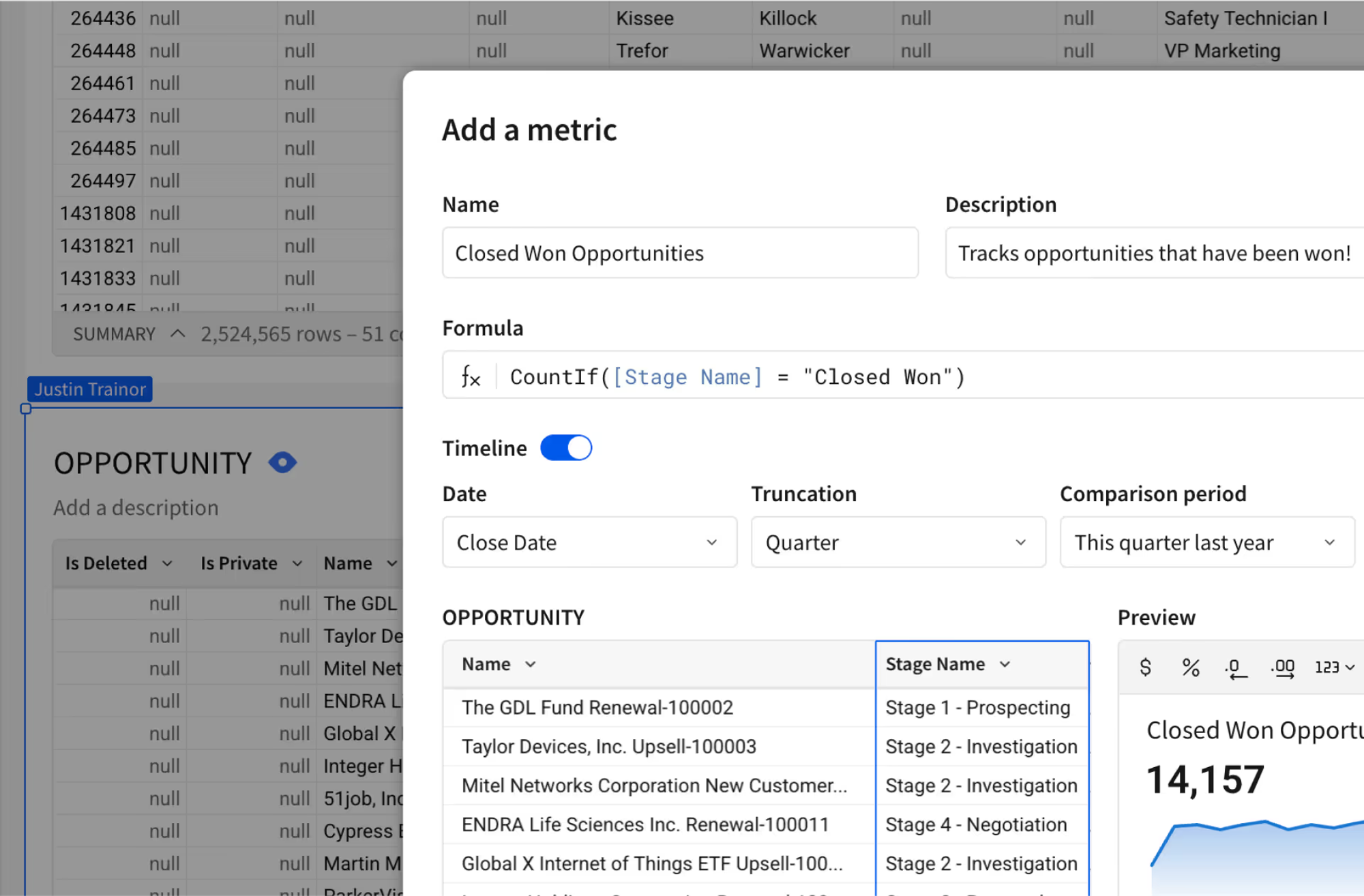
Enterprise-Grade Analytics for Sales & Ops Scale
Sigma is built for business teams that need flexibility without sacrificing governance or performance.
Zero-copy query model
Sigma doesn't require you to duplicate warehouse tables into a separate store to get interactivity. Results can be reused via cache paths instead of persisting a separate copy.
Private connectivity (AWS/Azure/GCP)
Support for PrivateLink / Private Service Connect patterns when your security team wants to keep traffic off the public internet.
Auth or service account
Run per-user (OAuth) or via a service account. Choose what fits your governance model and auditing requirements.
Role-aware access control
Dynamically map users/teams to warehouse roles so row/column policies are enforced at query time.
Audit logs for admin events
Track key admin activities (logins, permission changes, connection changes, and more) for operational visibility.
Compliance artifacts in the Trust Center
SOC 2 Type II, ISO/IEC 27001, GDPR/CCPA posture, and other reports live in one place for review.

SOC 2

ISO/IEC 27701

GDPR

CCPA
Fits into the rest of your stack
Sigma connects to your warehouse, and it also plays well with the systems around it whether its catalog, transformation, monitoring, or reverse ETL.

Reuse standardized metrics and keep business logic centralized.

Let users discover governed tables and definitions where they already look.

Keep an eye on pipeline and data quality issues that impact downstream analysis.

Operationalize curated outputs from the warehouse into downstream tools.
Real customers, real workloads
From insight to action—powered by the warehouse.

 Customer Story
"You're not using specialized Python developers to analyze billion row records. You're just adding an Excel user."








Related Resources
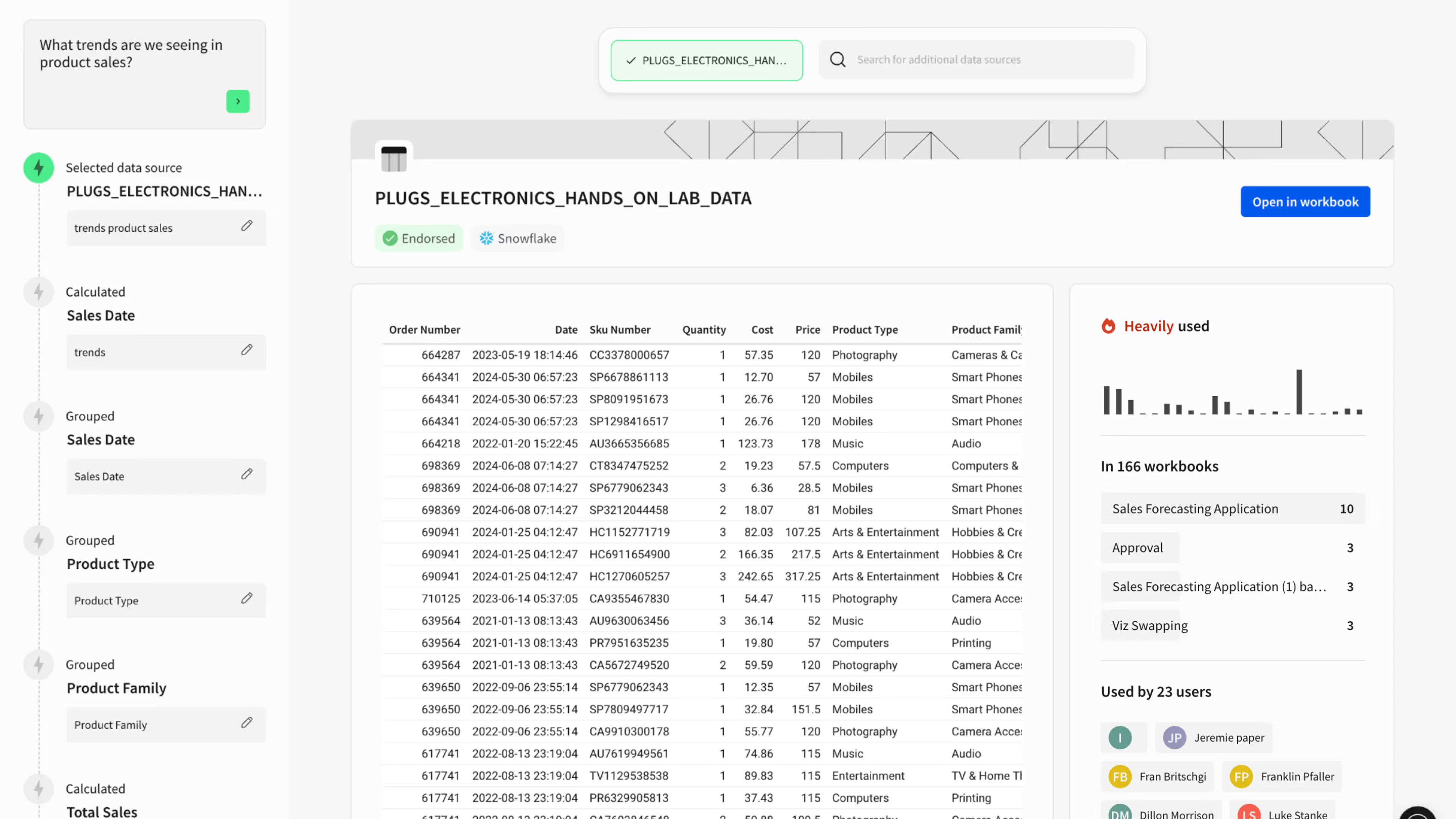
Sigma's Query Engine (caching tiers + Alpha Query)
A technical walkthrough of the execution lanes: browser cache, Alpha Query, results cache via query ID, materialization, and warehouse cache behavior.
Query History (generated SQL, execution path, request IDs)
How to inspect what Sigma generated, where it ran (browser vs warehouse/cache/materialized), and the timing breakdown you'll use when tuning.
Set up PrivateLink / Private Service Connect
Step-by-step guides for AWS, Azure, and GCP private connectivity patterns.
Architecture FAQ
The questions that usually come up once someone starts mapping Sigma into their warehouse and governance model.